The OS holds the file dialog, not the program
Prototype: Content on this page reflects current design intent and will be updated as the product matures.
Overview: Under basic protection, malware stays in its own storage area but can still silently open your documents. Advanced protection holds the file dialog in the OS, not in the program.
HJFS provides two levels of protection:
| Protection level | OS changes | App changes | Description |
|---|---|---|---|
| Basic protection | Yes | No | Program and version isolation. All current HJFS v1.0 capabilities. |
| Advanced protection | Yes | Yes | Adds internal/user file separation and OS-mediated file access. Requires application updates. |
Basic protection runs existing software unchanged. Advanced protection builds on it with stronger guarantees for user-facing data files, but applications must be updated to use the new OS functions.
Internal files and user files
Advanced protection subdivides each program’s per-version storage area into two types.
Internal files are managed directly by the program using file names. They are hidden from user utilities — they cannot be browsed, copied, or accessed outside the program that owns them. A spell-checker dictionary, a configuration file, or game state data are examples of internal files.
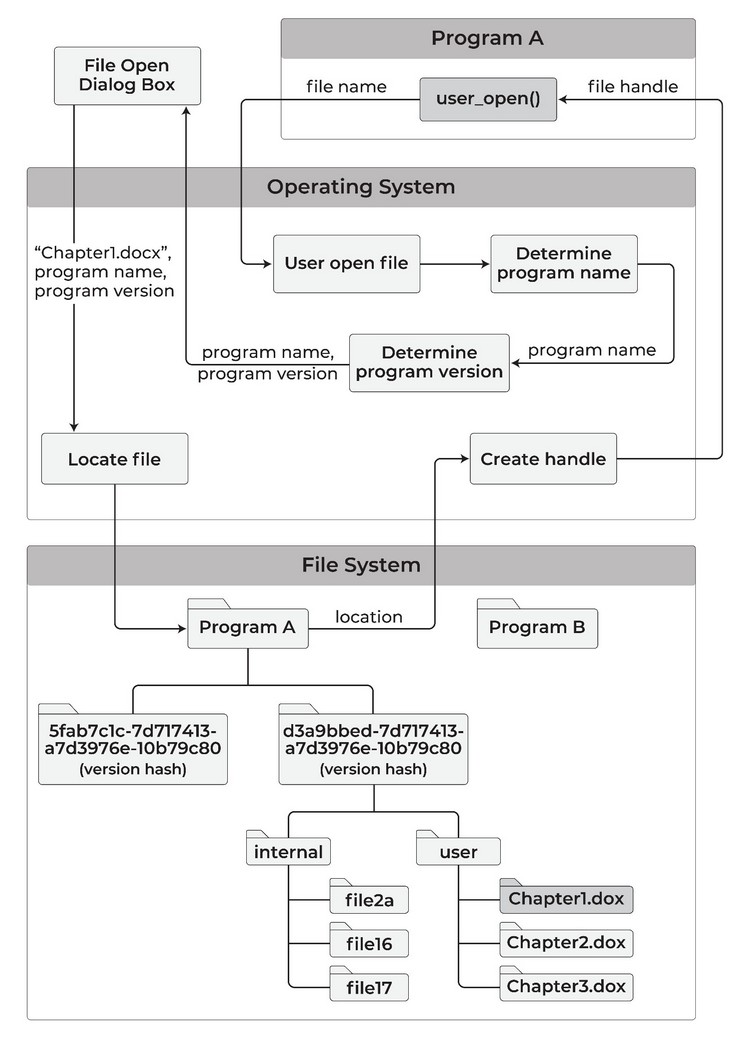
User files are the documents, spreadsheets, and images you work with. A program cannot open a user file by specifying its name; instead it invokes a system function that presents a standard OS file-selection dialog, and you make the selection.
The OS opens the file and passes a file handle to the program — not a path. The program never learns the file’s location in the broader filesystem.
Malware therefore cannot open your user files on its own: it has to wait until you open a file through the dialog, and you can restrict that file to read-only for the program.
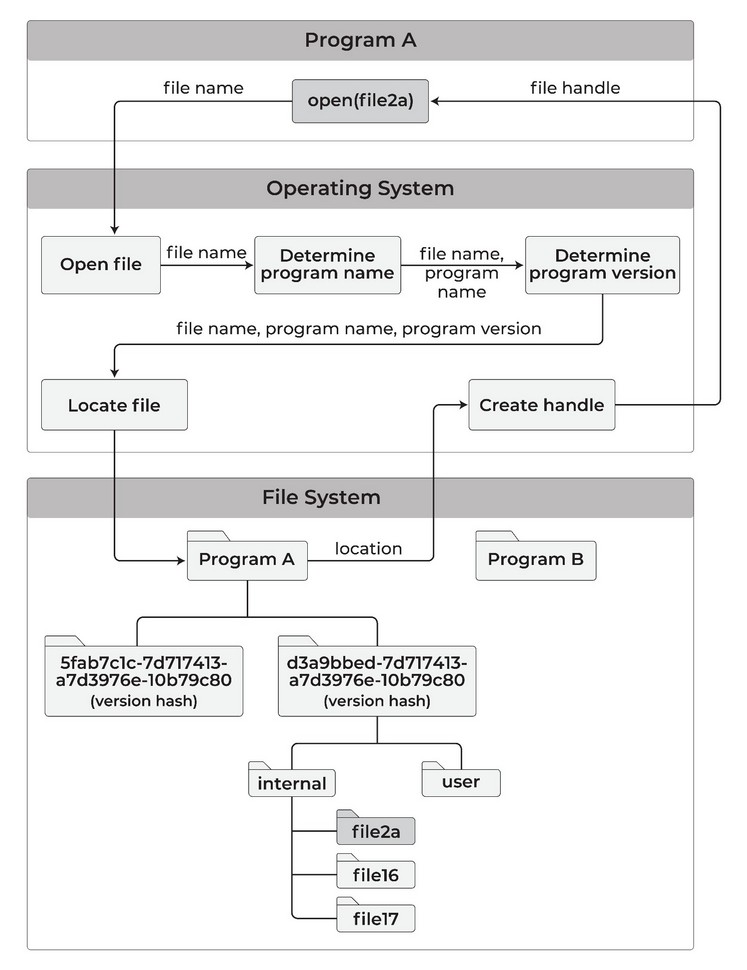
When you open a user file, a file-selection dialog appears. You pick the file; the OS resolves and opens it, passing only a handle to the program:
Exporting and importing data
Because internal files are hidden and user files require OS mediation, HJFS advanced protection provides two explicit system functions for moving data across the boundary:
Export: A program can write internal file data to a user file, making it available to you or to other programs. To prevent data mixing, no other user file may be open by the program during the export operation.
Import: A program can read from a user file and write the data into its internal files. This is the standard path for a program to accept externally supplied data — a document being opened for editing, for example.
Both functions are explicit, auditable, and user-initiated through the OS dialog.
Multiple users
On a multi-user system, each user’s storage is kept separate first. Within that per-user space, storage is divided by program. Within each program, storage is divided by version. Within each version, storage is split into internal and user subareas.
A program running as user X cannot access files created by user Y, even within the same program version.
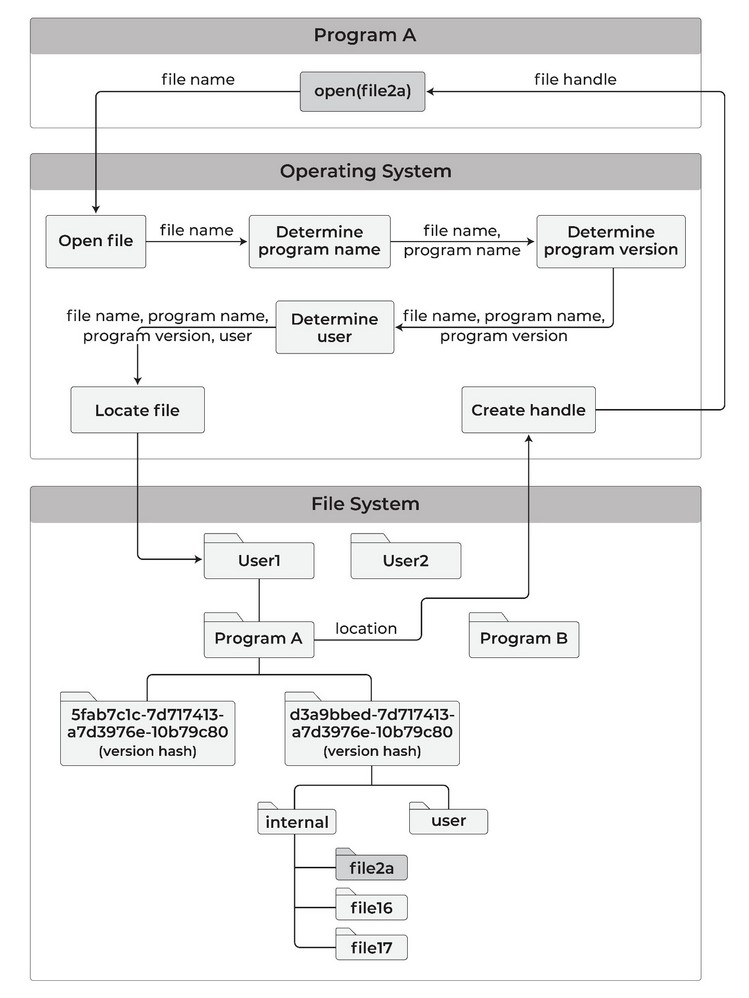
Internal files that contain no user-specific data — shared configuration or reference data, for example — can be stored in a user-independent area accessible to all users of the program.
Programs are restricted to read-only access of such common files. That prevents one user’s program session from modifying data visible to another without the other user’s knowledge.
Advanced protection adds the internal/user file distinction on top of basic protection. Version isolation, per-program storage, secure file transfer, and automatic data file backup remain active.
Feedback
Was this page helpful?
Glad to hear it! Please tell us how we can improve.
Sorry to hear that. Please tell us how we can improve.